The IP Address Assignment step determines which IP address your email campaigns will be sent from. Every email you send through Insider One is delivered via an assigned IP address, which becomes the foundation of your sender reputation with inbox providers such as Gmail, Outlook, and Yahoo.
In this step, you will select the server region you want to send emails from (for example, Global or EU), confirm your Monthly Email Volume, and either continue with a shared or dedicated IP address.
Regional Server Selection
Choosing the correct sending region helps improve delivery performance by routing your emails closer to your audience and supports regulatory compliance when regional data-handling rules apply. If you are operating in Europe or you serve customers from Europe, you can select the EU region for your servers.
When EU servers are selected during onboarding:
Email sending is performed via EU-based SendGrid servers.
DNS authentication records (SPF, DKIM, tracking domains) are generated specifically for EU servers.
IP assignment and warm-up are handled within the EU infrastructure.
Email data processing and delivery remain within the EU region.
The server region selection can be done only once, and once you click Confirm and Submit, you will no longer be able to change your server region.
If you have started or completed your Email Setup before Jan, 2026, you will be using the Global Region servers and are not able to update to the EU Region servers.
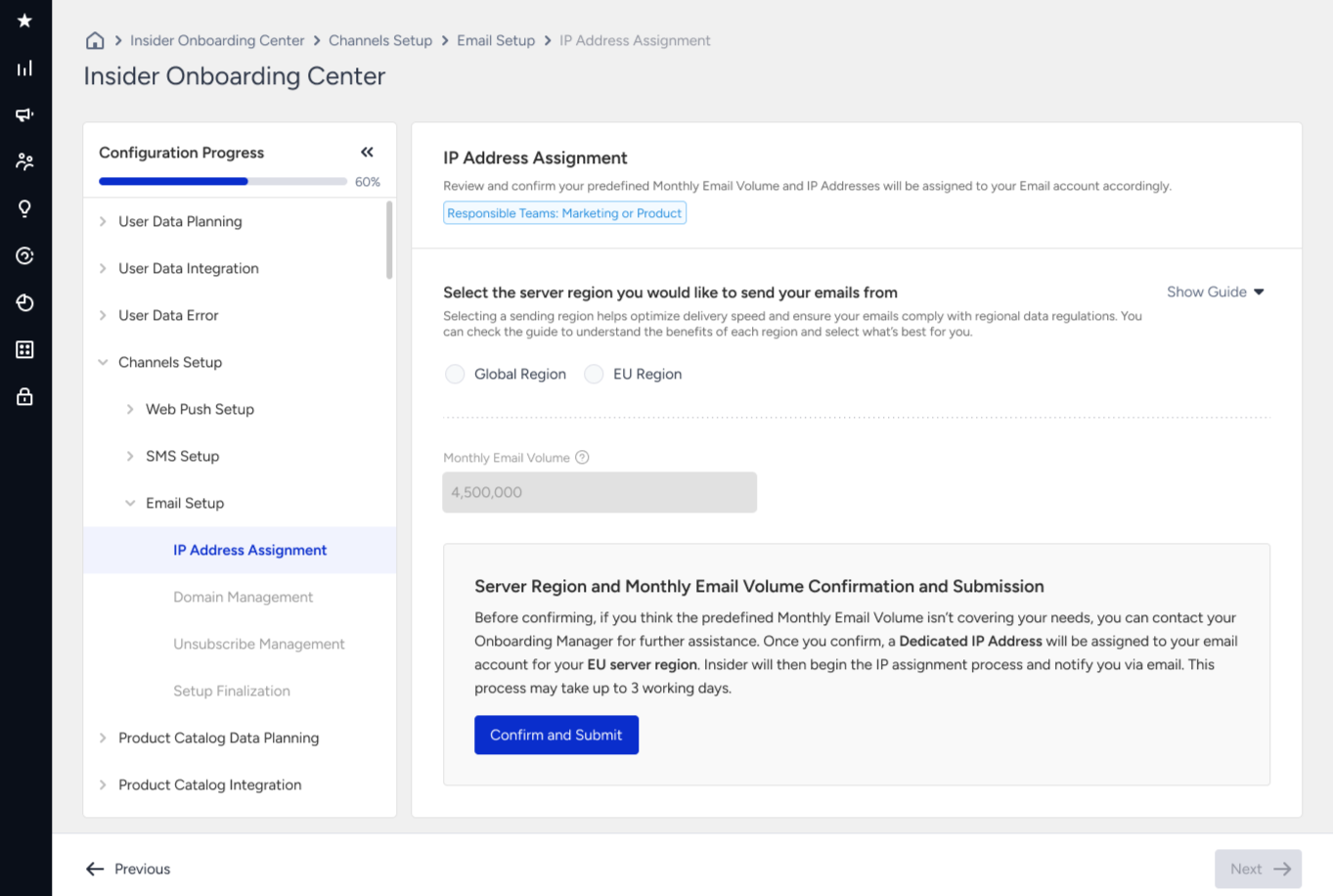
Monthly Volume and IP Assignment
In the Monthly Email Volume section, you should enter the expected maximum number of emails you plan to send monthly.
If you have previously signed the contract for Email product usage, you will see the monthly email volume entered and is non-editable.
Monthly email volume information is required to optimize email delivery for your account and better match your sending needs.
Sharing your expected email volume helps us ensure the best possible email delivery experience for your account. Your emails will reach their intended recipients reliably, promoting engagement and communication success.
Optimal email delivery: Your email volume helps us determine the most suitable email infrastructure for your needs.
Shared or dedicated IP: Based on your expected volume, we will allocate either a shared or dedicated IP address to your InOne account. This IP address will be used to send your emails.
A dedicated IP is a static Internet Protocol (IP) that does not change over time. Shared IP is a dynamic Internet Protocol (IP) address used by multiple senders simultaneously. When you use a dedicated IP address to send email marketing campaigns, you have complete control over your campaigns and their delivery. Conversely, in the case of a shared IP, multiple users send emails from a shared IP address, as the platform groups senders together for user convenience. The categorization is determined by the email service provider.
Shared IP Address
If your expected email volume is below 3 million emails per month, then a shared IP address will be assigned. This is suitable for accounts with a consistent and reasonable email volume.
Sharing an IP with others can provide some level of reputation protection, as senders with good sending practices collectively contribute to a positive sender reputation.
Once you enter your monthly volume and submit your request, shared IPs will be assigned to your InOne account immediately. We usually assign 3 to 5 shared IPs to the account to provide smooth deliverability.
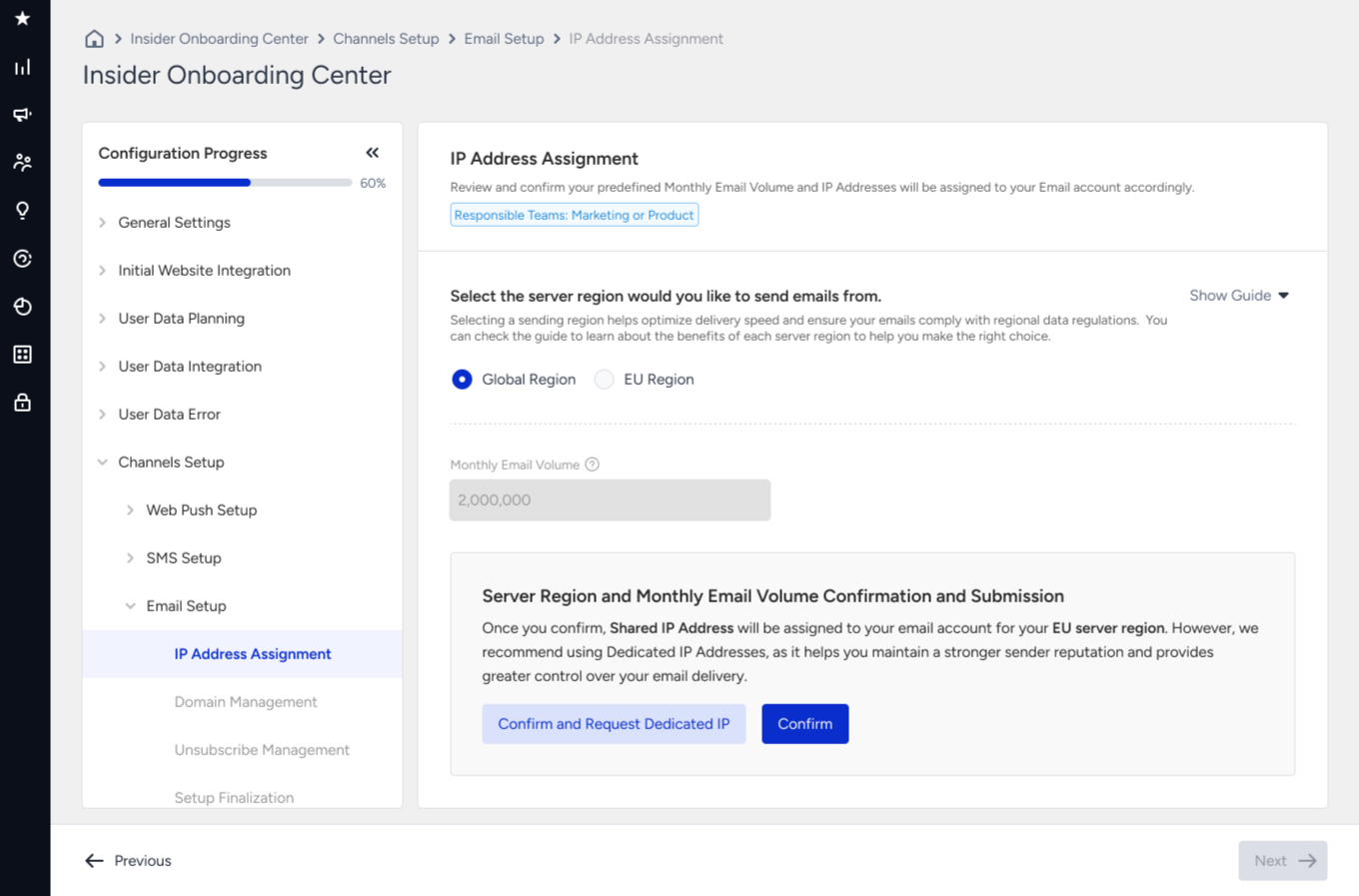
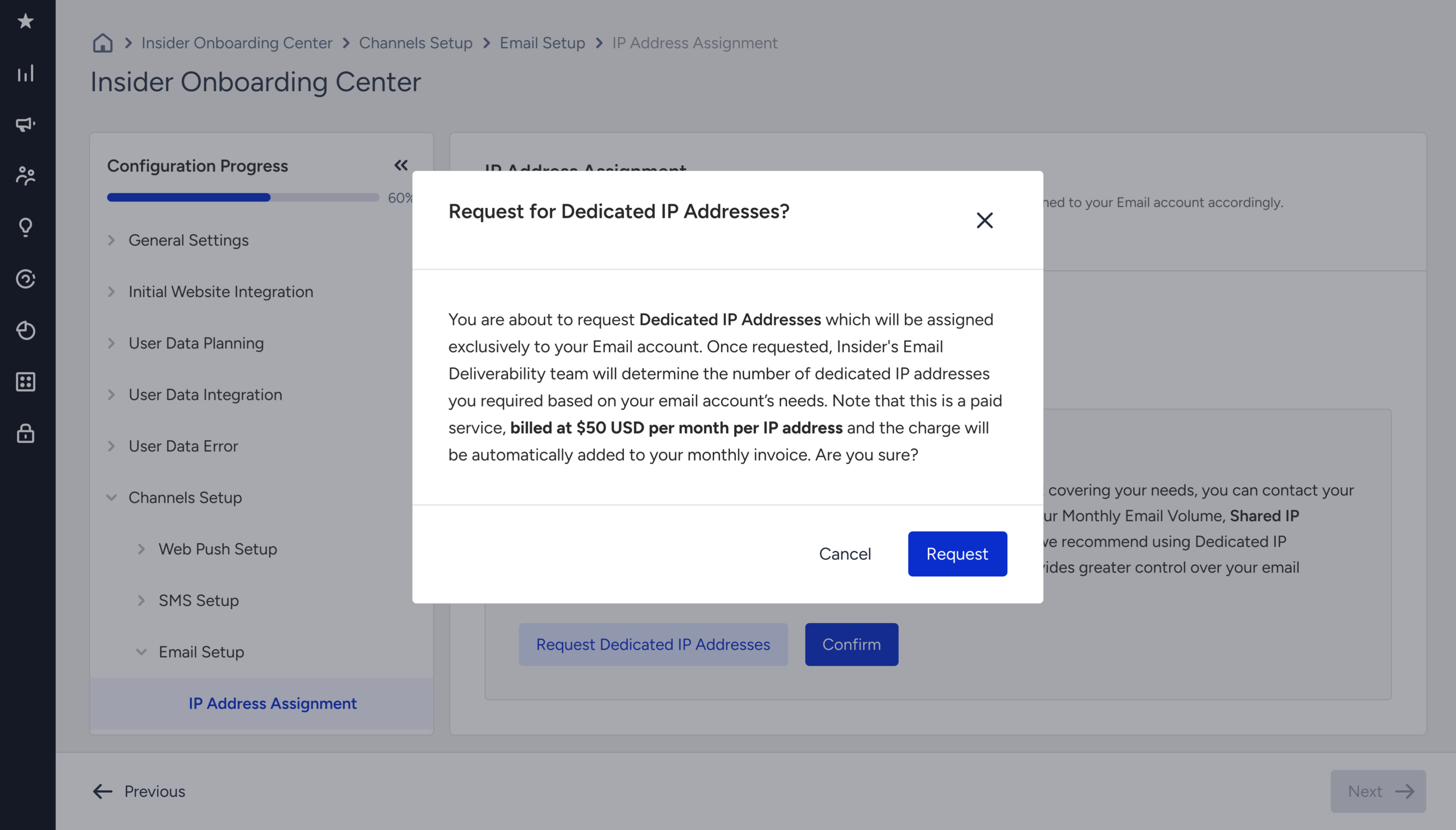
You can also request a dedicated IP address to be assigned to your account. In this case, Insider One's Email Deliverability team will contact you to define the number of dedicated IPs for your account's needs. Please note that dedicated IP is a paid service.
Dedicated IP
If your expected monthly email volume is higher than 3 million or you require greater control over your sender reputation, a dedicated IP address will be assigned.
A dedicated IP can ensure that your sending practices are not influenced by others and allow you to build your own reputation over time.
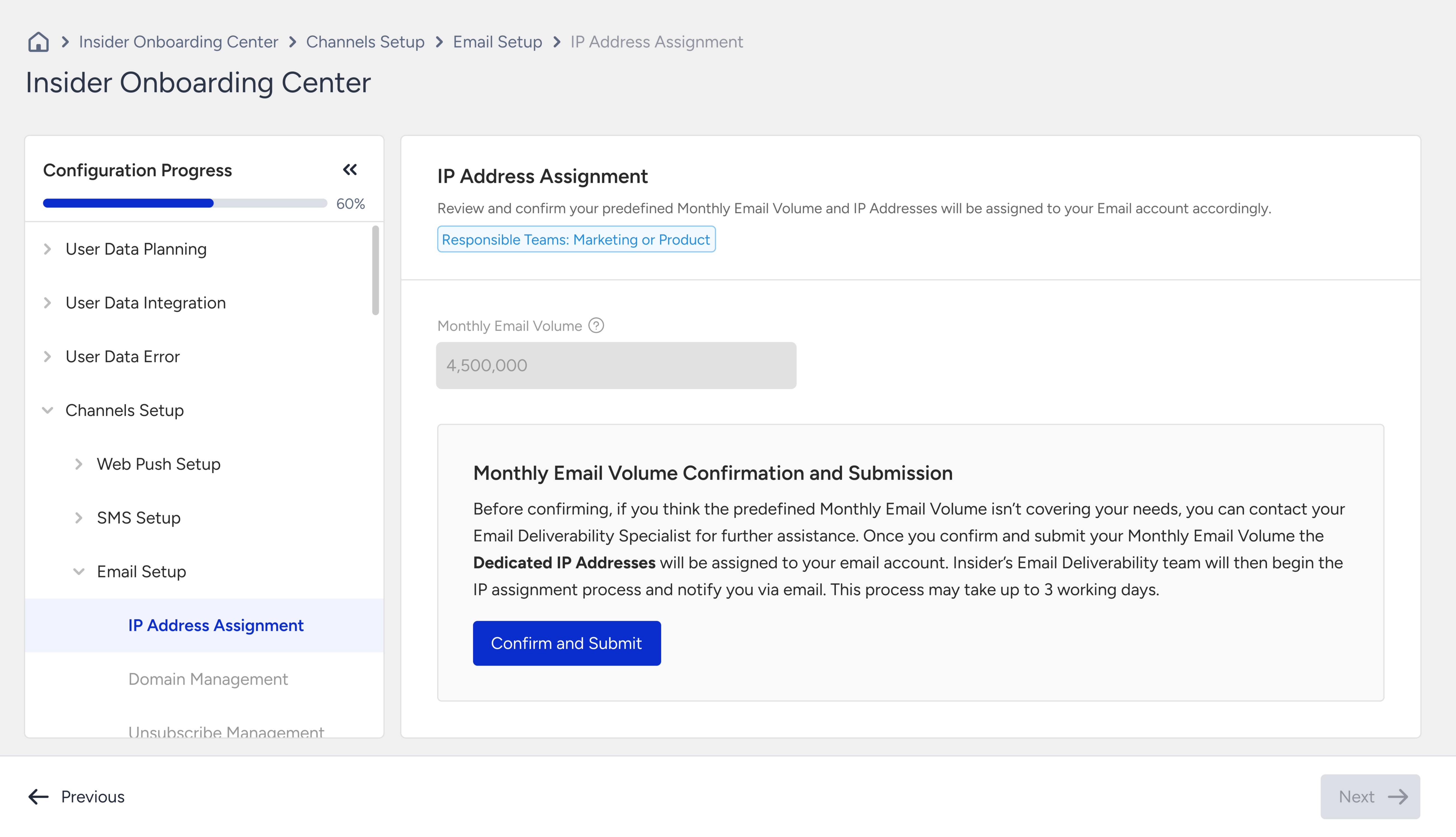
Once you enter your monthly volume and submit your request, Insider One's Email Deliverability team will contact you to determine the number of dedicated IPs required for your account.
Monthly volume cannot be manually edited on the panel as it's pre-added to your account based on your signed contract.