Agent One Teams brings a team of specialist AI agents right into your InOne panel. Ask a question, upload a file, or describe the campaign you have in mind. The right agent responds with answers and charts and, where supported, builds the work for you, ready for your review.
You write in everyday language, and Agent One Teams routes your request to the best-suited agent, such as an analytics expert or a campaign builder. You always work in the same chat, no matter which agent picks up the request.
If you don't see a particular agent yet, it might not be enabled for your account. Contact the Insider One team for access.
Why marketers love Agent One Teams
Answers in seconds, not tickets. Ask about campaign performance or customer behavior and get charts and tables on the spot. No SQL, no exports, no waiting on a report.
Drafts, not blank pages. Describe the campaign, and an agent drafts the message, sets the goal, and saves a real campaign draft. Your team reviews instead of building from scratch.
Reports that run themselves. Schedule a weekly performance summary once, and Agent One Teams delivers it with fresh data every time, without anyone asking again.
Put it to work
Start every week with the numbers
Every Monday, your manager wants last week's email results. Instead of rebuilding the same report, you ask Agent One Teams once: "Every Monday, show me last week's email performance." The task runs each week automatically, always with the latest numbers.
Launch the flash sale before lunch
Stock just landed, and the sale ends tonight. You describe the SMS you want, add the customer's first name, and set the goal to purchases within 3 days. SMS Campaign Agent saves a real draft with a link, so you can review and launch it in minutes.
Reuse the view your team loves
You built a revenue-by-channel chart for last quarter's review. Save it to your library as a blueprint, and next month you can open the same view in a new chat instead of starting over.
How it works
Every request goes to a specialist agent: an expert in one area of Insider One. Agent One Teams chooses the agent automatically based on what you ask.
Agents work in one of two ways:
Read-only agents answer questions and surface insights, but never change anything in your account.
Agents that build for you create drafts in your account, such as a campaign draft.
Whichever agent you work with, you stay in control. Agents that make changes show you what they're about to do and wait for your approval first. Nothing is sent, saved, or changed in your account without it.
Key concepts
Term | What it means |
|---|---|
Agent | A specialist for one job, such as analytics or campaign building. You don't choose the agent; Agent One Teams routes each request based on what you ask. |
Conversation | A chat thread. Ask follow-up questions to refine an answer, and reopen past conversations later. |
Widget | A chart, table, or KPI card that an agent generates from your question. You can pin widgets to a dashboard. |
Blueprint | A structured, editable draft, such as an analytics view or a campaign draft, that you can preview, edit, version, and save for reuse. |
Task | A recurring job you describe in plain language. It runs on a daily, weekly, or monthly schedule. |
Memory | Durable preferences and context that Agent One Teams carries from one conversation to the next. Memory is personal to your login. |
Open Agent One Teams
Log in to the InOne panel.
Open Agent One Teams from the chat entry point. The chat panel opens alongside your work, so you can keep asking questions without leaving the page.
Type your question or request, or upload a file.
Ask follow-up questions in the same conversation to refine the answer.
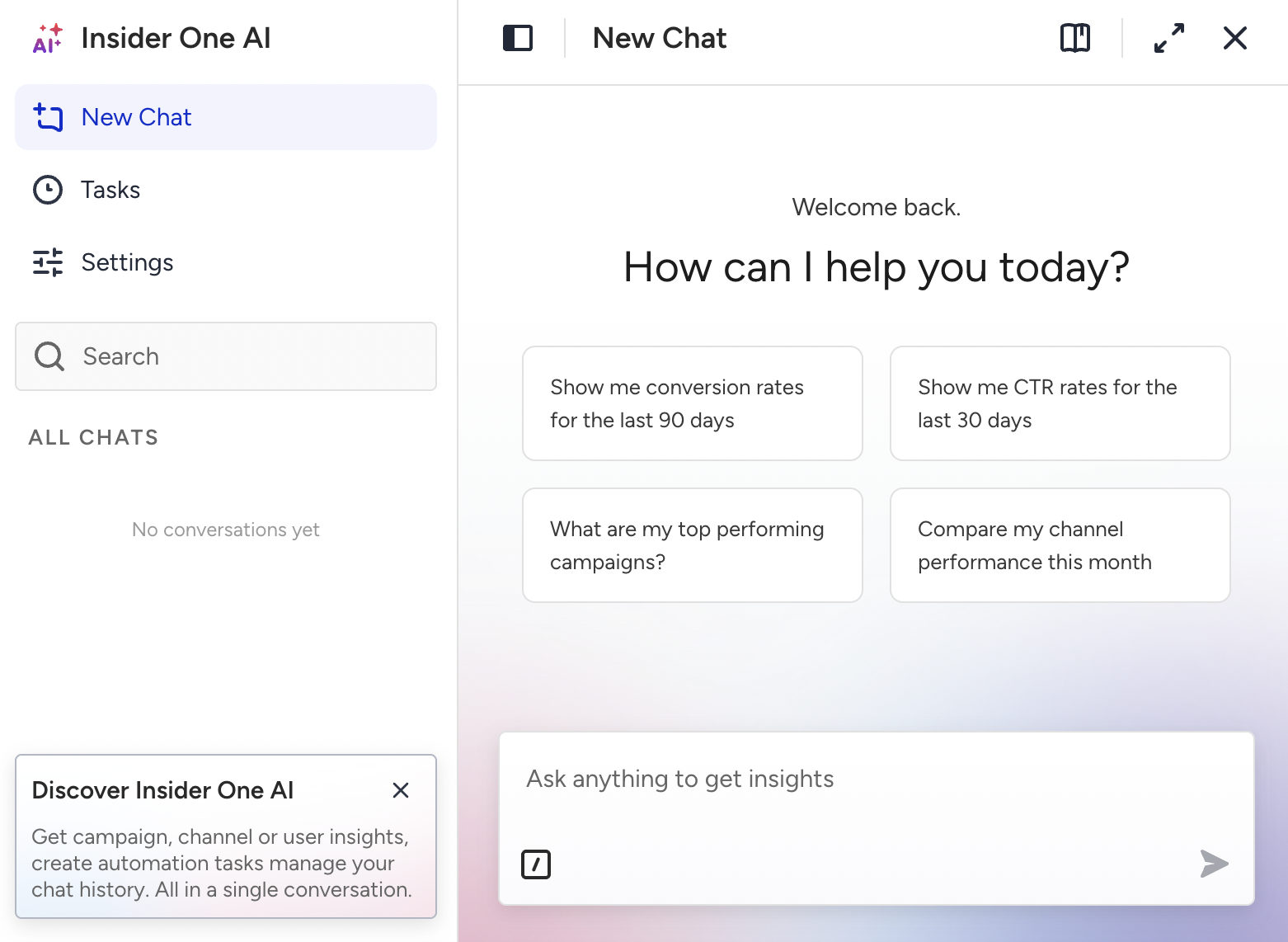
Have a conversation
Agent One Teams is built for back-and-forth. Refine an answer with follow-ups, act on a result without leaving the chat, and return to past conversations whenever you need them.
Refine with follow-ups
Agent One Teams keeps the context of your current conversation, so you don't have to repeat yourself. Start broad, then narrow down:
How did email perform last month?
Now break that down by country.
Just show me the top five.
If a response doesn't fully answer your question, ask for clarification or more detail instead of starting over. Short, natural follow-ups work best.
Pick up where you left off
Agent One Teams saves your conversations automatically. Reopen a past conversation from your conversation list to continue, including its messages and any charts or tables it produced.
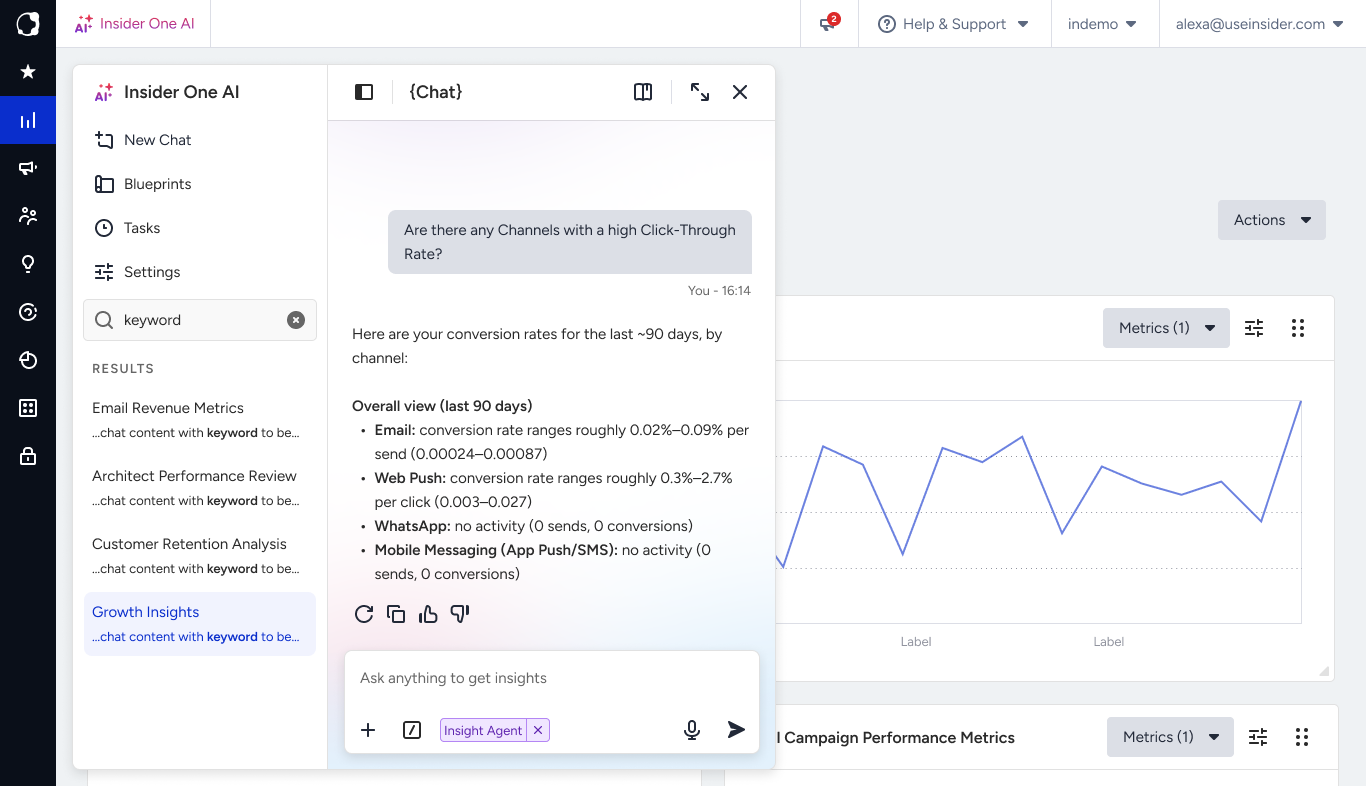
Start a new conversation
When you switch topics, start a new conversation instead of continuing the current thread. This keeps the context clean, so answers stay focused on what you're working on now. Use the new chat option in the chat panel to begin one.
Act on a result
A chart, a table, or a draft isn't a dead end. Depending on what you get back, you can:
Upload a file to give Agent One Teams more context, so it can answer questions about the file's contents.
Use a quick command to act on the conversation itself, such as pinning it to the top of your list, summarizing it, or renaming it.
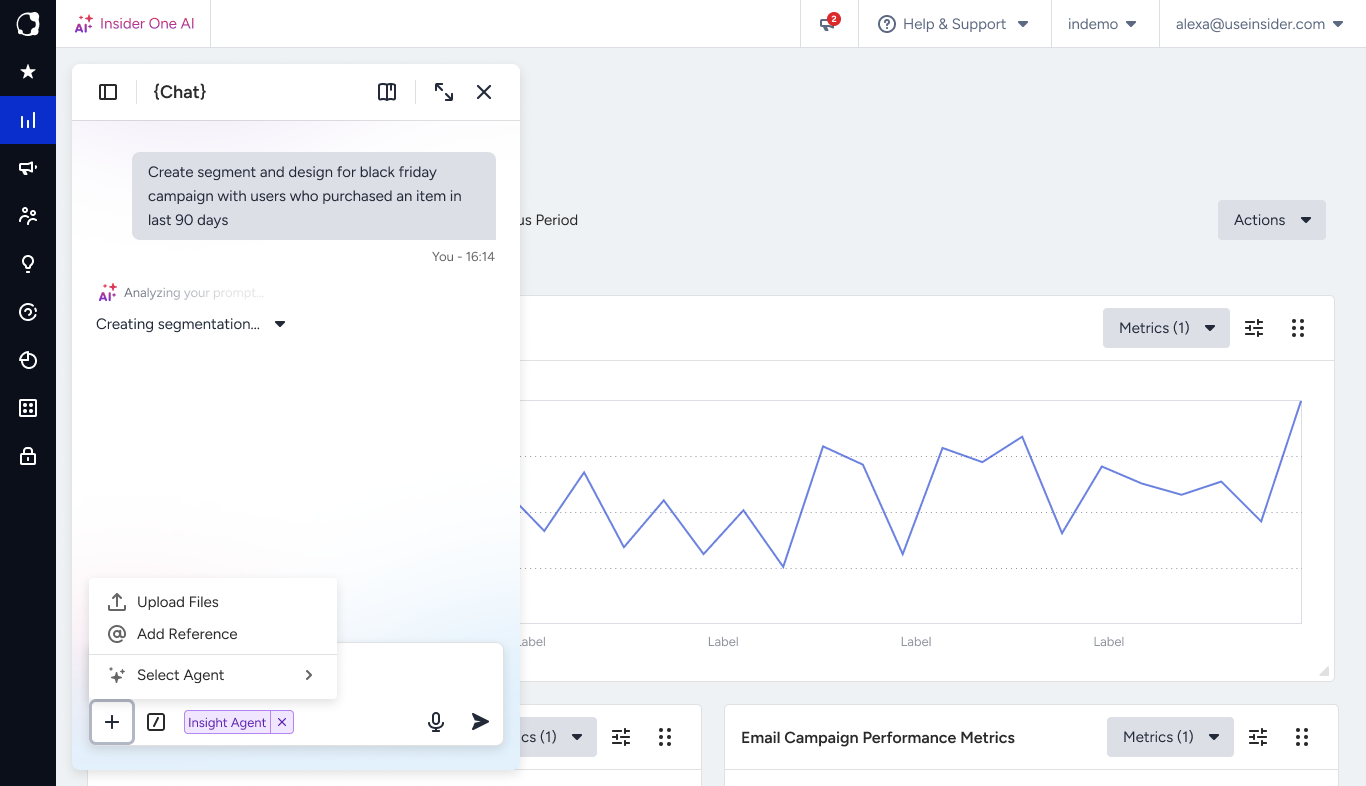
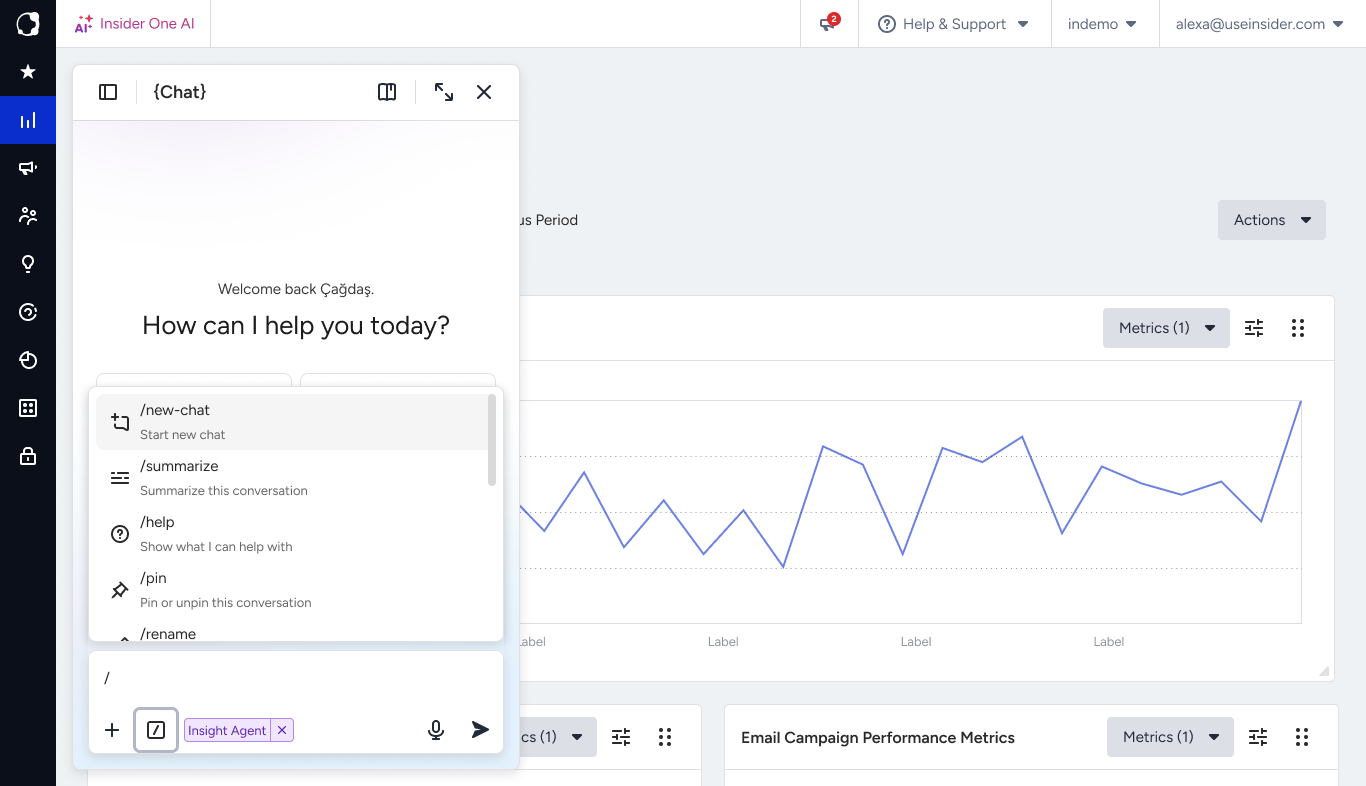
Build with blueprints
When you ask for something structured, such as an analytics view from Insight Agent or a campaign draft from SMS Campaign Agent, you get more than a text reply. The agent builds a blueprint: a structured draft you can preview, open in full, edit, save, and reuse. The blueprint takes shape as you talk.
Built as you go. Describe what you want, and the blueprint takes shape from the conversation.
Preview in chat, then open the canvas. See a compact preview inline, or expand it to a full canvas for a closer look.
Edit it directly. Adjust it on the canvas or with a follow-up question. The agent picks up your change and continues from there.
Keep every version. Save a blueprint as a new version as it evolves, and rename or remove versions later.
Save and reuse. Save a blueprint to your library to reuse in a new chat, or mention it in a conversation to keep working on it.
Example: You ask Insight Agent for revenue by channel over the last quarter. It builds a chart as a blueprint, which you preview in chat and then open on the canvas. You change the timeframe to the last six months, save it as a new version, and save it to your library. Next month, you reuse the same view in a new chat without rebuilding it.
Note: A blueprint is your working draft. Editing, versioning, and saving to your library are in your hands. Any action with a real, lasting effect, such as saving or updating a live campaign, always asks for your approval first.
Schedule recurring tasks
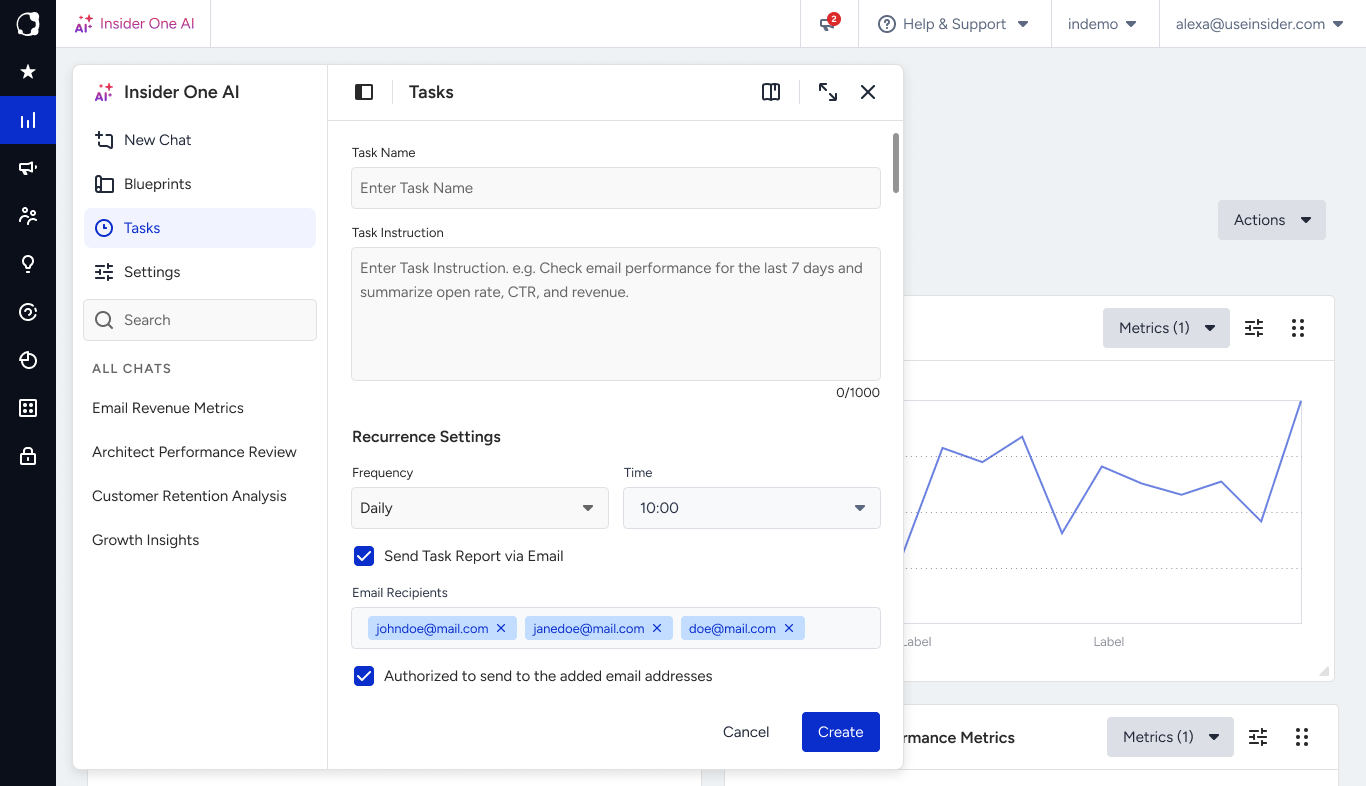
A task is a recurring job you set up in plain language. Describe what should happen and how often, and Agent One Teams runs it in the background. You don't have to open the InOne panel and ask each time. For example, set up a weekly summary of your SMS performance or a monthly snapshot of your audience growth.
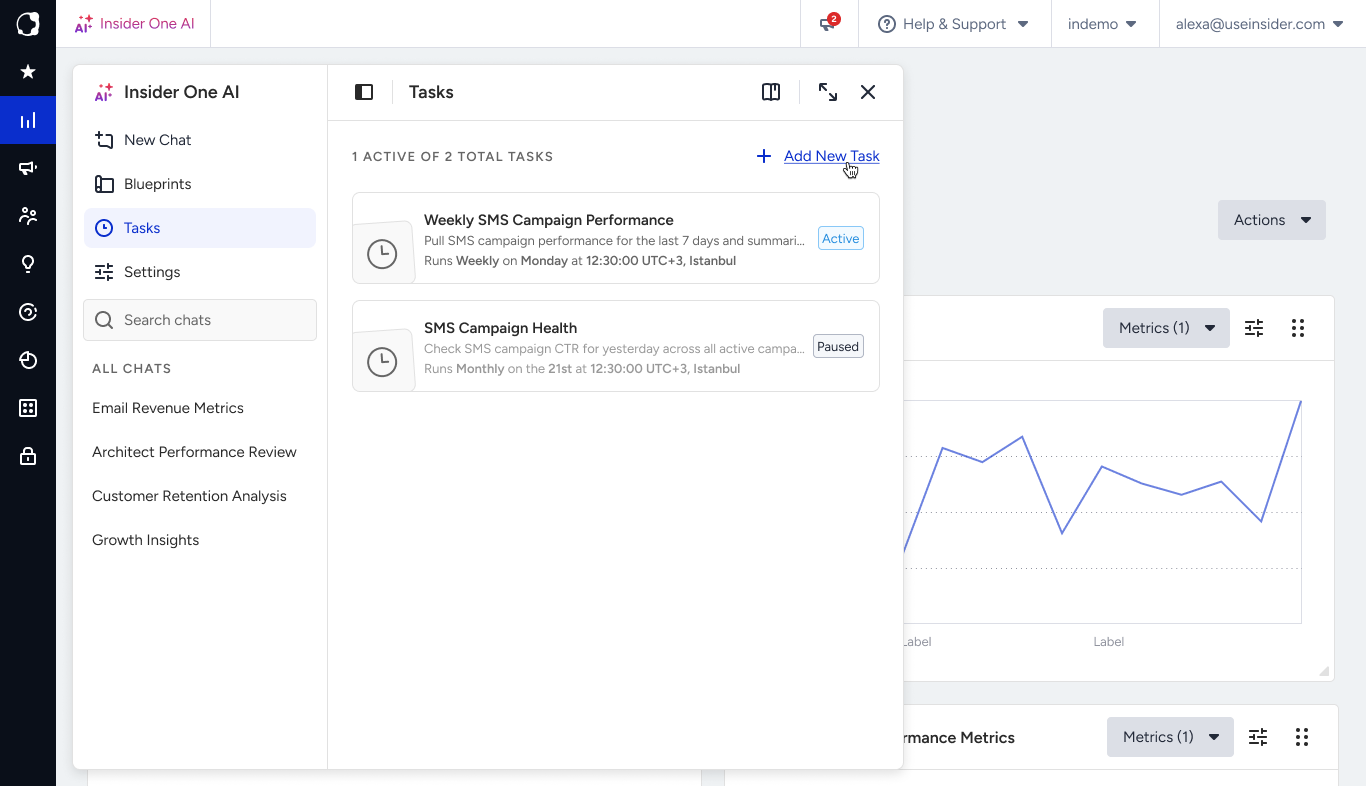
Create a task
Describe the task in the chat, including how often it should run:
Every Monday, show me last week's email performance.
Each month on the 1st, report my total reachable audience by channel.
Every day, check my SMS campaign results and send me a summary.
Agent One Teams collects what the task should do and when it should run, then confirms the new task with a summary card.
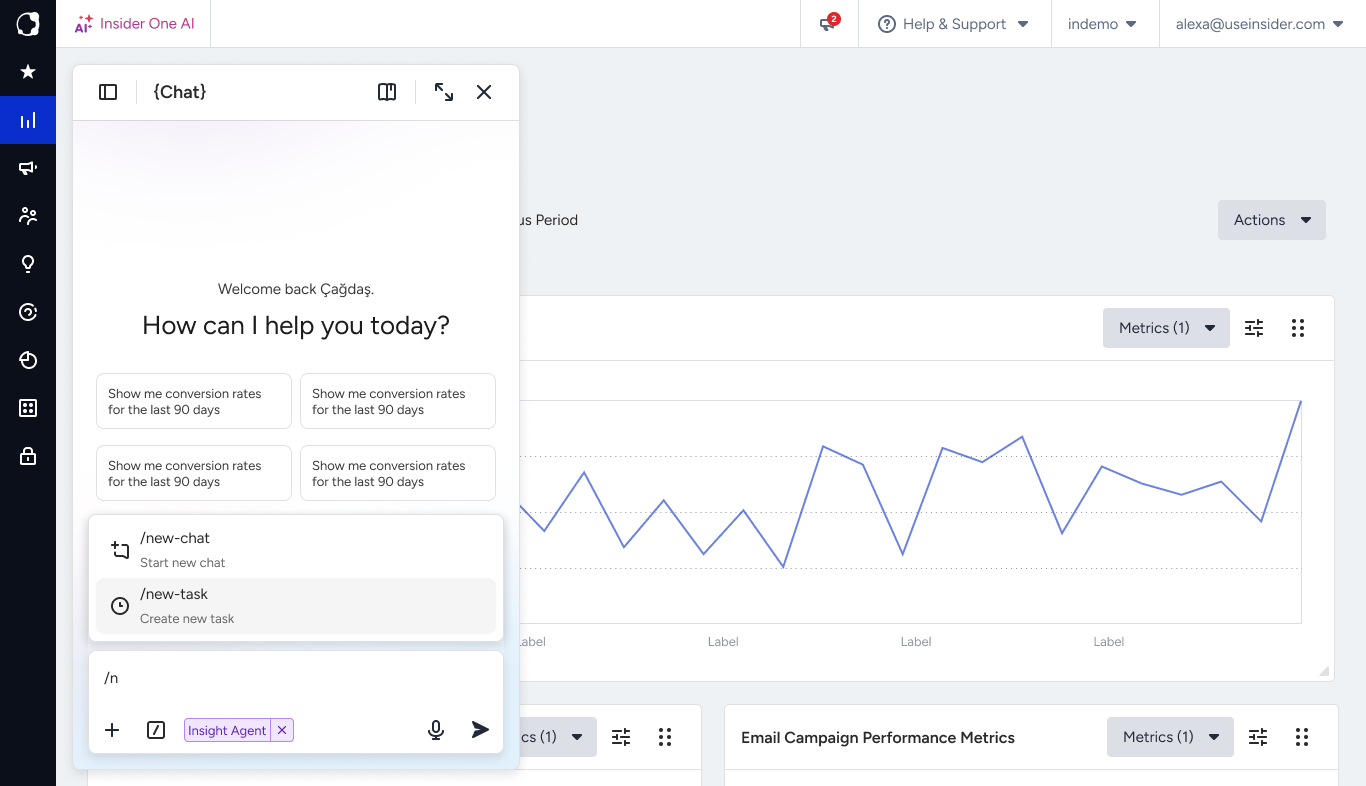
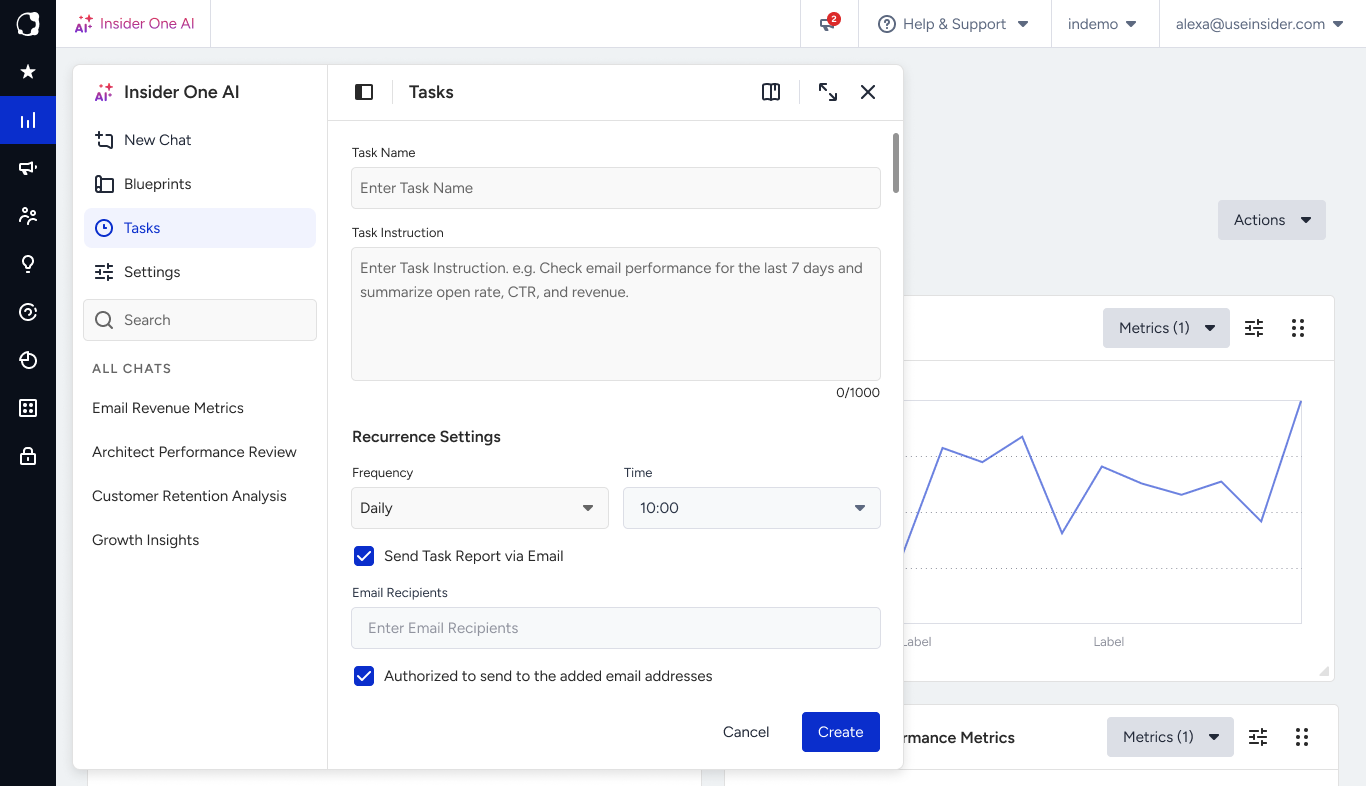
Choose a schedule
Tasks run on a recurring schedule: daily, weekly, or monthly. One-time reminders aren't supported. If you need something only once, ask for it in the chat now instead of scheduling a task.
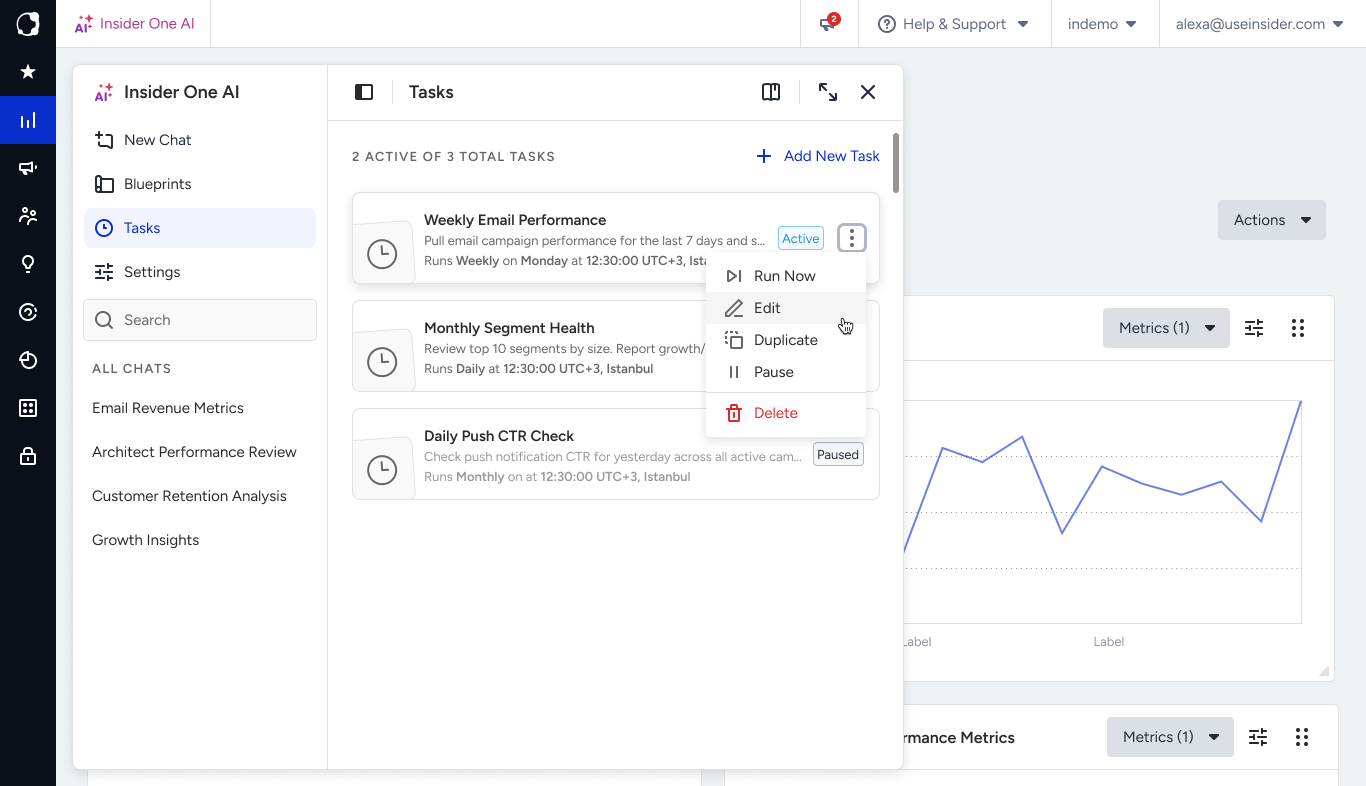
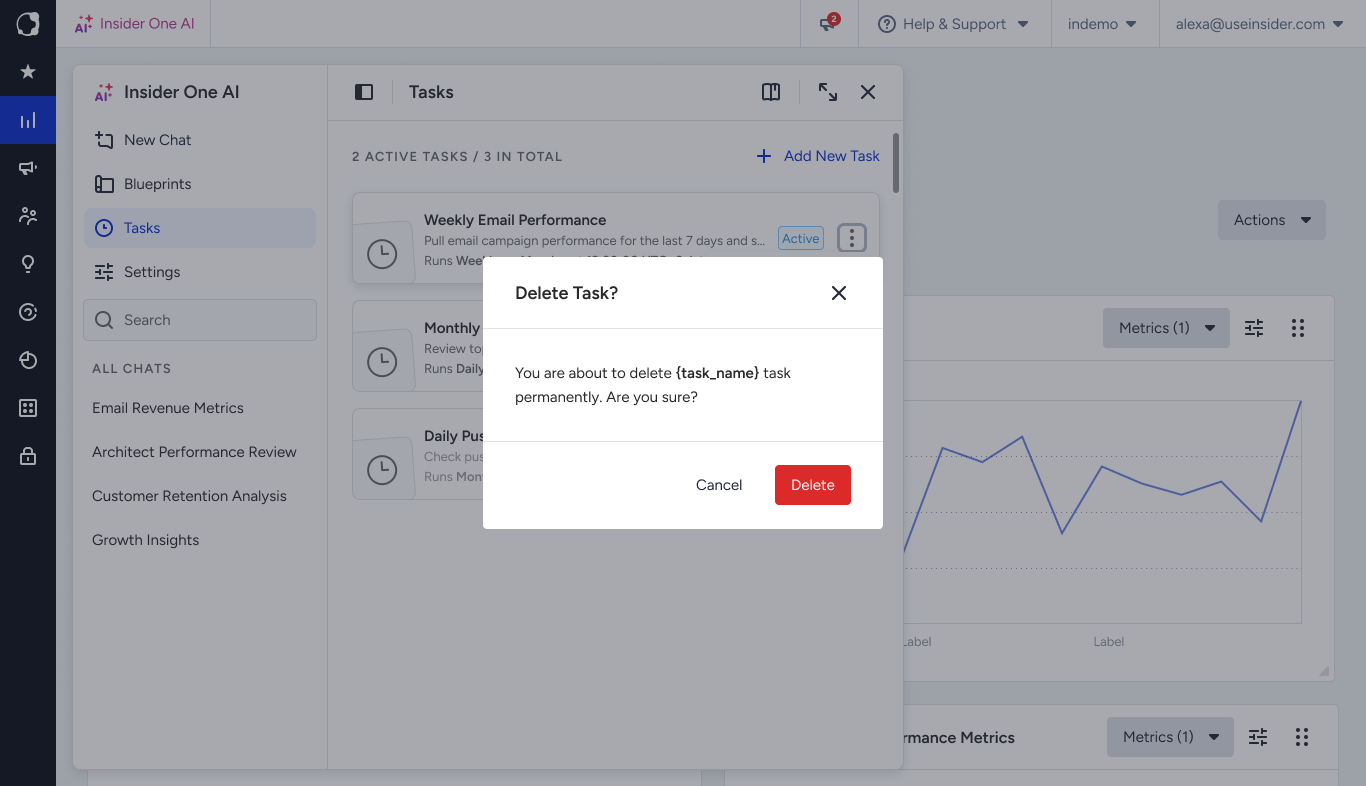
Manage your tasks
Ask Agent One Teams to:
List your tasks and see what's scheduled.
Pause a task, or run it now.
Edit a task's instructions or timing.
Duplicate or delete a task.
How tasks run
Every run uses fresh data. A task describes the job, such as "report this week's SMS results," so each run reflects the latest numbers rather than a copy of an old result.
Results land in the conversation. The output appears in the conversation the task is attached to, as if you'd asked the question yourself.
The work happens on schedule. Agent One Teams sets up the task when you ask; the work itself runs each time the schedule fires.
Tasks stay within Insider One's scope: analytics, campaigns, segments and audiences, SMS, and related marketing workflows.
Memory, archived chats, and settings
Three separate controls help Agent One Teams fit the way you work: memory carries your preferences forward, archiving keeps your chat list tidy, and settings let you adjust the experience.
Memory
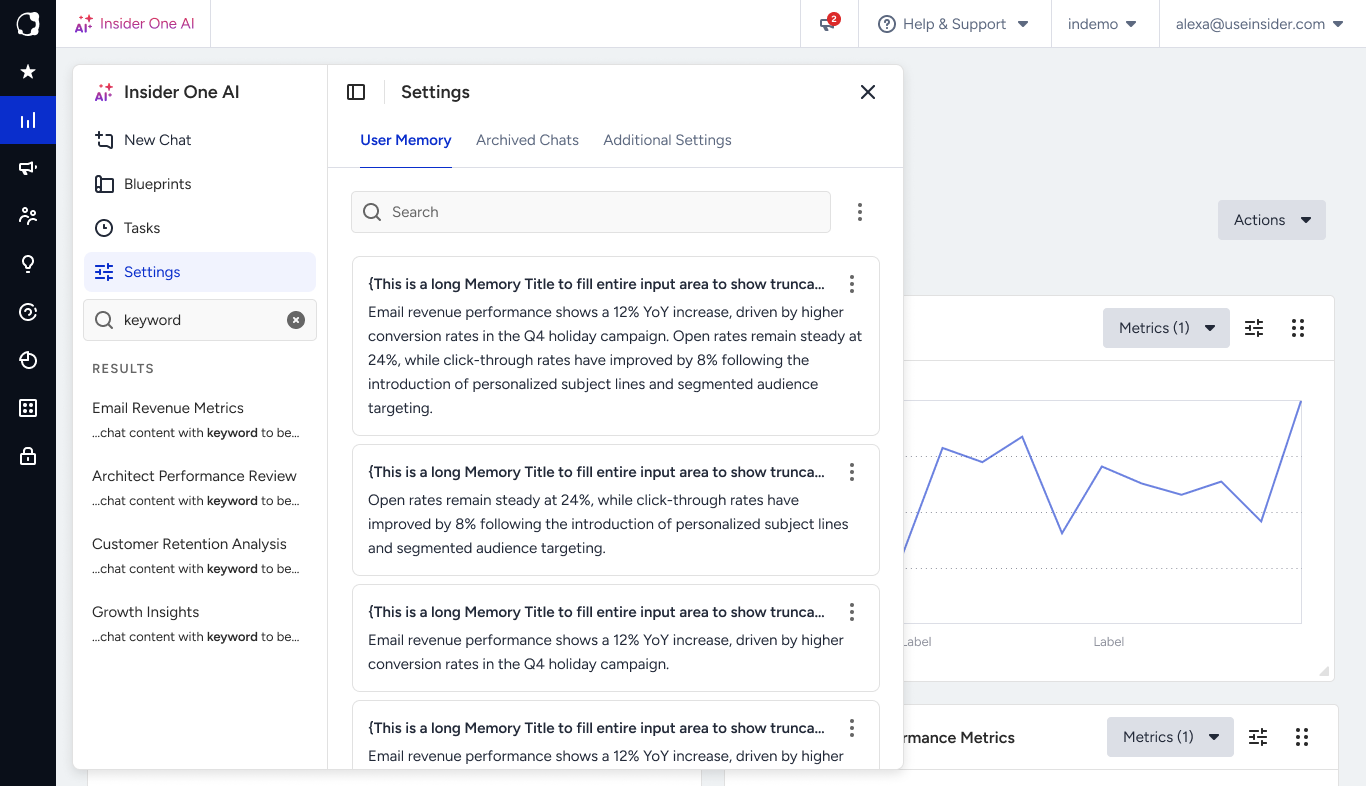
Memory lets Agent One Teams carry useful context from one conversation to the next, so you don't have to repeat yourself.
Note: Memory is personal. It's tied to your individual login and isn't shared with teammates on the same Insider One account.
What Agent One Teams remembers | What it doesn't remember |
|---|---|
|
|
Control your memory. Ask Agent One Teams to remember a preference, such as "always answer in English," update it, or forget something specific. Stable preferences are kept; passing details from a single conversation are not. To start fresh every time, turn memory off in settings.
Archived chats
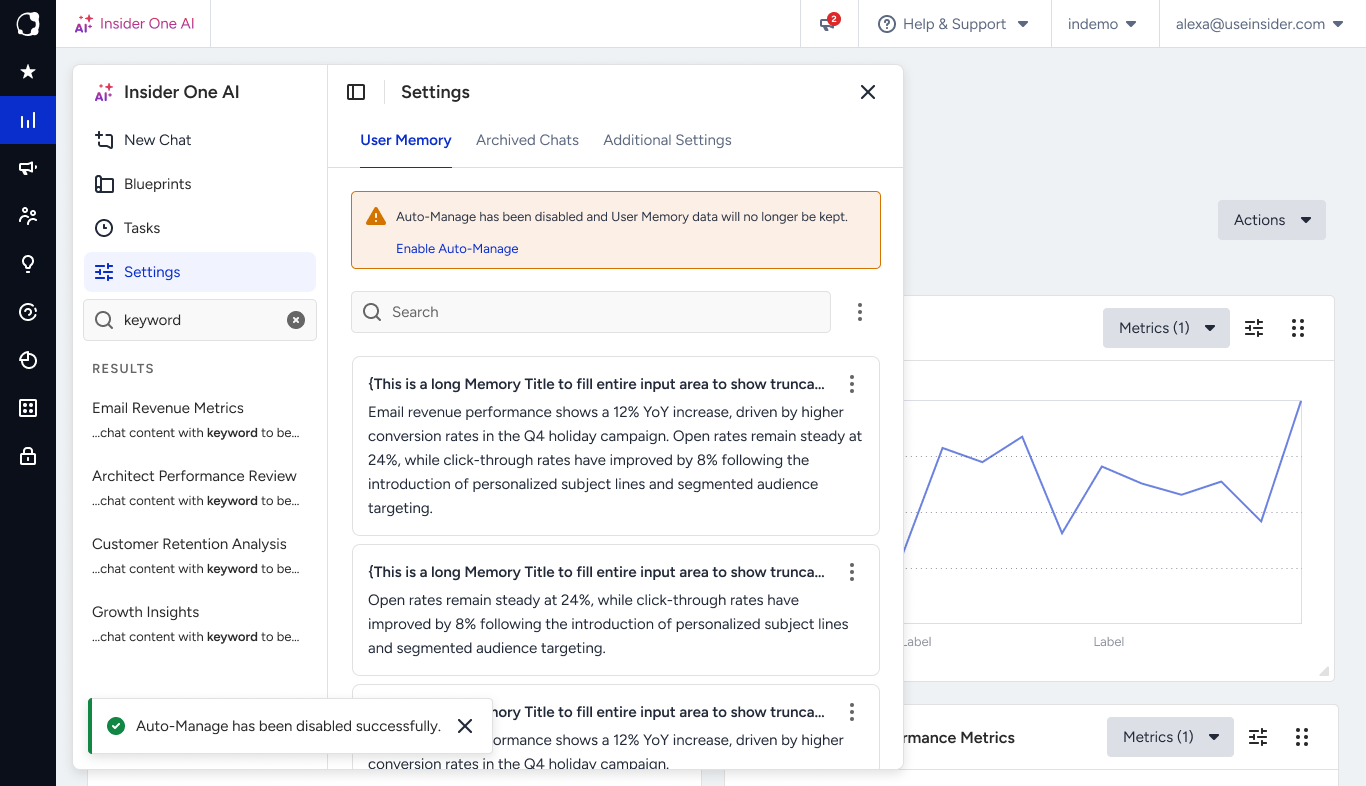
Archiving keeps your conversation list focused without losing anything. An archived conversation moves out of your active list but stays available, so you can find it, reopen it, and continue.
Archiving and deleting work differently:
Archive: The conversation is kept and stays searchable.
Delete: The conversation is permanently removed, along with the context it provided to memory.
Settings
Settings let you tailor Agent One Teams to the way you work. Manage preferences such as your default language and what Agent One Teams remembers about you, and review the options available for your account.
Note: Available settings vary depending on your account and which agents are enabled for you.
Example prompts and tips
Try these to get started:
How did our email campaigns perform last month?
Which customer segment contributed most to conversions in our last campaign?
Create an SMS campaign that says 'Sale ends tonight, 20% off everything.'
Every Monday, show me last week's email performance.
Always answer in English.
For sharper answers:
Keep one goal per conversation. Start a new conversation when the topic changes, rather than pivoting mid-thread.
Be specific. Name the metric, channel, and timeframe. "SMS revenue in May" gets a sharper answer than "SMS performance."
Refine step by step. Use follow-ups rather than packing every detail into one long question.
Good to know
Ask in any language. Agent One Teams understands most languages and replies in the language you use. You'll get the most consistent results in English.
You approve every change. Agents that can make changes show you the change and wait for your go-ahead before anything happens.
Tasks are recurring only. Schedules are daily, weekly, or monthly; one-time reminders aren't supported.
Memory is yours alone. Teammates on the same account don't share it, and you can turn it off in settings.
Agents arrive in stages. If an agent you need isn't available yet, contact the Insider One team.