If you want to add a whitespace in the email preheader, you have two options:
- In the Design step of your email campaign, you can enable the Add White Space After Preheader toggle to add white space after the preheader and prevent the email HTML text from appearing in the preheader.
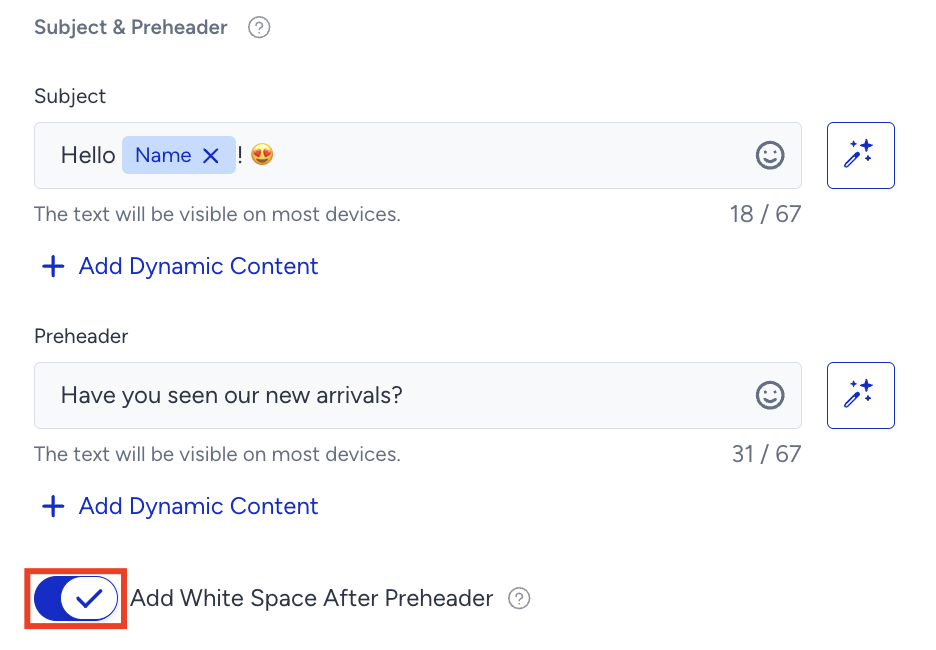 Your title goes hereThis feature is currently available to you if you use the promotional bulk email product on the new email service infrastructure. If this toggle is unavailable in your InOne panel, create a support ticket for the Insider One team.
 - You can add a code snippet at the beginning of your HTML body to hide the body of your email in the inbox preview. This will help you keep your subject and preheader much cleaner.
<div style="display:none">
 ͏  ͏  ͏  ͏  ͏  ͏
 ͏  ͏  ͏  ͏  ͏  ͏
 ͏  ͏  ͏  ͏  ͏  ͏
 ͏  ͏  ͏  ͏  ͏  ͏
 ͏  ͏  ͏  ͏  ͏  ͏
 ͏  ͏  ͏  ͏  ͏  ͏
 ͏  ͏  ͏  ͏  ͏  ͏
 ͏  ͏  ͏  ͏  ͏  ͏
 ͏  ͏  ͏  ͏  ͏  ͏
 ͏  ͏  ͏  ͏  ͏  ͏
 ͏  ͏  ͏  ͏  ͏  ͏
 ͏  ͏  ͏  ͏  ͏  ͏
 ͏  ͏  ͏  ͏  ͏  ͏
 ͏  ͏  ͏  ͏  ͏  ͏
 ͏  ͏  ͏  ͏  ͏  ͏
 ͏  ͏  ͏  ͏  ͏  ͏
 ͏  ͏  ͏  ͏  ͏  ͏
 ͏  ͏  ͏  ͏  ͏  ͏
 ͏  ͏  ͏  ͏  ͏  ͏
 ͏  ͏  ͏  ͏  ͏  ͏
 ͏  ͏  ͏  ͏  ͏  ͏
 ͏  ͏  ͏  ͏  ͏  ͏
 ͏  ͏  ͏  ͏  ͏  ͏
 ͏  ͏  ͏  ͏  ͏  ͏
 ͏  ͏  ͏  ͏  ͏  ͏
 ͏  ͏  ͏  ͏  ͏  ͏
 ͏  ͏  ͏  ͏  ͏  ͏
 ͏  ͏  ͏  ͏  ͏  ͏
­ ­ ­ ­ ­ ­ ­ ­ ­ ­ ­ ­ ­ ­
­ ­ ­ ­ ­ ­ ­ ­ ­ ­ ­ ­ ­ ­
­ ­ ­ ­ ­ ­ ­ ­ ­ ­ ­ ­ ­ ­
­ ­ ­ ­ ­ ­ ­ ­ ­ ­ ­ ­ ­ ­
­ ­ ­ ­ ­ ­ ­ ­ ­ ­ ­ ­ ­ ­
­ ­ ­ ­ ­ ­ ­ ­ ­ ­ ­ ­ ­ ­
­ ­ ­ ­ ­ ­ ­ ­ ­ ­ ­ ­ ­ ­
­ ­ ­ ­ ­ ­ ­ ­ ­ ­ ­ ­ ­ ­
­ ­ ­ ­ ­ ­ ­ ­ ­ ­ ­ ­ ­ ­
­ ­ ­ ­ ­ ­ ­ ­ ­ ­ ­ ­ ­ ­
­ ­ ­ ­ ­ ­ ­ ­ ­ ­ ­ ­ ­ ­
­ ­ ­ ­ ­ ­ ­ ­ ­ ­ ­ ­ ­ ­
</div>
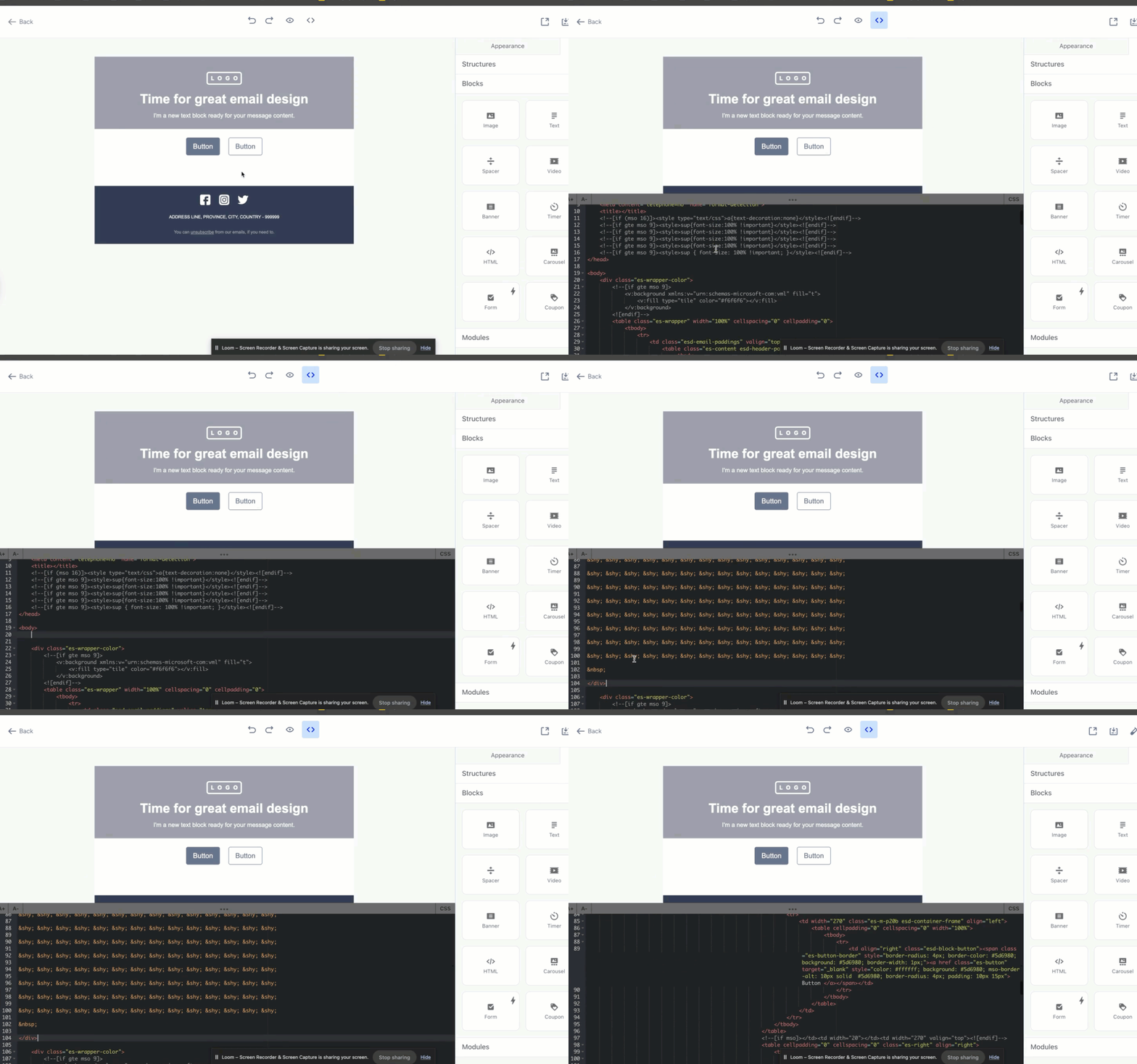
This code block adds about 2 KB to the size of the code.