You cannot make any changes to External Platform Integrations without having either an Administrator or an Editor with PII access in InOne. Refer to User Roles for further information.
Jacquard is a tool for generating and optimizing textual content for various messaging platforms, such as email, SMS, and others.
Jacquard's integration with Insider One's InOne panel unlocks powerful content generation and optimization capabilities. With this integration, you can effortlessly create, refine, and dynamically manage text content; from email subject lines to SMS messages and other campaign communications—elevating your marketing strategies to new heights:
- Email Campaigns: You can generate and optimize subject lines for better open rates.
- SMS Campaigns: You can personalize and test SMS messages.
- Marketing Automation: You can integrate with marketing tools for dynamic content delivery and tracking.
Prerequisites
To start using Jacquard, you need the following:
- A valid Jacquard account
- API token
- Defined campaigns and content to optimize
How does the Jacquard integration help?
Jacquard simplifies creating and optimizing campaign content, reducing manual effort and improving performance metrics through data-driven decisions.
Content Generation
- Generates multiple text-based content variants, such as email subject lines, SMS messages, etc.
- Supports creating content variants for testing and optimization.
- Reduces manual effort by streamlining content creation.
Dynamic Content Optimization
- Utilizes performance data (e.g., open rates, click-through rates) to prioritize the best-performing content dynamically.
- Functions like an A/B testing tool, automatically shifts focus to high-performing variants.
- Eliminates manual updates by dynamically updating campaigns with optimized content.
Use Jacquard Content in Insider
You can use Jacquard content in Insider in two different ways:
Static Integration
If you prefer the static integration method, manually copy and paste the content generated by Jacquard into Insider One's InOne panel.
- Log in to your Jacquard account and navigate to the Create Content section.
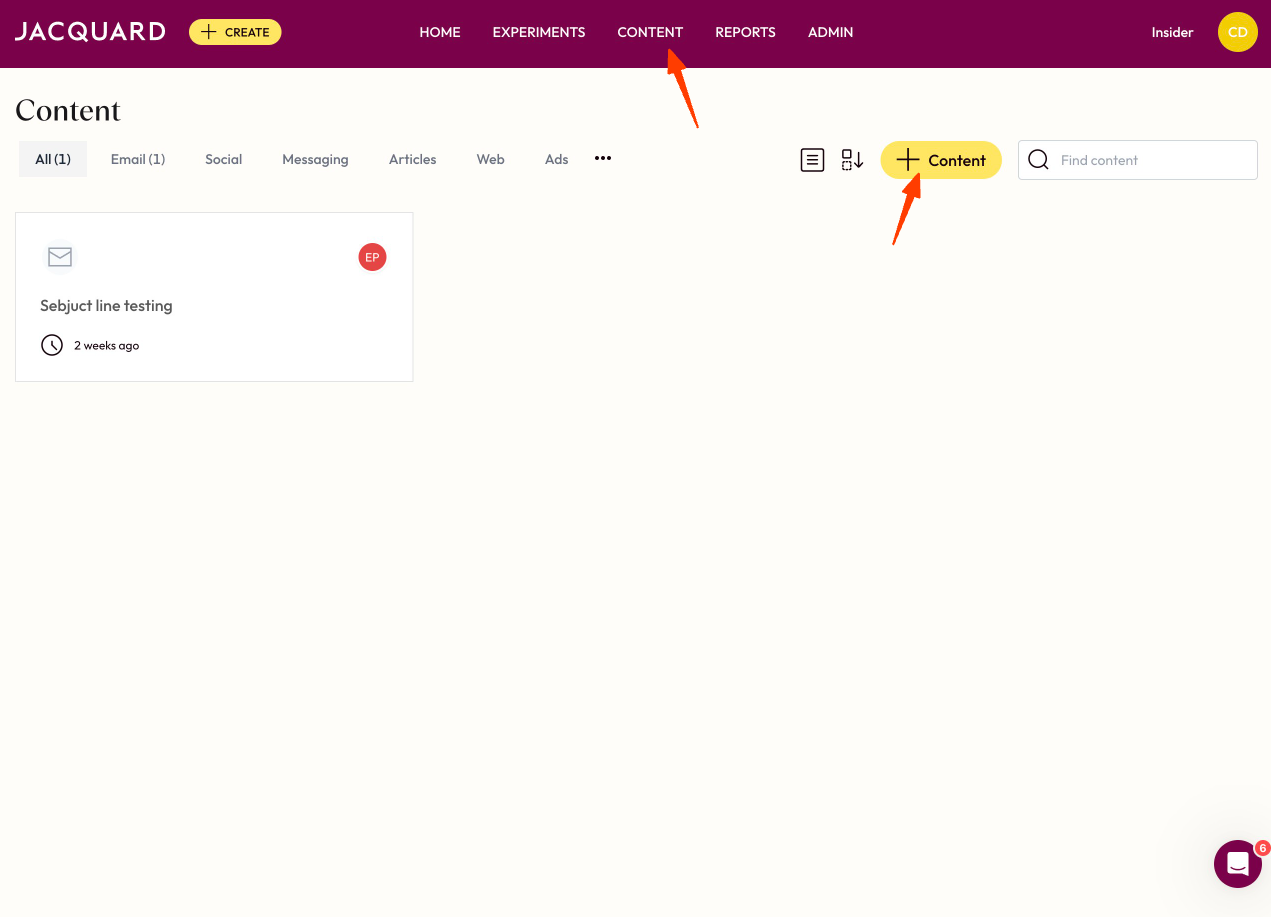
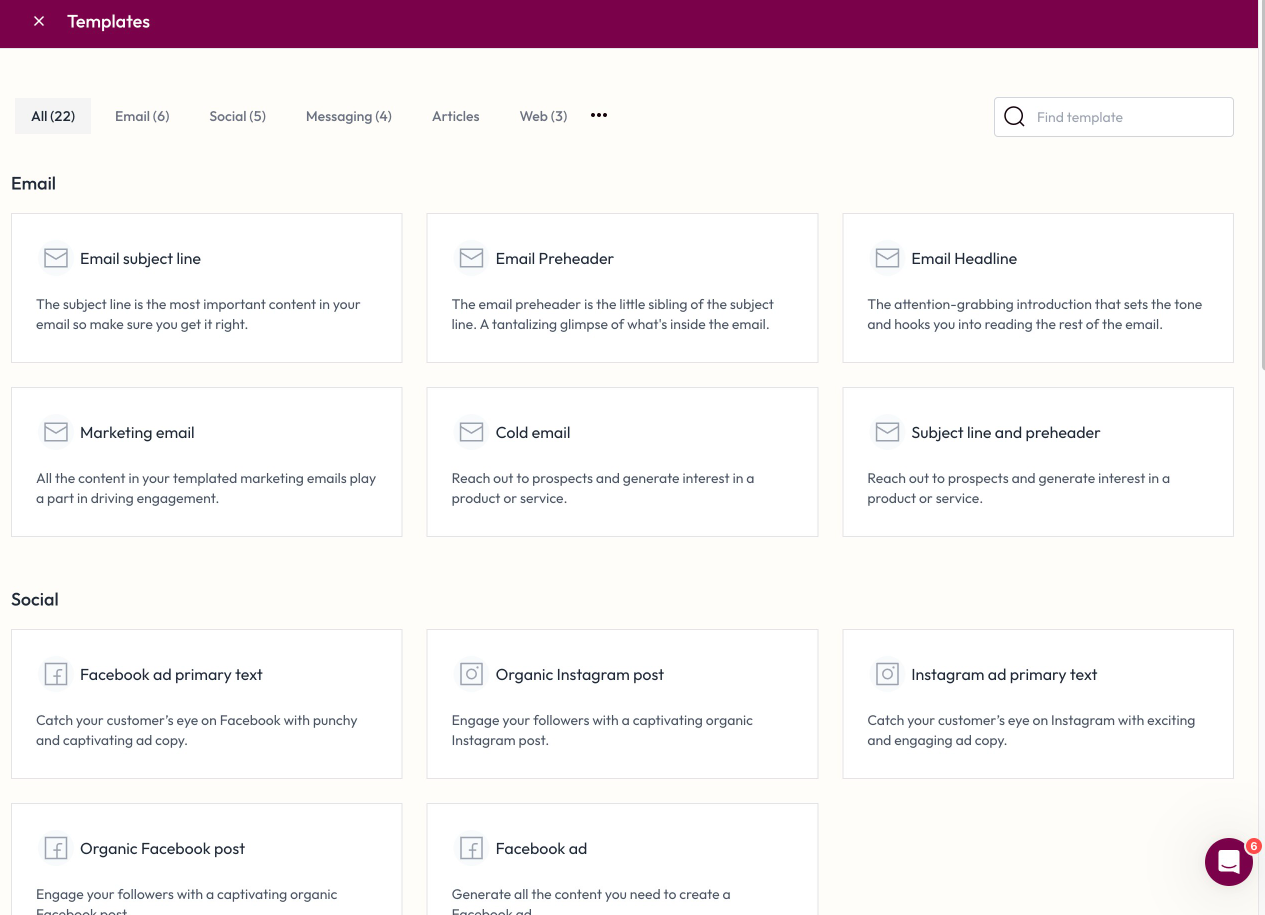
- Select the type of content to generate (e.g., email subject lines).
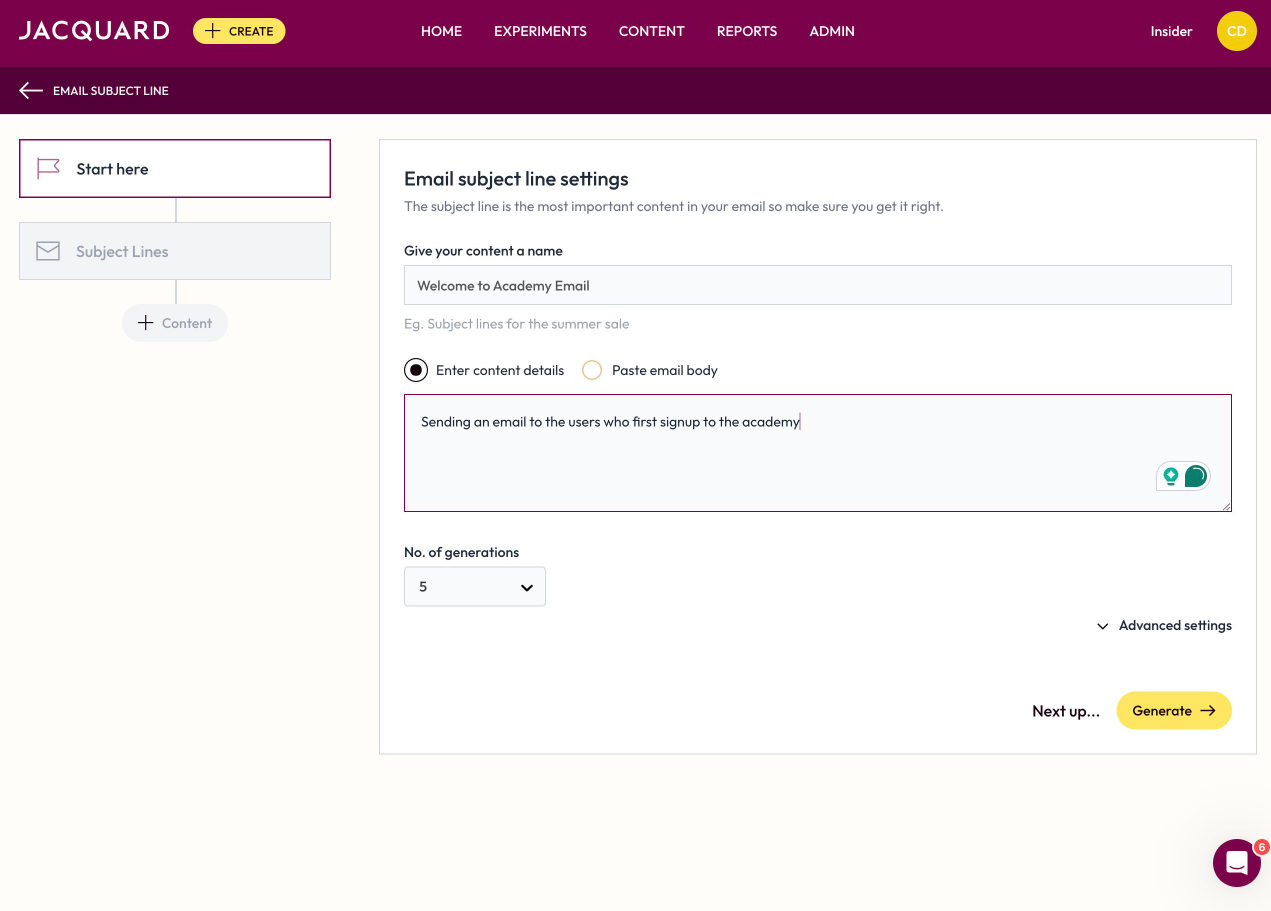
- Enter content details, such as campaign name, content type (e.g., Email, SMS), and content parameters (e.g., "Christmas Gift Guide").
- Set the number of content variants to generate (e.g., 5).
- Save the generated variants for integration.
- Copy the created content and paste it into an Insider campaign so that you can use it.
Dynamic Optimization
You can use dynamic optimization so that Jacquard can optimize your content in Insisder's Architect product. You can optimize your email or SMS content for each, send, and create winner content accordingly.
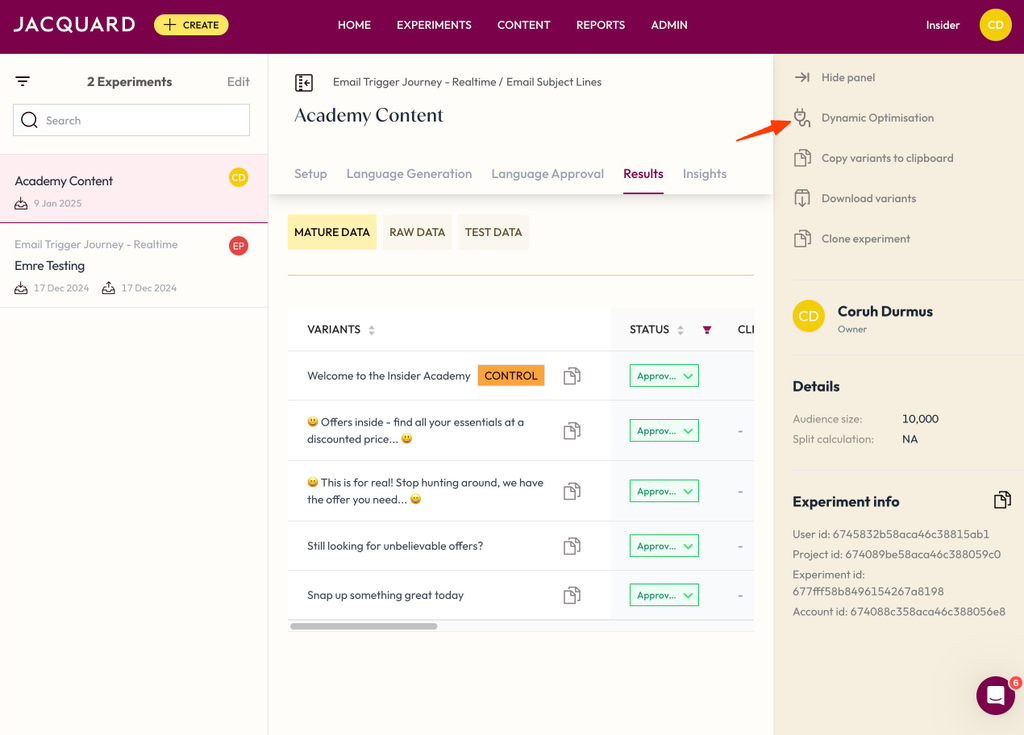
- Go to your Jacquard account and create an experiment.
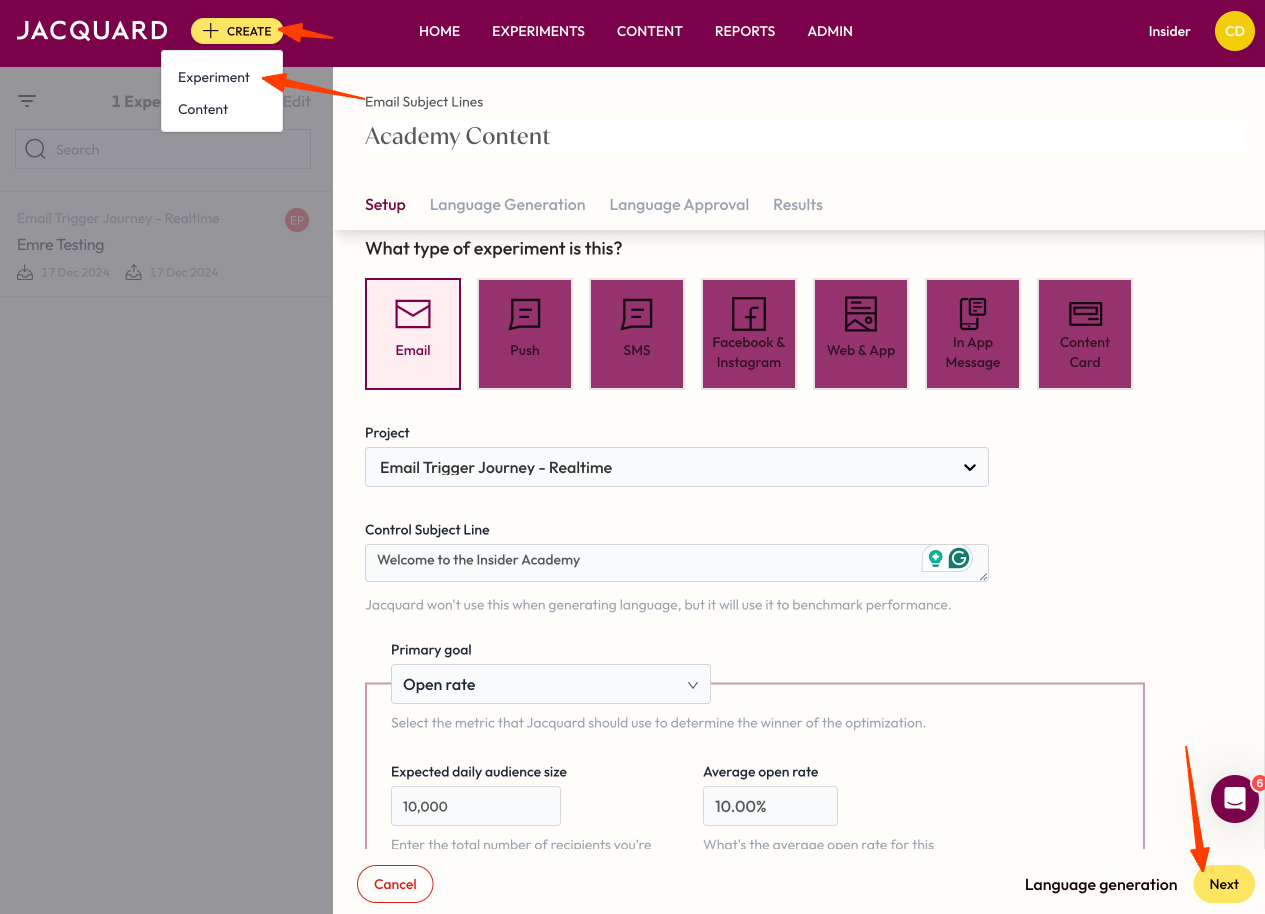
- After creating the experiment, select Dynamic Optimization from the right panel.
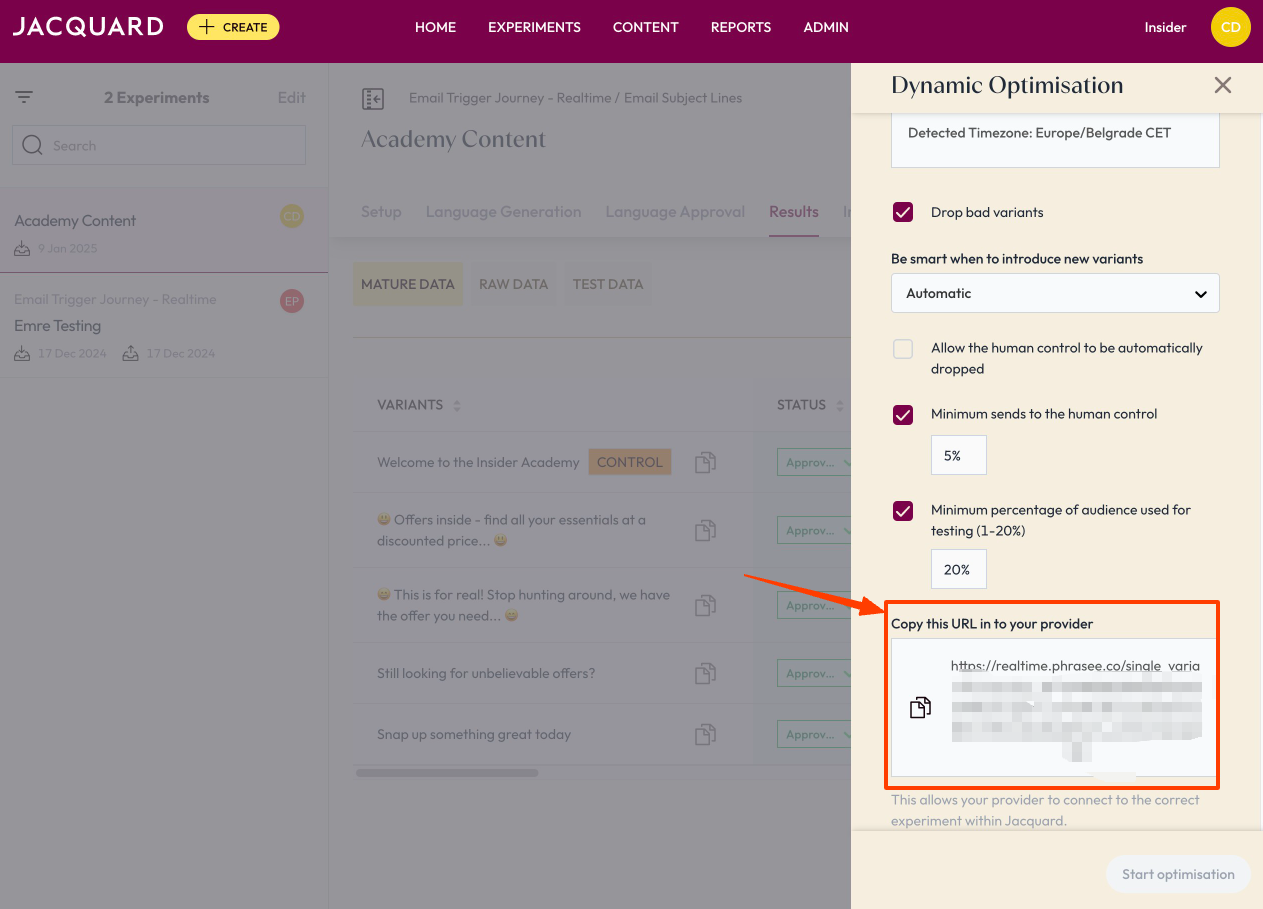
- Schedule your optimization and copy the URL that is given.
- Go to Admin > Settings > API Tokens and copy the token.
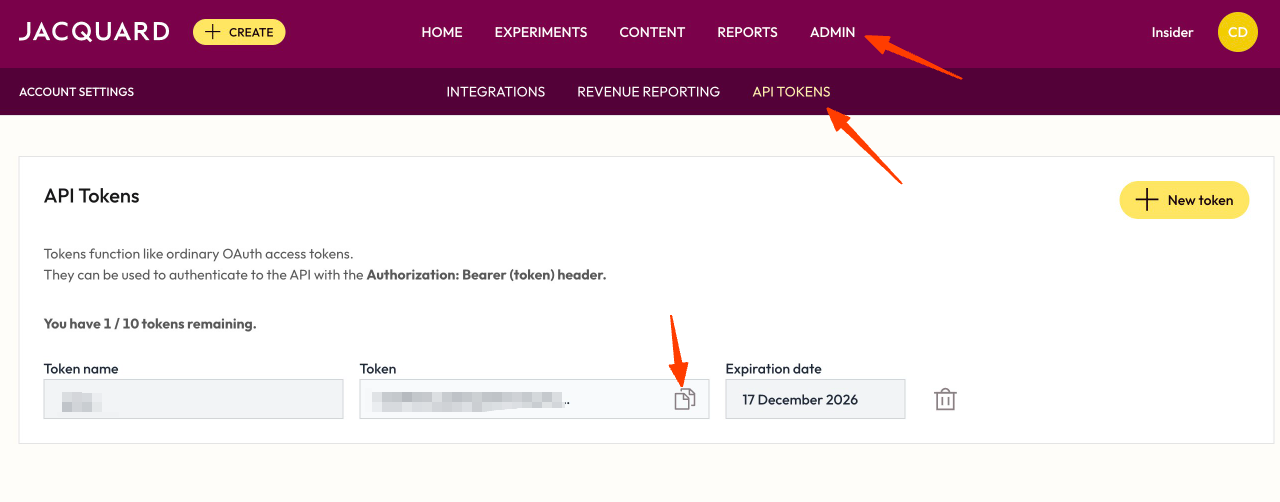 Ensure API tokens are kept secure to prevent unauthorized access.
 - After you copy all the needed elements, go to Architect and add Call an API.
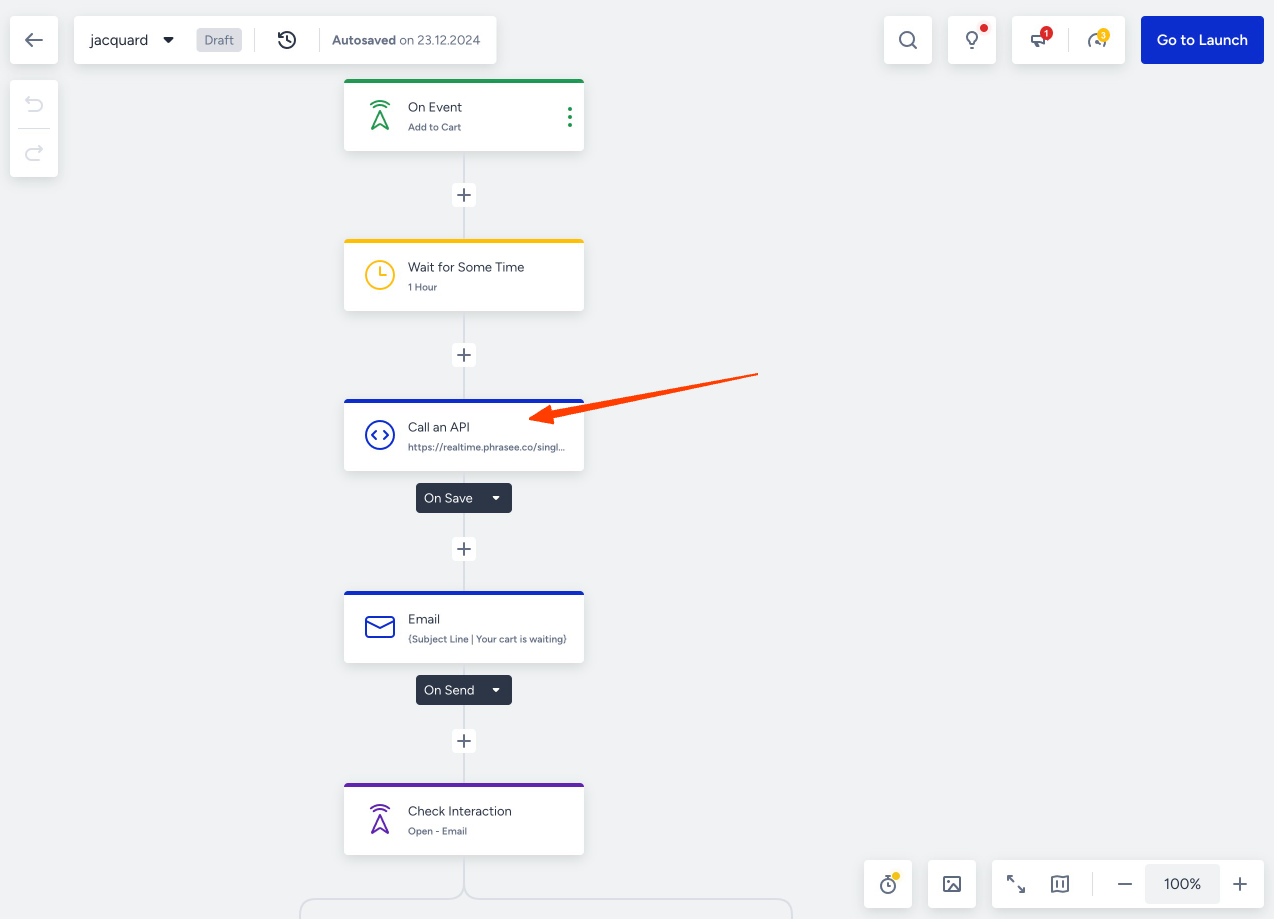
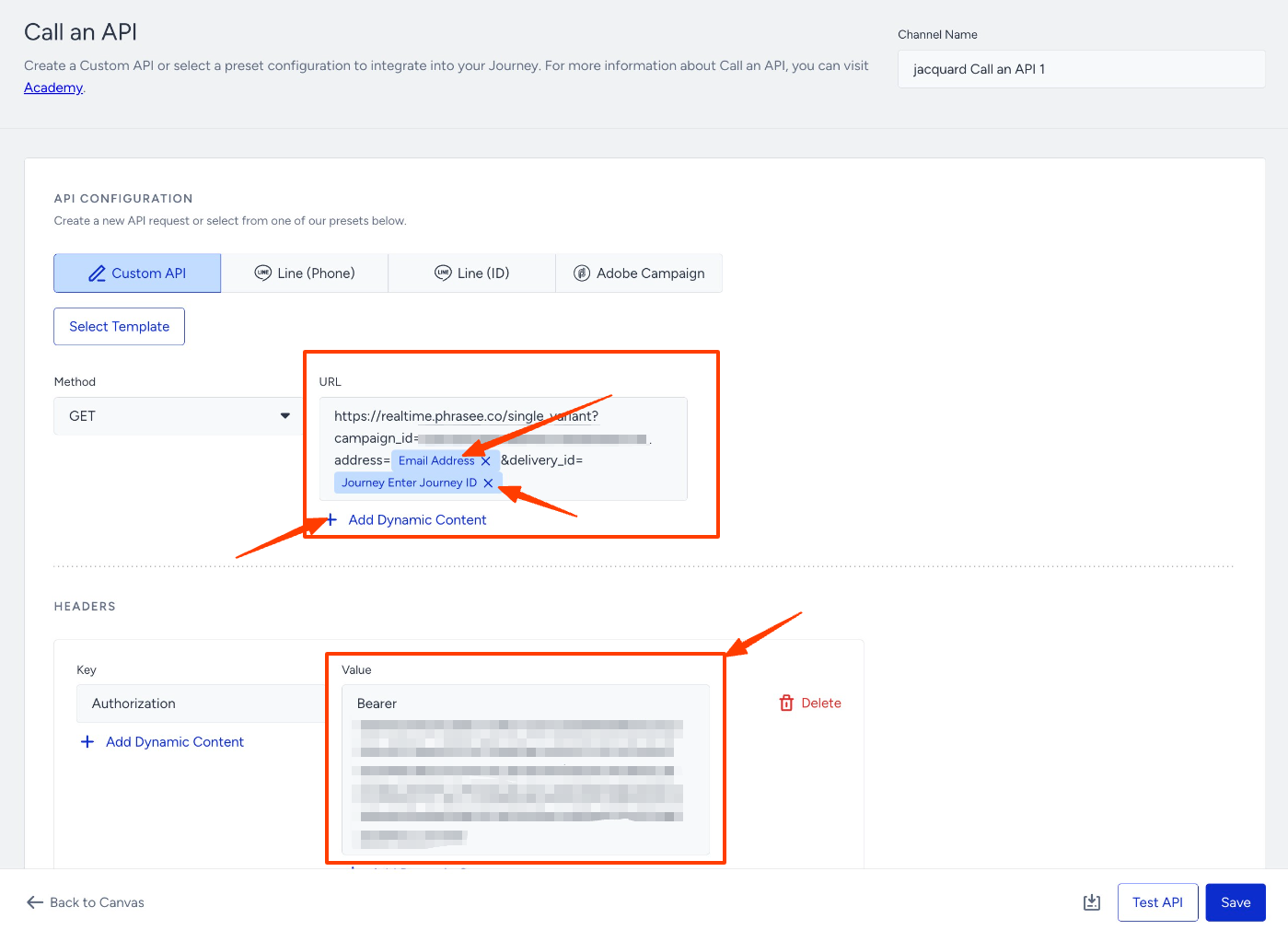
- Open the Call an API, paste the Bearer token into the Authorization part, and paste the URL you have copied into the GET methods URL. After you paste the URL, you should Add Dynamic content for the address and delivery_id.
- For the address parameter, you should use Email Address as the dynamic parameter.
- For the deliver_id parameter, you should use Journey Enter Journey ID.
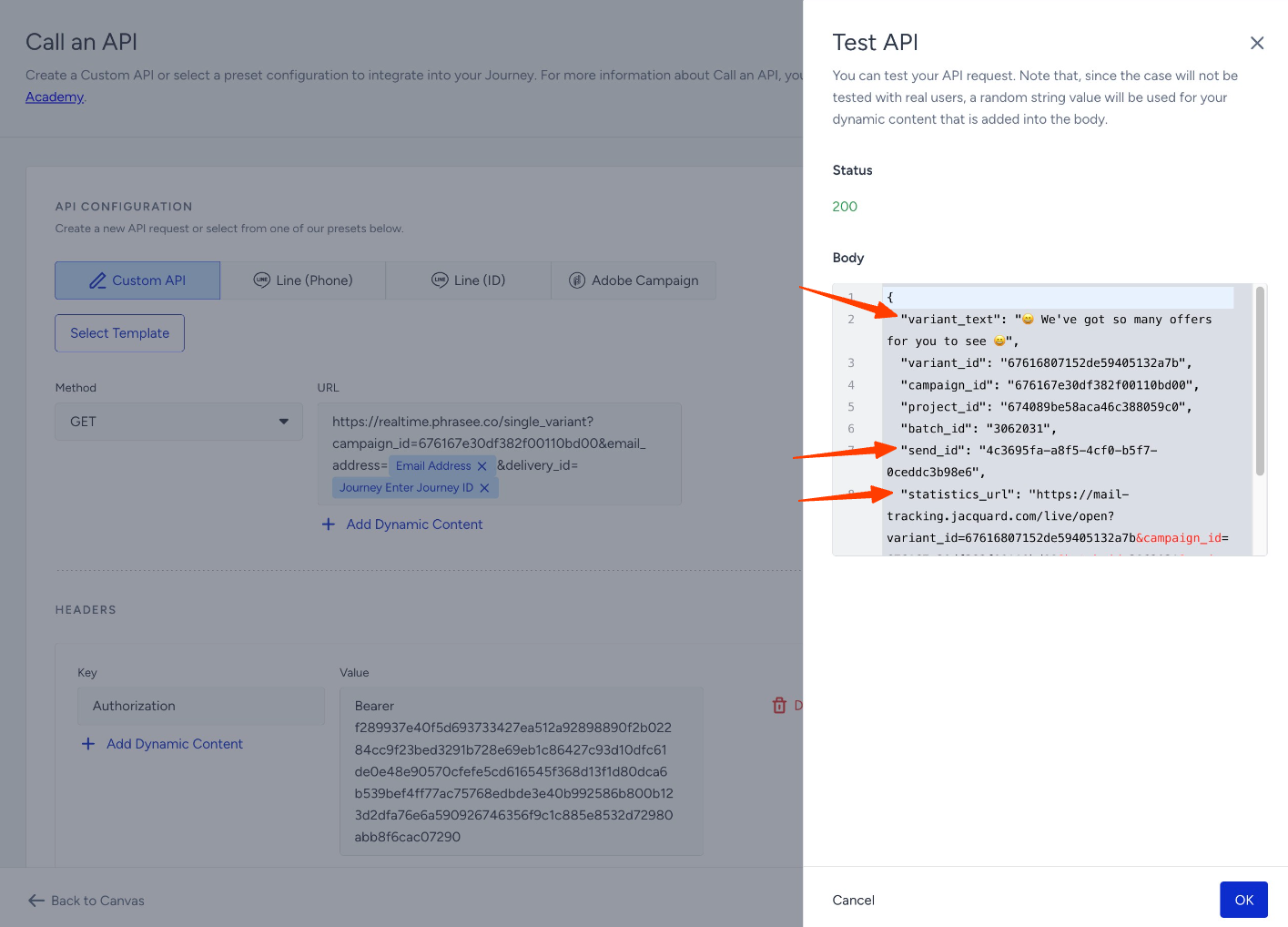
- Then, test the API via the Test API button and ensure that you seevariant_text, send_id, and statistics_url within the response body.
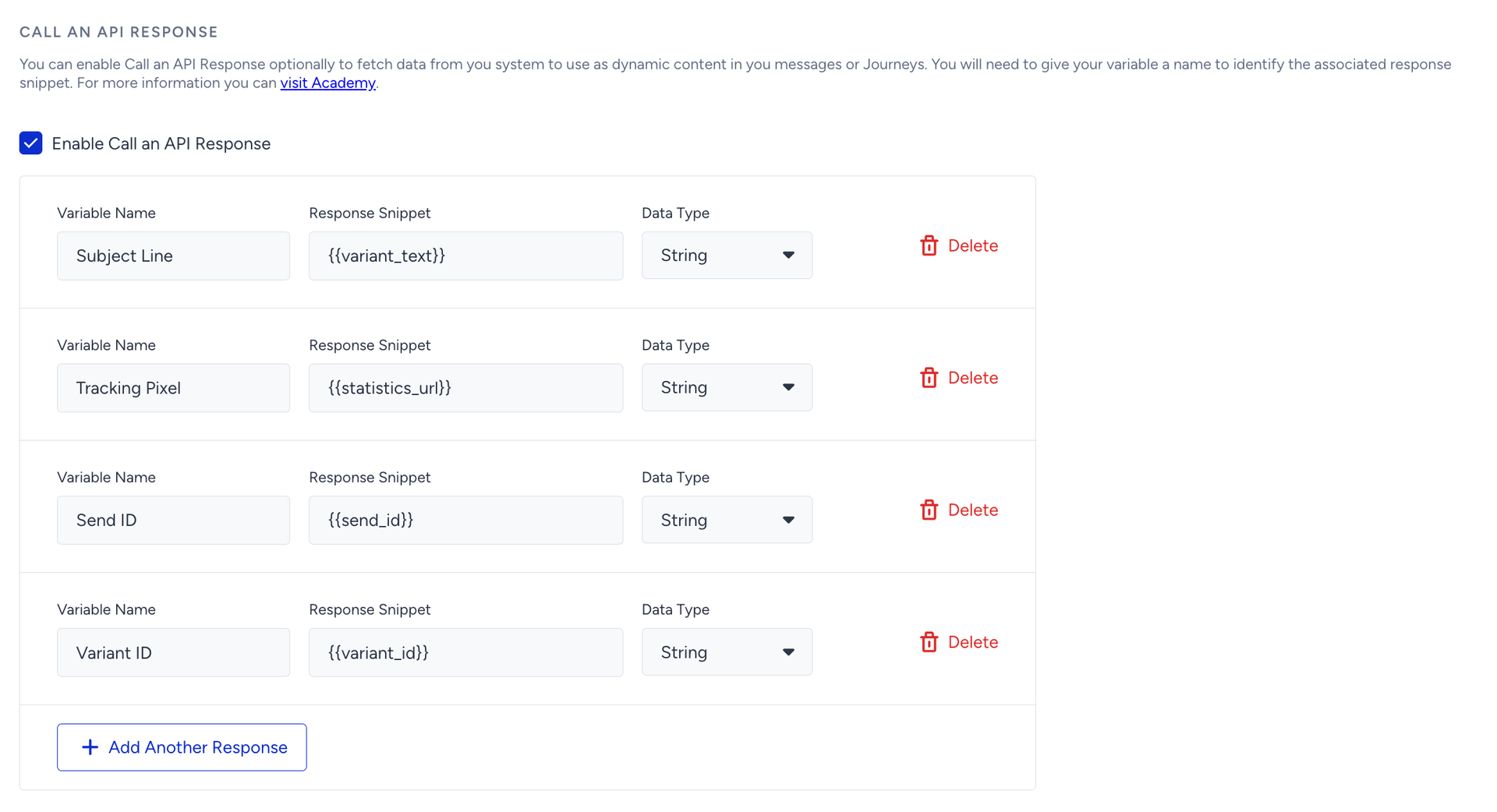
- After you make the test, scroll down and add Variables:
- Variable Name → Subject Line, Response Snippet → {{variant_text}}, Data Type → String
- Variable Name → Tracking Pixel, Response Snippet → {{statistics_url}}, Data Type → String
- Variable Name → Send ID, Response Snippet → {{send_id}}, Data Type → String
- Variable Name → Variant ID,
Response Snippet → {{variant_id}},
Data Type → String
- After saving the Call an API, go to the Email where you want to use the content.
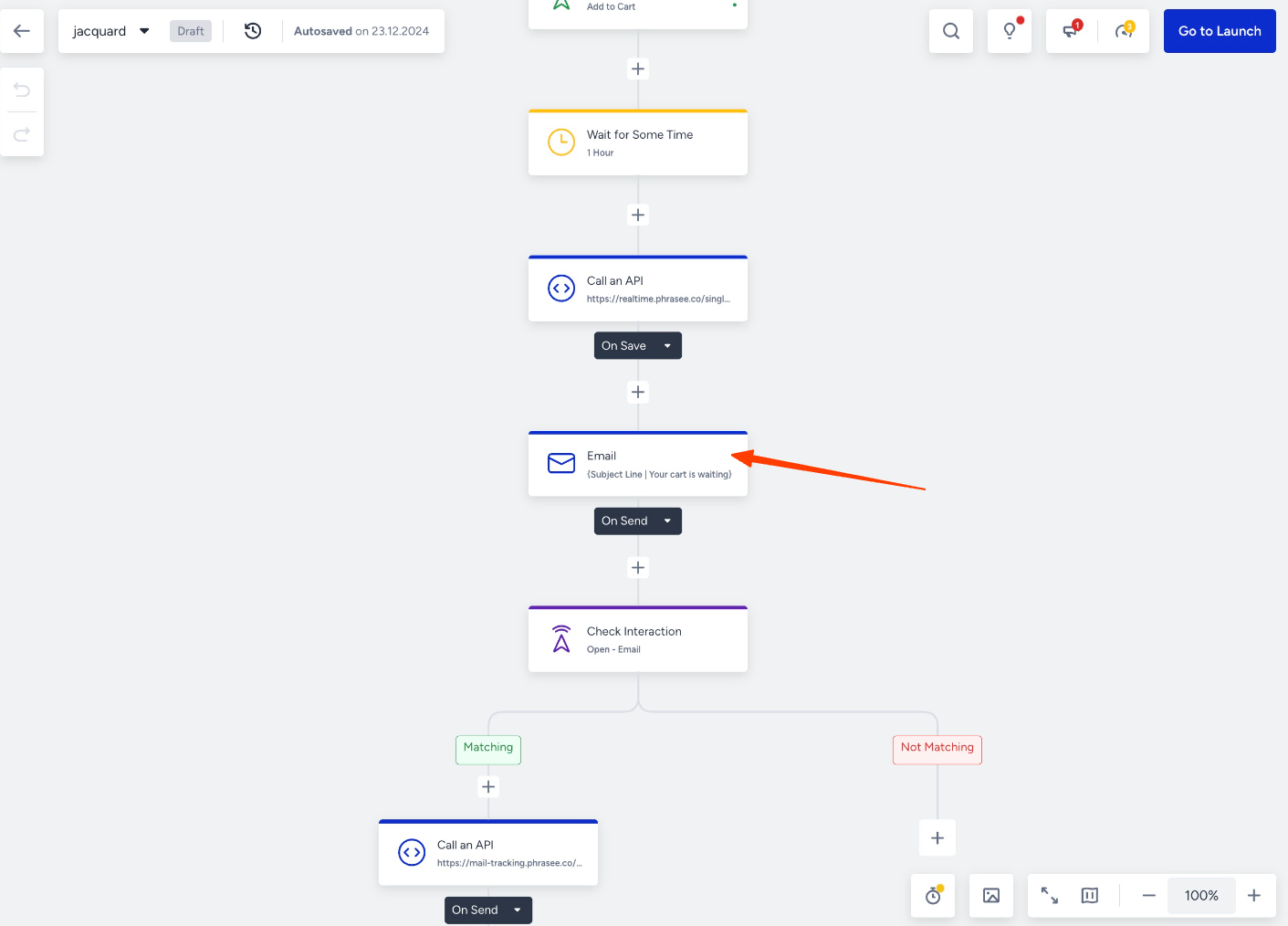
- Select the subject line from the + Add a Dynamic Content > Call an API Response > API Response Subject Line.
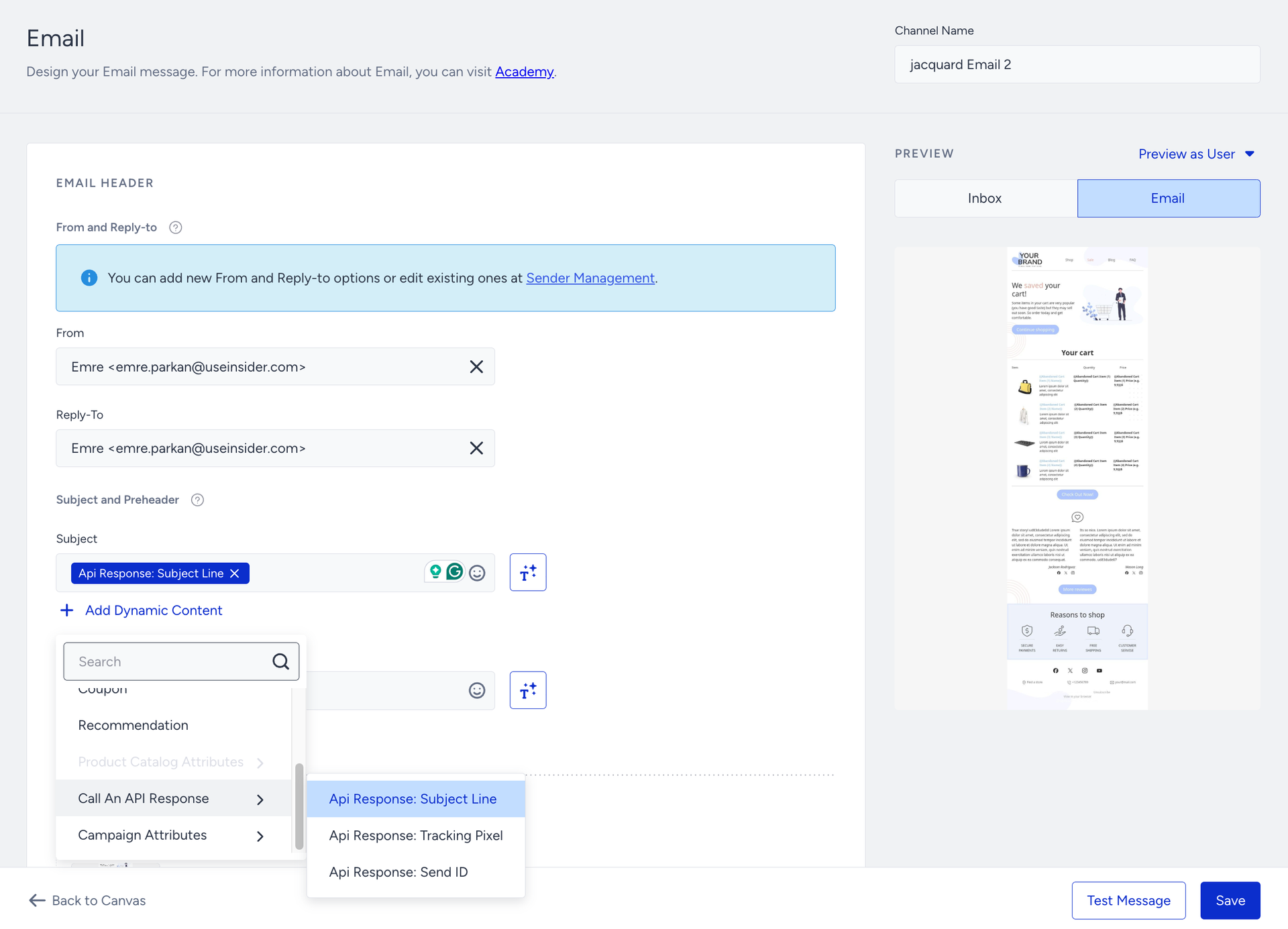
- You should create Call an API to send open and click data to Jacquard for content optimization. First, you should create a Call an API for the email open:
- Go to Architect and add a Check Interaction after your email.
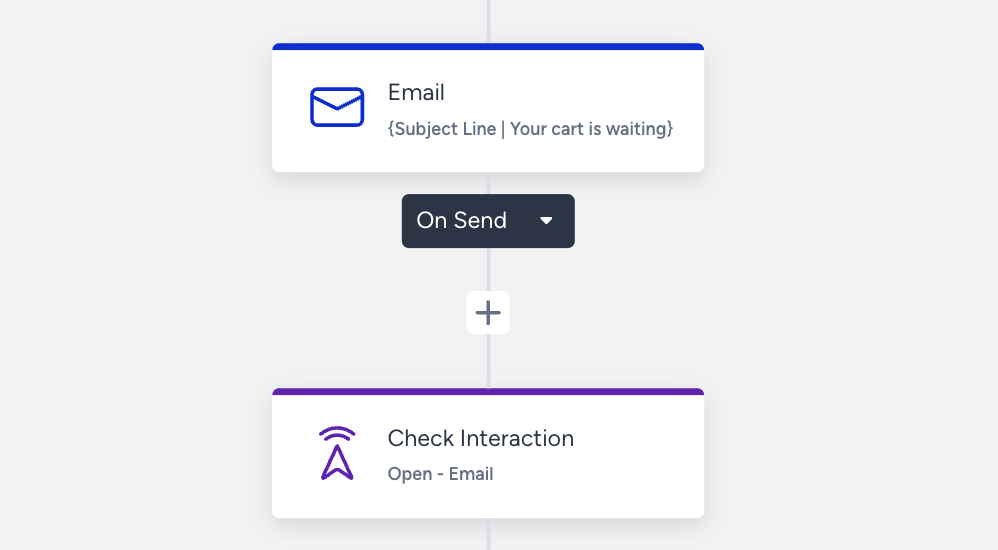
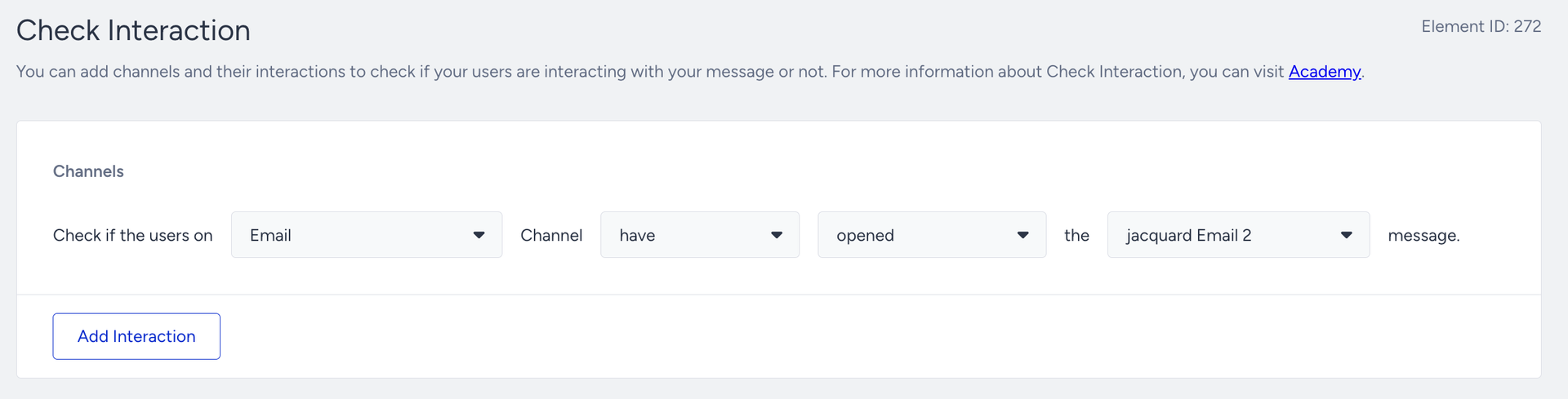
- Configure the Check Interaction for users who open the email.
- After Check Interaction, add a Call an API channel again to send the data to Jacquard.
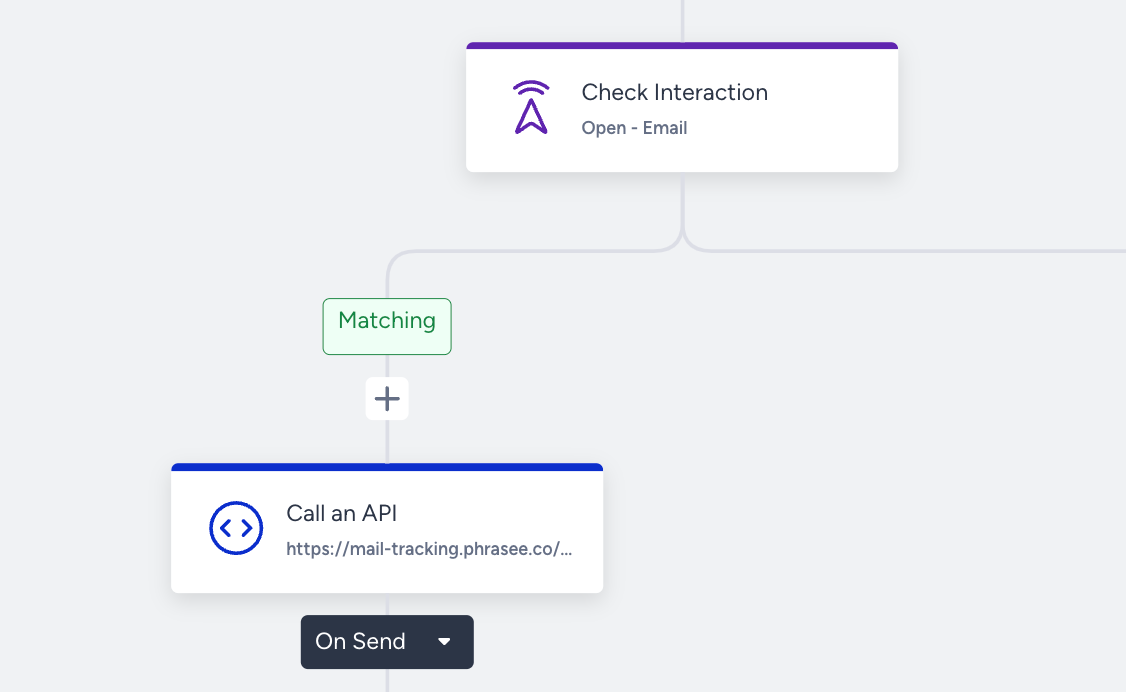
- Configure the Call an API with the same token you have used; this time, the URL should be the webhook endpoint. Within the URL of the POST method, you should add dynamic content as URL parameters:
- variant_id = Api response: Variant ID
- recipient_id = Email Address
- delivery_id = Journey Enter Journey ID
- send_id = Api response: Send ID
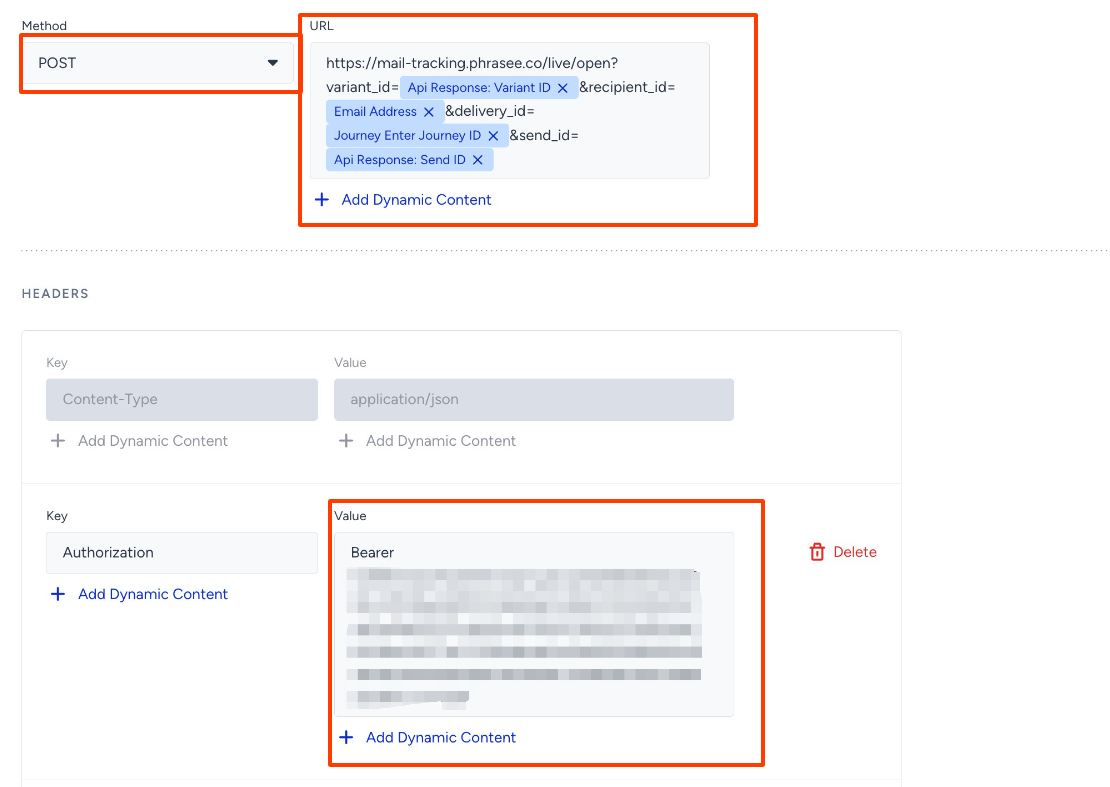 You can get the URL for the open interaction URL from https://docs.mail-tracking.phrasee.co/
- Go to Architect and add a Check Interaction after your email.
- You should create the same Check Integration and Call an API for the email click.
- Go to Architect again and add a Check Interaction after your email.
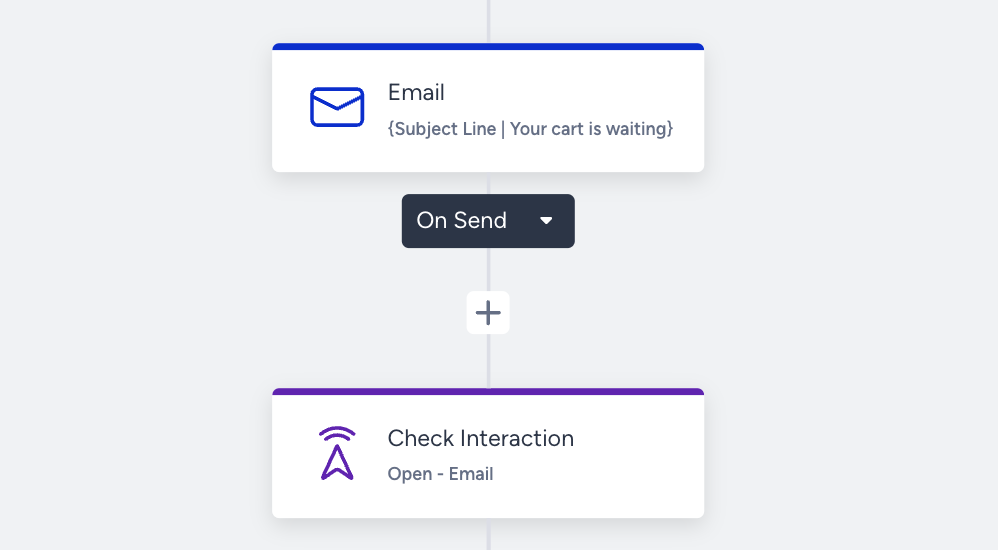
- Configure the Check Interaction for users who open the email.
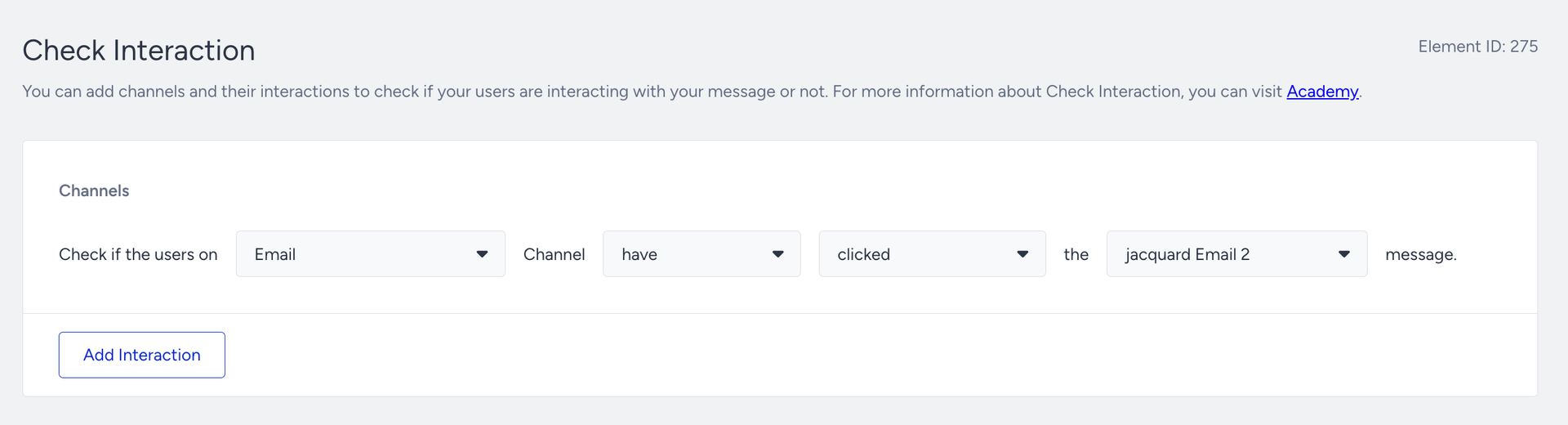
- After Check Interaction, add a Call an API channel again to send the data to Jacquard.
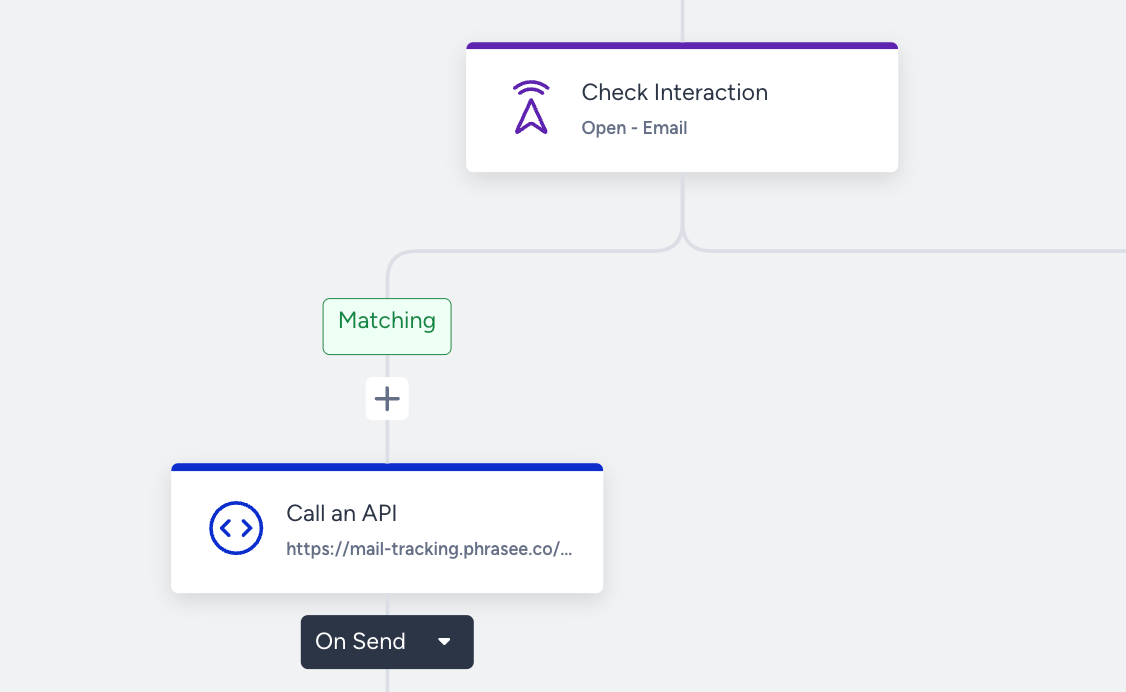
- Configure the Call an API with the same token you have used; this time, the URL should be the webhook endpoint. Within the URL of the POST method, you should add dynamic content as URL parameters:
- variant_id = Api response: Variant ID
- recipient_id = Email Address
- delivery_id = Journey Enter Journey ID
- send_id = Api response: Send ID
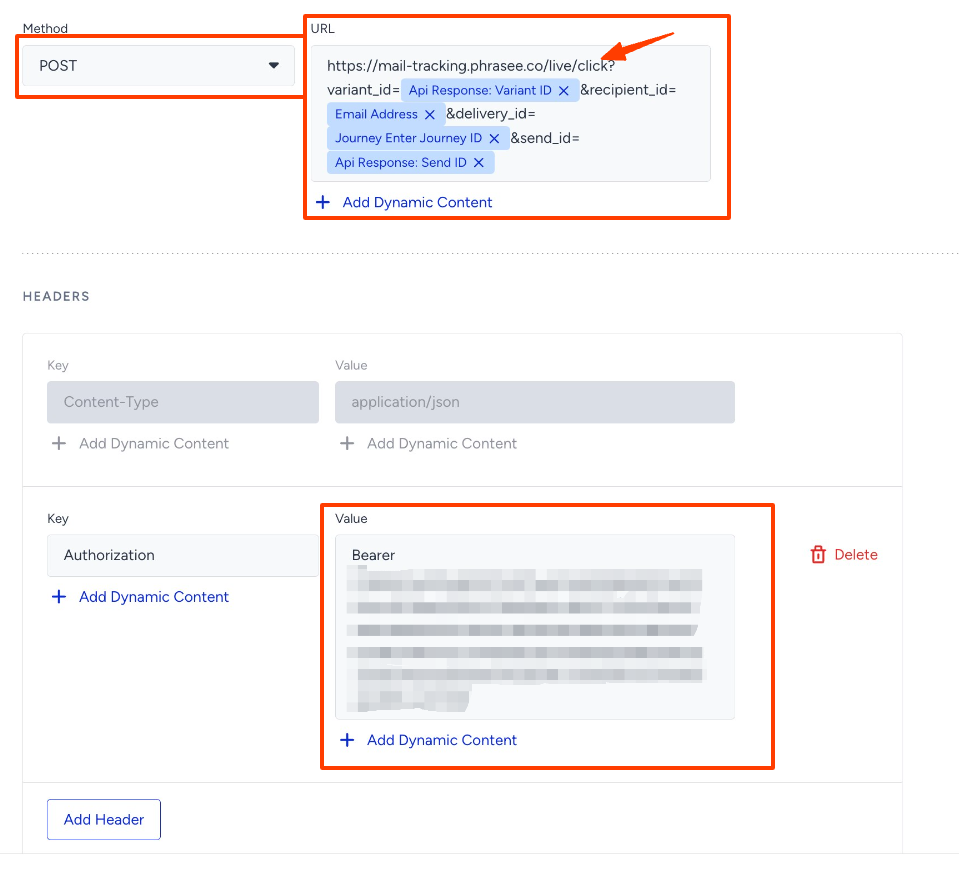
- Go to Architect again and add a Check Interaction after your email.
Example Scenario
- Generate subject line variants for a holiday campaign.
- Fetch the best-performing variant dynamically using Jacquard’s API.
- Insert the variant into an email campaign.
- Send the campaign and track interactions (opens, clicks).
- Use Jacquard’s optimization feature to prioritize top-performing content automatically.