Eureka performs search operations by querying search terms among the product attribute values in your product catalog data. Some attributes in the product catalog may not be suitable for search, and too many matches in attribute values can lead to a wide set of results. Therefore, it is crucial to define which product attributes are searchable to provide a seamless search experience.
With Eureka, you can configure searchable attributes easily. You simply select product attributes and assign them priority. This feature enhances your users' search experience. It allows them to search for products using specific attributes and ensures that the most relevant results are displayed. This, in turn, leads to better customer satisfaction, increased product discoverability, and business growth.
This article covers the answers to the questions below:
Add a searchable attribute
Navigate to Eureka > Settings > Searchable Attributes.
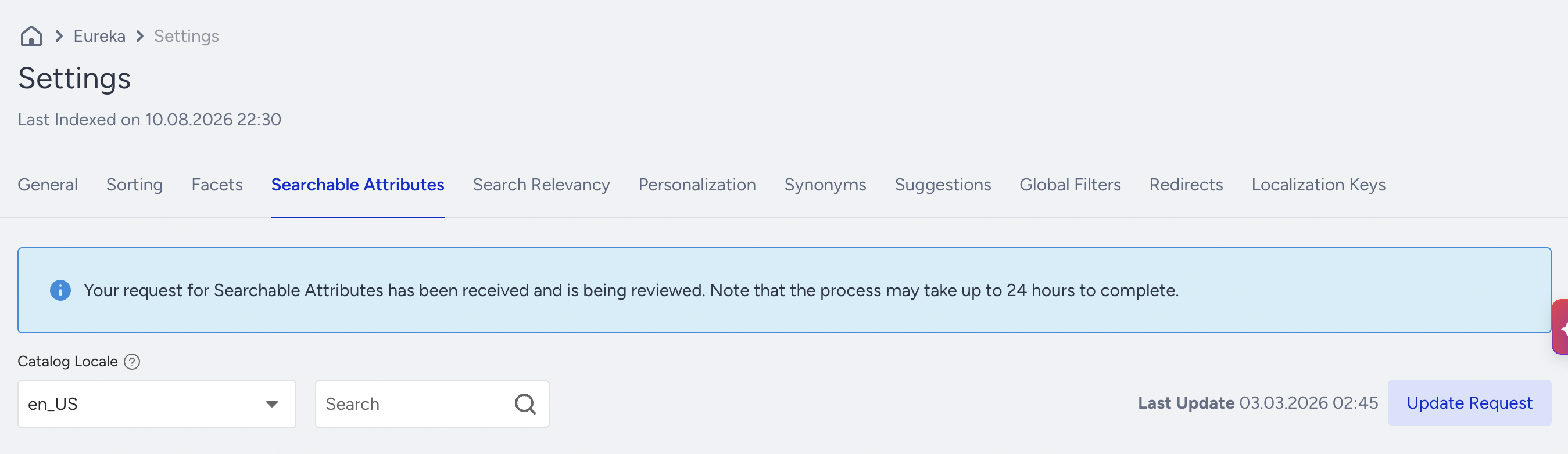
Click Edit Searchable Attributes to update searchable attributes.
Click Add Attribute to add some attributes.
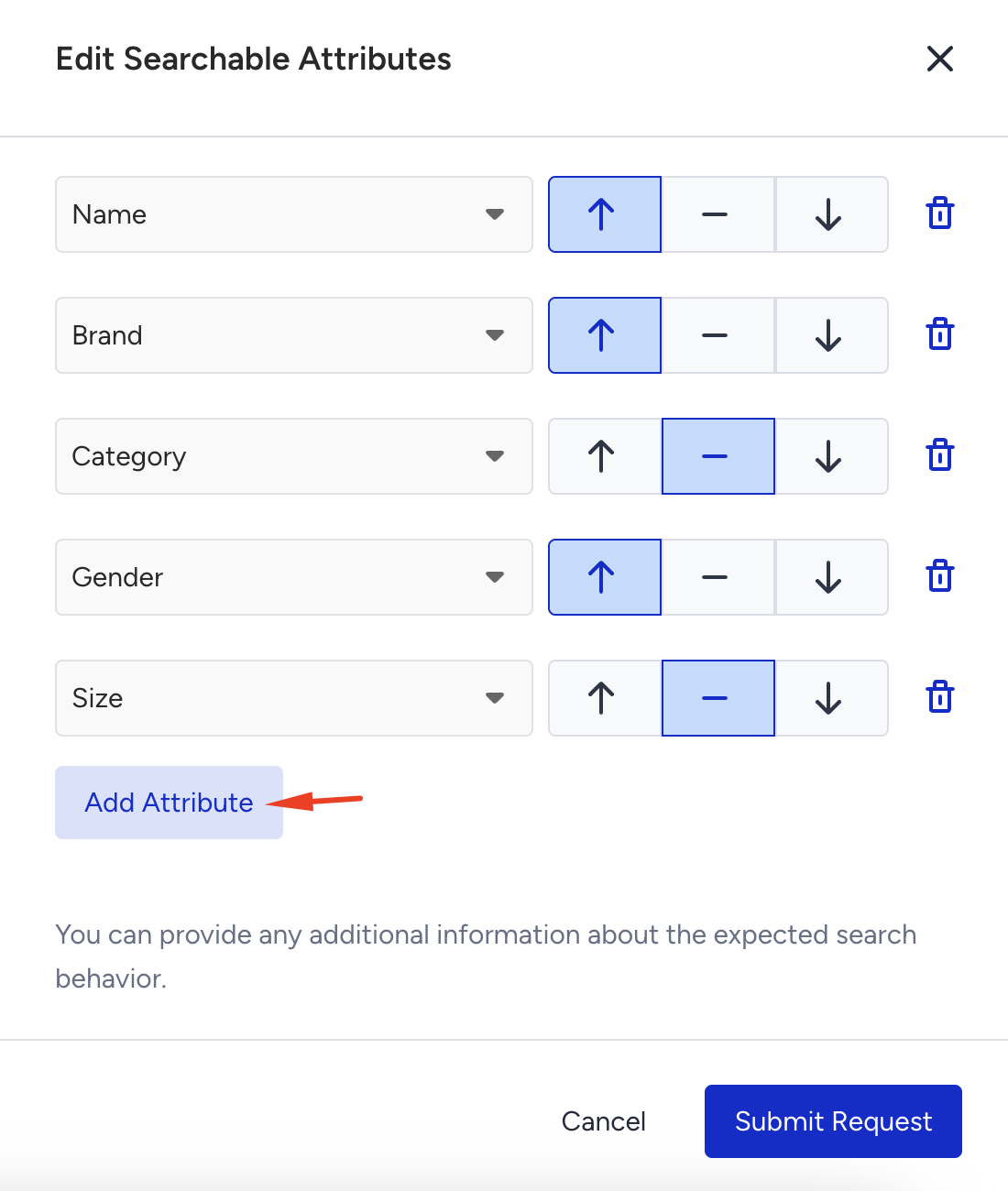
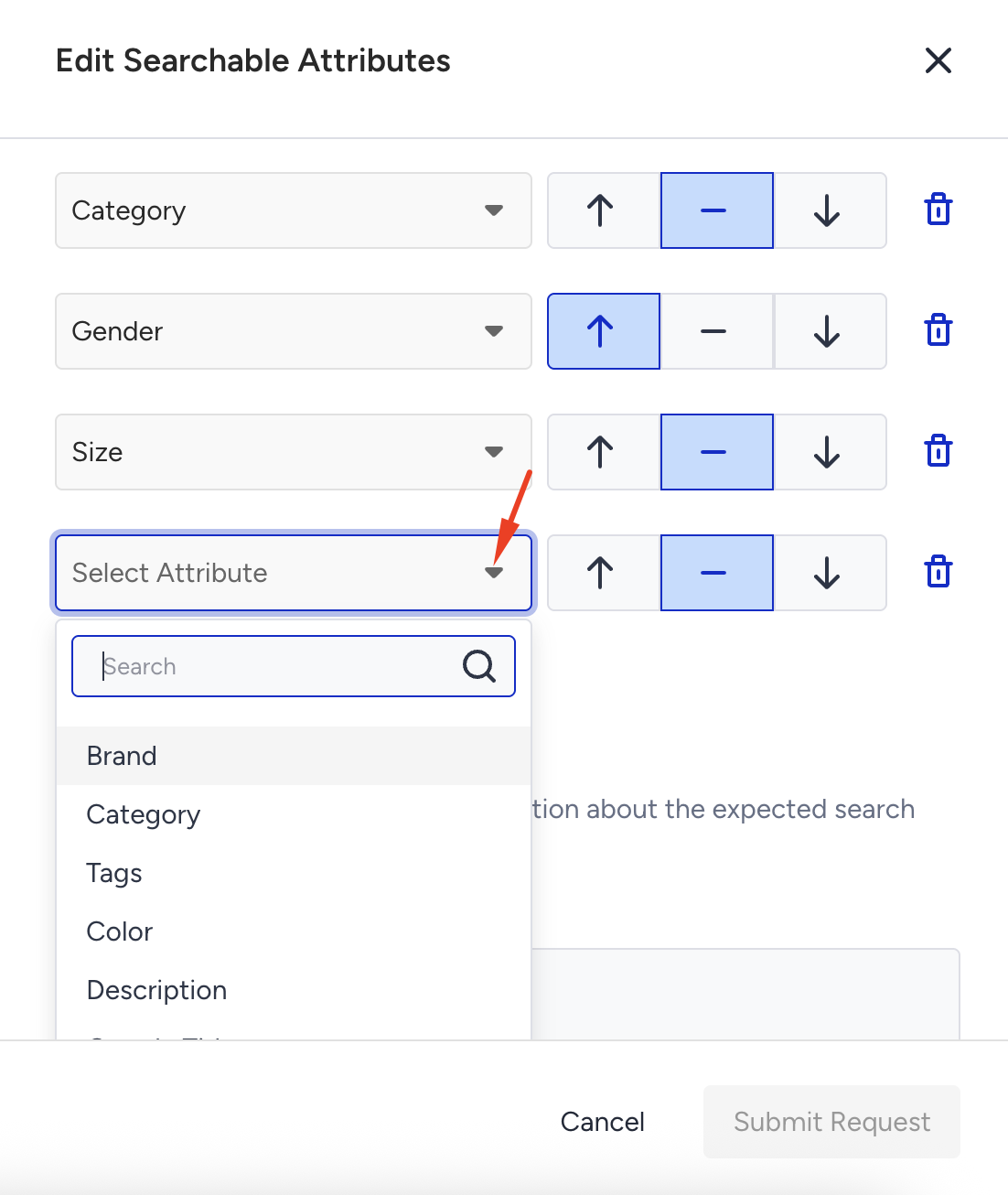
Select the attributes from the dropdown and assign a priority to them. Then, click Submit Request.
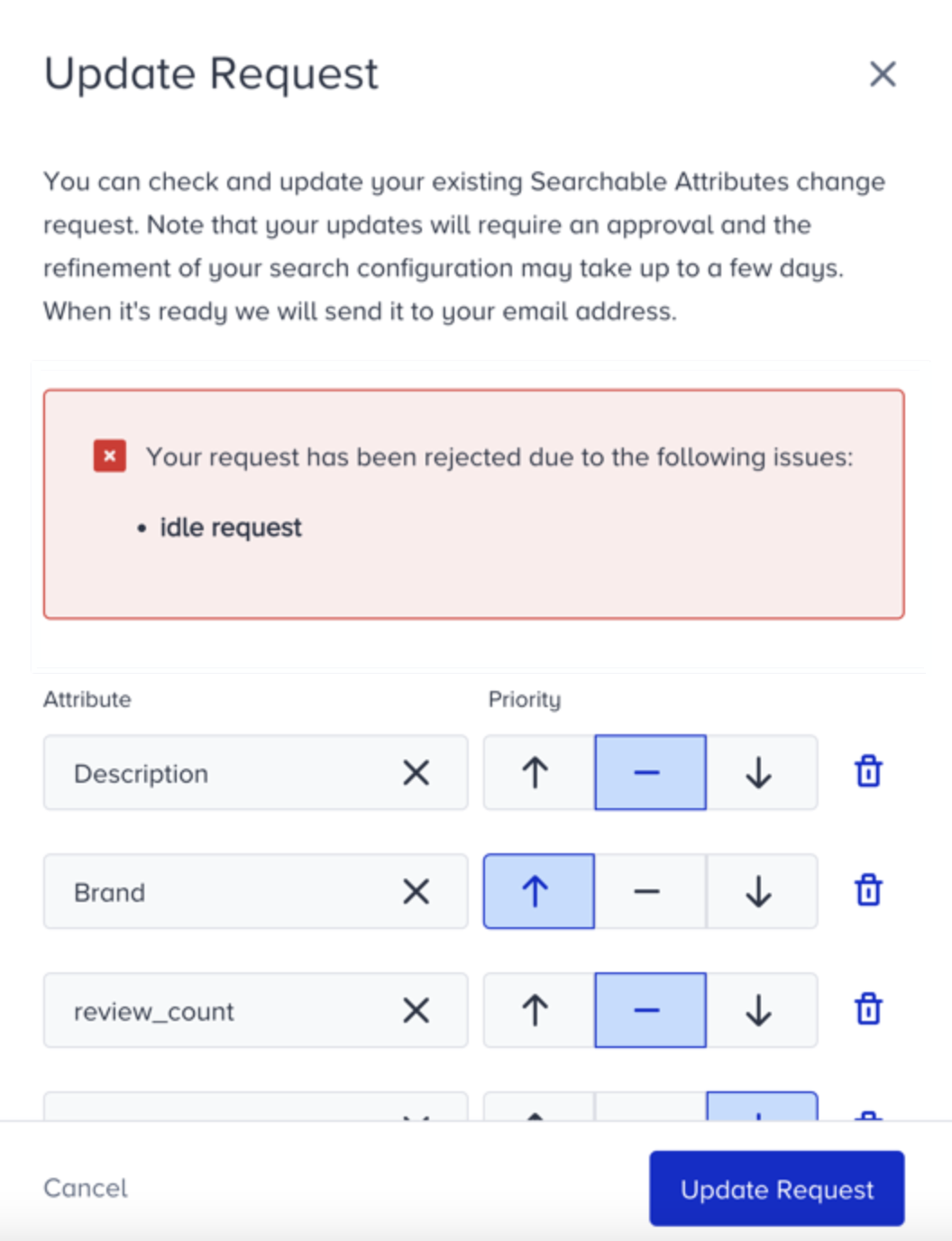
When you send the request, the Insider One team in charge reviews it and approves or rejects it based on its impact on the search results. You’ll see an information message on the Searchable Attributes page if your request is denied. Click the Update Request button and update it to match the rejection reason.
Product catalog integration is a key requirement for the searchable attributes. If you pick up an attribute X as the searchable attribute, but none of the products' X attributes have a value, then your searchable attribute configuration will be obsolete.
Guidelines for setting searchable attributes
Here are some guidelines for including and excluding attributes from the searchable attribute list. These suggestions are not exhaustive.
The following attributes are commonly included (i.e., are searchable):
Descriptive features (name, description, brand)
Filters (color, brand, size)
Keywords and tags (if available on your website)
Useful data (SKUs, ISBNs, product IDs) and other identifying attributes.
The following attributes are often excluded (i.e., not made searchable):
For display only: image and other URLs, price, and brand logos.
For ranking only: most sales, most viewed, highest rated.
For information only: not yet available, just released, on promotion.
Enabling additional searchable attributes expands the scope of search queries, making it easier for your users to discover relevant products. Assigning priority levels allows you to emphasize specific attributes and ensure that the most important information receives greater consideration in search rankings.
Searchable attribute configuration changes are not reflected immediately in the search engine. Since it is a critical setting for the search engine's behavior, the configuration should be approved by the Insider One team. You can configure your change and send a request for the application by entering an optional text explaining your reasoning. The Insider One team responds to your request within 24 hours, and you can visualize the result in the Searchable Attributes menu.