A locale is a geographical, political, or cultural region. It is used to identify the specific language and cultural conventions that are used in that region. When you split a locale with an underscore, the first part represents the language according to ISO 639-1 Language Codes, and the last part describes the ISO 3166 Alpha-2 Country Codes.
Eureka indexes your catalog by locale and applies custom settings tailored to the language and region's needs. Below are some examples of locales:
en_US: English (United States)
fr_FR: French (France)
de_DE: German (Germany)
es_ES: Spanish (Spain)
The need for the locale arises from the diverse global audience that ecommerce sites cater to. Here are some key reasons why the locale feature is essential:
Personalization: Locale enables ecommerce sites to deliver a personalized experience by tailoring content and functionality to each user's preferred language and cultural preferences.
Localization: Supporting multiple locales allows you to tailor your offerings to specific regions, including localized product descriptions, pricing, and payment methods, which enhances the user experience and increases conversion rates.
User Engagement: When users can access an ecommerce site in their native language and preferred settings, it enhances engagement and fosters trust, increasing customer satisfaction and loyalty.
International Expansion: The locale feature lets you easily expand into new markets and reach a wider audience by adapting your site for different languages and regions.
Locale-Based Settings
Locale-based settings play a crucial role in tailoring the user experience on an ecommerce site. These settings enable the customization and adaptation of various aspects, including search facets, URL redirects, synonyms, sorting, localizations, and searchable attributes, based on the user's selected locale.
Search Facets
Search facets are filters that enable users to refine their search results based on specific attributes or characteristics. You can have different sets of facets with different orders and labels for each locale.
URL Redirects
URL redirects allow users to be redirected to specific web pages when their search term meets a rule defined in the URL Redirect settings. You might need to set different rules for each locale to achieve the same result, such as “redirecting to the customer service page.”
Synonyms
Synonyms are alternative terms or phrases associated with specific keywords to improve search accuracy and relevance. Since every language and region has different synonyms, you should set them by locale.
Sorting
Sorting Options determine the order in which search results or product listings are displayed based on specific criteria. You can have different sorting options in various orders, each with its own labels for each locale.
Localizations
Localizations are used to show texts in the pop-up for the specified languages. It should be kept up to date for each locale.
Searchable Attributes
Searchable attributes are the specific product attributes or characteristics considered during the search process to provide more accurate and relevant search results. You might want to apply different searchable attributes with different priorities for each locale.
Merchandising Preview Currency
If your product catalog supports multiple currencies for a specific locale, you can select the preferred currency from a dropdown menu. This enables you to preview products in Merchandising using the selected currency for the chosen locale.
If your catalog includes only a single currency, it will be applied automatically; no action is required.
The Merchandising Preview Currency setting affects only the Merchandising preview. It does not impact how products appear in search results or on category pages.
Product Actions with Facets
You can enable Product Actions (such as Pin to Top, Significant Boost, Boost Slightly, Pin to Position, Bury Slightly, Significant Bury) to work with Facets. To do this, simply toggle the setting on. This ensures that these actions are applied when users use facets in their search results or on category pages.
Hidden Product Actions and Attribute Actions are applied with facets by default, and this toggle does not affect those existing configurations. Product and attribute actions will only apply when the product meets the specific facet criteria.
For example:
If a product is initially in the 8th position and pinned to the 4th position, applying facets will adjust the results accordingly.
If the product matches the selected facets and more than 4 products are returned, it will appear in the 4th position.
If there are fewer than four products after applying facets, it will appear as the last item in the list.
Select the Locale in a Eureka campaign
When running Eureka campaigns, it is essential to consider the locale settings to effectively display customized search pop-ups to your target audience. You can select the languages in the Launch step of the Eureka campaign.
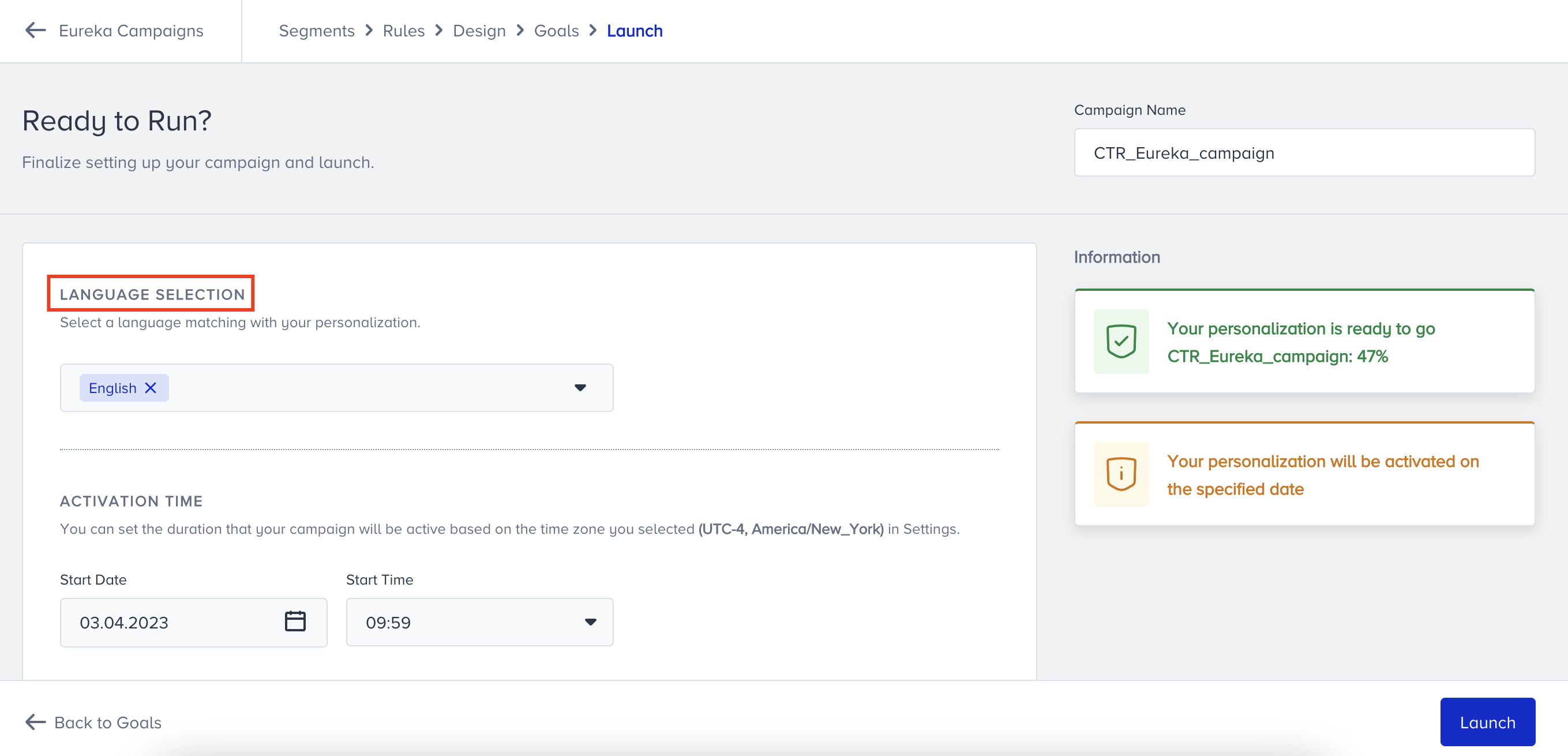
Select the Locale in Eureka Settings
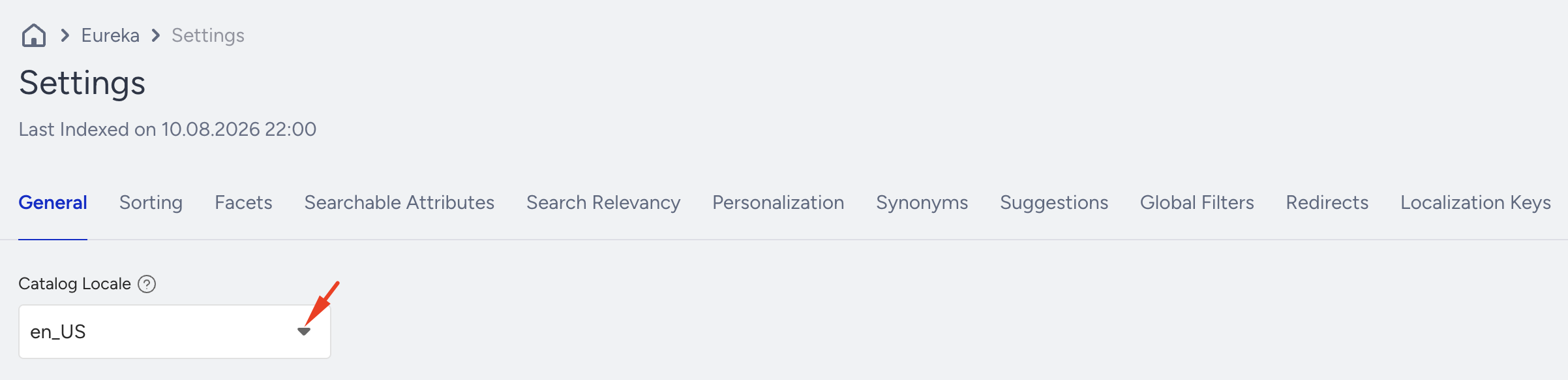
While customizing Eureka, you can select the specific locale from the dropdown on the Settings page.
If you need further assistance with the locale, contact the Insider One team.