Content modules can have several blocks and elements.
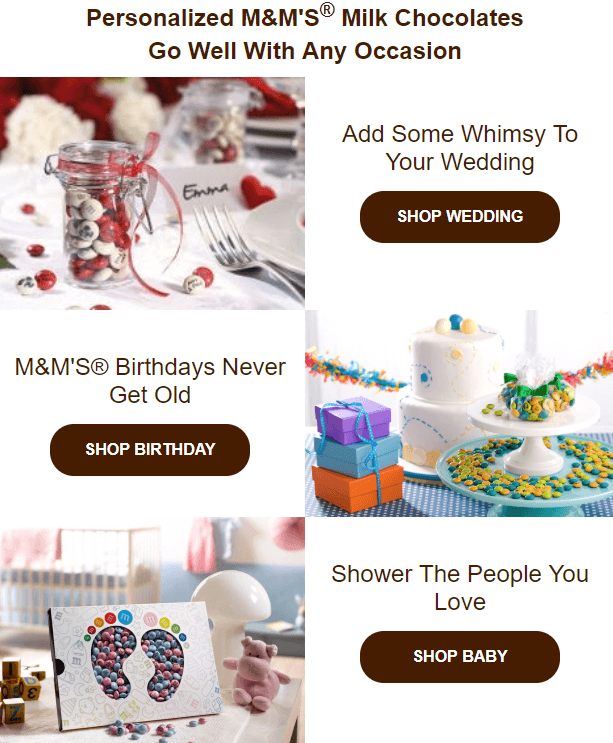
Usually, such modules consist of a product snippet, a brief description, a price, and a CTA button.
Build a product content module
1. Drop a 2-column structure into your template.
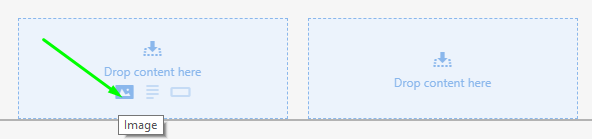
2. In any column, click the “image” icon in the structure to add a product snippet.
3. Upload the necessary image.
4. Edit this snippet if necessary.
5. Drag a text block into the second column.
6. Enter your text and set the necessary design style if it differs from the text style you set in the General Settings tab.
7. Drag the button block and drop it under your text.
8. Set its style. You can apply a hover effect to this button. You can find the manual in Adding CTA buttons.
Copy your designed modules
1. Drop the 2-column structure into your template.
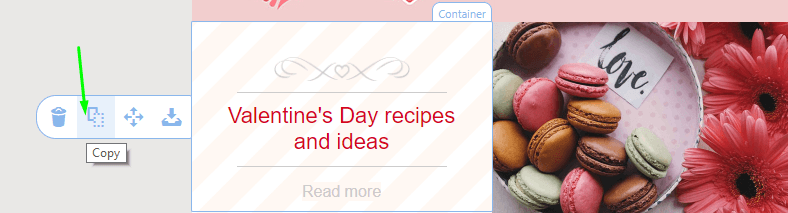
2. Copy the container with details in the module you built.
3. Now, simply move it to a new structure.

4. Edit the information in it and add new images.