The challenge in email marketing is to combine intelligent conversations with artificial intelligence and machine learning capabilities to deliver accurate and specifically tailored emails to customers' requirements.
This article aims to provide benchmarks for the following frequent questions and matters raised by email marketers:
Email Performance Review
Email performance varies based on the industry and visibility of the brand. Four main metrics are considered to measure the deliverability score:
Open rate: Impacts the deliverability score and needs to be high
Click-through rate: Impacts the conversion rate and needs to be high
Click-to-open rate: Impacts the performance and conversion rate and needs to be high
Unsubscribe rate: Impacts the deliverability score and needs to be low
The table below displays the open, bounce, click, and block rates per industry.
Industry | Insider Open Rate | Insider Bounce Rate | Insider Click Rate | Insider Block Rate |
|---|---|---|---|---|
Automotive | 8.21% | 0.98% | 1.97% | 2.77% |
B2B Commerce | 9.23% | 0.58% | 1.76% | 3.41% |
Career and Education | 10.46% | 0.62% | 0.67% | 0.76% |
Classifieds | 25.77% | 0.56% | 4.26% | 0.85% |
Finance | 14.82% | 0.97% | 2.27% | 0.60% |
Healthcare | 11.20% | 0.83% | 2.86% | 1.88% |
Internet and Telecom | 9.45% | 0.67% | 3.66% | 0.63% |
Media and Publishing | 10.66% | 0.49% | 1.91% | 1.18% |
Other | 6.84% | 0.73% | 2.20% | 1.83% |
Real Estate | 5.16% | 0.08% | 6.76% | 0.10% |
Restaurants and Delivery | 10.40% | 0.76% | 4.01% | 7.82% |
Retail | 9.93% | 13.12% | 1.86% | 14.27% |
Transportation and Logistics | 8.47% | 0.49% | 0.44% | 5.50% |
Travel | 10.20% | 0.61% | 2.92% | 2.56% |
When is the best time to send promotional emails?
Email statistics show that emails perform better on weekdays. On the weekend, the engagement figures are observed to the lowest. According to the benchmarks:
Open rates are the highest between 16.00-18.00.
Open rates are the highest on Mondays by 22.0%.
Click-through rates are the highest on Tuesdays by 2.4%.
Click-to-open rates are the highest on Tuesdays and Wednesdays by 10.8%.
Email unsubscribe rates are virtually identical throughout the week by 0.1%.
.png)
When is the worst time to send promotional emails?
According to the global averages by the day given above, the following are the lowest ones:
Open rates are the lowest on Sundays by 20.3%.
Click-through rates are the lowest on Saturdays and Sundays by 2.1%.
Click-to-open rates are the lowest on Fridays, Saturdays, and Sundays by 10.1%.
Content Tips & Tricks
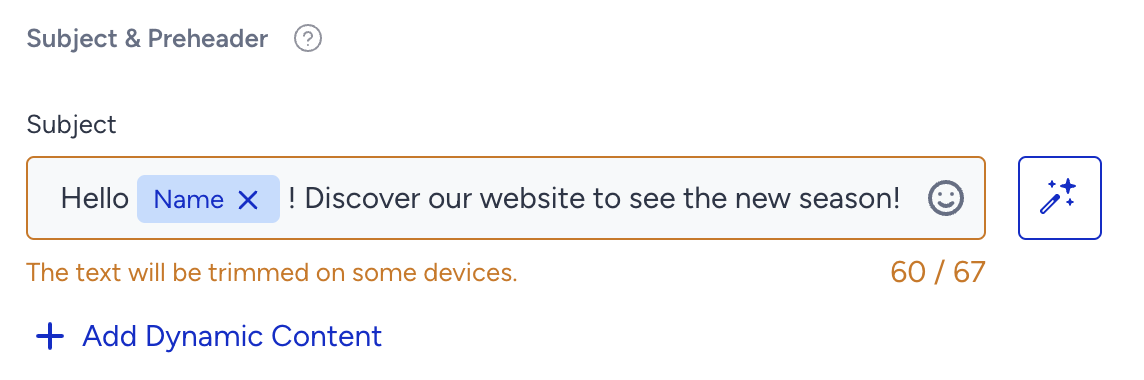
1. For better-performing campaigns, it is advised to use shorter subjects with a maximum of 66 characters.
2. Using emojis in the subject and preheader is advantageous. However, not every ISP (internet service provider) would support emojis (e.g., Outlook, Local ISPs, etc.). Using too many emojis may also lead you to land in the spambox.
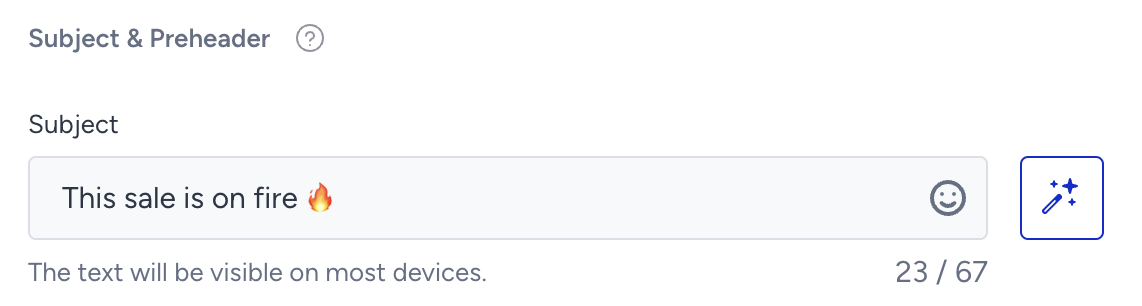
For example, you can use such subject lines for the following verticals:
Fashion: Hello {name}, the new release will let you shine wherever you go.
Automobile: Here is the highest technology to ride!
Ecommerce: Check out the most desirable products with the lowest prices
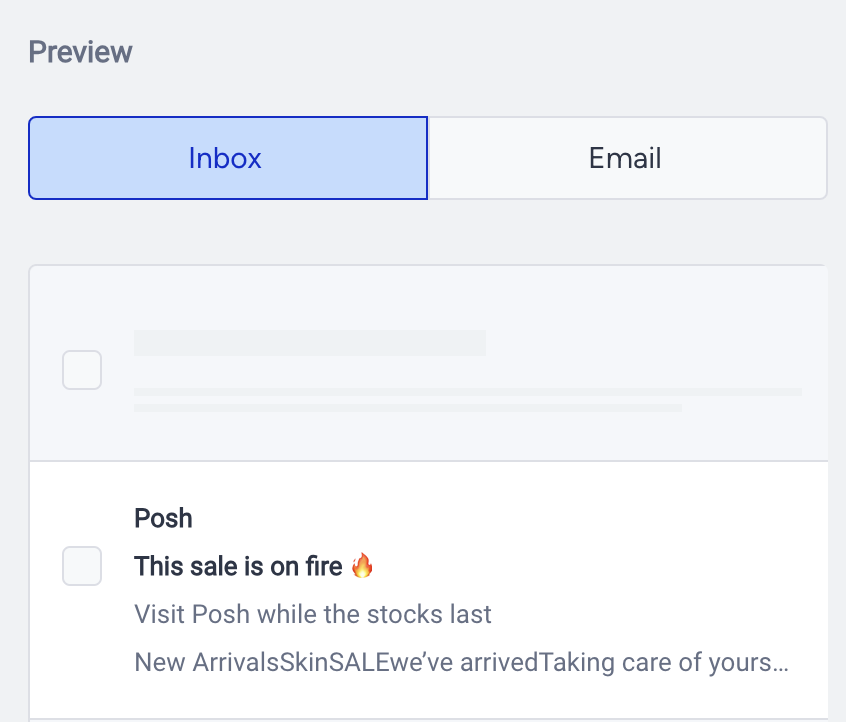
3. Make sure that the preheader is fully visible when sending your emails to your customers. That's why we suggest using shorter texts rather than long texts.
4. Personalized emails are more likely to be opened by 26% when compares to those that are not personalized (according to a research conducted across Insider in 2021).
.png)
Dynamic content in your messages can save your life. Read more about Personalized Content and what it offers to marketers.
.png)
Let’s give it a break!
Did you know that emails can speak? An iPhone or Android software can read your email out loud. It extracts content from emails intelligently, including the signatures, disclaimers, and threads. You can execute it by a voice command, on-screen buttons, or full-screen touch gestures.
Siri is capable of reading emails, but only to a limited extent. To hear your first 25 email subjects and senders, ask Siri to "Read me my emails". You can receive the complete content of an email by asking "Read my last email," but you'll have to keep pressing the listen button and asking for emails to be read one at a time, using the same pattern, such as "Read my second email".
.png)
58% of adults check their inbox first thing in the morning. Knowing that, you can try sending your emails early in the day - you might see an increase in openings.
Predictive segmentation to power your emails
Predictive Segments enable you to target users with AI-backed predictions based on their behaviors and personal interests.
With the help of Insider’s predictive segmentation technologies, you can achieve a higher ROI in your campaigns, increase your conversion rates and increase the customer retention and loyalty by predicting users' likelihood to purchase or churn, segmenting users based on their interests and purchase behaviors.
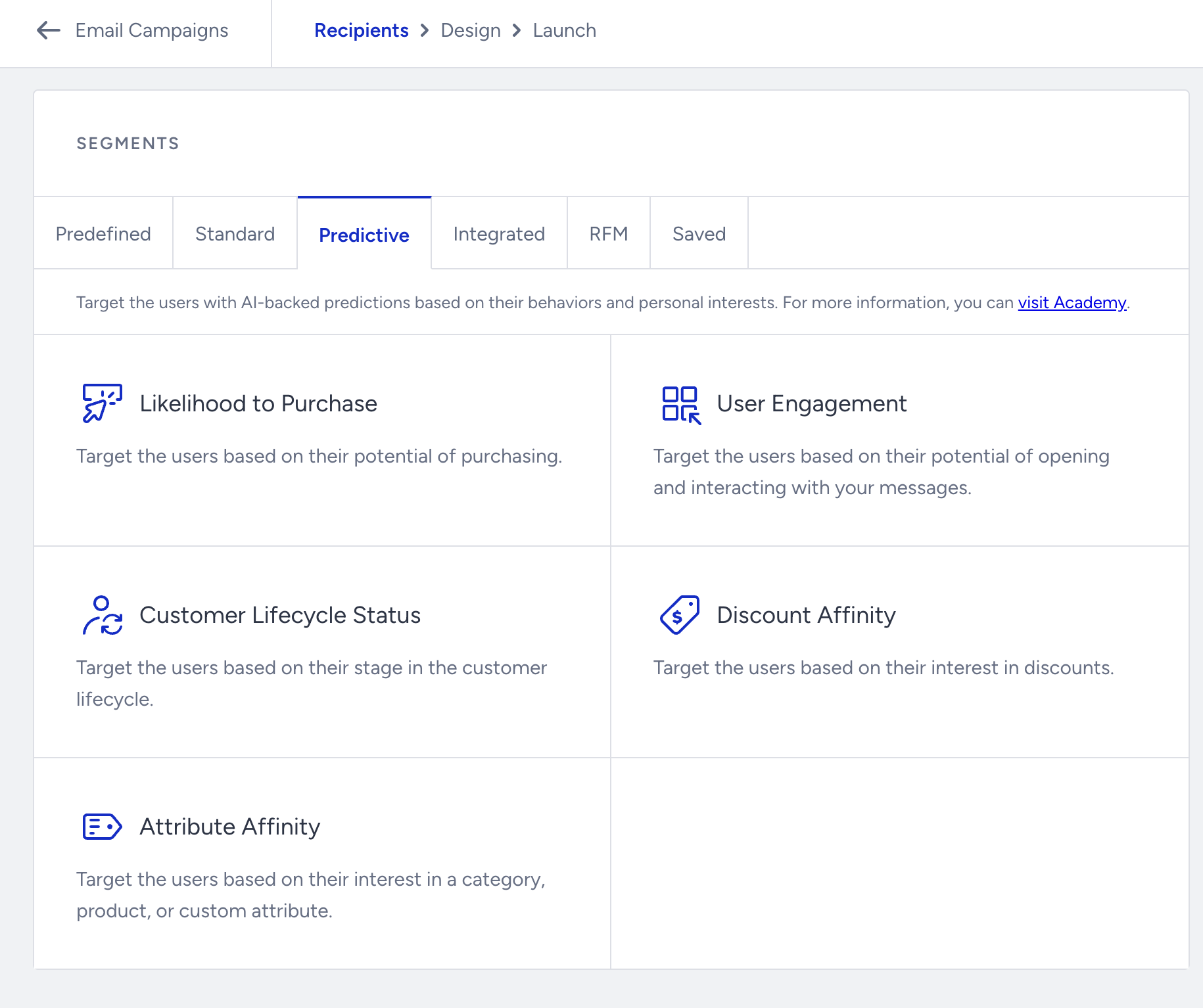
You can leverage the predictive segments in various use cases as follows:
Send emails to Likelihood to Purchase: High segment to target users who are more likely to make a purchase from your brand
Offer exclusive offers to your loyal customers with Customer Value segment
Tailor your emails with specific categories and products for your interest clusters
Reactivate your users who are likely to churn and save new user acquisition costs
Email Engagement Segments
You can use the Email Engagement segments to increase your customers' engagement strategically and easily.
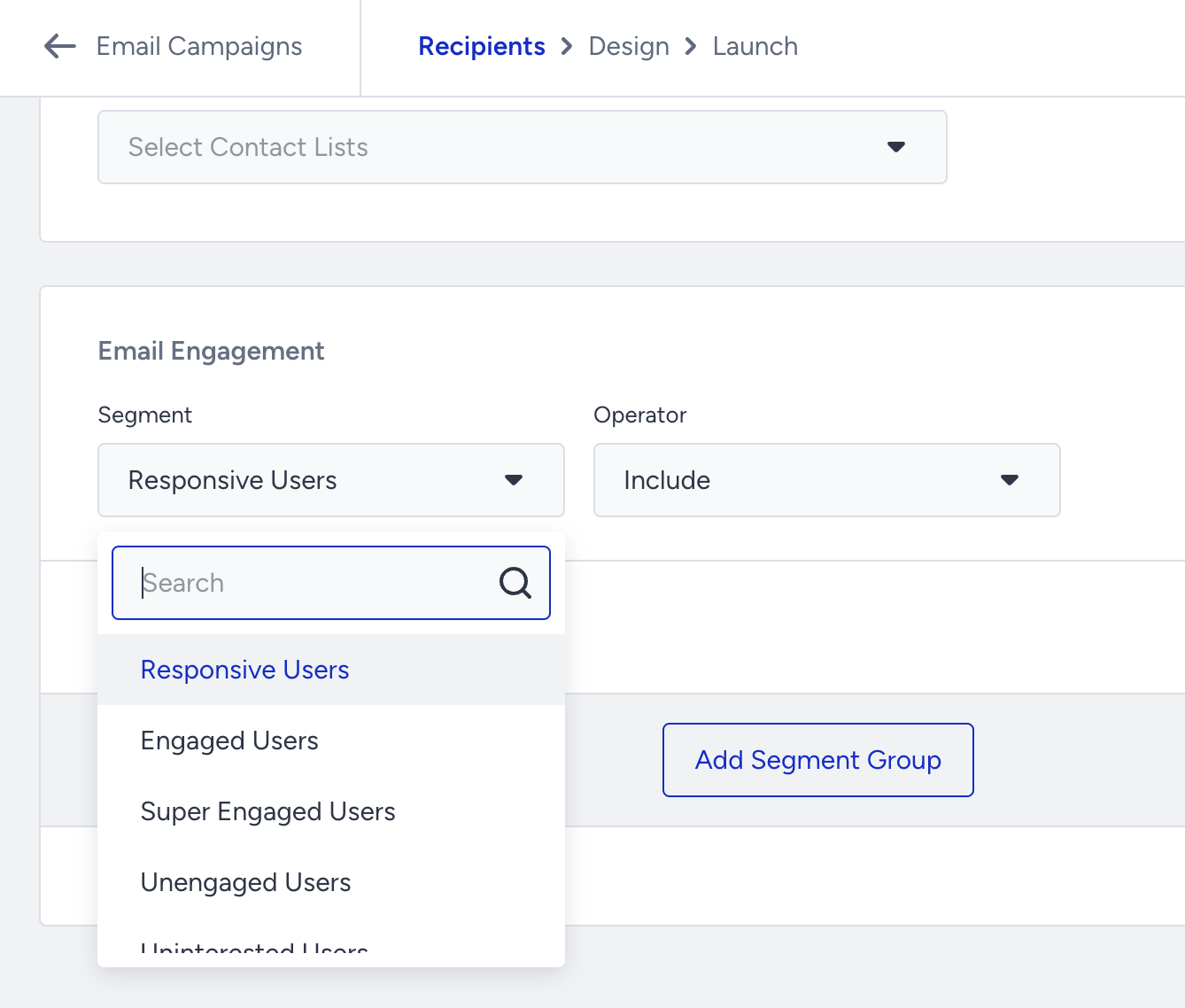
Boosting Metrics with Advanced Email Features
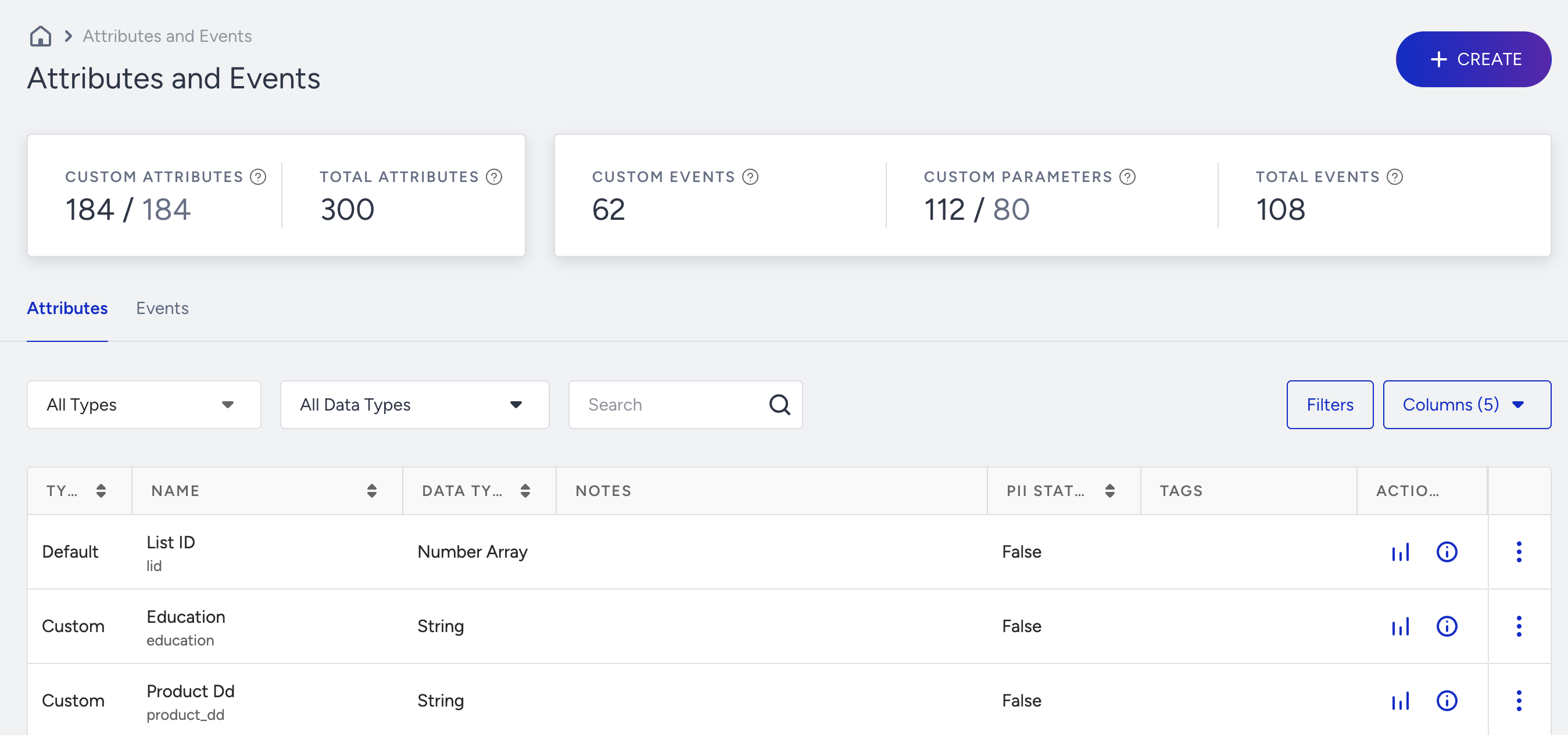
Strong Segmentation with Events and Attributes
Suggested Reading: Understanding Events and Attributes
You can create detailed segmentations with events and attributes to target users based on their previous actions, and preferences.
Send Time Optimization
Send Time Optimization feature helps you send emails at the best time based on users' actions.
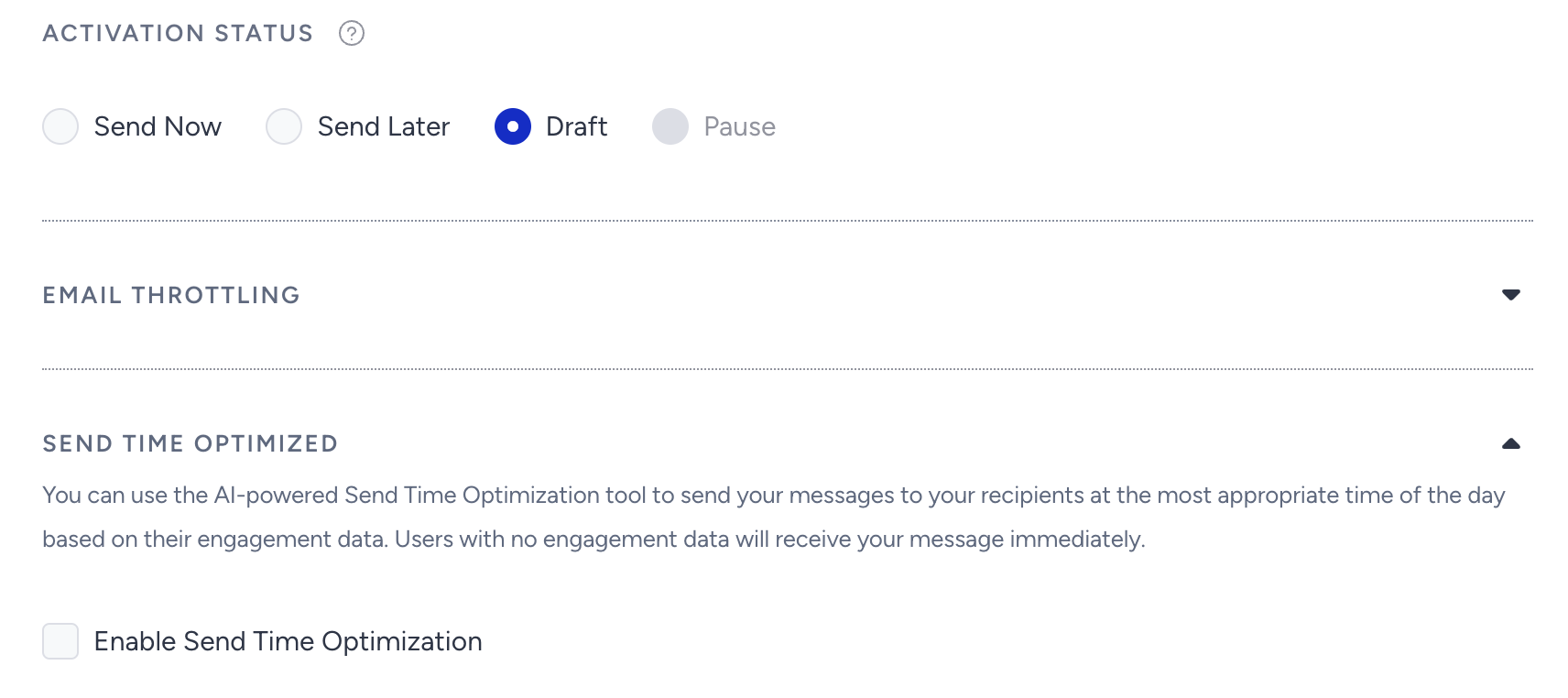
Insider stores user events such as email opens, and sends the emails to the users based on the time they open the last email.
CTR increases with A/B Test
You can change the preheader & subject or design of your email to A/B test your campaigns.
Read more on Experiment (A/B) Email Campaigns.
You can determine a winner based on the following metrics:
Highest unique open rate: Best practices suggest using this option if you're experimenting the subject and preheader.
Highest unique click rate: This option can increase the CTR and perform better if you have different variants with different designs.
Lowest unsubscription rate: If you worry that you will get a high number of unsubscribers in a campaign, you can use this option to receive fewer unsubscribers.
Lowest spam rate: This option might help you get fewer spam reports if you are having issues with being marked as spam.
.png)
Coupon Codes & Countdowns
You can use coupon codes and countdowns in your emails to help your users convert more.
Throttling
Throttling enables you to control the total email volume across all simultaneously launched campaigns by evenly distributing it according to the hourly limits you set.
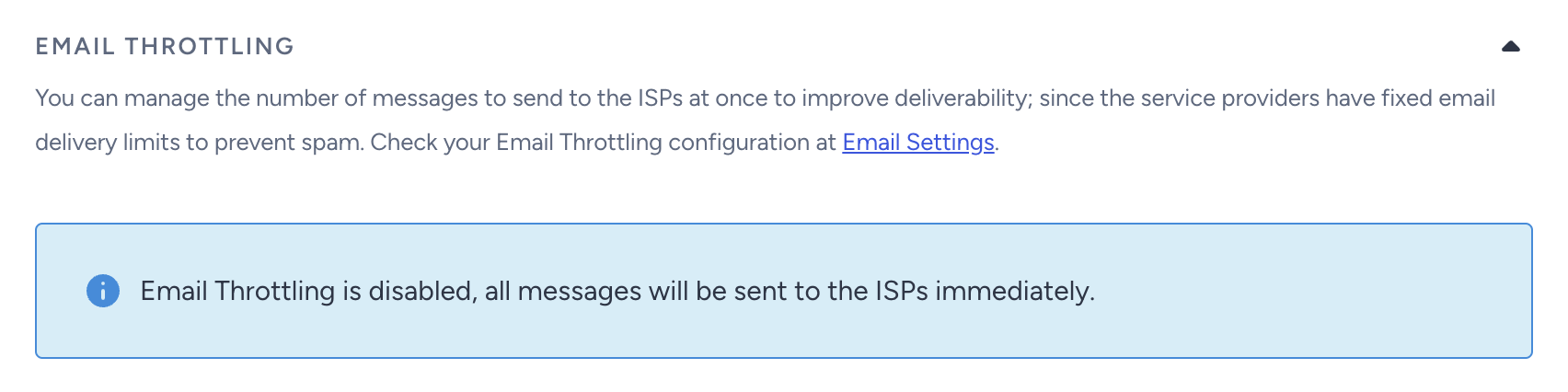
You can use throttling in two cases:
You might have widely accepted local ISPs in your region that do not allow your emails to land on inbox due to the hourly volume limitation.
If your subscriber base is huge (above 100000 users) or if you are attracting a high volume of traffic to your website as the emails are being sent, it is better to use this feature to control the hourly volume of emails helping you re-optimize the speed of your website.
Editor Tips and Tricks
Hover Button
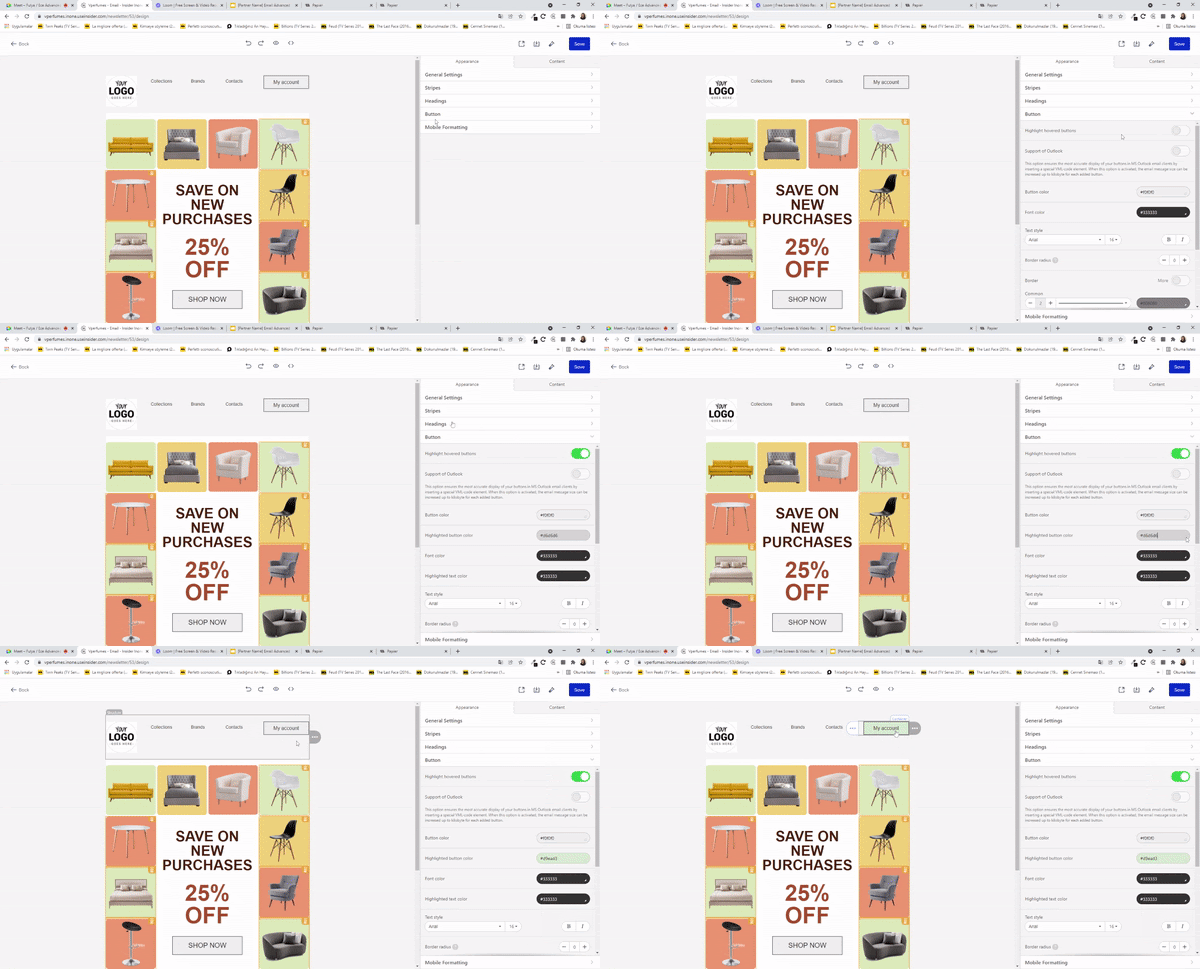
This feature enables you to change the button's color or image as you move your mouse on the content. It works best with fashion, automotive, and e-commerce verticals. For other industries, changing the hover color increases the user's likelihood of clicking the content.
Hide Element
You can hide the elements based on the devices the email will be opened.
.gif)
For example, if your content menu covers too much space, you can remove some of the items to have a better look on the mobile devices.
Mobile Formatting - Responsive Element
Mobile formatting enables you to edit the mobile version of your template independently from the desktop version.
.png)
Personalization and Dynamic Content
Dynamic content enables you to optimize your email marketing performance. Using user-related details such as their first name makes them feel familiar, and increases engagement opportunities. Attributes such as last visited product or last product added to cart might motivate users to check out your website again to decide whether they want to purchase the respective product.
ISPs also advise marketers to personalize their email content per user. Personalization in emails helps you address each user with a related message.
In an email campaign, you can personalize your subject line, preheader, and message.
Subject Line
Best practices strongly suggest that personalizing subject line and preheader is the easiest way to boost open rates. You can also add a fallback value as an alternative text for the users who do not have the respective personalized data. For example, if the name information of a user is not present, you can add "Dear Customer" as a fallback value.
.png)
Personalization of the Content
Personalized content is strongly suggested especially for the cart abandonment and browse abandonment use cases. For example, Insider enables you to display up to 8 browsed or abandoned items. If you add the respective dynamic content in your email, you can remind the user of the items they have visited or abandoned, which can motivate them to check these items out.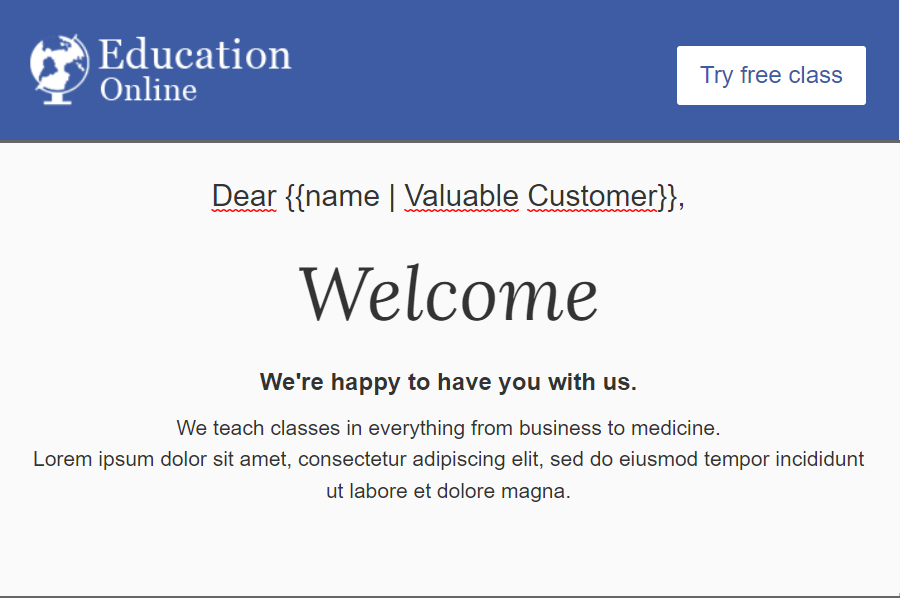
Now that you have discovered some best practices and how to optimize your email campaigns, you can get started with How to create an email.