While designing a web template, you can personalize the phone input element in different ways.
First, you can customize the input based on user interaction. For example, you can set a different background color for the input in the default, filled, and error cases.
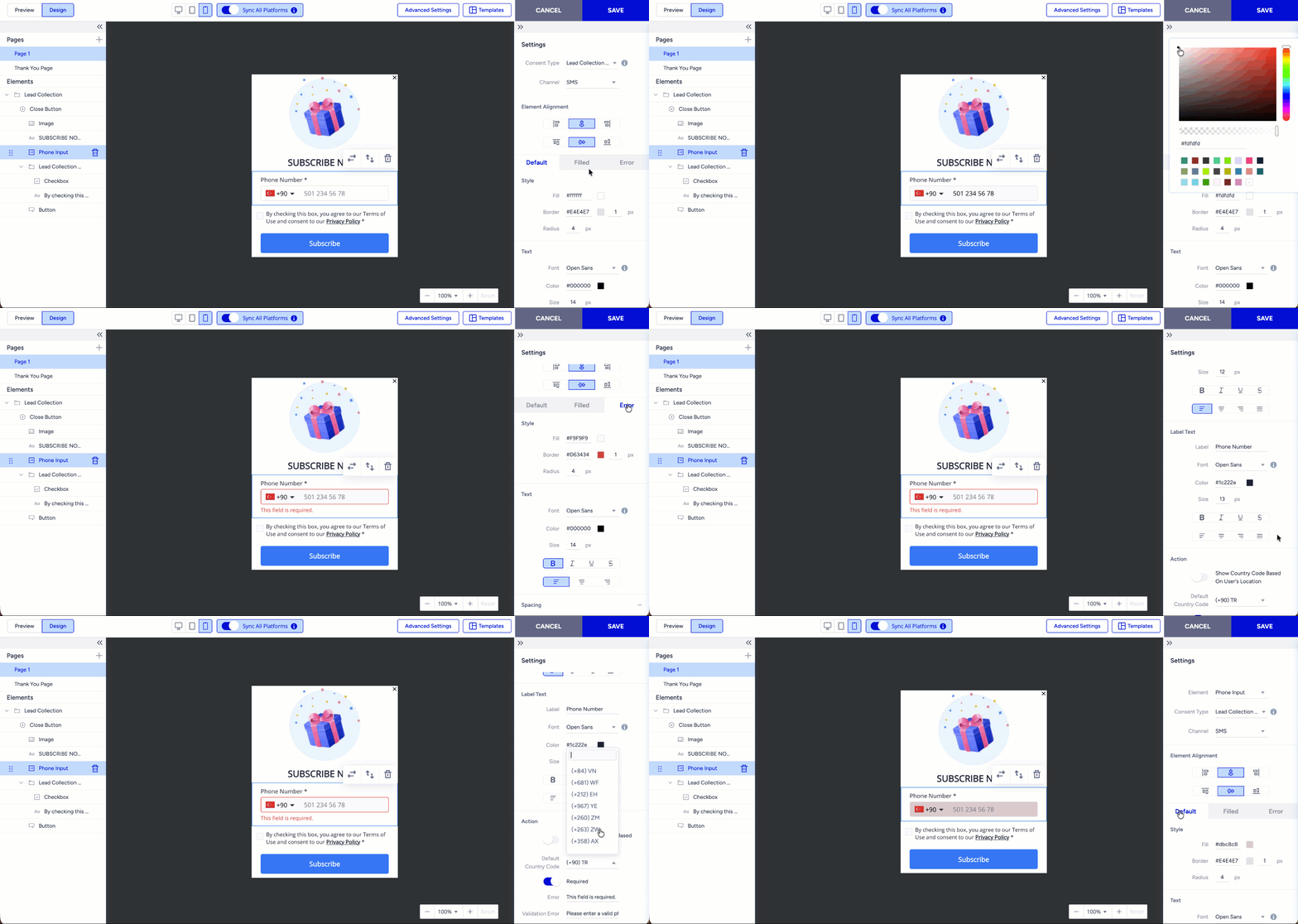
You can change the placeholder and label text in the Settings menu and decide whether this input is mandatory for the end users to submit the form.
When you enable the “Show Country Code Based On User's Location” toggle, the country code in the phone number input is automatically adjusted based on the user’s location, so users do not need to change it manually. If you do not want to enable this feature, you need to select a default country code to be shown in the phone number input.
Please keep in mind that you can add only one phone number input to the template.