Suggested readings: Transactional Journeys, Transactional Journeys: SMS, Transactional Journeys: Email
Dynamic content allows you to personalize transactional messages using data passed at journey entry time.
In Transactional Journeys, dynamic content is intentionally limited to ensure predictable, secure, and real-time message delivery.
Dynamic content values are provided through the On API Call starter and can only be used if they are explicitly defined and whitelisted in the starter configuration.
This guide explains the following:
How does dynamic content work in Transactional Journeys?
The dynamic content is resolved when a user enters the journey.
The flow works as follows:
Dynamic attributes are defined and whitelisted on the On API Call starter.
.png)
Only the dynamic attributes whitelisted in the On API Call are accepted and exposed to channel elements as Dynamic Content.
An API request is sent to trigger the journey.
Channel content is rendered using those values at the send time of the request.
Each journey maintains its own dynamic attribute schema. Dynamic content configured for one journey cannot be reused in another journey, even if the same data structure or attribute names are required. If the same dynamic data needs to be used across multiple journeys, the dynamic attributes must be defined and whitelisted separately for each journey.
Supported dynamic content types
The supported dynamic content types are:
Attributes
Event-related content
Event objects with parameters
Arrays of objects
Nested objects (supported up to three levels of nesting)
Attachments (Email)
All data types may contain number, date, string, or boolean value types. URLs are also treated as strings. Only these supported types can be processed and exposed as dynamic content within the journey.
You cannot use:
CDP data, including attributes and events
Coupons
Recommendations
Product catalog attributes
Cart, browse, purchase, or wishlist items
Call an API response variables
These limitations apply across all channels in Transactional Journeys.
Use dynamic content in transactional journeys
1. Whitelist dynamic content
All dynamic attributes must be explicitly whitelisted on the On API Call starter.
Whitelisting serves two purposes:
Defines which attributes are allowed to be used in channel content.
Validates incoming API requests against the expected payload structure.
.png)
If an attribute is not whitelisted:
It will not appear in the Dynamic Content selector in the user interface.
It cannot be referenced in Email or SMS content.
It is ignored even when included in the API request.
.png)
API request and whitelist consistency
The API request sent in production must match the dynamic attribute structure defined on the starter.
Sending additional dynamic attributes that are not whitelisted has no effect.
Only attributes defined in the starter payload are exposed to the journey.
Dynamic content availability is controlled by the UI configuration, not by the request itself.
This prevents unintended data usage and ensures consistent message rendering.
To use Attachments for email, you need to send it in the API Request in the following format.
    "users": [
        {
            "identifier": {
                "type": "email",
                "value": "string"
            },
            "dynamic_attributes": {
                "name": "meow",
                "attachments": [
                    {
                        "name": "INV-12345.pdf",
                        "url": "https://example.com/invoices/INV-12345.pdf",
                        "content_type": "application/pdf"
                    },
                    {
                        "name": "Warranty.pdf",
                        "url": "https://example.com/docs/warranty.pdf",
                        "content_type": "application/pdf"
                    }
                ],
                "order": {
                    "items": [
                        {
                            "name": "kitty food",
                            "price": "345"
                        }
                    ]
                }
            }
        }
    ]
}
All three fields are mandatory to be sent for the Attachment type dynamic content:
name: Appears as the Attachment’s file name in the email
url: Required for downloading the attachment
type: Required for validation
Up to 5 attachments can be sent in a single API request per user.
2. Select dynamic content in channels
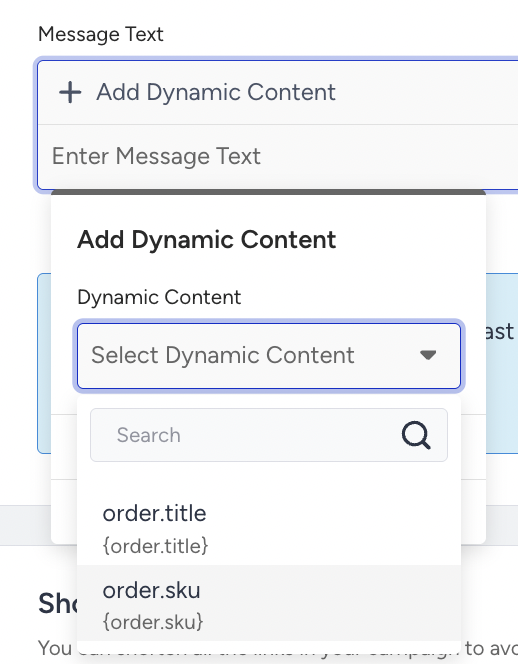
You can click the Add Dynamic Content button to insert dynamic content into supported channel elements. Dynamic content is rendered per user based on the values provided in the API request.
In Transactional Journeys, you can use the dynamic content in:
SMS message text
Email subject and body
Email drag and drop editor
Email HTML editor
WhatsApp template variables
WhatsApp response messages
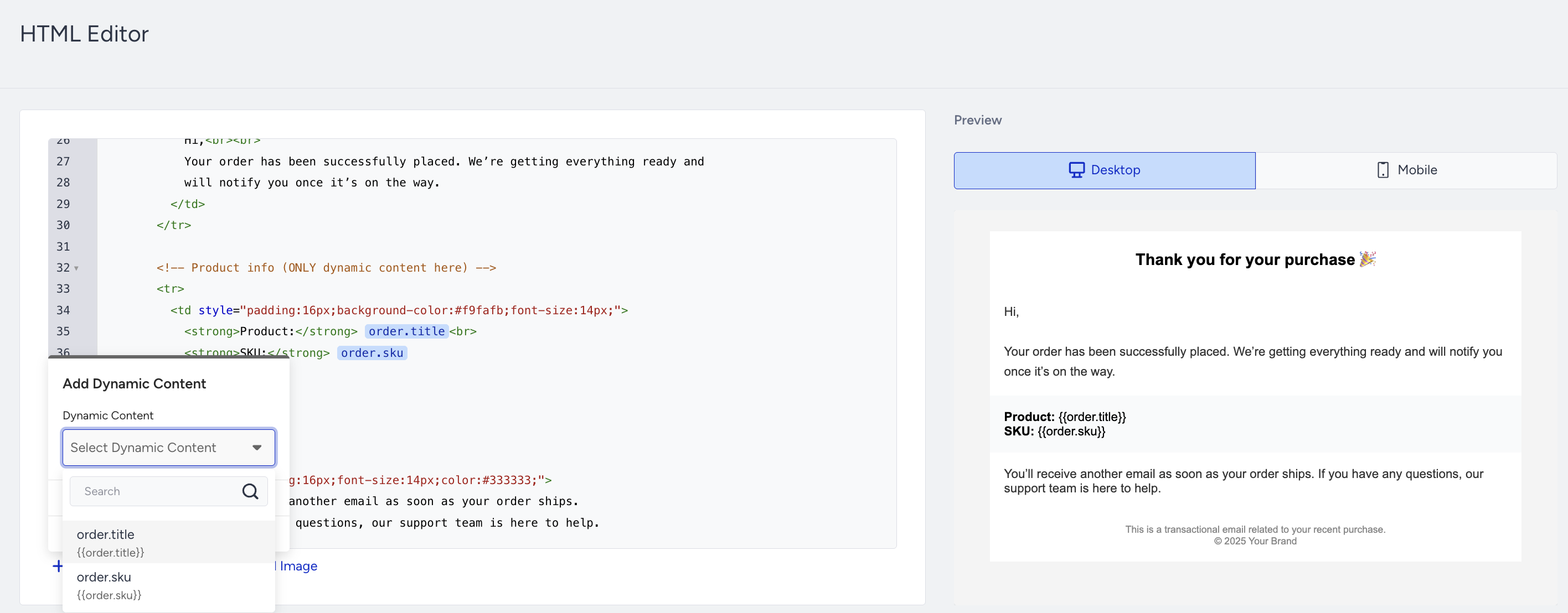
Dynamic content is evaluated only once, when a user enters the journey, and remains unchanged throughout the lifecycle of that journey instance.
Each journey entry maintains its own context, where the dynamic content values provided in the API trigger are stored and consistently used throughout that entry's session.
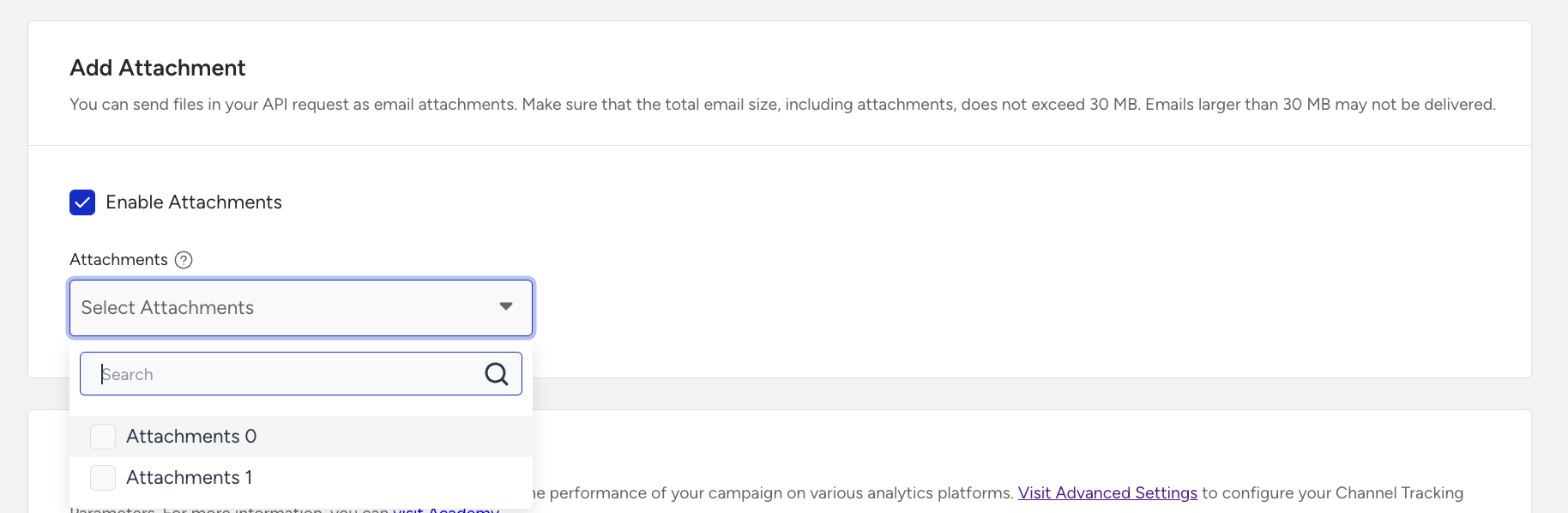
To add Attachments in the email channel, you need to select the files whitelisted on the starter, similar to dynamic content. The Attachments is rendered per user, using the values provided in the API request.
3. Select fallback values
Fallback values ensure that messages remain readable when a dynamic attribute is missing or empty.
When adding dynamic content, you can define a fallback value to use if the attribute is not present in the request.
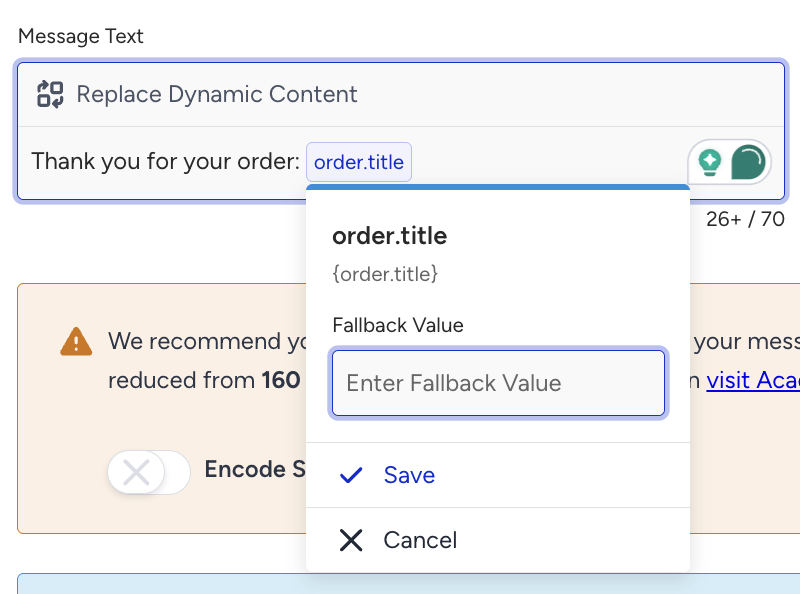
Fallback values:
Are included in character count calculations.
Are rendered only when the dynamic value is empty or missing.
Apply per attribute.
4. Preview and test dynamic content
Preview and Test Message let you render messages with real dynamic content values and send test messages to end users.