Suggested readings: Transactional Journeys, Dynamic Content in Transactional Journeys, Transactional SMS Channel Analytics
SMS Channel allows you to send real-time transactional text messages to users who enter a journey through an On API Call starter.
Transactional SMS is designed for time-sensitive, informational messages such as one-time passwords, order updates, delivery notifications, and account-related alerts. Messages are sent immediately when a user reaches the SMS element in the journey.
When you must deliver the messages immediately, content is operational or informational, users expect a message as part of a system action, or delivery speed is critical, you can use Transactional SMS. It is not designed for promotional or engagement-driven use cases.
In Transactional Journeys, SMS messages are sent as a single, immediate operation.
When a user reaches the SMS element:
The message is generated using the configured text and dynamic content
The SMS is sent immediately
The journey continues without waiting for user interaction
Each user receives an individual SMS message. Messages are not batched or scheduled.
Transactional SMS does not evaluate user consent, opt-in status, or silent hours before sending.
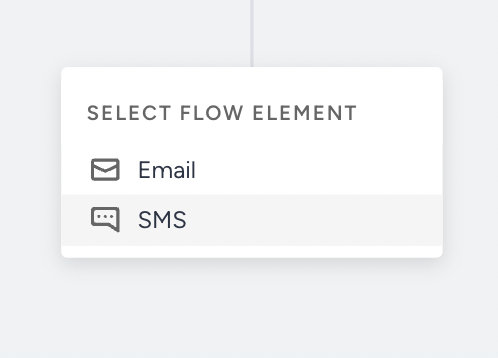
Step 1: Add an SMS Element on the canvas
To send an SMS message in a transactional journey, add an SMS element from the channel list on the canvas.
Step 2: Configure message text
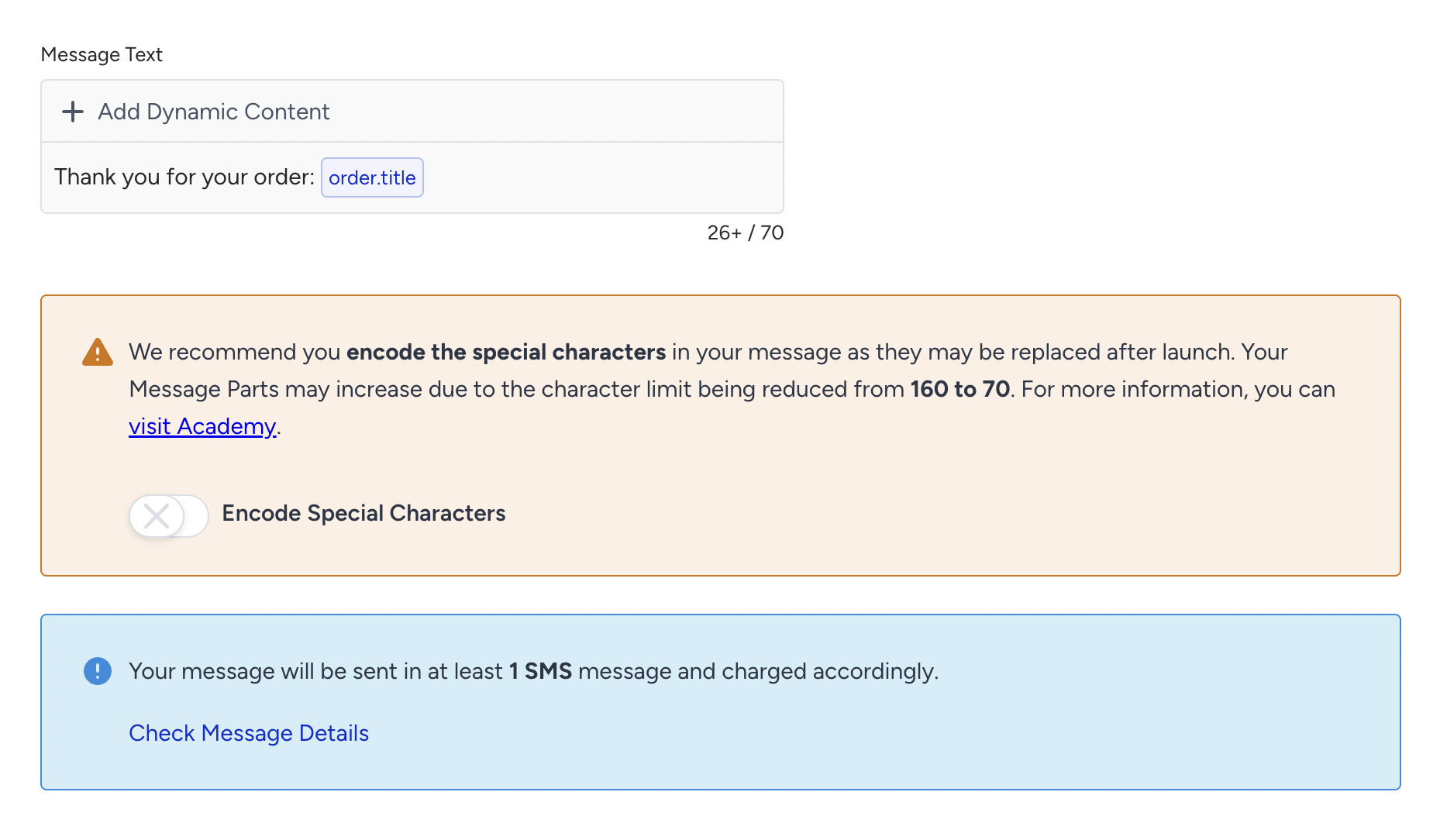
The Message Text field is where you define the SMS content that will be sent to users.
You can type plain text, insert dynamic content, and include URLs.
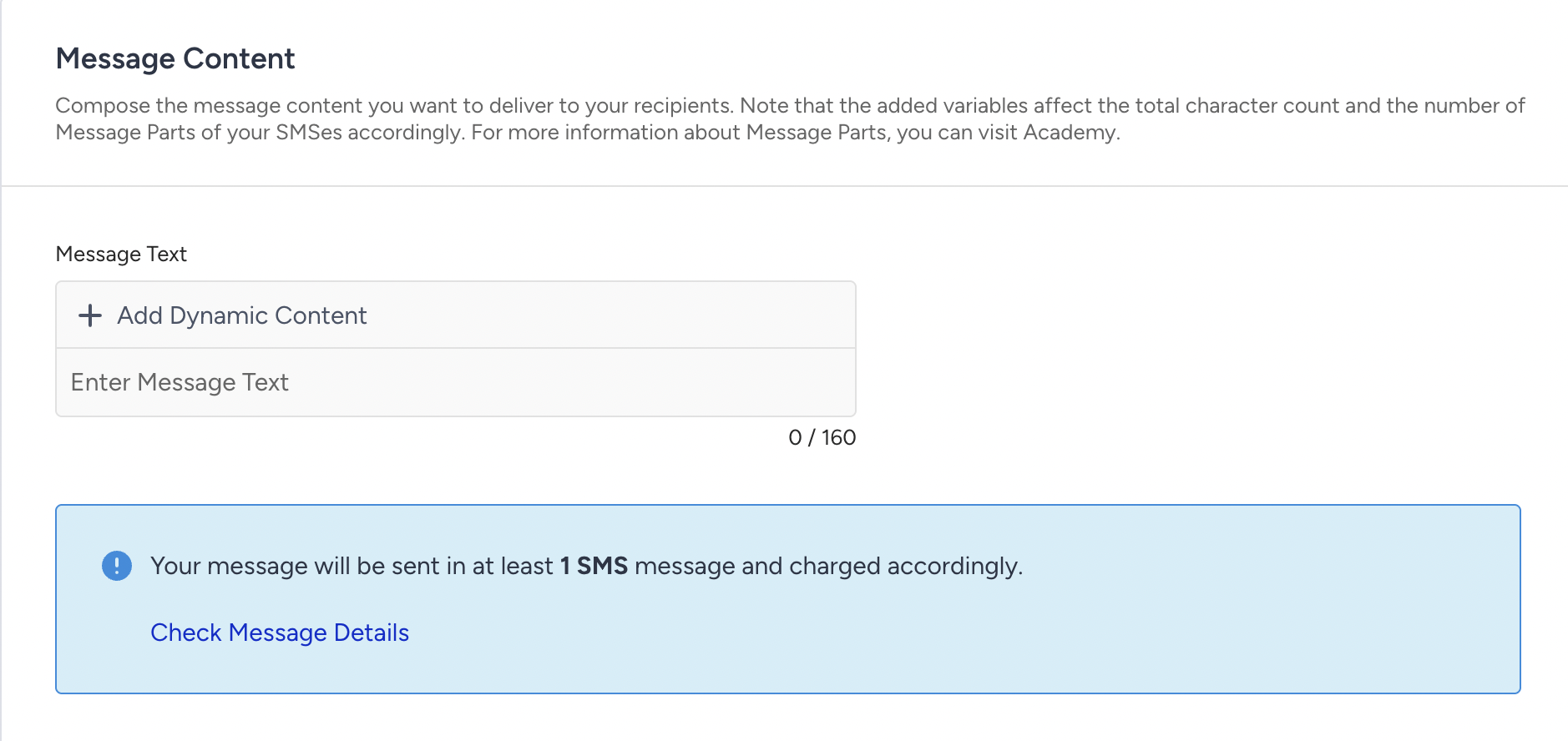
Transactional SMS does not automatically append any unsubscribe sentence or opt-out text.
Step 3: Select dynamic content
Dynamic content allows you to personalize SMS messages using data sent with the API request that triggers the journey.
Dynamic content in SMS:
Uses only dynamic attributes whitelisted on the On API Call starter.
Does not support CDP attributes, event parameters, coupons, recommendations, or product catalog items.
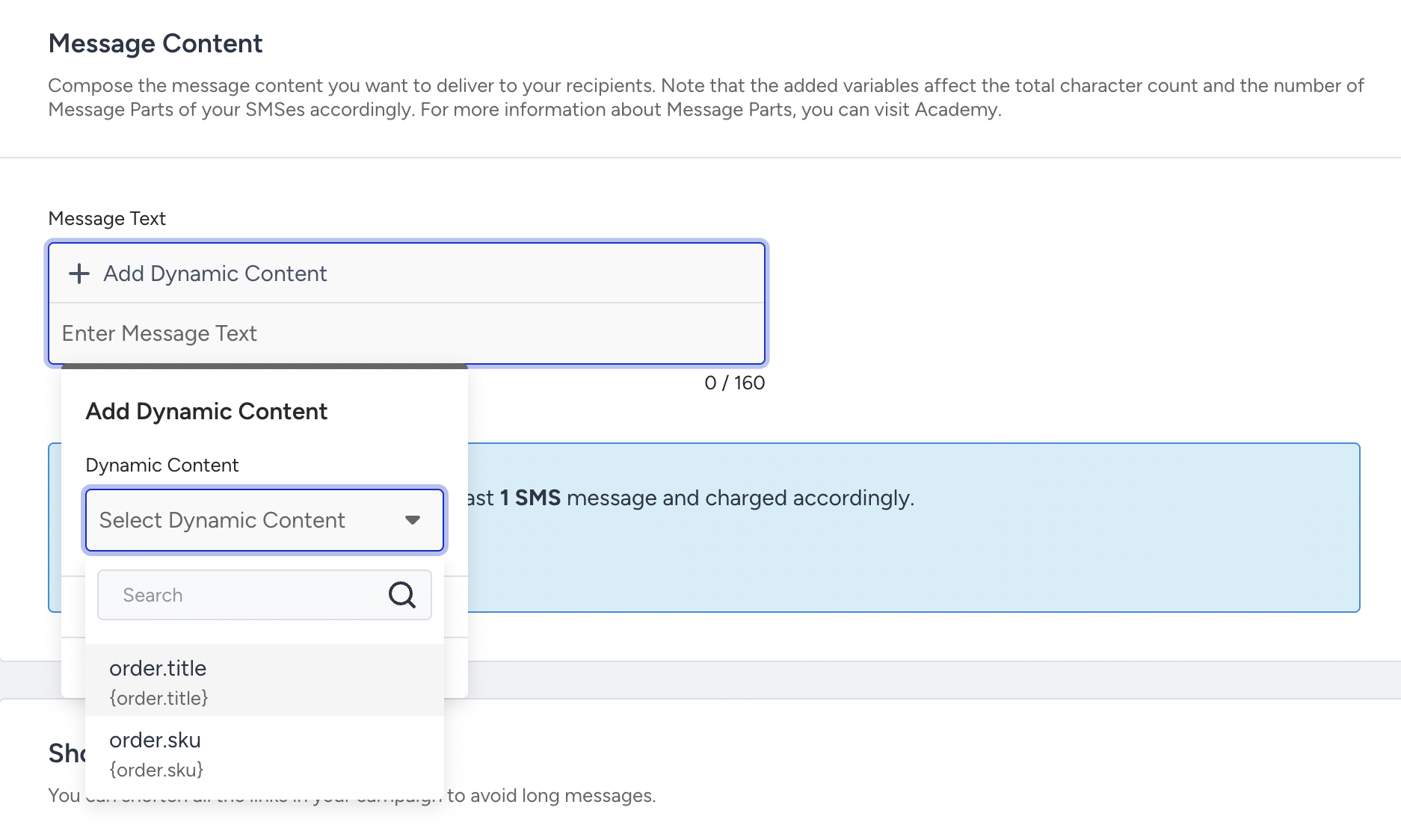
If a dynamic attribute is not whitelisted on the starter, it cannot be used in the SMS content.
Step 4: Character count and message parts
SMS message parts are calculated based on character count.
Dynamic content placeholders do not increase the character count. Fallback values for dynamic content are included in the character count. Messages longer than the standard limit are split into multiple SMS parts.
Because Transactional SMS does not include an unsubscribe sentence, character count reflects only the message text and links you configure.
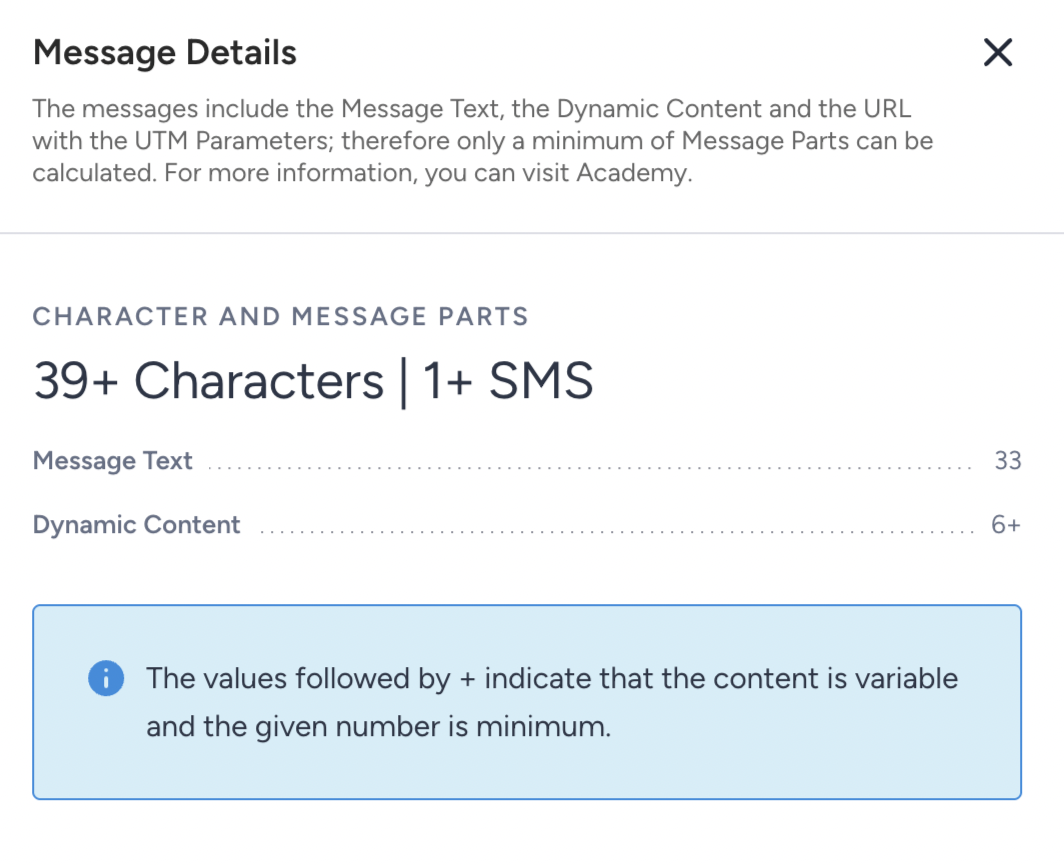
You can view detailed character and message part information under Message Details. This section shows:
Total character count
Number of SMS parts that will be sent
Impact of links and fallback values
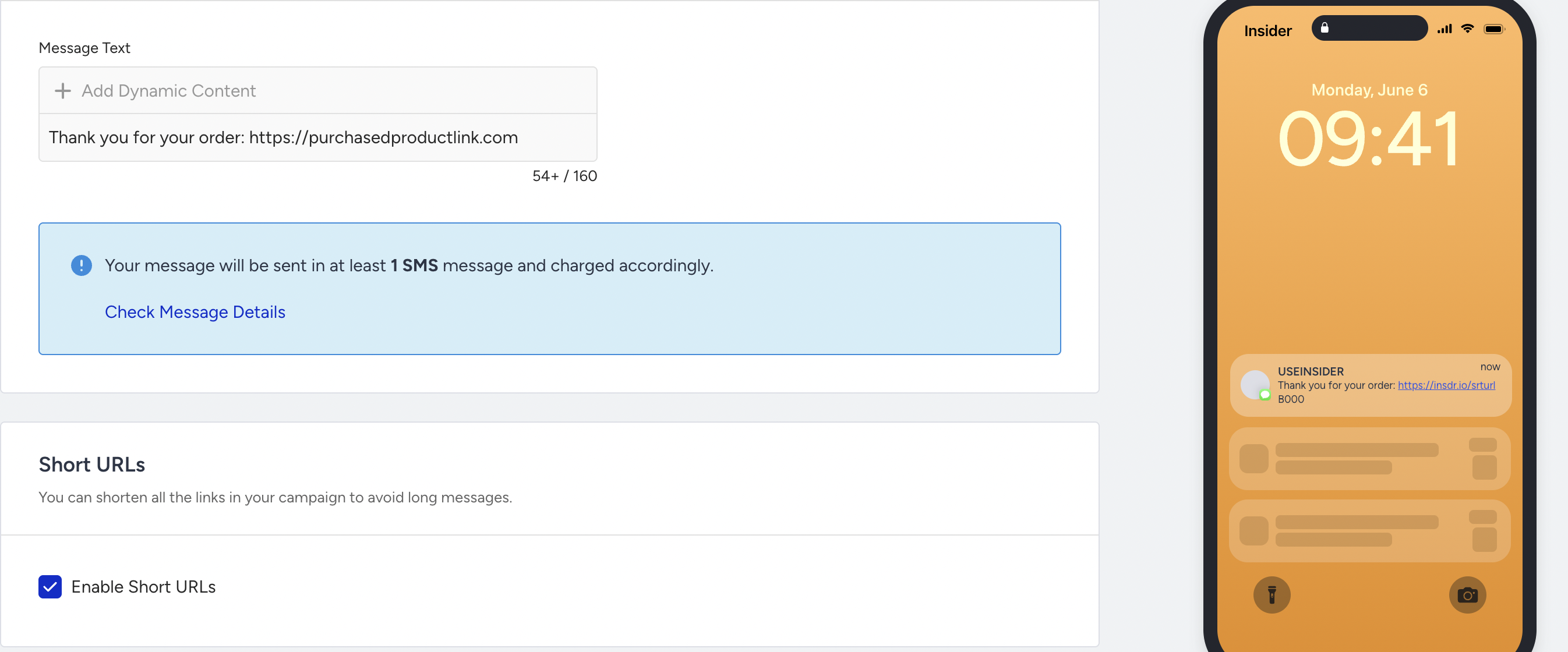
Step 5: Enable Short URLs
You can enable Short URLs for links included in your SMS content. When Short URLs are enabled:
Long URLs are automatically shortened.
Link click tracking is enabled.
Character usage is reduced.
Short URLs are recommended for transactional messages that include links.
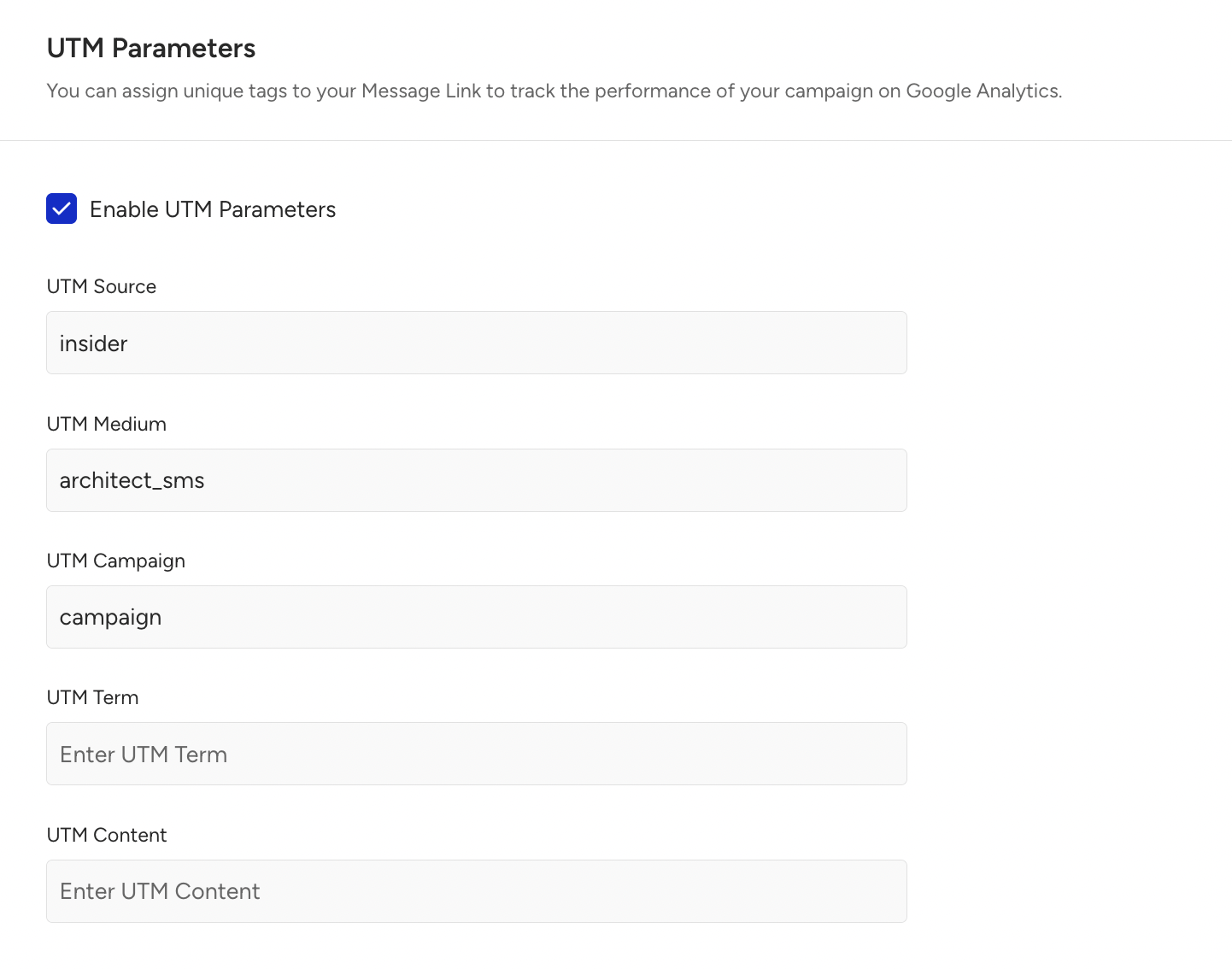
Step 6: Configure UTM Parameters
You can enable UTM Parameters for links in your SMS message to automatically append them to the URLs and track clicks in external analytics tools.
UTM parameters are applied only to URLs inside the SMS content.
Step 7: Preview
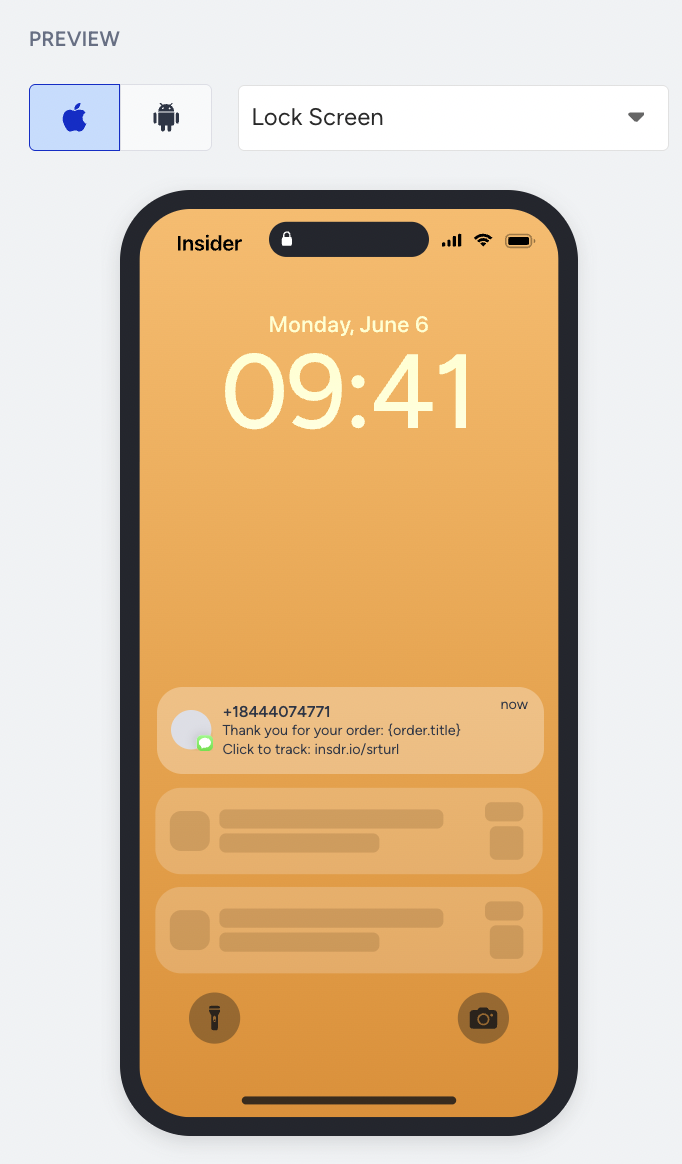
The Preview section lets you see how your SMS message will appear on a mobile device.
A preview shows the message text, dynamic content placeholders, links, and shortened URLs.
Step 8: Preview and test message
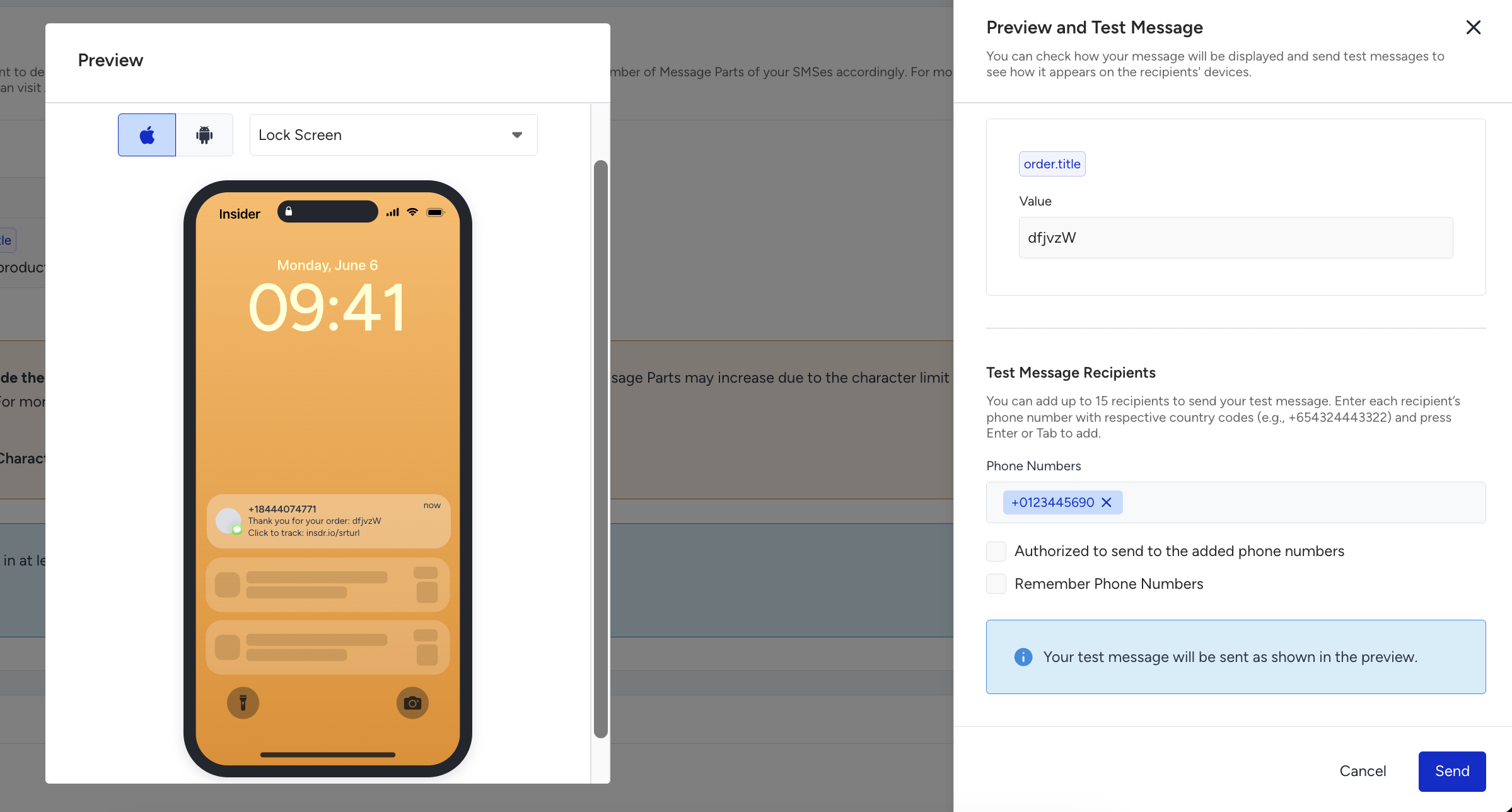
Preview and Test Message let you render the SMS message with real dynamic content values and send a test SMS to a phone number.
You can preview dynamic content values entered manually or click the Use Random Values button for randomly generated values. Dynamic content values used in preview and test messages are for testing purposes only and do not reflect real user data.
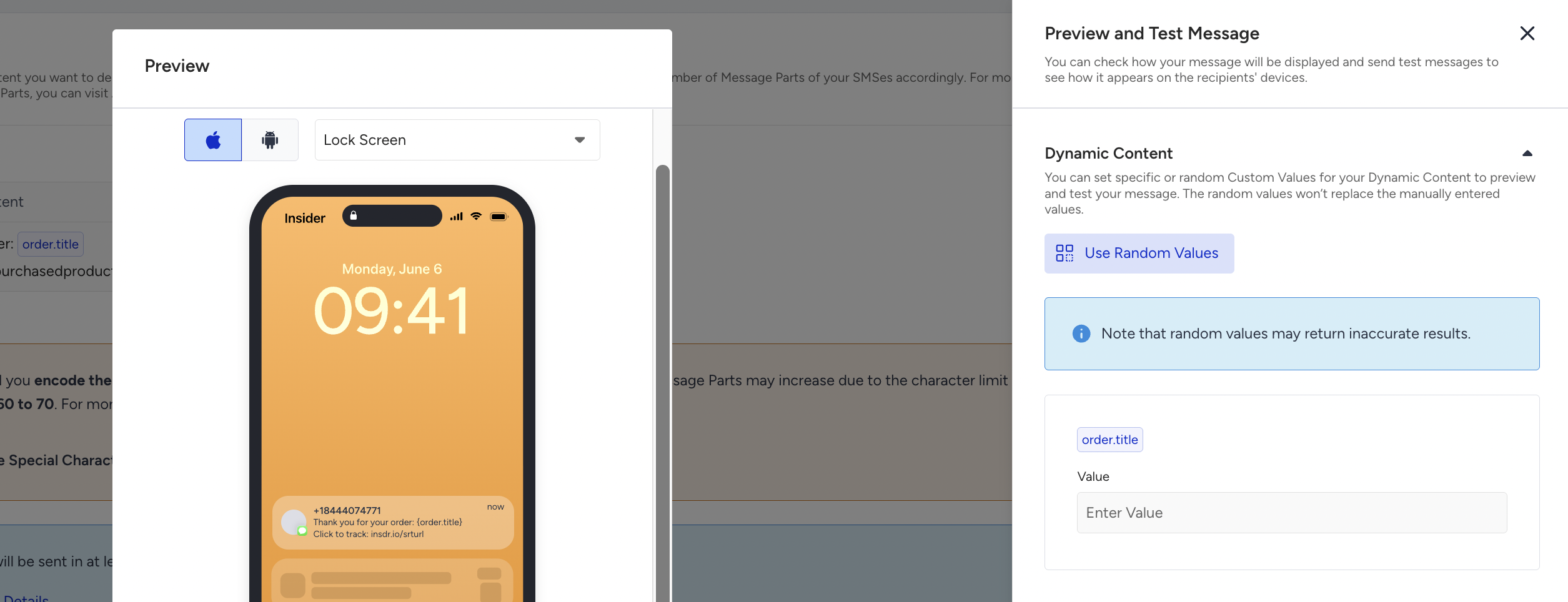
This process does not require a real user journey entry, but uses dynamic content values for testing purposes to validate personalization before activating the journey.
You can:
Preview with empty dynamic content.
Preview with randomly generated values.
Preview with manually entered values.
Send the test messages immediately.
Send test emails to up to 5 phone numbers.
Step 9: Save the SMS element
After configuring the SMS content and settings, click the Save button to apply the changes. SMS elements do not auto-save. Unsaved changes are lost if you leave the page.
Limitations of Transactional SMS
The following capabilities are not supported:
Unsubscription sentences, because transactional use cases bypass opt-in checks and do not include opt-out mechanisms within message content.
Silent hours, as transactional messages are time-critical and must be delivered immediately when triggered.
Send Time Optimization, since delaying delivery conflicts with the real-time nature of transactional communication.
Frequency capping, because transactional messages are informational or operational and are expected to be sent whenever the triggering action occurs.
Coupons, recommendations, or promotional content, due to strict content restrictions that limit transactional messages to purely informational communication.
MMS content, as transactional SMS is limited to text-only messages for reliability and speed.
These constraints ensure fast, deterministic, and reliable message delivery for transactional use cases.