You can upload the subscribers that you have collected through your CRM, online, or offline channels via a CSV file through Audience > Segments > Saved Segments > Static Segments.
Uploading users (leads) to Insider One's InOne panel without obtaining their consent might result in legal sanctions and economic penalties for brands.
To upload your users to the Insider One's InOne panel, when you are on the Static Segments page,
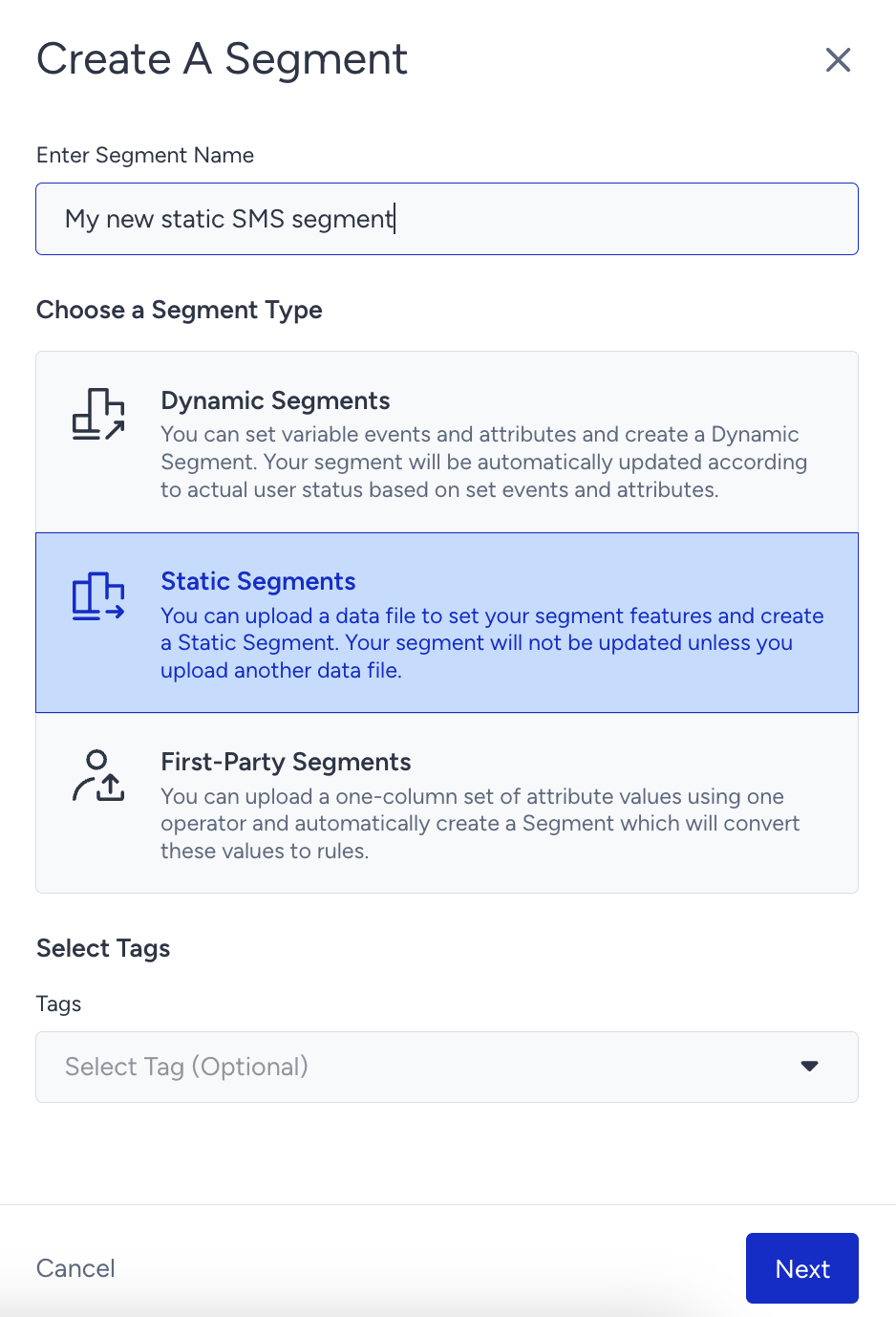
Click the Create button on the listing page. Name your segment, select Static Segment, and click the Next button to proceed.
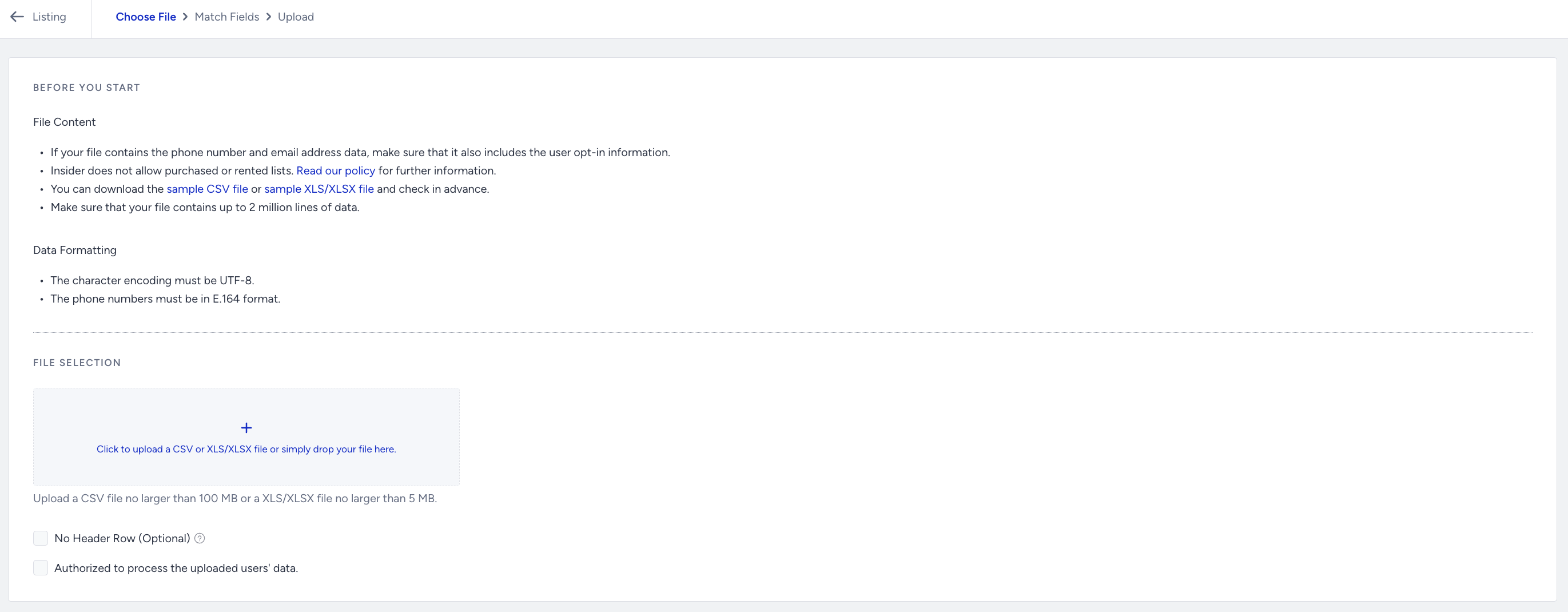
You need to mark the "Authorized to process the uploaded users' data" checkbox to upload CSV. If your CSV file does not have a header row, you can also mark the respective checkbox.
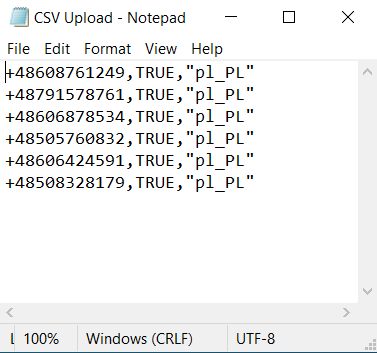
The phone number should be in the “+0101234567890” E.164 format, starting with the country code (e.g., +65). SMS opt-in should be TRUE as a value.
If you want to segment your users based on language, you need to add the language attribute too. The language attribute value should be in the “en_US” format. If you are not going to add a language attribute, please select “All languages” in the Segments step to target all your users.
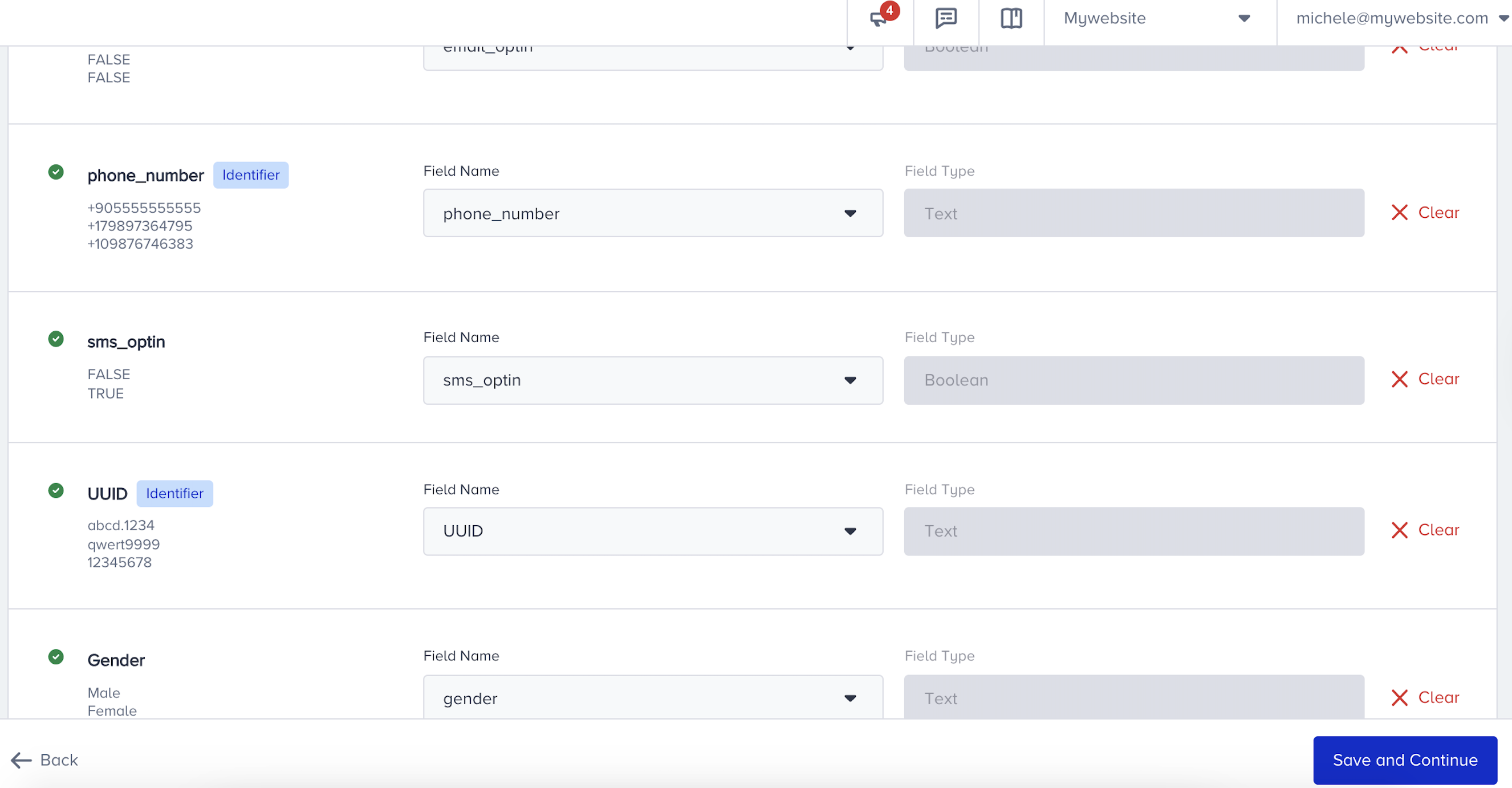
The system automatically detects related fields. If not, you can further complete them as follows:
After uploading the contacts, you can reach your subscriber base.
Select the language of the targeted users. If you do not add any language attribute to your CSV file, then select the “All languages” option to target all of your users.
Then, you need to choose Static Segments and select the previously created segment name when creating your campaign.
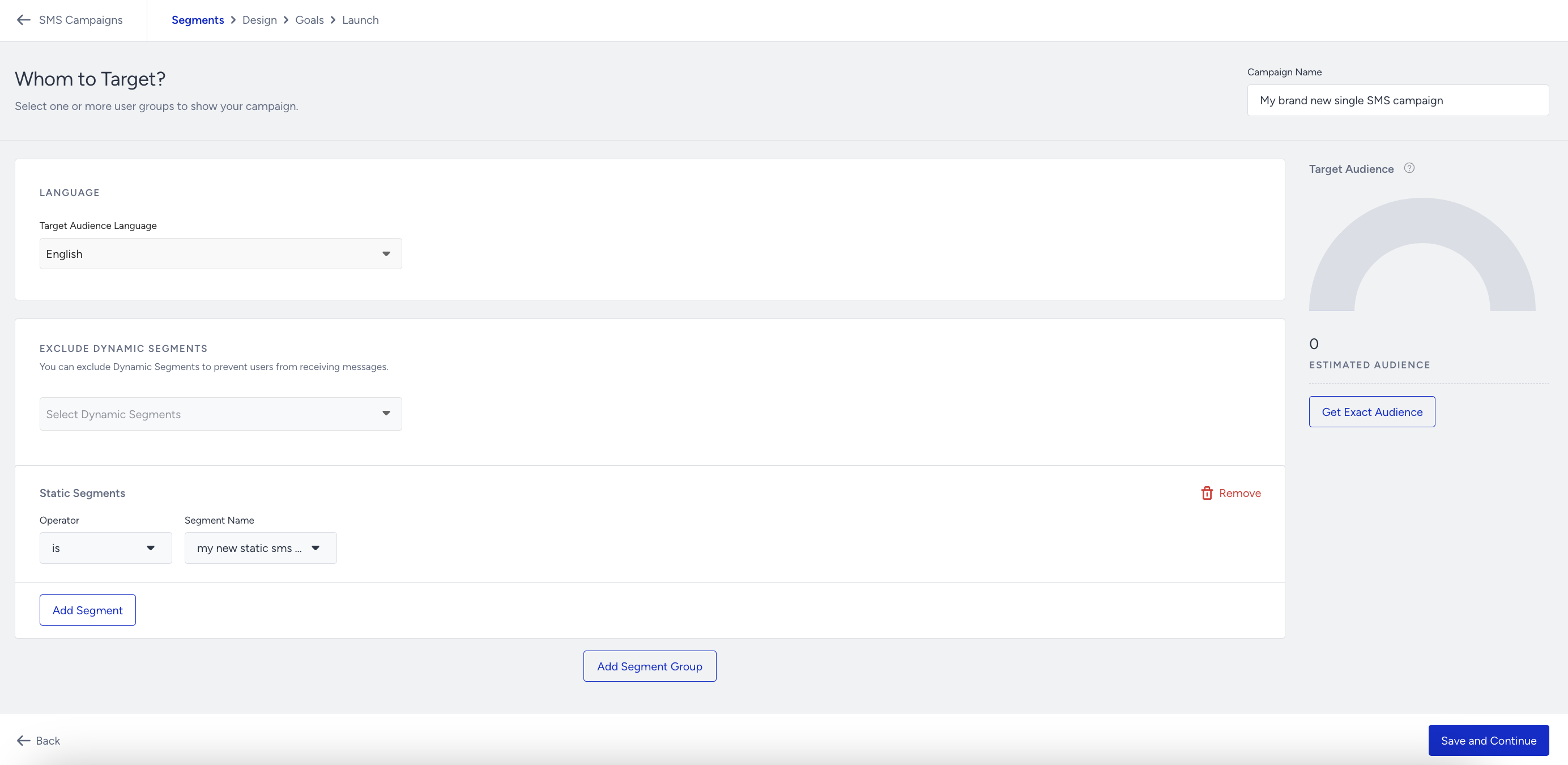
If you do not add the language attribute to your CSV file, you can select the "All Languages" option to target all your users.