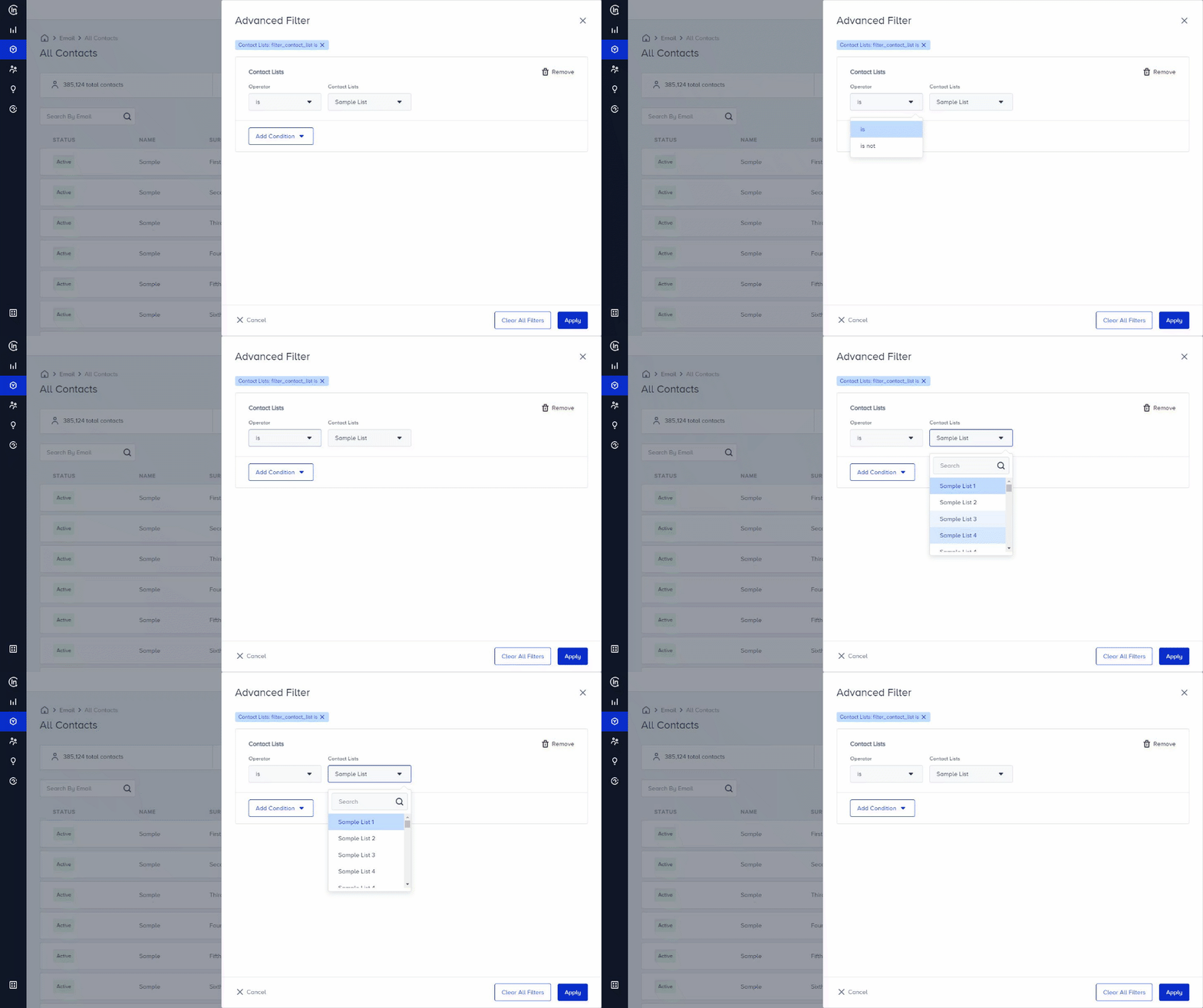
You can use Advanced Filters to create specific lists or to find particular contacts easily.
To add advanced filters, start by enabling Advanced Filter. Go to Audience > Contact Management > All Contacts or Experiences > Message > Email. Select the Advanced Filter prompt to enable.
Once Advanced Filter prompt is on, you can see 3 condition groups: Fields which are Default Fields & Custom Fields, Contact Lists and Email Statistics that include several actions regarding all the emails sent to the user(s).
Adding filters
Once the Advanced Filter prompt is on, you’ll see 3 condition groups with email actions:
- Default & Custom Fields
- Contact Lists
- Email Statistics
Default & Custom Fields
Default Fields enable you filters like first name, last name, email, gender etc. Custom Fields enable you to use filters you previously created on Custom Fields. You can select the suitable operator and add a field condition by typing the value.
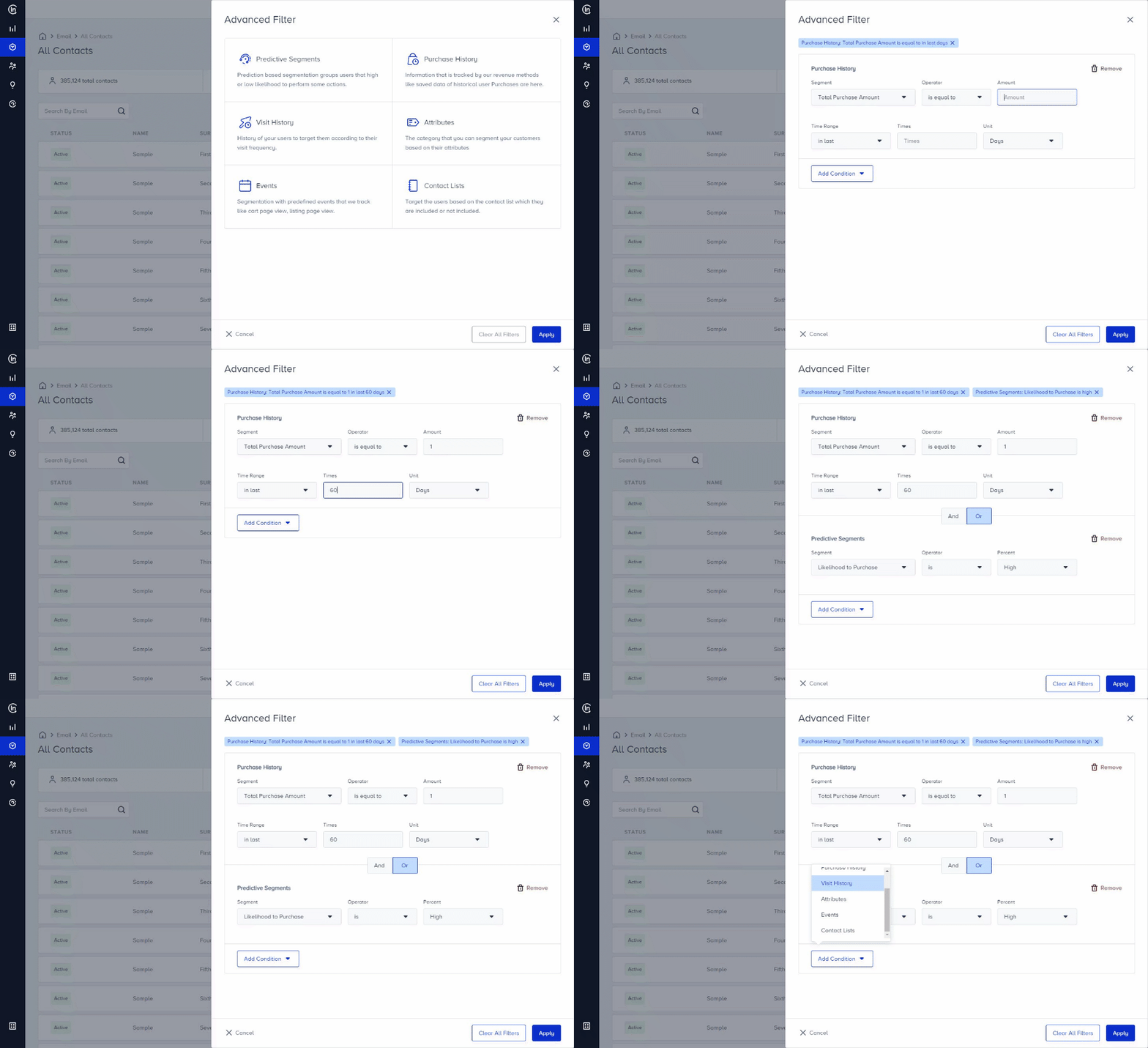
Contact lists
If you would like to target Contact Lists, you only need to select the name of the list.
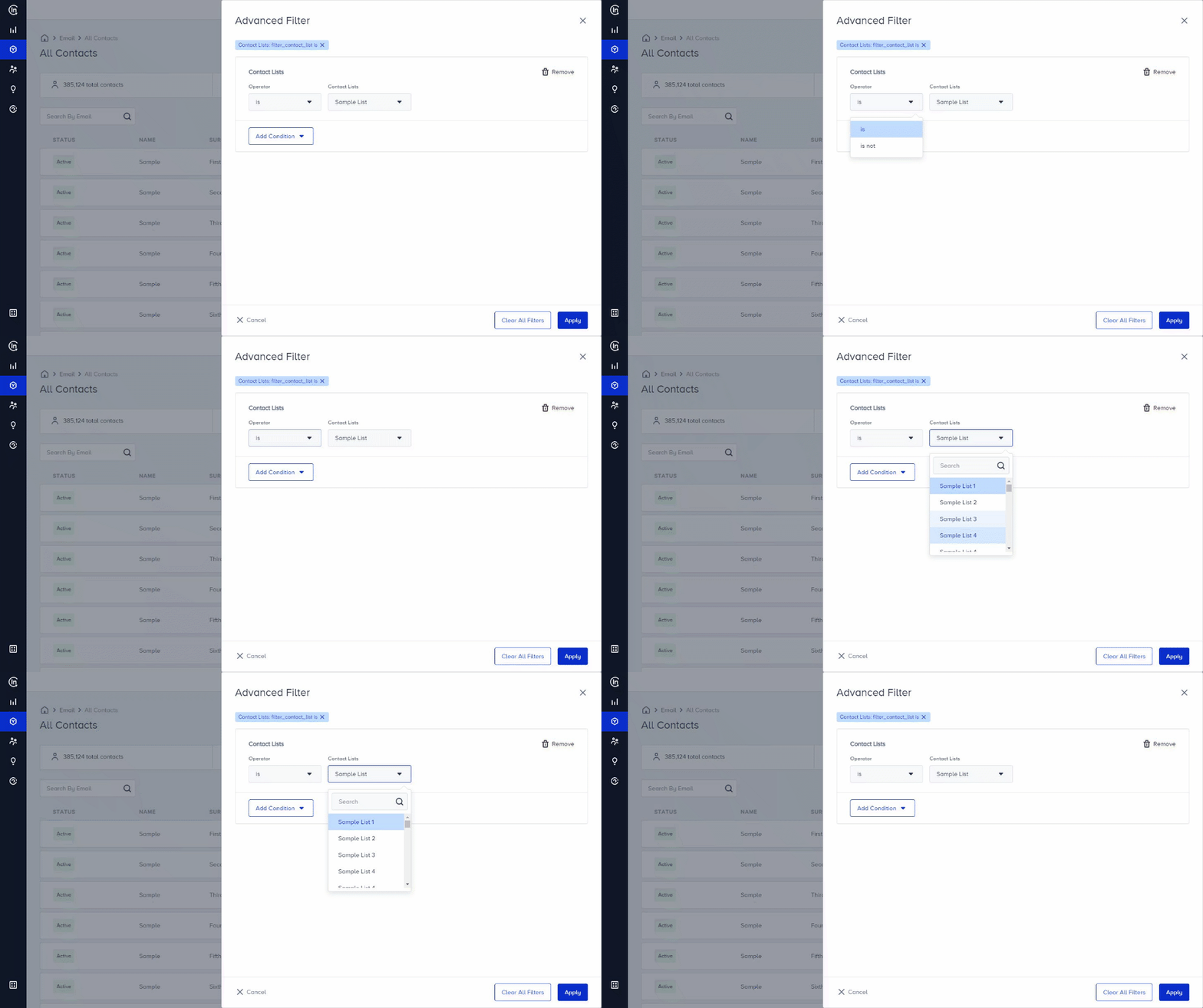
Email Statistics
The Email Statistics option enables you to target users regarding their actions on the previously sent e-mail(s):
- Delivered (last x days(s)): Creates a filter for e-mail(s) being delivered n time(s) in the past x day(s)
- Delivered (during a time period): Creates a filter for e-mail(s) being delivered n time(s) in a time period
- Open (last x days(s)): Creates a filter for delivered e-mail(s) being opened n time(s) in the past x day(s)
- Open (during a time period): Creates a filter for delivered e-mail(s) being opened n time(s) in a time period
- Click (last x days(s)): Create a filter for opened e-mail(s) being clicked n time(s) in the past x day(s)
- Click (during a time period): Creates a filter for opened e-mail(s) being clicked n time(s) in a time period
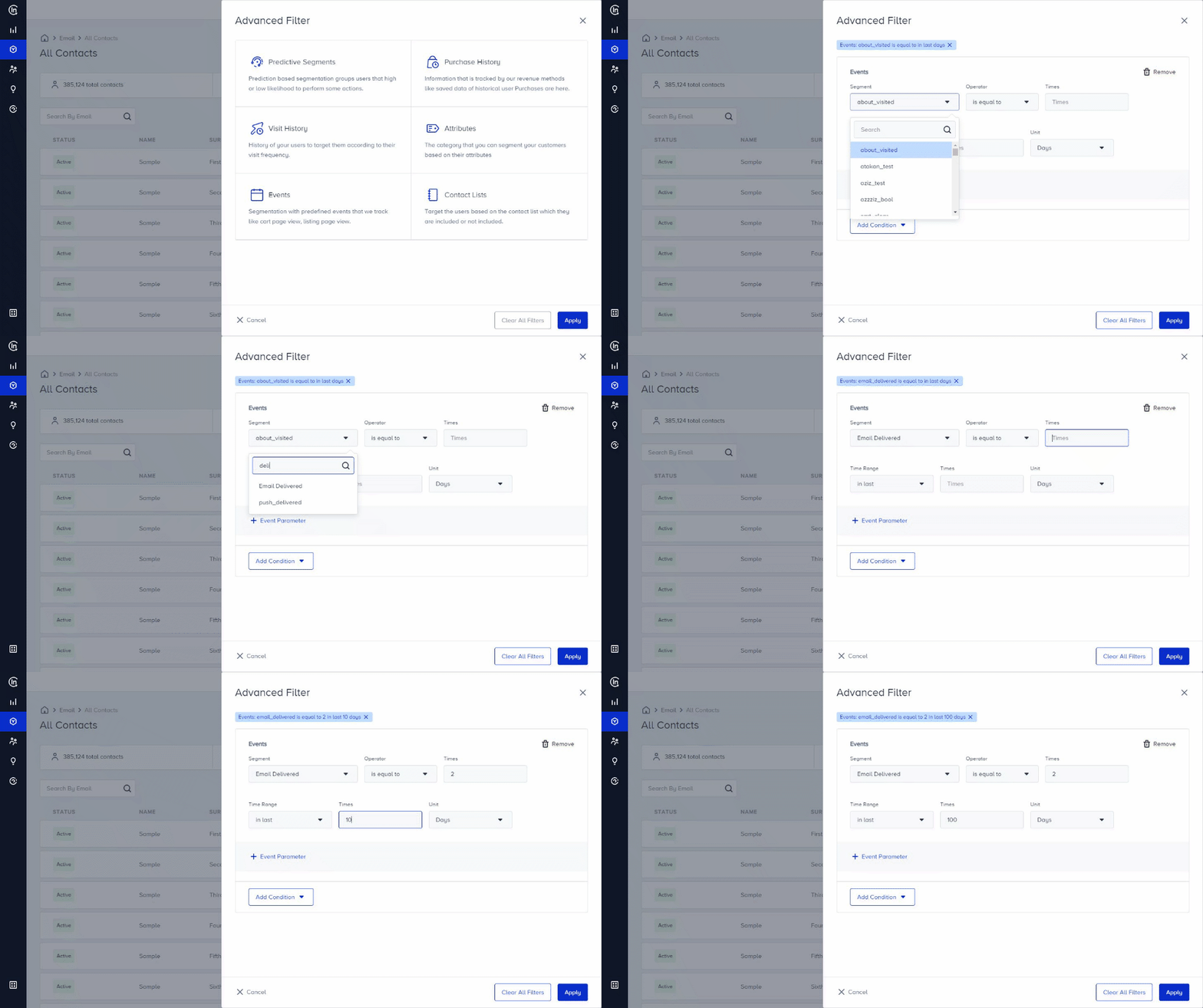
If you add multiple conditions, you can select one of the options on the dropdown to target all conditions or any of them and filter users. Once you filter users, the filtered users will be listed.
.png)
Once you have a filtered list, you can edit it as you please (duplicate it, add or remove items, delete it).