This request updates the content of an activity that was started via /start.
Sends an update push to the target devices; the device's live activity is re-rendered with the new content.
The activity state does not change (STARTED → STARTED). The activity keeps living until /end is called.
It can be called unlimited times. You can send updates as often as your user experience requires (apart from rate limits).
Endpoint and headers
POST /api/mob/v2/live-activity/update
Headers
Header | Value |
|---|---|
Authorization | OAuth 2.0 access token |
Body parameters
Below are the parameters for the request body.
Parameter | Description | Data Type | Required |
|---|---|---|---|
activity_id | The ID returned by /register | String | Yes |
activity_type | Same as in register; iOS ActivityAttributes class name | String | Yes |
content | Live activity content | Object | Yes |
title | Live activity title | String | Yes |
message | Live activity body/secondary message | String | Yes |
content_state | Key/value map that exactly matches the ContentState struct in the iOS application | Object | Yes |
When target_devices is present, pushes are sent only to devices matching the (insider_id, udid) pairs in the list. Omit this field to push to the whole segment.
activity_id cannot be empty.
activity_type cannot be empty.
Sample body
Below is a sample request body.
{
  "activity_id": "550e8400-e29b-41d4-a716-446655440000",
  "activity_type": "OrderTrackingAttributes",
  "content": {
    "title": "Your order is being prepared",
    "message": "Estimated delivery: 14:30",
    "content_state": {
      "status": "preparing",
      "eta": "2026-05-20T14:30:00Z"
    }
  }
}
Body examples
/update body examples are for the three activities in the SDK demo app. The attributes block is often omitted on /update calls. A content_state change is sufficient.
Delivery stage transitions
// Courier set off
{
  "activity_id": "<activity_id>",
  "activity_type": "DeliveryActivityAttributes",
  "content": {
    "content_state": { "status": "in_transit", "etaMinutes": 30 }
  }
}.png)
// Out for delivery
{
  "activity_id": "<activity_id>",
  "activity_type": "DeliveryActivityAttributes",
  "content": {
    "content_state": { "status": "out_for_delivery", "etaMinutes": 10 }
  }
}.png)
// Almost at your door
{
  "activity_id": "<activity_id>",
  "activity_type": "DeliveryActivityAttributes",
  "content": {
    "content_state": { "status": "out_for_delivery", "etaMinutes": 1 }
  }
}
Workout phase transitions
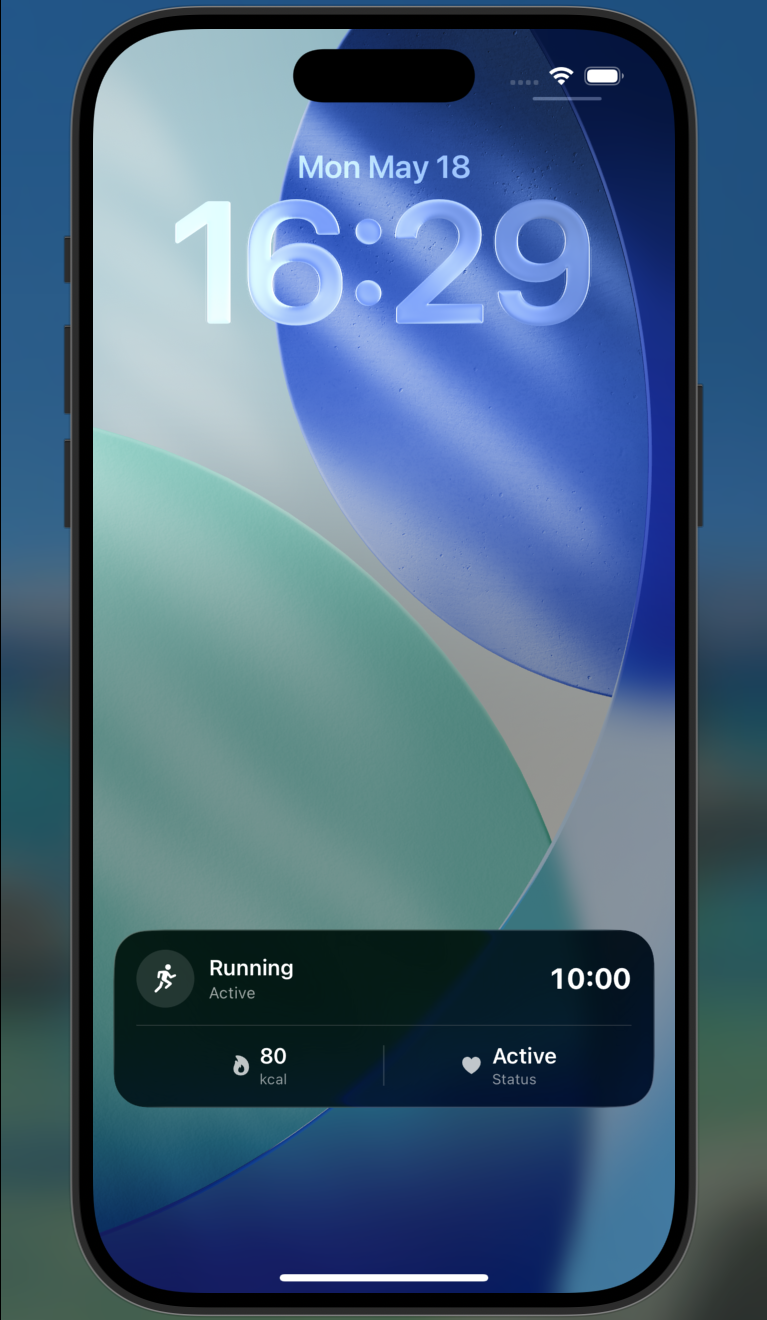
// Warmup → active
{
  "activity_id": "<activity_id>",
  "activity_type": "WorkoutActivityAttributes",
  "content": {
    "content_state": { "phase": "active", "elapsedSeconds": 600, "calories": 80 }
  }
}
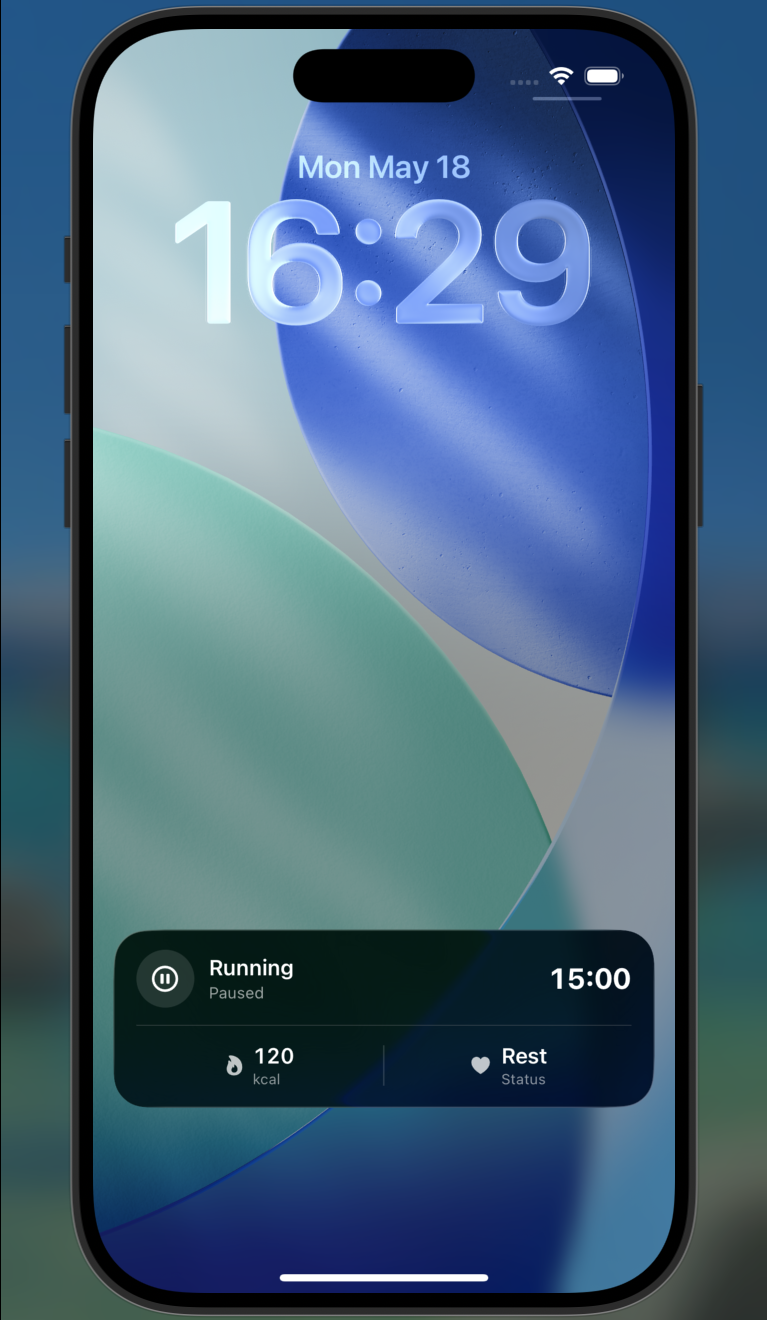
// Active → paused
{
  "activity_id": "<activity_id>",
  "activity_type": "WorkoutActivityAttributes",
  "content": {
    "content_state": { "phase": "paused", "elapsedSeconds": 900, "calories": 120 }
  }
}
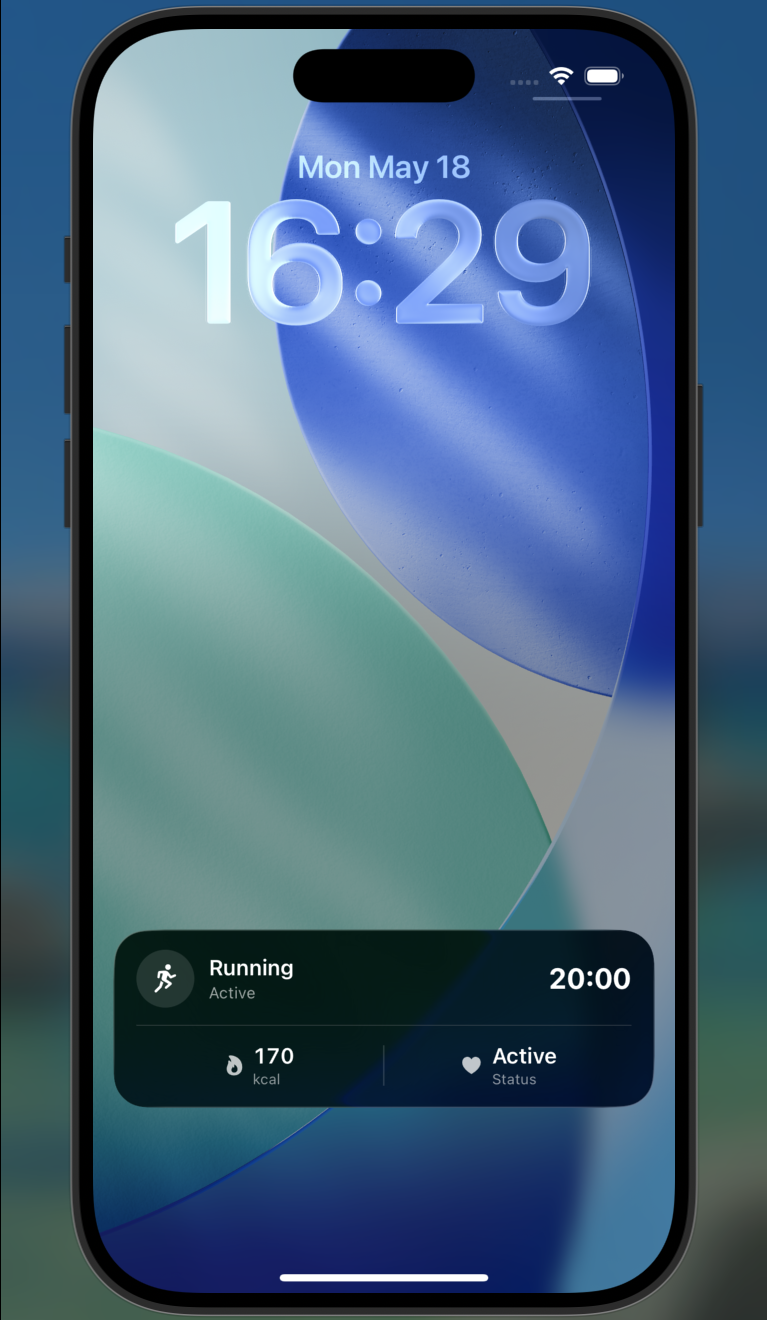
// Paused → active again
{
  "activity_id": "<activity_id>",
  "activity_type": "WorkoutActivityAttributes",
  "content": {
    "content_state": { "phase": "active", "elapsedSeconds": 1200, "calories": 170 }
  }
}
// Cooldown
{
"activity_id": "<activity_id>",
"activity_type": "WorkoutActivityAttributes",
"content": {
"content_state": { "phase": "cooldown", "elapsedSeconds": 1650, "calories": 230 }
}
}
Match’s score/period changes
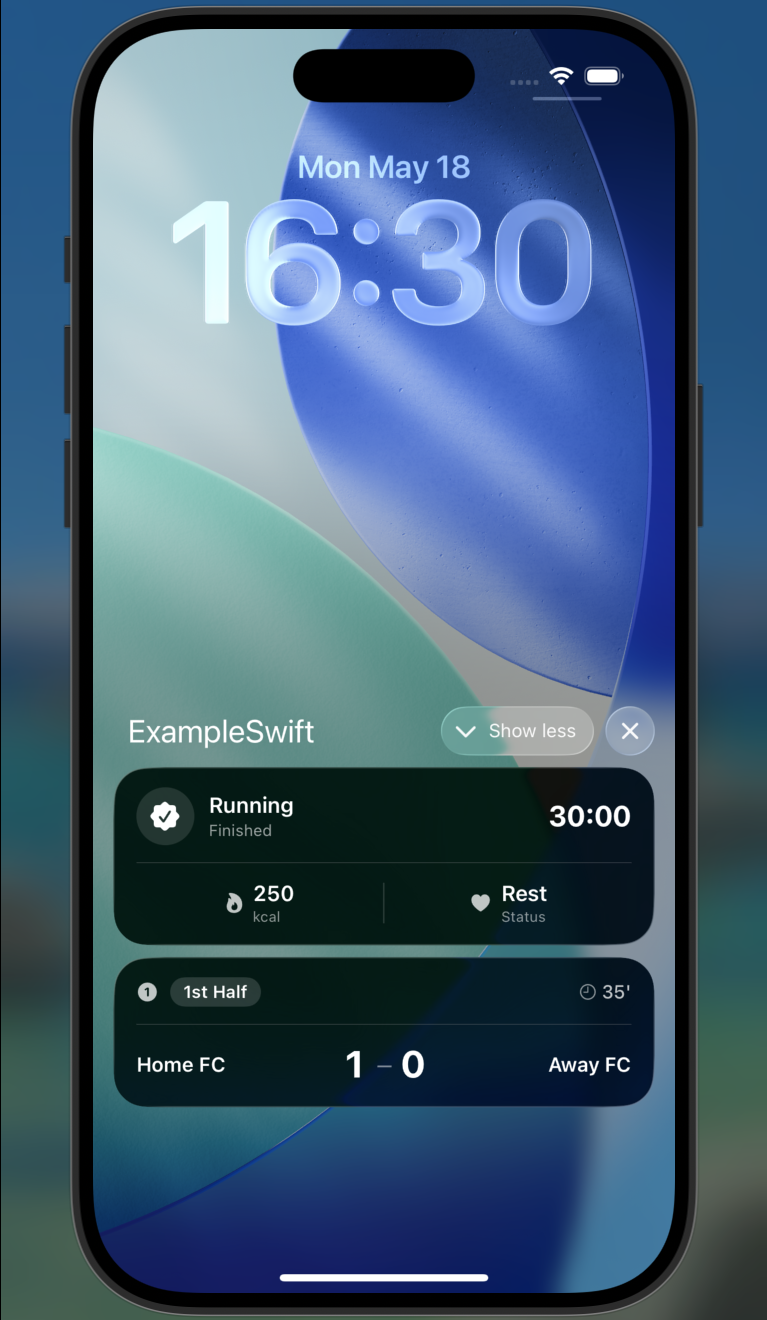
// 1-0 (35th minute)
{
  "activity_id": "<activity_id>",
  "activity_type": "MatchActivityAttributes",
  "content": {
    "content_state": { "homeScore": 1, "awayScore": 0, "period": "first_half", "minute": 35 }
  }
}
// Half time
{
  "activity_id": "<activity_id>",
  "activity_type": "MatchActivityAttributes",
  "content": {
    "content_state": { "homeScore": 1, "awayScore": 0, "period": "half_time", "minute": 45 }
  }
}
// 2-1 (70th minute)
{
"activity_id": "<activity_id>",
"activity_type": "MatchActivityAttributes",
"content": {
"content_state": { "homeScore": 2, "awayScore": 1, "period": "second_half", "minute": 70 }
}
}Every time /update is called, the live activity is re-rendered on the device.
If any field or enum value inside content_state does not match the ContentState schema in the iOS application, Apple's decoder on the device cannot update the existing activity, and the activity remains stuck in a loading state. For example, the field name might be misspelled, an enum case might be botched in camelCase/snake_case conversion, or a type might not match.
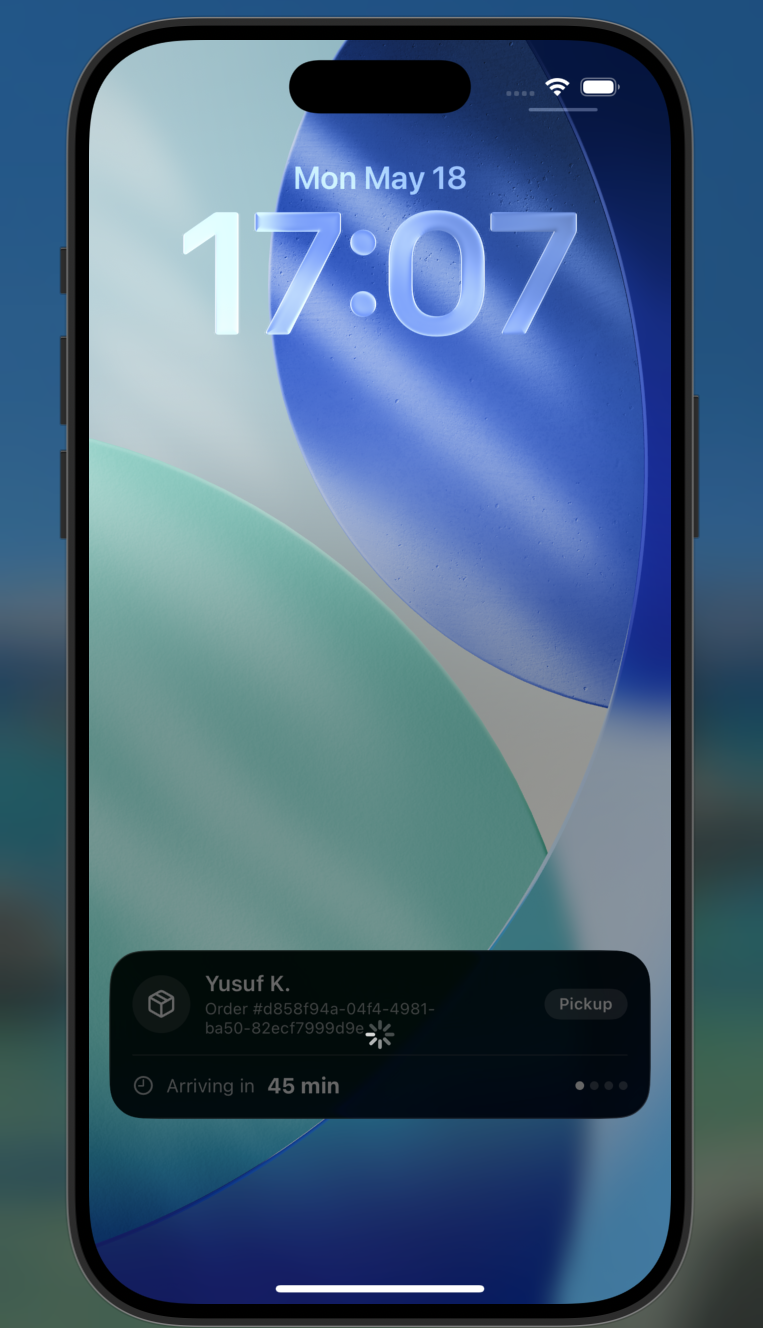
Insider One does not detect this situation. Your API call still returns 200 OK, and the sessions_triggered counter increases, but the activity does not update on the device. The error only surfaces on the device, visually to the user.
Mitigations:
Match content_state field names and enum cases to the iOS classes exactly (case-sensitive).
Test every possible content_state variant on a real device before going to production.
Critical rules
SDK sync gate
After the push is sent with /start, the live activity opens on the device, and Apple produces a new push token for that activity. The Insider SDK synchronizes this token in the background. Until this rotation completes, /update messages cannot reach the device.
Behavior is as follows:
Situation | Result |
|---|---|
All target devices are synced. | Pushes go to all of them. 200 OK, skipped_not_synced is not returned. |
Some are synced, some are not. | Pushes go to the synced ones. 200 OK + skipped_not_synced: N |
All target devices are unsynced. | 412 PUSH_TOKEN_NOT_SYNCED. No push is sent. |
// All targets unsynced
{
  "error": "push tokens are not synced yet",
  "code": "PUSH_TOKEN_NOT_SYNCED"
}
Timing of /update after /start: Do not send /update immediately after /start. Apple's token rotation and the SDK's sync can take several seconds. Typical buffer 2-5 seconds, but it can be longer on backgrounded devices.
Unlimited updates
There is no upper bound on /update calls for the same activity_id (apart from rate limits). As long as the activity remains in STARTED state (i.e., until /end is called), you can send as many updates as you like.
Content responsibility
Same rules as /start apply.
The content field is entirely under customer control; Insider One acts as a proxy.
content_state enum case names must match the iOS values exactly (case-sensitive).
activity_type must match the Swift class name on the device exactly.
The activity keeps living
/update does not end the activity. The state remains STARTED; the activity_id is unchanged; the record on Insider One's end is not deleted. To end the activity, call /end.
Update on a non-started activity
Sending /update to an activity that was /register-ed but not yet /start-ed is not a 404. The activity exists on Insider One's end. However, because no live activity has been opened on the devices yet, the push does not reach them: targets that have not become visible on-device are counted in skipped_not_synced; if all are in this state, 412 PUSH_TOKEN_NOT_SYNCED is returned.
Correct flow: /start first, then /update. Trying /update without /start is meaningless.
Sample responses
Success response 200
{
  "status": "success",
  "sessions_triggered": 845,
  "skipped_not_synced": 5
}
Below are the fields that return in the response.
Field | Type | Description |
|---|---|---|
status | String | Always "success" |
sessions_triggered | Int | The number of push messages published to Apple (= number of devices notified) |
skipped_not_synced | Int (omitempty) | Number of devices skipped because the SDK has not yet synced the token. Only returned when > 0. |
sessions_triggered indicates the push has been handed off to Apple.
Error responses
Refer to Error Codes for details.
Limitations
The rate limit is 200 requests per minute (burst 40), enforced per scope by the gateway.
Update frequency: Apple applies a budget to very frequent updates. Standard usage of a few updates per hour is ideal; sending at a very high frequency may be throttled by Apple.
You do not need to push this request if content_state hasn't changed. Spamming updates with the same content wastes your rate limit quota and triggers re-orders on the user side.
Targeted updates via target_devices: To send different content to specific users, make multiple /update calls on the same activity_id, each with a different target_devices list.
Stale activity: If you call /update on an activity whose ends_at has expired, the validity period may be over → 404 NOT_FOUND.
No wait in SDK-first flow: If the device application started the Live Activity itself and notified the Insider SDK (SDK-First flow, iOS 16.1+), the token is already on the device; /update requires no extra wait.
Authentication
This endpoint requires the mob-la-update scope on the access token. A token without it is rejected with 403. See OAuth 2.0 Credentials.
Sample request
curl -X POST 'https://gw.useinsider.com/api/mob/v2/live-activity/update' \
  --header 'Authorization: Bearer {access_token}' \
  --header 'Content-Type: application/json' \
  --data '{
    "activity_id": "550e8400-e29b-41d4-a716-446655440000",
    "activity_type": "OrderTrackingAttributes",
    "content": {
      "title": "Your order is on the way",
      "message": "ETA: 14:25",
      "content_state": { "status": "onTheWay" }
    }
  }'
Persistently unsynced devices
The SDK reconnects to the per-activity token stream only when the app calls resumeActivities(forType:) inside didFinishLaunchingWithOptions, on every launch. If that call is missing, the activity keeps rendering on the device, but its refreshed push token never reaches Insider, and updates silently stop landing after the app is relaunched. Persistent skipped_not_synced or repeated 412 responses are the API-side symptoms of this.