To improve metric accuracy and help you better interpret the performance of your Smart Recommender campaigns, ultimately making more informed decisions, two subsequent changes have been applied to Smart Recommender Analytics.
Reasons for changes in Smart Recommender Analytics
The best way to measure the impressions for Smart Recommender campaigns, which focus on recommended products, is to track how many products are viewed. This approach enables you to analyze how many end users view the products you recommend on your website, evaluate your click-through, add-to-cart, and conversion rates, and ultimately improve your campaign performance.
These enhancements will significantly improve your interpretation of the performance of your Smart Recommender campaigns and help you make more informed decisions.
You can refer to the sections below to find the details and timeline of the implemented changes:
September 4, 2024 Update
Effective September 4, 2024, an impression will be recorded only when at least 50% or more of the 'product card' (which includes elements like the product image, product information, and buttons such as 'add to cart' and 'add to wishlist') is visible on the user’s screen. This change provides more reliable information about the number of impressions your products and campaigns generate.
While this may result in a slight decrease in the number of recorded impressions for your products and campaigns, it does not affect your revenue or overall campaign performance.
May 29, 2024 Update
Before May 29, 2024
Impressions would be calculated based on how many “pages” of the recommendation carousel the end user viewed (Refer to the “After March 20, 2024" section).
Since May 29, 2024
Impressions are now calculated based on the number of products the end user views.
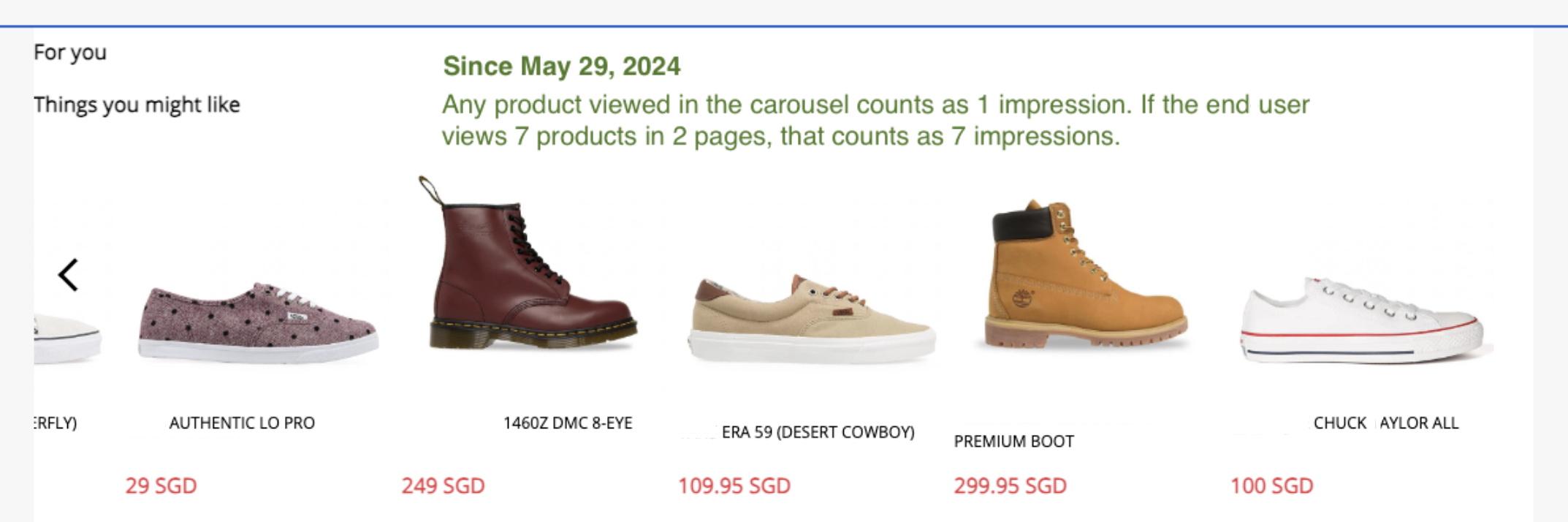
Scenario 1: A carousel with 16 products shows four of them in the viewport at any time, and a new product (replacing one currently in the viewport) is brought into view when the end user clicks the "arrow."
Initially, the end user sees the first four products, which count as four impressions. Suppose the end user clicks the arrow twice to bring two new products into the viewport, one at a time, which adds two more impressions. If the end user clicks the arrow until all products are viewed in the viewport, it results in 16 impressions for 16 products.
Scenario 2: A carousel with 16 products displays four at a time in the viewport and replaces them with a new set when the end user clicks the "arrow."
Initially, the end user sees the first four products, which count as four impressions. When the end user clicks the arrow once to bring a new set of four products into the viewport, this adds four more impressions. If the end user clicks the arrow twice more to view all four sets of products, a total of 16 impressions is achieved for all 16 products.
The effects of the change - May 29, 2024
Similarly, this change may result in another slight decline in your click-through, add-to-cart, and conversion rates after May 29, 2024, as the number of impressions your campaigns generate has increased further with this change in the calculation method. However, neither your campaign performance nor your revenue has changed.
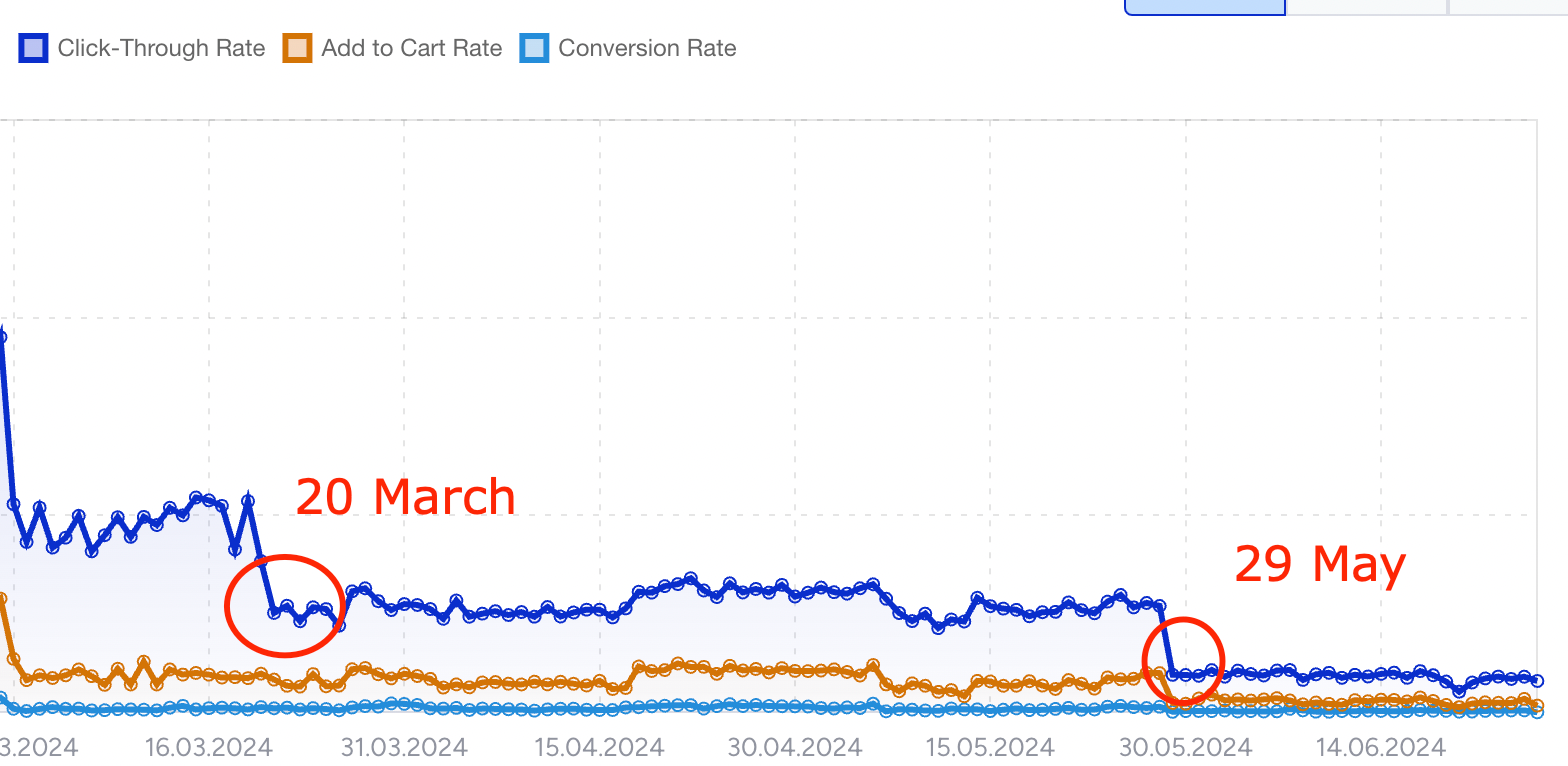
A typical graph might look like this after these changes, but only the method for calculating impressions has been updated; no other aspects have changed.
March 20, 2024 Update
Before March 20, 2024
The entire recommendation carousel (widget) would generate only one impression, regardless of the number of pages and products it includes or how many of those pages and products the end user views.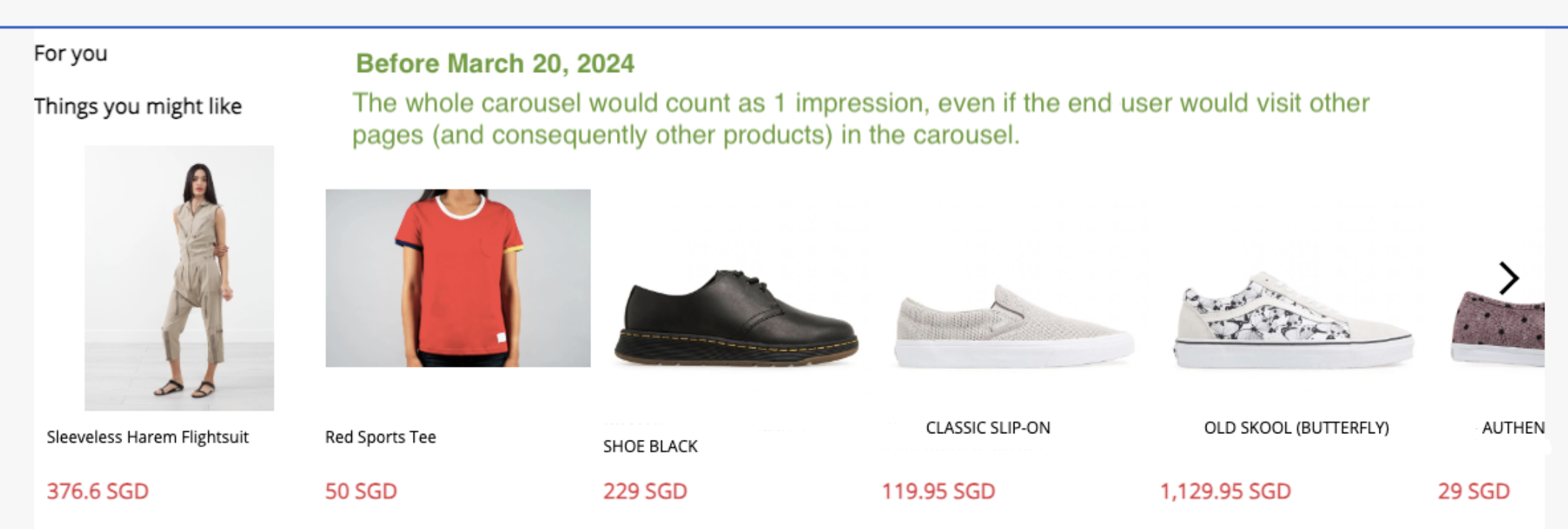
After March 20, 2024
On March 20, the calculation method was updated to count impressions based on the number of "pages" in the recommendation carousel the end user viewed. In this method, a "page" refers to a new product or set of products that appear in the carousel viewport after the user clicks the arrow. Essentially, any arrow click that brings a new product into the viewport counts as an impression.
Scenario 1: A carousel with 10 products displays 5 at a time in the viewport. It brings a new product into view when the end user clicks the "arrow," replacing the one currently in the viewport.
In this case, the initial view of the carousel counts as one impression. Each subsequent arrow click that brings a new product into the viewport counts as an additional impression. For example, if the end user clicks the arrow once, it adds one more impression. If the user clicks the arrow two more times, it adds another two impressions. Therefore, a total of 4 impressions will be recorded.
Scenario 2: A carousel displays 10 products, showing 5 at a time in the viewport. It replaces all five products with a new set when the end user clicks the "arrow."
In this case, the initial view of the carousel counts as one impression. When the end user clicks the arrow to load a new page that replaces all five products in the viewport, it counts as one additional impression. Therefore, a total of two impressions will be recorded.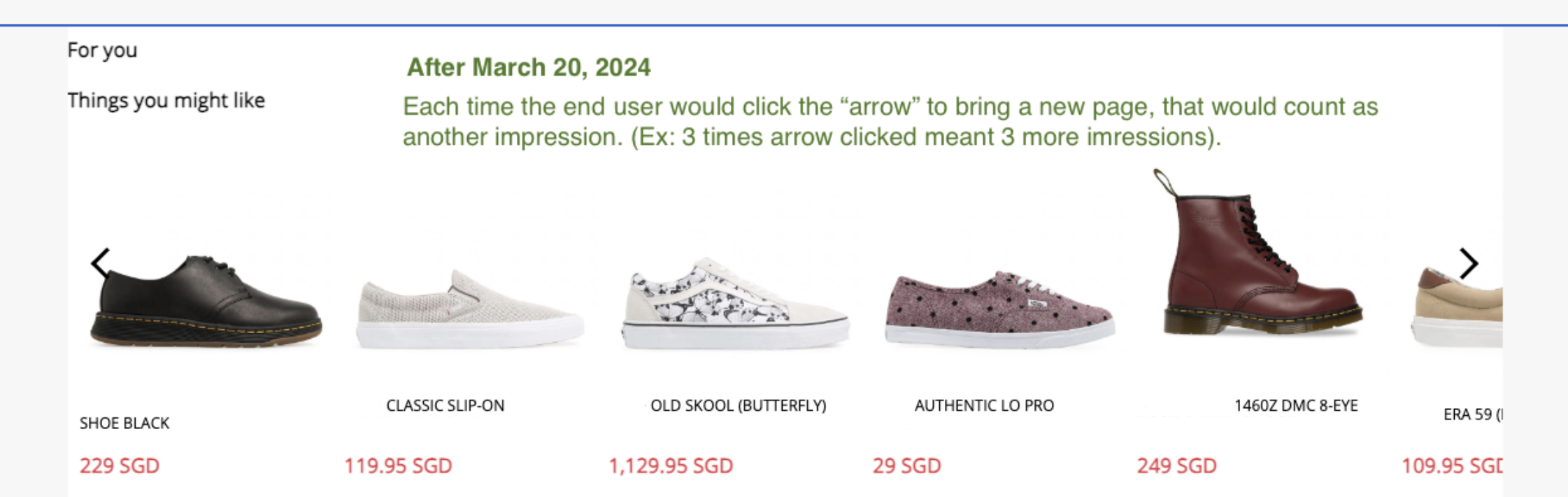
The effects of the change - March 20, 2024
This change might result in a slight decline in your click-through, add-to-cart, and conversion rates after March 20, 2024, because the number of impressions generated by your campaigns has increased due to the updated calculation method. However, your revenue and the overall performance of your campaigns have remained the same.