To generate an OAuth2.0 token for the WhatsApp Campaign Analytics API,
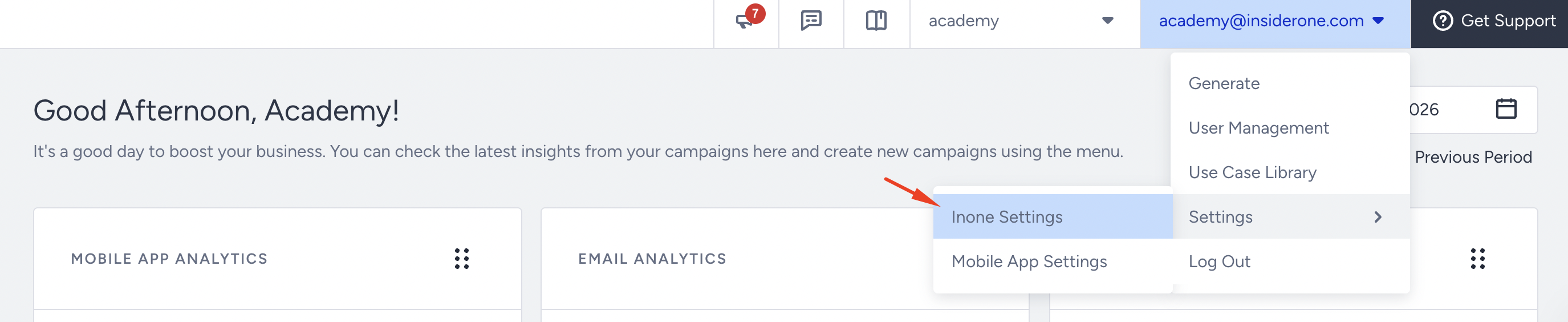
Navigate to your username > Settings > Inone Settings > Integration Settings.
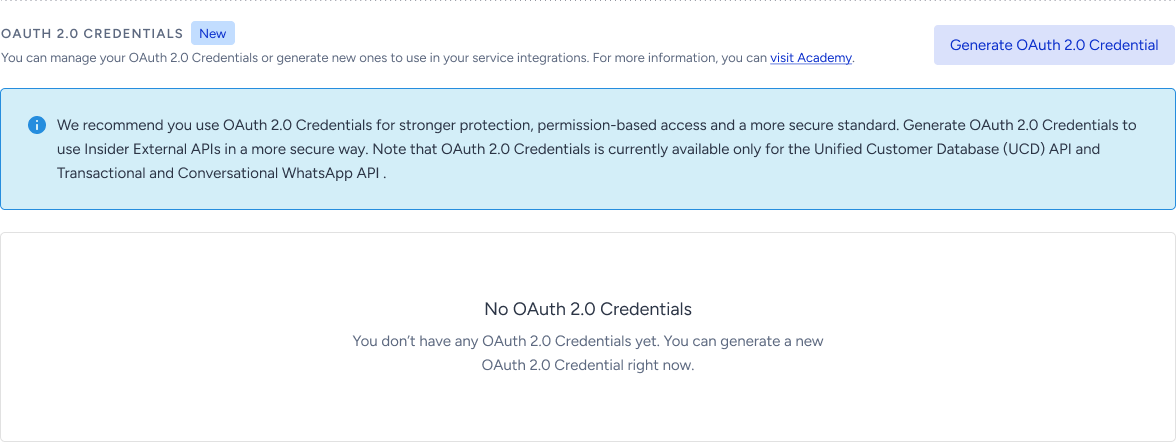
Scroll to the OAuth 2.0 Credentials section to click the Generate OAuth2.0 Credential button.
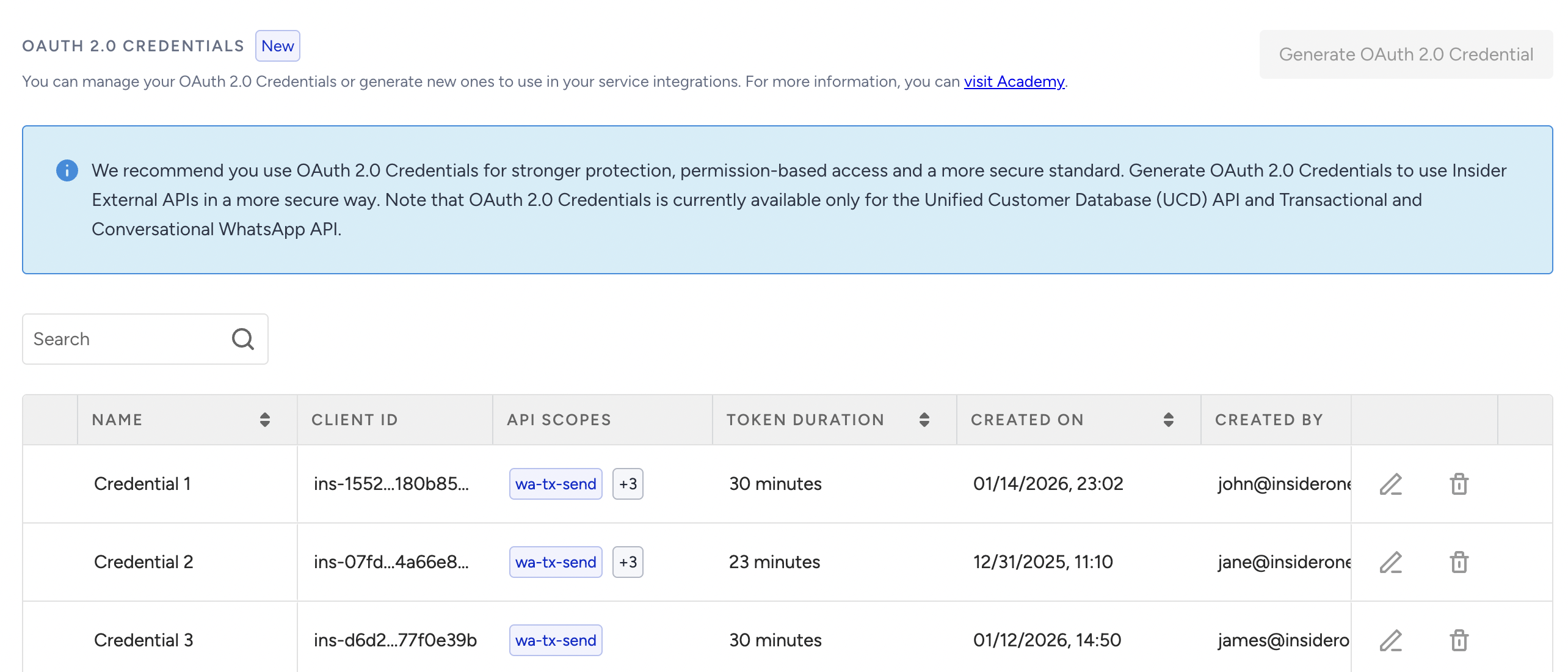
If you have previously created any OAuth2.0 credentials, they will be listed in this section.
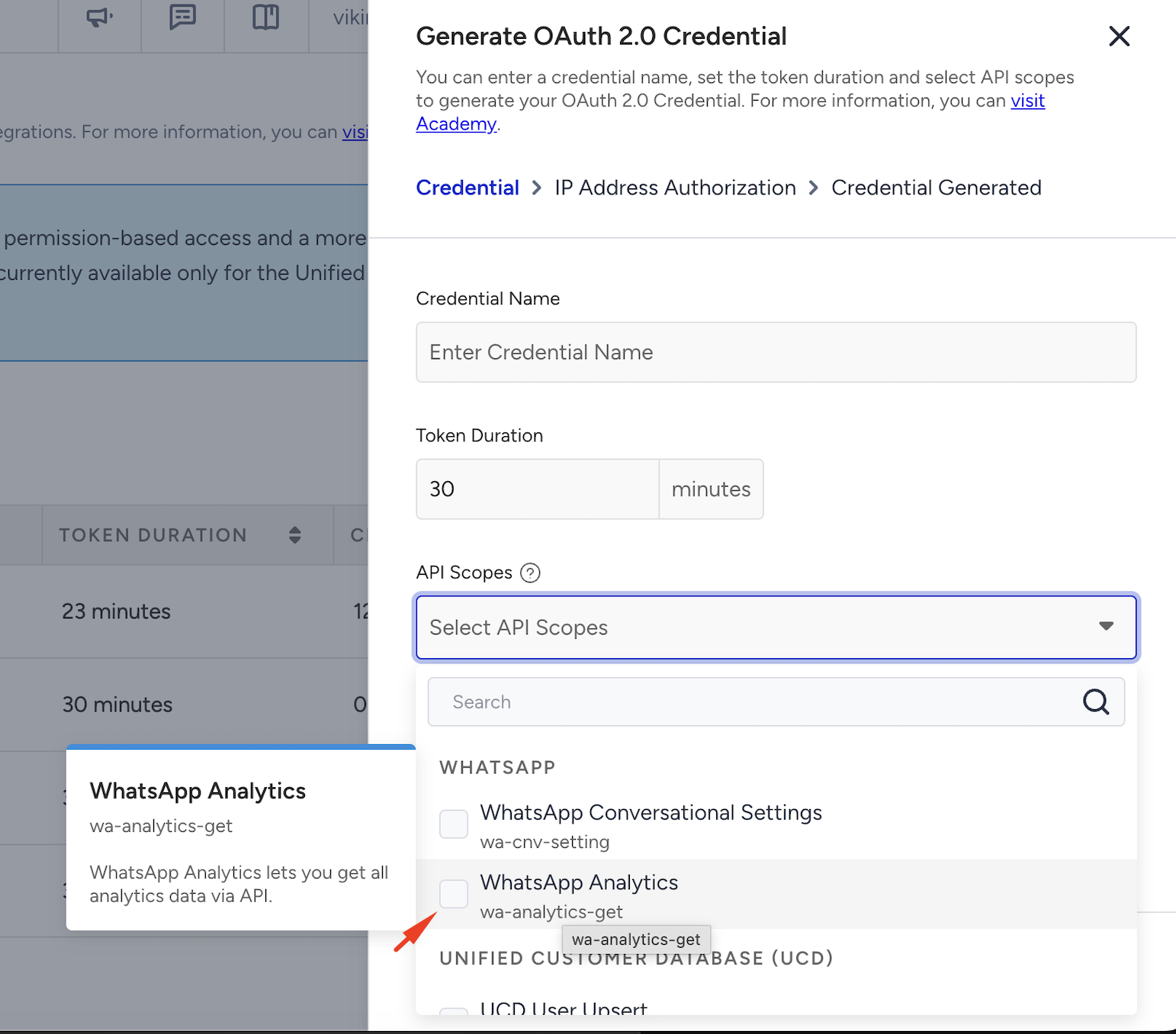
Select the WhatsApp Analytics as your API scope to create an OAuth2.0 credential, give a credential name, and a token duration.
Each user can generate up to 10 tokens per minute. Requests exceeding this limit will be blocked and return an error response.
Click the Continue button to create the OAuth2.0 credential.
Authorize the trusted IP addresses to apply IP restriction, and click the Authorize and Generate button.
(2).png)
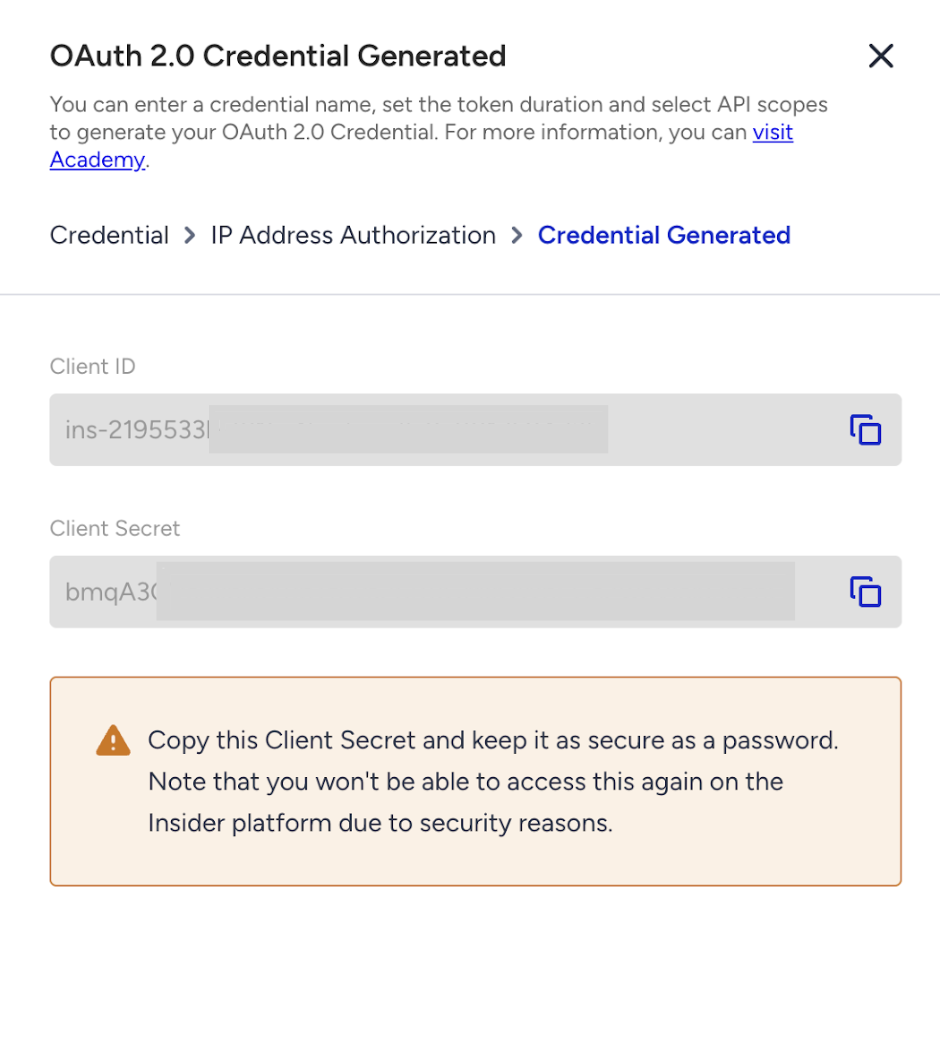
Click the Copy button to copy the Client ID and Client Secret before closing the prompt.
Column | Description |
|---|---|
client_id (string, required) | Your OAuth2 client ID. |
client_secret (string, required) | Your OAuth2 client secret. |
scopes (array, required) | Must include |
Sample Request
curl --location 'https://gw.api.insidethekube.com/auth/token' \
    --header 'Content-Type: application/json' \
    --data '{
      "client_id": "{your-client-id}",
      "client_secret": "{your-client-secret}",
      "scopes": ["wa-stats-api"]
    }'
Sample Response
 {
      "access_token": "eyJhbGciOi...",
      "token_type": "Bearer",
      "expires_in": 3600
    }
Use the returned access_token as the bearer token in subsequent OAuth 2.0 requests.