You must maintain a unified design style across all elements of the email. You set font colors for the copy and forms, button fonts, link colors, container padding, line spacing, email background color, content background color, and email width.
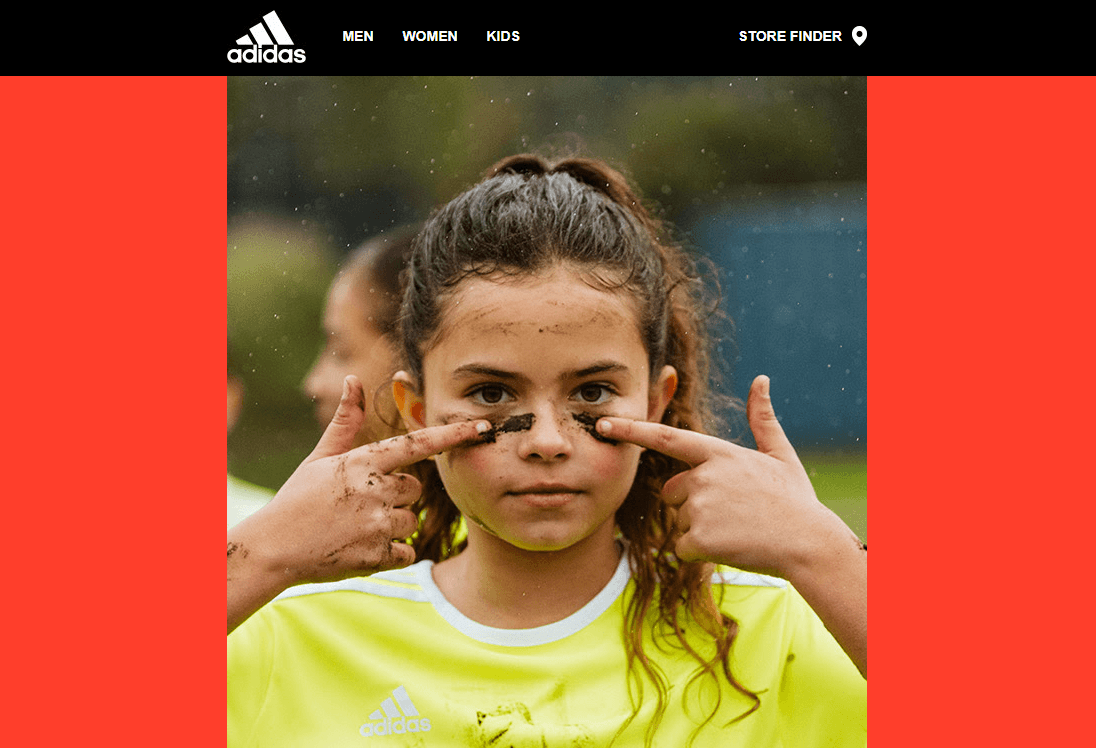
- Email content background stands for the background applied to the entire email area.
When opened on desktop devices, it covers all email message areas; on mobile devices, it gets hidden (the red background in the example above). - The content background is the color used in the email for all containers with product cards, contact information, etc. (e.g., the photo of a girl shown in the example above).
- Email width is 600px, by default. This is, currently, the most common size.
These settings significantly reduce the time spent polishing email designs. You set them once, and they apply to all email content elements.
If any style you apply to a separate row/container/block differs from the styles set in the General settings sections, it will prevail over the general style.
To configure general settings:
1. In the settings panel, click the Appearance tab.
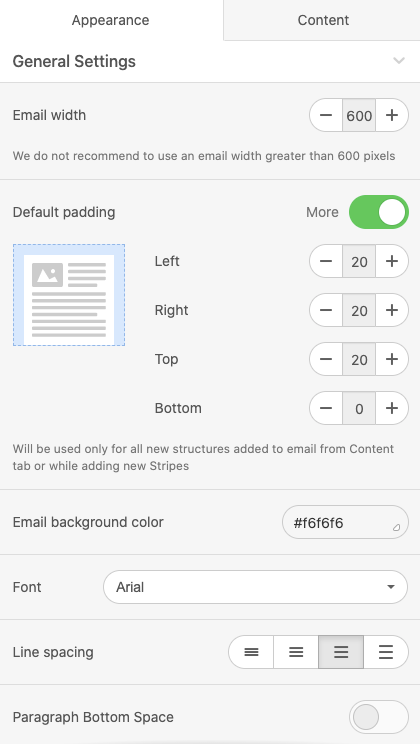
2. Choose the General Settings tab.
3. Set the parameters you like or the ones that comply with your brand book.
Your title goes here
We strongly recommend choosing fonts, colors, buttons, and paddings before working on the email design. Email and content background colors should be set after the email is ready. This way, you can see if they fit in well.