A lower lead generation rate might directly affect revenue. The lower number of leads typically results in less revenue and operating income for a company. For instance, once readers engage with content on a subscription-based news website, they are prompted to subscribe to continue reading, which can lead to high bounce rates. In that case, you need to reduce this rate to encourage more people to subscribe.
An effective way to handle such a high bounce rate is to encourage your users to subscribe to your brand and send them warm welcome messages, thereby creating a positive first impression. Let's say Jane has subscribed to the Lead Collection on your website. You want to thank her for subscribing and encourage her to make a purchase. You send an email with new arrivals and offer her a voucher for her first purchase.
You can refer to the video below to better learn about how to design a Lead Collection template by using Web Templates:
If this video does not load in your region, you can watch it on our YouTube Channel.
Lead Collection (Inline & On-Page)
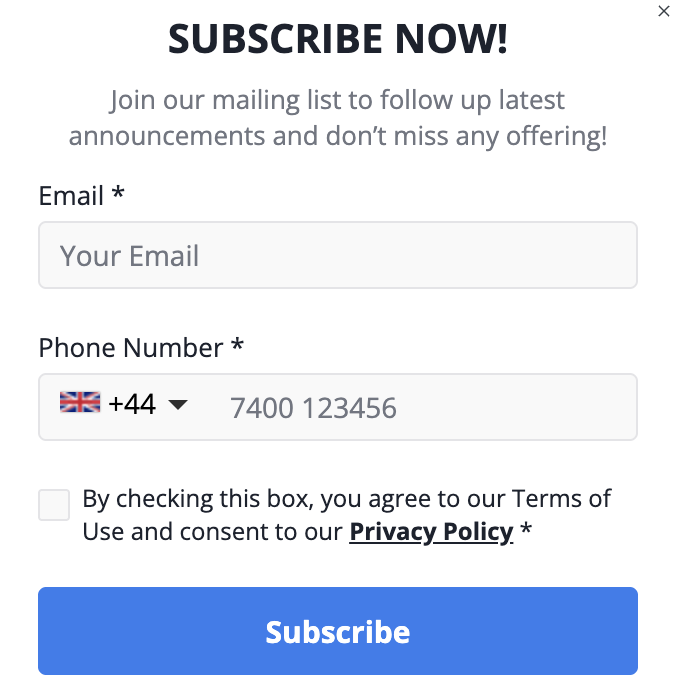
Using a Lead Collection template in your campaigns helps you:
Collect users' contact information (phone numbers and email addresses) to stay in touch with them in the future.
Ask for contact info in exchange for personalized offers, discounts, or access to free upgrades.
Share an appealing announcement while requesting the contact information.
Offer free weekly giveaways to encourage visitors to enter their email addresses and phone numbers.
Offer users a chance to win a product demo in exchange for their phone number and email address.
Provide subscribers with immediate access to the podcast series and a complimentary guide.
Pick A Gift
Gamification templates are popular, as user engagement and retention are key factors in website success. Gamification has emerged as a powerful strategy to captivate and motivate users. By incorporating gamified campaigns into the website, you can transform interactions into exciting experiences that drive user engagement.
The Pick a Gift template offers a remarkable gamified experience through its customizable, adaptable elements. Moreover, it is a responsive template that lets you create cross-platform designs.
This game is designed solely for entertainment and promotional purposes. It does not involve any form of betting, monetary deposits, or chance-based gambling elements. Participation is entirely free, and all users who take part receive the designated rewards equally.
Rewards are distributed based on user interaction rather than a random betting mechanism. The chance to earn rewards is determined in accordance with the game rules and does not require any payments or wagers. Participation is completely voluntary and carries no risk of loss, ensuring an enjoyable and engaging experience for all users.
Please note that regulations may vary by country or state. We recommend reviewing the applicable laws in your region before launching a campaign.
Thanks to the Pick a Gift template, you can incentivize your users by allowing them to select a gift box, provide their phone number, and win a lucky gift while opting in to receive messages on WhatsApp. You can present coupon codes as gifts to nudge your users to opt in easily.
Pick a Gift template consists of three steps;
The user on your website should first select a box in the template.
Secondly, the user should fill in the input area (if it is included in the template and is a mandatory input).
Then, the user should accept the Policy input (if it is included in the template and is a mandatory input).
The coupon code will be visible to users with the animation.
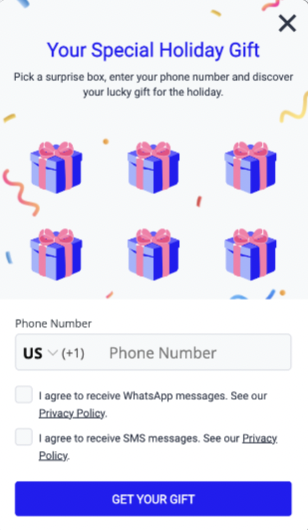
You can use the Pick a Gift for WhatsApp template in your campaigns to:
Provide a fun, game-like interactive experience for your site visitors.
Offer shoppers the chance to win discounts, free products, or rewards.
Offer coupon codes in exchange for a WhatsApp number.
Grant access to exclusive product features.
SMS Opt-in
To collect leads for your SMS campaigns, you can use the SMS Opt-in template. You can collect leads by adding templates to the product page or cart, which allows users to leave their contact information before completing their purchases. Additionally, you can enable the collection of leads for both SMS and WhatsApp channels from a single template.
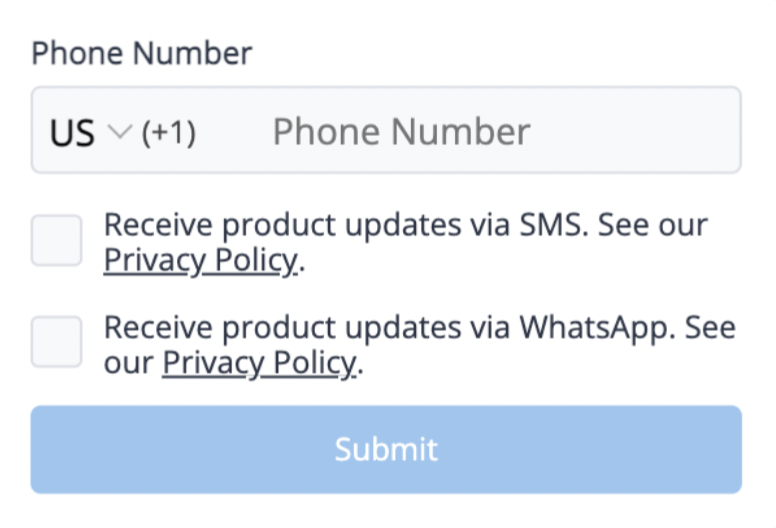
Thanks to the SMS Opt-in template in your campaigns, you can:
Prompt your users to opt in for your SMS messages by displaying a consent form on your website.
Collect leads both for SMS and WhatsApp.
Grant access to exclusive product features.
WhatsApp Sticky Opt-in
With the WhatsApp Sticky Opt-in template, you can collect leads without cluttering your website and provide a seamless experience to your users. You can easily locate your template at the edges of your website and open/close it via the white arrow near the WhatsApp icon. Moreover, you can enable SMS lead collection via Action Builder. It allows you to send messages to users via their preferred and reachable channels after collecting consent from both channels.
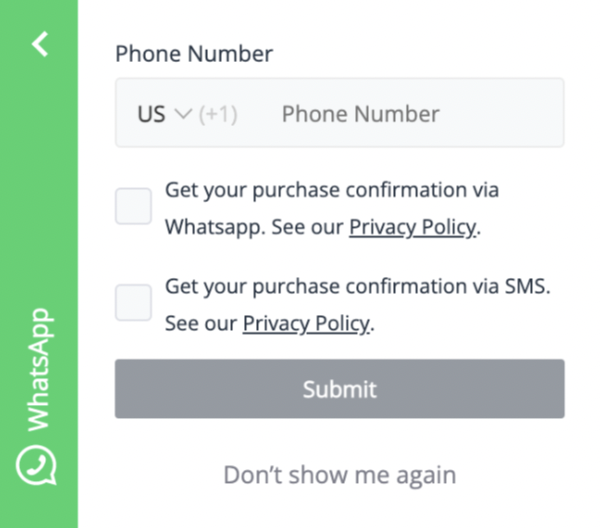
You can use the WhatsApp Sticky Opt-in template in your campaigns:
For checkouts to send notifications such as purchase confirmations, delivery status updates, e-tickets, and boarding passes.
During a sign-up, show users for what reason(s) you will be using WhatsApp communication, which in turn creates transparency and trust.
Web Push Opt-in Box
The Web Push Opt-in Box template is similar to the Native Opt-in, a browser-based consent screen that enables users to subscribe to a particular website. However, it triggers the Native Opt-in instead of a pop-up window.
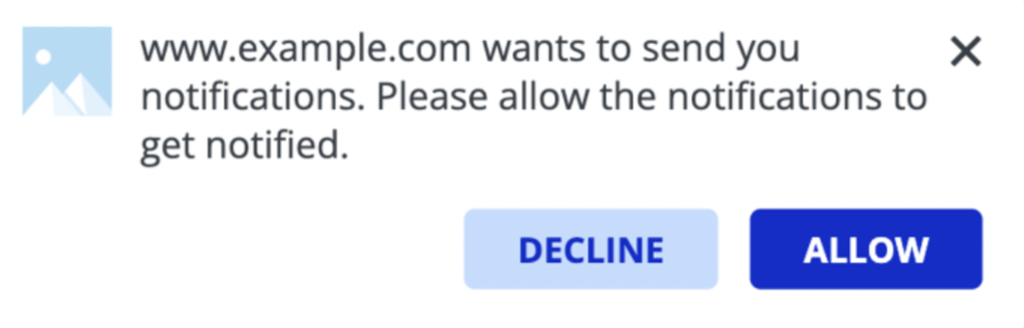
Thanks to the Web Push Opt-in Box template in your campaigns, you can:
Enable users to opt in to your Web Push notifications.
Provide personalized offers or discounts, as well as new updates or any announcements, in return.
Two Step SMS & Email Collection
You can use the Two-Step SMS and Email Opt-in Collection template to collect your users' email addresses and phone numbers, and in return, offer them the latest announcements and discounts.
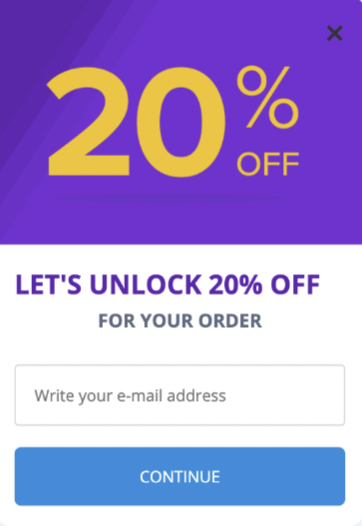
You can use the Two Step SMS & Email Collection template in your campaigns to:
Ask for contact information in exchange for personalized offers or discounts, followed by a coupon code.
Grant access to exclusive product features.
Offer users a chance to win a product demo.
Web Push Opt-in Reminder
You can use the Web Push Opt-in Reminder template for users who have blocked notifications and remind them to turn them on with encouraging content.
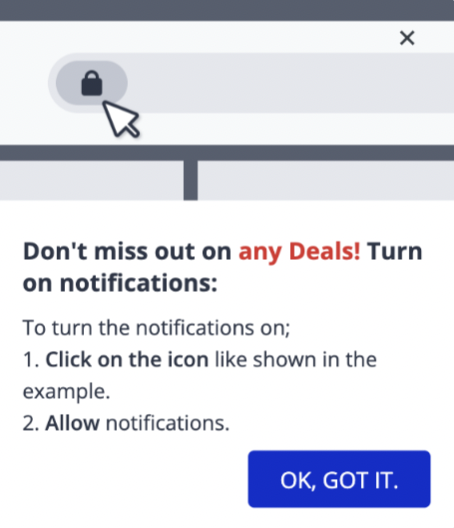
You can use the Web Push Opt-in Reminder template in your campaigns to:
Remind users to complete their opt-in for your Web Push notifications.
Provide personalized offers or discounts, as well as new updates or any announcements, in return.
WhatsApp Inline Opt-in
To collect leads for your SMS campaigns, you can use the WhatsApp Inline Opt-in template. You can collect leads simply by adding templates to the product page or cart, allowing users to leave their contact information before completing their purchases. Additionally, you can enable collecting leads from both SMS and WhatsApp channels using a single template.
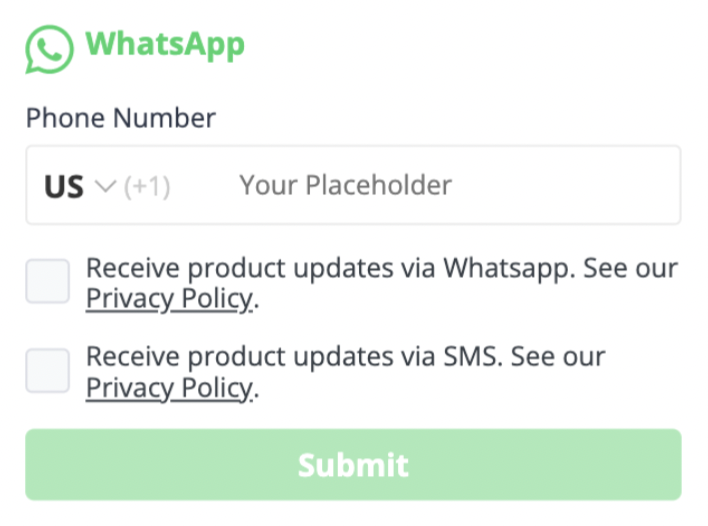
You can use the WhatsApp Inline Opt-in template in your campaigns:
For checkouts to send notifications such as purchase confirmations, delivery status updates, e-tickets, and boarding passes.
During a sign-up, show users for what reason(s) you will be using WhatsApp communication, which in turn creates transparency and trust.
Web Push Opt-in Bell Icon
The Web Push Opt-in Bell Icon triggers the Native Opt-in prompt when users click on it. If the opt-in is allowed or blocked, it will disappear and won't be displayed. If the template is ignored, it will be displayed according to the campaign eligibility rules.
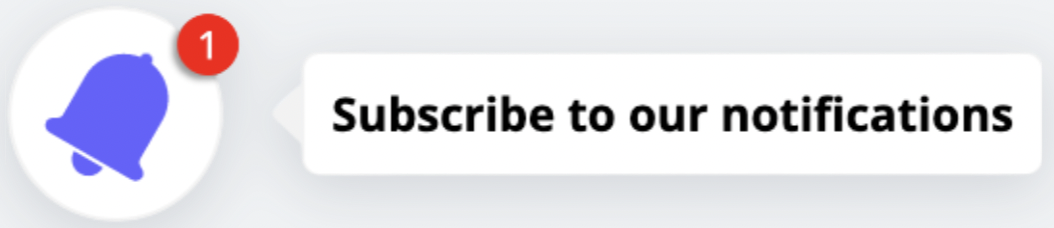
Thanks to the Web Push Opt-in Box template in your campaigns, you can:
Enable users to opt in to your Web Push notifications
Provide personalized offers or discounts, as well as new updates or any announcements, in return.
Lead Collection On Overlay
You can use the Overlay template to collect your users' email and/or phone numbers and offer them discounts in return.
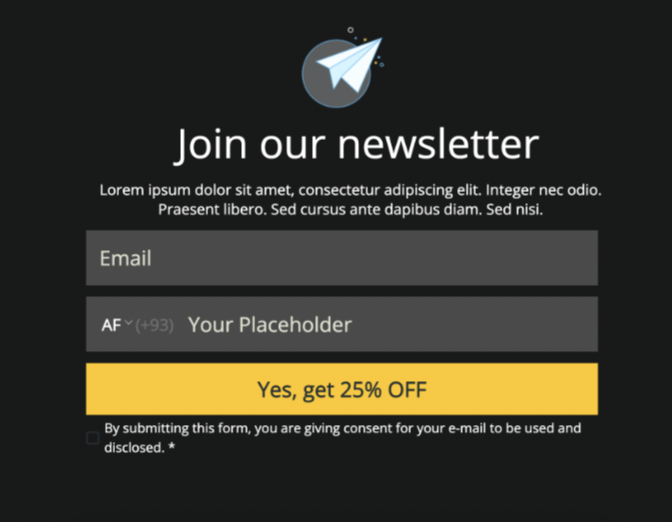
You can use Lead Collection on the Overlay template in your campaigns to:
Collect users' contact information (phone numbers and e-mails) to get in touch with them in the future.
Ask for contact information in exchange for personalized offers, discounts, or complimentary upgrades.
Share an attractive announcement and ask for contact information.
Offer free weekly giveaways to encourage visitors to enter their email addresses and phone numbers.
Offer users the chance to win a product demo in exchange for their phone number and email address.
Provide subscribers with immediate access to the podcast series and a complimentary guide.
Wheel Of Fortune
The Wheel of Fortune gamifies marketing, making it more engaging for users and simplifying the process of collecting leads, offering coupon codes, and providing a delightful user experience.
Users are allowed to spin the wheel and win a prize. In exchange, you can ask users to provide lead information, like an email address.
The Wheel of Fortune template consists of three steps;
The user should fill in the input area (if it is included in the template and a mandatory input).
The user should accept the Policy input (if it is included in the template and a mandatory input).
The user clicks on the Spin.
The coupon code will be visible to users after the animation on the second page.
This game is designed solely for entertainment and promotional purposes. It does not involve any form of betting, monetary deposits, or chance-based gambling elements. Participation is entirely free, and all users who take part receive the designated rewards equally.
Rewards are distributed based on user interaction rather than a random betting mechanism. The chance to earn rewards is determined in accordance with the game rules and does not require any payments or wagers. Participation is completely voluntary and carries no risk of loss, ensuring an enjoyable and engaging experience for all users.
Please note that regulations may vary by country or state. We recommend reviewing the applicable laws in your region before launching a campaign.
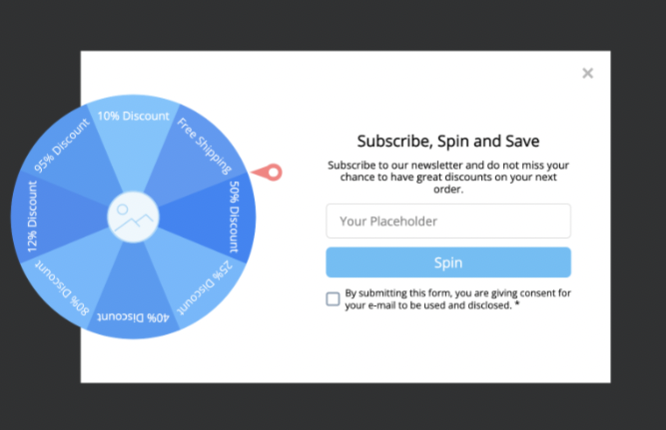
Thanks to the Wheel of Fortune template in your campaigns, you can:
Provide a fun, game-like interactive experience for your site visitors.
Offer shoppers the chance to win discounts, free products, or rewards.
Offer coupon codes in exchange for contact information.
Grant access to exclusive product features.
WhatsApp Business Template
You can use the WhatsApp Business template to support your users and collect their phone numbers in return.
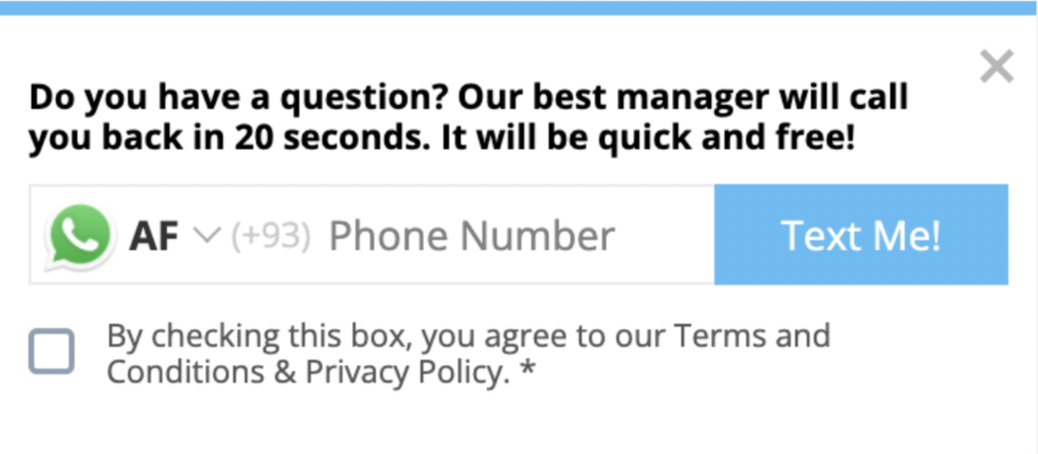
Using the WhatsApp Business template in your campaigns helps you:
Collect users' WhatsApp numbers to contact them in the future.
Ask for the WhatsApp number in exchange for personalized offers, discounts, or complimentary upgrades.
Share an attractive announcement while asking for the WhatsApp number.
Offer free weekly giveaways to motivate visitors to enter their WhatsApp numbers.
Offer users a chance to win a product demo in exchange for their WhatsApp numbers.
Provide subscribers with immediate access to the podcast series and a complimentary guide.
Offer users a quick call or a get-in-touch opportunity in case of an emergency.
Phone Number Collection
You can use the Phone Number Collection template to collect your users' phone numbers and offer them the latest announcements or provide support.
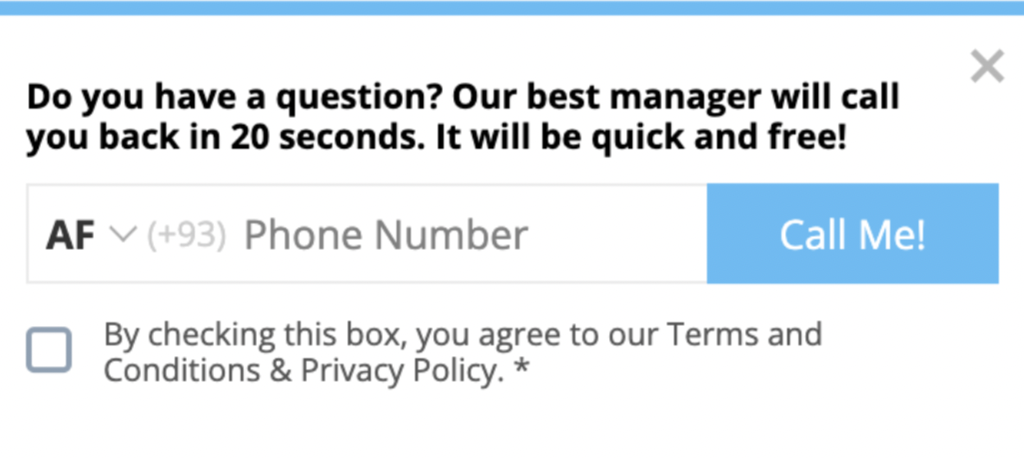
You can use the Phone Number Collection template in your campaigns to:
Collect users' phone numbers to contact them in the future.
Ask for the phone number in exchange for personalized offers, discounts, or complimentary upgrades.
Share an announcement while asking for the phone number.
Offer free weekly giveaways to motivate visitors to enter their phone numbers.
Offer users a chance to win a product demo in exchange for their phone numbers.
Provide subscribers with immediate access to the podcast series and a complimentary guide.
Email Collection With 2 Pages
You can use Email Collection with the Two Pages template to collect your users' email addresses and offer them the latest announcements and discounts in return.
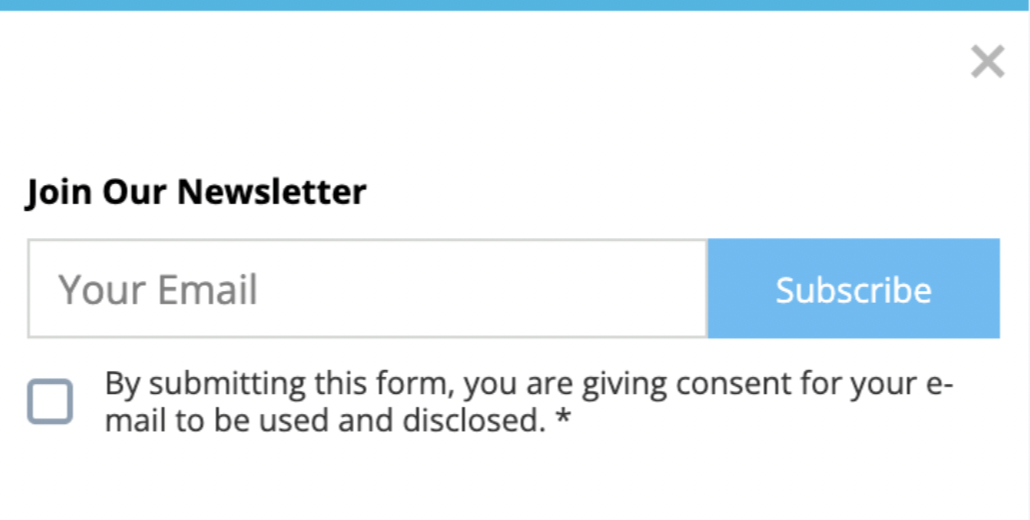
Using Email Collection with the 2 Pages template helps you:
Collect users' email addresses to get in touch with them in the future.
Request an email in exchange for personalized offers, discounts, or complimentary upgrades.
Share an announcement while requesting the email address.
Offer free weekly giveaways to encourage visitors to enter their email addresses.
Offer users the chance to win a product demo in exchange for their email address.
Provide subscribers with immediate access to the podcast series and a complimentary guide.
Email Collection
You can use the Email Collection template to collect your users' email addresses and offer them the latest announcements and discounts in return.
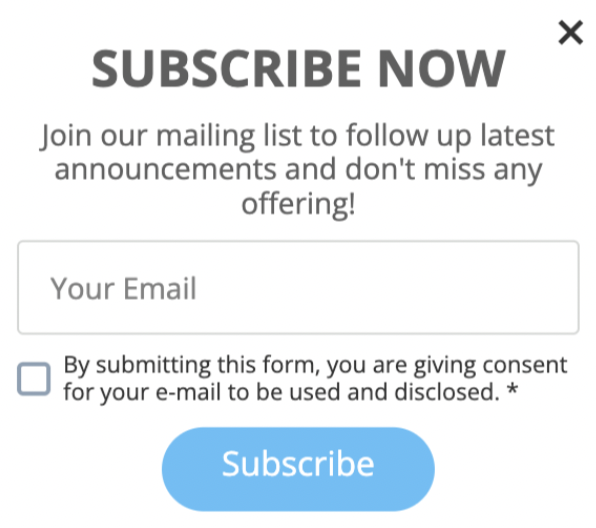
Thanks to the Email Collection template in your campaigns, you can:
Collect users' email addresses to get in touch with them in the future.
Request an email in exchange for personalized offers, discounts, or complimentary upgrades.
Share an announcement while requesting the email address.
Offer free weekly giveaways to encourage visitors to enter their email addresses.
Offer users the chance to win a product demo in exchange for their email address.
Provide subscribers with immediate access to the podcast series and a complimentary guide.