Engaged Subscribers are valuable for your business, but retargeting them while creating new campaigns is even more valuable, especially if it involves revenue growth. In line with this purpose, Insider One offers segmentation based on previous Web Push Click and Web Push View events. Thanks to these, you can retarget users who viewed/clicked one of your previously launched campaigns.
If you run a small or medium-sized business and don't send Web Push notifications frequently, this segmentation may be beneficial. To benefit from it, contact the Insider One team to check whether you are eligible to use it.
Use Web Push events to segment users
To use Events as segmentation, create a Single Web Push campaign and select Events as the segment category in the Segments step of your campaign.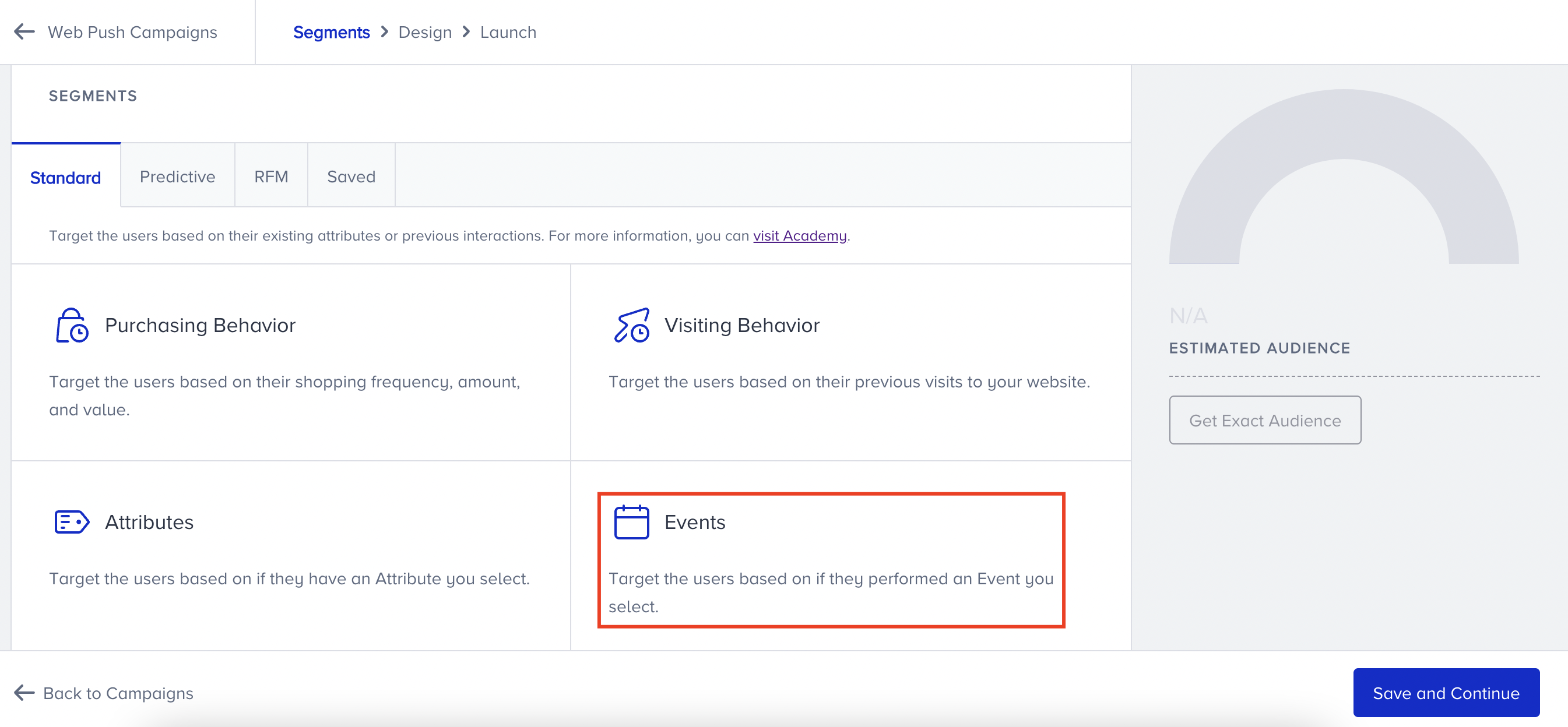
You can find Web Push View and Web Push Click options in the Segment dropdown.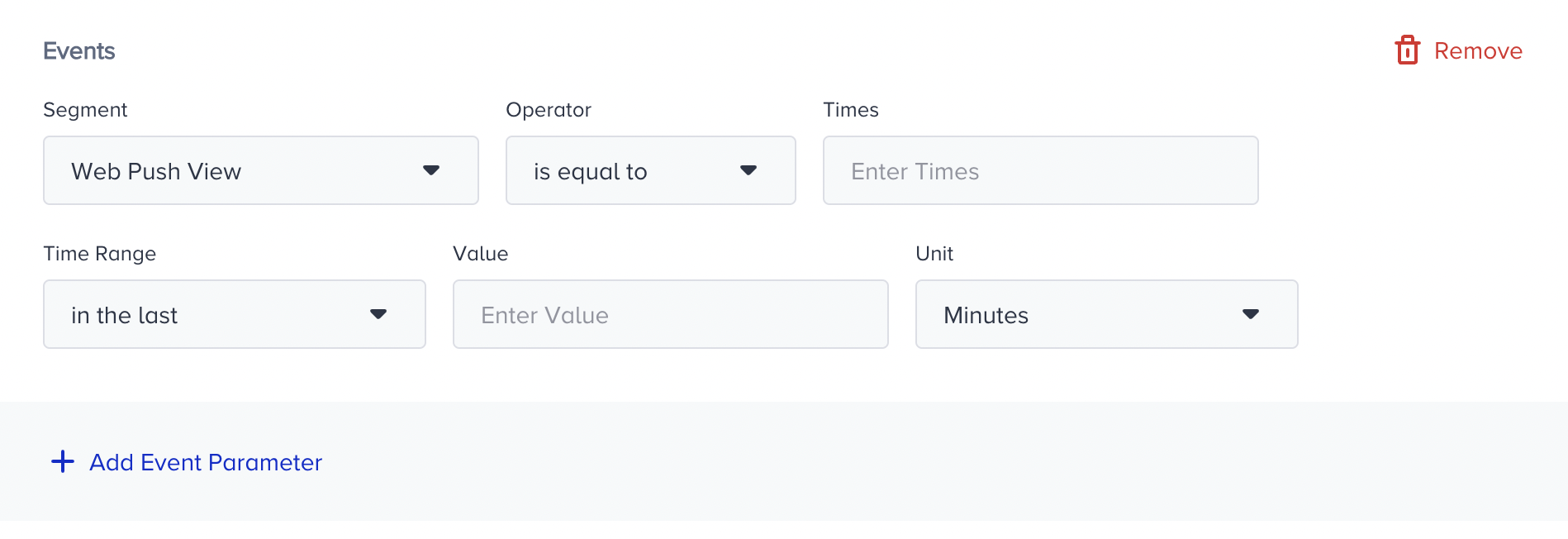
You can associate the segmentation rules with a specific campaign via the + Add Event Parameter option.
You can add Variant ID, Campaign ID, and Campaign Name as parameters to Web Push View and Web Push Click events.
For example, the segmentation below targets users who have viewed the Web Push notification with Variant ID 12345 within the last two days.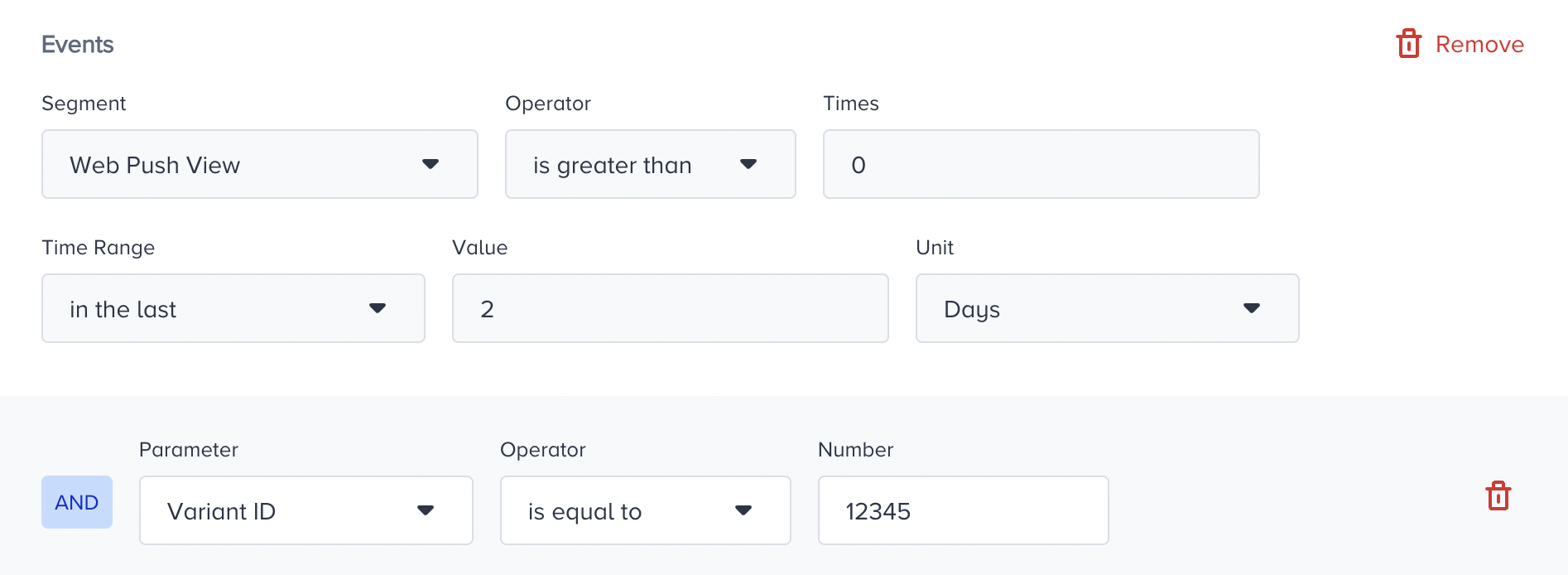
By creating another segment group using the AND operator, you can target users who have viewed the Web Push notification with Variant ID 12345 in the last two days but have not clicked it.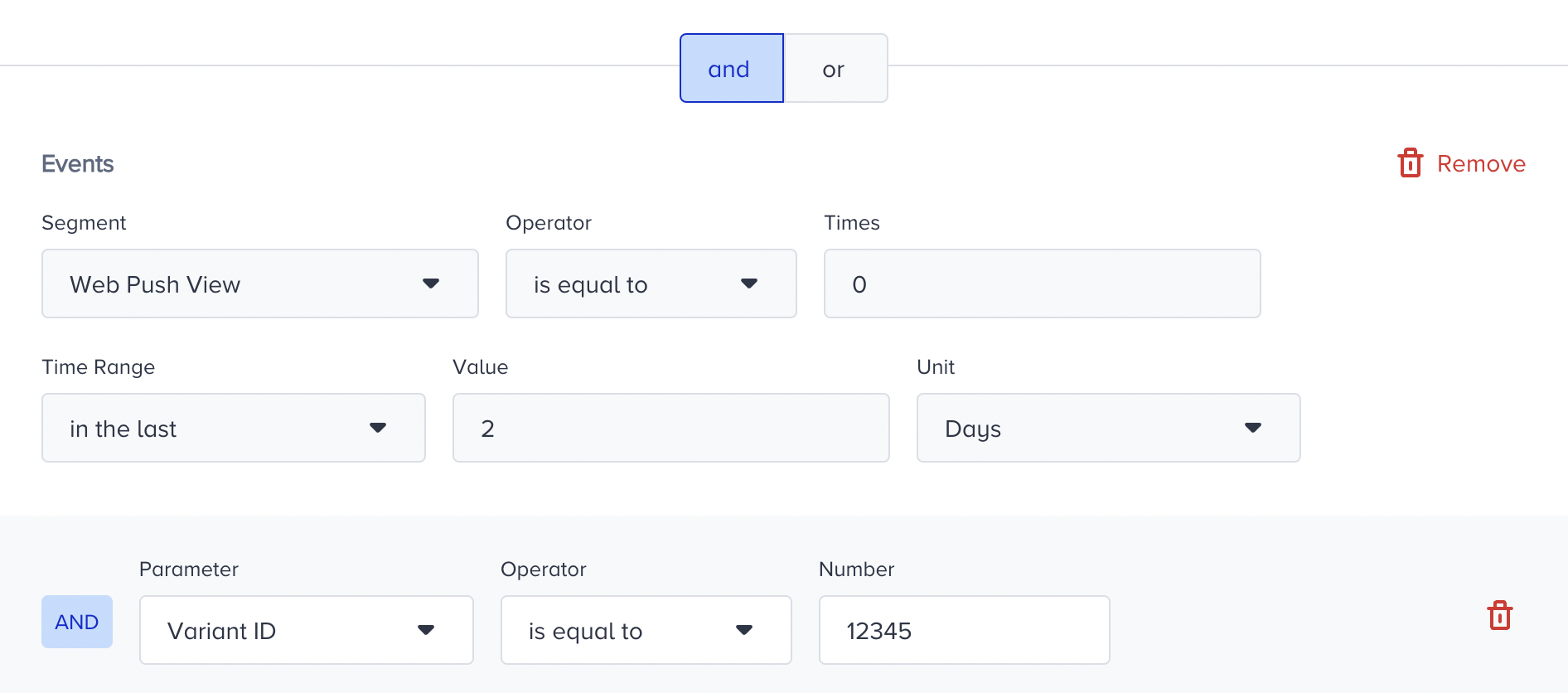
The Web Push View event is triggered when the push is delivered, which is essentially the same as the Web Push Delivery event.
The Campaign Tags parameter is also included in Web Push events.
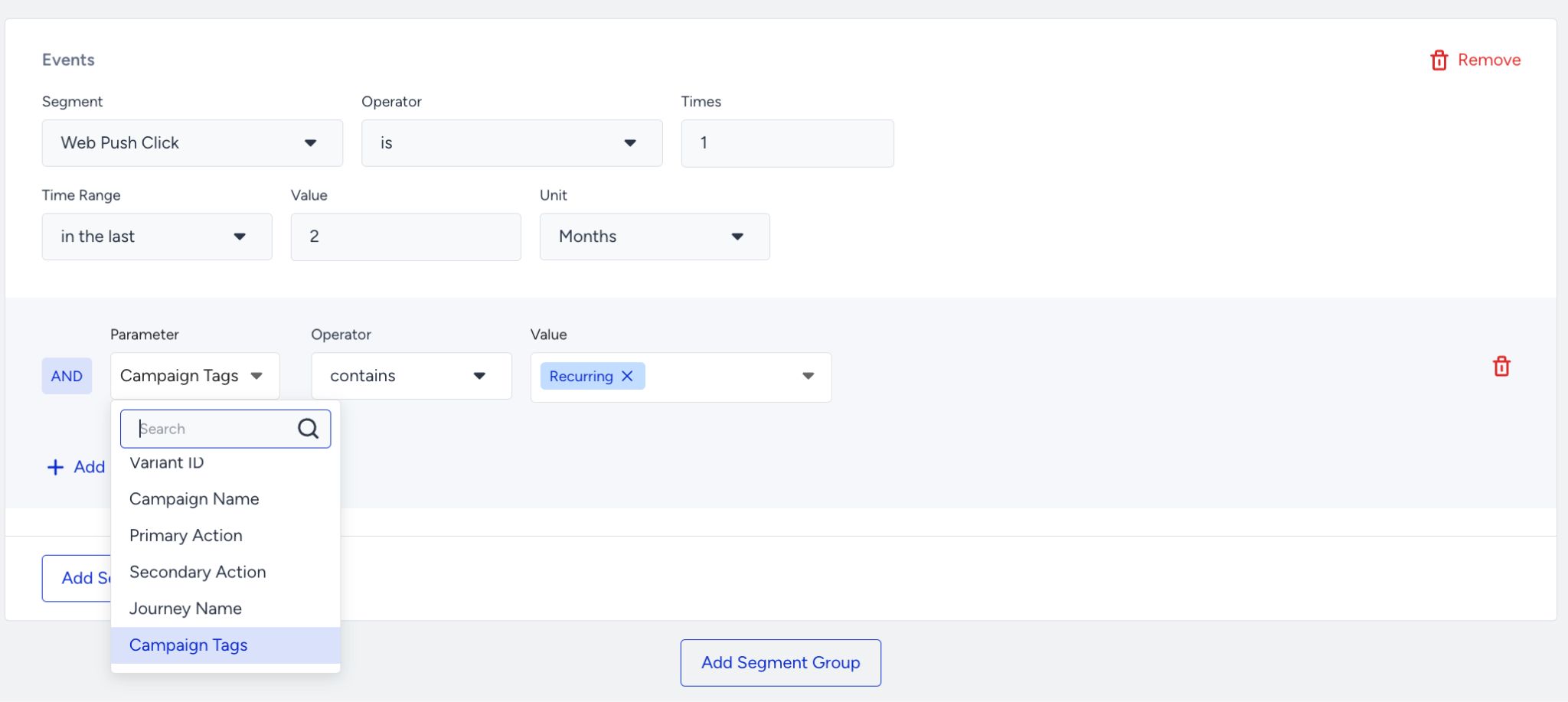
These events are not enabled by default. If you would like to use them, get in touch with the Insider One team.
Use Cases
Attract sales/new products
Push 1: “Limited edition of Product X coming soon!”
Push 2: (To the viewers of Push 1) “24 hours left for the sale of Product X. You can browse the products now!”
Push 3: (To the clickers of Push 2) “Product X sale starts now! Don’t miss the opportunity.”
Collect leads
Push 1: (Segment users without e-mail addresses, redirect them to a form to collect e-mail addresses) “Want to learn about our new products and best deals? Click now!”
Push 2: (To the viewers of Push 1 - Completion of the form redirects them to a user-specific coupon code) “Don’t miss the chance to get updates from Brand X and benefit from the Y$ coupon code.”
Push 3: (After a while, to the clickers of Push 2.) “Have you completed the form? Don’t miss the chance to get a Y$ discount!”
CTA 1: “Yes! I want to use my Y$ discount now.” (redirects to the desired page)
CTA 2: “No! I haven’t completed the form yet.” (redirects to the form)