You can refer to the table below to see the details of the conversion attribution windows for Web Push notification types:
Push Type | Click & Conversion Attribution Window |
|---|---|
Single Push | Session-based or Duration-based (Configurable) |
Trigger Push | Session-based or Duration-based (Configurable) |
Cart Reminder Push | Session-based or Duration-based (Configurable) |
Price Drop | Session-based or 1-90 days (Configurable) |
Back in Stock Push | Session-based or 1-90 days (Configurable) |
Single API Push | 1 day (Fixed) |
Salesforce Push | Session-based |
Configure the conversion duration setting
On the Goal page for each type of Web Push campaign, you can set your conversion duration with two options:
Session-based: Sessions default to 30 minutes. The session updates with each user activity on the website and closes after 30 minutes of inactivity.
Duration-based: This setting allows you to set conversion durations on an hourly or daily basis.
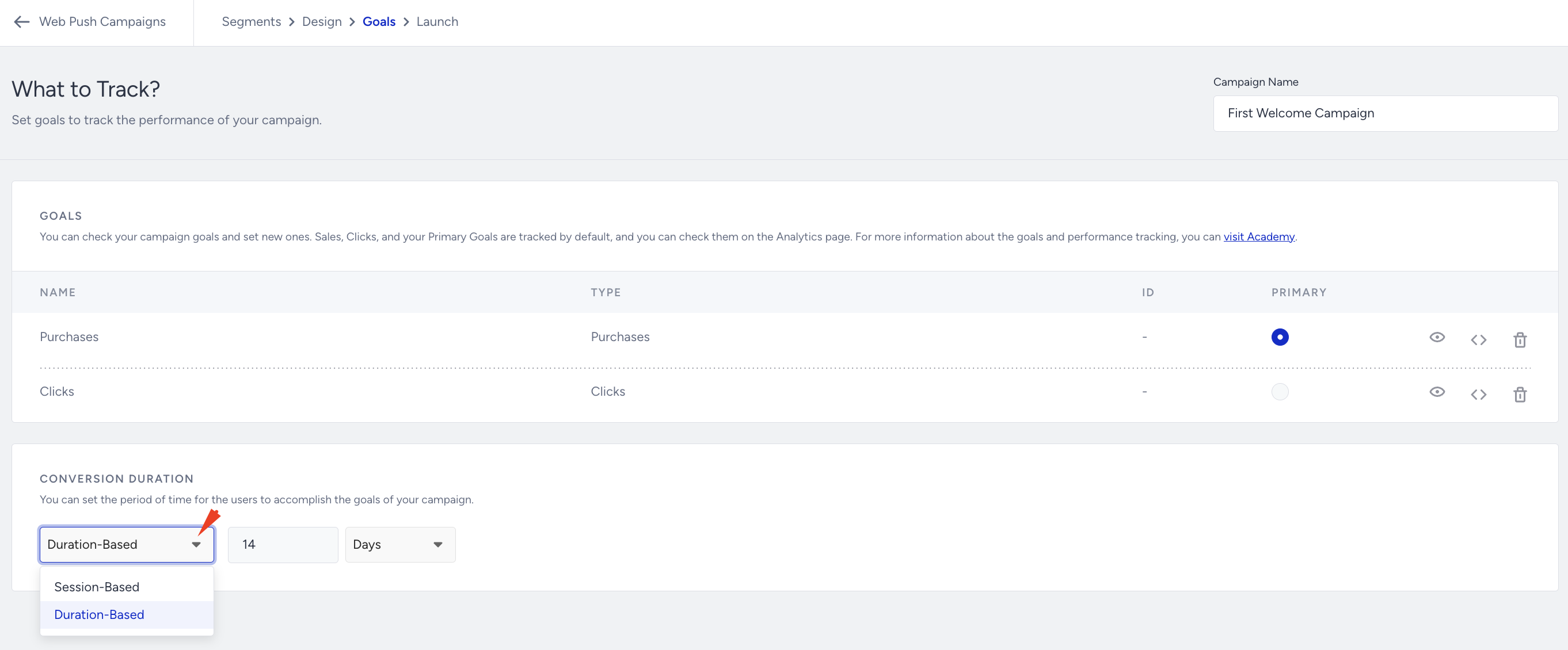
The maximum value for Web Push Conversion Duration is 90 days.
You can also set a default conversion duration. In Inone Settings > Conversion Duration Settings, you can configure your default conversion duration.
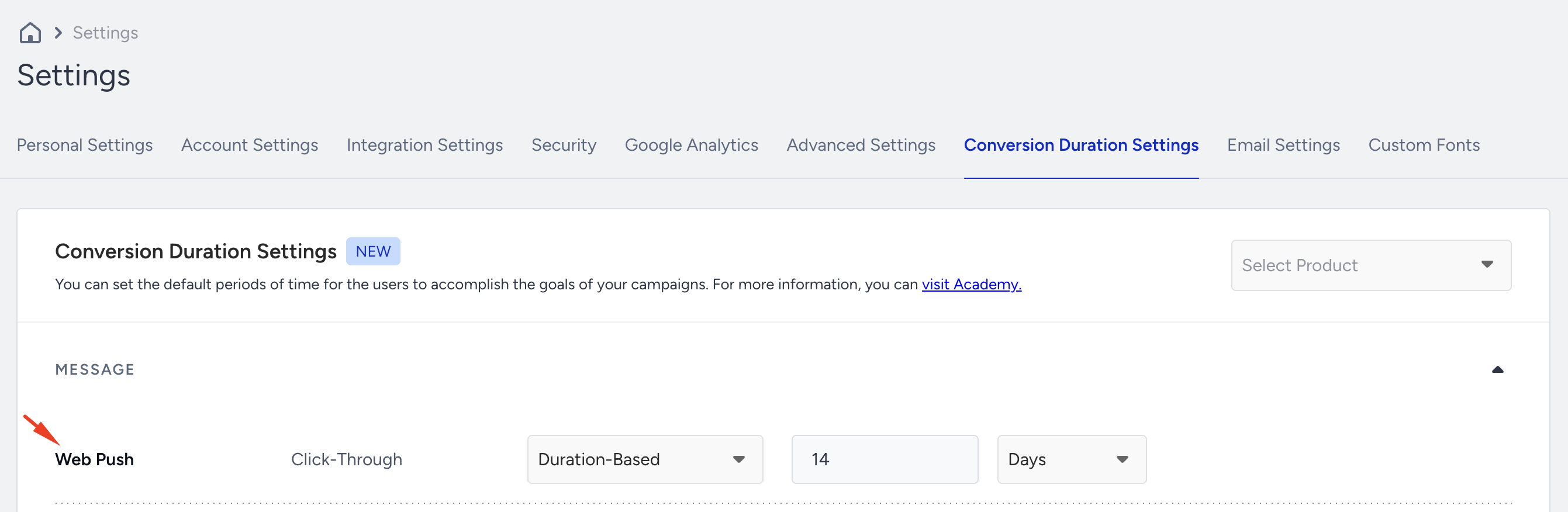
The default conversion duration setting is applied to newly created campaigns. For example, if you set your default conversion duration to 14 days, this value will automatically appear on the Goal step for each new campaign you create.
How Conversion Attribution works
Based on the inputs in the Conversion Duration field in the Goals step, the duration after the Web Push click is set, and conversions are attributed within this timeframe.
If a user falls within the attribution window of multiple campaigns and completes a purchase, the revenue will be attributed solely to the last campaign the user interacted with by clicking. This ensures that each purchase is attributed to only one campaign, specifically the most recent one clicked before the conversion occurred. In simple terms, we use the "Last Click" attribution method for both Web Push campaign analytics and overall Web Push Analytics.
Conversions for Web Push campaigns are attributed using a last-click model. This means that only the last eligible campaign clicked within the attribution window will receive credit for a conversion. If a user clicks multiple Web Push campaigns before making a purchase, the conversion is credited only to the most recent eligible campaign. If no campaign qualifies within the attribution window, the conversion will not be attributed.
Example cases for Last Click Attribution
Case 1 (within goal duration)
The user interacted with two campaigns:
Clicked on the first one but did not make a purchase (campaign analytics: $0 revenue).
Clicked on the second one and made a $50 purchase (campaign analytics: $50 revenue).
Overall analytics: $50 revenue.
Case 2 (within goal duration)
The user interacted with two campaigns:
Clicked on the first campaign and made a $200 purchase (campaign analytics: $200 revenue).
Clicked on the second campaign but did not make a purchase (campaign analytics: $0 revenue).
Overall analytics: $200 revenue.
Case 3 (within goal duration)
The user interacted with two campaigns:
Clicked on the first campaign and made a $200 purchase (campaign analytics: $200 revenue).
Clicked on the second campaign and made a $50 purchase (campaign analytics: $50 revenue).
Overall analytics: $250 revenue.
Click attribution follows the Conversion Duration settings. However, clicks are always recorded in the analytics pages, regardless of time. The conversion duration applies after the click action. For example, suppose a user clicks a push notification after 5 days and makes a purchase 10 days later. In that case, the conversion will be attributed only if it falls within the defined conversion duration.
Re-eligibility setting on Trigger Push
The Campaign Key in the user's local storage is generated when the user clicks on a Web Push notification. The Campaign Key's expiration date only affects eligibility for Trigger Web Push. Once the Trigger Web Push is activated based on segment and rule conditions, it will not be triggered again until the Campaign Key expires.
For instance, if the re-eligibility duration is set to 3 days, a user who meets the conditions on July 17, 2024, will receive the Web Push notification. If the user meets the same conditions again on July 18, 2024, they will not receive the same campaign. However, if they meet the conditions again on July 21, 2024, they will be eligible to receive the campaign once more, unless restricted by Channel Frequency Capping.
For other automated pushes, such as Cart Reminder, Price Drop, and Back in Stock, notifications will be sent each time the campaign rule is activated, regardless of the Campaign Key's duration. However, Campaign or Channel Frequency Capping can still limit these pushes.
Campaign-level frequency capping is recommended to effectively manage the number of push notifications received by end-users and improve their overall experience.