Talon.One is a promotion and loyalty platform that helps businesses create and manage personalized campaigns, including discounts, coupons, referral programs, and loyalty rewards.
You can integrate Talon.One with Insider One to generate unique coupon codes and use them in your Architect journeys.
Use Case
Use this integration when you want to generate unique coupon codes in Talon.One and send them to customers through Architect journeys in Insider One.
Prerequisites
Before you begin, make sure you have access to the following resources and information required for the integration.
Requirement | Description |
|---|---|
Architect Call an API | To use the Talon.One coupon code integration, you need either the Architect Enterprise package or the Call an API add-on for the Essential or Growth package. These packages provide access to the Call an API and Check API Response nodes required for this integration. |
Talon.One Dashboard | Access to your Talon.One dashboard. |
Talon.One coupon campaign | Create a Talon.One campaign with the coupon feature enabled. During the setup, you'll need the following values from your Talon.One deployment.
|
Use Coupon Codes in Architect
Navigate to InOne > Campaigns > Architect.
Click Create to create a new journey.
Select the appropriate starter condition for your use case, then place the Call an API node immediately before the channel where you want to use the coupon code. The Check API Response and Update User Attribute nodes are optional. They are explained later in this guide.
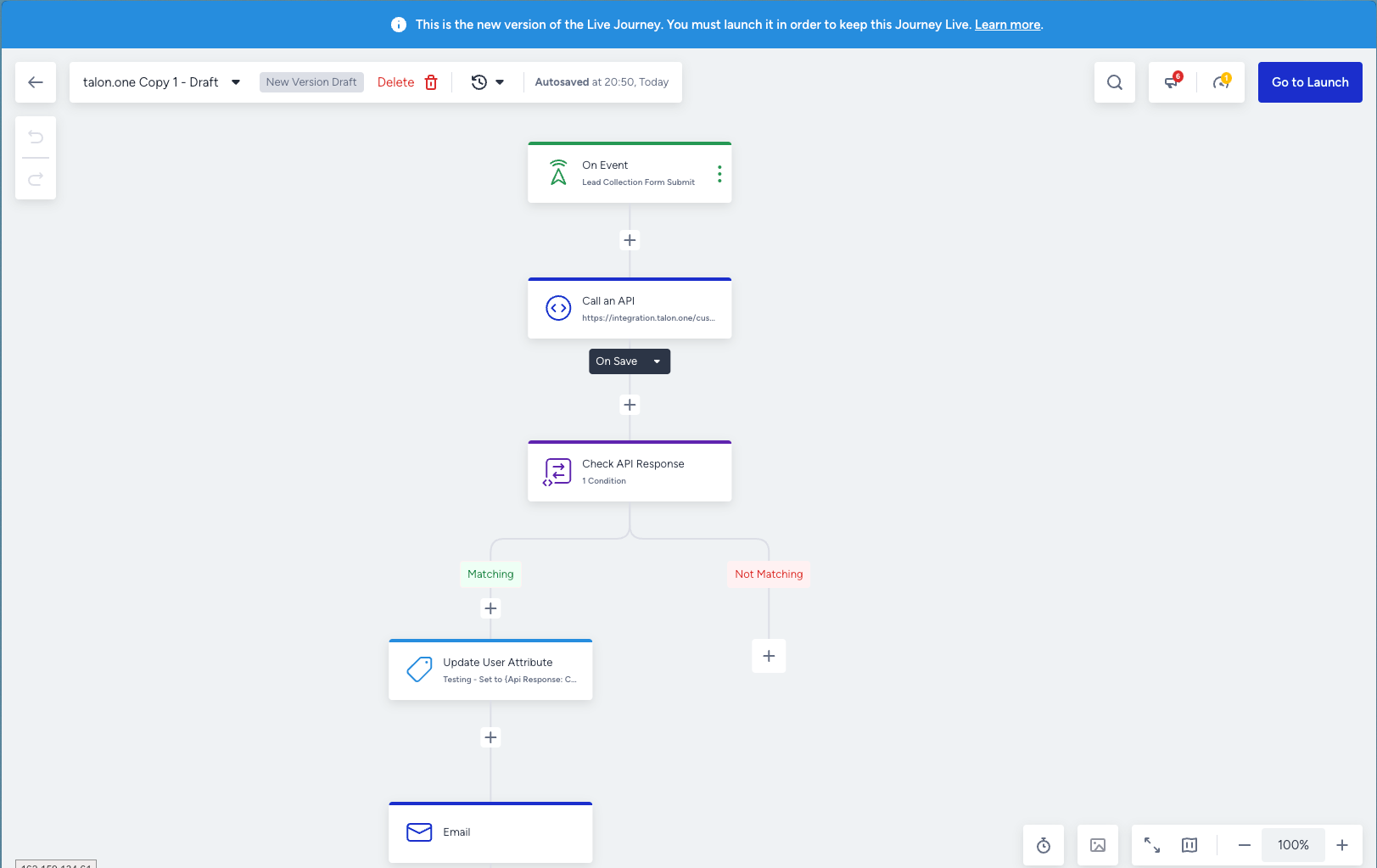
Configure the Call an API node using the following settings.
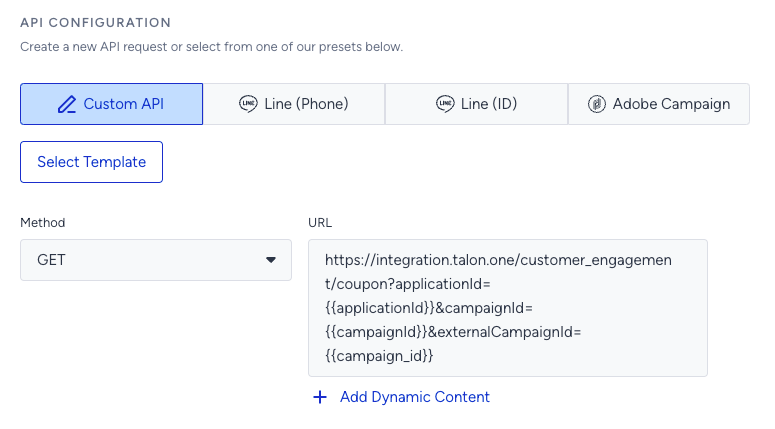
Select the GET method and enter the following URL:
https://integration.talon.one/customer_engagement/coupon?applicationId={{applicationId}}&campaignId={{campaignId}}&externalCampaignId={{insider_campaign_id}}
Field | Description |
|---|---|
| The ID of the application in Talon.One. It is displayed in your Talon.One deployment URL. Refer to Talon.One’s guide. |
| The ID of the campaign in Talon.One. It is displayed in your Talon.One deployment URL. Refer to Talon.One’s guide. |
| You can find the Insider campaign ID in the upper-right corner of this step. |
Configure the required request headers.
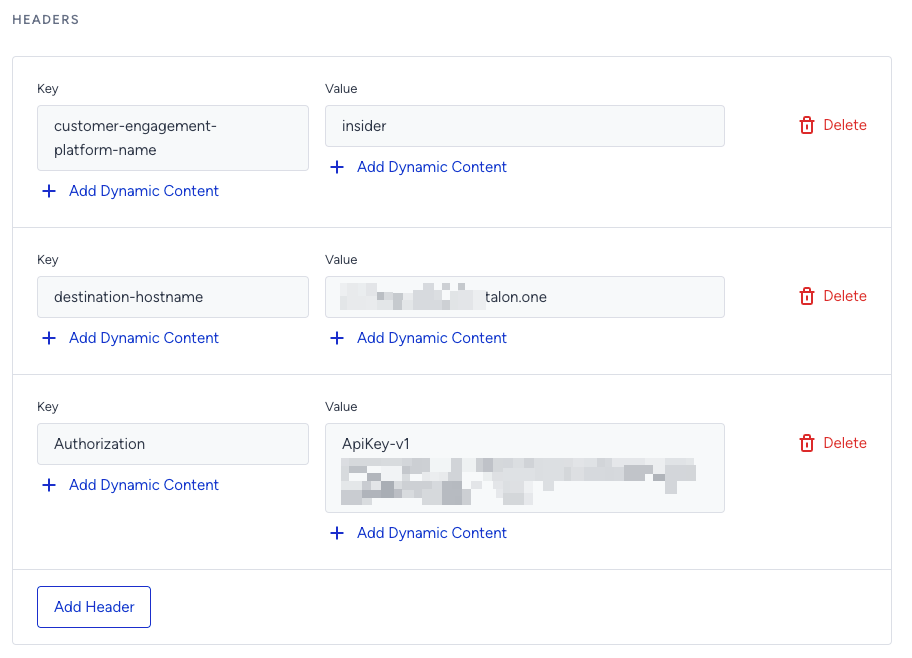
Field | Description |
|---|---|
| The name of the Customer Engagement Platform (CEP) integration configured in your Talon.One environment. |
| The base URL of your Talon.One deployment. |
| Your Talon.One Integration API key with third-party Customer Engagement Platform (CEP) permissions enabled. Pass the key in the |
After testing the integration, you should receive a response similar to the following:
{
  "ID": 20190408,
  "ApplicationID": 398,
  "CampaignID": 5671,
  "Value": "EW-1BC2",
  "StartDate": "2021-09-30T15:35:02.371569+02:00",
  "ExpiryDate": "2024-10-03T15:35:02.371569+02:00",
  "RecipientIntegrationID": "URN-GV8294NV",
  "UsageLimit": 1,
  "Attributes": {
    "email": "user@mailbox.com",
    "country": "DE"
  }
}
You can use the values returned in the response as dynamic content in Architect, or save them as custom attributes for use in other channels. The example below shows how to use the coupon code and expiry date.
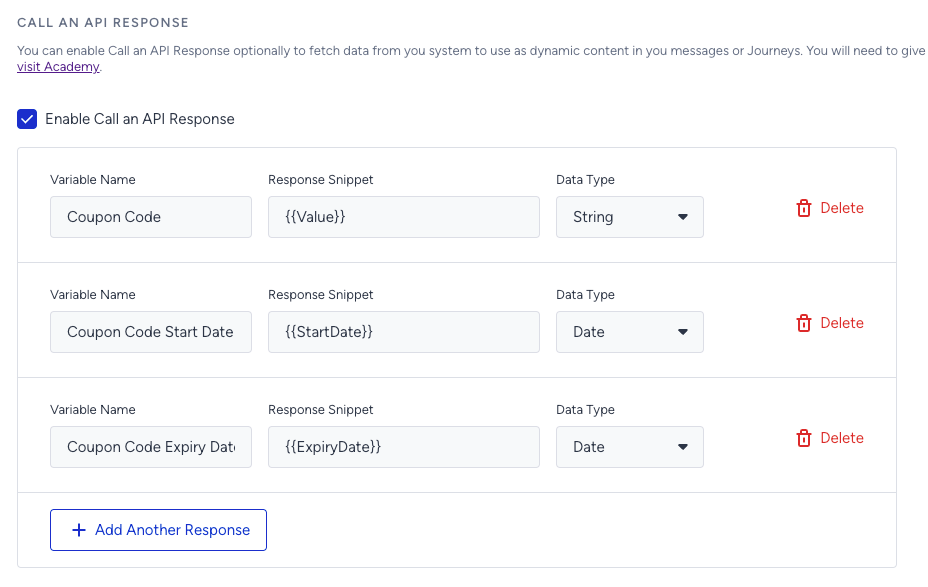
Variable Name
Response Snippet
Data Type
Coupon Code
{{Value}}String
Coupon Code Start Date
{{StartDate}}Date
Coupon Code Expiry Date
{{ExpiryDate}}Date
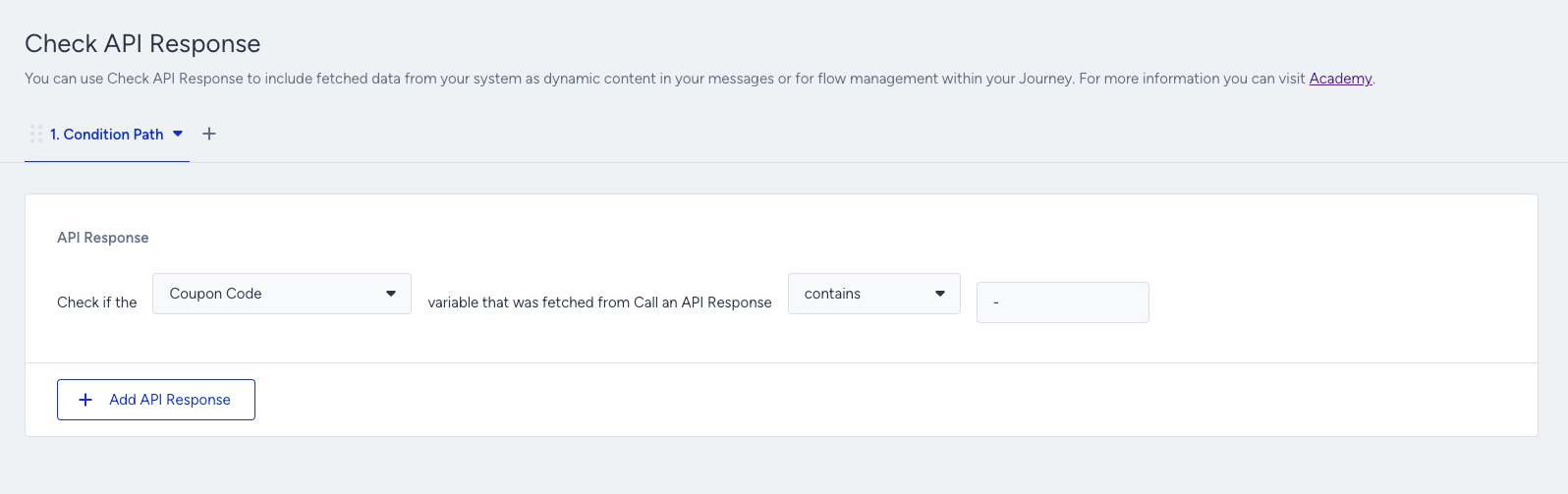
You can use the Check API Response node to filter users based on response values or verify whether a specific value exists before continuing the journey.
Use Coupon Codes in an Architect Channel
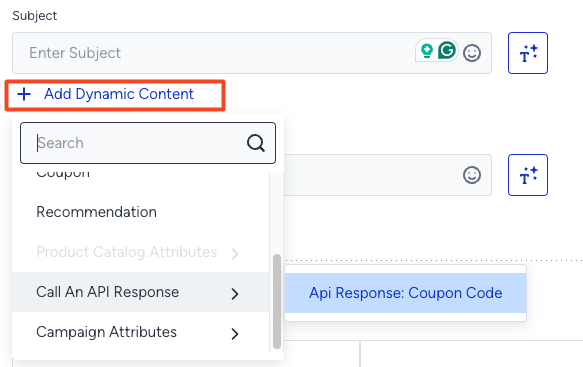
In any Architect channel, click + Add Dynamic Content, then insert the coupon code generated by Talon.One.
Save Coupon Codes as User Attributes
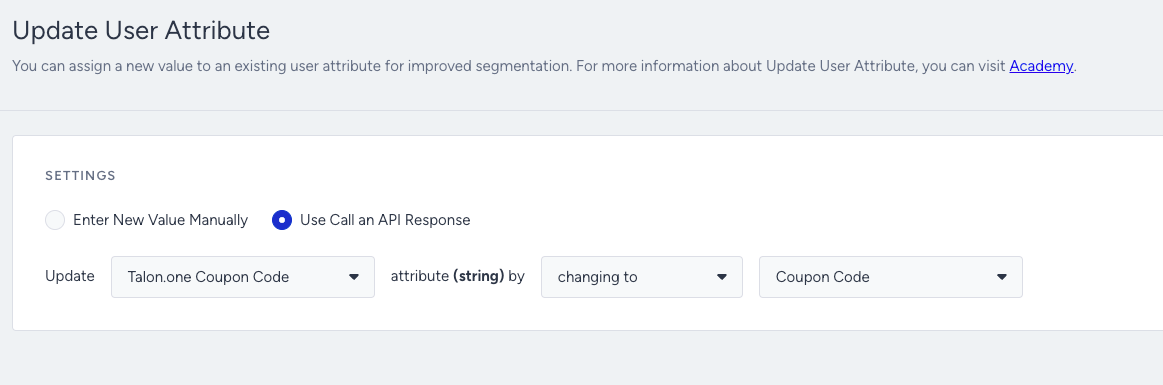
Use the Update User Attribute node to save the coupon code returned by the Call an API node as a user attribute.