Shopify Markets allows merchants to manage multiple regions, countries, currencies, and languages from a single Shopify store. Insider One’s Shopify integration supports Shopify Markets by automatically creating market-based locales in the catalog, enabling accurate personalization and product recommendations campaigns for each market.
With Shopify Markets support, Insider One ensures that:
Products are shown only where they are available.
Prices and currencies are market-accurate.
Product content is localized.
Recommendations and journeys reflect the user’s real storefront experience.
This feature is designed for Shopify merchants operating in multiple regions who want precise, localized personalization without managing multiple stores.
In this guide, you will learn about the following concepts:
What are the benefits of Shopify Market Support in Insider One?
What are the use cases of Shopify Markets Support in Insider One?
What is Shopify Markets?
Shopify Markets is Shopify’s framework for selling internationally from a single store. It allows merchants to define:
Markets (e.g., USA, Europe, International)
Countries within each market
Currencies and pricing rules
Languages and translations
Domains or subfolders per market
Each market represents a distinct storefront experience for shoppers.
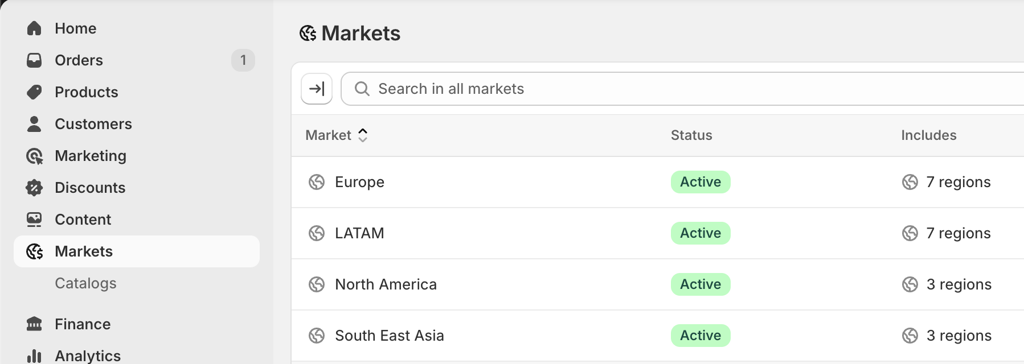
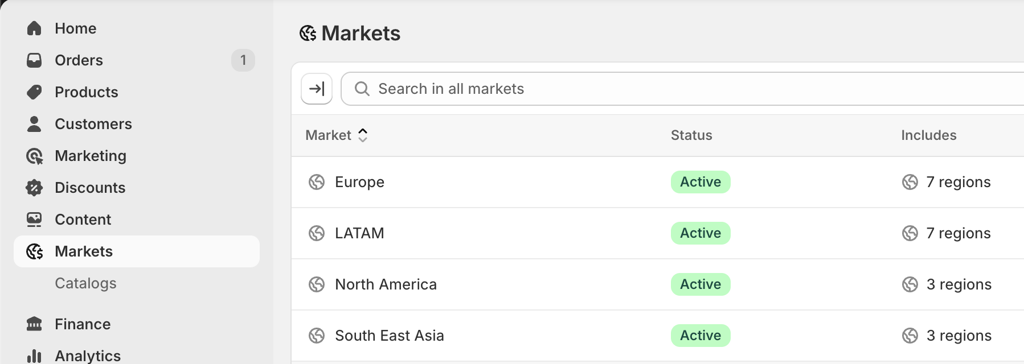
Insider One currently processes and syncs only active Shopify Markets of type REGION.
How does Insider One support Shopify Markets?
Shopify Markets Compatibility in Insider One
When Shopify Markets compatibility is enabled:
Insider One automatically fetches market configurations from Shopify.
Separate locales are created in the product catalog’s settings per market and language.
Each locale contains products with localized product titles, descriptions, metafields, prices, currency, availabilities, stocks, and product URLs.
This prevents out-of-market products from being promoted in recommendations, and irrelevant currencies are displayed to users.
Benefits for you
Here are the main benefits for you of using Shopify Markets from this feature:
No more manual multi‑market integration work
The product catalog (prices, currencies, languages, stock, metafields) is synced automatically for each market.
Removes the need for merchants to maintain separate feeds/ custom API scripts/ Liquid edits for each market.
Single InOne panel for all markets
Merchants can manage all markets from a single InOne: one place for scenarios, segments, journeys, and analytics.
Market → locale mapping (e.g., en_US:34421455234) lets all Insider One products understand which market each user/product/event belongs to.
Localized experiences
Smart Recommender and other products can automatically support multiple languages and currencies per market.
Localized product details, prices, taxes, and stock appear in campaigns based on the user’s locale.
Accurate stock & product availability per market
Stock is mapped based on Shopify’s Markets and warehouse setup.
Product availability is tracked per market, avoiding wrong product recommendations.
Product Catalog Structure in Insider One
Market-Locale Model
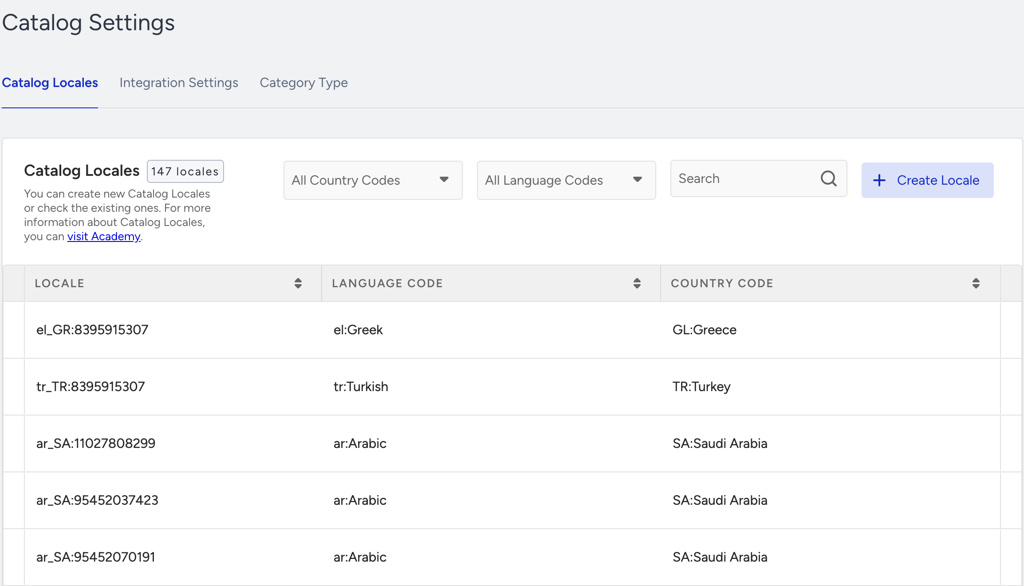
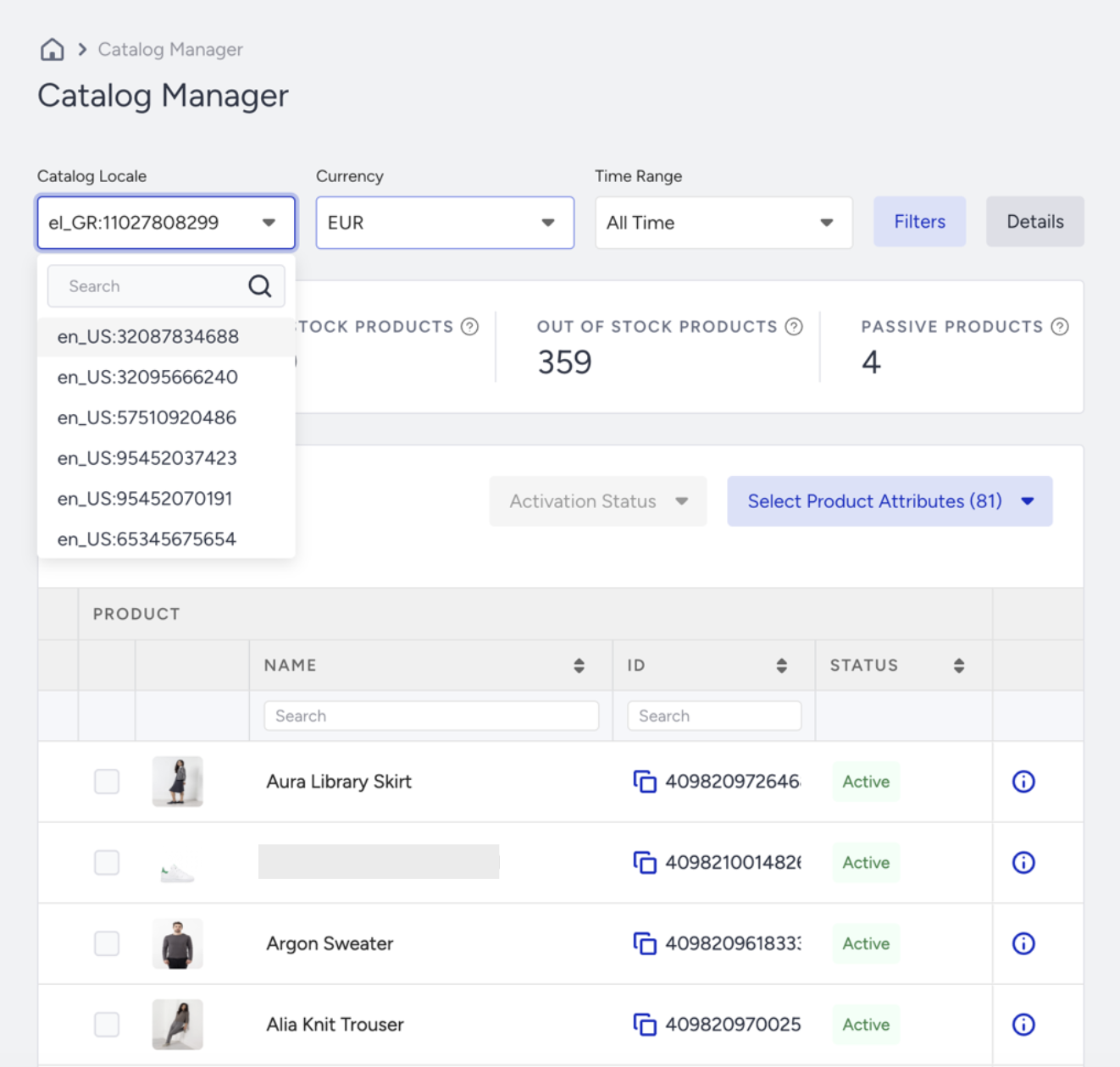
Insider One creates separate catalog locales for each Market × Language combination.
Locale format: {language_code}:{MarketID}
Examples:
en_US:34421455234tr_TR:76334565658
Tip: See market names instead of IDs.
By default, locales appear with numeric Shopify Market IDs (e.g., en_US:34421455234). To display the actual market name instead (e.g., en_US:International), install the Insider Tool Extension Setup on Google Chrome. Once installed, the extension automatically replaces market IDs with their corresponding market names across all Insider One pages, making it easier to identify and work with your locales.
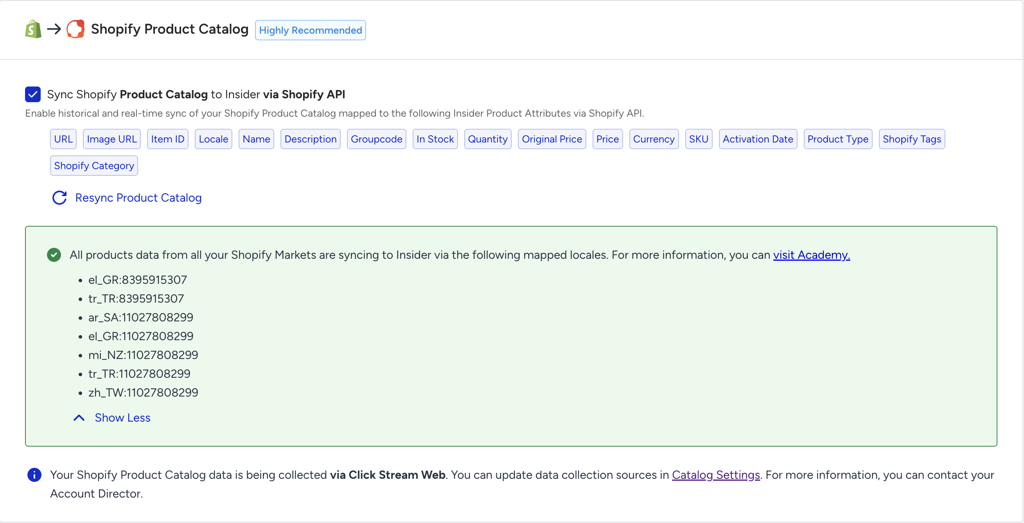
Each locale is automatically created during the catalog sync and represents the market's product feed.
Locale Behavior & Rules
Locales are never merged or reused.
Each market and each language always creates its own locale.
Locales cannot be edited or deleted.
If a market or language is unpublished, drafted, or removed in Shopify:
The corresponding locale remains in Insider One.
Products remain unchanged from the last sync.
Locales are limited to 300. If the catalog reaches the 300 locale limit, no new locales are created.
Outdated locales can be removed by Insider One Support on request.
Languages & Translations
Insider One syncs only translations coming directly from Shopify.
Translations are synced during the daily catalog sync.
If a translation is missing for a locale, Insider One falls back to the default locale content.
Product translations include:
Title
Description
SEO fields
Metafield translations include:
Custom attributes (e.g., material, care instructions, technical specs)
Shopify Adapt translations are not supported for syncing into Insider One catalogs.
Pricing & Currency Handling
All prices are synced exactly as provided by Shopify.
Pricing is defined at the market level.
All countries using the same currency within a market share the same prices.
Pricing is grouped by market currency, not by country.
Exchange Rates
Exchange rates are managed in Shopify
Insider One syncs already-converted prices
Insider One updates exchange rates once per day
Temporary differences between the Shopify storefront and Insider One may occur until the next daily sync due to real-time exchange rate adjustments in Shopify, but only the daily update in Insider One.
Stock & Availability
Stock is tracked per market.
Inventory is aggregated at the market level from all associated providers and fulfillment locations. The total market stock is calculated by summing inventory from all fulfillment locations that supply countries within the market.
Product Status Handling
Out-of-stock products → marked Passive via live sync.
Products excluded from a market → marked Passive after daily sync or manual resync.
Set up and activate Shopify Markets
Before setting up the Shopify Markets with Insider One, you should complete the prerequisites below.
Prerequisites Checklist
Shopify Markets support is enabled by default for compatible integrations.
Before using Shopify Markets with Insider One:
Shopify store with:
Active REGION-type markets
Published languages
Total Markets × Languages ≤ 250 (Insider One reserves a buffer to stay within the 300-locale limit)
Insider One plan includes:
Product Catalog
Smart Recommender
Shopify integration is active in InOne.
Markets’ permissions are granted to Insider One App in Shopify.
If the feature is not enabled, open a support ticket for your compatible evaluation.
Data Synchronization & Update Mechanics
Initial Historical Sync
Runs when the Shopify integration is successfully completed and activated
Fetches:
Markets information for locales creation.
Full product catalog per market-locale with localization, prices, and availability per market.
Live Sync Updates (Near Real-Time)
Stock availability (quantity)
Products added to or removed from markets
Prices (6-hour cooldown applies after)
Product collections
New markets creation
Triggers:
Product updates in Shopify
Market setting changes
Market/domain configuration changes
Fulfillment location changes
Stock updates
Daily Sync Updates
Product details
Product translations
Metafield translations
Product URLs
Prices
Manual Resync of Product Catalog
If product catalog sync is needed immediately, it can be manually triggered from the Shopify Integration settings. Please do not trigger it unless absolutely necessary to reduce load.
Only when immediate catalog changes are required.
You cannot wait for the next daily sync.
Market or pricing updates were made during cooldown.
How does the Market Shopify change affect Insider One?
Market drafted: Locale and products remain active in Insider One.
Market or language deleted: Locale and products remain unchanged.
Parent Market & Submarket Behavior
Submarkets have higher priority than parent markets.
Countries covered by submarkets are excluded from the parent market sync.
If all countries are overridden, the parent market is not synced.
Currency & Price Behavior
Shopify storefront prioritizes submarket rules.
Parent and submarket locales remain separate with their own pricing.
Product URLs
URLs are updated during the daily catalog sync or can be synced manually. If a market domain is removed, URLs fall back to the store's default domain after the next sync.
Limitations & Constraints
Only REGION-type markets are processed.
B2B market types are not currently supported.
Maximum 300 catalog locales (keep Markets × Languages under 250 locales).
Locales cannot be deleted or edited from the catalog.
Markets feature is not supported for Hydrogen and Custom Storefront stores.
Avoid frequent price changes within short periods.
Monitor passive products after market exclusions.
Use Cases
Market-personalized segmentation: While creating user segments, use locale attributes (e.g., en_US:34421455234) to ensure campaigns target users with the correct catalog.
Journeys & Email Recommendation campaigns: Market-specific journeys, email recommendations, and localization campaigns are great ways to improve personalization and make sure end users get content in their language, currency, and with actual stock availability in their location.