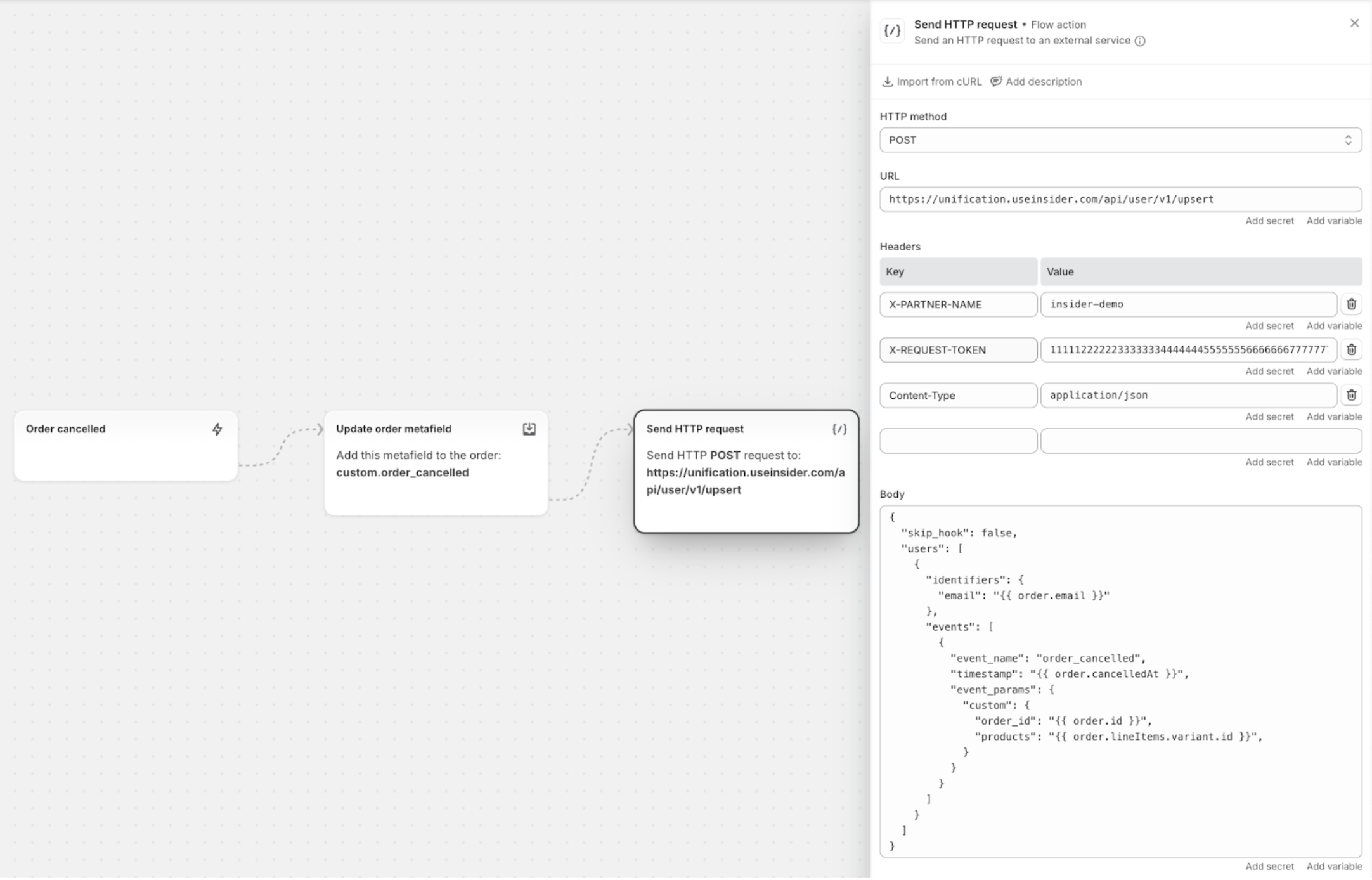
Insider One’s Shopify integration doesn’t currently include native support for metafields in order events. However, if you’d like to pass additional order information, such as recipient details, order status, or delivery instructions, through the events you send to Insider One, you can do this using Shopify Flow.
With Shopify Flow, you can easily capture metafields and forward them to Insider One using a custom HTTP request.
This guide explains how to set up the workflow step-by-step.
Prerequisites
Before creating your Shopify Flow workflow, check that you’ve completed the prerequisites below:
Admin permissions in:
Shopify (to add apps and create flows)
Insider One’s InOne panel (to generate API keys)
A custom event defined in InOne: Before sending a custom event with parameters from Shopify Flow, you first need to create that event and its parameters in InOne. This ensures Insider One knows how to receive and store the data.
To create a custom event,
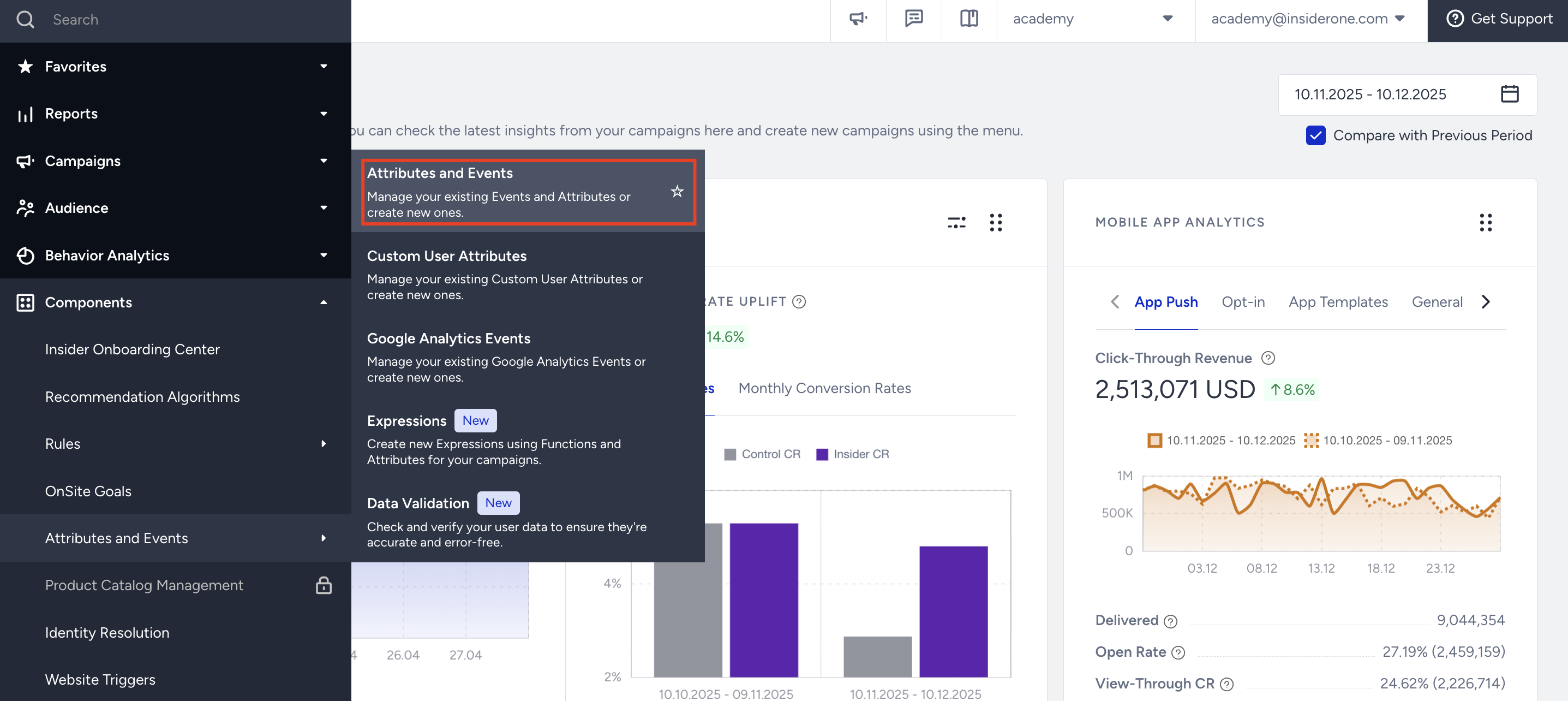
Navigate to InOne > Components > Attributes and Events.
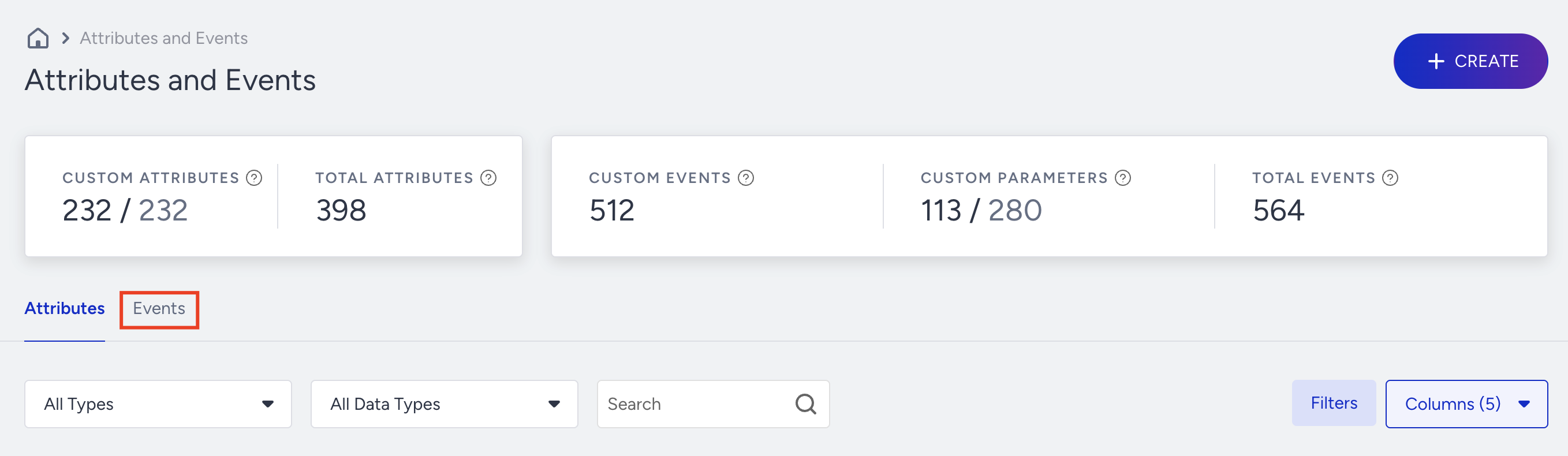
Go to the Events tab and click the +Create button.
Enter an Event System Name and Event Display Name (for example:
recipient_name).Add Custom Parameters and choose the needed data type (for example:
event_source/string,recipient_name/string).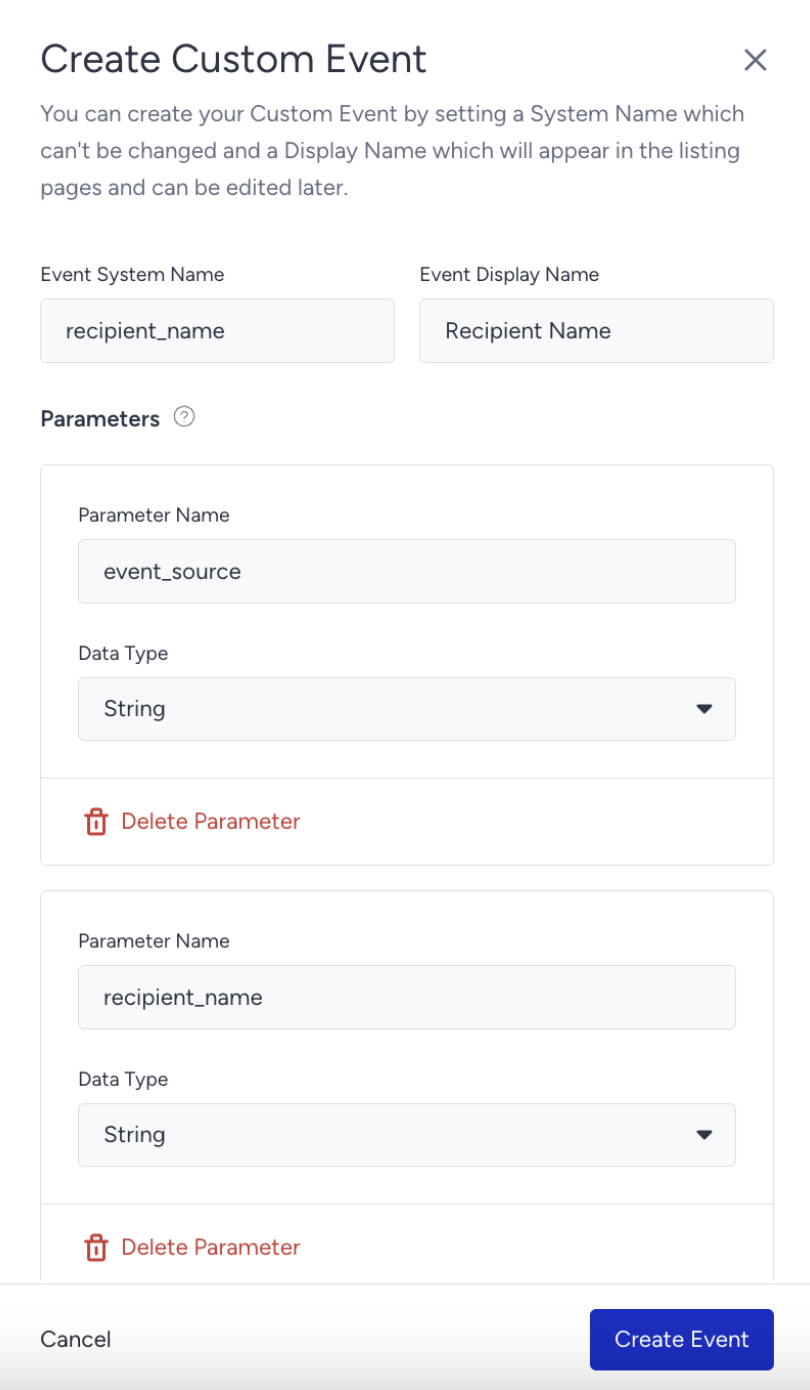
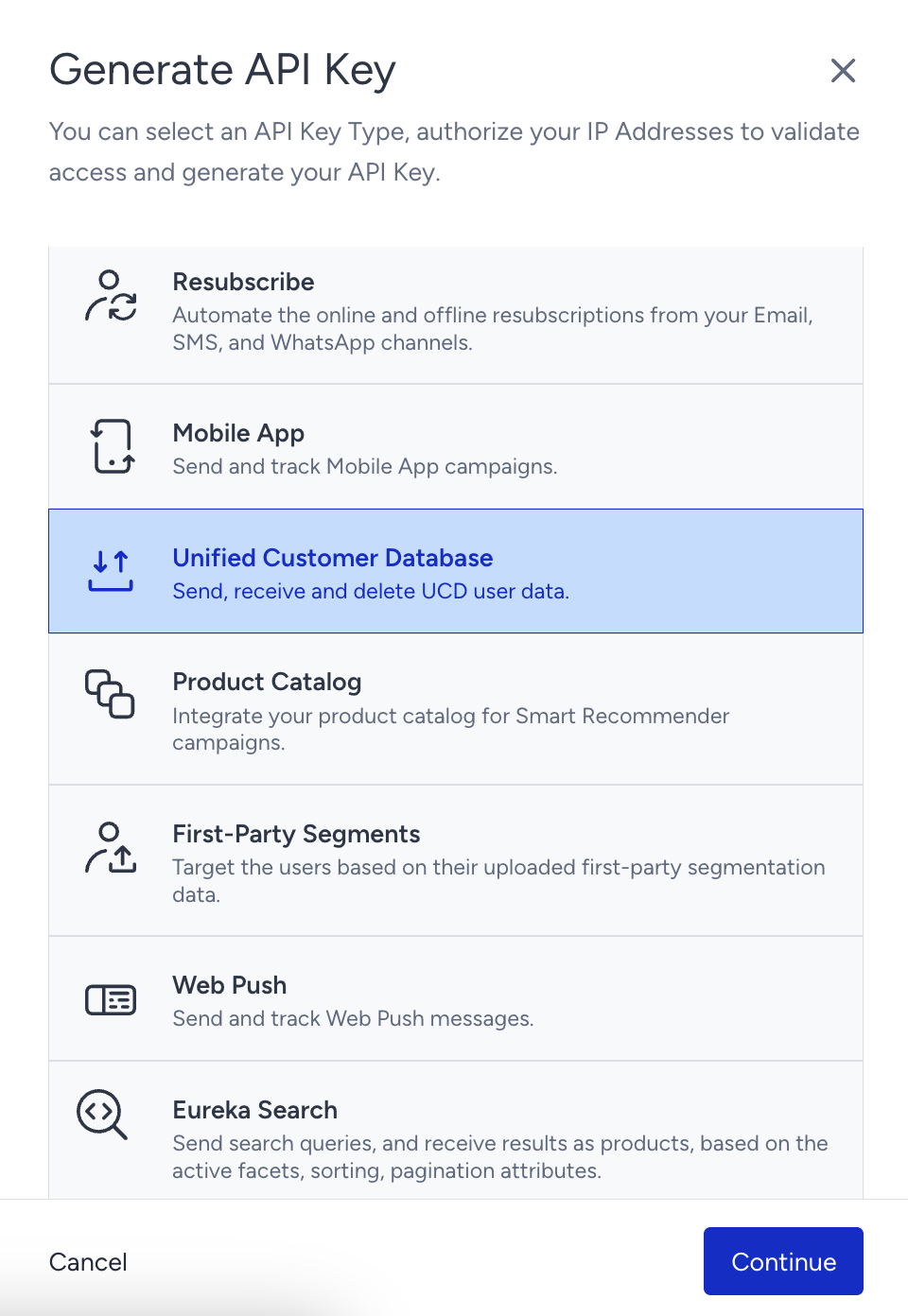
To generate an API key for UCD, navigate to your username > InOne Settings > Integration Settings > API Keys > Generate API Key (Unified Customer Database). Click Continue.

Step 1: Create Order Metafield in Shopify
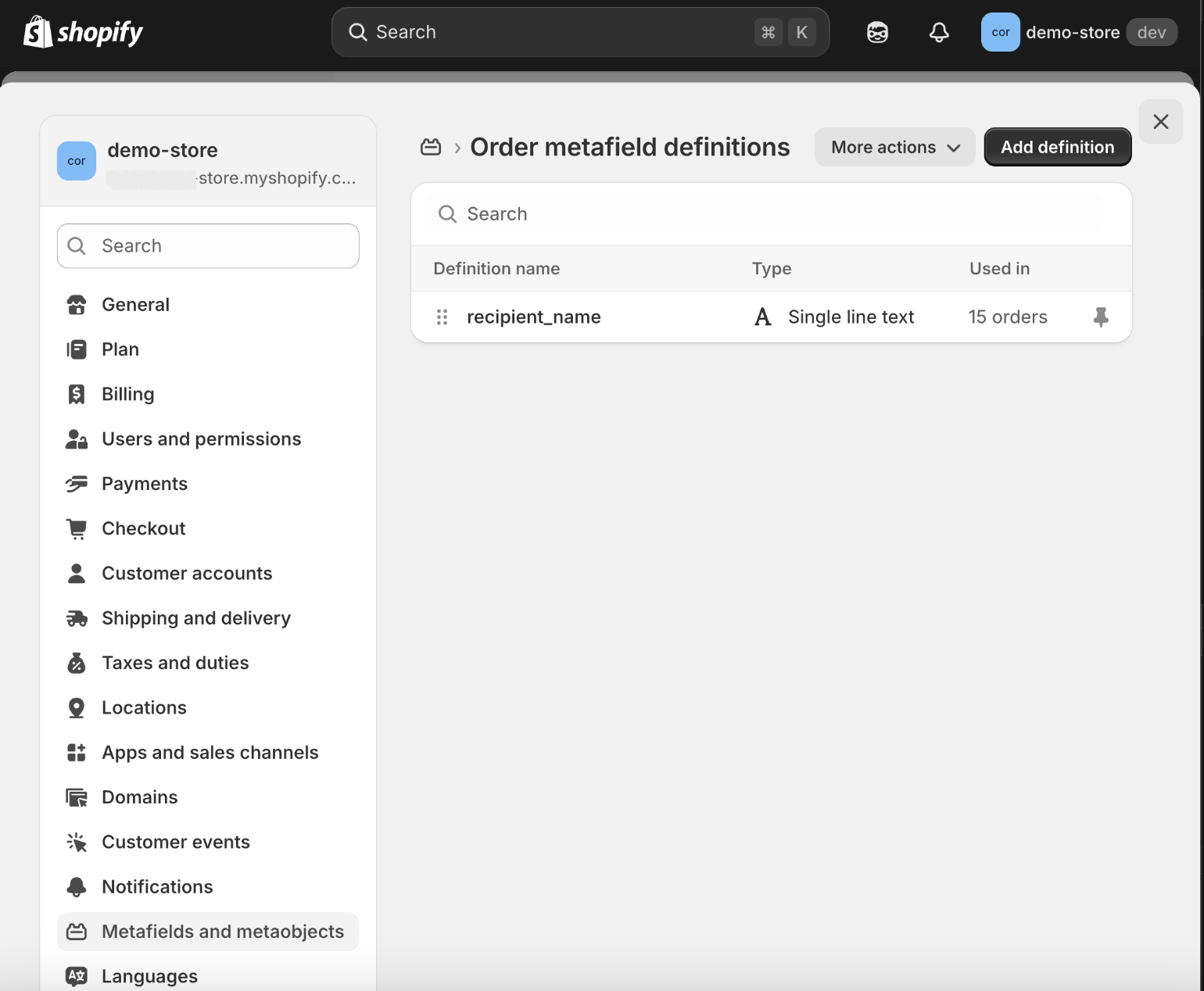
In Shopify admin, go to Settings > Metafields and Metaobjects > Orders.
Click Add definition.
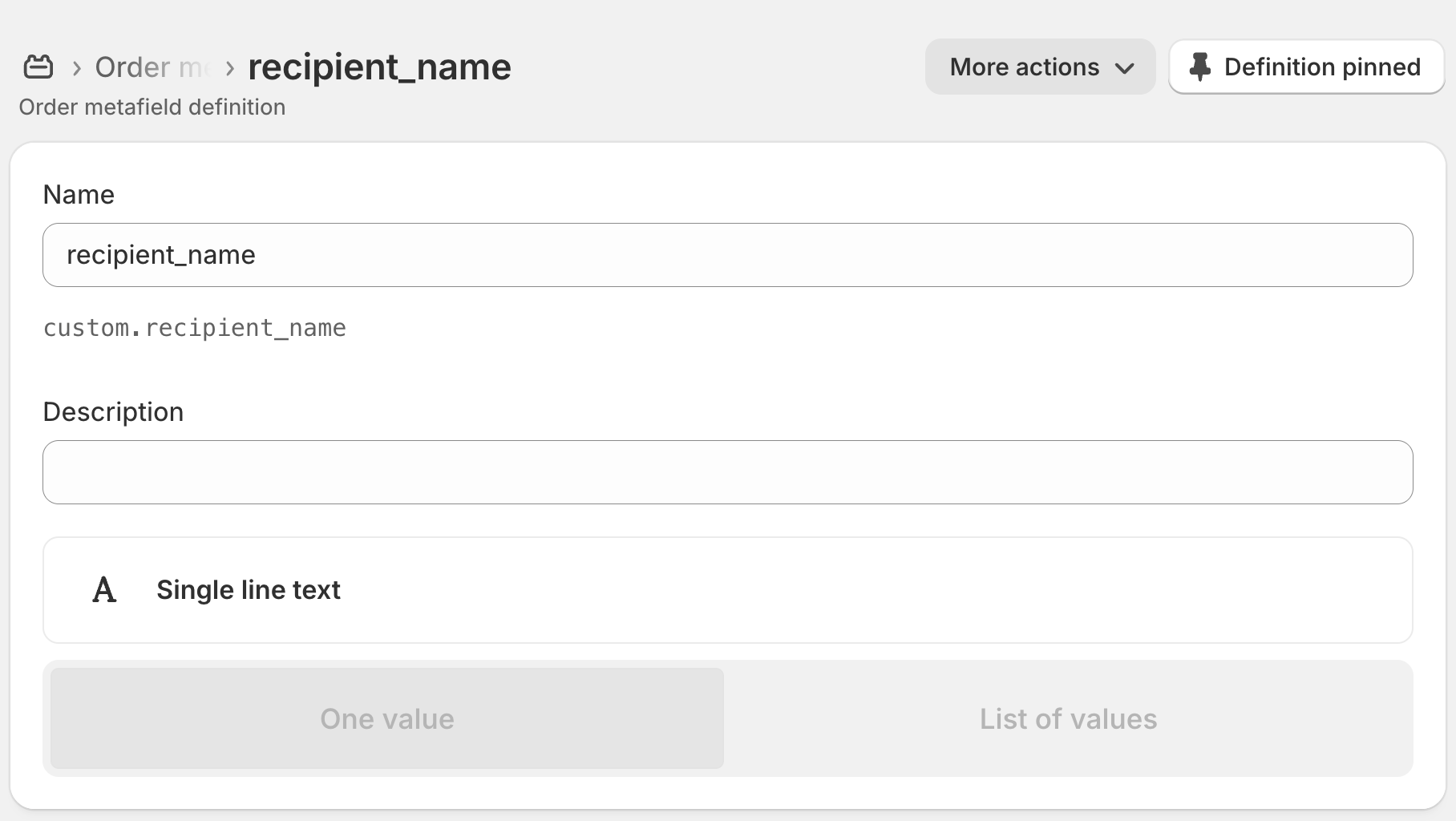
Enter a Name and Definition (for example:
recipient_name).Save the metafield.
Step 2: Install the Flow App in Shopify
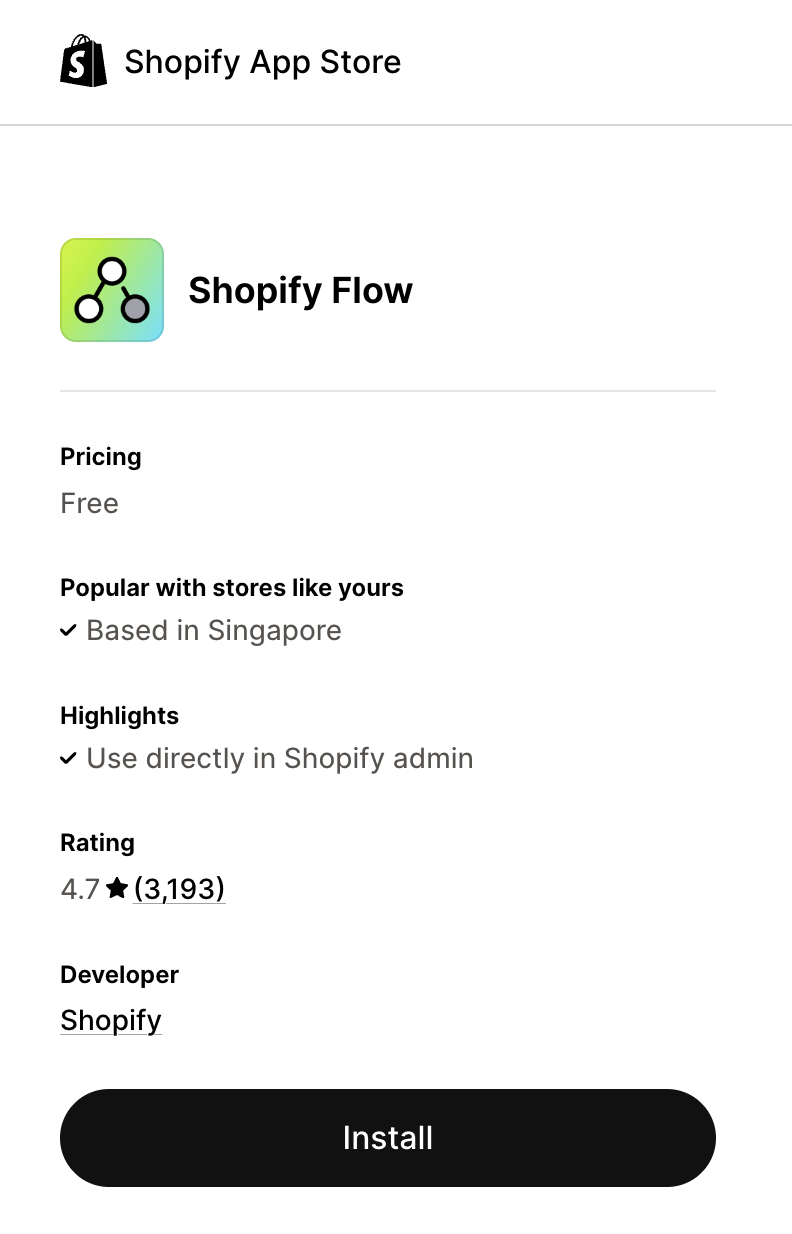
From the Shopify Admin sidebar, go to Apps.
Search for Flow.
Click Add app and complete the installation.
Step 3: Create a Workflow in Flow
Open the Flow app.
Click Create Workflow.
Click Select a trigger.
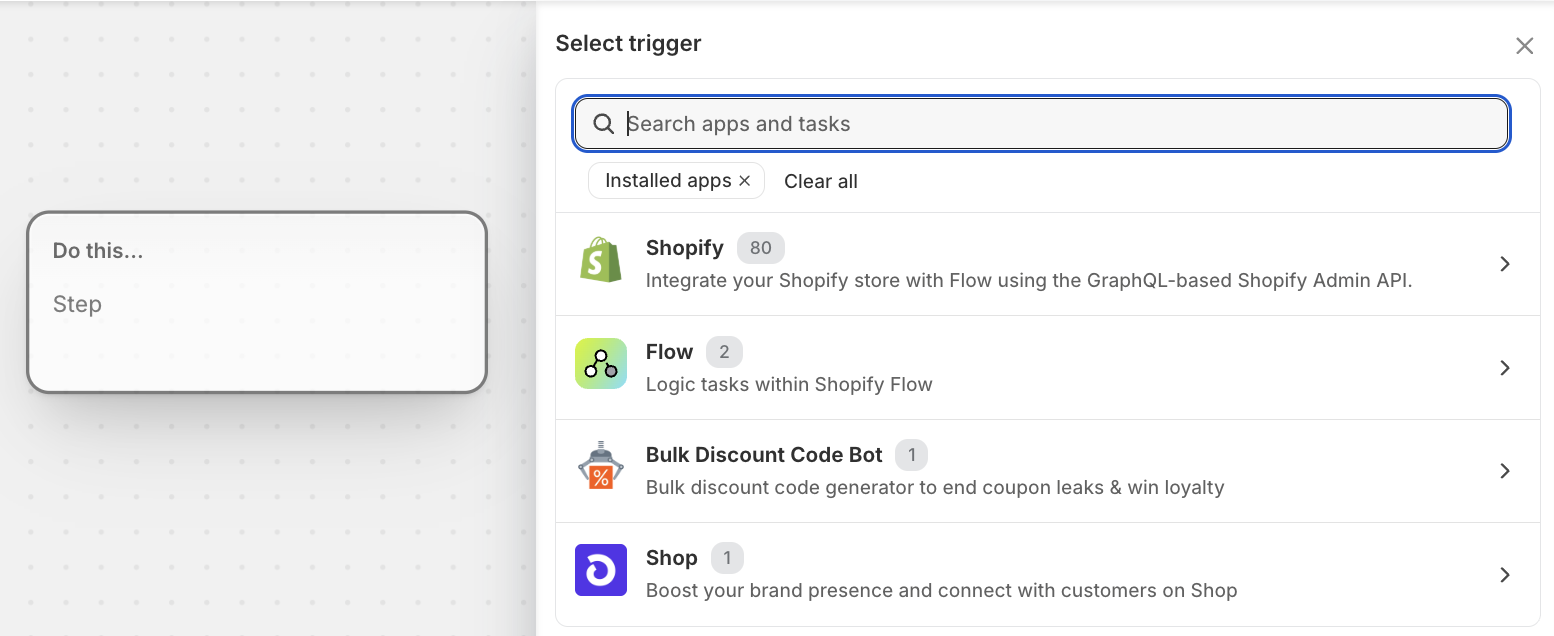
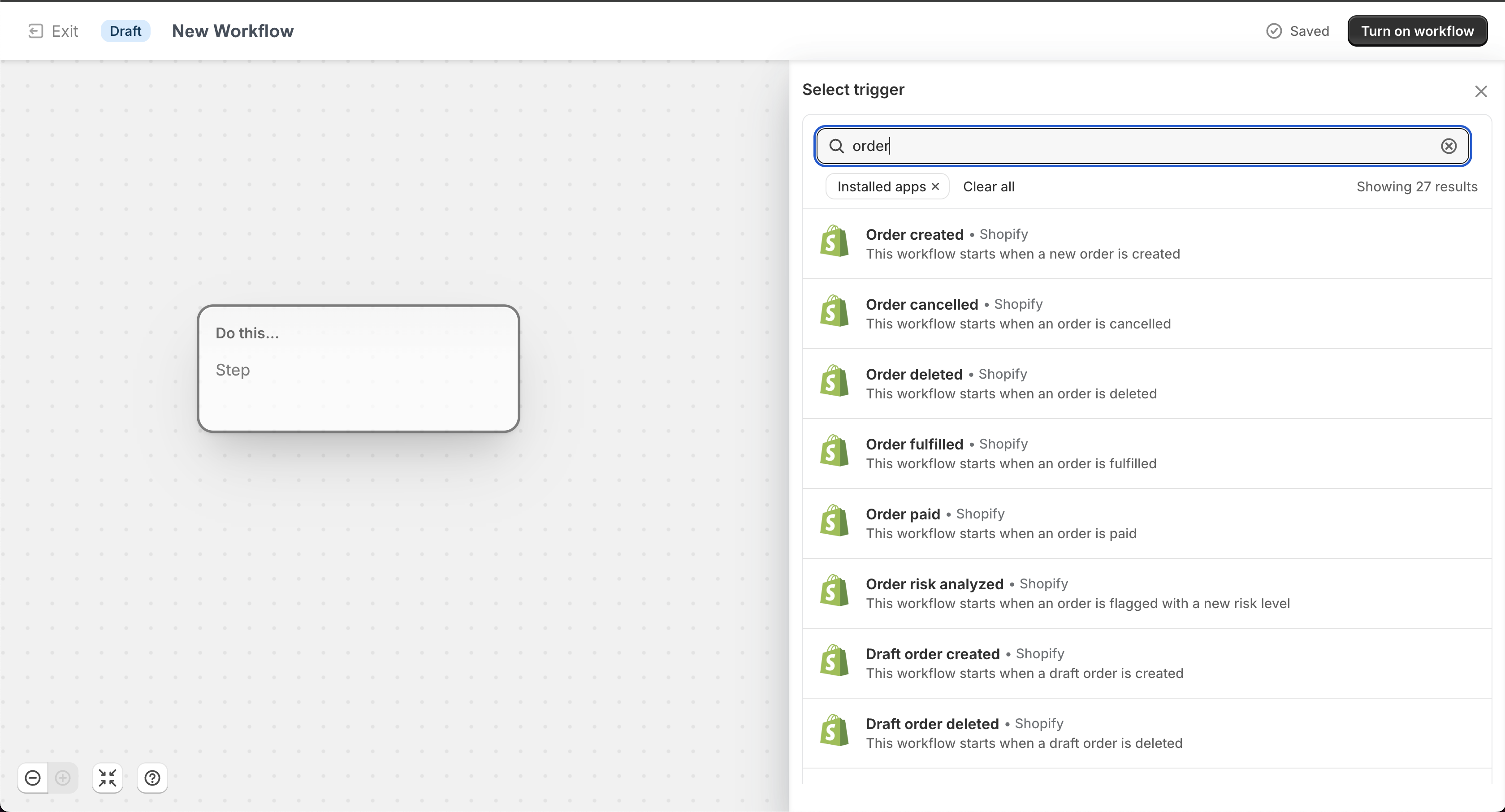
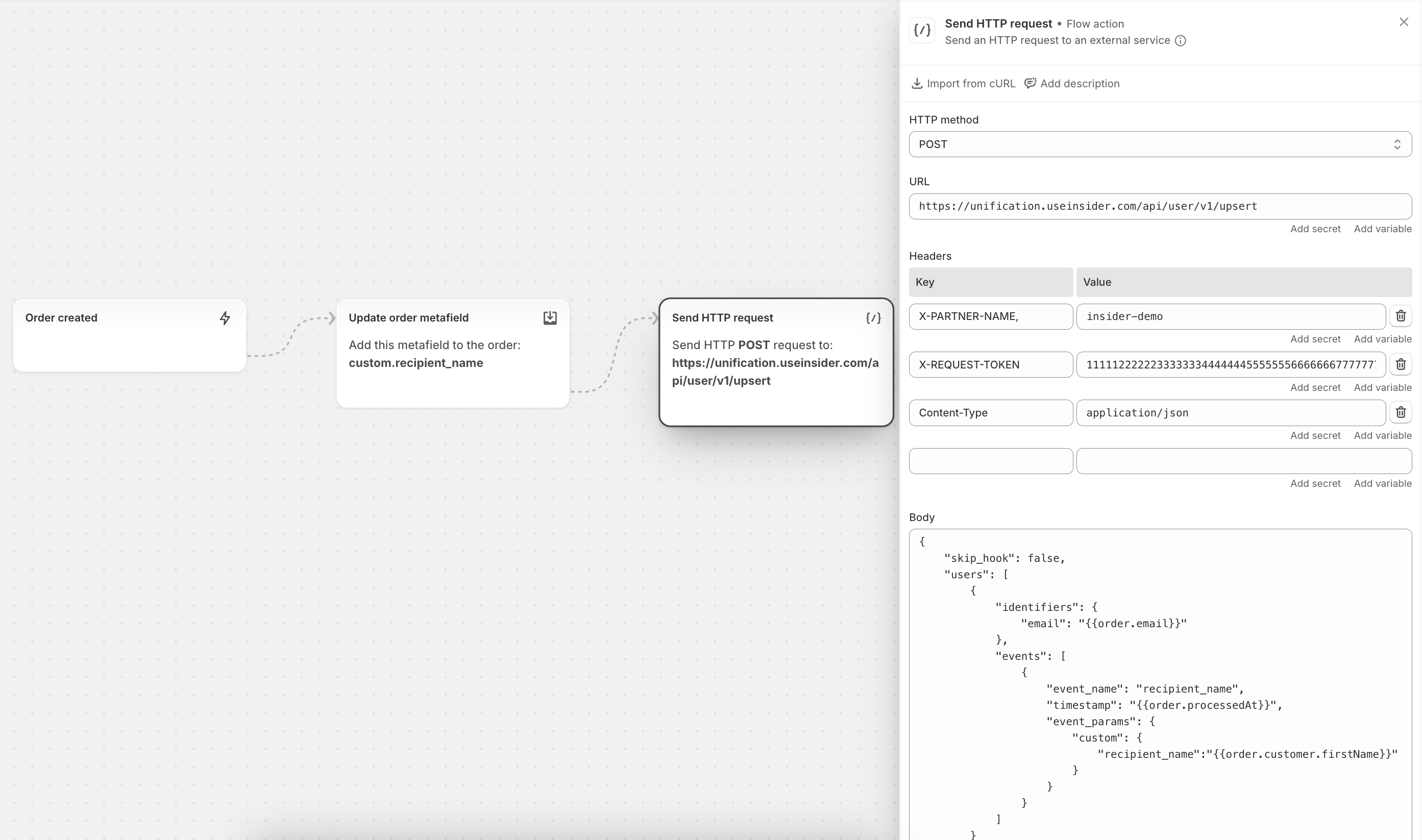
Step 4: Add Trigger – Order Created
In the Flow canvas, search for Order Created.
Add it as the starting block.
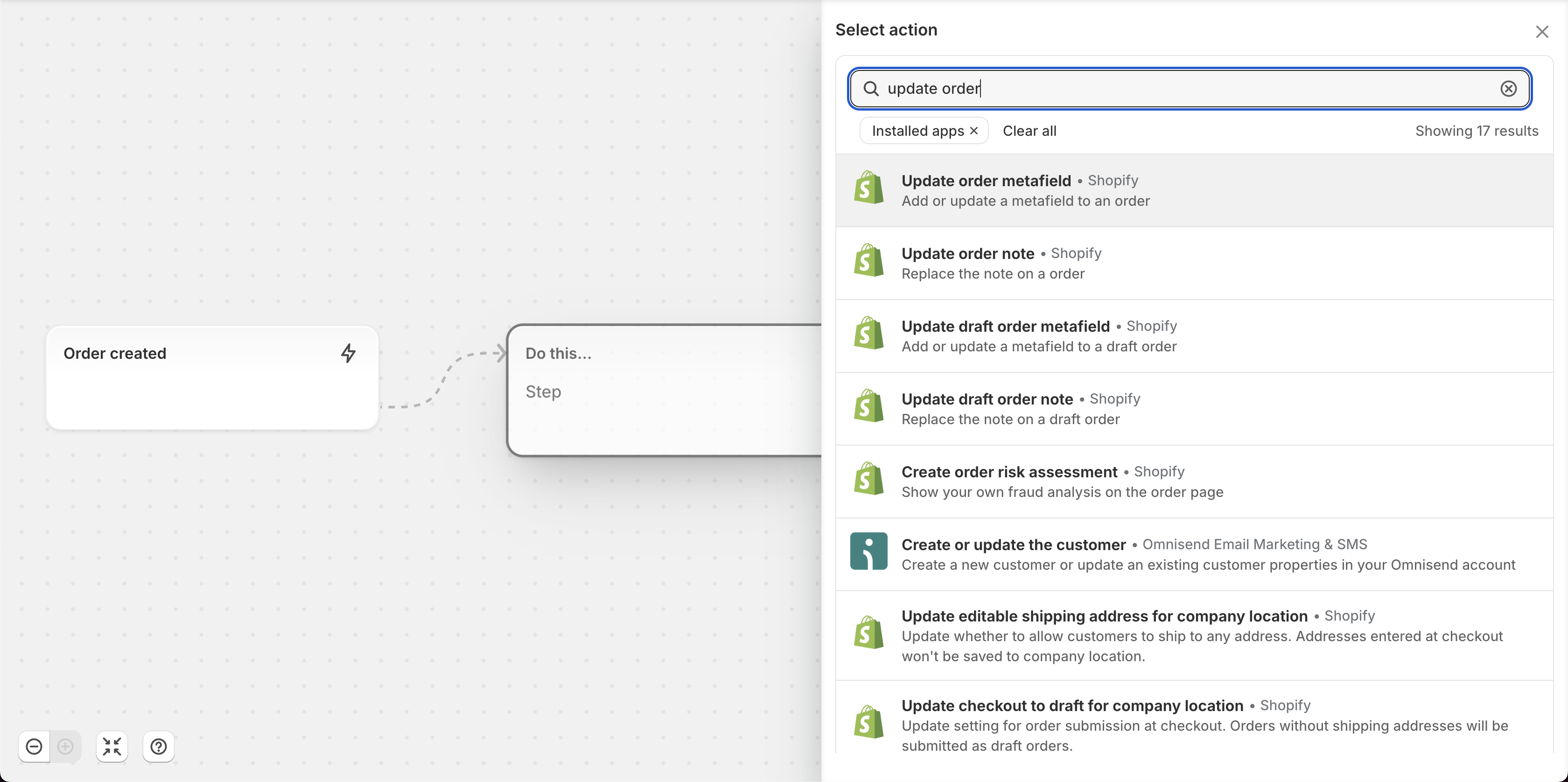
Step 5: Update Order Metafield
Click the + (plus) next to the Order Created block.
Click Add an Action and search for the Update Order Metafield action. Select it from the list.
Select the metafield you created earlier (
recipient_name).Specify its value using a dynamic attribute (for example:
{{ order.customer.firstName }})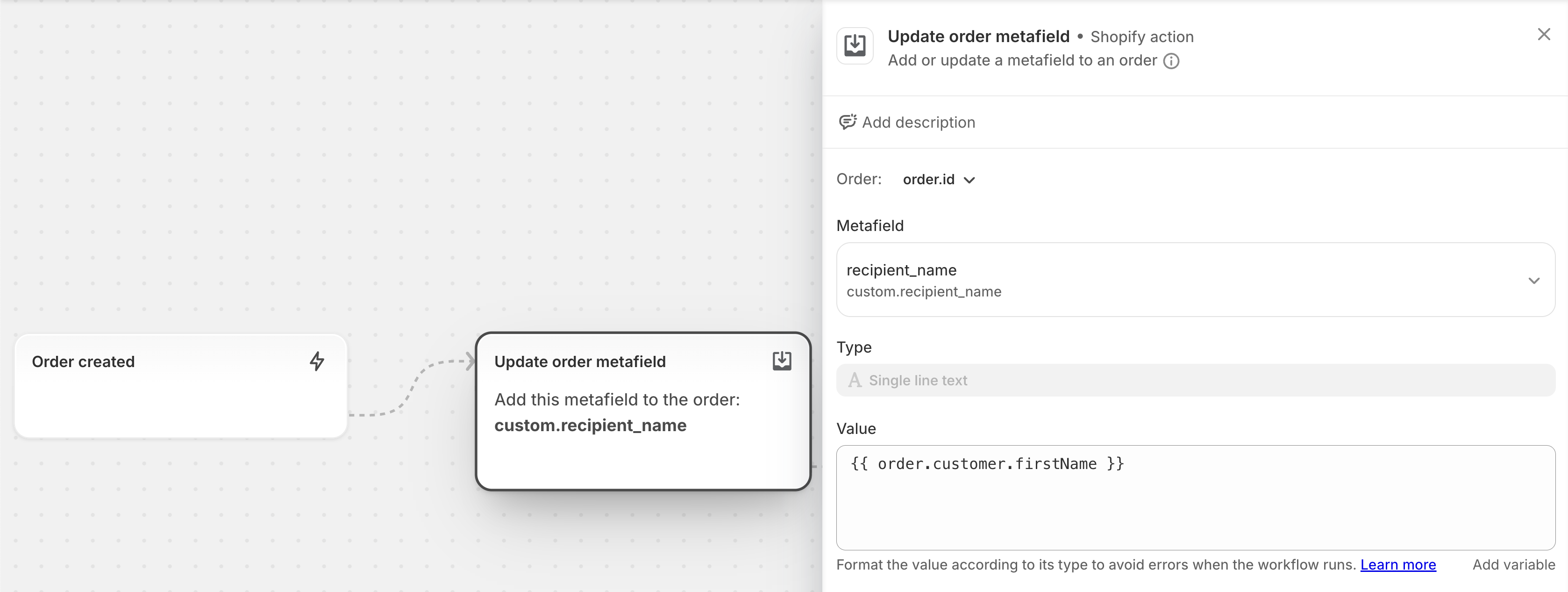
Step 6: Send HTTP Request to Insider One’s InOne
Click the + (plus) next to the Update Order Metafield block.
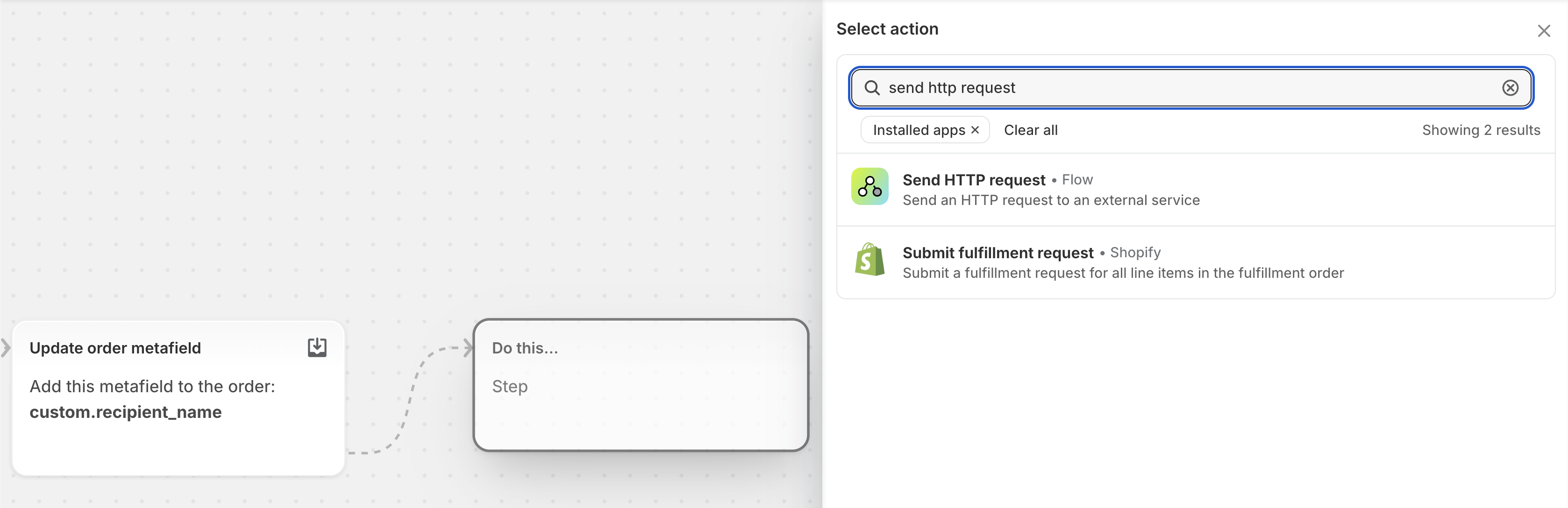
Click Add an Action and search for Send HTTP Request. Select it from the list.
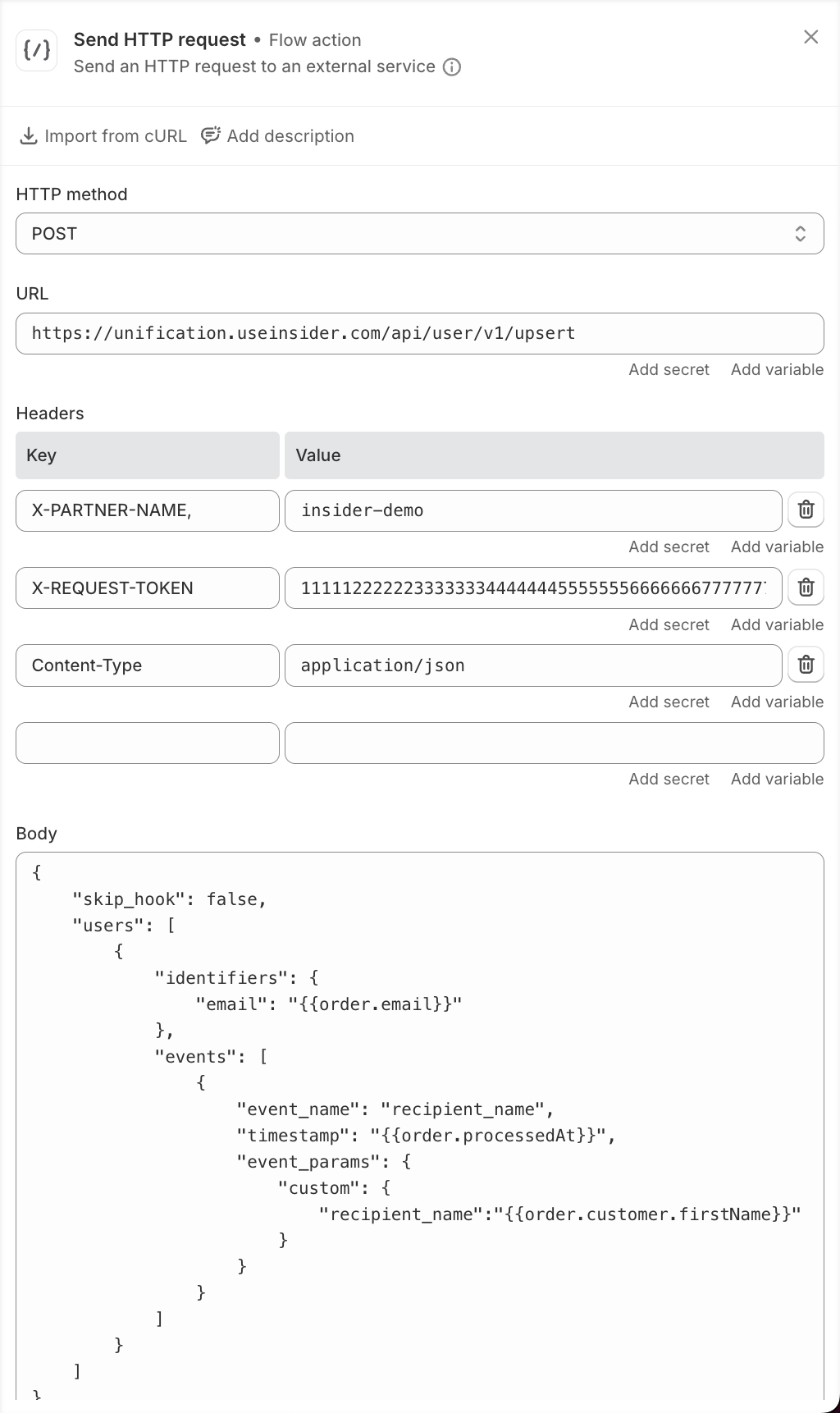
Configure the request as follows:
HTTP Method:
POSTURL:
https://unification.useinsider.com/api/user/v1/upsertHeaders:
X-PARTNER-NAME: Your InOne panel name (for example:insider-demo)X-REQUEST-TOKEN: Your Insider One API Key for UCDGenerate your API token from InOne panel > InOne Settings > Integration Settings > API Keys > Generate API Key > Unified Customer Database
Content-Type:application/json
Body (example):
{

    "skip_hook": false,

    "users": [

        {

            "identifiers": {

                "email": "{{order.email}}"

            },

            "events": [

                {

                    "event_name": "recipient_name",

                    "timestamp": "{{order.processedAt}}",

                    "event_params": {

                        "custom": {

                            "recipient_name":"{{order.customer.firstName}}"

                        }

                    }

                }

            ]

        }

    ]

}
Step 7: Activate the Workflow
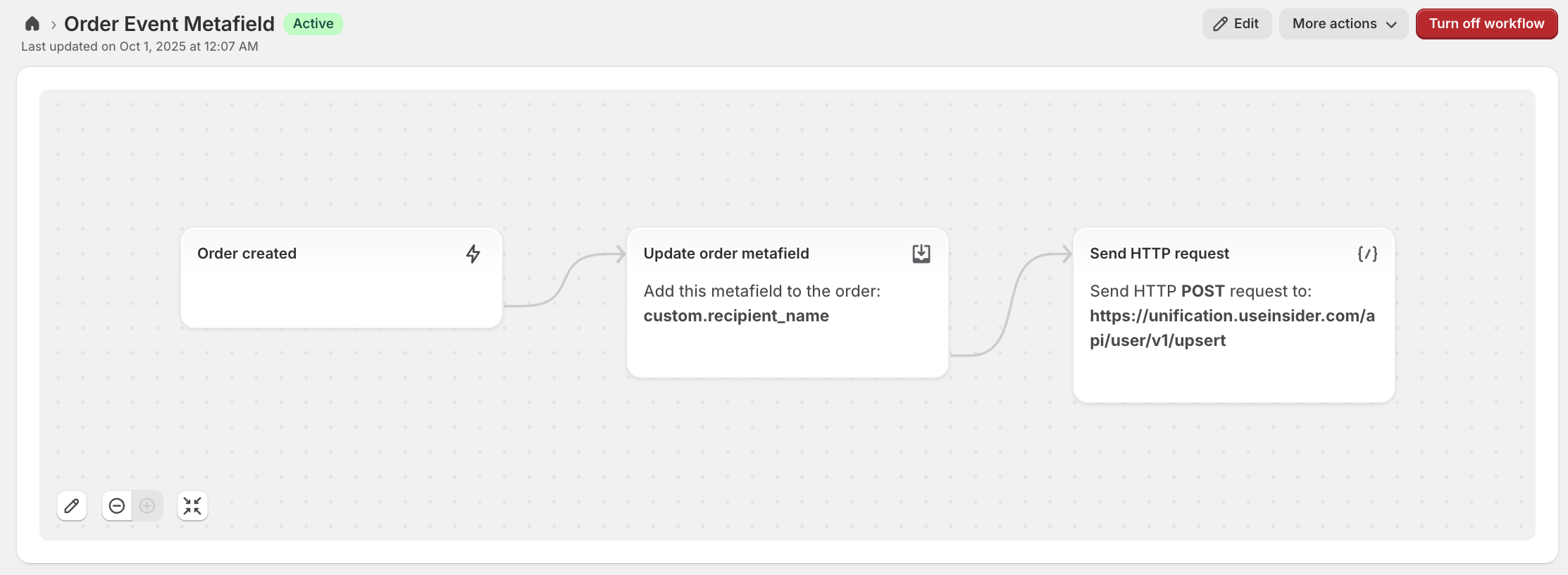
Once everything is configured, click Turn On Flow.
From now on, whenever an order is created, Shopify Flow will:
Capture the metafield value (e.g., recipient’s name).
Send it as a custom event to Insider One’s UCD.
Important Notes:
You must have admin rights in both Shopify and Insider One to complete this setup.
Make sure the metafield name in Shopify matches the one you reference in Shopify Flow.
Each order event in Insider One will now include the
recipient_nameparameter as part of the event payload.
Common Use Cases
Here are some common use cases for Shopify users who want to utilize this Shopify Flow + Insider One workaround with order metafields:
Personalized Recipient Information
Use case: Merchants selling gifts or sending packages on behalf of customers.
Metafield example:
recipient_name,gift_message.Benefit: Enables sending personalized follow-up emails or SMS to the buyer that include the recipient's details, making communications more relevant and effective.
Delivery & Shipping Instructions
Use case: Orders that require custom delivery instructions (for example, "Leave at the front door" or "Deliver between 6–8 pm").
Metafield example:
delivery_note.Benefit: Merchants can sync delivery notes into Insider One events to personalize customer communication around shipping updates or troubleshooting delivery issues.
Loyalty & Membership Tier Tracking
Use case: Merchants running loyalty programs or memberships.
Metafield example:
loyalty_level,membership_id.Benefit: Insider One can trigger campaigns based on loyalty level (for example, “Gold member perks unlocked”) or personalize promotions based on customer tier.
Gift Wrapping & Customization Options
Use case: Customers who add gift wrap, custom packaging, or engraving during the checkout process.
Metafield example:
gift_wrap,engraving_text.Benefit: These details can be sent to Insider One to trigger thank-you campaigns or upsell/cross-sell similar add-ons.
Special Event or Occasion Tracking
Use case: Merchants selling products for birthdays, weddings, anniversaries, or corporate events.
Metafield example:
occasion_type,event_date.Benefit: Insider One can use these attributes to send event-driven reminders or future re-engagement campaigns (for example, “Happy Anniversary – here’s 20% off for your celebration”).
Customer Type or B2B Orders
Use case: Stores serving both retail and wholesale customers.
Metafield example:
customer_type(for example, retail, wholesale, distributor).Benefit: Merchants can segment B2C vs. B2B orders in Insider One and deliver targeted communication or pricing updates.
Order Source or Sales Channel Tracking
Use case: Orders created from different campaigns, marketplaces, or affiliates.
Metafield example:
campaign_id,sales_channel.Benefit: Merchants can accurately attribute sales in Insider One, analyze campaign effectiveness, and retarget based on the source.
Order Status Change Tracking
Here are the order status changes that can be used for this purpose:
Use case: Merchants who want to track and respond to order lifecycle changes, such as payment, fulfillment, or delivery updates.
Event examples:
order_paid,order_cancelled,order_fulfilled,order_delivered.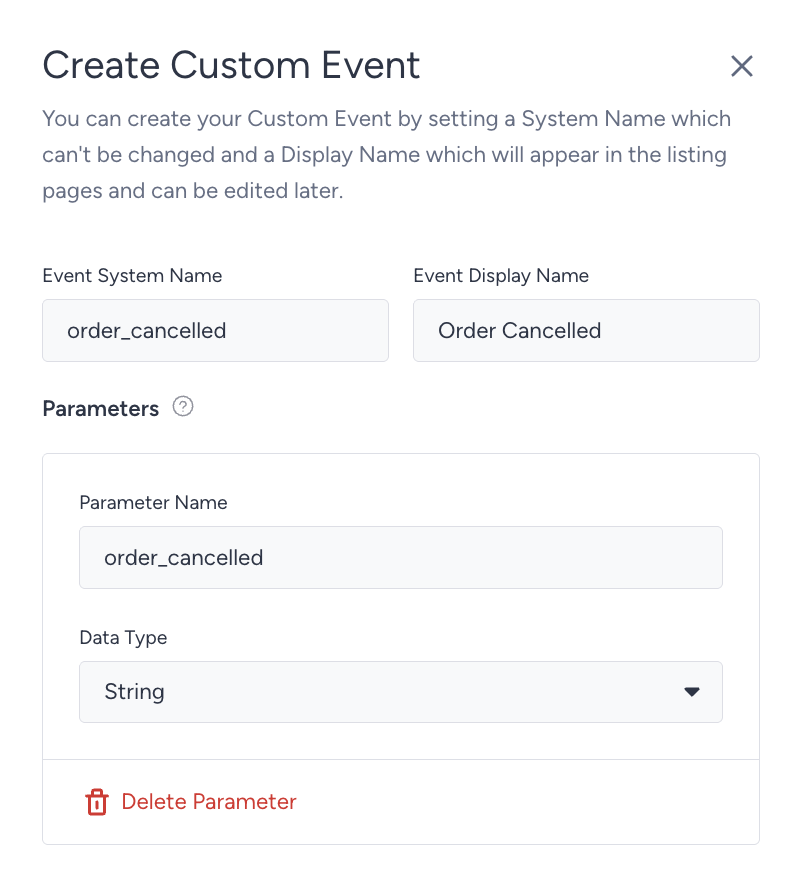
Parameters:
orderID,products,status,timestamp.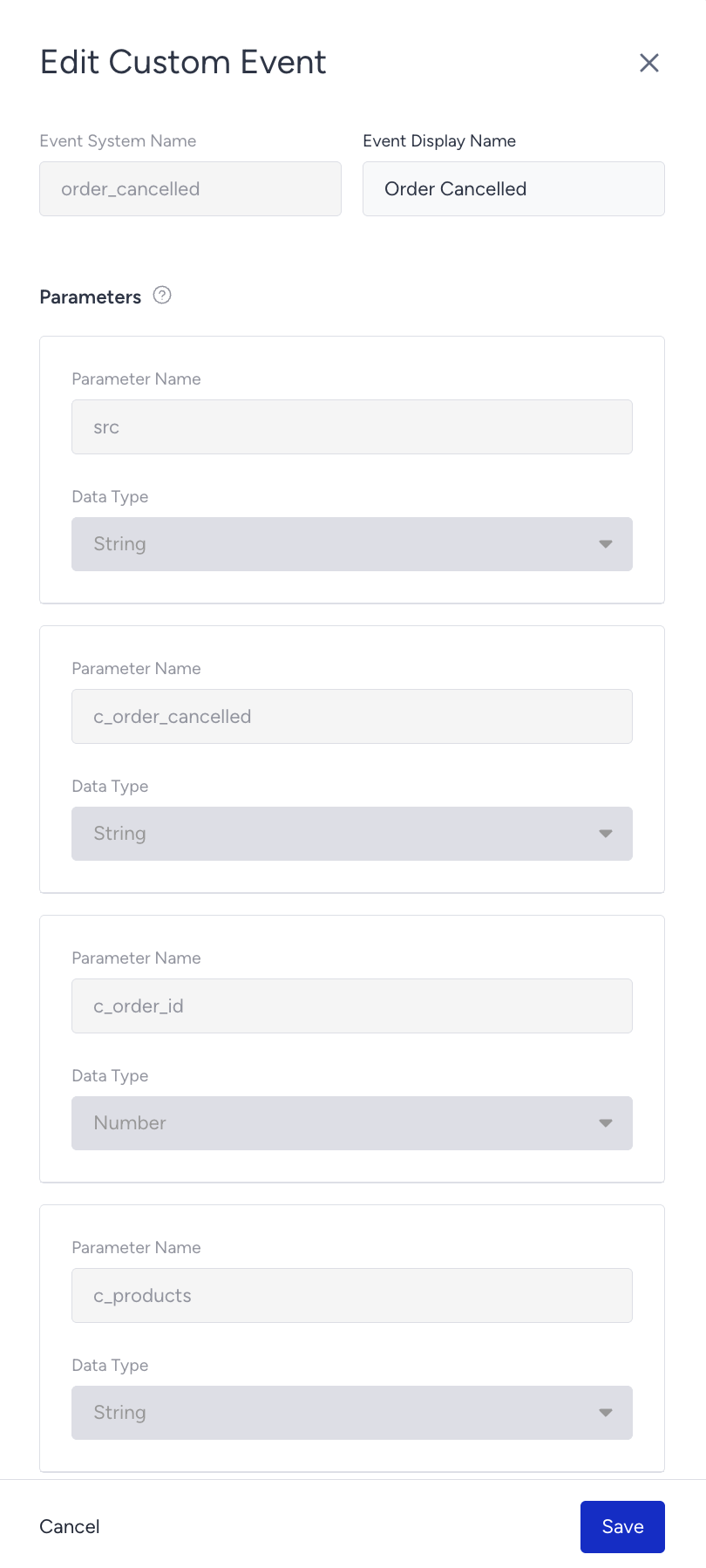
Benefit: Insider One can trigger timely and relevant communications, for example, send a confirmation when payment is received, notify customers when an order is out for delivery, or re-engage customers after a cancellation or refund.