Nested Segments allow you to reuse existing Dynamic Segments as filters when creating new Dynamic Segments. This capability reduces repetitive work, ensures consistency across segment definitions, and lowers operational overhead when managing complex segmentation logic.
Use case
Problem: Users often need to apply the same set of conditions repeatedly while creating multiple Dynamic Segments. Rebuilding identical logic each time increases effort and introduces the risk of inconsistency or human error.
Solution: With Nested Segments, you can define a commonly used Dynamic Segment once and reuse it as a filter within other Dynamic Segments.
Example scenario
You are a digital campaign manager with an existing Dynamic Segment that represents frequent buyers (Segment B).
You want to create multiple campaign-specific segments (Segment A) that should only target frequent buyers.
Instead of recreating all conditions that define “frequent buyers” each time, you include Segment B as a nested filter inside Segment A.
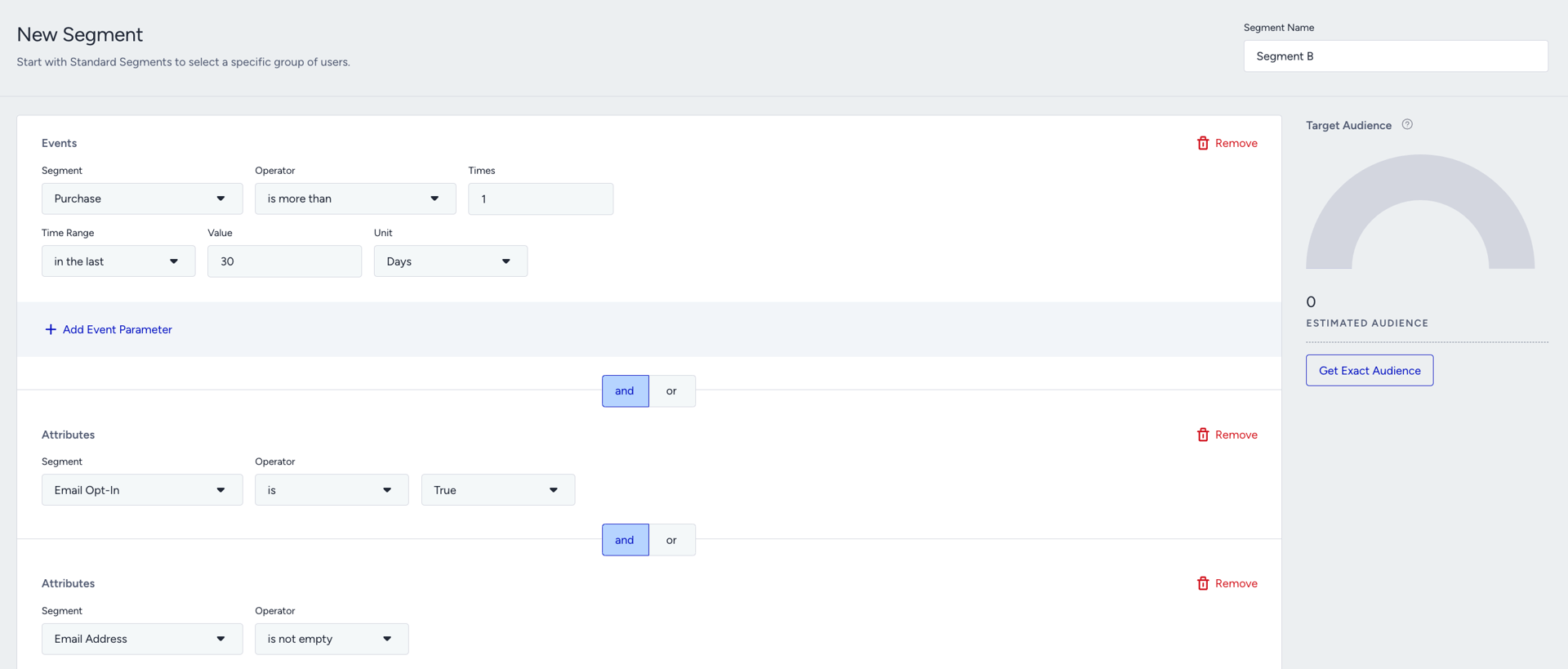
Segment B
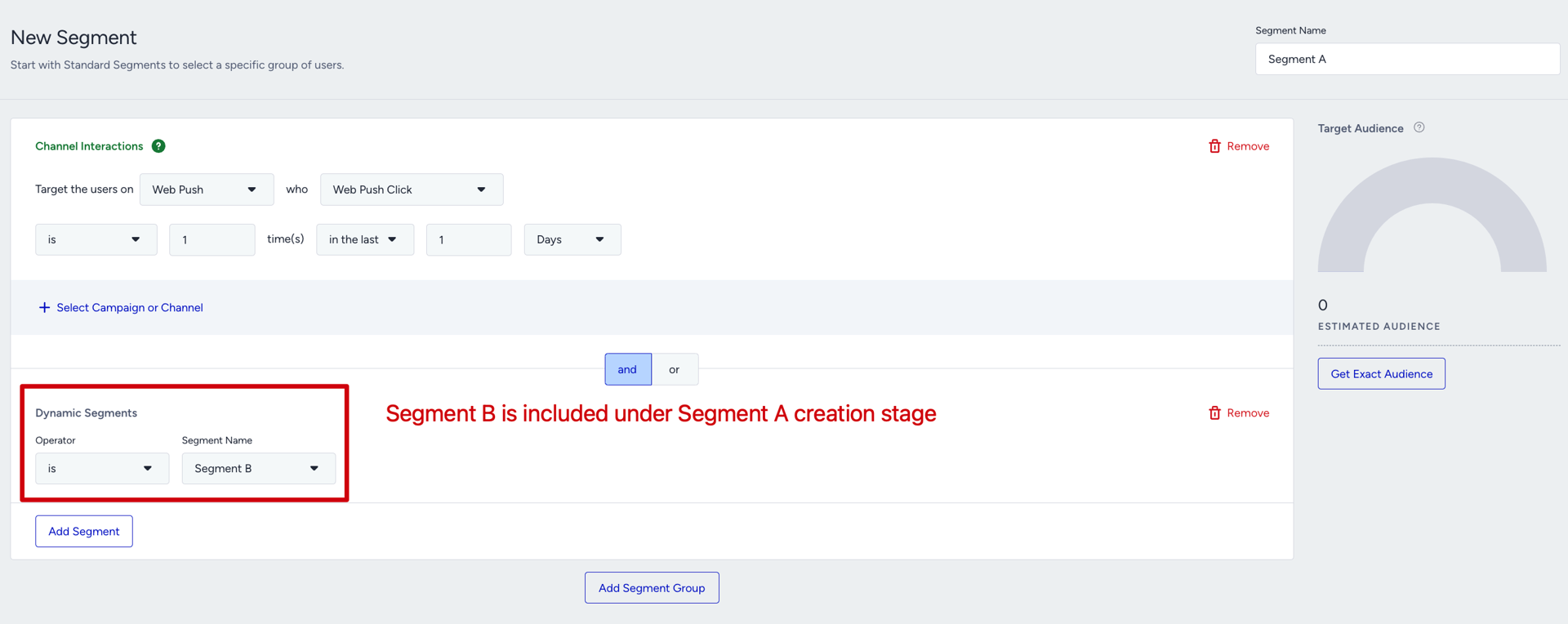
Nested Segment B under newly created Segment A
This approach ensures that:
The same logic is reused consistently
Updates to Segment B are automatically reflected in Segment A
Segment creation is faster and less error-prone
How to use Nested Segments
To create a dynamic segment that uses a nested dynamic segment:
While you are creating a dynamic segment, go to the Saved tab.
Click on the Dynamic Segments box.
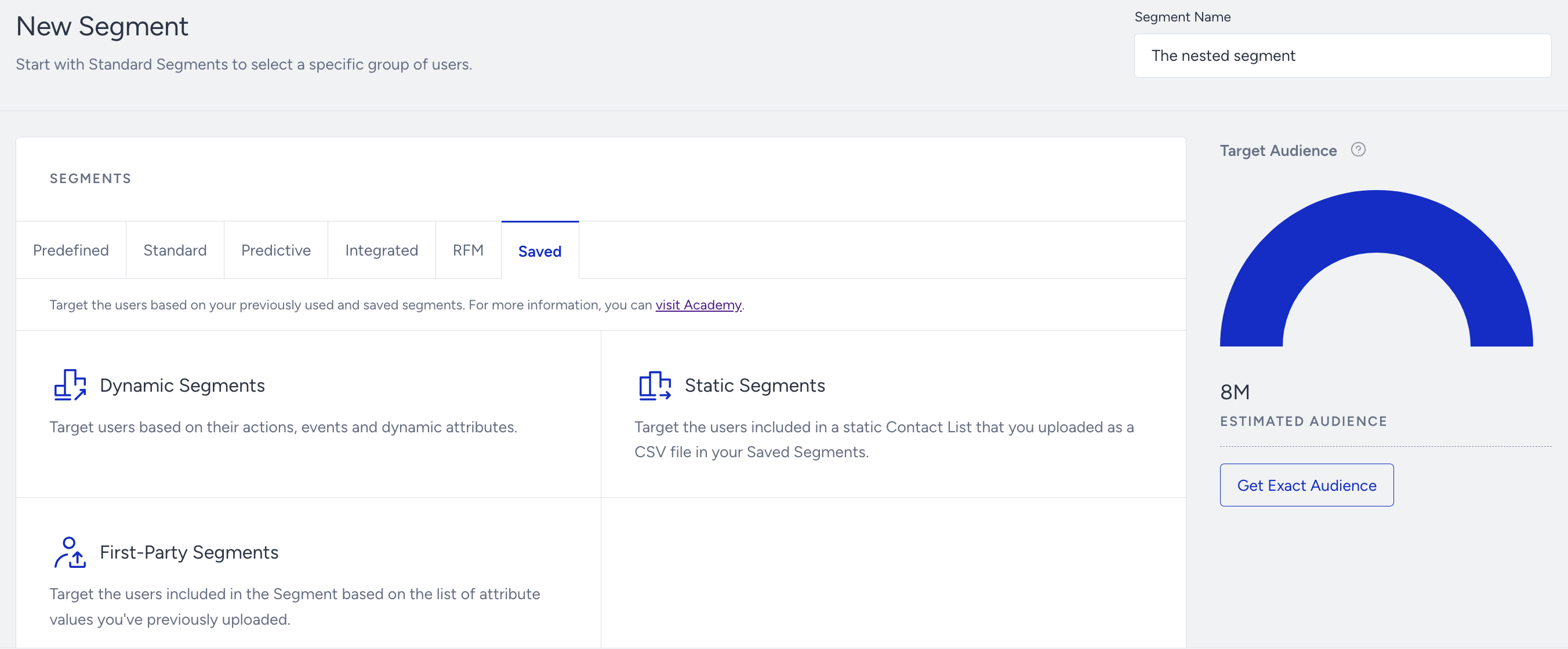
Select your previously created dynamic segment as a filter while creating the new one.
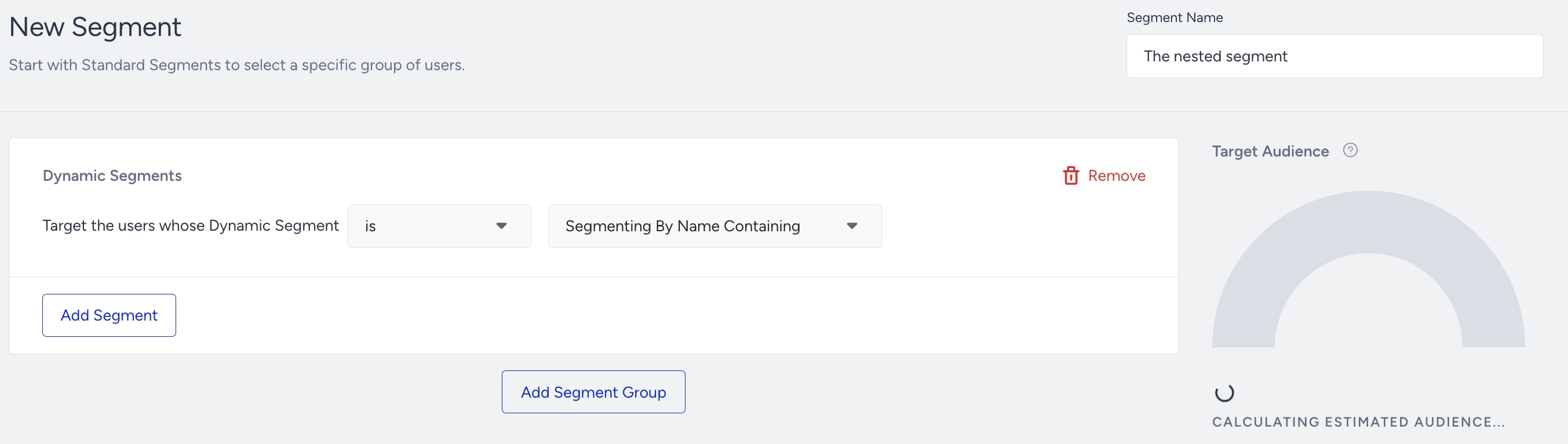
Nested Segments can only be created within the Dynamic Segments module.
You cannot create or define a nested segment directly inside a recipient step of a campaign or product.
Once a Nested Segment is saved as a Dynamic Segment, it can be selected and used in recipient steps across campaigns like any other Dynamic Segment.
In Email and SMS campaign audience builders, you can select a saved Dynamic Segment whether Nested Segments is enabled or disabled. The Nested Segments setting changes how the Dynamic Segments option works; it does not remove the option to select a saved Dynamic Segment.
Notes on using a dynamic segment as a filter
When working with dynamic segments as filters, keep the following rules in mind:
Editing limitations
Nested Segments cannot be added while editing an existing Dynamic Segment.
They can only be added during initial segment creation.
Deletion limitations
A Dynamic Segment cannot be deleted if it is currently used as a Nested Segment within another segment.
Nesting limits
You can include up to 10 Dynamic Segments together, provided they do not already contain nested segments.
Multi-level nesting (a Nested Segment inside another Nested Segment) is supported.
Infinite loop prevention
A segment cannot be nested within another segment if it already includes that segment.
For example, Segment B cannot be added under Segment A if Segment A already includes Segment B.
This restriction prevents infinite evaluation loops and ensures system stability.