In this article, you will learn how to measure the sales performance of your WhatsApp chatbot by tracking the user journey from initial conversation to completed payment. It focuses on what happens after a payment link is sent during a chatbot interaction and whether that link results in a successful transaction.
WhatsApp Conversational Analytics in InOne provides insight into the whole customer journey—from the MindBehind chatbot to a completed purchase. It shows how many conversations start, how many users add items to their cart, how many complete a purchase, and the total revenue generated.
With these insights, you can:
Measure the sales impact of your chatbot
Identify where users drop off in the flow
Improve your conversational journeys for better results
Navigate to WhatsApp Conversational Analytics
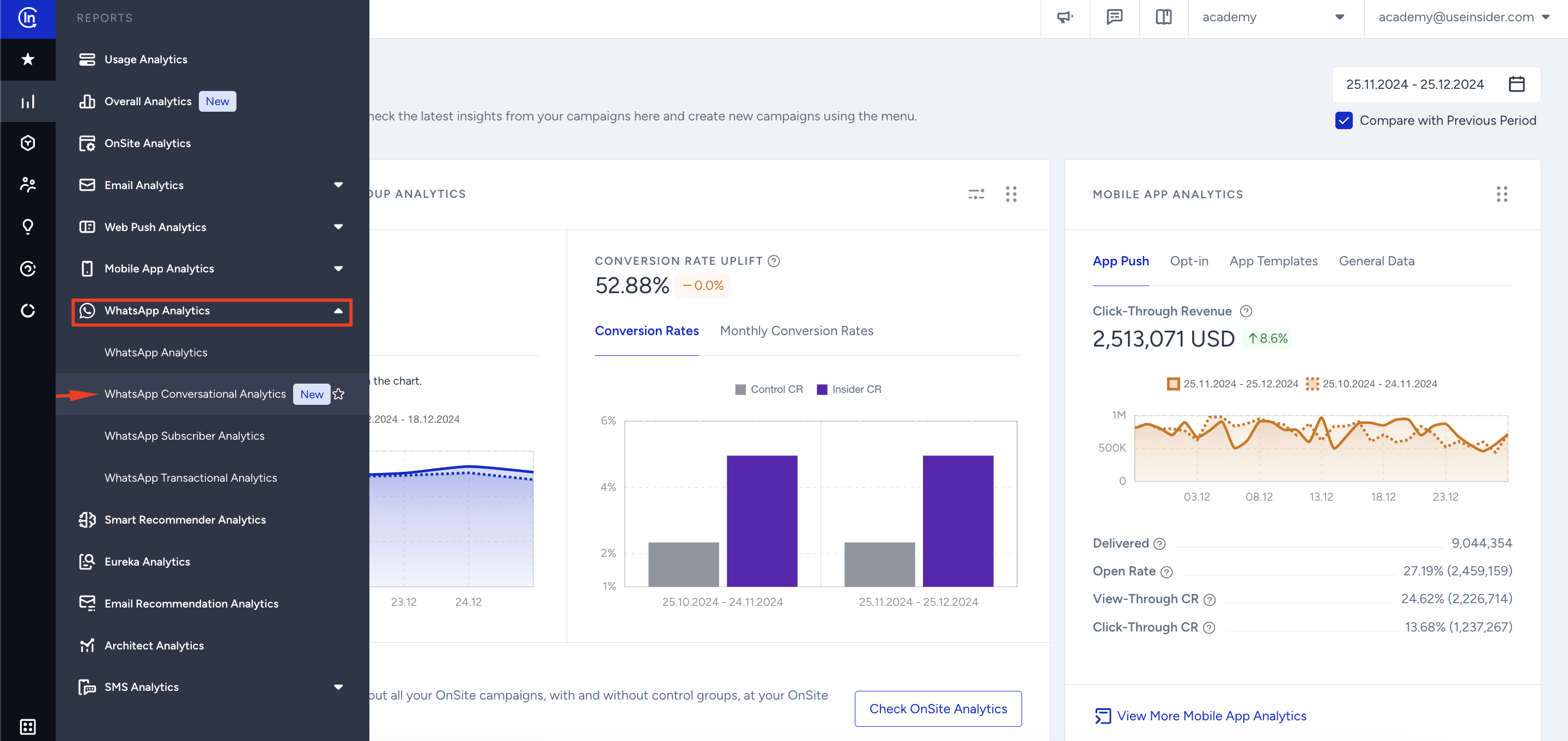
To reach the WhatsApp Conversational Analytics page, navigate to Reports > WhatsApp Analytics > WhatsApp Conversational Analytics.
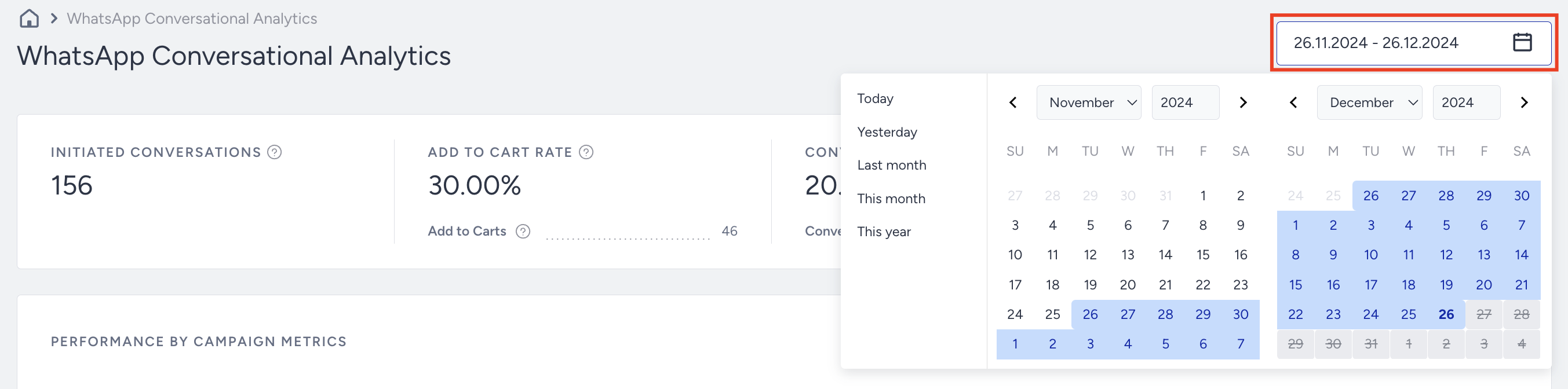
You can use the date picker in the top right corner of the page to filter the performance metrics.
Requirements
Before you can access data on this page, the following conditions must be met:
CraftGate integration must be completed in your MindBehind account.
Payment links must be created and handled through CraftGate.
Only payments processed via CraftGate will be reflected in the analytics. To learn how to set up the integration, refer to the CraftGate Integration guide.

Introduction and Metrics
These metrics provide a clear view of how effectively your chatbot drives purchases. 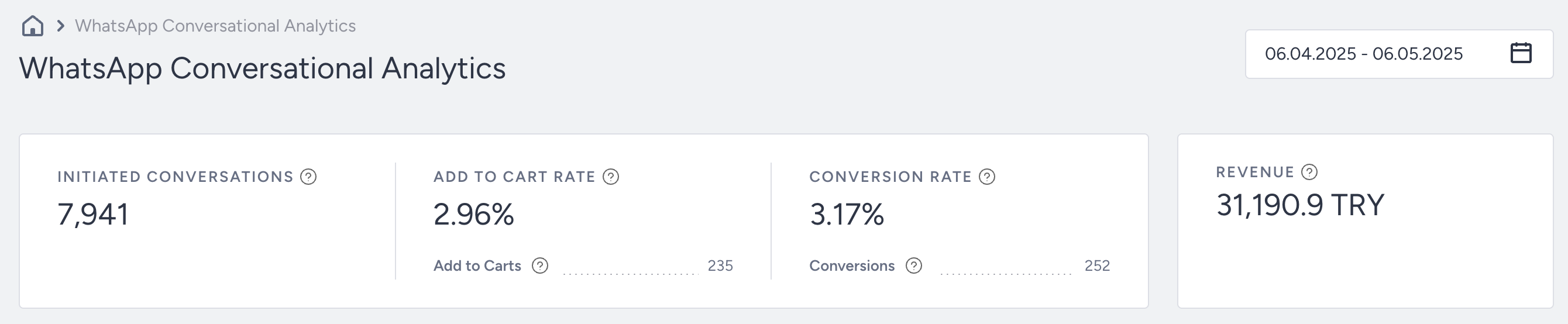
The page presents four essential metrics for evaluating chatbot performance:
Initiated Conversations: The number of chatbot conversations started with users.
Add to Cart Rate: The percentage of Add to Carts to the Initiated Conversations.
Add to Carts: The number of times users added items to their carts via Initiated Conversations.
Conversion Rate: The percentage of Conversions to the Initiated Conversations.
Conversions: The number of successful goal accomplishments.
Revenue: The total value of the Purchases made via your messages.
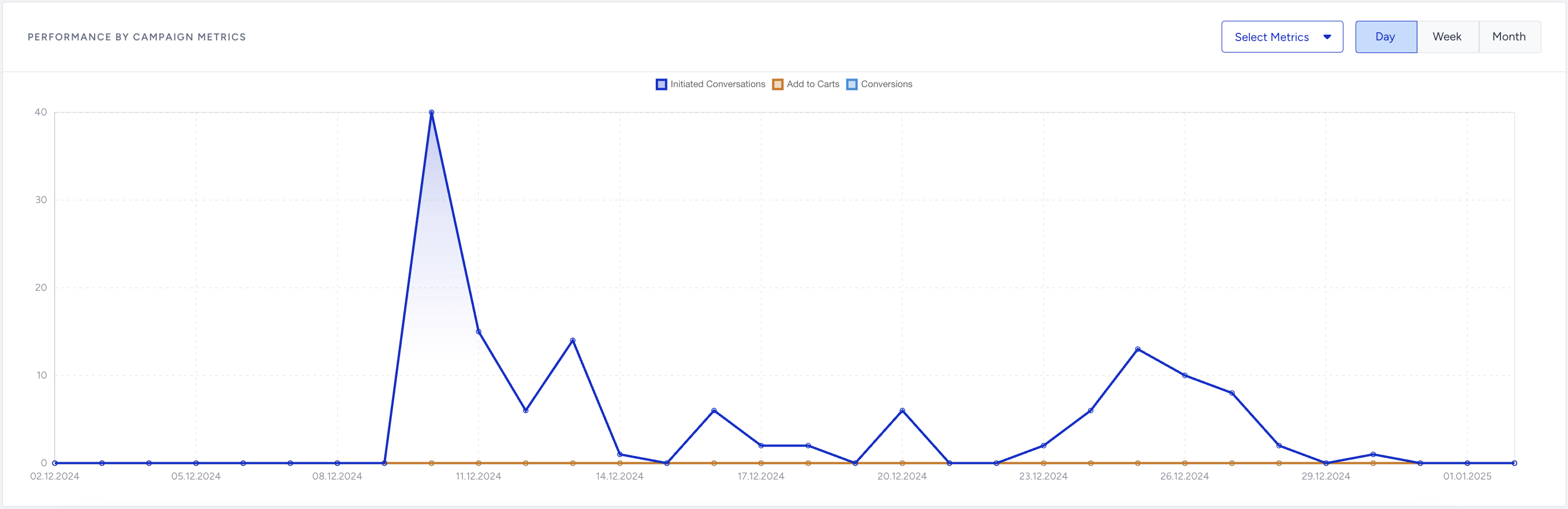
Performance by Campaign Metrics
You can track Conversational Campaign performance daily, weekly, or monthly using your selected metrics. The chart helps you identify trends, compare results over time, and evaluate the impact of specific changes.