You can use the Generic Channel to integrate any messaging platform or channel into MindBehind. This guide explains how to create and use the Generic Channel.
Generic Channel supports three actions:
Receive endpoint: The MindBehind endpoint that will receive your messages: https://app.mindbehind.com/external/v1/incoming/mindbehind
Send webhook: It is where you will define your receive message endpoint to receive messages from MindBehind.
Handover webhook: This is where you will define your handover action endpoint if you want to support handover in the new channel.
To use the Generic Channel, follow the steps below:
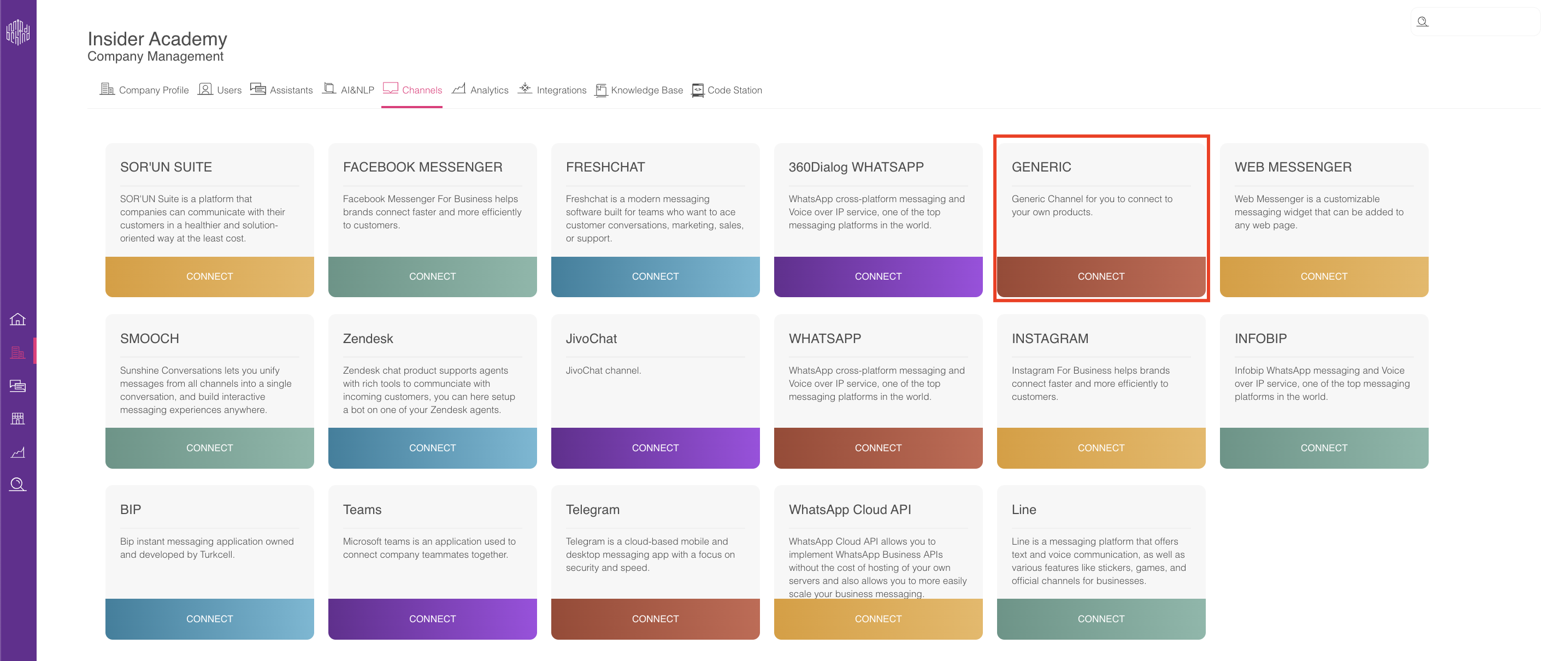
Navigate to Company Management > Channels and click the Connect button under the Generic channel.
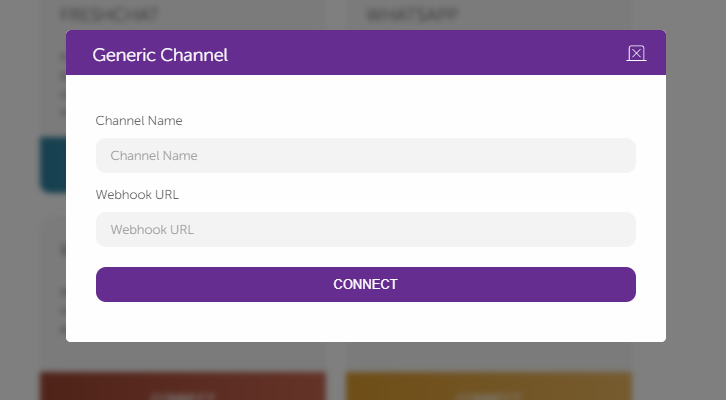
When creating your channel, name it and provide a callback URL to receive MindBehind messages (Send webhook) as follows.
After creating the Generic Channel, click on the Channel settings icon.

MindBehind will give you an authentication token. Copy and store this token to send messages to MindBehind. MindBehind will also give you an example of the message format you should send and the ability to update the handover webhook URL as follows.
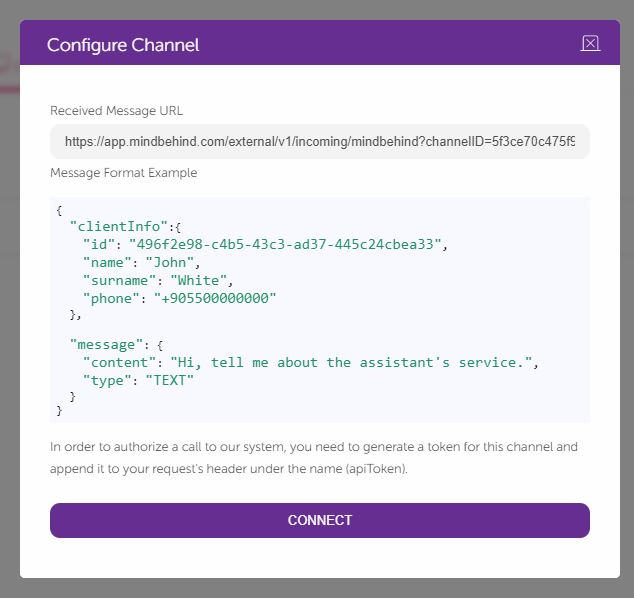
The MindBehind endpoint will accept the messages in JSON format; the HTTP request details are as follows:
Messaging URL: https://app.mindbehind.com/external/v1/incoming/mindbehind? channelID=<Your channel id>
HTTP Method: POST
Required Header: “apiToken” that can be generated after creating the channel.
Body: It should be in JSON format with the schema below.
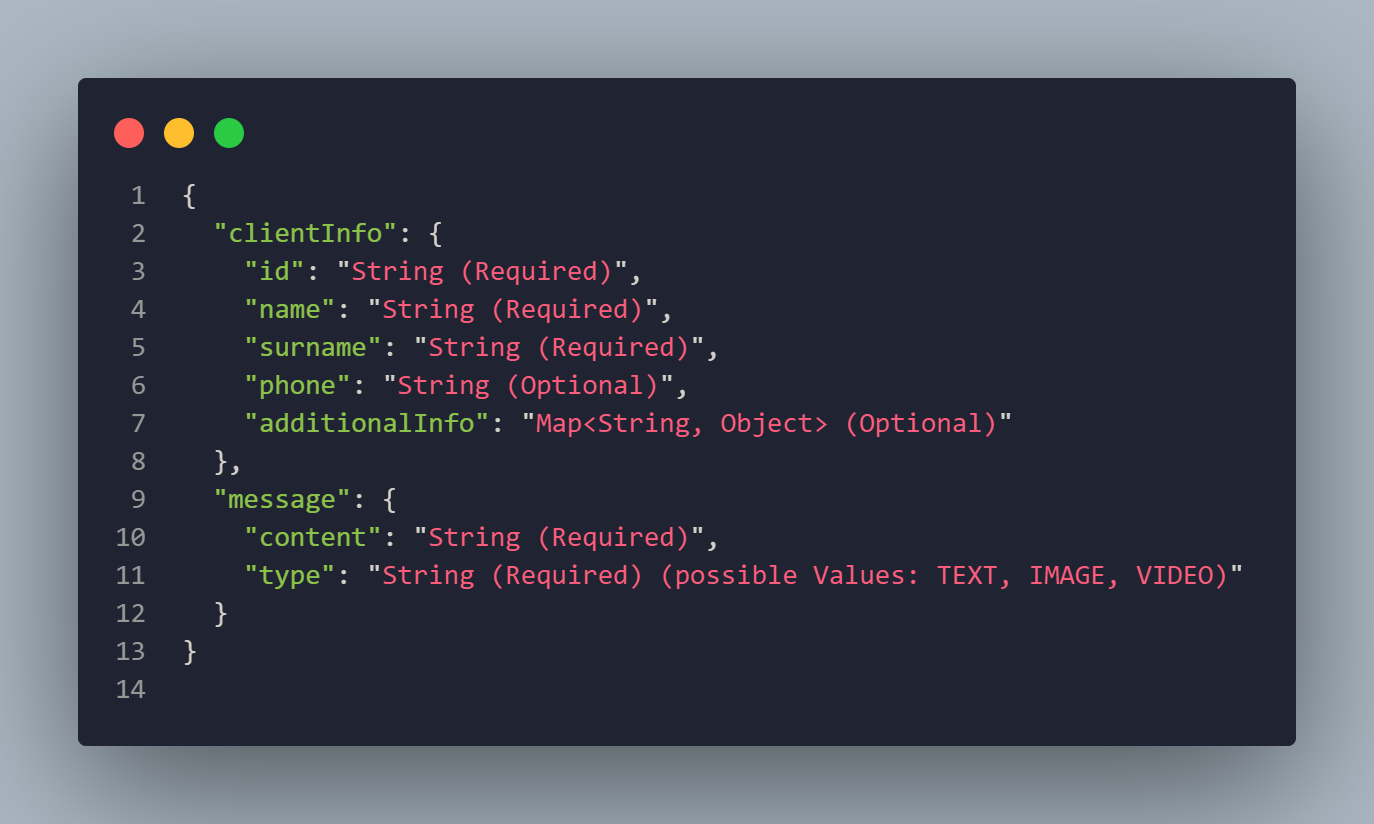
If your message is a selection of the CARD or QUICKREPLY messages button, send the selection as a TEXT message.
6. MindBehind will try to send messages to the webhook you chose when you created the channel; the HTTP request details coming from MindBehind are as follows:
HTTP Method: POST
Body:
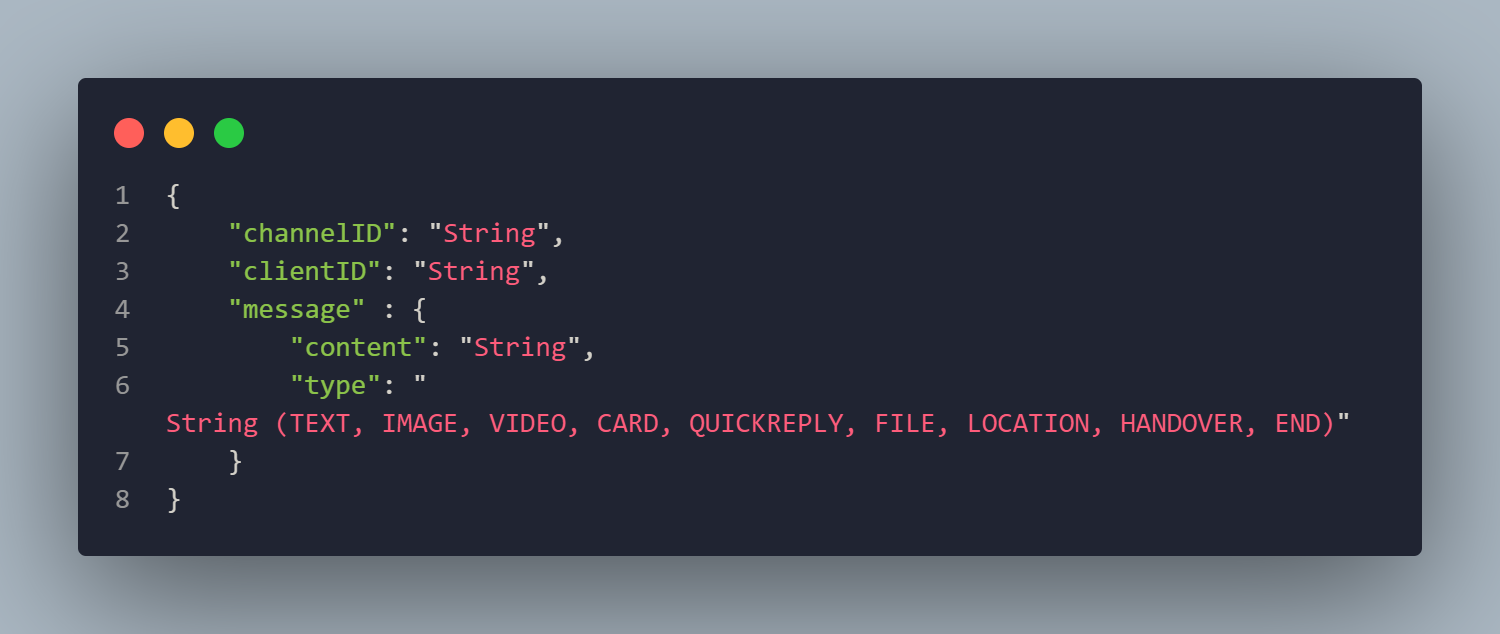
The content of the message can be a normal string or a JSON string for some type of message; you can find a list of possible message types with their content formats below:
TEXT: A normal string of data.
IMAGE: A normal string of data describing the public link of the image.
VIDEO: A normal string of data describing the public link of the video.
FILE: A normal string of data describing the public link of the file.
LOCATION: A JSON object for lat and lng.
HANDOVER: Empty content because it is a command.
END: Empty content cause it is a command.
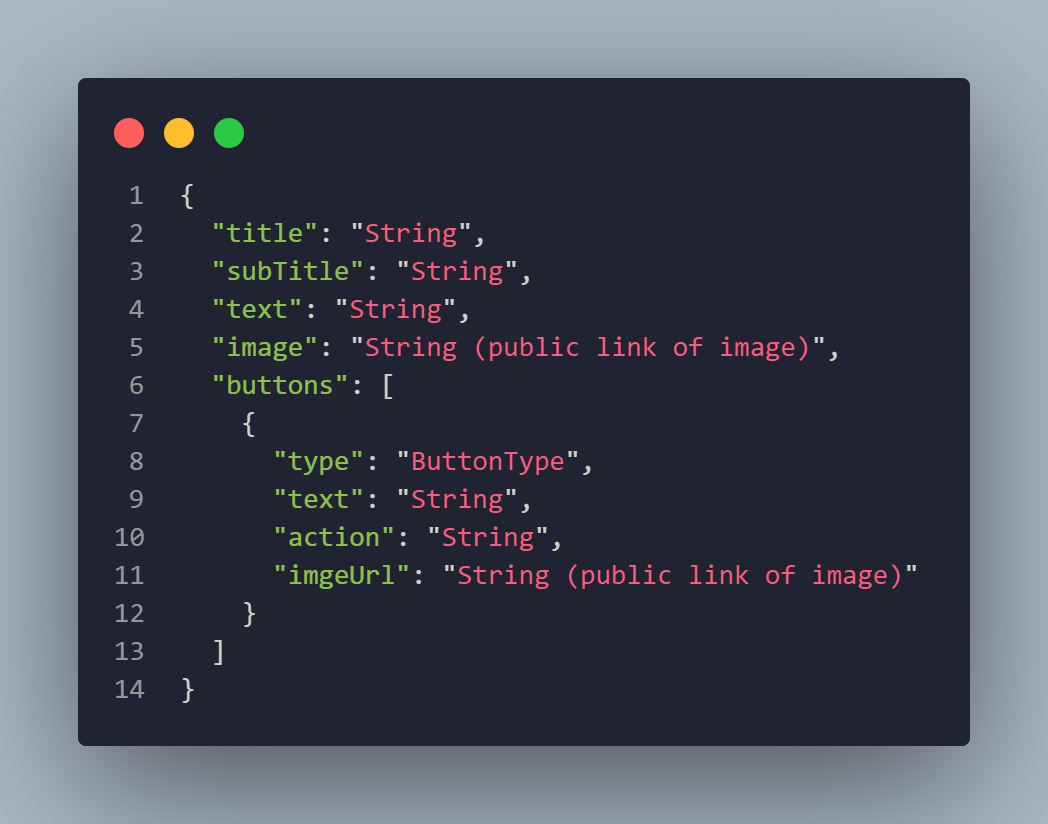
CARD: A JSON string with the following format.
QUICKREPLY: A JSON string with the following format.
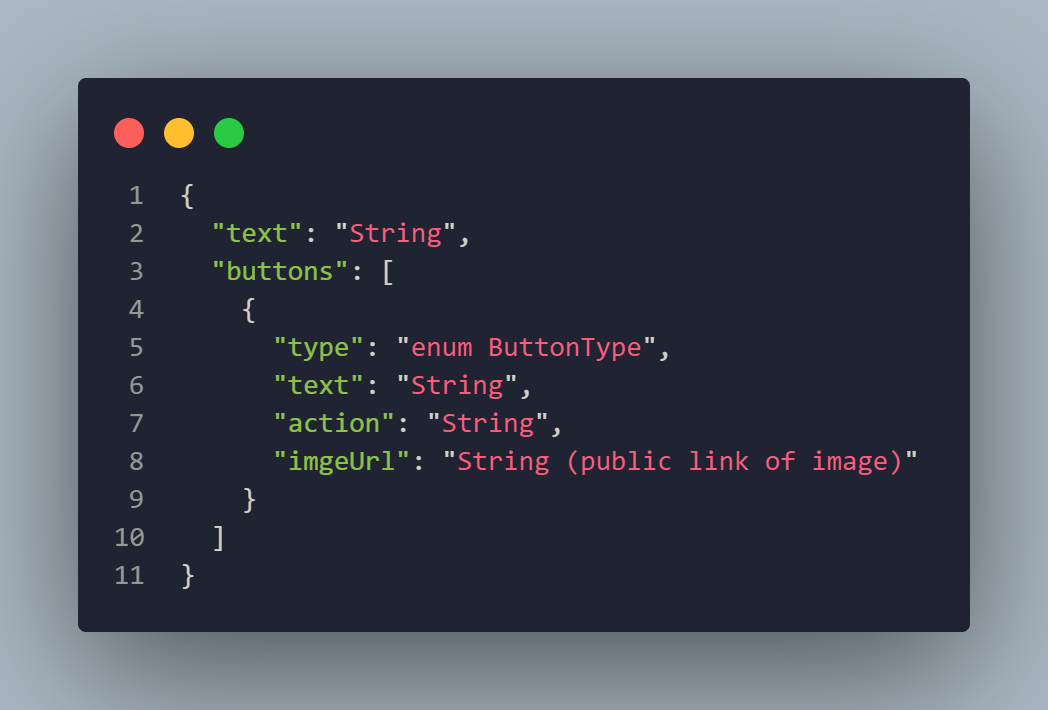
ButtonType can have the following values:
L: A link button.
T: A text post-back button.
P: A post-back button.
C: A phone call action button.
I: A link button (In Iframe if supported).