If the feature flag is not requested to be turned on, this feature will not work. This feature can be enabled optionally using a feature flag. If you want to use this feature, contact the Insider One team.
Key: whatsapp-send-content-feature-partners
Reasons why this feature is not enabled for everyone:
- Your system might encounter errors if the entered webhook address does not expect or support the template content.
- Since this webhook address is part of the message-sending process, delayed responses from it might impact our message-sending performance.
Tracking WhatsApp templates in the chatbots enables chatbots to detect and identify the last WhatsApp template received by users. Chatbots can now trigger specialized flows based on the detected template, enabling a more customized and context-aware user experience. This feature is particularly beneficial for scenarios where users are sent specific messages that require personalized handling or special actions.
This guide provides answers to these questions:
Use WhatsApp template tracking in chatbots
With the WhatsApp Template Detection feature, when a user receives a template, the chatbot can recognize the exact name of the last template received. For example, if a customer gets a "Discount Offer" template, the bot will identify it and direct the user to a conversation flow where they can redeem their discount. This ensures users are taken through the right journey based on the template they last received.
To use the WhatsApp template tracking feature,
1. Publish the chatbot with the same WhatsApp channel that the template will be pushed to.
2. Configure your chatbot design to detect and filter the template name. 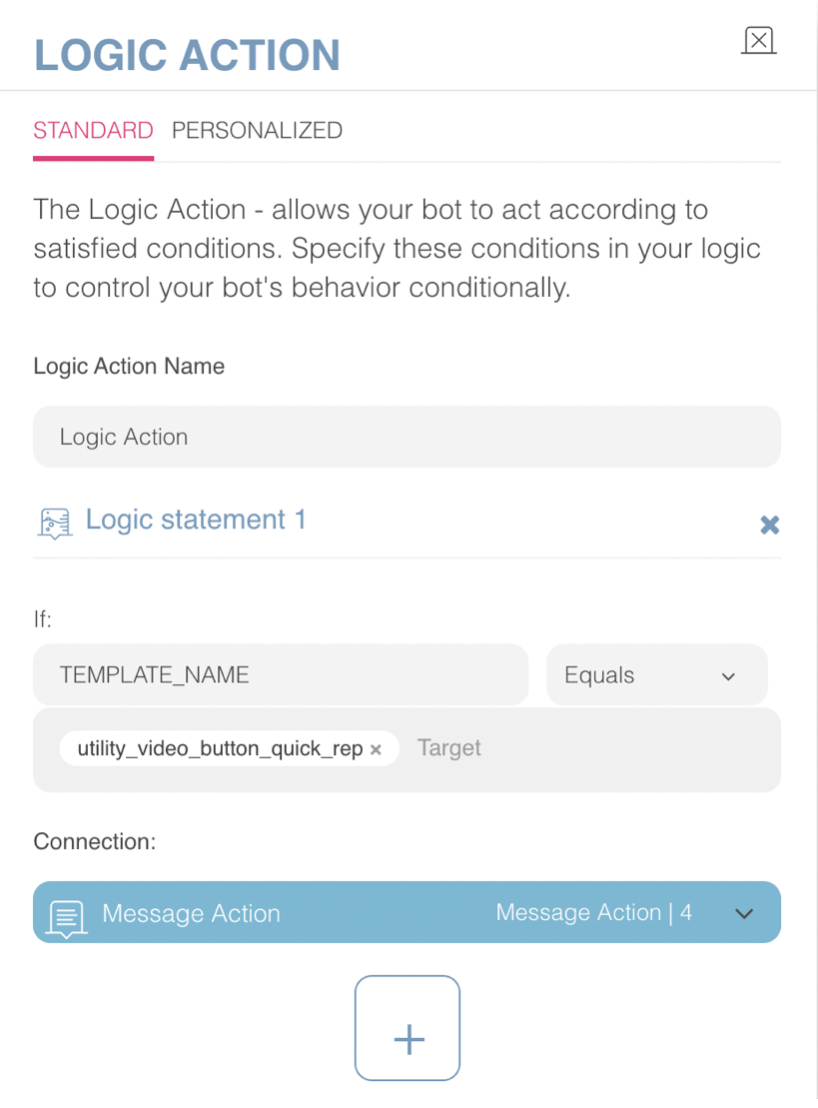
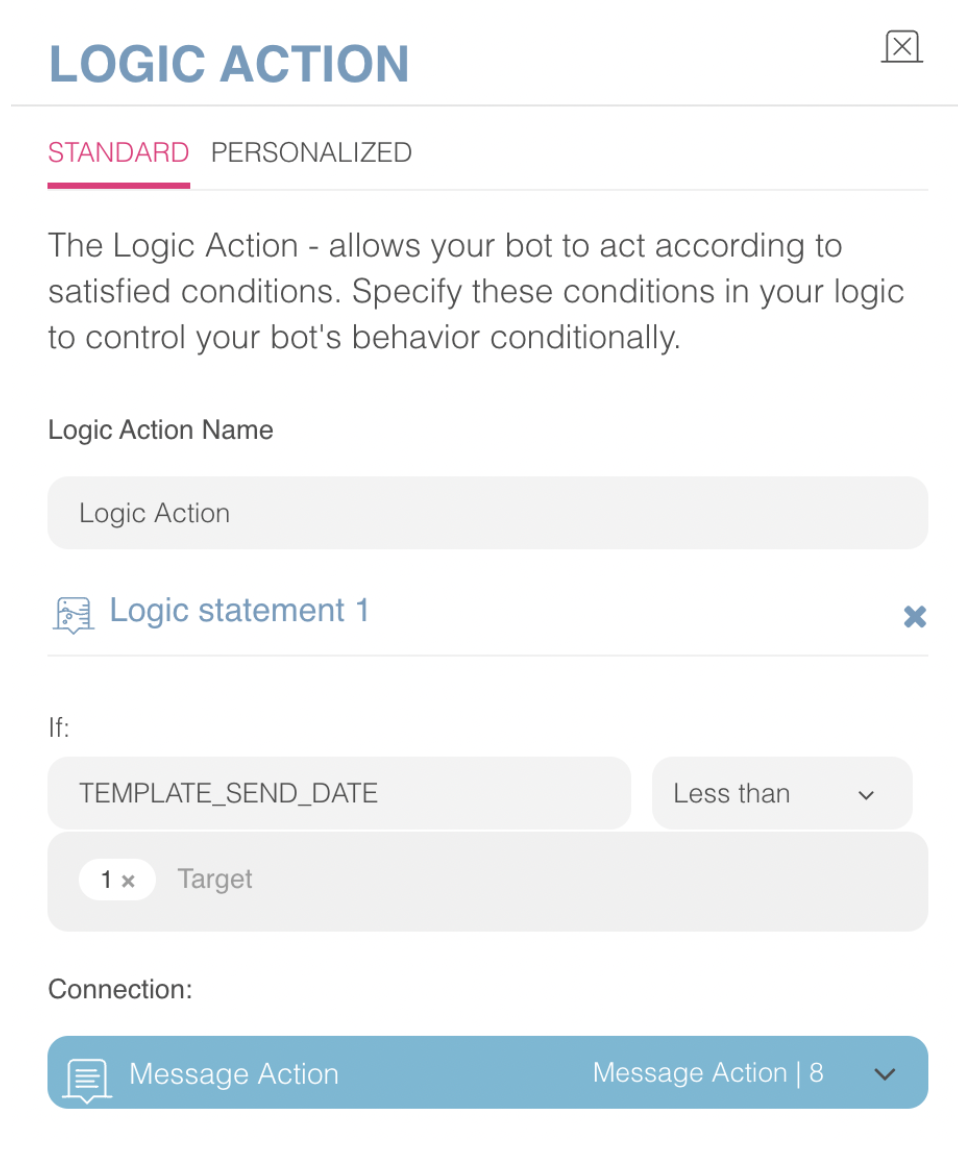
3. Configure your chatbot design to filter for the template’s received date.
 4. Forward the flow into specialized paths.
Example Scenario
Here is a use case example scenario of this feature:
A retail company sends a "Welcome Back" template to users who haven’t shopped in a while. The chatbot now detects that the user received the "Welcome Back" template. When the user initiates a conversation, instead of the default flow, the chatbot can direct them to a unique journey offering exclusive deals for returning customers, personalized based on the template they received. This allows the company to engage users more effectively, enhancing their experience and boosting conversion rates.
Parameters
TEMPLATE_NAME: The parameter represents the exact name of the template. It can be received from InOne or Meta accounts accordingly. Logic action filters should match the same name to achieve success and continue the flow.
TEMPLATE_SEND_DATE: The parameter represents the time between the chatbot start and the template received, in hours. So, this parameter should be tested only with numbers in the Logic action.
Limitations
The feature can only detect the last WhatsApp template received; it doesn’t store or track the history of all templates.
The chatbot must be configured to handle specific flows based on the template name; otherwise, the default flow will be triggered.
The template can be detected only if the user sends an input within 24 hours after the template is delivered. If the user responds after 24 hours (for example, in the 25th hour), the chatbot cannot associate the conversation with that template.
It only works to detect template names and start dates. The chatbot does not yet know the template context.