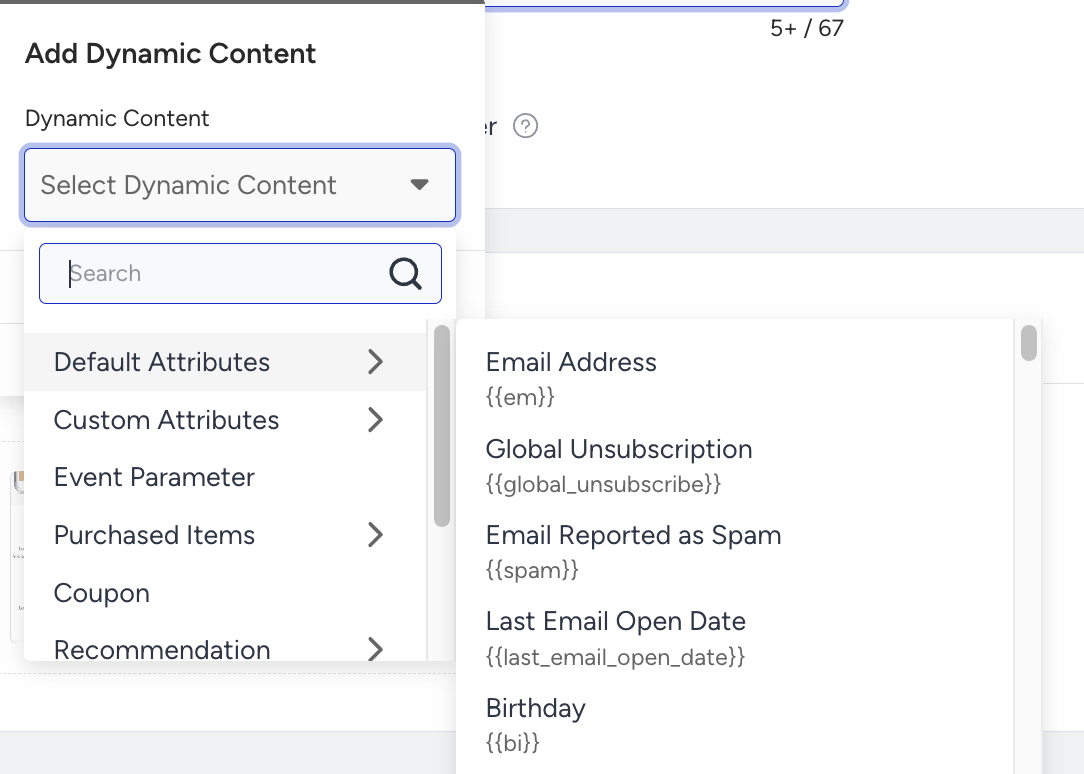
Dynamic content variables are derived from Insider One's Unified Customer Database (UCD) and are fully accessible via Liquid syntax. Each variable can be referenced directly by its designated system name, wrapped in {{ }}, without requiring any additional configuration. All categories listed in the dynamic content dropdown, including Default Attributes, Custom Attributes, Event Parameters, and more, are supported as Liquid variables within your templates. If you are entering variables manually, ensure you use the attribute name (e.g. {{em}}) rather than the attribute's display name (e.g., Email Address).
In Transactional Email API v2 and Transactional Journeys, variables are provided by the API call, not by UCD.
If a variable has no value, it renders as empty. No error or no visible output is displayed.
Hello {{ name }}!
→  Hello !    (if name is not set)
You can use default to handle this.
Hello {{ name | default: "there" }}!
→  Hello there!    (when name is empty)
→  Hello Alice!    (when name is "Alice")
blank matches variables that are not set (nil). You can use it to check whether a variable exists.
{% if name == blank %}
  No name on file.
{% endif %}

{% if c_loyalty_tier != blank %}
  Welcome, {{ c_loyalty_tier }} member!
{% endif %}
An empty string ("") is not blank. It has been set, even though it contains no characters. If you need to guard against both unset and empty values, use the default filter instead of checking blank. A variable containing only whitespace (" ") is also not blank.