You cannot make any changes to External Platform Integrations without having either an Administrator or an Editor with PII access in InOne. Refer to User Roles for further information.
AppsFlyer in-app event integration, also known as syncing AppsFlyer app install and event data into Insider One without extra SDK code, lets you forward events already tracked by the AppsFlyer SDK to Insider One via a postback URL. Events triggered in AppsFlyer are sent to Insider One with user device identifiers through a server-to-server integration, no additional SDK instrumentation required on your end.
You can use the postback URLs to send AppsFlyer events to Insider One instead of integrating them directly into the Insider SDK, and then utilize those events for segmentation within the Insider Mobile App Suite. In this case, Insider One events should still be integrated in the next phase to utilize all product capabilities.
The Insider One and AppsFlyer SDKs should be integrated into your app for this integration to function fully.
Following this guide, you will find details about the topics below:
Use Cases
Install Event Syncing
You can automatically track app installs and reinstalls from AppsFlyer to trigger onboarding flows, segment new users, and measure the effectiveness of your campaigns.
Custom Event Syncing
You can sync in-app events from AppsFlyer to Insider One to use this data for personalized targeting and segmentation based on user actions.
Prerequisites for Integration
To successfully connect AppsFlyer with Insider One and enable the transmission of user events, the following prerequisites must be met:
1. Insider SDK Integration
Ensure that the Insider SDK is integrated into your application. The specific requirements for this integration are as follows:
Implement the getInsiderID Method
This method must be implemented in your Insider SDK to retrieve the InsiderID. You can refer to the articles for the respective platforms:
iOS SDK: Version 13.4.1 or higher
Android SDK: Version 14.2.3 or higher
React Native SDK: Version 6.4.3 or higher
Flutter SDK: Version 3.10.4 or higher
Cordova SDK: Version 2.1.0 or higher
2. AppsFlyer SDK Integration
Ensure that the AppsFlyer SDK is integrated into your application.
3. Configuration of InsiderID as a Partner Parameter
After obtaining the InsiderID, set it as a partner parameter within the AppsFlyer SDK before the AppsFlyer callback event using the AppsFlyer customer user ID (CUID). This ensures accurate attribution of user events.
4. Dynamic InsiderID Handling
The InsiderID might change based on user behavior within your app. To maintain accurate tracking and attribution, it is recommended to call the getInsiderID method before each event is sent through the AppsFlyer SDK.
If you need any assistance setting up the CUID, feel free to contact your Account Manager at AppsFlyer or reach out to their support team directly.
Add Insider One on AppsFlyer
To start the integration, add Insider One to your AppsFlyer application:
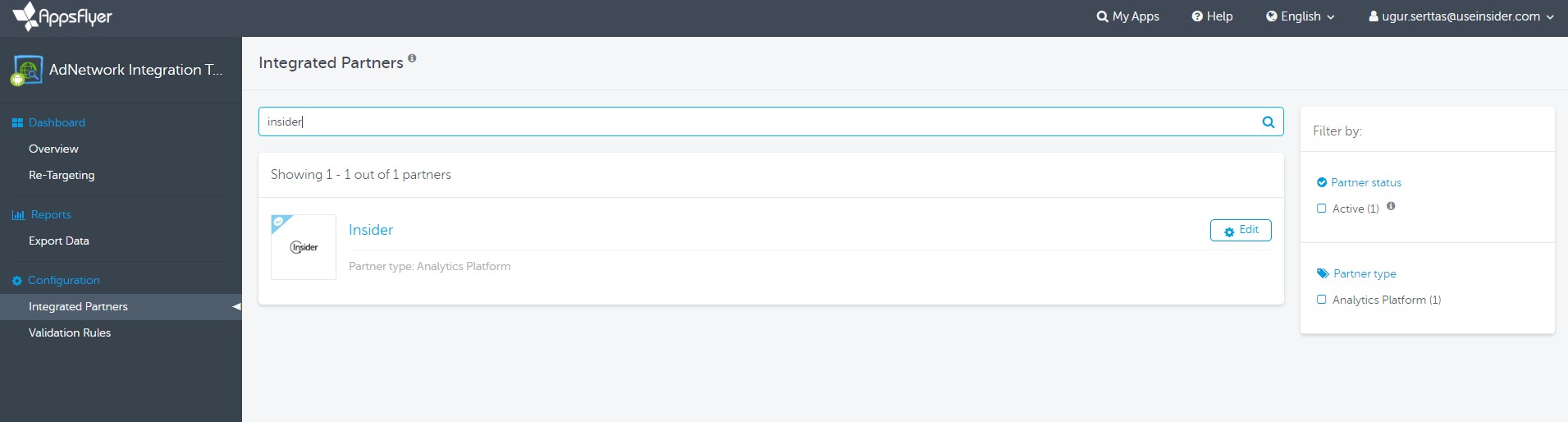
On the side menu, select Configurations, then IntegratedPartners.
Search for Insider and add it to your AppsFlyer application.
Integration Settings
To configure your Insider One Account Settings for the integration,
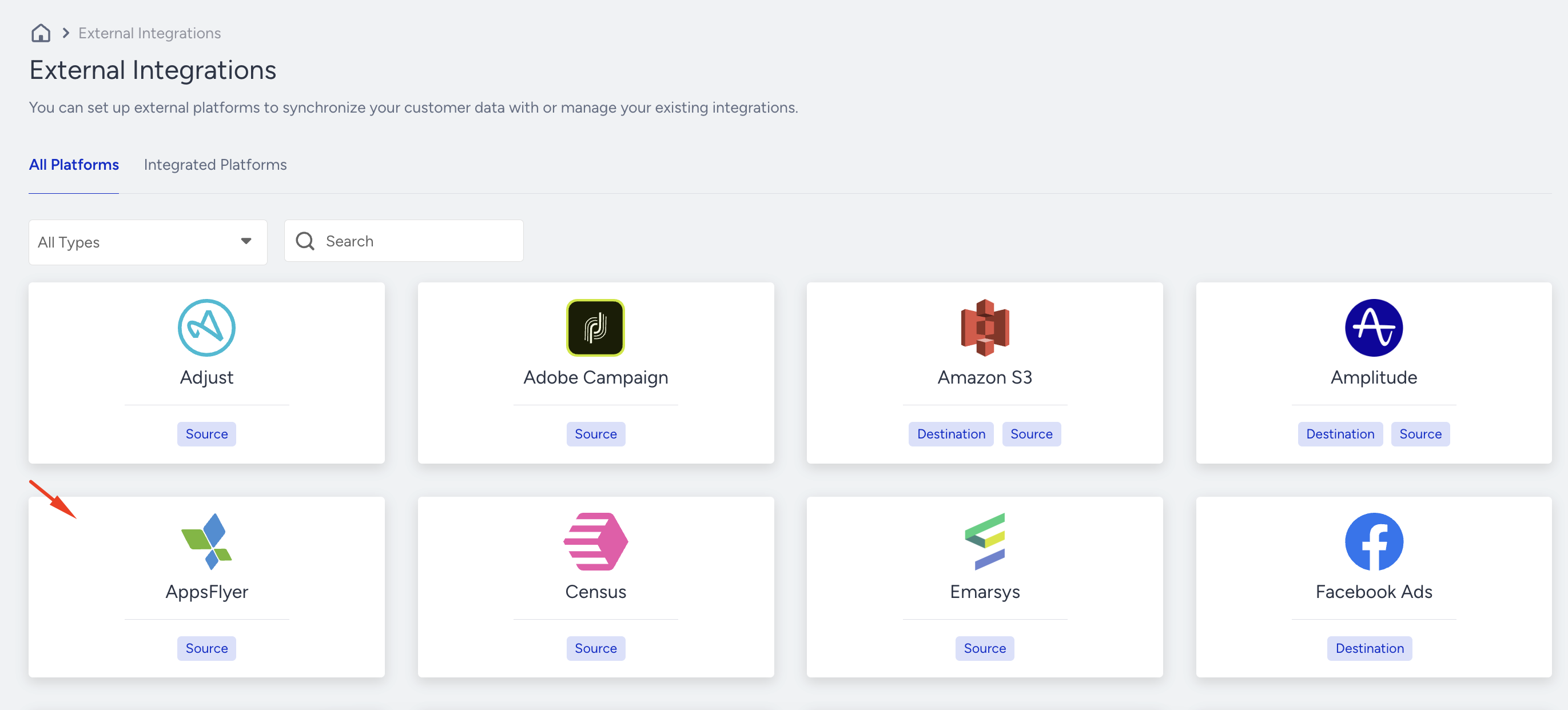
Navigate to Components > Integrations > External Platform Integration in InOne, and select AppsFlyer.
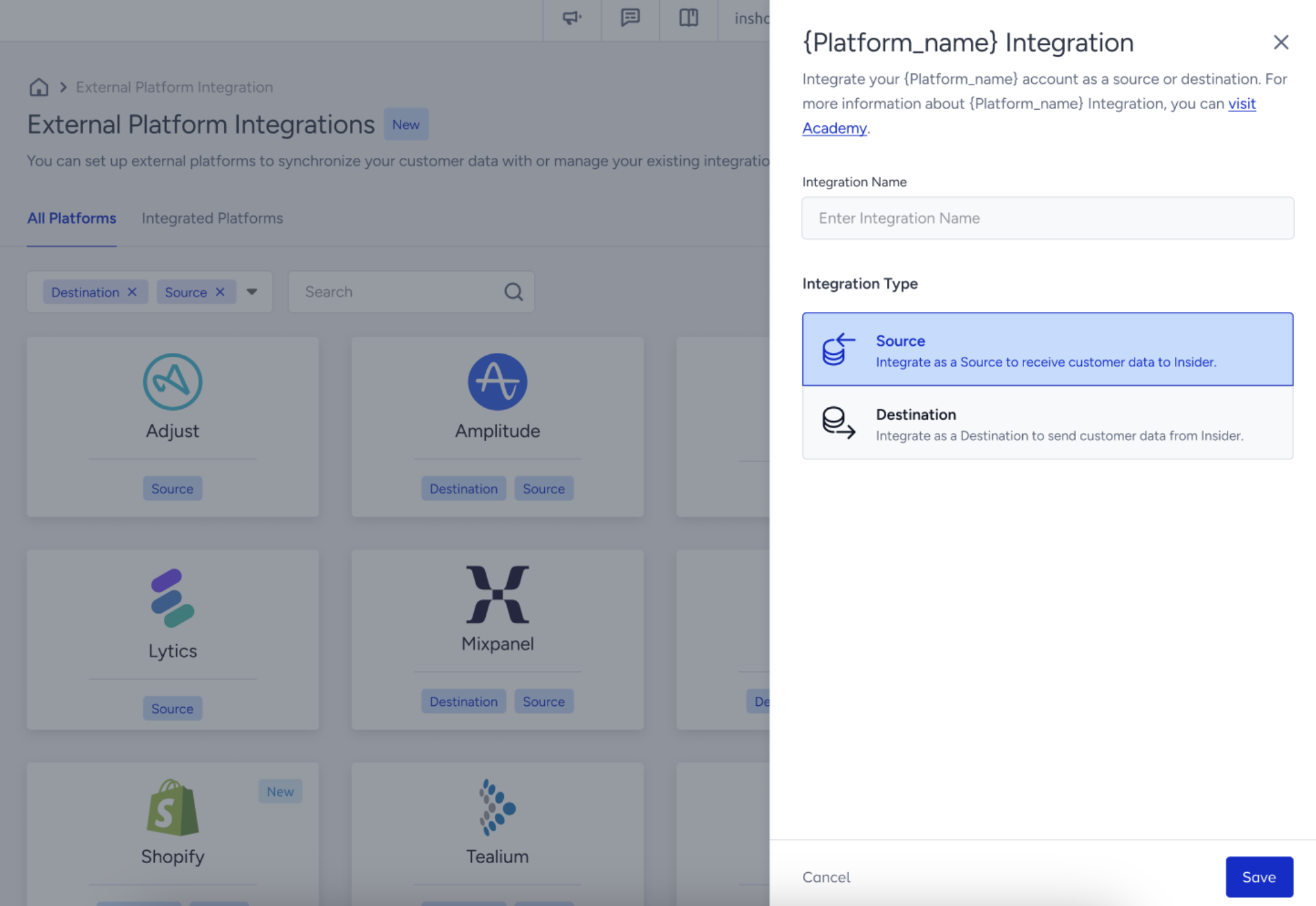
Select the integration type as Source. This means AppsFlyer will be the data source. Provide a name for your integration for easy identification and navigation later, then click Save to proceed.
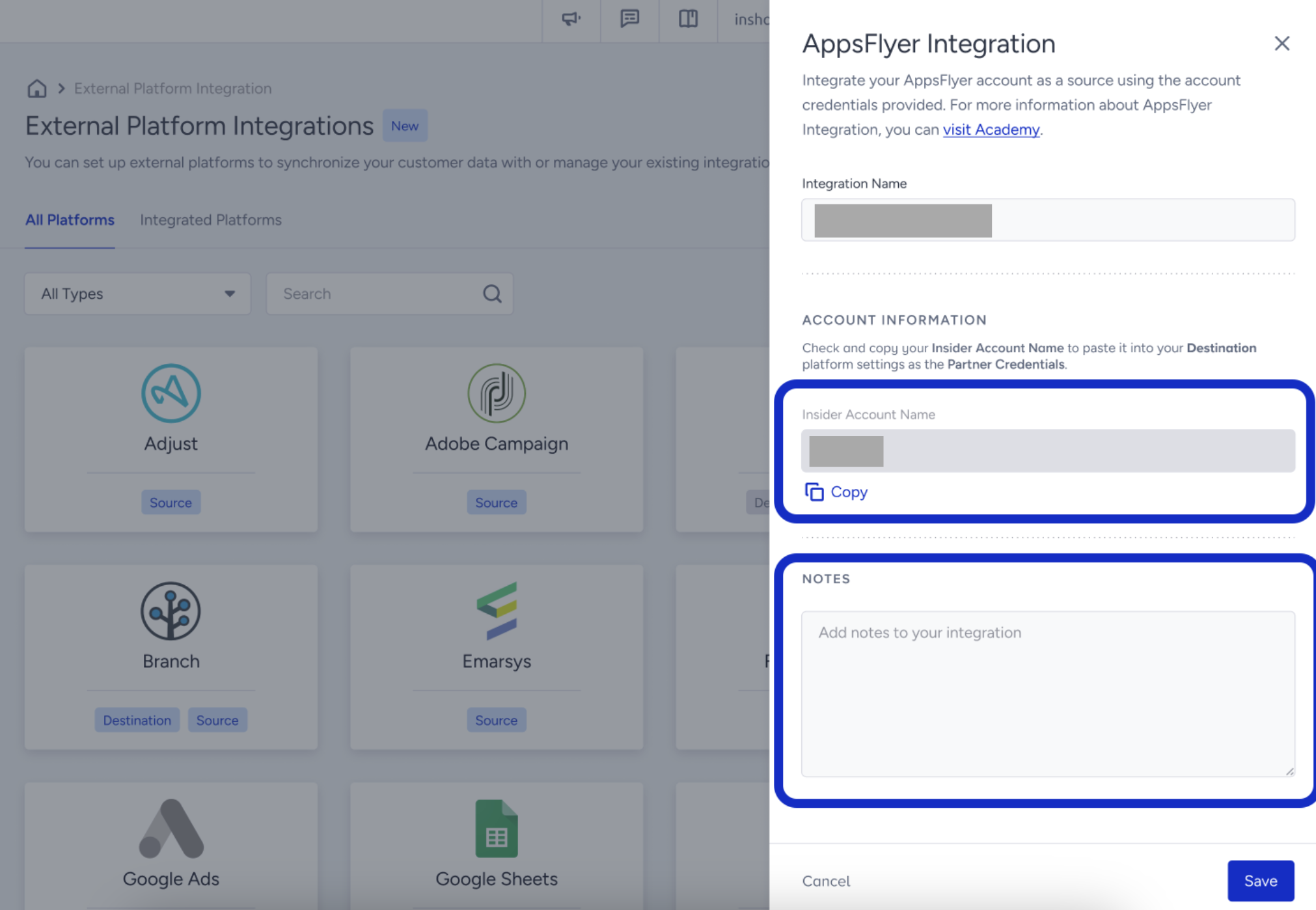
Copy your Insider One Account (Partner) Name to enter it in your AppsFlyer Settings in the next step.
Click Edit to view Insider One Integration Settings.
Under In-App Event Settings, enter your Insider One partner name.
Activate Partner using the toggle bar under Insider One Integration.
Turn on In-App Events Postback.
Set up postback windows to your preferences. These windows will establish the time frame for sending events after installation.
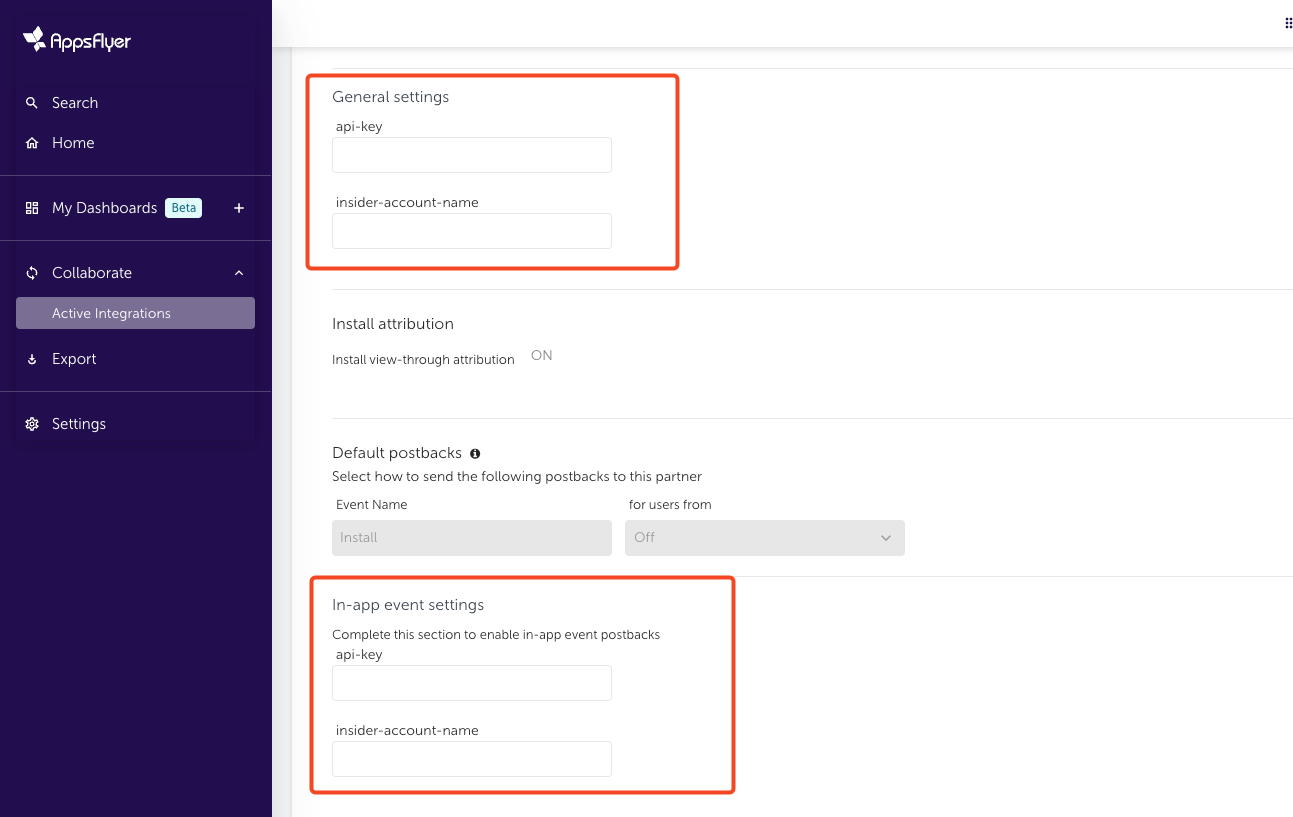
Please ensure that you fill in both the General Settings and In-app Event Settings. General Settings allow Insider One to receive install callbacks, while In-app Event Settings enable Insider One to receive other mapped events.
Match Events
Now, you need to match AppsFlyer events with Insider One counterparts.
Click Add Event to display the SDK Event Name and Partner Event Identifier options.
Select the SDK Event Name from the list. Type the Insider One event name in the given input.
Apply this to all the events you want to send to Insider One.
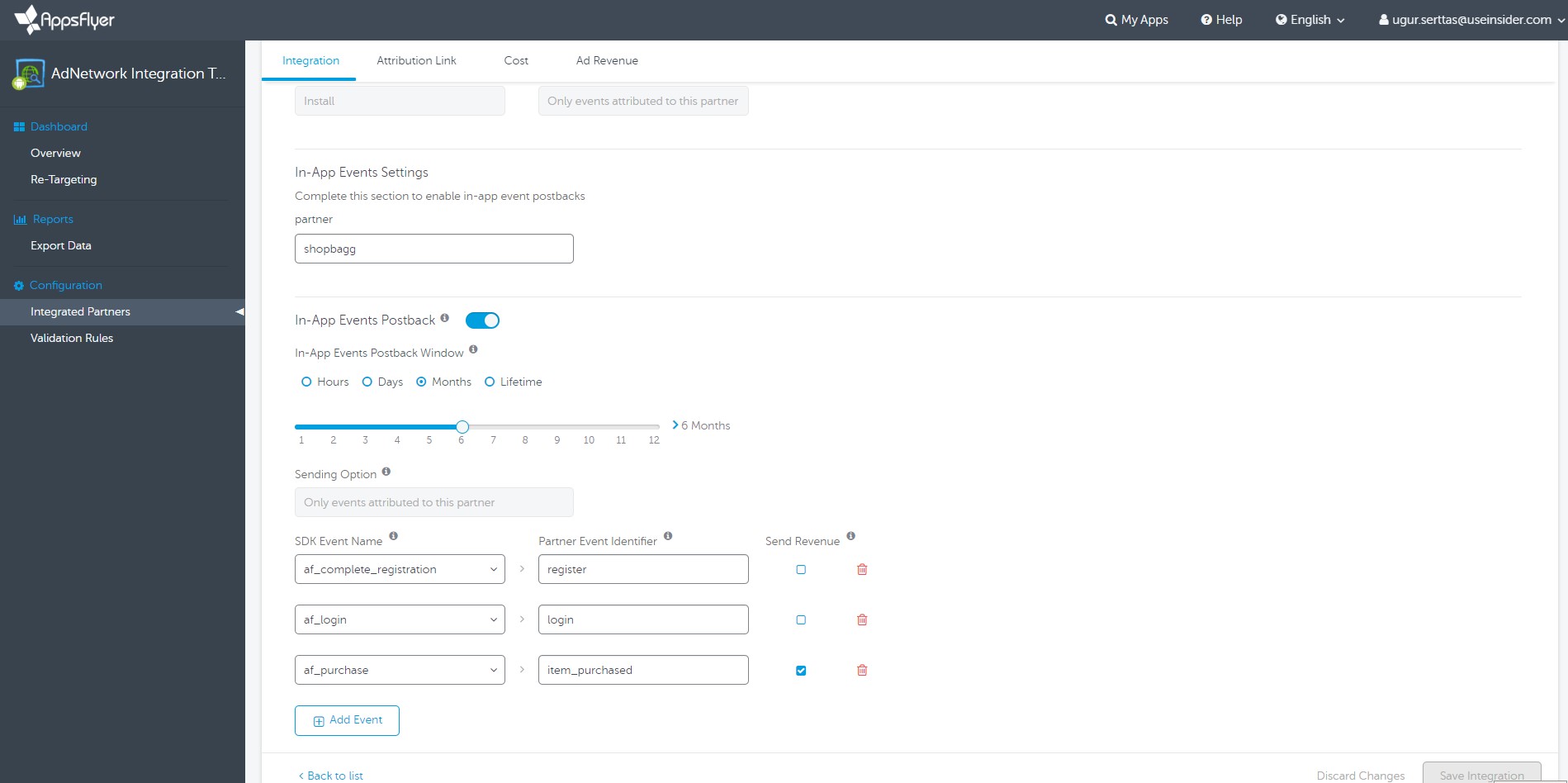
Insider One Event Name format should be as follows:
- Only English characters (ISO basic Latin alphabet)
- 40 characters max.
- Lowercase
- No spaces, use underscores
- No special characters (e.g., &^+%!)
Mapping Table for Attributes and Event Parameters
Appsflyer Postback Macro | Insider One Mapping | Data Type | Description |
|---|---|---|---|
event_name | The event name is mapped under your integration settings. This will include Install events, and you can only send custom events with this integration | Event | Name allocated to an event |
appsflyer_id | appsflyer_id | Attribute | AppsFlyer's unique identifier recorded upon conversion |
attributed_touch_type | af_attributed_touch_typ | Event Parameter | Possible values: click, impression, TV, pre-install |
install_time | af_installed_at | Event Parameter | Install timestamp |
is_attributed | af_is_attributed | Event Parameter | A flag marking if the install or event is attributed to this media source |
is_primary_attribution | af_is_primary_attribution | Event Parameter | If false, see is_retargeting |
is_retargeting | af_is_retargeting | Event Parameter | Use in conjunction with is_primary_attribution. You can refer to Double attribution of retargeting events. |
partner_event_id | Event Group Id | Event Parameter | Name/ID of the corresponding event in the partner's platform |
af_ad | af_ad | Event Parameter | Ad Name provided by the advertiser/publisher |
af_ad_id | af_ad_id | Event Parameter | Provided by the advertiser/publisher |
af_adset | af_adset | Event Parameter | Provided by the advertiser/publisher. Adset is an intermediate level in the hierarchy between Campaign and Ad. |
af_ad_type | af_ad_type | Event Parameter | Use the following naming convention: |
af_content | af_content | Event Parameter | Title of the content (such as the name of a song or the title and episode of a TV show) |
af_description | af_description | Event Parameter | Short description (string) |
af_campaign | af_campaign | Event Parameter | Campaign name in Appsflyer |
af_network | af_network | Event Parameter | Ad network |
af_adgroup | af_adgroup | Event Parameter | Ad Group |
For further information about AppsFlyer Macros, refer to In-app events—Event structure.