Follow these steps to configure the Huawei Messaging Service.
1. Go to the Huawei Developer Console to sign in.
2. Go to App services to select AppGallery Connect.
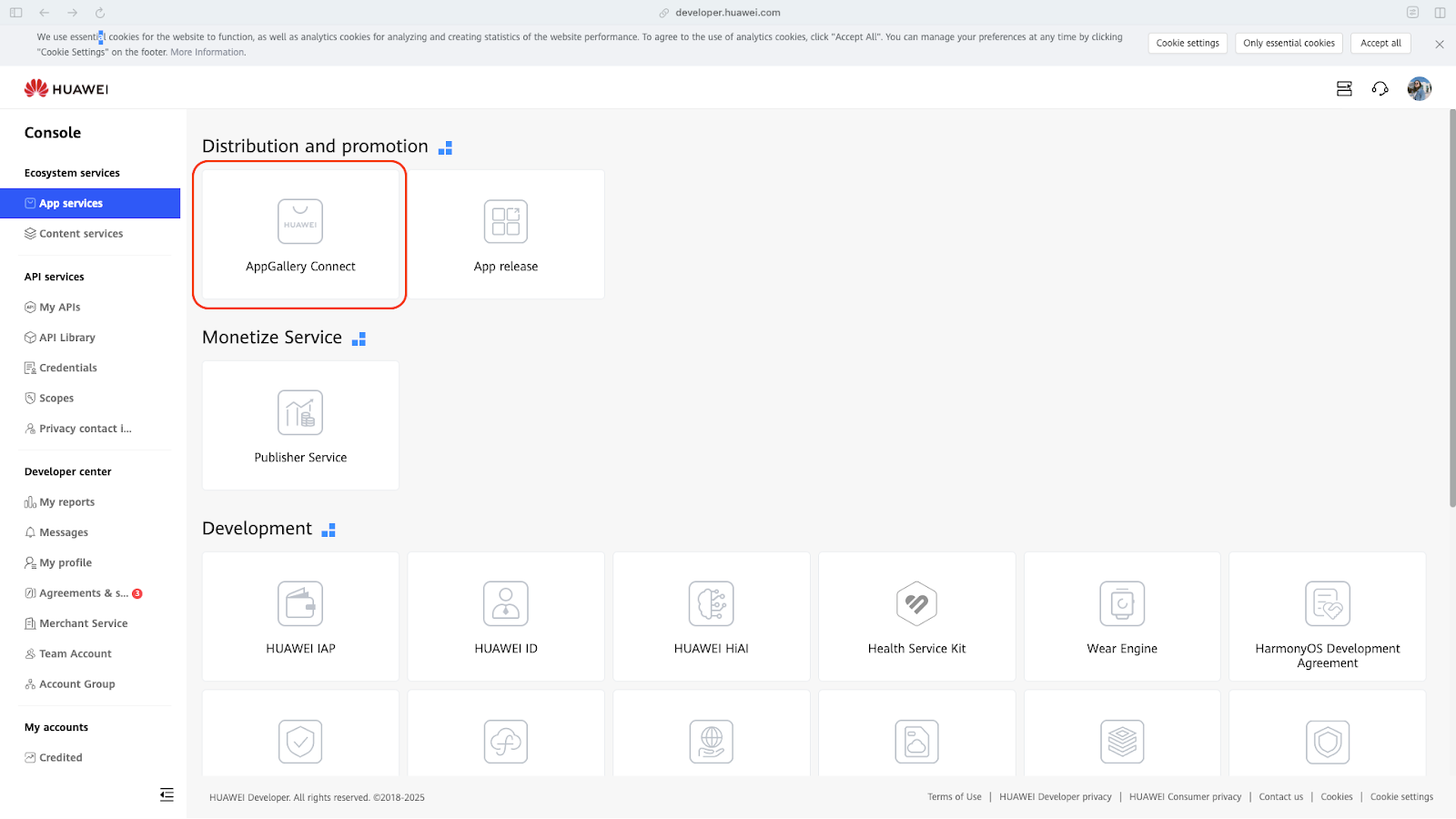
3. Go to My projects and create a new project.
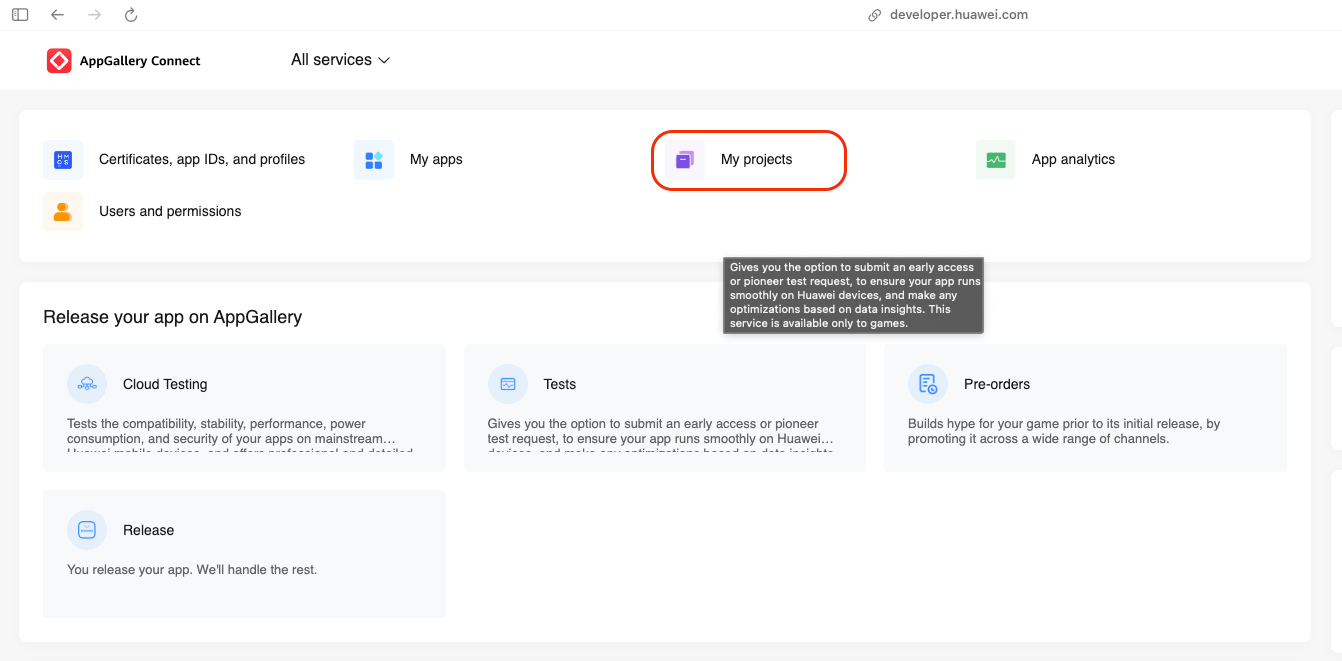
4. Fill in the required information.
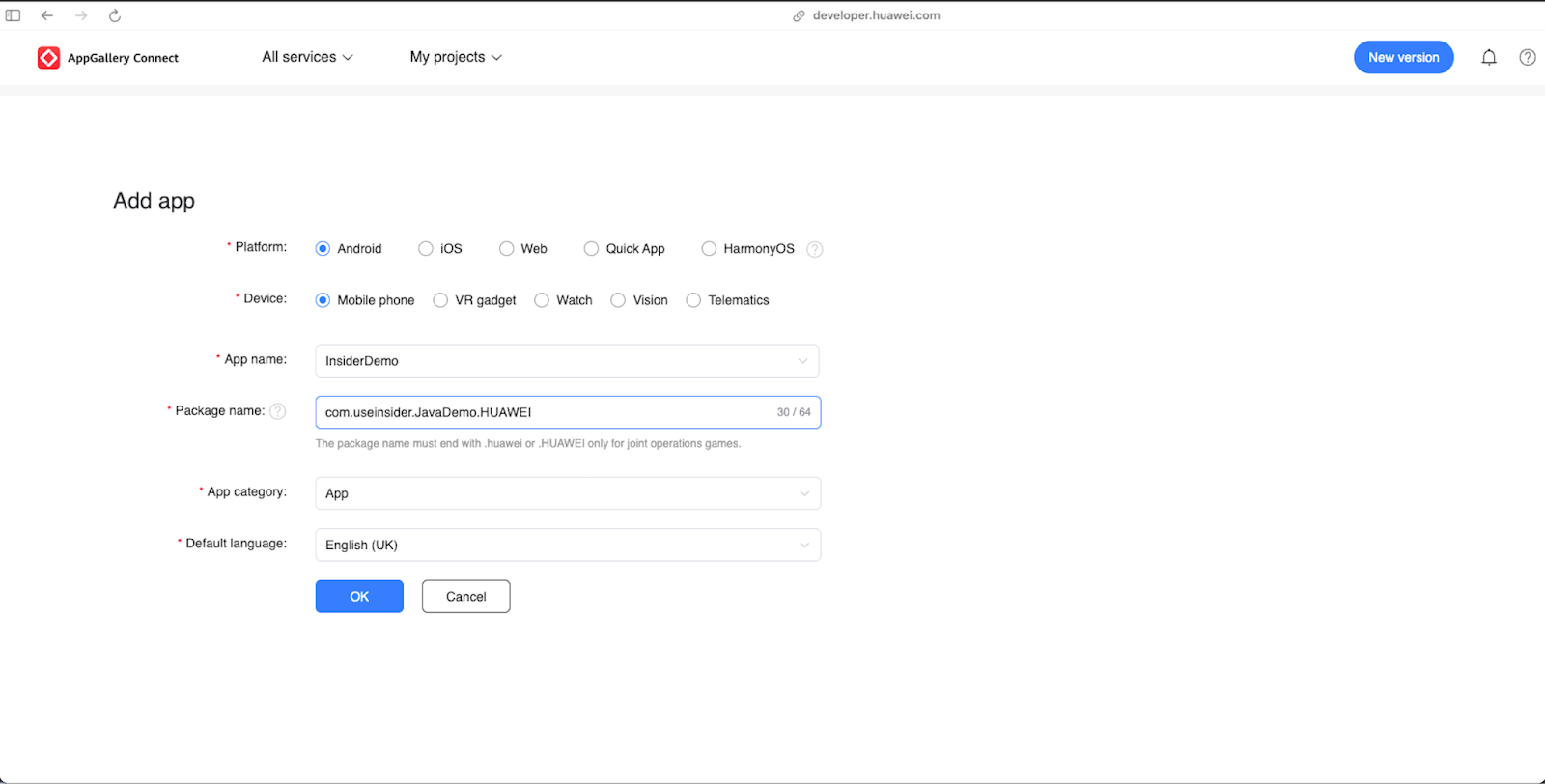
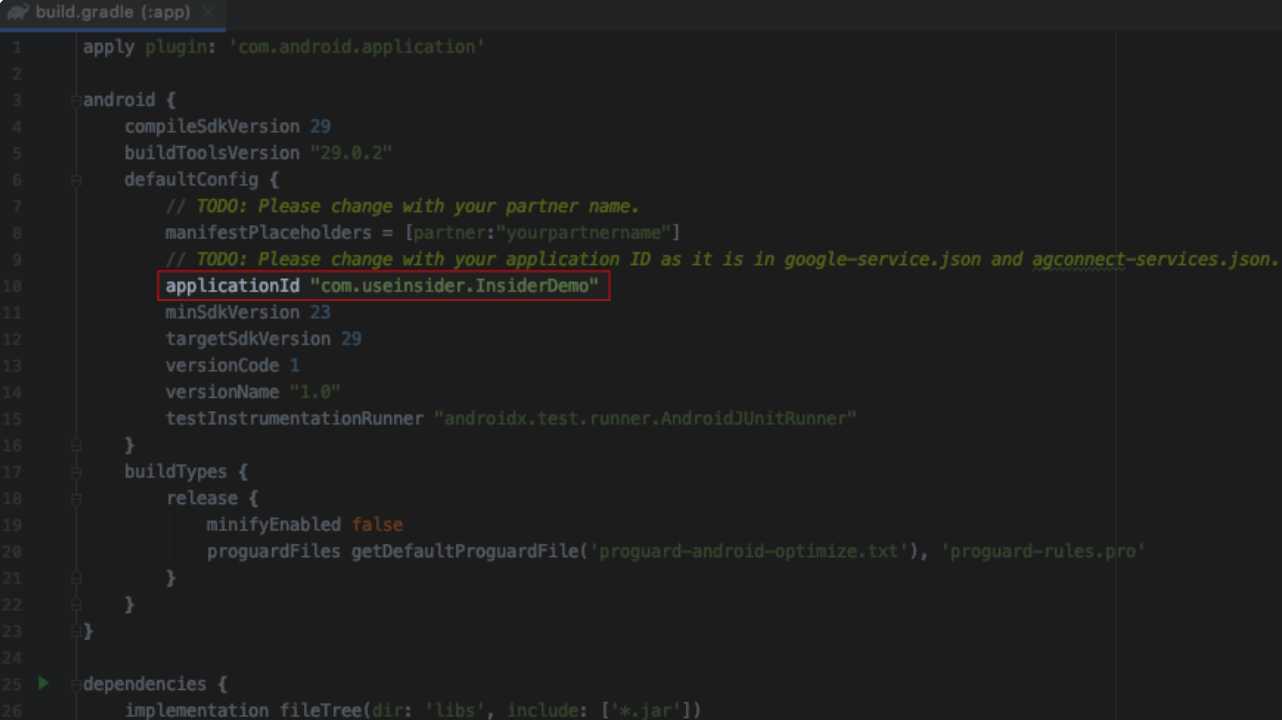
5. Enter the package name that must match your applicationId in app level build.gradle.
6. Add app to the selected project.
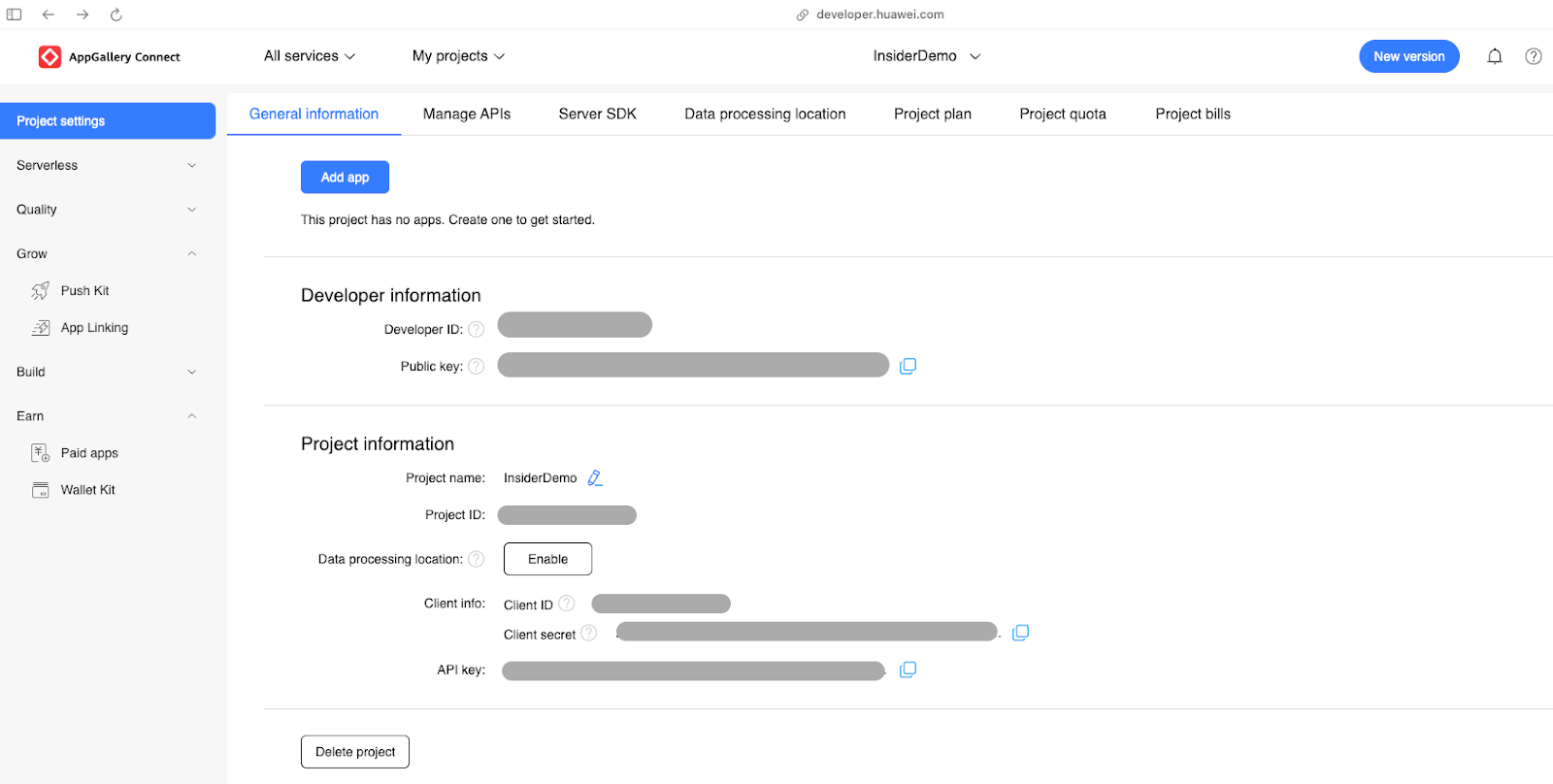
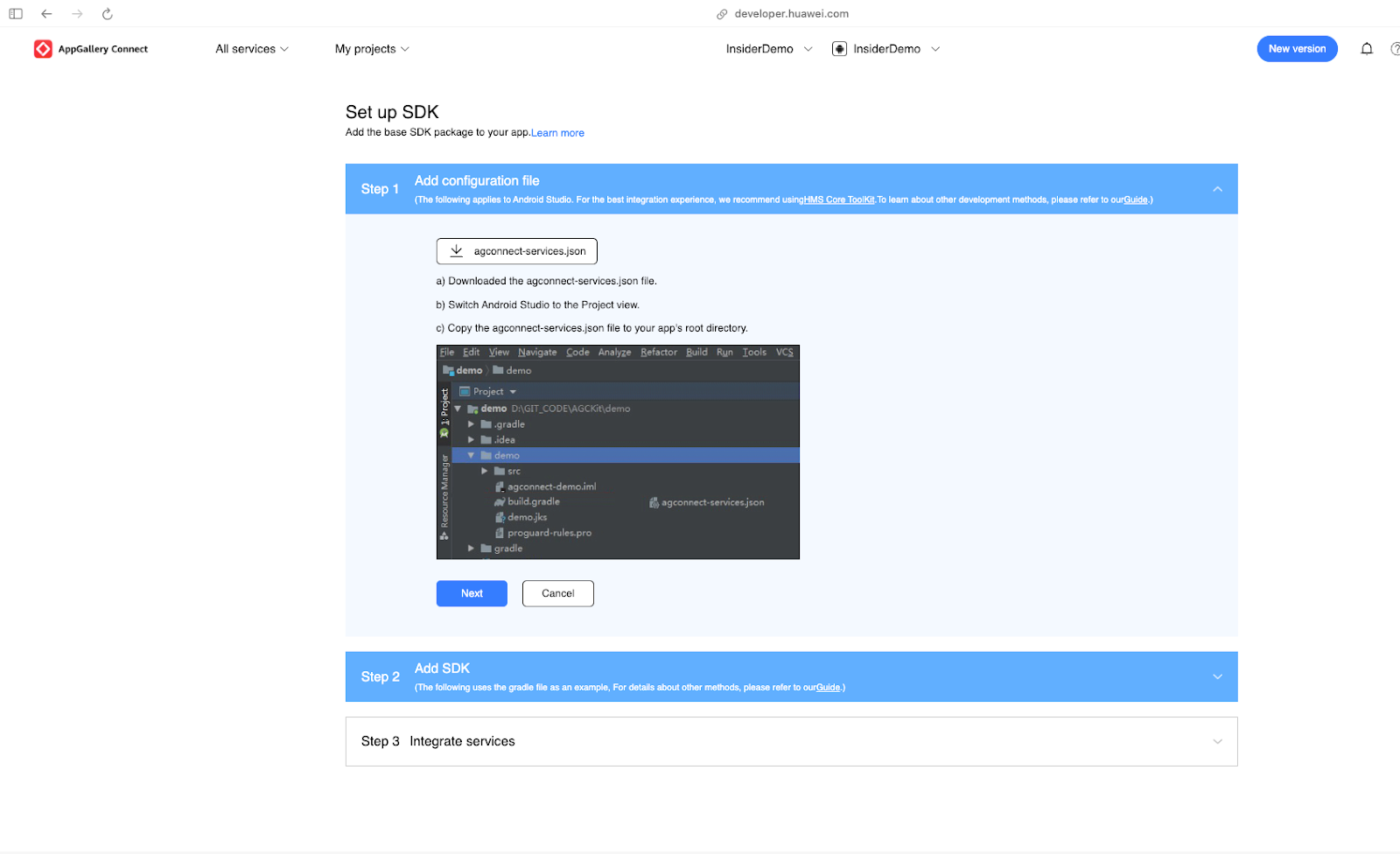
7. Follow Steps 1, 2, and 3 on the Set up SDK page.
8. At the end of the SDK setup, click the Push Kit to enable.
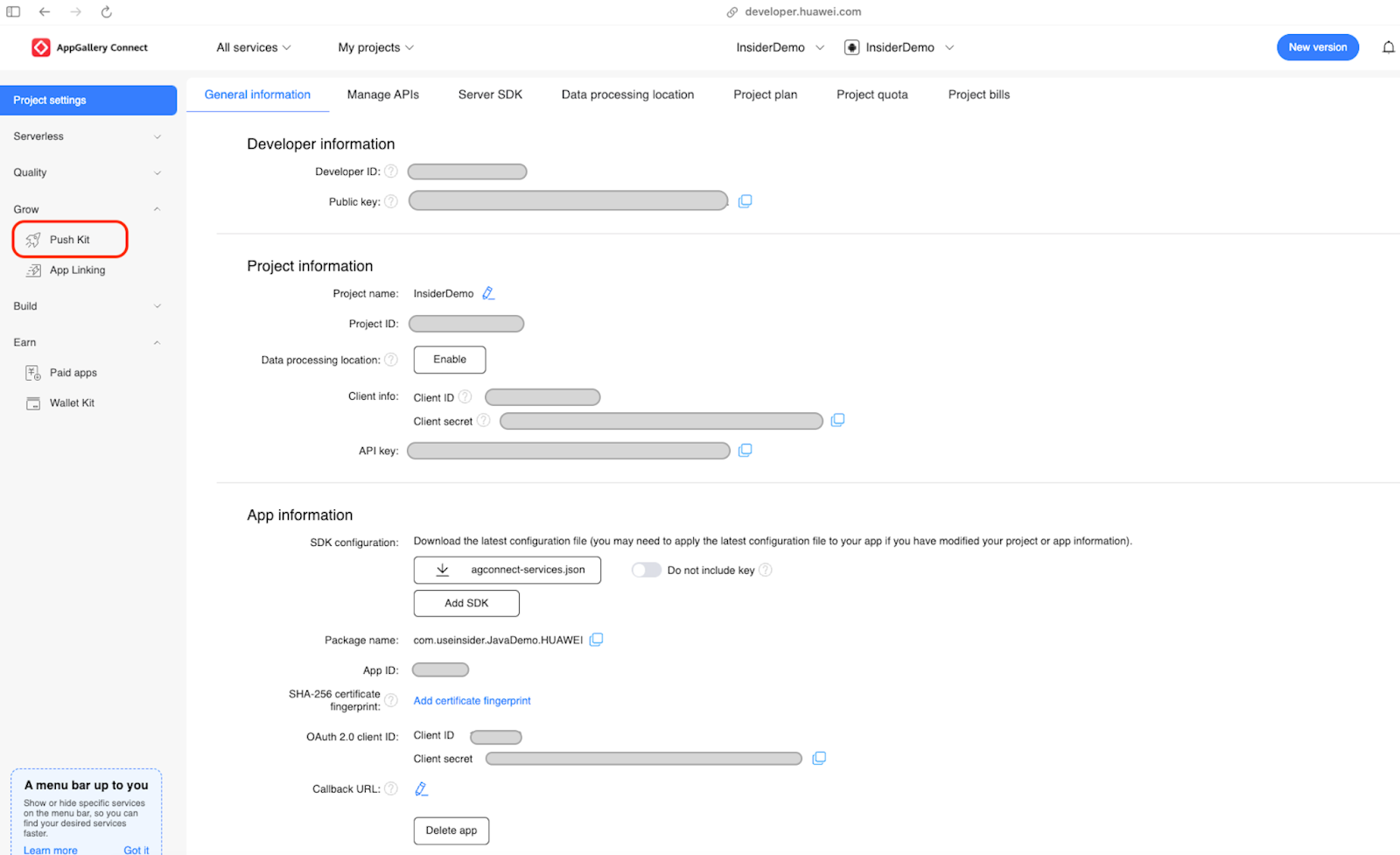
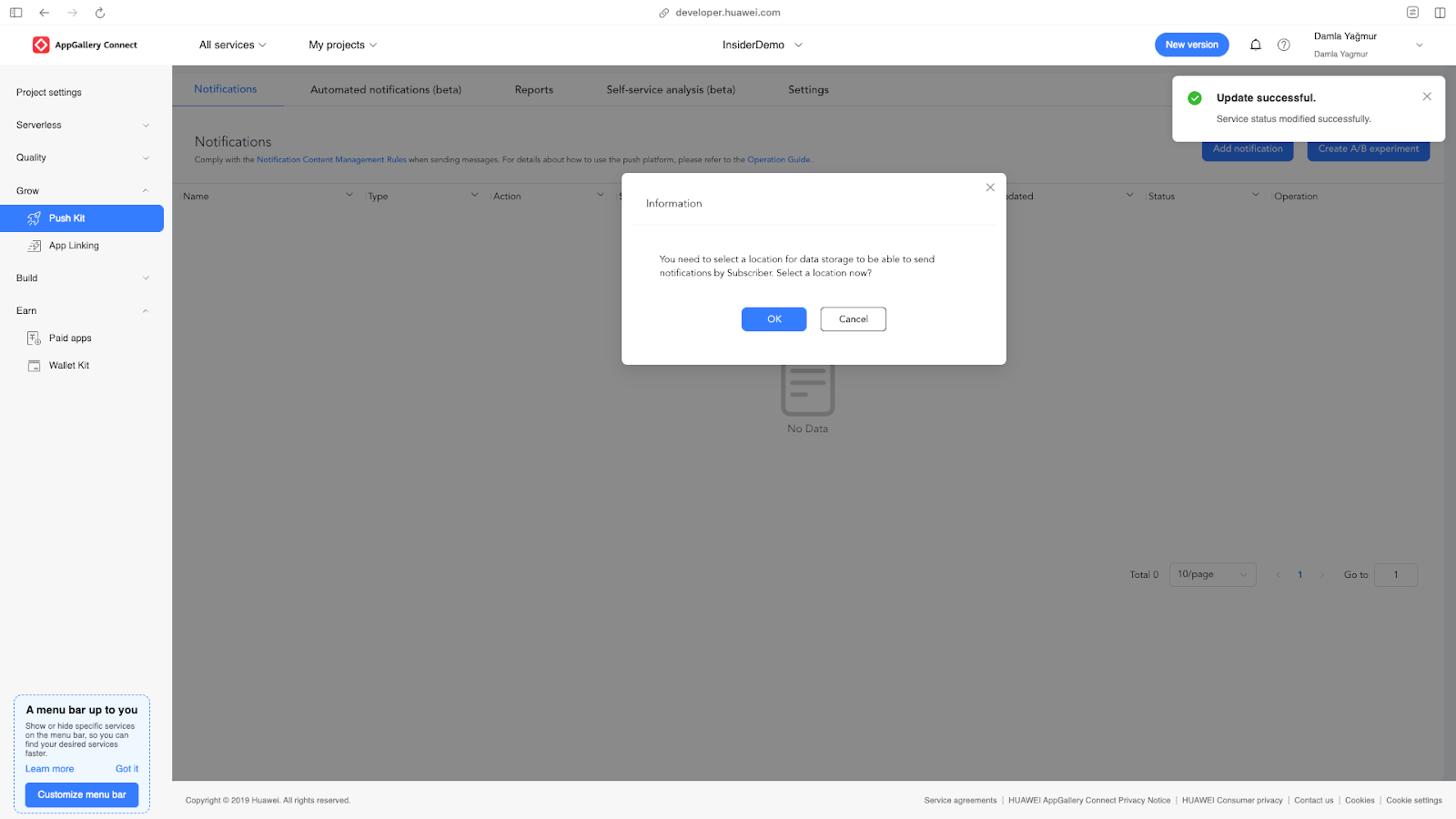
9. To enable the Huawei Push Kit, a package name is required. Please proceed to enter the package name.
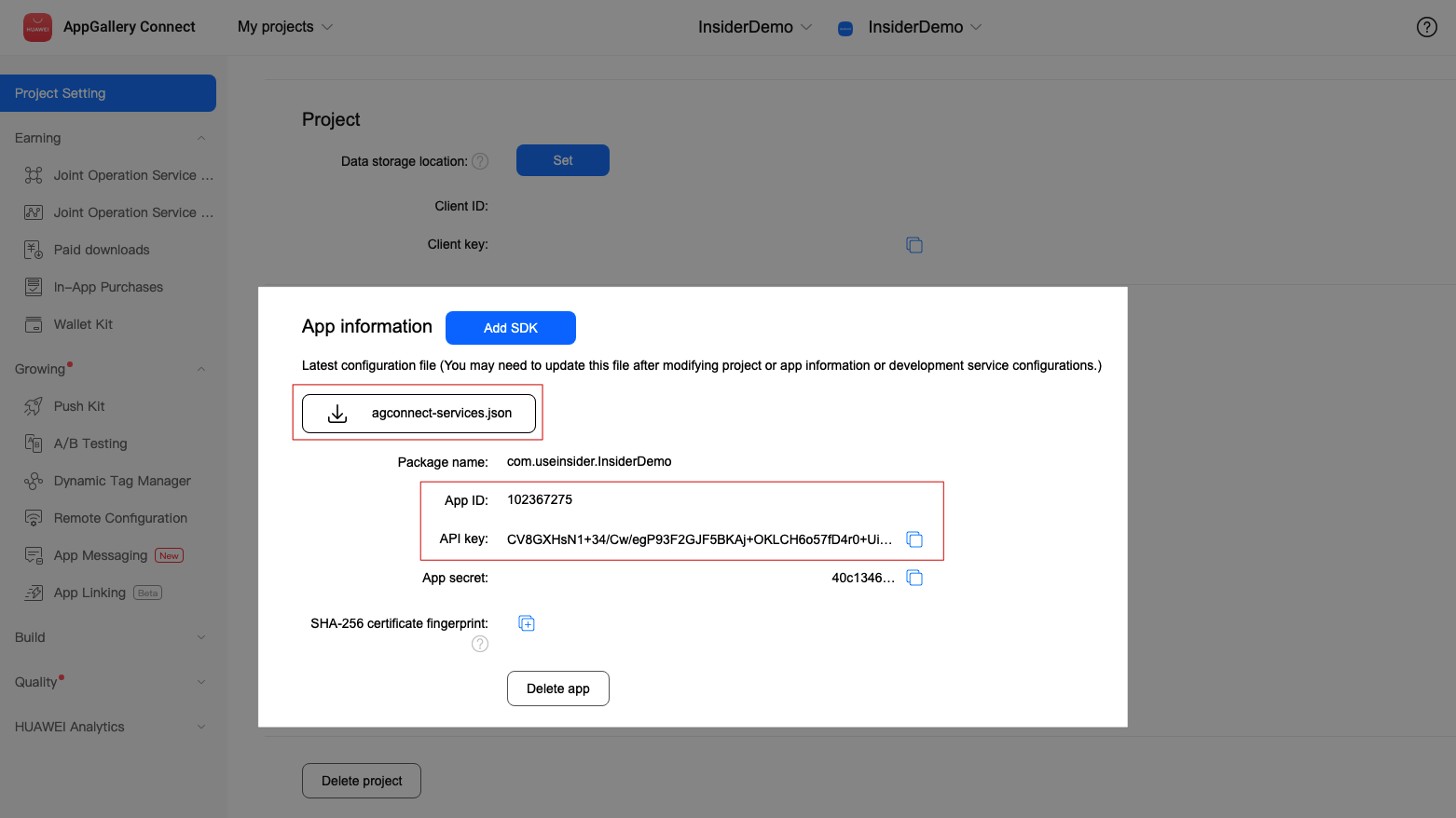
10. Download agconnect-services.json and add it under the app folder (the same level as google-service.json).
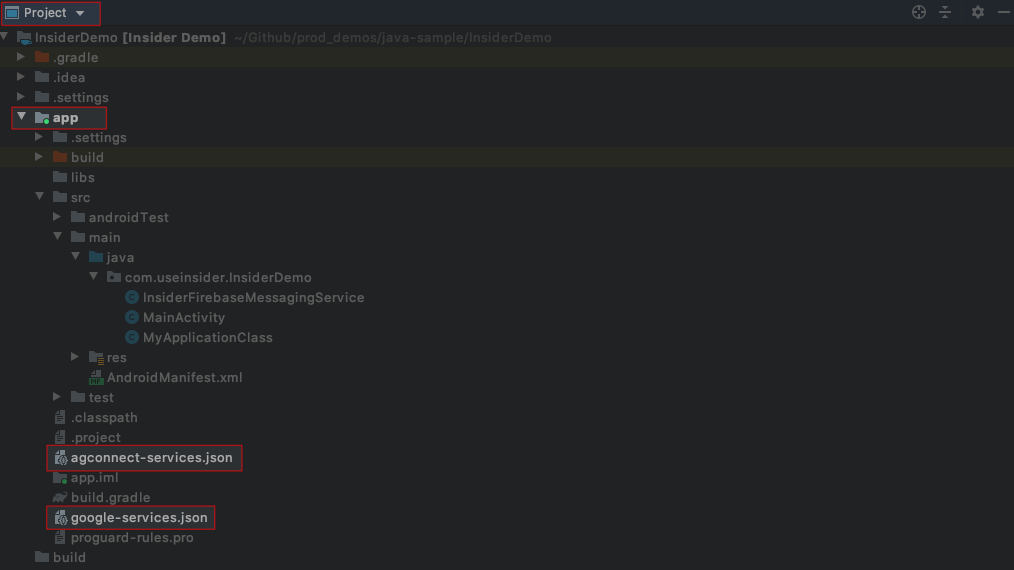
11. Apply plugin in the app level build.gradle.
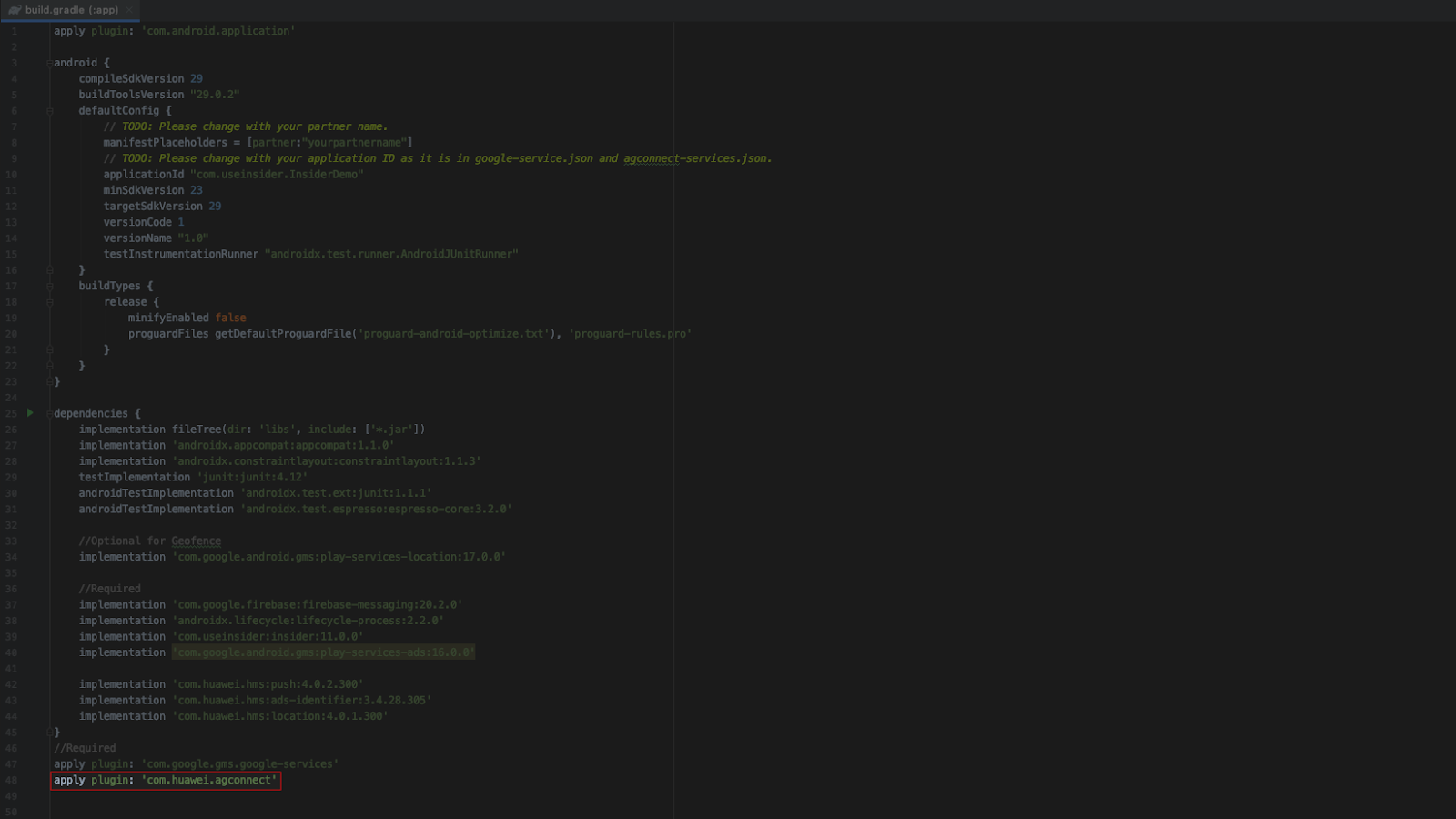
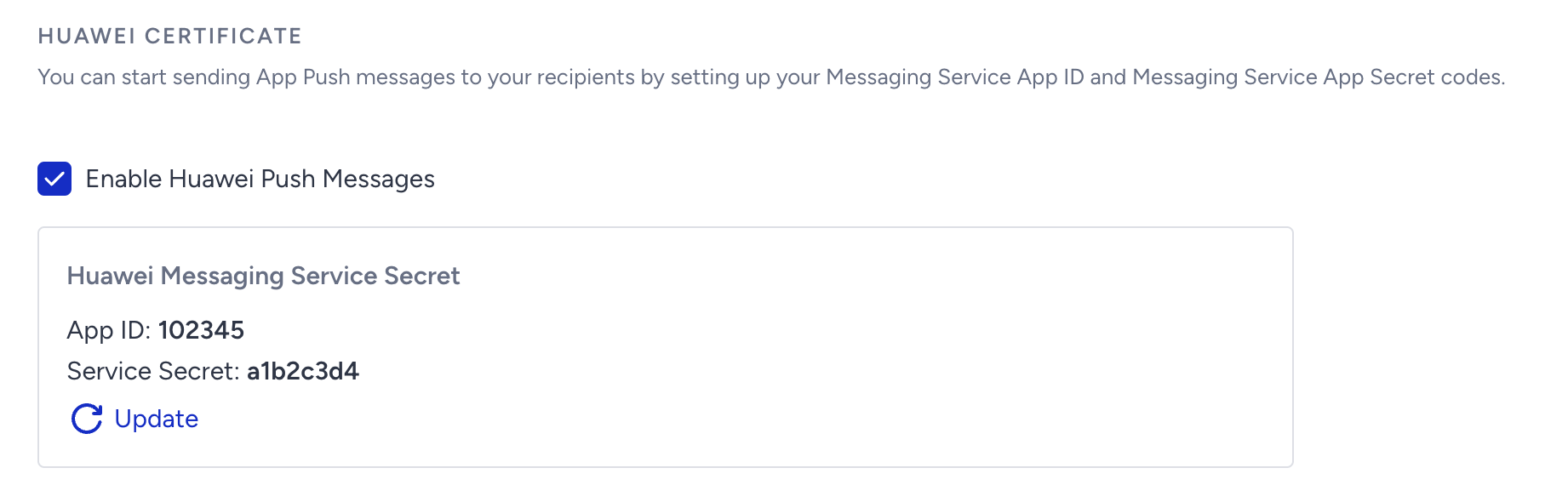
apply plugin: 'com.huawei.agconnect'12. Go to InOne and navigate to Settings > Mobile App Settings > Push Certificates to add your App ID and API Key.
Your configuration is now complete.