Different reasons might be responsible for this situation if the Smart recommender shows out-of-stock items.
The recommendation system uses a caching layer, which may temporarily display items that are out of stock. The cache refreshes every 30 minutes. If an item still appears after the next refresh window, you can proceed with the troubleshooting steps below.
To troubleshoot the issue, you can refer to the steps below:
Find the item_id from the endpoint.
Check the items in the feed. You can find the stock status in the Product Catalog Management.
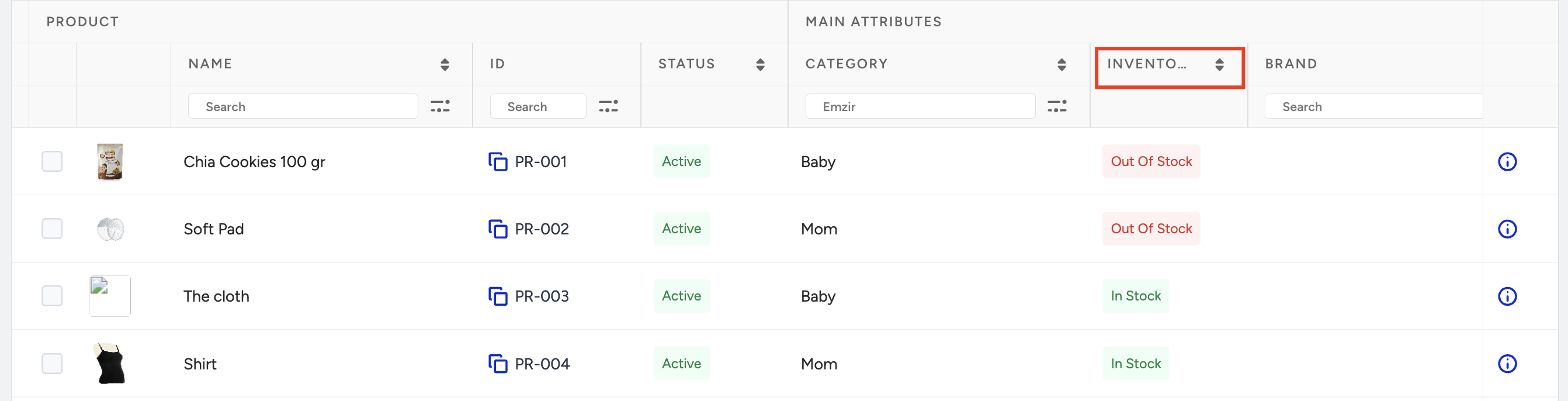
Click the Details (i) button to find the source of the product.

The following sources change the product attributes:
ProductFeedETL (Clickstream): Indicates the last update time of the product from clickstream data. (All attributes can be updated)
ProductFeedXML: Indicates the product's last update time in the XML data. (All attributes can be updated)
CatalogAPI: Indicates the product's last update time via the Catalog API. (All attributes can be updated)
Hit checker: Indicates when the product was marked as out of stock by the HitChecker. (Only the stock gets updated)
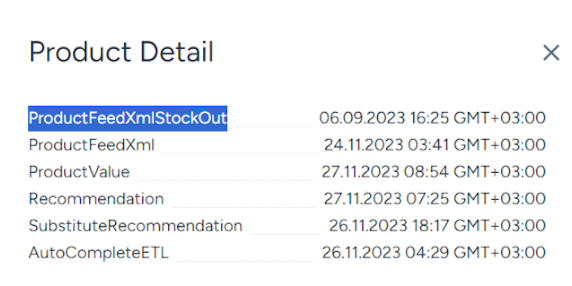
XmlStockOutAPI: Indicates if the product was marked as out of stock due to this toggle.
Based on the source, you can proceed as follows:
ProductFeedETL (Clickstream)
Check the date to see when the product was last visited. If the date isn't recent and the product hasn't been visited, the product attributes might be outdated. After the product is visited, the attributes should be updated within a few hours.
Ensure that system rules are functioning correctly.
Verify if the hit is accurate.
Inspect the product page view event in UCP for your profile to ensure it's collected correctly.
If HitChecker is the last updating source and the product is out of stock (OOS), it means HitChecker marked it as OOS because the product was not visited during its period.
ProductFeedXML
Check the date; it shows the last time the product was updated from XML. If the date is not recent, it means that the product hasn’t been updated. Two different reasons might cause this:
If the product is no longer in XML, download the XML file and search for the item_id.
If the product is in XML but is not being updated due to some errors, check the XML Integration Validator.
If you still can’t figure out what's wrong with XML, contact the Insider One team.
Catalog API
Check the date; it shows when the product was last updated from the Catalog API.
If any value is incorrect, correct it. You might be sending the values in the wrong format.
XML + ProductFeedETL (Clickstream)
Check the date to see when each source's product was last updated. You can follow the steps above for each source to ensure accuracy and troubleshoot any issues:
If the item_ids don't match between the XML and Clickstream sources, then the XML feed has minimal impact on the feed because item_ids should always match.
If the "Send Only In Stock Products" toggle is enabled on the XML Integration page, products not in the XML will be marked as out of stock.

You will see a ProductFeedXmlStockOut on the product update sources: