To trigger an OTP code with a specific event and transfer the payload to Insider One via API call, you must retrieve the OTP API key from Insider One's InOne panel.
To start with,
Log in to your Insider account and navigate to the Inone Settings section located under your username.

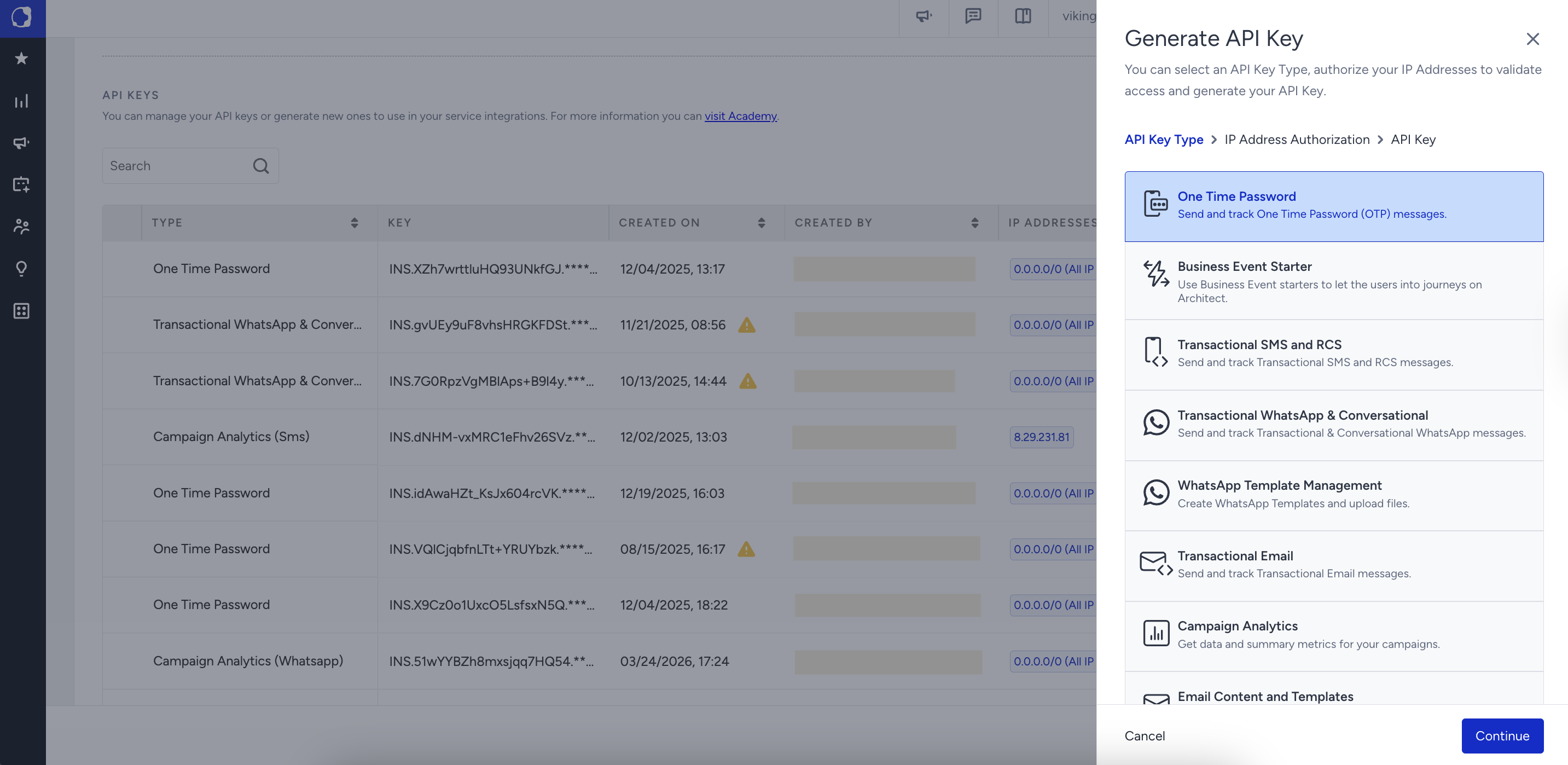
Under Integration Settings, click the Generate API Key button. Then, choose One Time Password and click Continue.
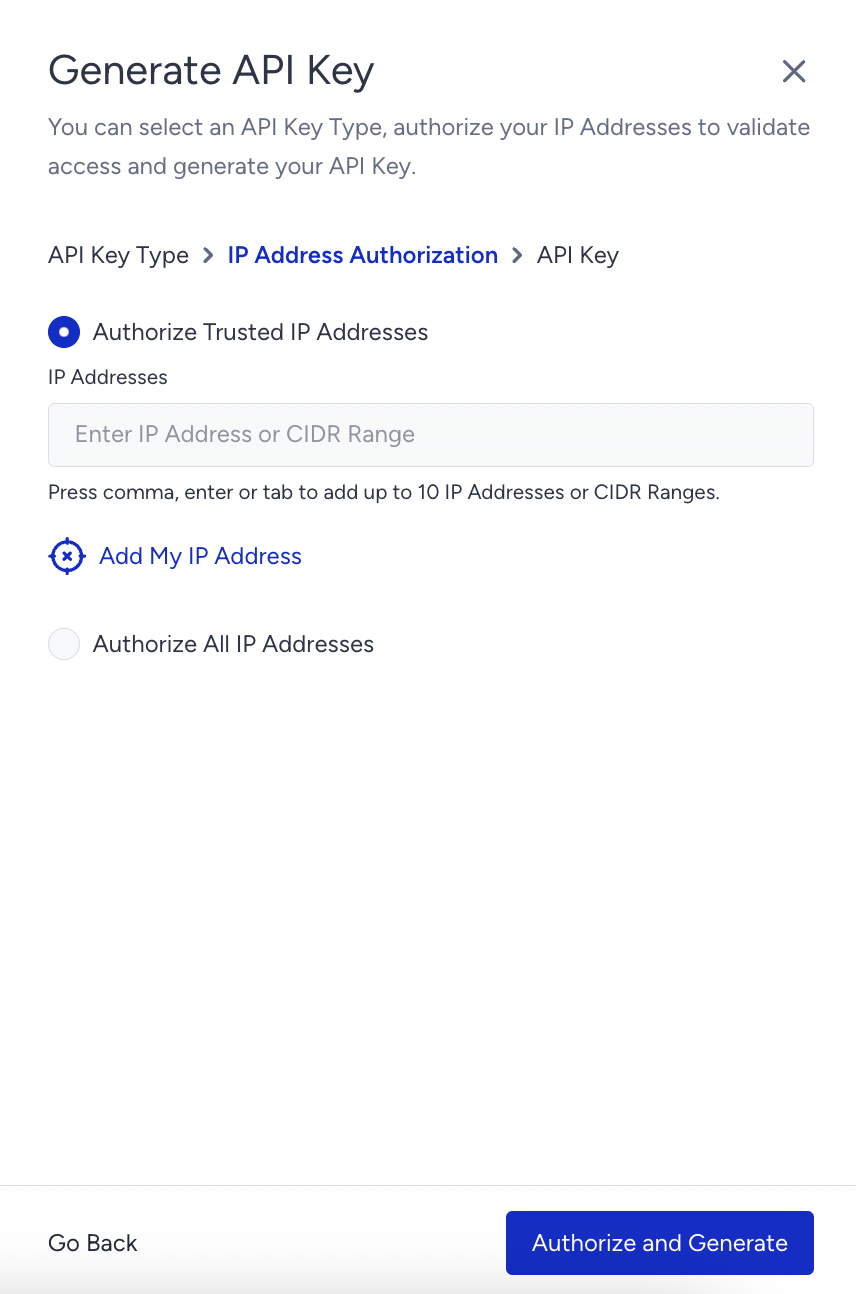
Authorize the trusted IP addresses to apply IP restriction, and click the Authorize and Generate button.
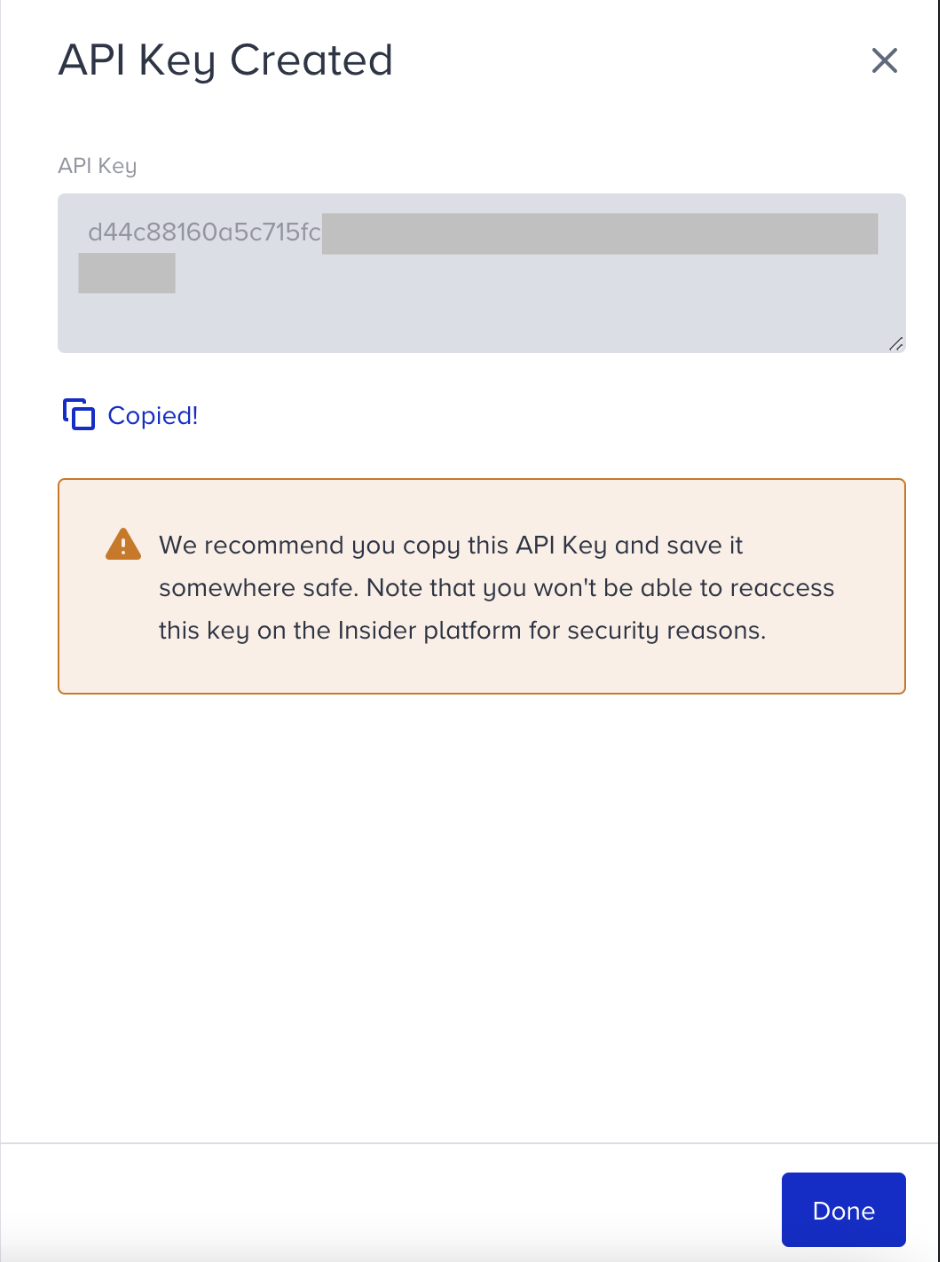
Copy this API key and save it somewhere safe. This key will be used to authenticate your API calls for generating OTP codes. Note that you won't be able to reaccess this key on the Insider One platform for security reasons.