On the MindBehind Live Detailed Report page, the daily report information is automatically updated. This report screen displays only information about terminated conversations.
You can learn about the following topics in the Detailed Report:
To access the Detailed Report, navigate to MindBehind Live > Analytics > Detailed Report.
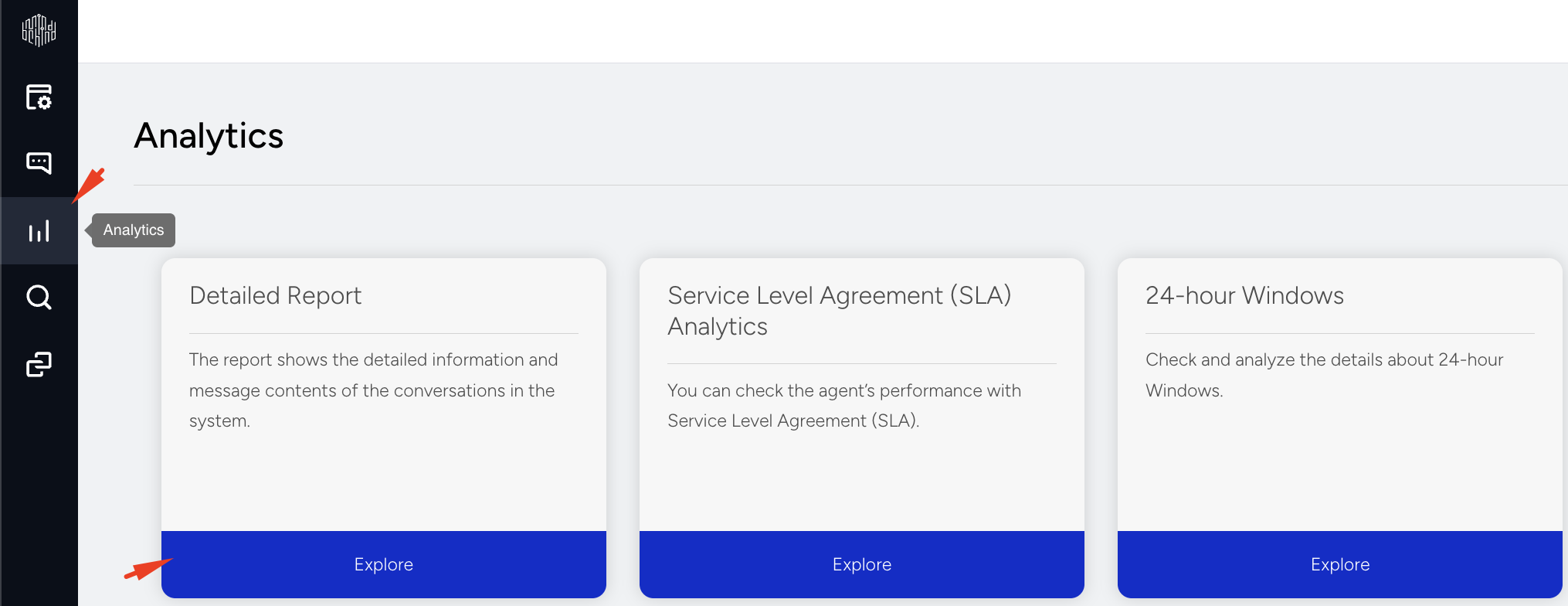
Report Categories
On the Detailed Report page, conversation data is organized into multiple categories, displayed as tabs. Each tab allows you to analyze conversations from a different operational perspective.
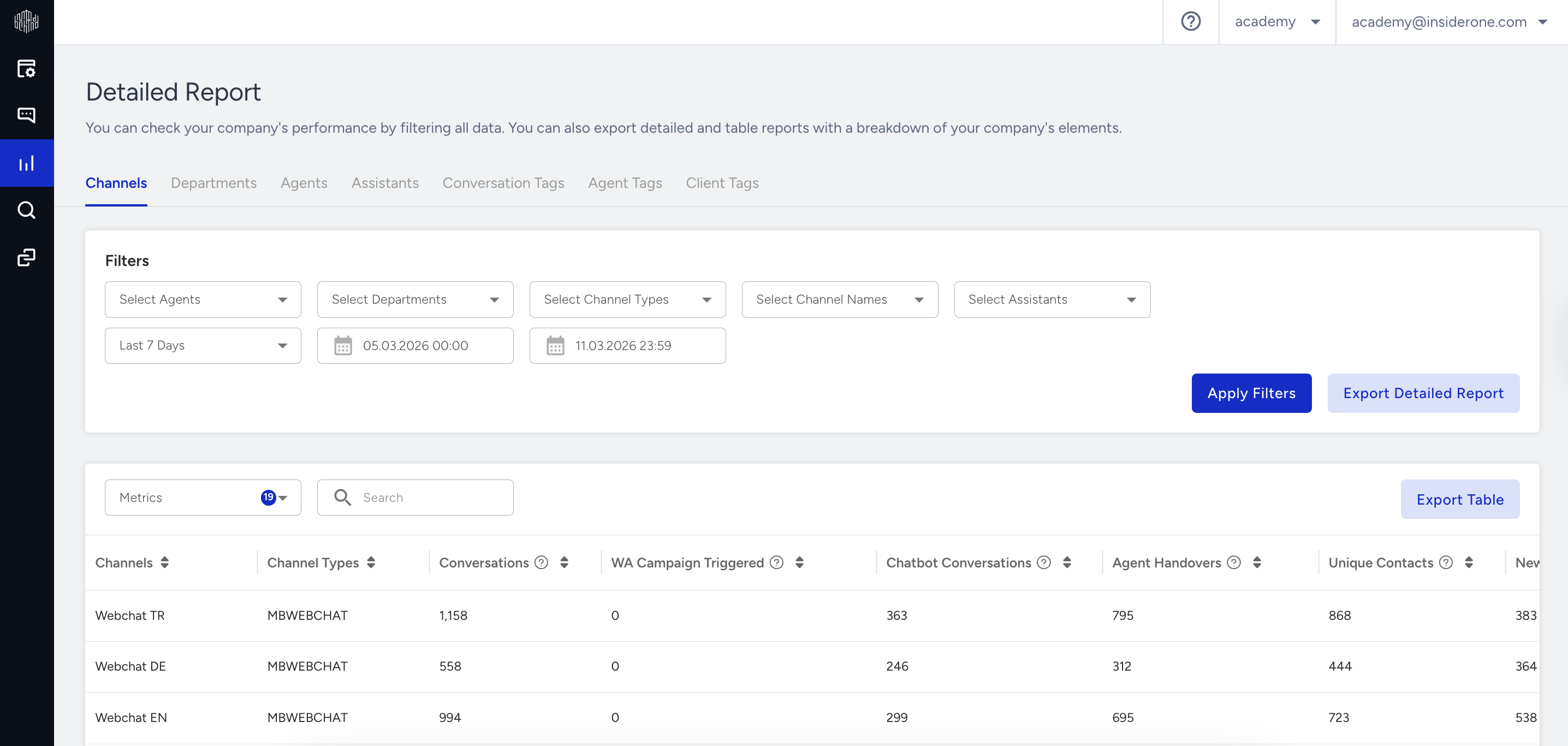
Each category displays conversation data from a different operational perspective:
Channel: Displays conversation data within the selected date range, grouped by the company's communication channels (e.g., WhatsApp, Instagram, BIP).
Department: Shows conversation data based on departments for the selected date range. Departments help company admins manage live support requests from different conversation pools. Admins assign agents to departments.
Agent: Displays conversation data grouped by individual agents for the selected date range.
Assistant: Shows chatbot conversation data for the selected date range. Includes interactions that were fully handled by the chatbot without agent involvement.
Conversation Tags: Displays conversation data by tag for the selected date range. Tags are applied by agents during or after the conversation to describe its content. Tags are predefined by company admins and managed per department.
Client Tags: Shows conversation data based on client tags within the selected date range. Client tags categorize customers and are applied by agents during or after the conversation. These tags are defined and managed by company admins.
For Web Messenger customers, if a conversation ends before an agent is assigned—even if the customer was routed to a department—it is considered untagged. As a result, in departments where tagging is mandatory, the total number of tagged conversations might not match the total number of ended conversations.
Report Metrics
You can customize the detailed report by selecting the metrics you want to focus on. Each section of the report will display data based on the metrics you choose, helping you analyze chatbot and agent performance more effectively.
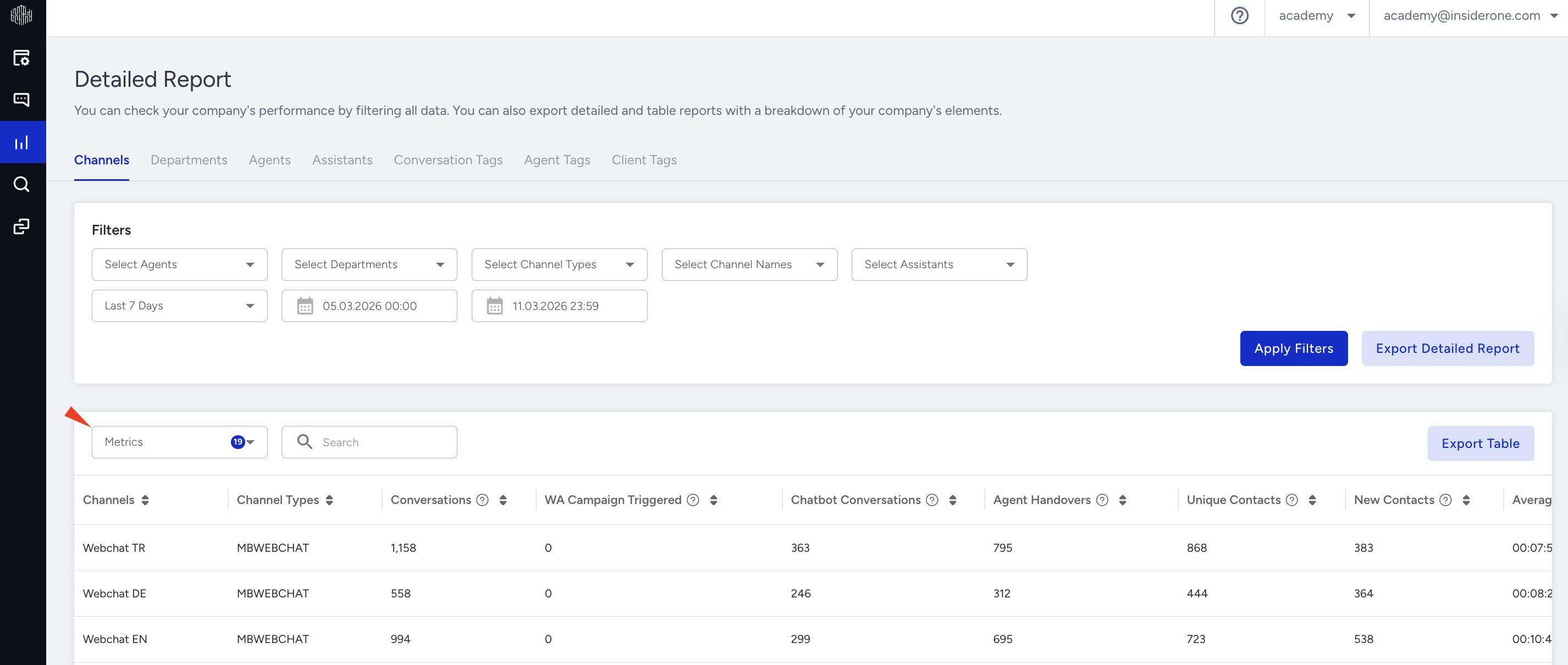
The following metrics are available in the Detailed Report:
Conversations: The total number of conversations within a specific period.
Chatbot Conversations: The number of conversations that were started and solved in the chatbot session.
Agent Handovers: The number of conversations that were started in a chatbot session and solved with an agent.
Average Handle Time (AHT): The average duration of conversations that were started and solved with an agent or in a chatbot session.
Average Agent Handle Time: The average time that each agent spends on all assigned conversations.
Average Chatbot Handle Time: The average time that chatbots spend in all assigned conversations.
Unique Contacts: The number of individual customers that interacted with a channel within a specific period.
New Contacts: The number of customers who initiated their first conversation via a channel within a specific period.
Customer Ratings: The number of conversations in which customers scored their contentment with the service.
Customer Satisfaction Score (CSAT): The average conversation ratings that customers use to measure their contentment with the service.
Agent Ends: The number of conversations that were ended by agents manually.
Customer Ends: The number of conversations that were ended by customers.
Auto Ends: The number of conversations that were ended automatically within 24 hours.
Chatbot Conversations Timeouts: The number of conversations with chatbots that were automatically closed due to customer inactivity.
Live Conversations Timeouts: The number of conversations with agents that were automatically closed due to customer inactivity.
Average First Response Time: The average time that each agent first responds to a conversation.
Average Agent Wait Time: The average duration that an agent waits for the customer’s response within a conversation.
Average Customer Wait Time: The average duration that a customer waits for the agent’s response within a conversation.
Forwarded Conversations: The number of conversations that were forwarded by an agent to another agent or department.
Received Conversations: The number of conversations that were received by an agent or department from another agent.
Resolved Conversations: The number of conversations that were solved by an agent.
Agent Timeouts: The number of conversations that customers were sent back in the queue due to an agent's inactivity while waiting for a response.
With report filters, you can filter the report you want to create according to the contents of Agent, Department, Channel, Assistant, Conversation Tag, and Client Tag. After filtering, you can click the Display button to view the report.
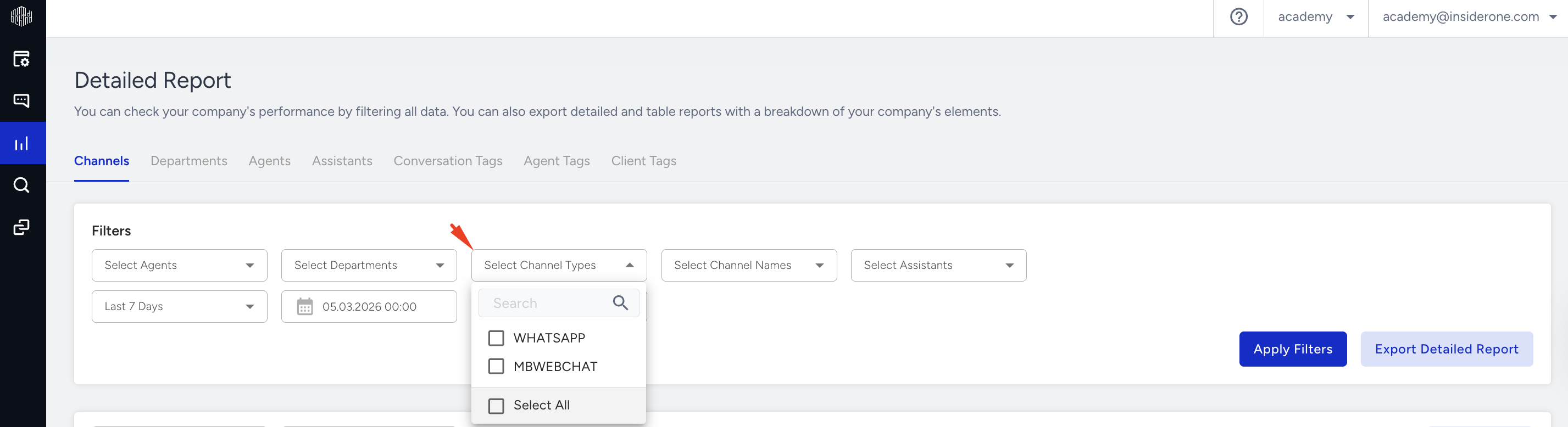
By default, the report displays data for the current day. To view data for a specific period, select a weekly, monthly, or custom date range.
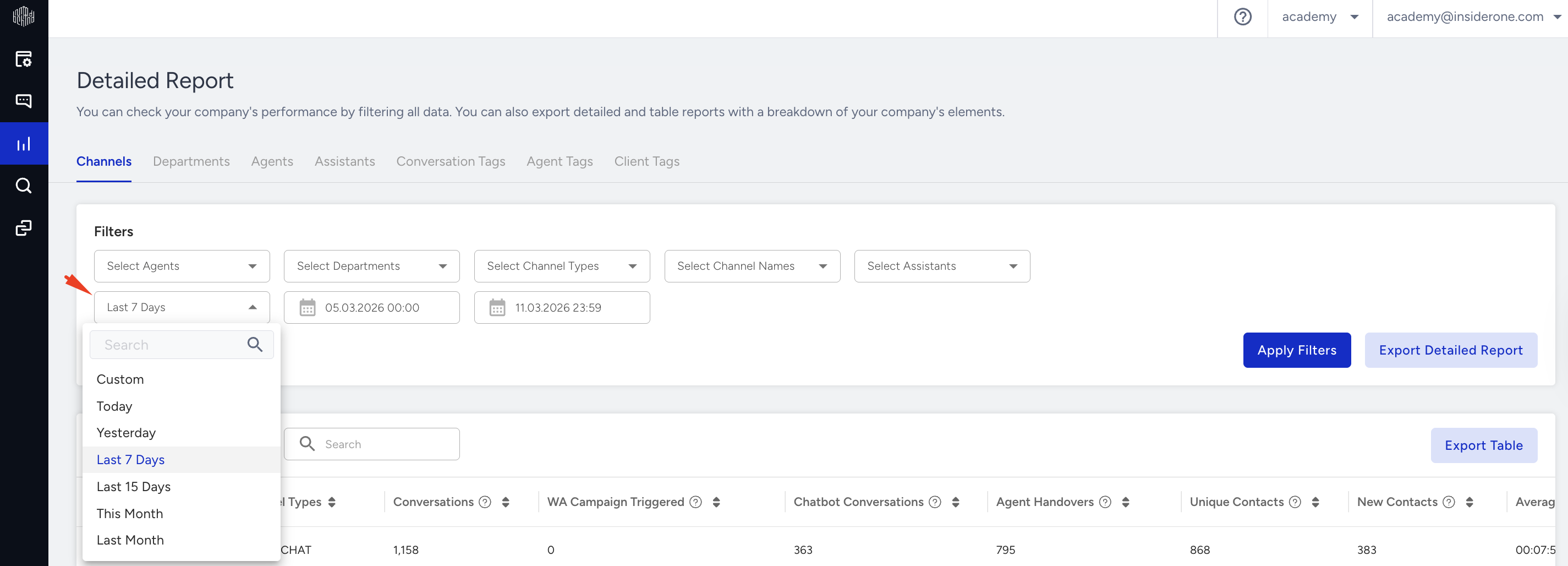
Export the report
You can see the details when you download the generated report in Excel format. For this purpose, you can apply the filters you want and click the Display button. Then, click the Export button to display two different types of reports: Conversations and Messages. You can only export monthly data. 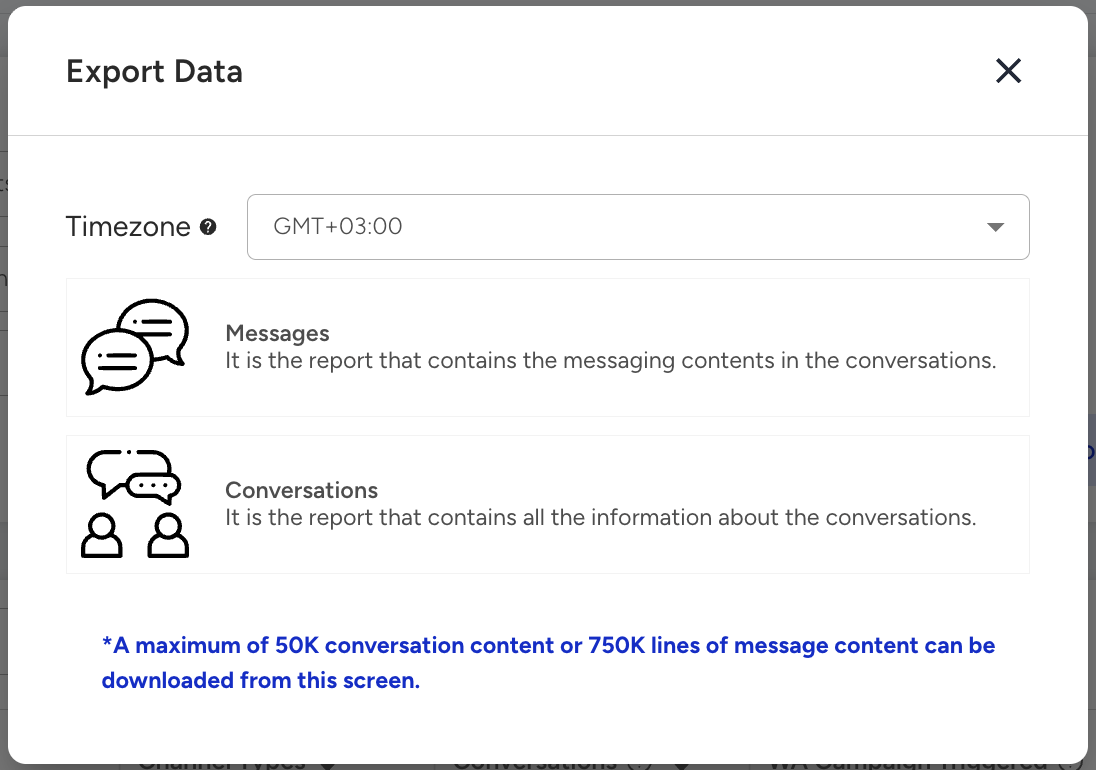
Conversations
All information in the system is accessed based on conversations in this type of report. This report includes information about the downloaded content and the following topics:
Conversation ID: The unique number in the system for each conversation.
Company ID: The unique number of the relevant company in the system.
Company Name: The name of the company where the conversation took place.
Assistant ID: The unique number of the assistant in the system where the related conversation takes place.
Agent ID: The number of the delegate to whom the related conversation is assigned in the system.
Client Phone: The phone number of the client who started the relevant conversation. (It is shown only when appropriate information is received.)
Channel ID: The unique number of the channel in the system where the related conversation took place.
Channel Type: Shows the type of channel the conversation has realized.
Client ID: The unique number of the client that started the conversation.
Assistant Name: The name of the assistant with whom the related conversation begins.
Assistant Visited: The names of the assistants with whom the related conversation was followed.
Is Ended: Contains information about whether the conversation has ended. (True refers to the conversation that ended, and false refers to the conversation that is still in progress.)
Ended By: Refers to who terminated the conversation. (AGENT, CLIENT, BOT, SYSTEM)
Client Name Surname: The name and surname of the client in the conversation. (Shown only when relevant information is received.)
Agent Name: The field where the first and last name of the agent, to whom the relevant conversation is assigned, is shown.
Department ID: The number in the system of the department where the related conversation took place.
Department Name: The name of the department where the related conversation took place.
Start Date: The beginning date of the related conversation.
End Date: The end date information of the related conversation
Forward Date: The forward date information of the related conversation.
Last Message Date: The date on which the last message in the related conversation was sent.
First Agent First Response: The date on which the agent first responds to the relevant conversation.
Last Agent First Response: The date on which the last agent's first response to the relevant conversation.
Client First Response: The date on which the client first responds to the relevant conversation.
First Assigned Time: The date on which the relevant conversation was first assigned to the agent.
Last Assigned Time: The date on which the relevant conversation was last assigned to an agent.
Client Keys: Refers to the title “key” that the agent adds to the client card.
Client Key Values: The “value” that the agent adds to the client card.
Conversation Tags: The field where the tag is added to the chatbot by the designers to the conversation is shown.
Agent Tags: The field where the tag added by the agent to the conversation is shown.
Visited Agents: The names of the agents to which the related conversation is assigned.
Is Client Timeout Exist: Indicates whether a client timeout occurs while the conversation is taking place.
Is Agent Timeout Exist: Indicates whether agent timeout occurs while the conversation is taking place.
Total Agent Timeout Counts: Shows how many times the agent timeout occurred during the conversation.
Client Tags: The field where the agent adds the client tag to the conversation is displayed.
Client Message Count: Refers to the number of messages sent by the client in the conversation.
Agent Message Count: Refers to the number of messages sent by the agent in the conversation.
Assistant Message Count: Refers to the number of messages sent by the assistant in the conversation.
Total agent waited time (sec): The total duration that an agent waits for the customer’s response within a conversation (calculated in seconds).
Total agent waited count: The total number of times an agent waits for the customer’s response within a conversation.
Total client waited time (sec): The total duration that a client waits for the customer’s response within a conversation (calculated in seconds).
Total client waited count: The total number of times a client waits for the agent’s response within a conversation.
Vote Type: Shows the type of vote the client has voted for. (There are two types of voting formats: Faces and Points.)
Vote: It is the evaluation score given by the client regarding the relevant conversation. (1-10)
Vote Comment: The field where the customer's post-vote comment is shown.
Variable Values: The field where the variable values and their content that are added as parameters on the Web Messenger channel are shown.
Referral URL: The URL information where the conversation is transferred is displayed.
Handover Date: For conversations transferred from the chatbot, it shows the date when the chatbot flow ends.
Total Conversation Hold Duration: Shows how long the conversation is held in seconds.
Refer to the Waiting Time Calculation for Client &Agent for further technical details on the Waiting Time calculation.
Messages
The report on Messages includes the following topics. You can see the descriptions of each topic below:
Message ID: The unique number in the system for each message.
Content: The field where the relevant message content is shown.
Message Date: The date the message was sent.
Message Type: Refers to the type of message. (Text, Video, Connect, Command, Quick Reply, etc.)
Send By: Refers to the source of the message (Client, Bot, Agent)
Conversation ID: The unique number in the system for each conversation.
Command Type: It is the parameter that allows us to take action on messages and conversations with the commands specified within the system.
Command Payload: Shows content for COMMAND_TYPE.