Alt-Text (alternative text), also known as "alt attributes" or “alt descriptions," is used within an HTML code to describe the appearance and function of an image on a page. It helps you boost SEO by providing search engines with additional information about what is on a particular page.
Alt-text is also important when browsers cannot load a page properly, and images are not displayed. In place of images, the website will display alt-text that describes the image's content. If the alt-text is not set, the user will have no idea what the image looks like, leading to a poorer user experience.
To add alt-text:
1. While designing a template, upload an image. After uploading, the alt-text feature will be displayed on the right side.
2. Write the description of the image with specific keywords. To write good alt-text:
It is recommended that it contain no more than 125 characters.
Use keywords related to the image.
If your image is of a specific product, include both the full product name and the product ID in the text so it can be found more easily.
Remember that the alt-text is about the image you have uploaded. If you replace the image, you should change the text.
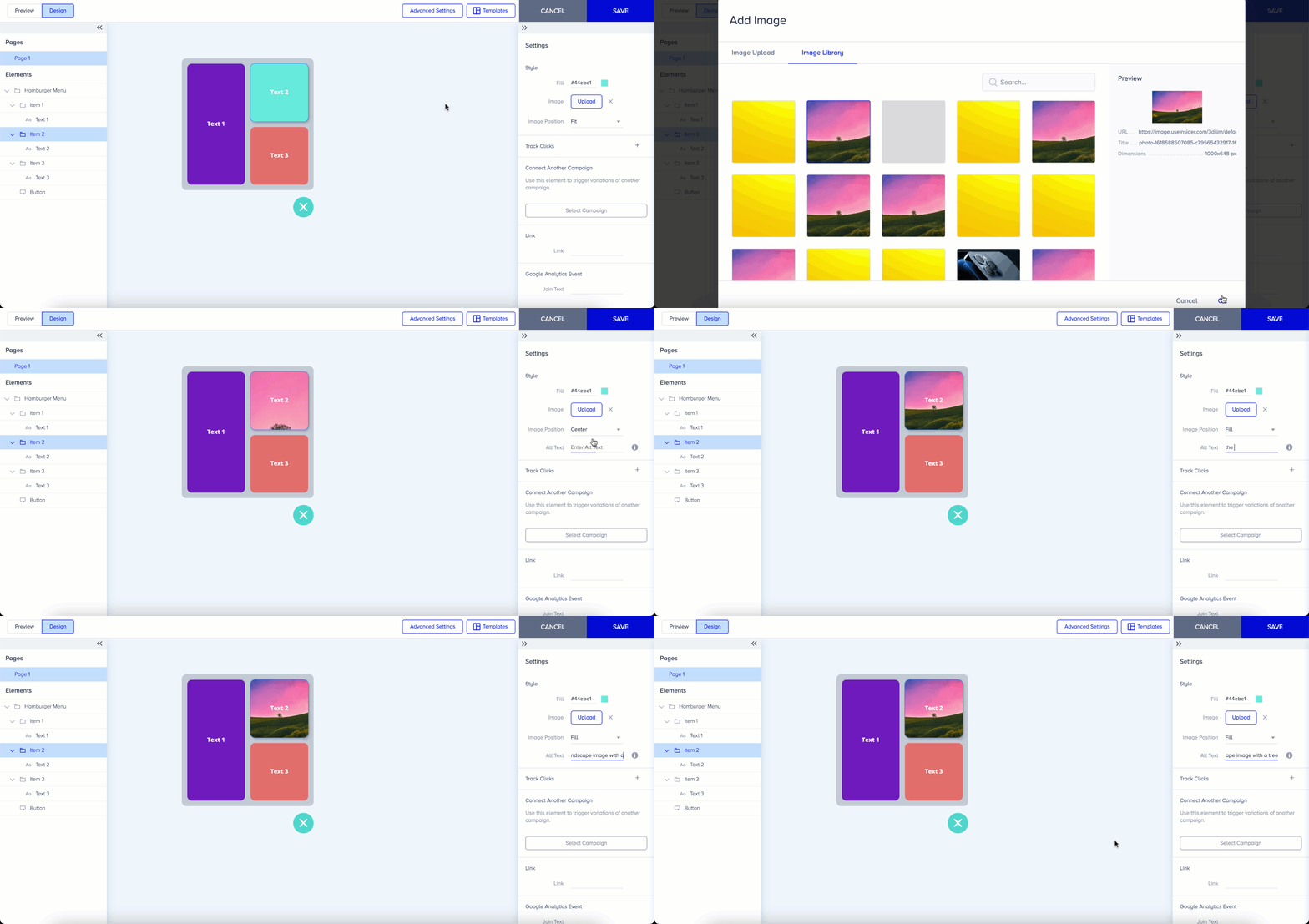
The text is not displayed to the visitor on the webpage. Your alt-text is written into the HTML source code of your webpage. You can edit the text at any time via Action Builder.