Display condition parameters help you dynamically change the content of your email that is displayed to users based on whether they meet a specified condition.
This guide explains the following concepts:
- Syntax guidelines for display conditions
- Examples of different variable types
- Create display conditions
- Advanced use cases
The syntax of tags used in the conditions differs from that of dynamic content tags used for personalizations. Unlike the dynamic content tag, the tags are annotated with {% and %}. Every condition tag should have a beginning that has the condition itself, and an ending to specify where the condition ends. A full condition syntax with some example attributes is as follows:
{% if name == "Jon" %}
// This block will be displayed if the user name is Jon
{% elif name == "Jane" %}
// This block will be displayed if the user name is Jane
{% elif name == "Jack" or name == "Pam" %}
// This block will be displayed if the user name is Jack or Pam
{% else %}
// if all else is not true
{% endif %}
While display conditions are supported in Transactional Journey Emails, they are not supported in API-triggered transactional emails.
The display conditions feature is not supported when the synchronized module is enabled.
Syntax guidelines for display conditions
You can create your display conditions in alignment with the following syntax guidelines:
- Only UTF8 quotation marks are supported in the display conditions.
- Example for a supported quote: {% if name|lower == "jon" %}
- Example for an unsupported quote: {% if name|lower == “jon” %}
- There must be a space between the operator and the value. Otherwise, the display condition cannot be executed.
- Example for a supported syntax: {% if name|lower == "jon" %}
- Example for an unsupported syntax: {% if name|lower ==“jon” %}
- Dynamic attributes added inside the display condition must be without {{ }} brackets.
- Example for a supported syntax: {% if name == "jon" %}
- Example for an unsupported syntax: {% if {{name}} ==“jon” %}
If there are any syntax errors, a red toaster notification will be displayed. In this case, you should check and fix the syntax.

Examples of different variable types
Below are some examples of integer, string, array string, float, and boolean variables.
Only attributes of the following types can be used in display conditions: Integer, string, float, and boolean.
Integers
{% if age > 25 %}
// This block will be displayed if user age is older than 25
{% endif %}
{% if age >= 25 %}
// This block will be displayed if user age is older than or equal to 25
{% endif %}
{% if age == 25 %}
// This block will be displayed if user age is 25
{% endif %}
{% if age < 25 %}
// This block will be displayed if user age less than 25
{% endif %}
{% if age <= 25 %}
// This block will be displayed if user age less than or equal 25
{% endif %}
Strings
{% if name == "Jon" %}
// This block will be displayed if user name is Jon
{% endif %}
{% if name != "Jon" %}
// This block will be displayed if user name is not Jon
{% endif %}
{% if name|lower == "jon" %}
// This block will be displayed if user name is Jon, JON, JOn, joN
// For string matches, it is a best practice to always compare against a lowered string
{% endif %}
{% if "high" in field|lower %}
// This block will be displayed if field contains text "high"
{% endif %}
{% if "high" in field|lower %}
// This block will be displayed if field contains text "high"
{% else %}
// Else block
{% endif %}
You can use in condition in your emails as the “it contains” function. Thus, you can search for part of the text or value inside the attributes like the following use cases.
{% if "jo" in name|lower %}
//This block will be displayed if name attribute contains text "jo"
{% endif %}
{% if "skirt" in cart_abandoned %}
//This block will be displayed if user has item with "skirt" in their cart
{% endif %}
Array String
You can create a condition as follows for an array string attribute with "red", "orange", and "blue" values.
{% if "red" in c_favorite_color %}
// This block will be displayed if one of the user’s favorite colors is red.
{% endif %}
Floats
{% if c_cart_amount == 10.0 %}
// This block will be displayed if cart amount is 10.0
{% endif %}
{% if c_cart_amount >= 10.0 and c_cart_amount < 11.0 %}
// This block will be displayed if cart amount is between 10 and 11
{% endif %}
{% if c_cart_amount > 10.0 %}
// This block will be displayed if cart amount is bigger than 10.0
{% endif %}
{% if c_cart_amount < 10.0 %}
// This block will be displayed if cart amount is less than 10.0
{% endif %}
Boolean
In the case of c_is_vip_user = true, you can use the following conditions to check if a user is VIP or not:
{% if c_is_vip_user == true %}
// This block will be displayed if user is_vip_user
{% endif %}
{% if c_is_vip_user != true %}
// This block will be displayed if user not is_vip_user
{% endif %}
Boolean condition also works with 1 (true) and 0 (false). In the case of is_vip_user = 1, the syntax will be as follows:
{% if c_is_vip_user == 1 %}
// This block will be displayed if user is_vip_user
{% endif %}
{% if c_is_vip_user == 0 %}
// This block will be displayed if user not is_vip_user
{% endif %}
Create display conditions
You can create custom display conditions or use one of the pre-built conditions.
To set your conditions, follow these steps:
1. Select a container, structure, or stripe within your email’s design in Drag&Drop editor.
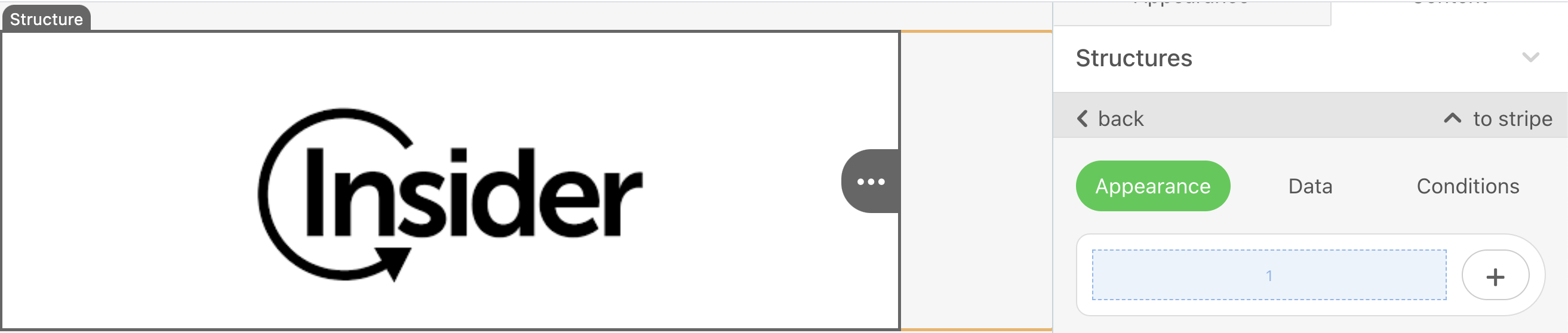
2. Go to the Conditions tab in the structure settings.
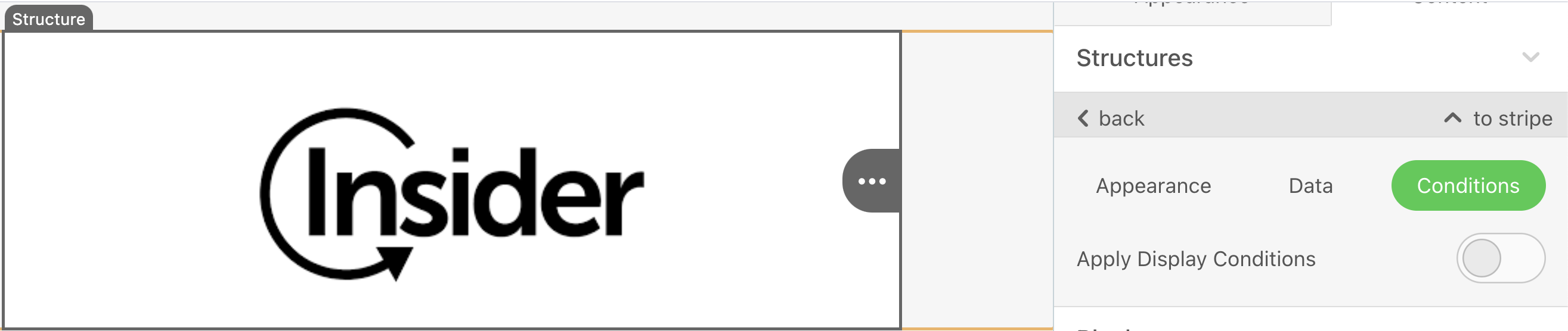
3. Toggle on the Apply Display Conditions button to select Demographics or Custom.
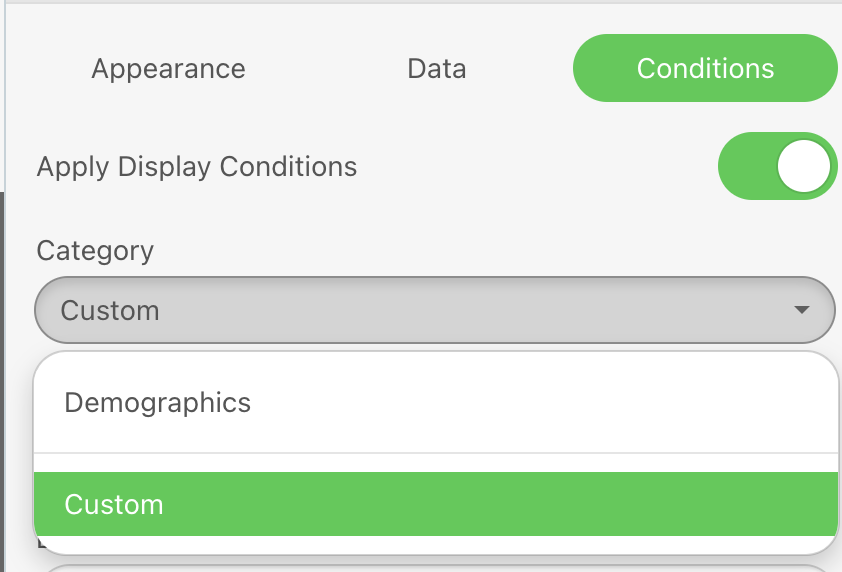
Demographics
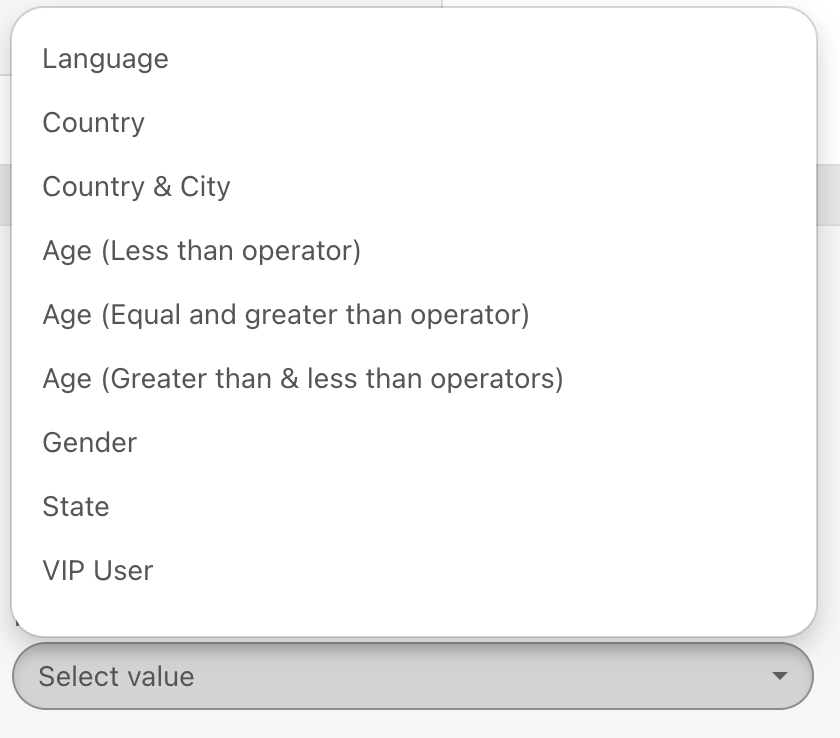
4. Select a pre-built display condition from the list.
5. Click the Edit button to edit the selected pre-built display condition if you want to change it based on your target audience.
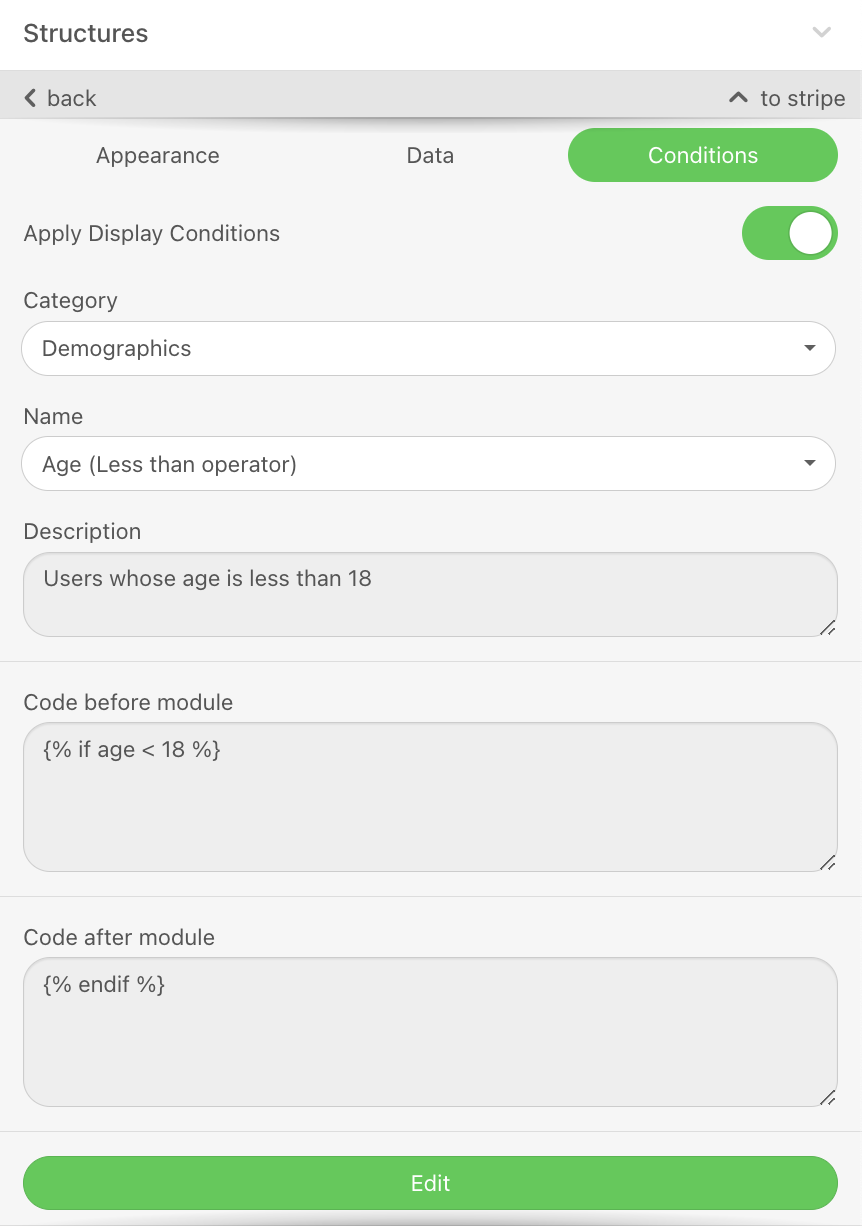
Below you can see the list of pre-built conditions along with their codes before and after modules.
| Name | Description | Code before module | Code after module |
|---|---|---|---|
| Language | Users who are in English will see the banner | {% if language == "en_US" %} | {% endif %} |
| Country | Only people who live in Australia will see the banner | {% if location == "Australia" %} | {% endif %} |
| Country & City | Only people who are located in that country and city | {% if country == "United Kingdom" and city == "London" %} | {% endif %} |
| Age (Less than operator) | Users whose age is less than 18 | {% if age < 18 %} | {% endif %} |
| Age (Equal and greater than operator) | Users whose age is equal to or greater than 25 | {% if age >= 25 %} | {% endif %} |
| Age (Greater than & less than operators) | Users whose age is between 18 and 25 | {% if age > 18 and age < 25 %} | {% endif %} |
| Gender | Users whose gender is Female | {% if gender == "Female" %} | {% endif %} |
| State | Users whose state is one of the following. c_state is a custom attribute. Use this condition if you have the attribute with the same naming. | {% if c_state == "VIC" or c_state == "NSW" or c_state == "QLD" %} | {% endif %} |
| VIP User | Users who are VIP users for that brand. is_vip_user = true. is_vip_user is a custom attribute. Use this condition if you have the attribute with the same naming. | {% if c_is_vip_user %} | {% endif %} |
| Membership Type | Users who belong to gold or silver membership type. is_gold_member = true, is_silver_member = true. These are custom attributes. Use this condition if you have the attribute with the same naming. | {% if c_is_gold_user or c_is_silver_user %} | {% endif %} |
Custom
6. Enter the condition name, description, before and after statements. You can refer to Different Variable Types and Advanced Use Cases to create your conditions.
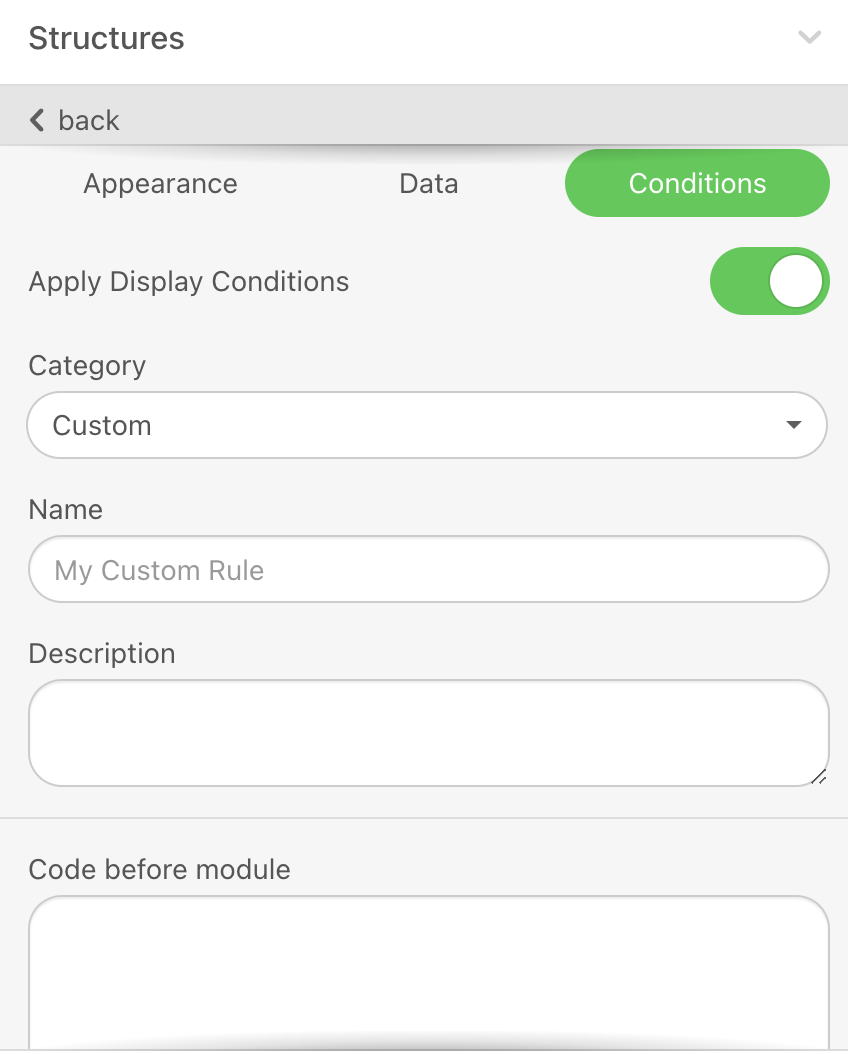
In each statement, you should use only one field name.
Single equal operator (=) is not supported in number type attributes.
When you are using cart abandonment or browse abandonment templates, you can see the predefined display conditions based on the use cases. Each row of the email template has different display conditions.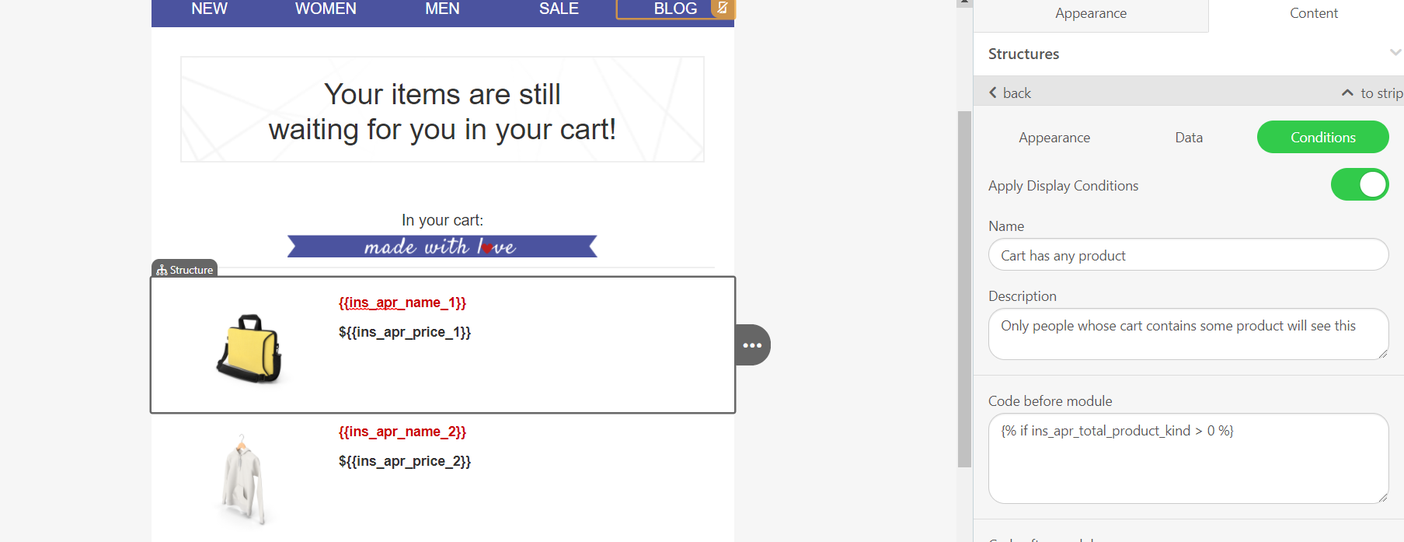
You can now use expressions inside the display conditions to define more flexible visibility rules for your email content. Instead of selecting a dynamic attribute, you can write an expression directly in the condition. Below is an example for this case.
{% if exp_age == 25 %}
This content will be shown only if the expression is true.
{% endif %}
This allows you to dynamically control which blocks of content appear to each recipient based on your own logic.
Advanced use cases
You can combine display conditions with dynamic content, and personalize emails inside the same campaign without creating additional campaigns.
You can use conditions with dynamic variables to segment your customers according to their information such as subscription package, age, and country.
Below you can see some examples of advanced use cases:
Show the trend products in the customer's age range
{% if age >= 18 and age < 25 %}
What a beautiful age is {{age|yours}}, here are the products you might like
//Teen products will be displayed with users age if it is between 18-25. "Yours" is used for fallback.
{% elif age >= 25 and age < 40 %}
What a beautiful age is {{age|yours}}, here are the products you might like
//Middle age products will be displayed with users age if it is between 25-40.
{% else %}
//Trending products will be displayed to other users.
{% endif %}
Show users special blocks in their local languages
{% if language == Spanish %}
//This Spanish block will be displayed.
{% else %}
//This block will be displayed in the original language.
{% endif %}
Give coupons or discounts according to the customer’s subscription package
{% if c_subscription_package == Gold %}
Hello {{c_subscription_package}} user, check the special offers for you!
//Block with gold users offer will be displayed.
{% elif c_subscription_package == Silver %}
Hello {{c_subscription_package}} user, check the special offers for you!
//Block with silver users offer will be displayed.
{% else %}
Hello there, you can benefit from the offers below!
//General benefits will be displayed.
{% endif %}
Show customers holiday deals according to their travel duration
{% if c_travel_duration >= 1 and c_travel_duration < 5 %}
We are glad to host you for {{c_travel_duration}} days here, these are some advantages you can benefit from:
//Short stay offers will be displayed to users staying between 1-5 days.
{% elif c_travel_duration >= 5 and c_travel_duration < 15 %}
We are glad to host you for {{c_travel_duration}} days here, these are some advantages you can benefit from:
//Long stay offers will be displayed to users staying between 5-15 days.
{% else %}
We are glad to host you here, these are some advantages you can benefit from:
//General advantages will be displayed to other users.
{% endif %}
Promote events like concerts and workshops to your customers who live in that city
{% if city == New York %}
Here are the top events in {{city}}:
//Top events in New York will be displayed.
{% else %}
Here are the top events you can join:
//Top events overall will be displayed.
{% endif %}
Rewarding users for their purchases
{% if (c_spent > 0 and < 100) and (c_reward balance == 0 or c_reward balance == null) %}
// This block will be displayed to users who spent between 0-100 dollars and haven't received any reward yet.
{% else %}
//Email without the reward code will be displayed to users
{% endif %}
- Use the if condition for your first condition,
- Use elif conditions for the upcoming condition,
- Use else condition as a fallback to cover all cases that might not fit your conditions,
- ONLY for else condition, add {% endif %} for code after module section.