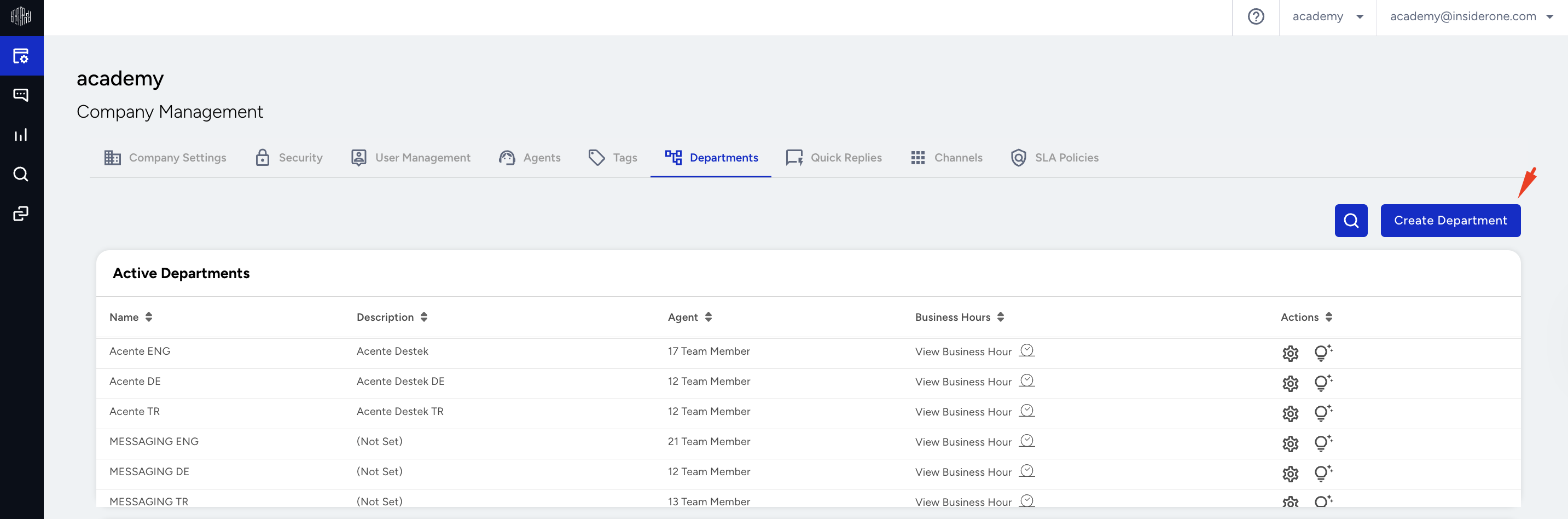
The Departments page lists your company’s departments and shows which departments agents can work in.
To add new departments to your company, navigate to Company Management > Departments and click Create Department.
On the screen that appears, the department name, description, agents assigned to the department, and (if preferred) the channel selection are set as the source for future conversations with that department. You can also add and save your working hours, days, and department messages.
The Channels tab indicates which channel the department will receive a conversation from, such as WhatsApp, Web Messenger, Instagram, etc.
Timeout is the period after which the conversation ends if it goes unanswered. For example, if 5 seconds (format min: sec) is selected, the conversation will automatically terminate after 5 seconds if it is not answered. This period works only when a message exchange occurs between the agent and the customer.