The Purchasing Behavior rule triggers your campaign based on a user’s product interest and purchasing behavior.
The Purchasing Behavior rule is available for OnSite and Architect campaigns.
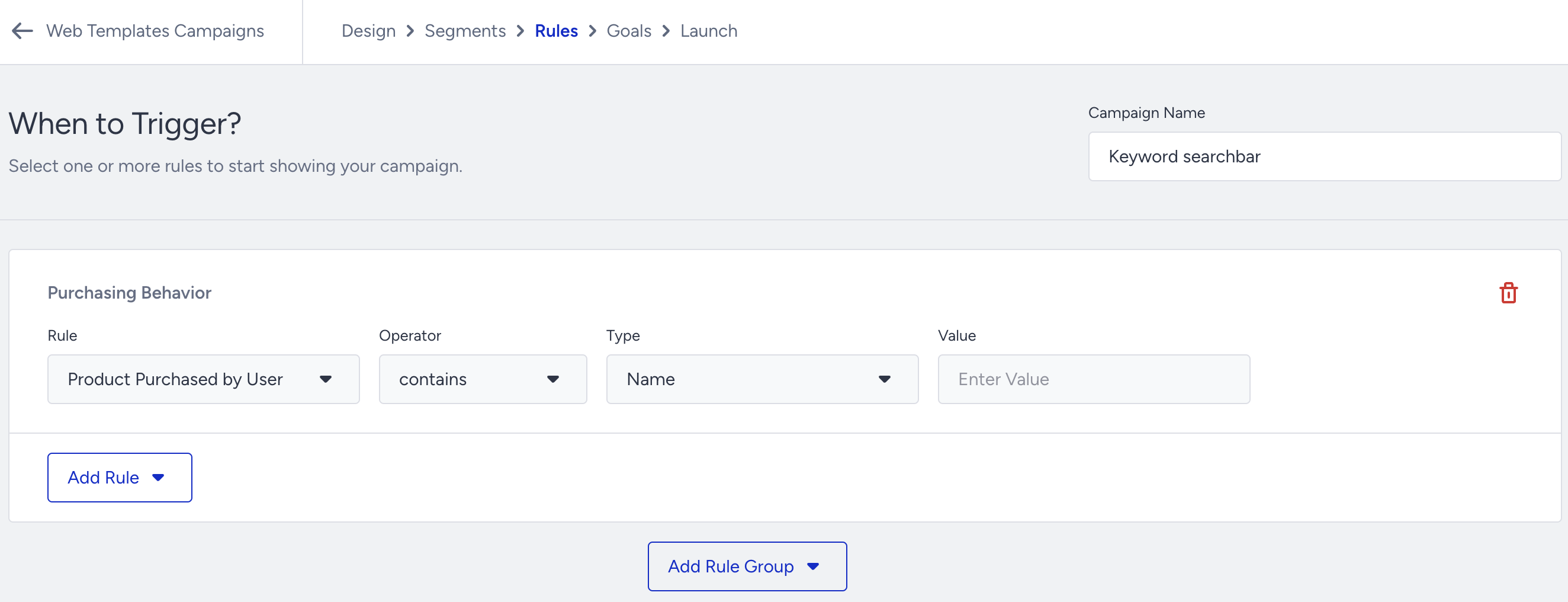
Purchasing Behavior rules definitions
Product Purchased by User: Triggers your campaign based on the name or ID of the product(s) purchased by the user (e.g., Product Purchased by User - contains - Name - shirt).
Product Category Purchased by User: Triggers your campaign if the user has purchased a product from a specified main or sub-category (e.g., Product Category Purchased by User - contains - Kids) within the defined goal duration. This rule is not limited to the current session; it also considers the user's purchase history based on the user's goal duration settings.
The Purchasing Behavior rule only functions on the success page, and the storage used is cleared after switching between pages.
Use Cases
You can show different Smart Recommender campaigns to users based on the main or subcategory of the product(s) they purchased.
You can display the Top Search Bar template and add the products based on the main or sub-category of the product(s) purchased by the user.
You can display the Feedback form and ask users about their experience with the product after they purchase it.