Since groups and roles define what you are authorized to do within your account, they also affect campaign operations. In larger companies, different departments often have distinct goals and promotions, and these departments might want to manage campaigns and their goals based on their region or team. For example, as a member of Group A, you will only have visibility for campaigns linked with Group A; if a member of Group B shares a campaign link that belongs to Group B with you, as a member of Group A, you will not be able to view the link; instead, you will be redirected to the listing page of Web Templates.
Old campaigns are visible to all users by default, regardless of their assigned user roles and groups. However, if you assign an existing campaign to a group, it will be visible only to users associated with this group.
Account administrator actions
An account administrator can view, create, edit, and duplicate any Web Templates campaign in the Insider One's InOne panel.
As an account administrator, you can select or remove groups to make the campaign visible to them on the launch step while creating, editing, or duplicating a Web Templates campaign. When you launch the campaign, it will be visible only to account administrators, users within the selected groups, and unassigned users.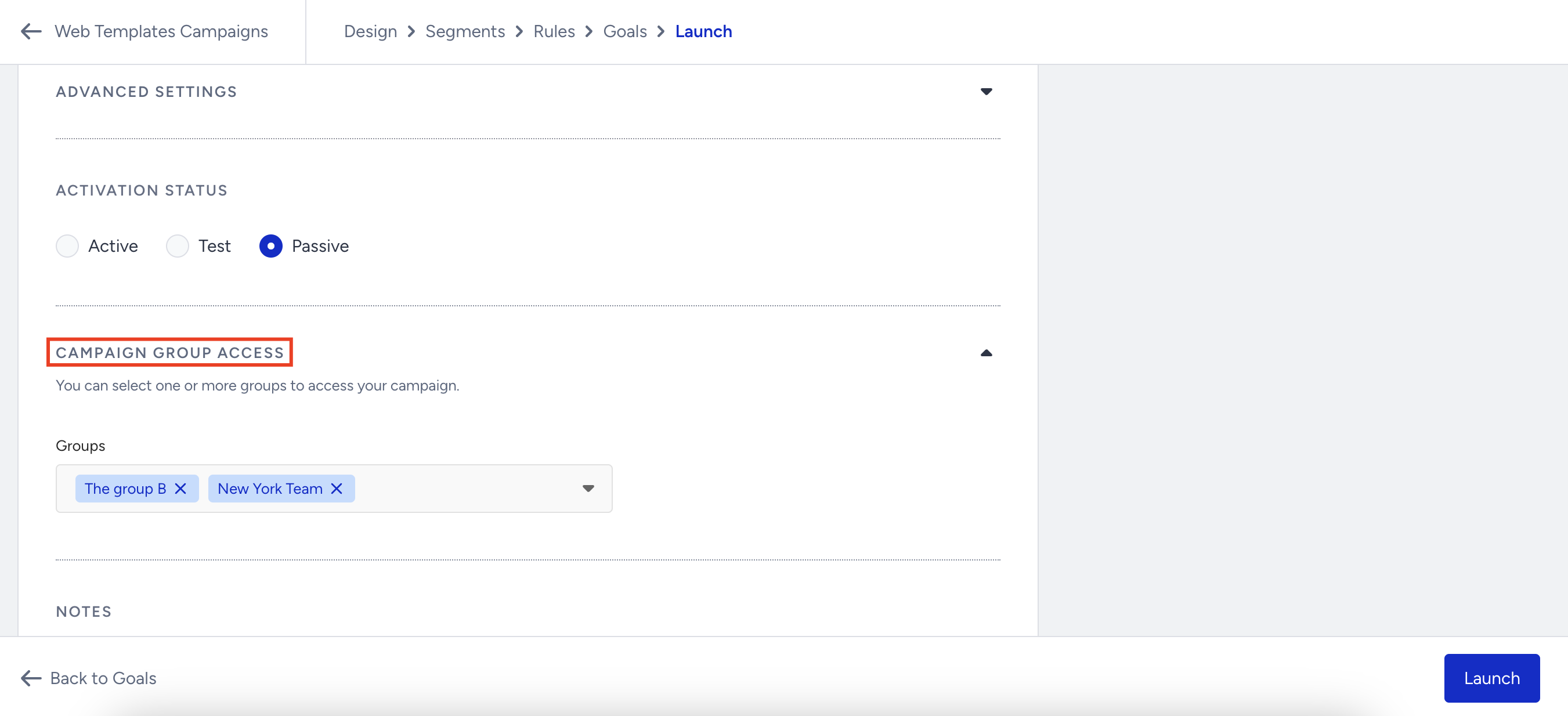
As an account administrator, you can see all the campaigns when you land on the listing page of Web Templates. You can also filter campaigns via the dropdown under Group Access. However, if you don't have any groups created, you will not see group-related filters on the listing page of Web Templates. 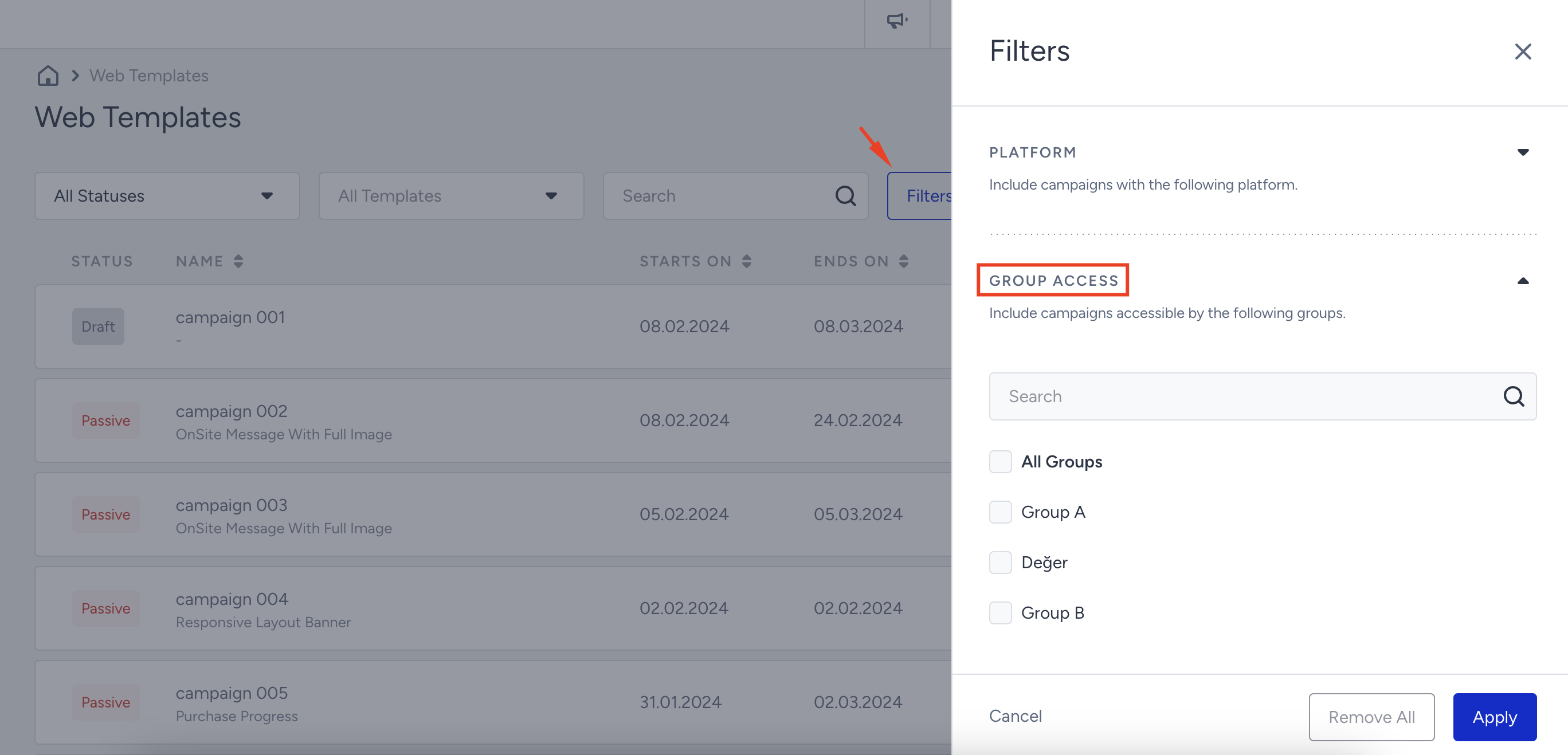
Group administrator and member actions
A group administrator and group members can only view, create, edit, and duplicate a Web Templates campaign in the Insider One's InOne panel if this campaign is visible.
If you are associated with the group(s), you can only create a campaign for one of these groups while creating a campaign.
While creating, editing, or duplicating a Web Templates campaign, group administrators and group members can select or remove groups to determine which groups the campaign is visible to at the launch step. However, this visibility option is limited to the groups you are a member of. For example, if you are a member of Group A and B, then you will only see Group A and B while launching the campaign. After you launch the campaign, it will be visible only to account administrators, users within the selected groups, and unassigned users. 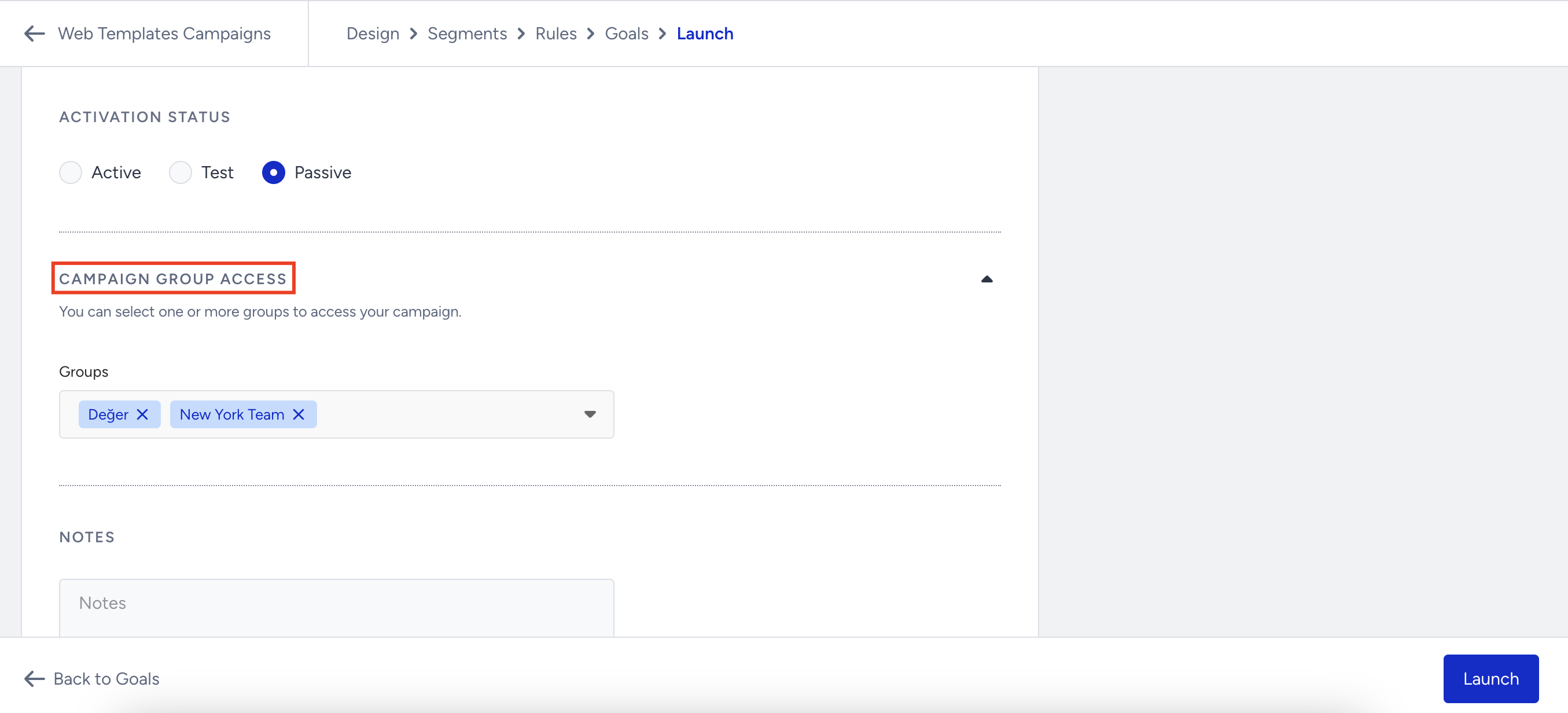
When editing or duplicating a campaign that is also visible to a group you are not part of, you cannot select or remove that group; it will appear disabled to you. You can only select or remove the groups you have access to.
When you, as the group administrator or a group member, land on the Web Templates listing page, you will see only the campaigns you have access to and those visible to all users. You can also filter campaigns visible to you by group access when you click the Filters button on the listing page. However, if you don't have any groups created, you will not see group-related filters on the listing page of Web Templates.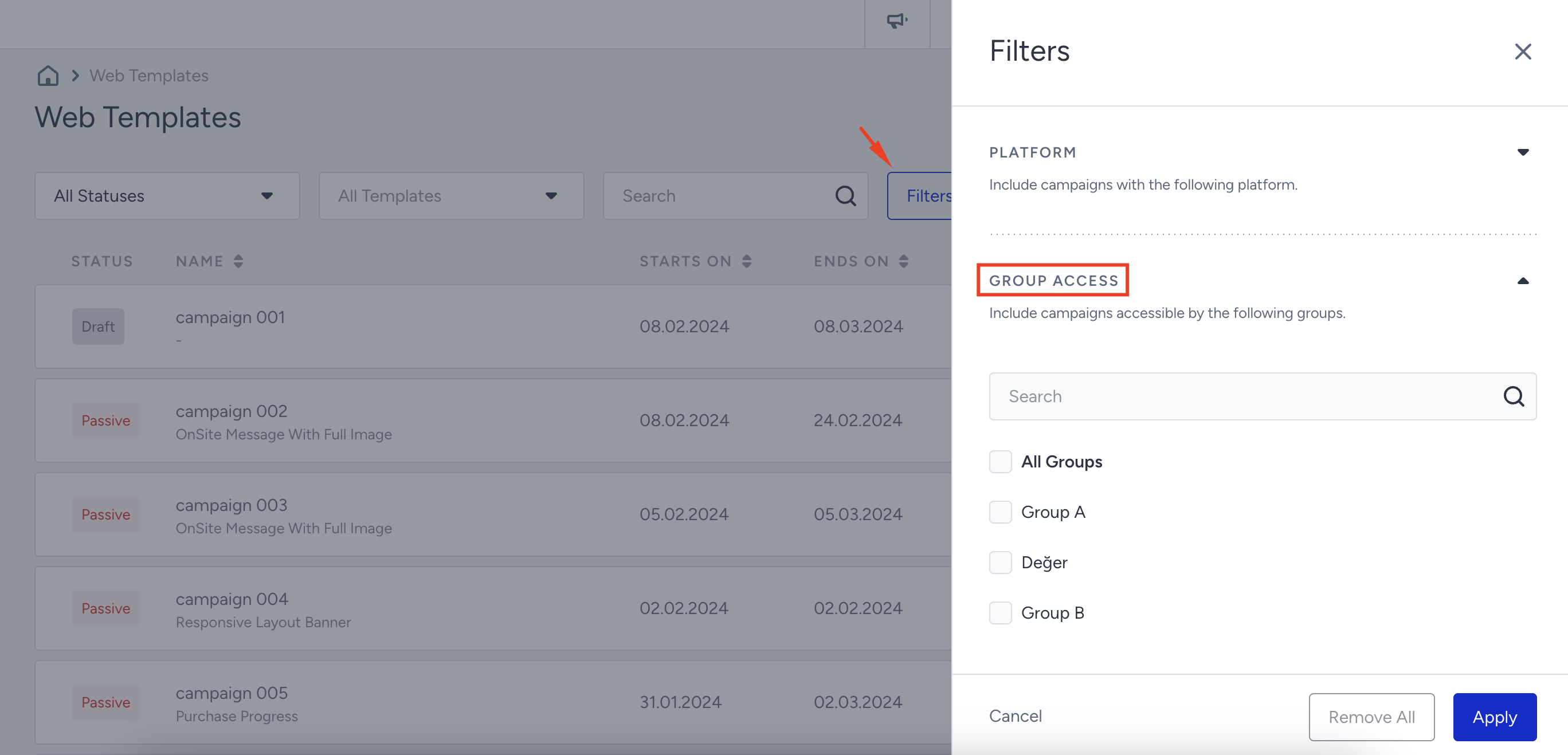
Unassigned user actions
As an unassigned user, you can view all Web Templates campaigns regardless of the groups they belong to. You can create a campaign, but you cannot select a group to grant access to; the campaigns you create become visible to all users. In addition, you cannot edit a campaign's group access. When duplicating a campaign, as you can't edit its group access, it will also be visible to every user.
When you, as an unassigned user, land on the listing page of Web Templates, you will see all the campaigns created by anyone. You will also see all the groups to filter them. However, if you don't have any groups created, you will not see group-related filters on the listing page of Web Templates.
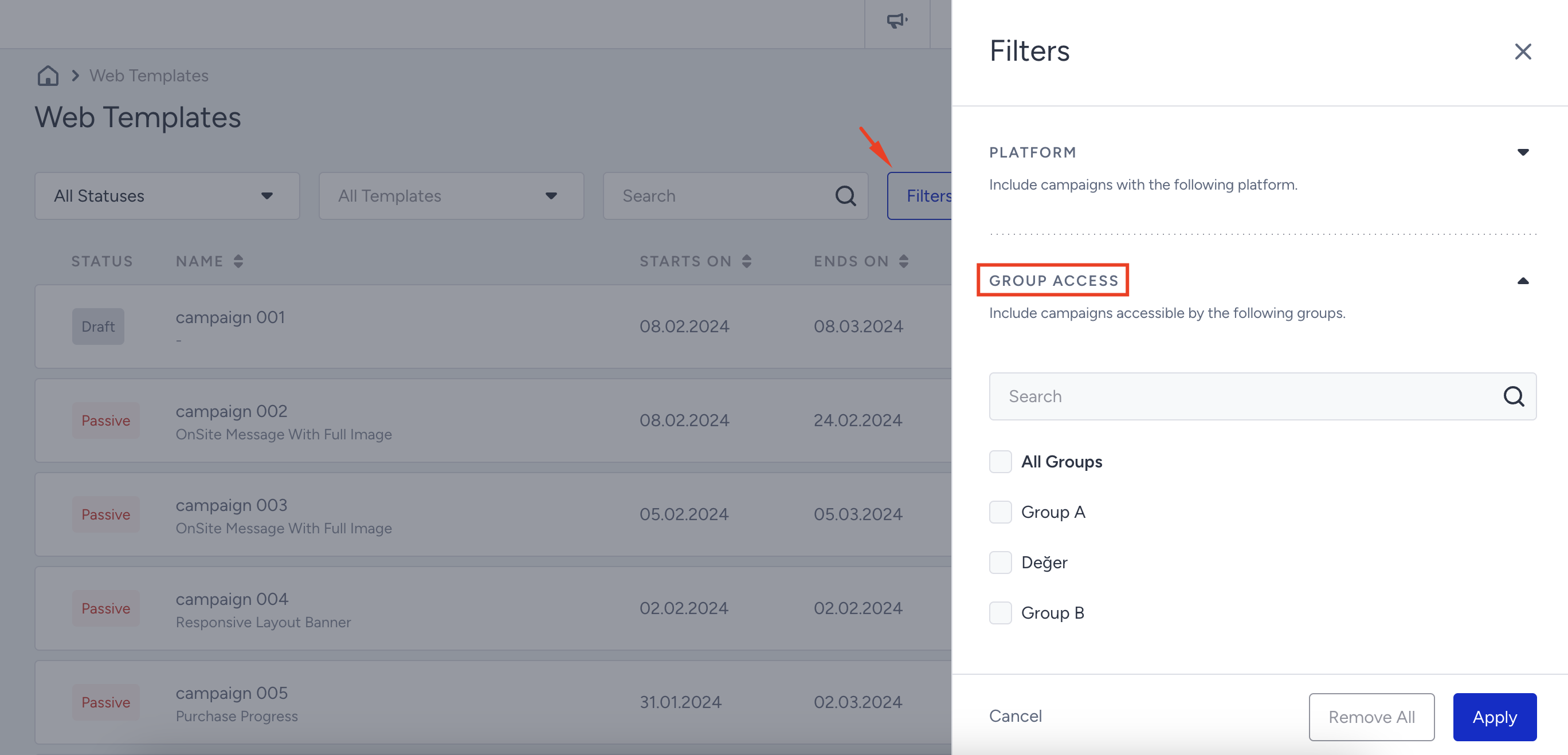
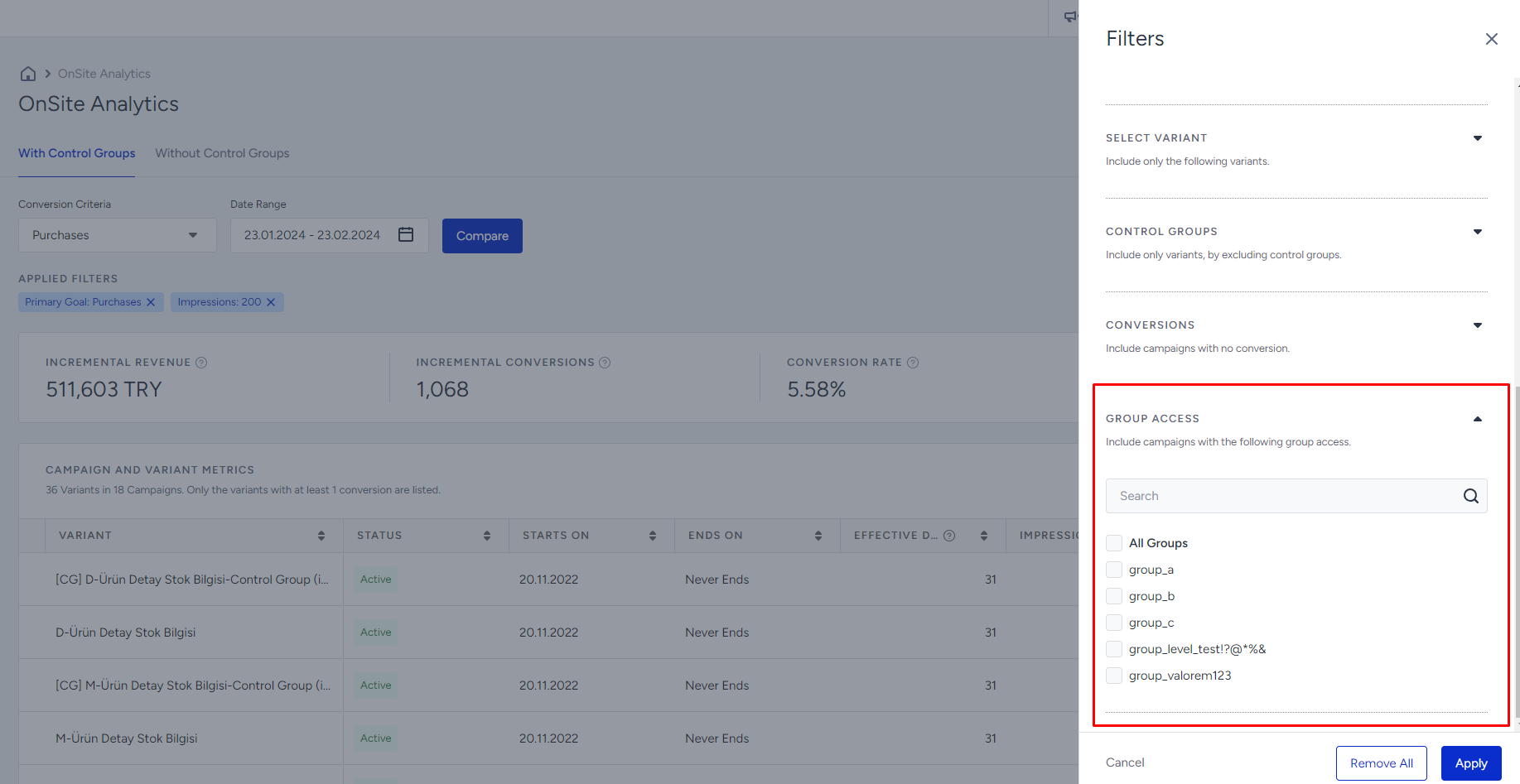
Group Level Access for OnSite Campaign Analytics
An account administrator can select or remove groups to make a Web Templates campaign visible to them on the launch step while creating, editing, or duplicating it. When you launch the campaign, it will be visible only to the account administrators, users within the selected groups, and unassigned users.
The group added to the campaign will affect the visibility of the campaign and its analytics. The restrictions to support the Group Level Access management are as follows:
OnSite Analytics will only display and list the campaign analytics that the user can access. If a user is not a member of the campaign's group, the campaign data will be excluded from the calculations and the dashboard.
All groups will be managed by the Account Admin for overall management, and each group will have a Group Admin. Account Admins have access to all campaign analytics regardless of the group. Group admins can edit the campaigns group, while group members can view the campaign and analytics.
If a user is not assigned to a group, they will have access to all campaigns and see the OnSite Analytics page with all campaigns, without any exclusions or restrictions.
If a campaign is not assigned to a group, it will be considered accessible to all and will not be affected by the group-level restrictions.
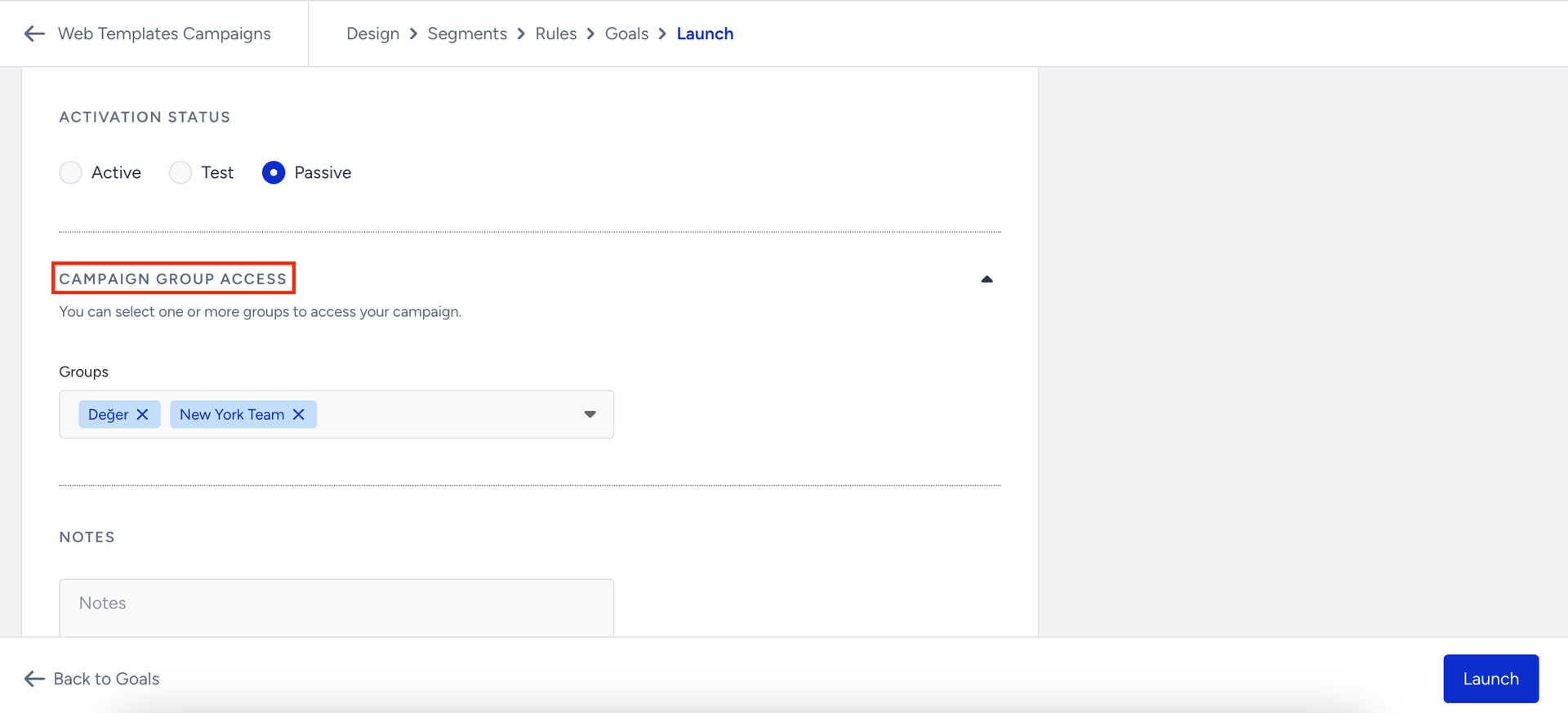
Each campaign/variant group is added to the data table as a new column, allowing users to identify campaigns by group.
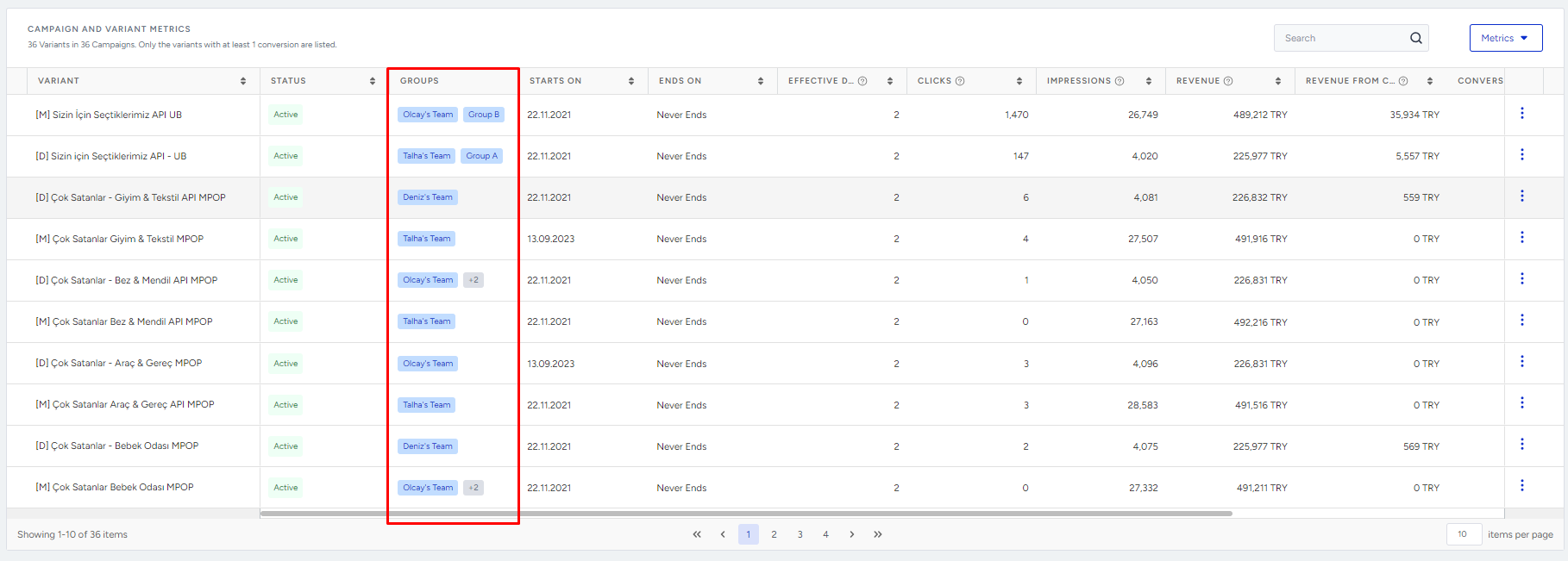
A “Group Access” filter is available on the filter module, allowing users to filter the campaign listing by groups.