TikTok Ads audience targeting allows you to reach your existing users across TikTok’s advertising ecosystem by matching their identifiers with TikTok user accounts. This enables you to deliver personalized ads to users based on their past behavior, attributes, and real-time interactions on your platform.
With Insider One, you can easily build and synchronize TikTok Ads audiences using Dynamic Segments. These segments can be created using a wide range of first-party data collected within Insider One, including:
Behavioral events (such as product views, add to cart, and purchases)
User attributes (for example, gender, country, or loyalty tier)
Real-time interactions across your digital properties
This allows you to create rich, highly targeted audiences that can be activated directly in TikTok Ads Manager.
How TikTok Ads Remarketing works
Insider One uses the TikTok Marketing API to send your users to TikTok and keep your audiences up to date automatically.
TikTok currently supports only two identifiers for audience matching:
Email address
Phone number
Both identifiers are required and must be provided in a valid format for TikTok to match your users with TikTok accounts.
No additional identifiers (such as name, external ID, country, etc.) are supported by TikTok for custom audience matching.
Before sending the data, Insider One applies SHA-256 hashing to both email and phone number to ensure secure and compliant processing.
Automatic Audience Updates
After the audience is created:
Users who enter the Dynamic Segment are automatically added
Users who exit the segment are automatically removed
Insider One updates the audience automatically through nightly sync jobs, keeping your TikTok audiences aligned with your Dynamic Segment definition.
Because TikTok processes uploads asynchronously, audience population and match counts may take some time to appear inside TikTok Ads Manager.
What you need to get started
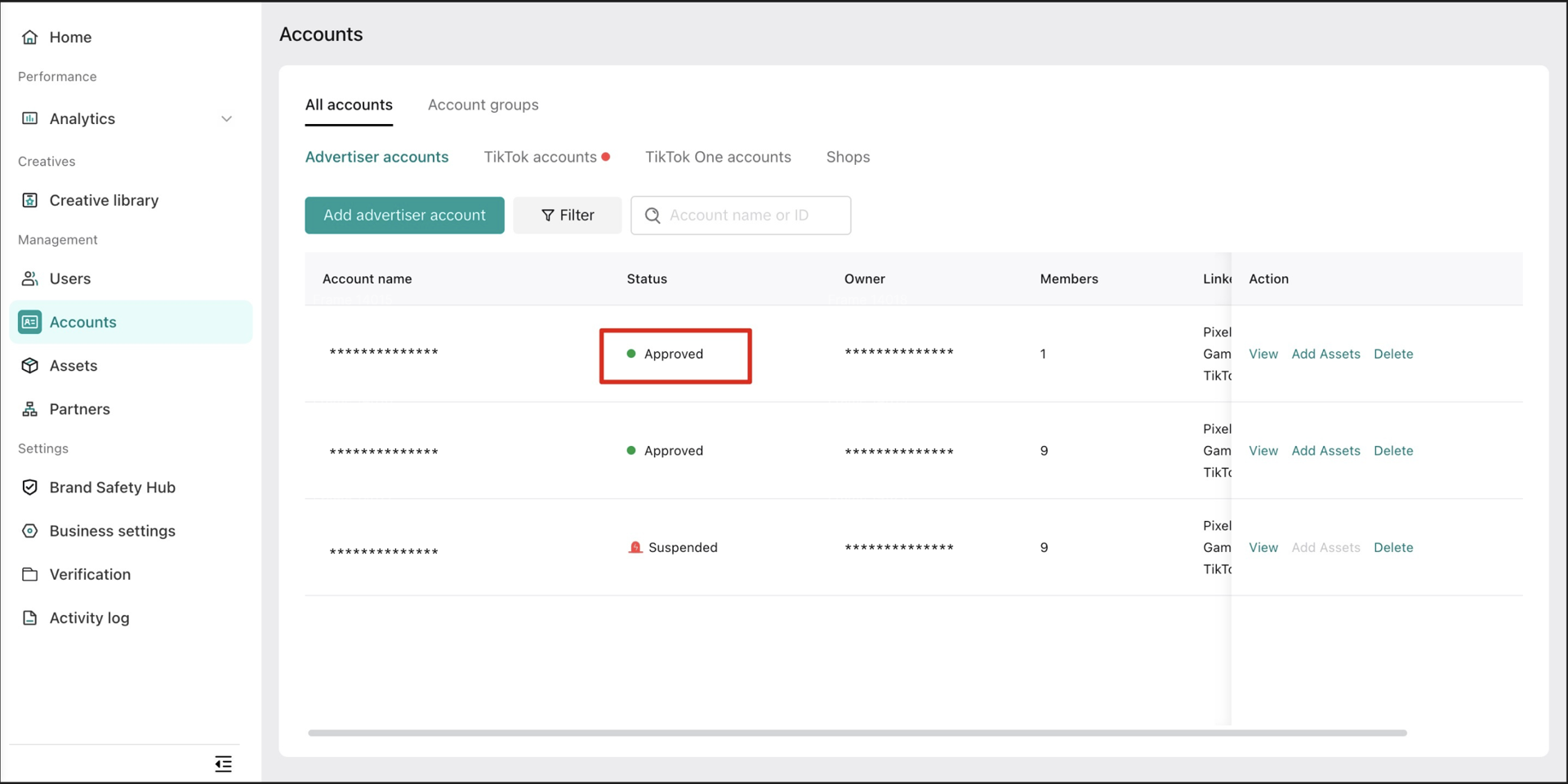
TikTok does not require spend eligibility checks like Google. However, certain setup steps must be completed inside TikTok Business Center.
1. Eligible TikTok Business Center Account
To send audiences to TikTok, you must have:
An active TikTok Business Center
A TikTok Ad Account inside the Business Center
Permission to manage audiences through the API
2. Required Access in TikTok
To connect your TikTok Ads account in Insider One, your TikTok user must have the correct permissions in both:
Business Center
TikTok Ads Account
The required roles are:
Admin access to the TikTok Business Center
Admin or Operator access to the TikTok Ads Account
If these permissions are missing, TikTok will reject the audience sync request.
Connect your TikTok Ads account to Insider One
Before you can send a Dynamic Segment to TikTok, you must first establish the connection between your TikTok user and Ad account to Insider One’s InOne Panel.
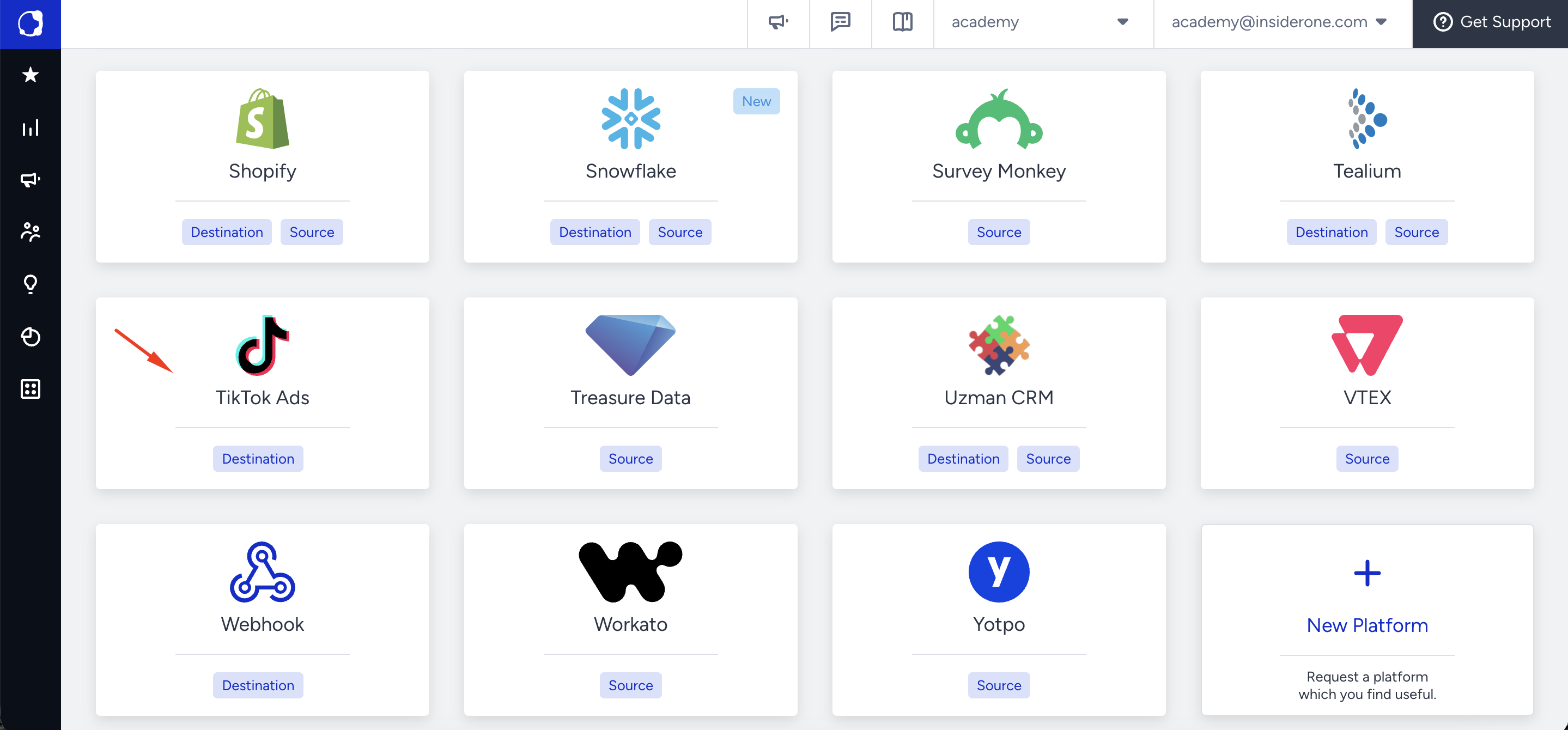
Navigate to TikTok Ads Integration: Go to Components > Integrations > External Integrations > TikTok Ads.
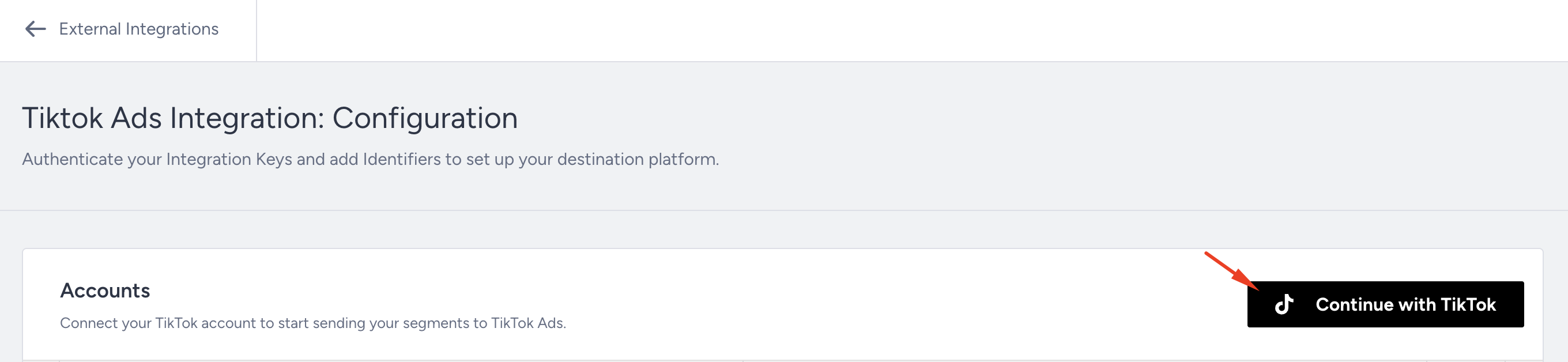
Sign in with TikTok: Click Continue with TikTok and authenticate with the user account that has access to your TikTok Business Center.
TikTok will request permissions for Insider One to:
Manage audiences
Access your ad accounts
Upload and update matched audience lists
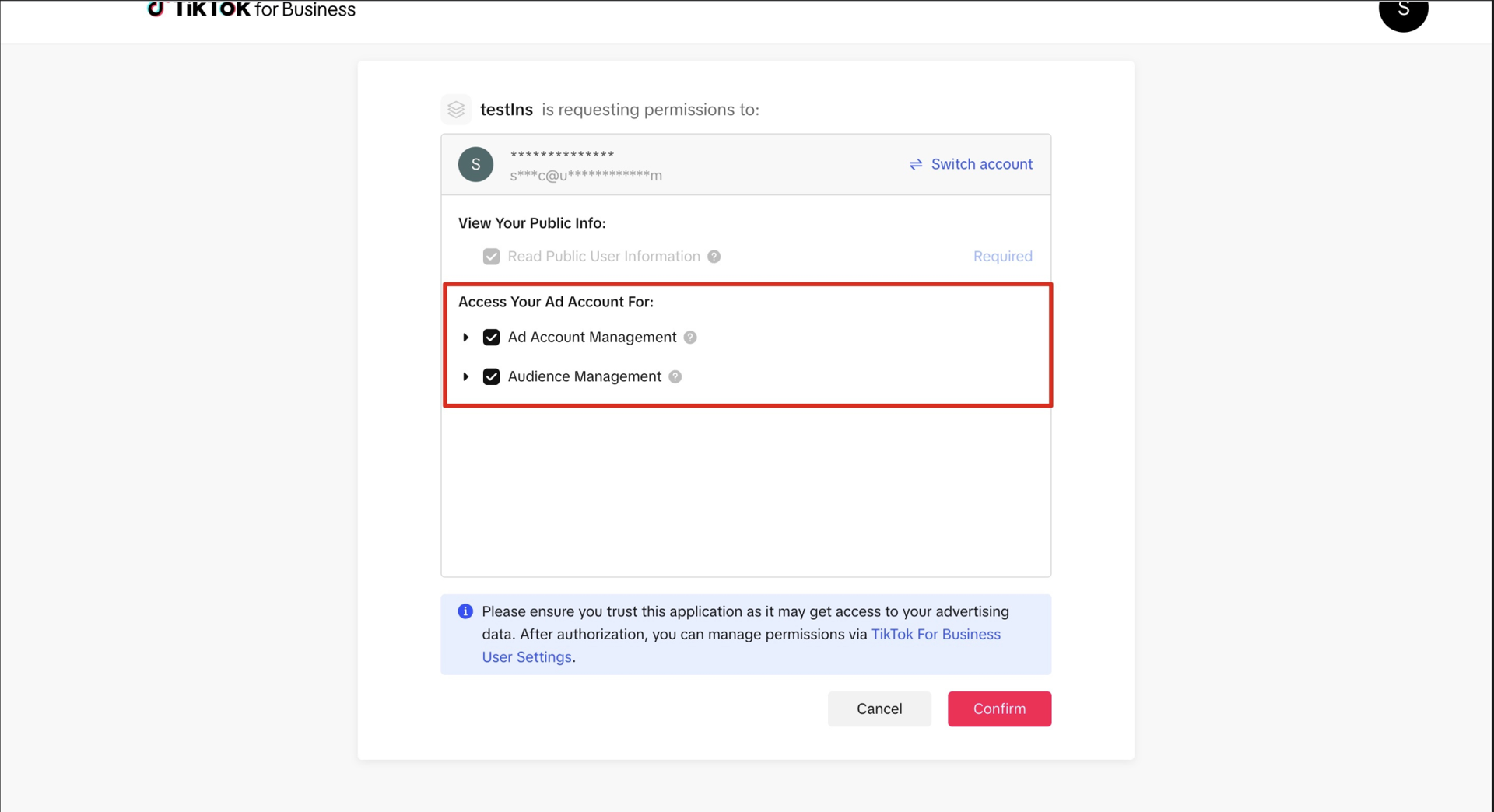
These permissions must be accepted to enable audience syncing.
Select Your TikTok Ads Account: After logging in, you will see a list of TikTok Ads Accounts your user has access to.
Select the Ad Account you want Insider One to sync audiences to.
Confirm the Legal Acknowledgment modal if shown.
Your selected TikTok Ads Account will appear in the integration table.
Ensure Correct Permissions: To sync segments successfully:
Your TikTok user must have Admin or Operator access in Business Center.
Your ad account must be active and allowed to create custom audiences.
The access token must include the required scopes (audience:write, adaccount:read).
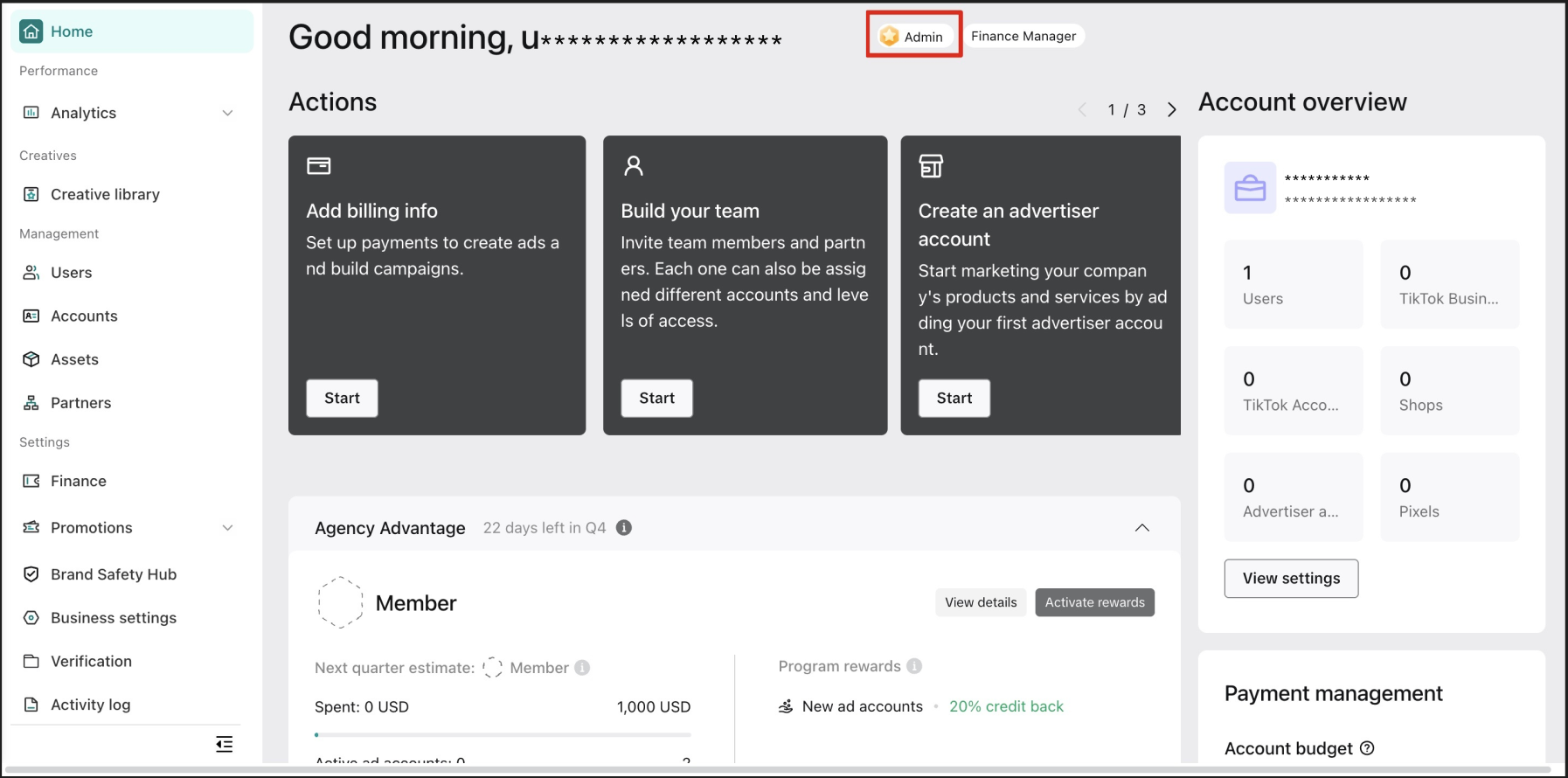
If these conditions are not met, TikTok will reject the audience sync.
Once the connection is completed successfully, your selected TikTok Ads Account will appear in the integration table, and you can begin sending Dynamic Segments as TikTok Ad Audiences.
Send your Dynamic Segment to TikTok Ads
You can send your Dynamic Segment to TikTok Ads by creating a TikTok Ad Audience. Follow the steps below to set up the audience and start syncing users.
Navigate to Audience > Segments > Dynamic Segments and locate the segment you want to send.
Click the Create Ad Audience button in the segment’s action menu.
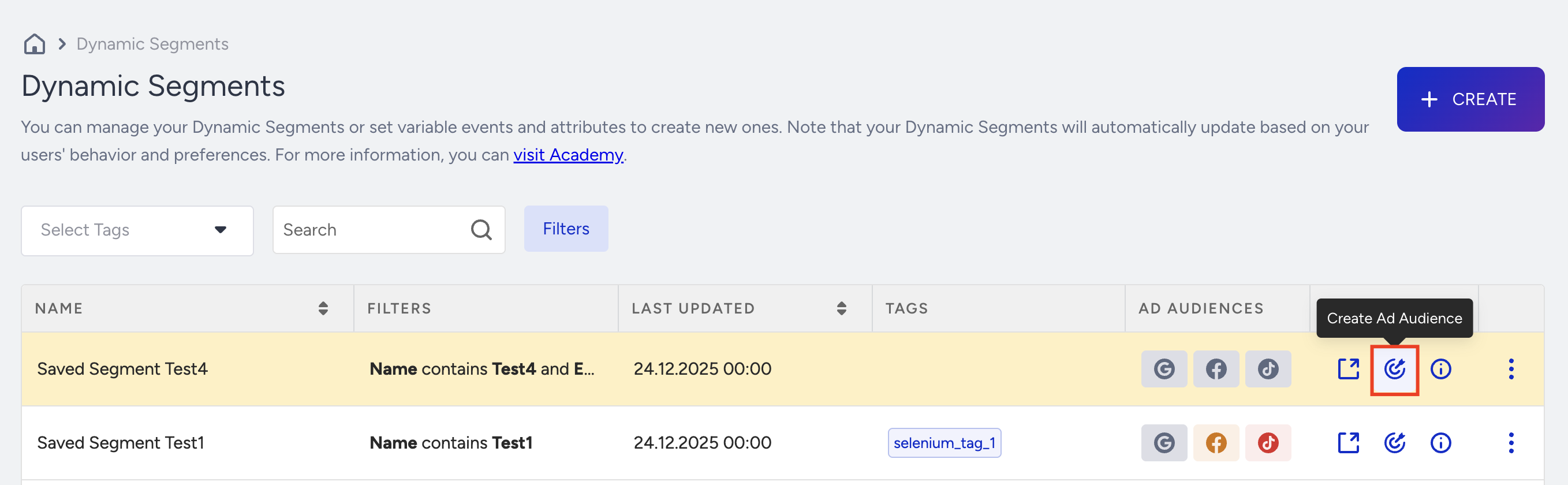
Configure the Ad Audience: On the Create Ad Audience drawer:
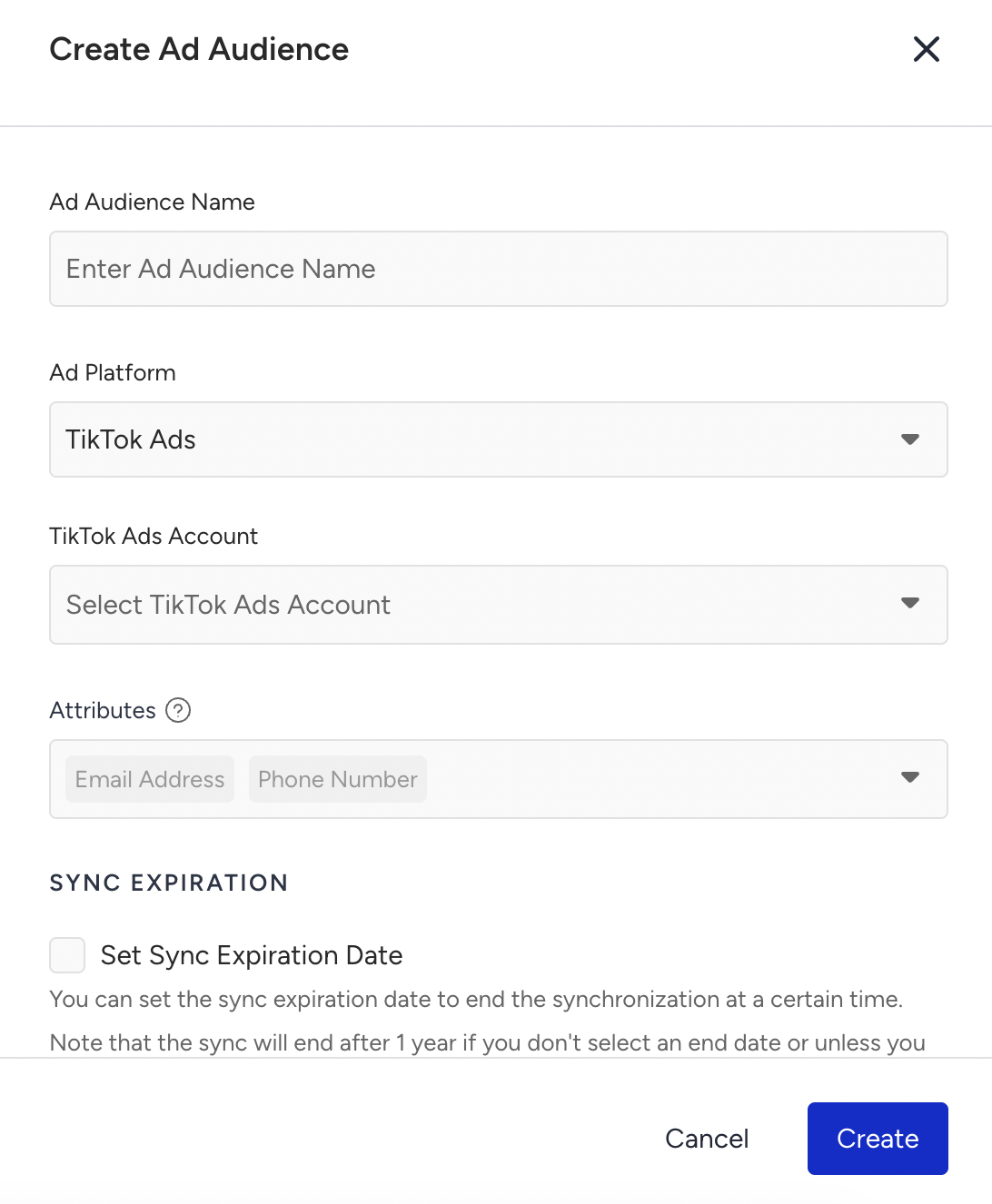
Enter an Ad Audience Name.
Select TikTok Ads as the Ad Platform.
Choose your TikTok Ads Account.
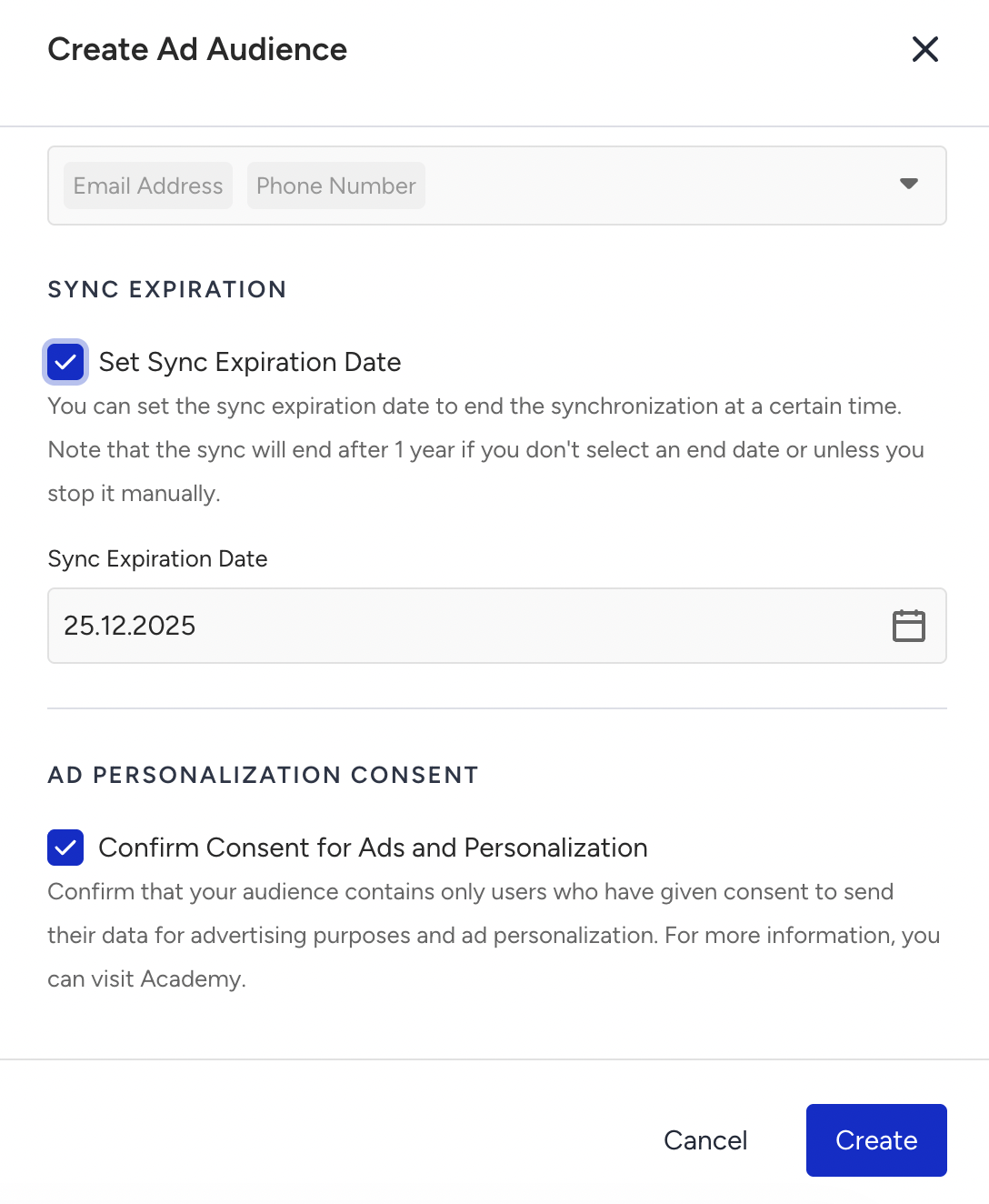
Attributes
Review mandatory identifiers:
Email Address (required)
Phone Number (required)
These are preselected and cannot be removed. TikTok currently supports matching only via email and phone number, so no additional attributes are sent.
Sync Settings
(Optional) Set a Sync Expiration Date.
Sync stops automatically on the selected date.
If no date is selected, syncing continues for 1 year unless stopped manually.
Consent
Confirm Consent for Ads and Personalization.
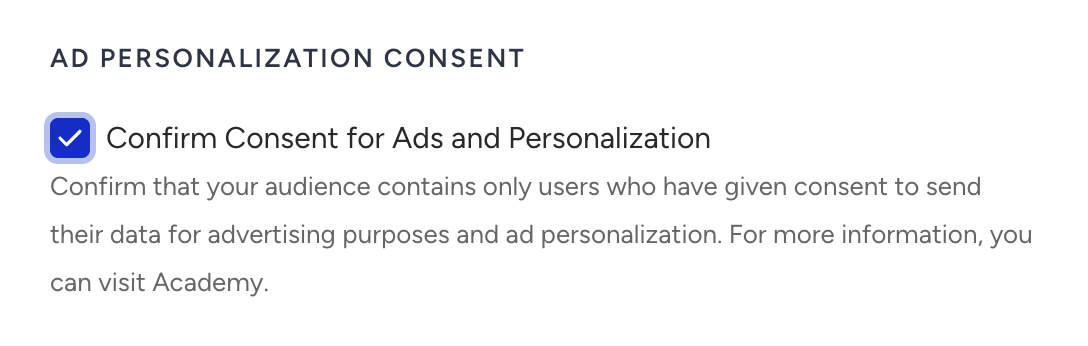
Create the Audience: Click Create to finalize the setup and start syncing your segment to TikTok Ads.
What happens after TikTok Ad Audience creation?
Once you create the Ad Audience, Insider One will generate an audience in TikTok Ads using the exact name you provided during creation.
The audience will include a description containing:
Insider One Campaign ID
Platform
Server timestamp
All user identifiers (email and phone number) are hashed using SHA-256 before being transmitted to TikTok, ensuring secure and compliant data handling.
Insider One automatically synchronizes the audience daily at 00:00 (UTC). During each synchronization:
Users who enter the Dynamic Segment are added to the audience
Users who exit the segment are removed
Please note that the audience population inside TikTok Ads may take some time. Even though Insider One syncs the data on time, TikTok’s processing and matching may cause delays before the audience size becomes fully visible.
Edit a TikTok Ads Audience
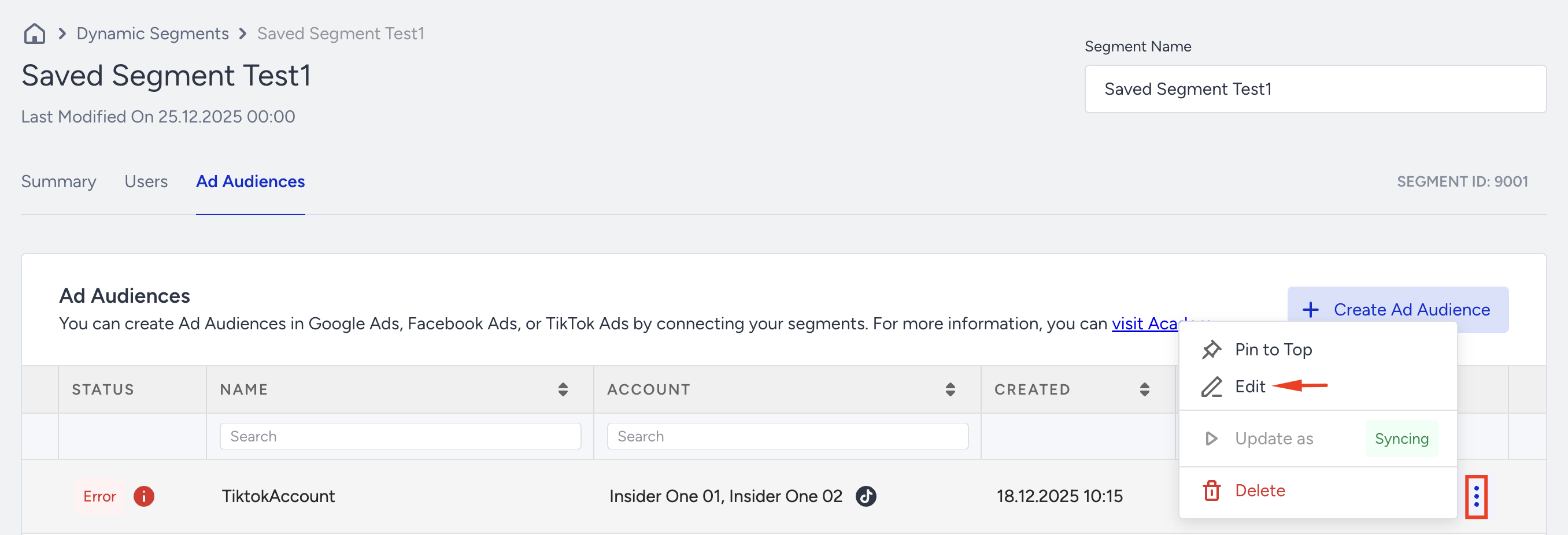
Open the segment on which you want to make a change.
Go to the Ad Audiences tab.
Click the three-dots menu next to the Ad Audience.
Select Edit.
You can change:
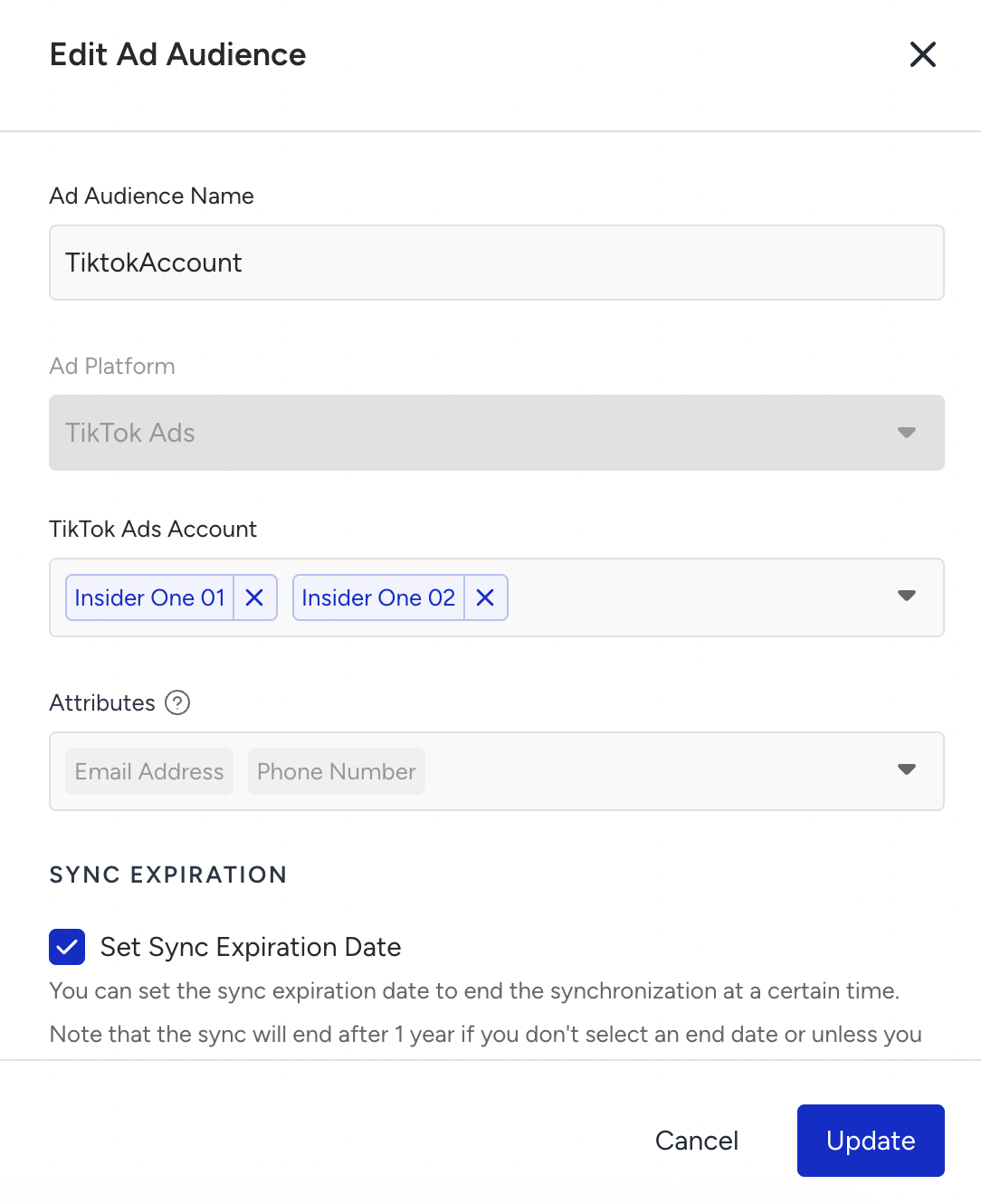
Ad Audience Name
Account (depending on platform integration)
Sync Expiration Date
Consent Confirmation
All changes apply to future syncs.
Since you create the Ad Audience based on the platform, you cannot change it once the Ad Audience is created.
Delete a TikTok Ads Audience
Open the segment that you want to delete.
Go to the Ad Audiences tab.
Click the three-dots menu next to the Ad Audience.
Select Delete.
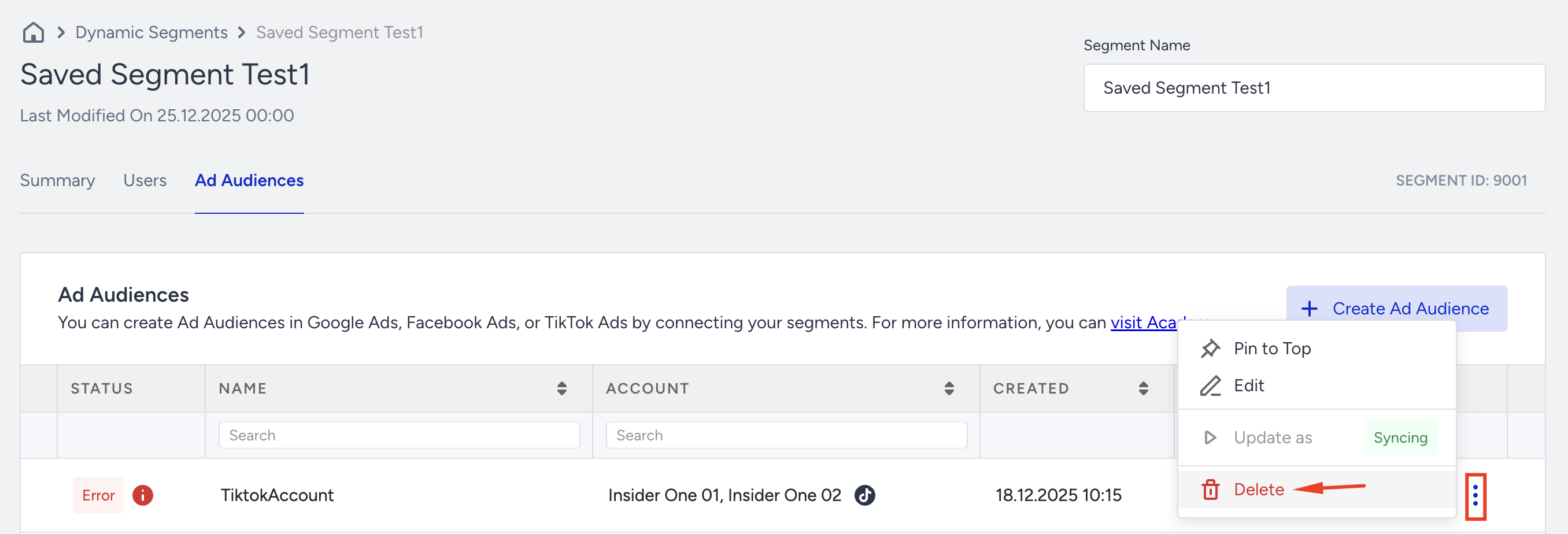
Confirm deletion.
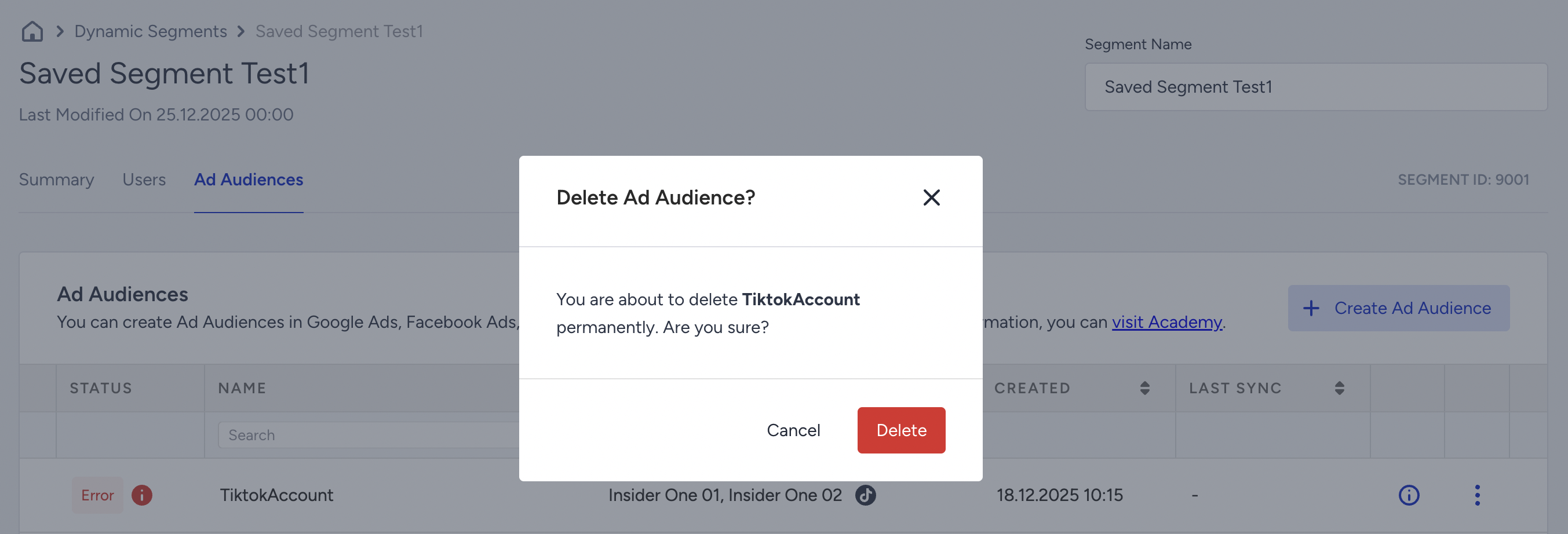
After you delete the TikTok Ads Audience,
Syncing stops immediately.
The Ad Audience is removed from the list.
The Dynamic Segment itself is not affected.