WhatsApp Transactional API v2 is a REST API that enables your systems to send conversational messages through the WhatsApp Business Platform.
To send conversational WhatsApp messages using OAuth 2.0, you must first generate an OAuth 2.0 credential. For step-by-step instructions, refer to OAuth 2.0 Credentials.
Before sending Conversational WhatsApp template messages, make sure you create your template in InOne first. Refer to Create a WhatsApp Business Standard Template on InOne for step-by-step guidance.
Refer to the visual below for an example of how a conversational WhatsApp template message is displayed.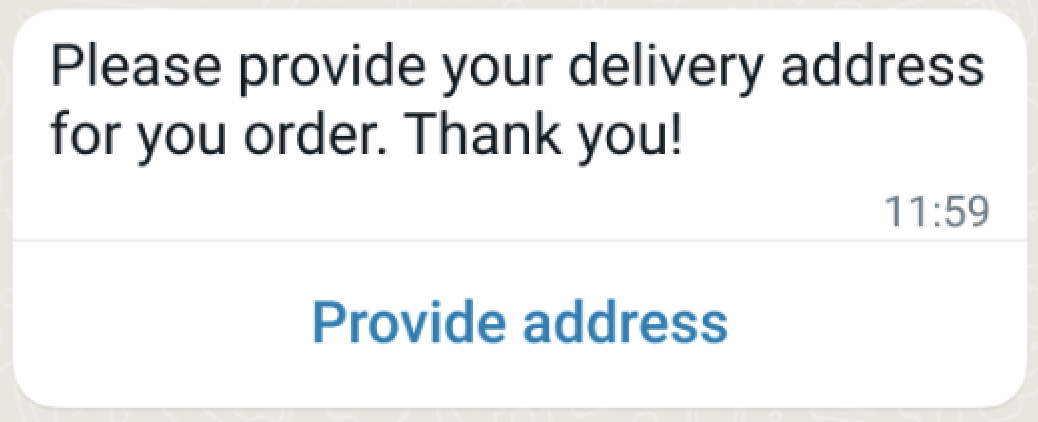
About Max Price support
Max Price (dynamic pricing) applies only to Marketing message templates.
If you use the Conversational API to send a Marketing template message, Max Price can be applied according to the template configuration and bid settings.
The bid_spec object is set on the template at creation time. Conversational sends do not reference a Max Price Marketing template unless a Marketing template is used, so there is no bid_spec to apply and no multiplier to set for reply, service/session, or interactive messages.
Max Price does not apply to conversational reply messages, session/service messages, interactive messages, or other messages sent within an open customer service conversation.
No additional request parameters or response fields are required for Max Price. If applicable, pricing is determined by the Marketing template configuration in Meta.
Endpoint
POST https://gw.useinsider.com/api/wa/v2/conversational/messages/send
Visit our Postman collection to test this request.
Sample Request
Use the request below to send conversational messages via WhatsApp. In addition to templates, message types such as text and media can be sent.
{
  "from": "+111111111",
  "messages": [
    {
      "phone_number": "+1234567890",
      "user_id": "user-uuid-123",
      "message": {
        "type": "text",
        "text": {
          "body": "Hello! How can I help you?",
          "preview_url": false
        }
      }
    }
  ]
}
Body Parameters
This endpoint shares the same parameters as the Transactional WhatsApp Messages with OAuth 2.0. The primary distinction is that conversational message types, such as text, image, video, document, audio, location, and interactive, are available for the message.type field.
Sample Responses
200 OK
This code indicates that the request has been completed.
{
  "keys": [
    "whatsapp-660e8400-e29b-41d4-a716-446655440001"
  ]
}
Error Codes
These endpoints return the same error codes as the Transactional WhatsApp Messages with OAuth 2.0 (2001, 2002, 2003).
Code | HTTP Status | Description |
|---|---|---|
2001 | 400 | The request body could not be decoded. |
2002 | 400 | The request body failed validation. |
2003 | 400 | The message could not be sent due to a provider error or an internal system issue. |
Media Operation Errors
Code | HTTP Status | Description |
|---|---|---|
2017 | 400 | Provider not found or upload error |
2018 | 400 | Error retrieving media information |
2019 | 400 | Media download error |
INVALID_FILE | 400 | Invalid file or file could not be read |
System Errors
HTTP Status | Description |
|---|---|
503 Service Unavailable | The system is currently in maintenance mode |