This method allows you to start tracking the geofence of your users.
Android Geofence Details
According to the Google Play Policy for tracking geofence, app owners should have two different permissions.
First, app owners should get users' consent to collect their location. After users give consent or not, app owners need to update the value of the location opt-in on Insider accordingly. It has to be true to make geofence tracing work for a user. You can set up location opt-in accordingly from here.
To set up Insider location opt-in to true, Android's location consent should be allowed first.
To understand how to collect consent and what to do, please refer to Play Console-User Data.
Secondly, after collecting opt-in, we need to trigger the method below to track geofence.
iOS Geofence Details
To set up Insider location opt-in to true, the user must grant location access (preferably Always Allow for reliable background geofencing) first.
The iOS SDK collects region-related events properly in the foreground without any additional setup, other than adding the following entries into Info.plist:
- Location Usage Description
- Location When In Use Usage Description
- Location Always and When In Use Usage Description
<key>NSLocationUsageDescription</key>
	<string>Your 'Location Usage Description' goes here.</string>
	<key>NSLocationWhenInUseUsageDescription</key>
	<string>Your 'Location When In Use Usage Description' goes here.</string>
	<key>NSLocationAlwaysAndWhenInUseUsageDescription</key>
	<string>Your 'Location Always and When In Use Usage Description' goes here.</string>
Tracking in the background
However, if your application needs to track region updates while running in the background or even when it is not running, you must take the following additional steps:
1. Add the Location Always Usage Description entry into Info.plist.
<key>NSLocationAlwaysUsageDescription</key>
<string>Your 'Location Always Usage Description' goes here.</string>
2. Go to your app's target's Signing and Capabilities > Background Modes to enable Background processing and Location updates.
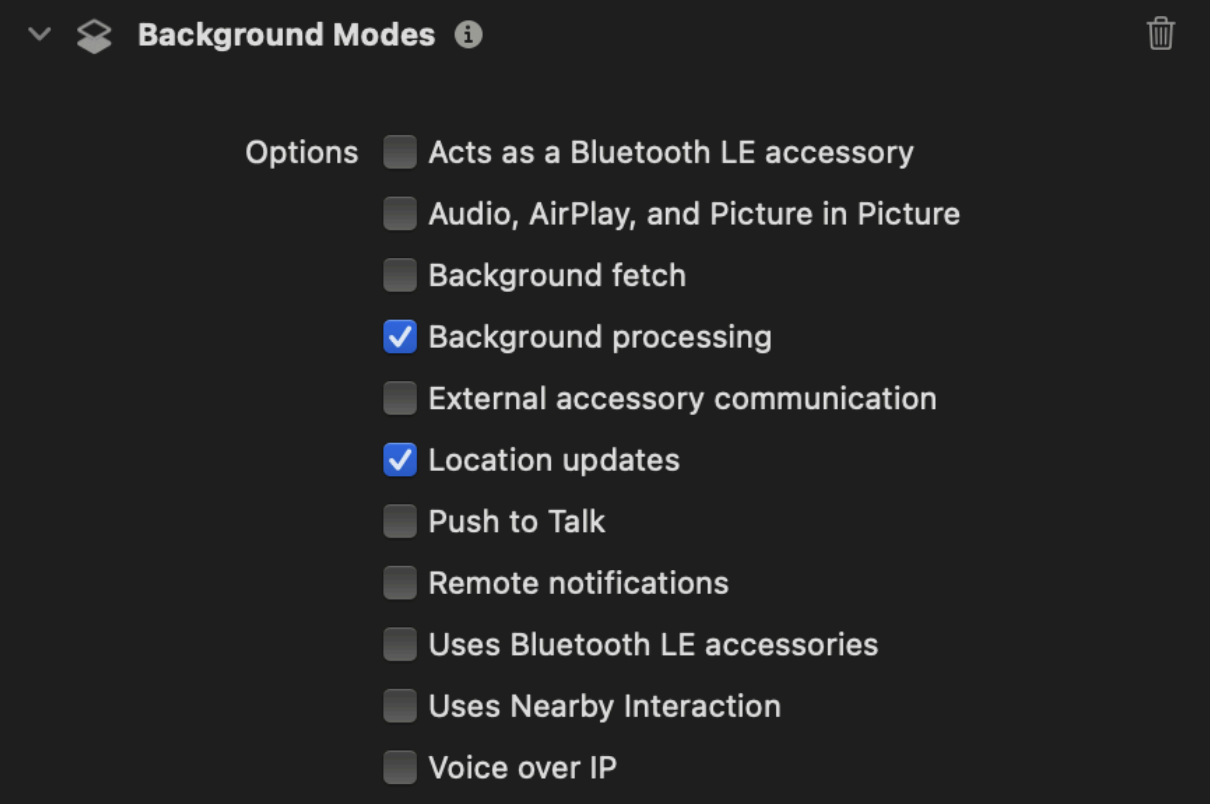
3. Call setAllowsBackgroundLocationUpdates to enable in the background tracking programmatically.
RNInsider.setAllowsBackgroundLocationUpdates(true);
RNInsider.startTrackingGeofence();
Method Signature
static startTrackingGeofence()Method Example
RNInsider.startTrackingGeofence();