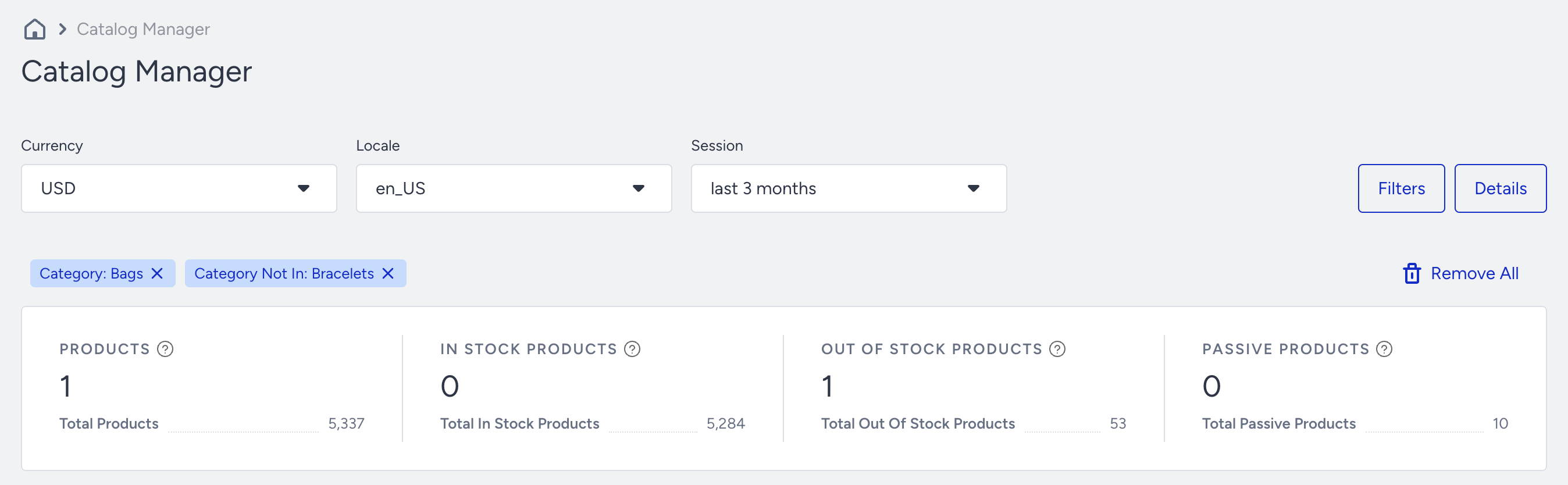
Thanks to the Product Catalog Manager, you can:
- See summary numbers of total, in-stock, out-of-stock, and passive products.
- See all available products in the catalog and validate all their attribute values.
- Filter, search, and sort any product attribute.
- See when the catalog or a specific product has been updated from which source.
- Hide products that you want to exclude from the recommendations.
In this article, you can find answers to the following questions:
- What does the Summary Dashboard cover?
- How can I get the product details?
- How can I hide a product from the catalog?
- How does detailed filtering work?
To reach the Product Catalog Manager, navigate to Components > Product Catalog Management > Catalog Manager.
Summary Dashboard
On the Summary dashboard, you can see your currency, default locale, and session duration. The default session duration is 30 days. Based on these basic filters, you see the whole catalog and its summary. 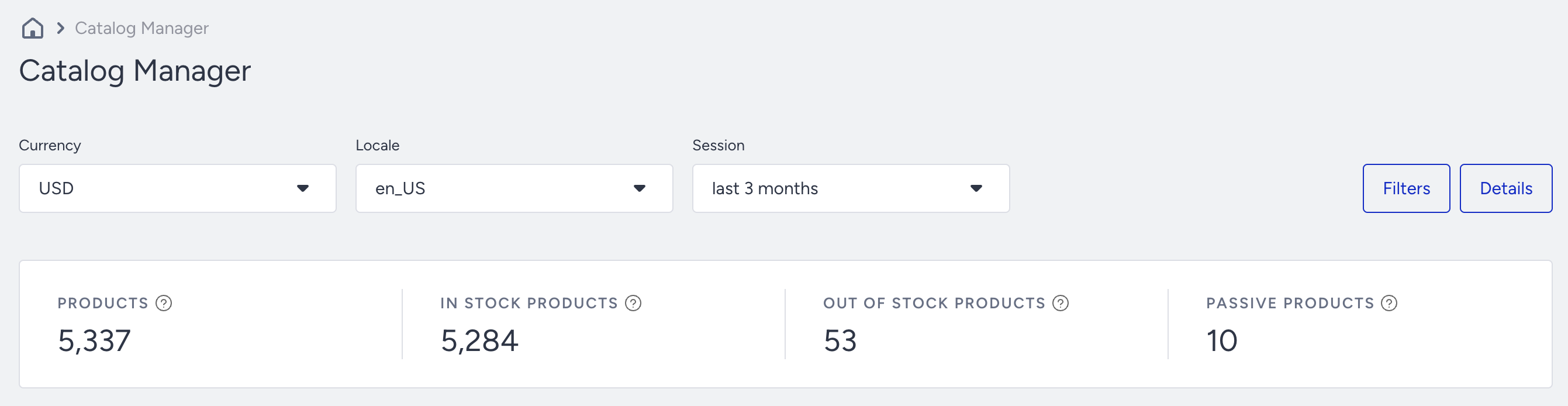
- Currency: The currency dropdown allows you to select from the available currencies in the product catalog. It displays the currencies listed for all locales within your catalog. Note that the Catalog Manager does not support selecting multiple currencies simultaneously.
- Locale: The locale dropdown allows selecting all the locales available in the product catalog. A locale must first be created in the Catalog Settings page to be listed in the Catalog Manager. Note that the Catalog Manager does not support selecting multiple locales simultaneously.
- Session: The session dropdown enables filtering products in your product catalog by their last update date. This feature helps you monitor product update status over different periods, ensuring your catalog stays current.
Product information
For the Availability and Stock-Based Feed Management types, all four areas are listed in the summary area. However, if your catalog is Start-End Date or Publish time-based, only products and passive products are displayed since stock information is not necessary for these feed management types.
- Products are the total number of products in the catalog that are updated within the selected time duration for the locale and currency.
- In-stock products are in stock in the catalog and are updated for the locale and currency at the selected time.
- Out-of-stock products are not in stock in the catalog and are updated for the locale and currency at the selected time.
- Passive Products are those that you hide from the recommendations. They can be in stock or out of stock.
The Product Details
You can move to the right side of the listing page to see further attributes about the products. 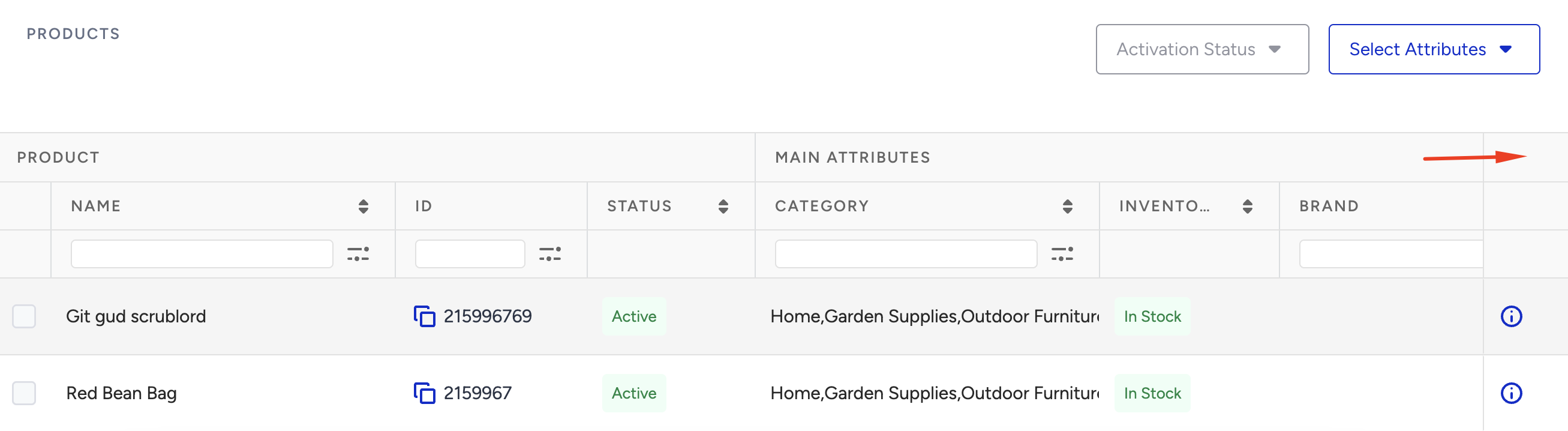
If you click the Detail icon against a product, you can see all the details available on the product detail modal.  You can also view the product’s last update date and source, which can help ensure catalog integration and verification. Under the Product Updates section, the Latest Product Update Information area shows the product’s catalog update interactions in detail: XML, Catalog API, Web Clickstream, App Clickstream, HitChecker, and Active/Passive operation.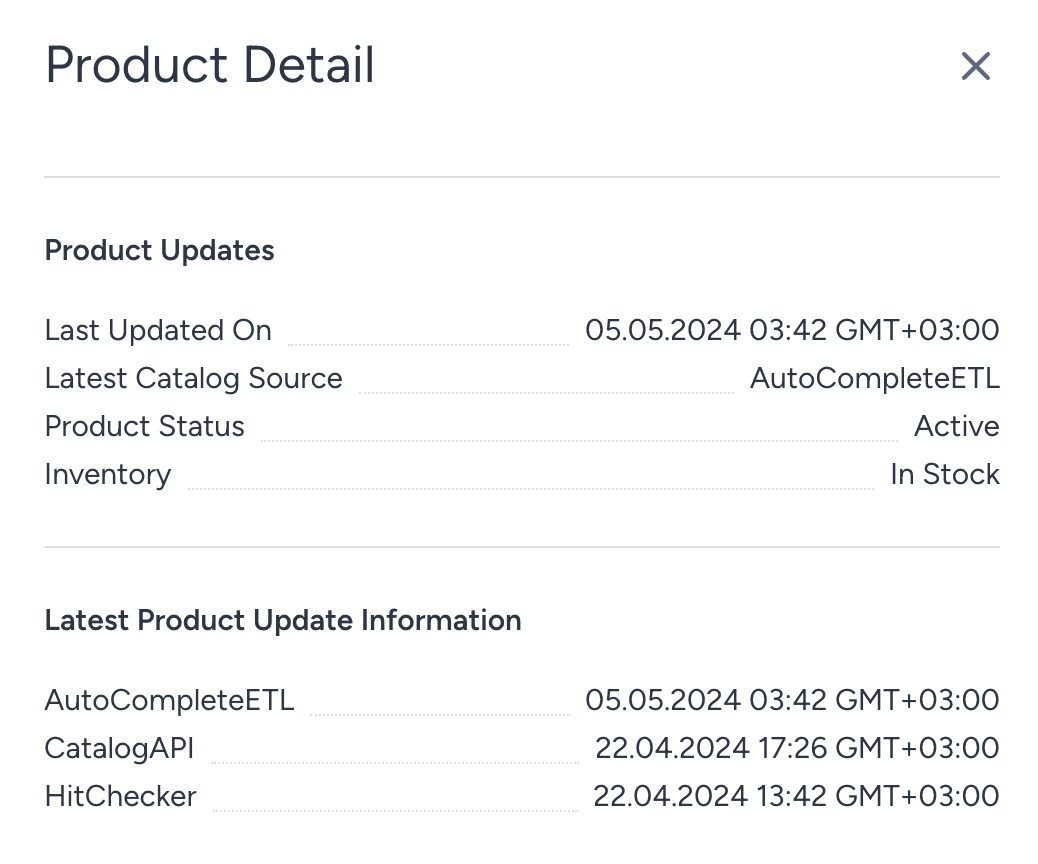
You can also search and see the value of specific attributes.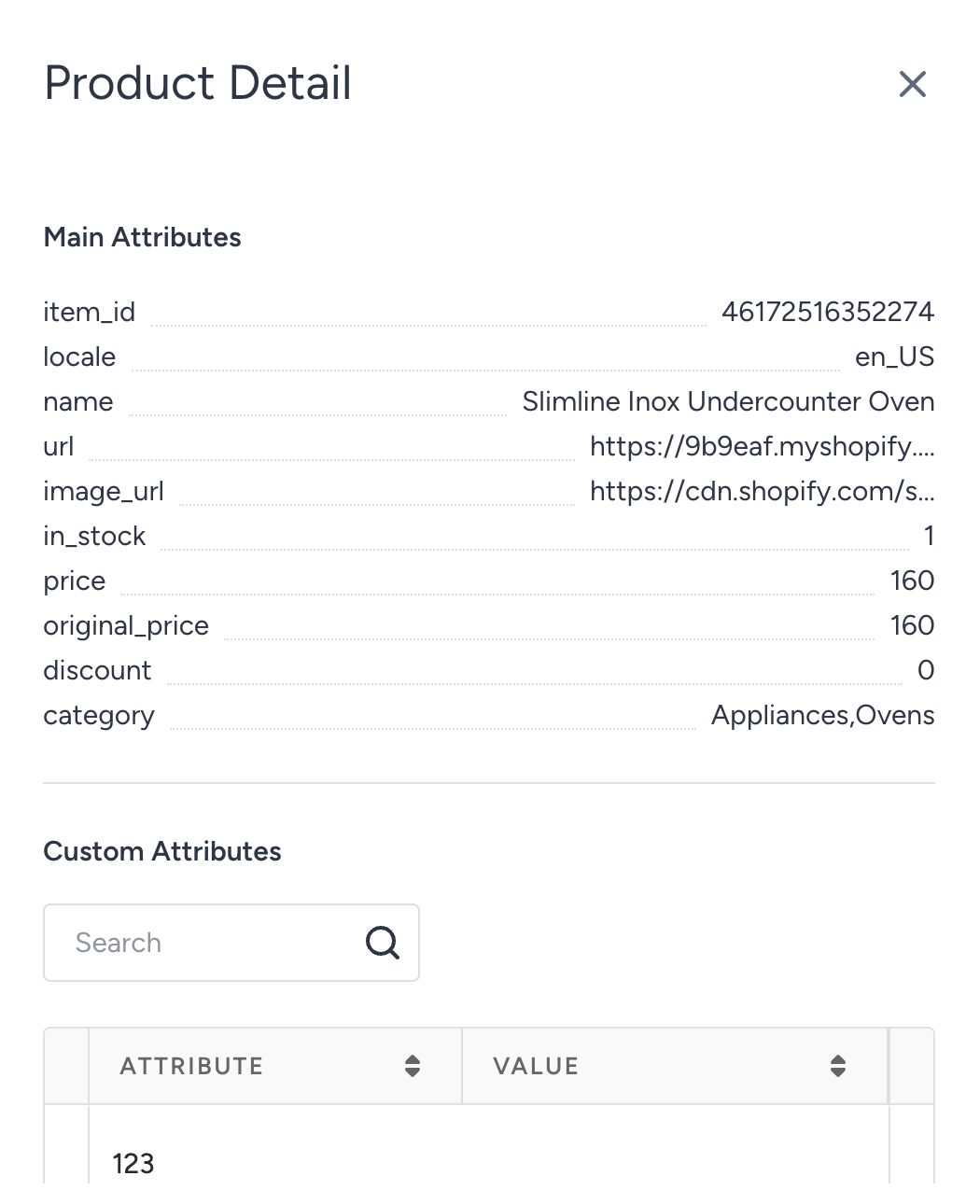
Hide a Product
To hide or include a product in the recommendations, select the product and click the Activation Status button. This applies regardless of the product's stock information.
You can select multiple products (that are only visible on the same page) and activate/deactivate them. If a product is already activated, only the remaining products are updated as activated, and vice versa.
Detailed filtering
Click the Filter button for detailed filtering. In the filter area, you can list and search for any product attribute and value that is available in the product catalog.
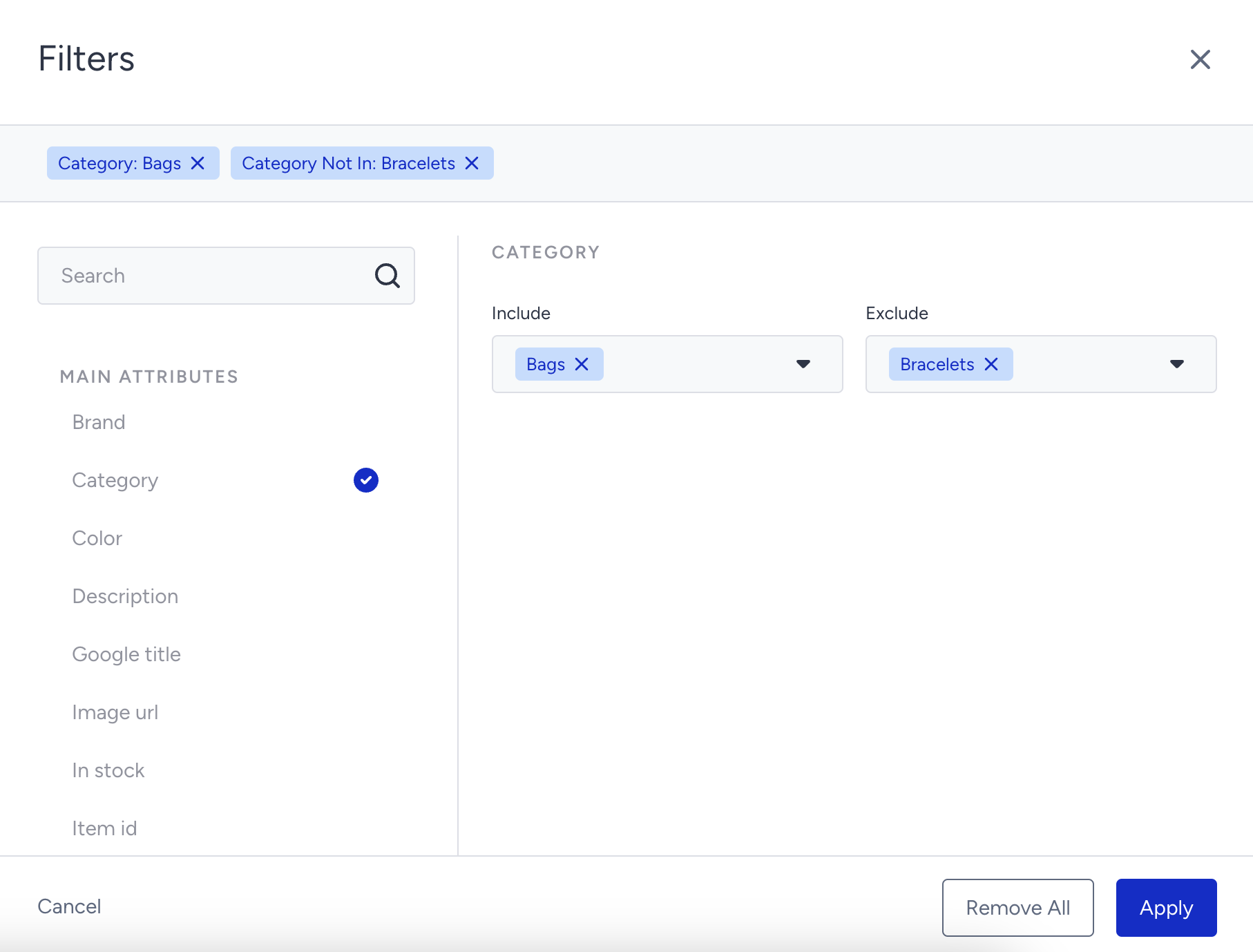
The selected filters are visible in the area at the top of the filter screen. The basic filter attributes, locale, currency, and time period, are not listed on the filter; you can only change them on the listing page.