MindBehind offers a payment experience through WhatsApp. An important aspect to consider regarding payment is the refund process.
You can perform the refund process on MindBehind either from the Transactions Report page or through an API call.
The user who wants to pay back a specific amount to the buyer should click the Refund button for the related transaction.
After that, a pop-up will appear, including a file stating the amount to be repaid.
The refund amount should be less than or equal to the original payment amount after subtracting the sum of any previous refunds.
Refund service logs the following information to the database, and you can check it from the Payment Transaction report:
ID: A unique identifier for the transaction "The transaction ID".
Company: The company name to which the transaction is related.
Gateway: The payment gateway's name is defined in the Integrations section of the Company Profile page.
Conversation ID: Conversation ID where the payment or refund operation happened.
Customer: The name of the customer who paid through the bot.
Payment Type: The type of payment gateway (Masterpass, etc.).
Payment Result: The result of the payment transaction to the bank. It can be "SUCCESS," "FAILED," or "PENDING" when the payment is initialized, but the customer has not completed it yet.
Payment Currency: The currency of the payment transaction.
Payment Amount: This parameter has two forms: positive and negative. A positive amount indicates a payment transaction, while a negative amount shows a refund operation.
Order Number: The payment action will read this number from the bot's live parameters and use it to point to the order. It will also send this number to the bank to be stored within the transaction.
MindBehind will auto-generate that if it is not given during the payment processing.
Reference Number: A unique identifier generated by MindBehind to point to this transaction. The bank will also receive this number and store it with the bank transaction.
Related Payment ID: This parameter is used only when there is a refund operation. It is filled with the ID of the payment that is requested to pay back.
User Email: This parameter is used only when a refund operation is performed through our panel. It demonstrates the user's email that performs refund operations.
To perform the refund through an API call, the MindBehind endpoint will accept the messages in JSON format; the HTTP request details are as follows:
Endpoint: https://app.mindbehind.com/masterpassIntegration/v1/transactions/refund
HTTP Method: POST
Required Header: “mgmtToken” to authorize the call.
Refer to Payment Gateways APIs authorization for further details.
Body: It should be in JSON format in the following fields:
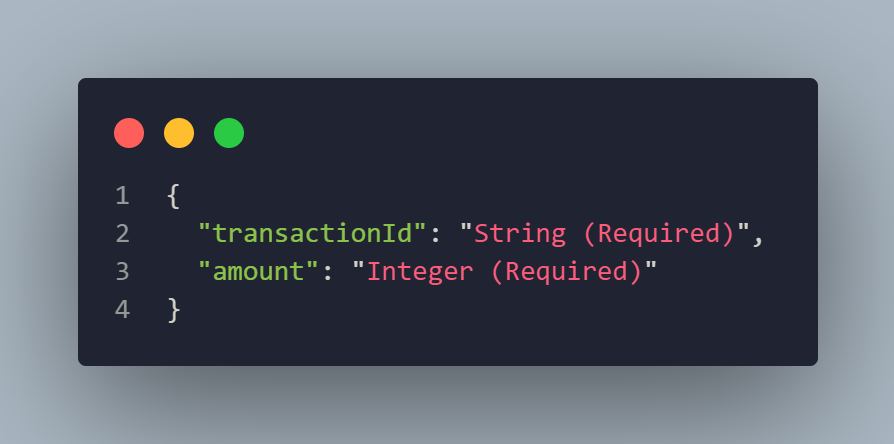
transactionId: This is the same ID you can find in the transactions report. It is the ID of the original payment. Remember that our system will not allow a total refund of more than the original payment amount.
amount: The amount to refund can equal the same amount as the original payment.
If you are refunding through APIs, you can leave the User Email field in the transactions report empty for this transaction.