The Input Action is used to get input from the user. The input can be free or constrained with a regular expression.
To use the Input Action,
Drag and drop the Get Input action from the Actions menu onto your canvas, or click on it to add it to your flow.
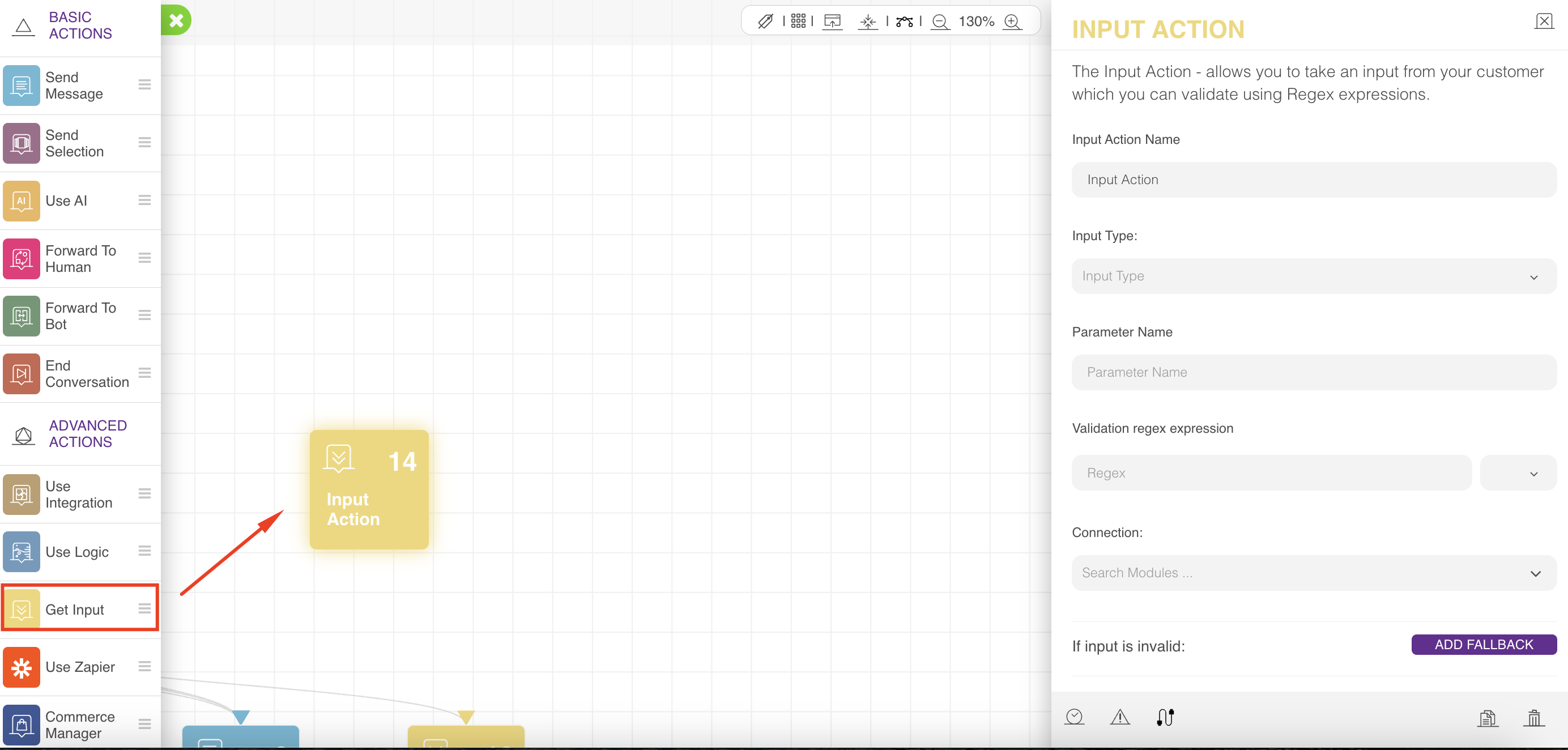
On the configuration menu on the right, you can choose the parameter name that will be used to save the user input, validation regex expression if needed, and the connection to the next action.
If validation fails, the action falls back. If you do not define any validation expression, the fallback will not happen. You can also change the action name and add notes.
Our system supports predefined regular expressions; you can type "#" inside the "Validation regex expression," and a menu will appear with the following supported types:
Phone number
Email
License Plate
There is a dropdown list near the validation regex expression, which is the regex expression flags that affect the search as follows:
Flag | Function |
|---|---|
i | The search is case-insensitive: no difference between "A" and "a". |
g | The search looks for all matches; without it, only the first match is returned. |
m | It is the multiline mode. |
s | It enables “dot all” mode, which allows a dot (.) to match the newline character "\n". |
u | It enables full Unicode support. The flag allows for the correct processing of surrogate pairs. |
y | “Sticky” mode: searching at the exact position in the text. |
Refer to Regular Expression (Regex) to learn more about flags.
Input Action is designed to receive text input from the user, so it will do nothing in case of a connect message. In other cases, it will behave as follows:
It checks a user input match in global keywords, and if the match exists, it will continue the flow to the connection specified in that global keyword.
It checks the user input, and if there is no regular expression or the input matches the regular expression constraint, it will save that input and continue the flow, in case of a regular expression.
It falls back if the input does not match the regular expression constraint. In that case, if the fallback count is defined, it will keep sending the local or global error message until the count is finished. Then, it will continue the flow to the fallback connection.
Defining a delay for this action will delay continuing to the next action (Either it is the input action connection or the fallback connection).