Facebook Ads audience targeting allows you to reach existing users across Meta’s advertising ecosystem, including Facebook, Instagram, Messenger, and the Audience Network, by matching user identifiers with Meta user accounts. This enables you to deliver personalized ads based on users’ behavior, attributes, and past interactions with your website or mobile app.
With Insider One, you can easily build and synchronize Facebook Ads audiences using Dynamic Segments. These segments can be created using a wide range of first-party data collected within Insider One, including:
Behavioral events (such as product views, add to cart, and purchases)
User attributes (for example, gender, country, or loyalty tier)
Real-time interactions across your digital properties
This approach allows you to create highly granular, intent-driven audiences that can be activated directly in Facebook Ads, improving targeting precision and campaign efficiency across Meta channels.
How Facebook Ads Remarketing works
Insider One uses the Facebook Marketing API to securely send user data to Facebook and keep your ad audiences automatically synchronized.
Facebook supports audience matching using multiple user identifiers. During audience creation, the following identifiers are required:
Email address
Phone number
In addition to these mandatory identifiers, you can also select user attributes, such as External ID, First name / Last name, City / Country, Date of birth, Gender, and other supported profile-level attributes.
These optional identifiers are available in the Attributes section of the Create Ad Audience drawer and can be enabled based on your data availability and targeting needs.
All identifiers are hashed using SHA-256 by Insider One before being transmitted to Facebook, ensuring secure and compliant data processing.
Automatic Audience Updates
After the audience is created:
Users who enter the Dynamic Segment are automatically added
Users who exit the segment are automatically removed
Synchronization runs through Insider One’s nightly sync jobs
This process ensures that your Facebook audiences always remain aligned with the latest definition of your Dynamic Segments, without requiring manual updates or user revisits.
What you need to get started
Before configuring Facebook Ads audience targeting, both your Insider One setup and Facebook Ads account must meet Meta’s Customer Match eligibility requirements.
1. Eligible Facebook Business Manager Account
To send audiences, you must have:
A valid Facebook Business Manager
A Facebook Ads Account inside Business Manager
A System User or a Meta user token with sufficient permissions (see below)
2. Required Access in Facebook
To connect your Facebook Ads account in Insider One, your user (or system user) must have:
Admin access to the Facebook Business Manager
Admin or Advertiser access to the specific Facebook Ads Account
Permission to Manage Ads and Manage Audiences
Users without the correct permissions will not be able to sync audiences.
3. Required tokens and permissions
Depending on your setup, you can connect:
Option A: System User Token (Recommended)
This provides a long-lived token and does not break when personal user roles change.
You must have:
ads_management permission
Access to the required Ad Account(s)
Option B: Personal User Token
This is easier to set up but less stable because tokens expire and break when you lose access.
The Facebook Ads access token you connected has a 60-day TTL set by Meta; this is Meta's rule, not Insider One’s.
When the token expires or Meta invalidates the session (password change, 2FA change, explicit FB logout, Meta security action, etc.), Insider One detects it and notifies you by email so you can reconnect.
Connect your Facebook Ads account to Insider One
Before you can send a Dynamic Segment to Facebook, you must first establish the connection between your Facebook Business Manager and Insider One’s InOne Panel.
Navigate to Facebook Ads Integration: Go to Components > Integrations > External Integrations > Facebook Ads.
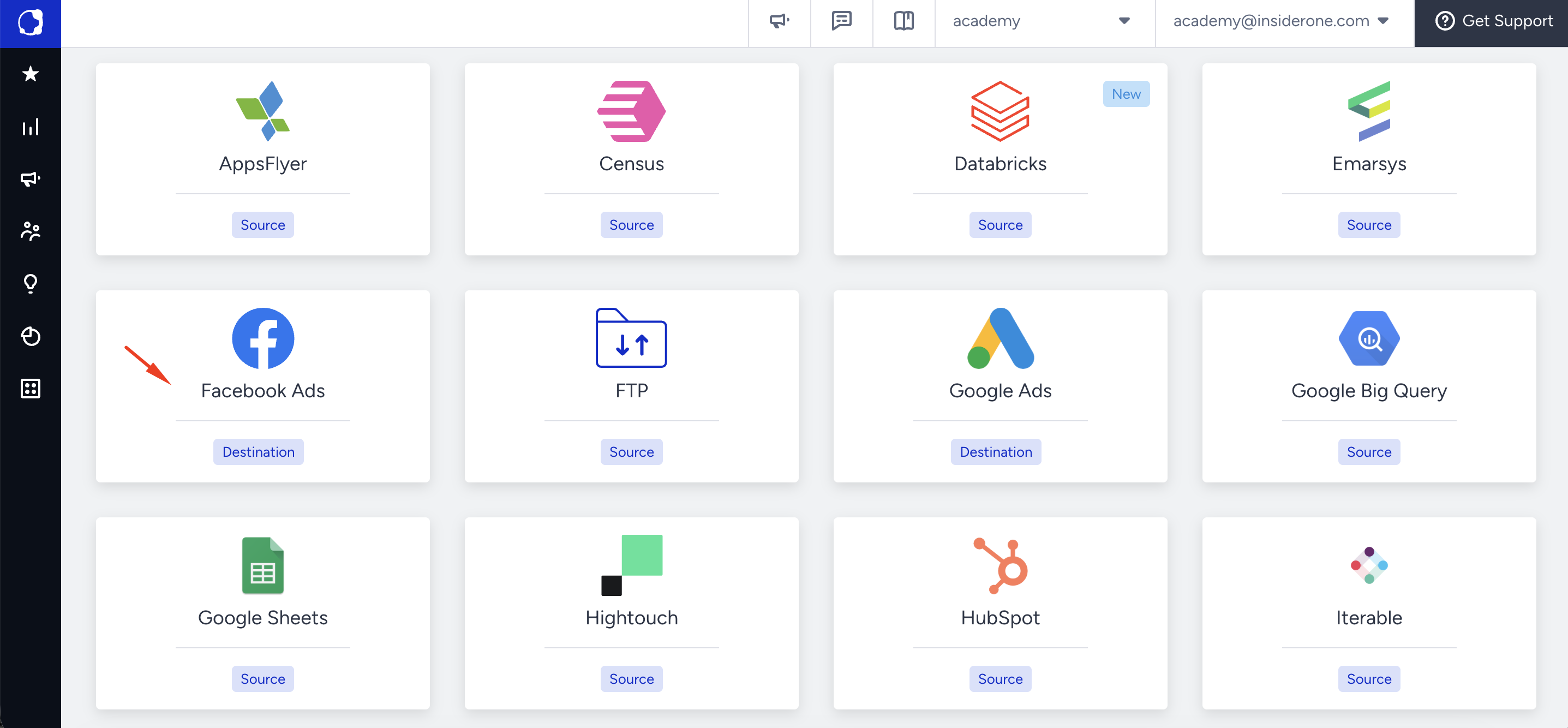
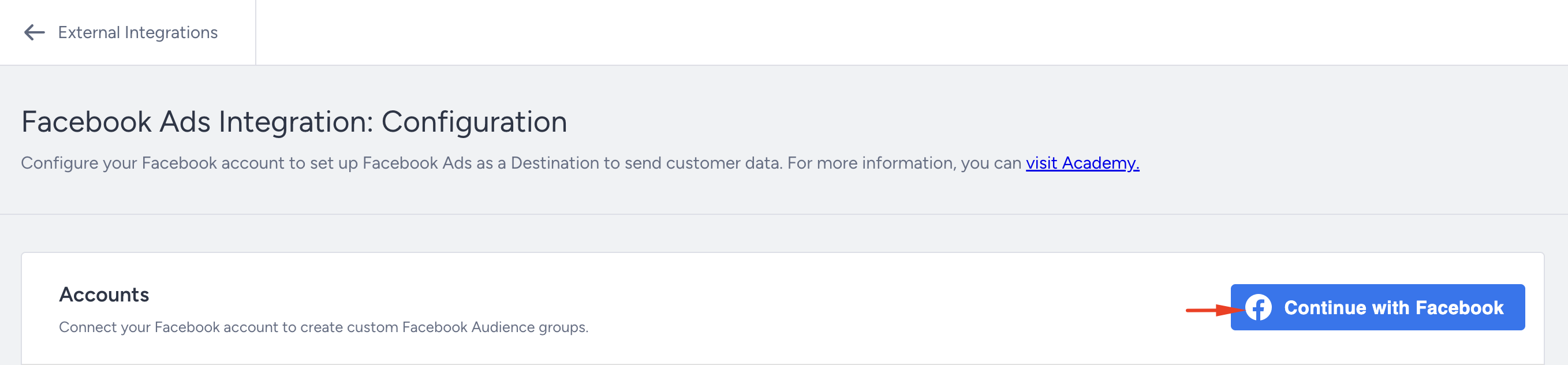
Sign in with Facebook: Click Continue with Facebook and authenticate with the Facebook user who has access to your Business Manager and Facebook Ads Account.
During authentication, Facebook will request permission for Insider One to:
Manage audiences
Access your ad accounts
Deliver data through the Facebook Marketing API
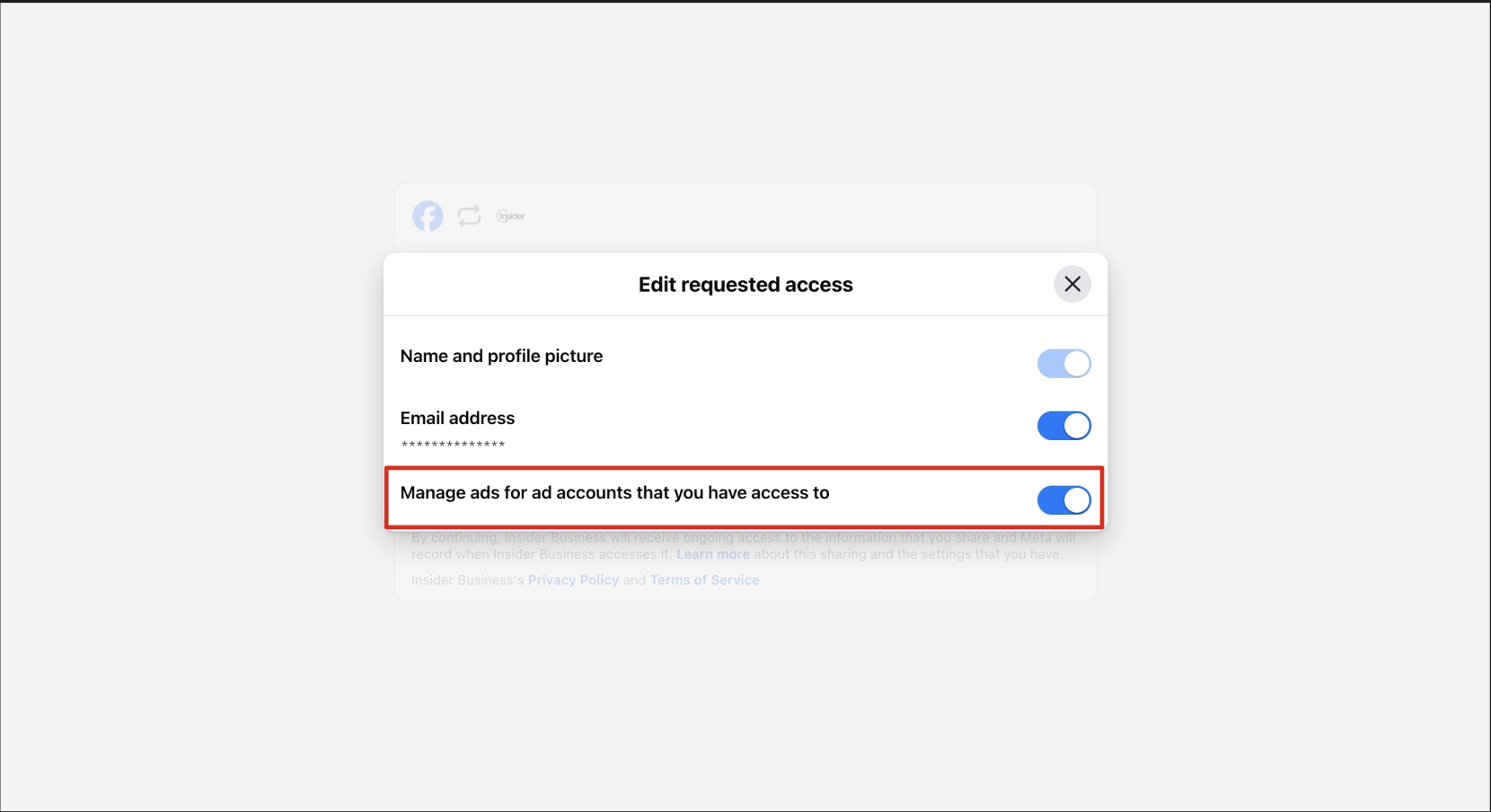
These permissions must be accepted to enable audience syncing.
Select Your Facebook Ads Account: After logging in, you will see a list of Facebook Ads Accounts that your user has permission to manage.
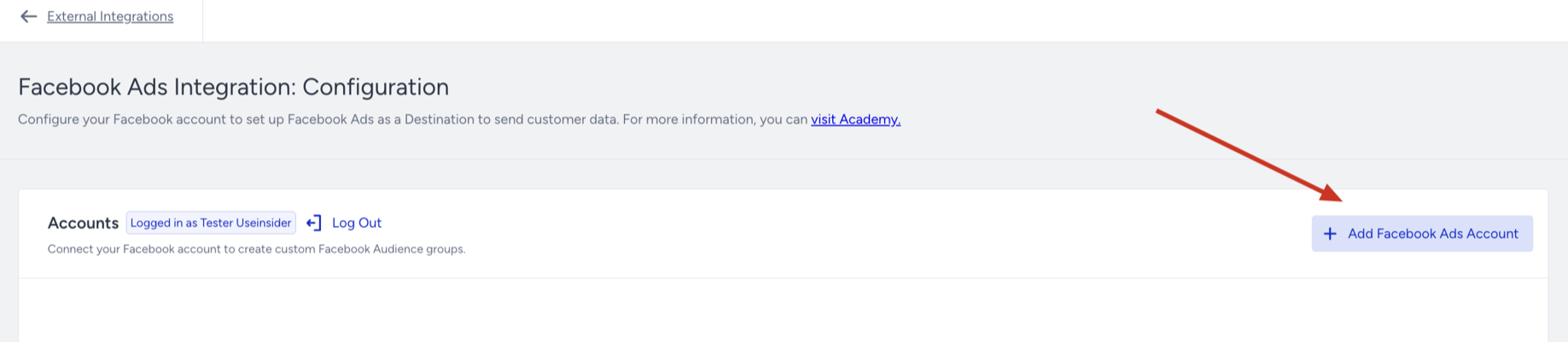
Select the Ad Account you want Insider One to sync audiences to.
Confirm the Legal Acknowledgment Modal by clicking I Understand if presented.
Your selected Facebook Ads Account will now appear in the connection table.
Ensure Correct Permissions: To sync segments successfully:
Your Facebook user must have Admin or Advertiser access to the selected Ad Account.
Your user must also have the correct role in the Business Manager (e.g., Admin or Employee with assigned assets).
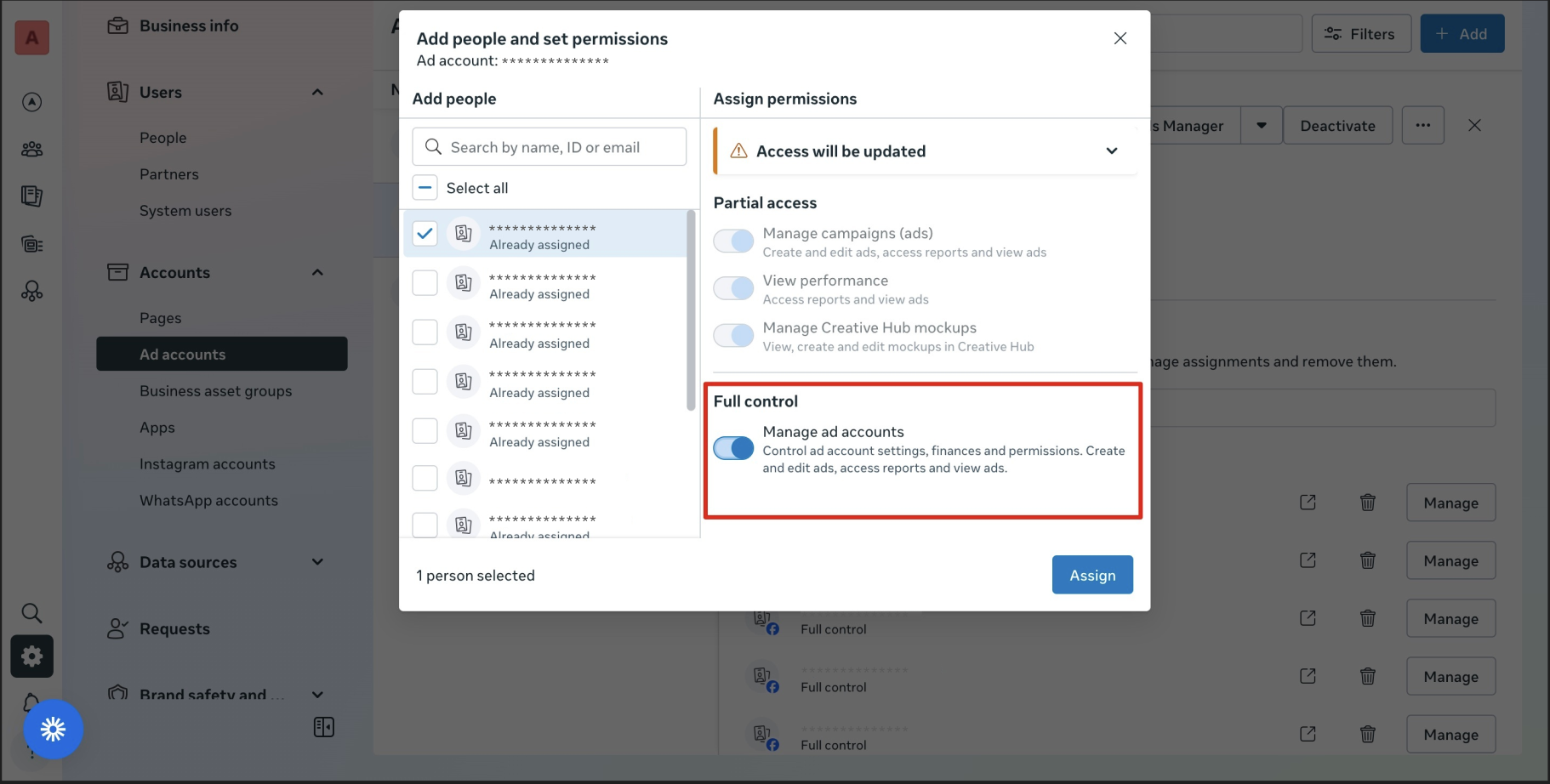
You can verify and adjust your access in Business Settings > Accounts > Ad Accounts.
If the necessary permissions are missing, the audience sync will fail.
Once the connection is completed successfully, your selected Facebook Ads Account will appear in the integration table, and you can begin sending Dynamic Segments as Facebook Ad Audiences.
Send your Dynamic Segment to Facebook Ads
You can send your Dynamic Segment to Facebook Ads by creating a Facebook Ad Audience. Follow the steps below to set up the audience and start syncing users.
Navigate to Audience > Segments > Dynamic Segments and locate the segment you want to send.
Click the Create Ad Audience button in the segment’s action menu.
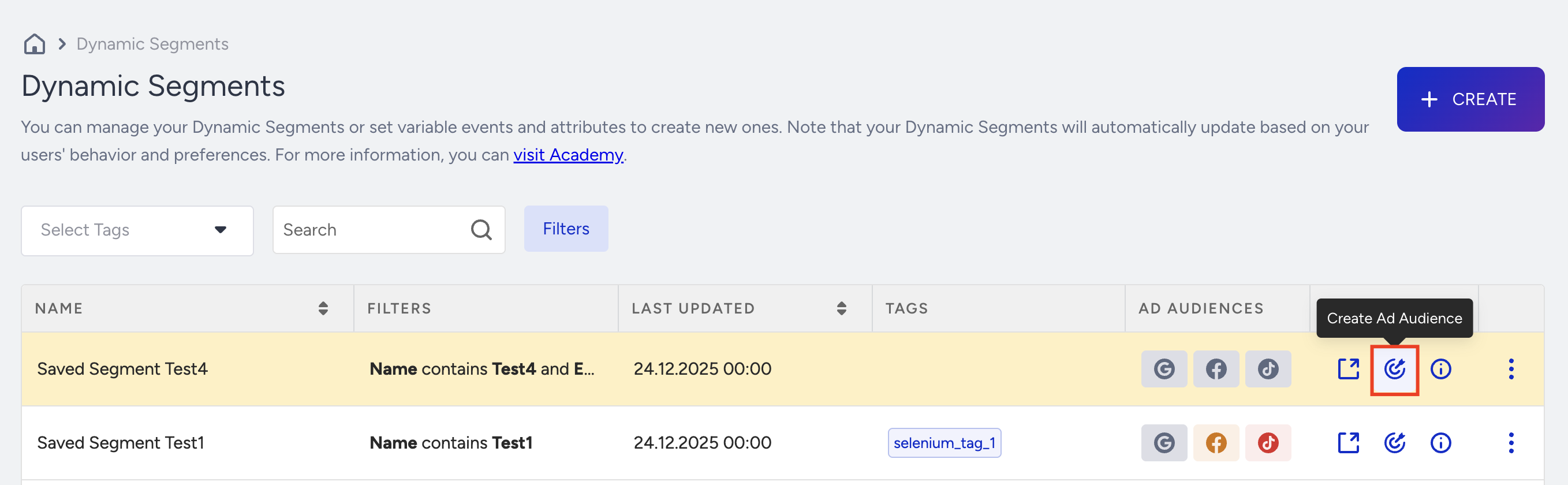
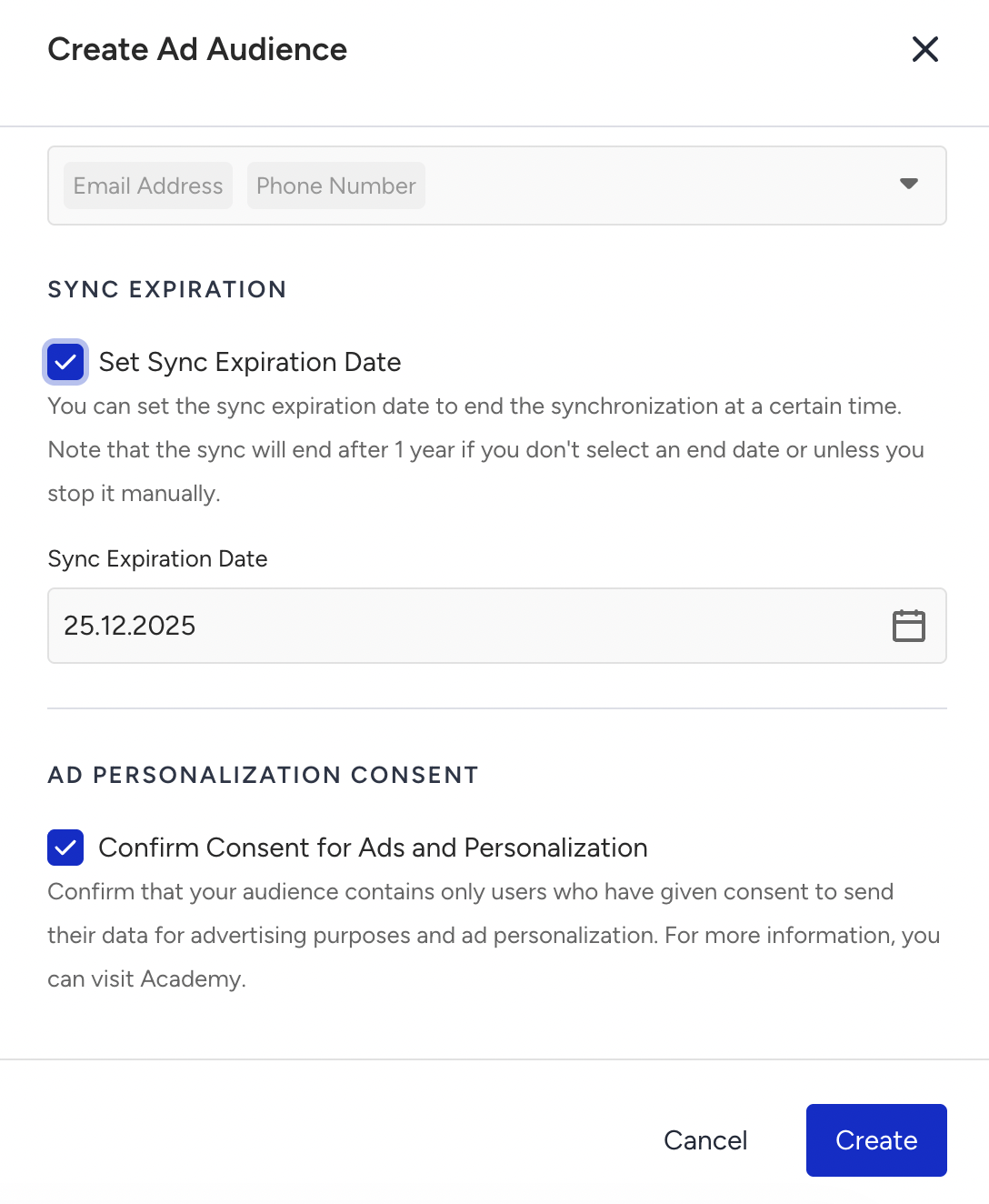
Configure the Ad Audience: On the Create Ad Audience drawer:
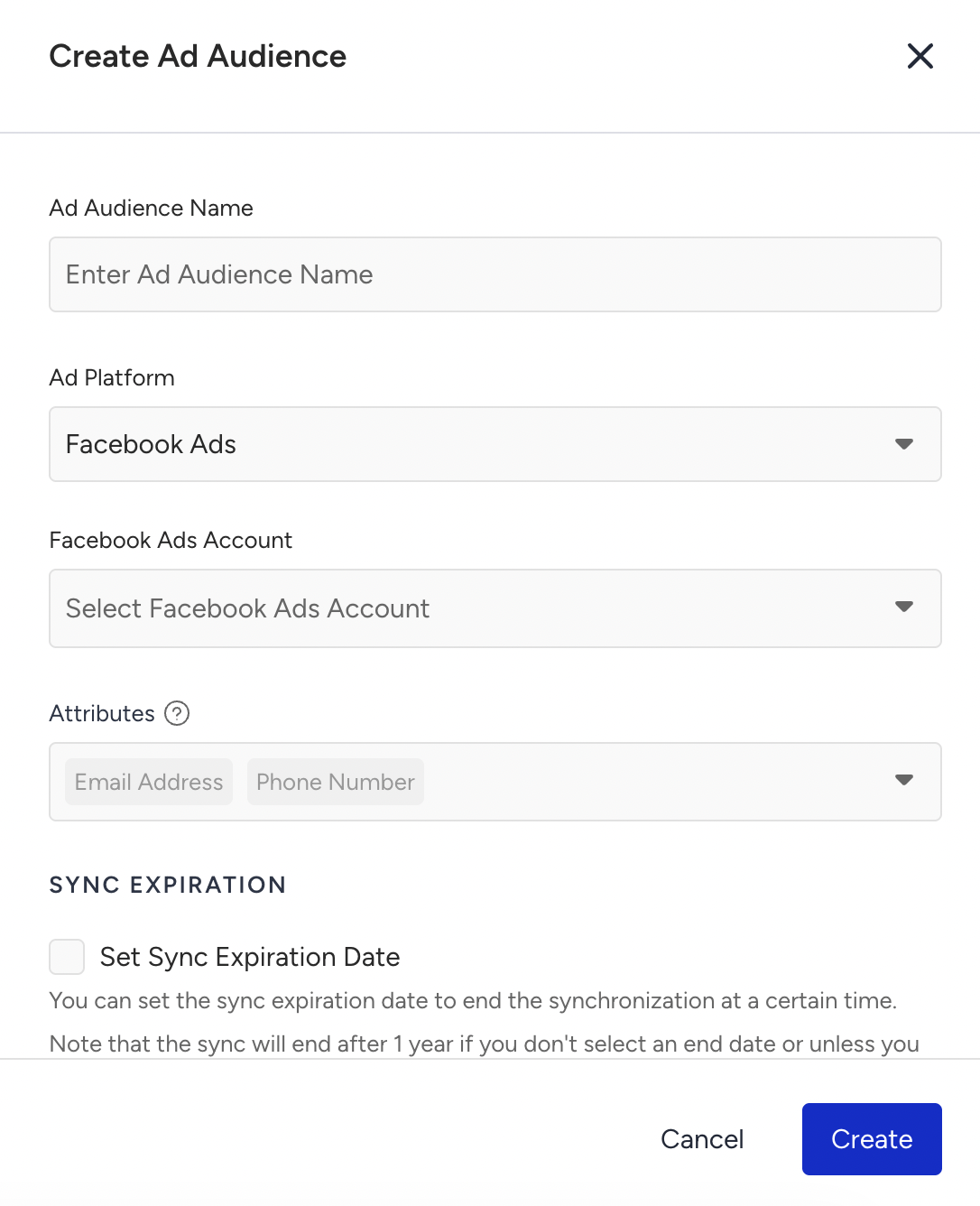
Enter an Ad Audience Name.
Select Facebook Ads as the Ad Platform.
Choose your Facebook Ads Account.
Attributes
Review mandatory identifiers:
Email Address (required)
Phone Number (required)
These are preselected and cannot be removed.
(Optional) Select additional user attributes (e.g., Name, City, Country) to improve Meta’s matching accuracy.
Sync Settings
(Optional) Set a Sync Expiration Date.
Sync stops automatically on the selected date.
If no date is selected, syncing continues for 1 year unless stopped manually.
Consent
Confirm Consent for Ads and Personalization.
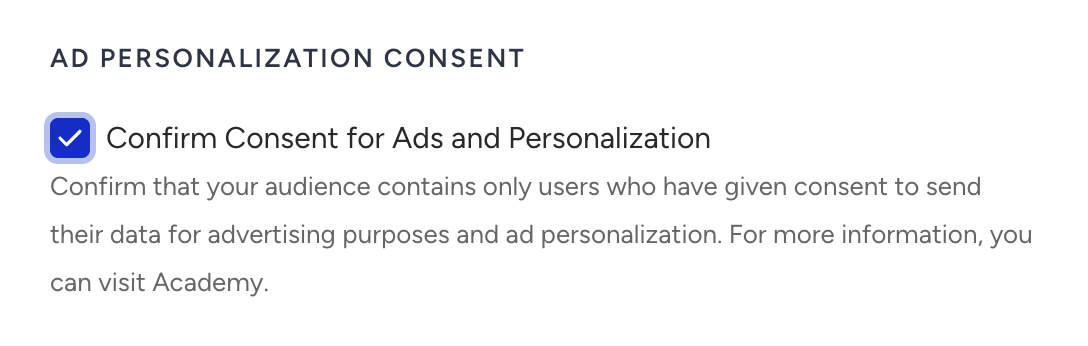
Create the Audience: Click Create to finalize the setup and start syncing your segment to Facebook Ads.
What happens after creating a Facebook Ad Audience?
Once you create the Ad Audience, Insider One will generate an audience in Facebook Ads using the exact name you provided during creation.
The audience will include a description containing:
Insider One Campaign ID
Platform
Server timestamp
All user identifiers, both mandatory and optional, are hashed using SHA-256 before being transmitted to Facebook, ensuring secure and compliant data handling.
Insider One automatically synchronizes the audience daily at 00:00 (UTC). During each synchronization:
Users who enter the Dynamic Segment are added to the audience
Users who exit the segment are removed
Please note that the audience size in Facebook Ads may take up to 48 hours to appear. While Insider One sends updates on schedule, Facebook’s internal processing and matching workflows can cause delays before audience size and availability are fully reflected in the Facebook Ads interface.
Edit a Facebook Ads Audience
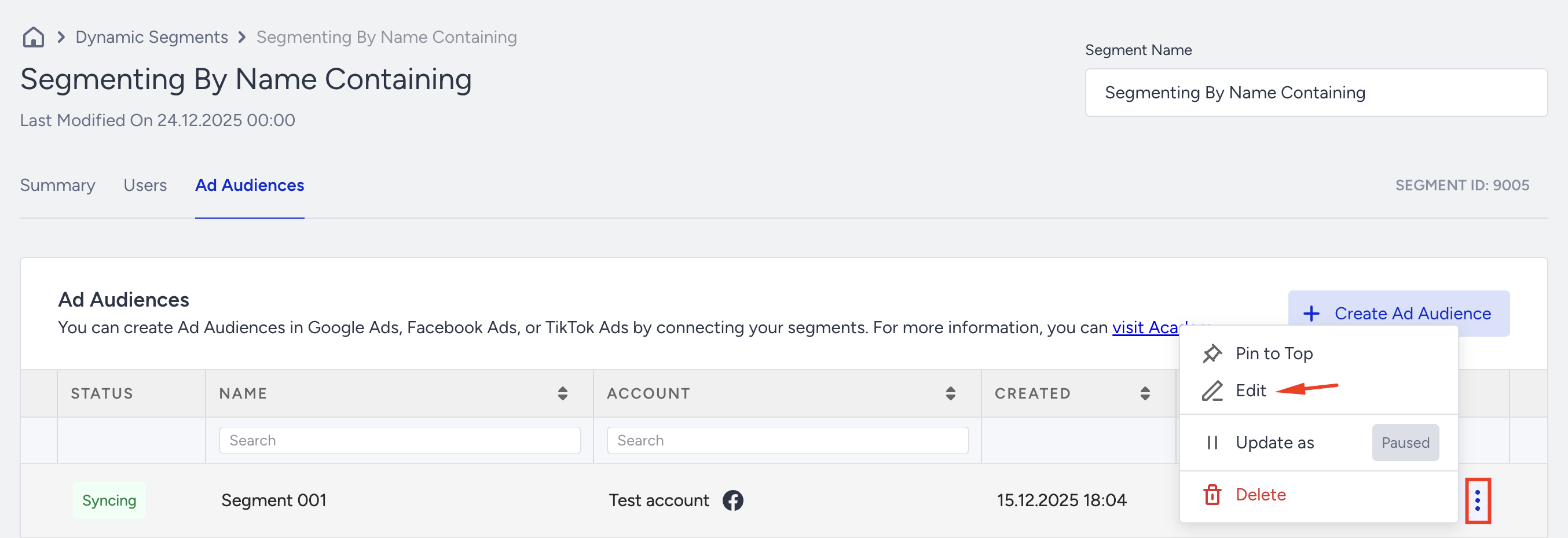
Open the segment on which you want to make a change.
Go to the Ad Audiences tab.
Click the three-dots menu next to the Ad Audience.
Select Edit.
You can change:
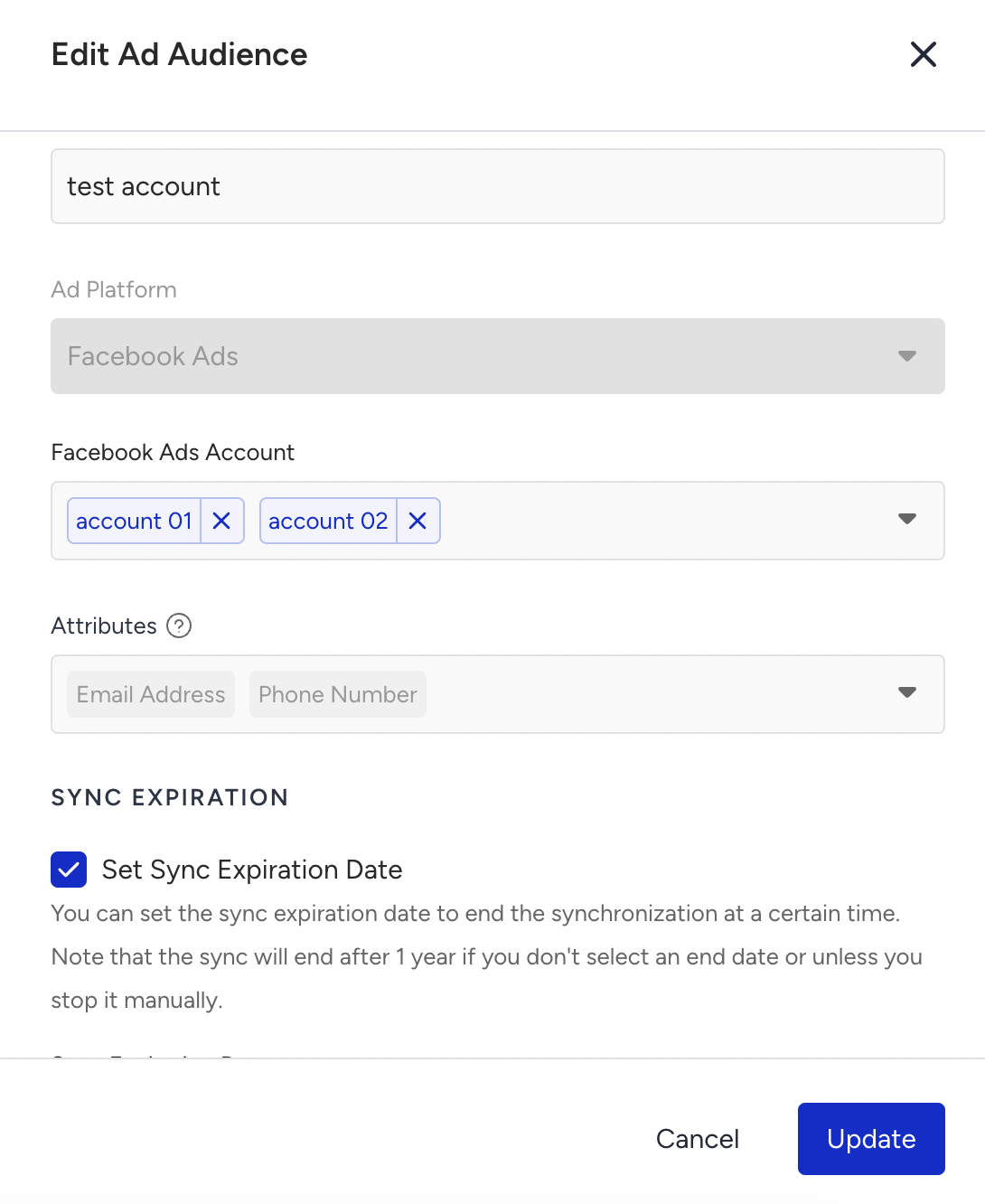
Ad Audience Name
Account (depending on platform integration)
Sync Expiration Date
Consent Confirmation
All changes apply to future syncs.
Since you create the Ad Audience based on the platform, you cannot change it once the Ad Audience is created.
Delete a Facebook Ads Audience
Open the segment that you want to delete.
Go to the Ad Audiences tab.
Click the three-dots menu next to the Ad Audience.
Select Delete.
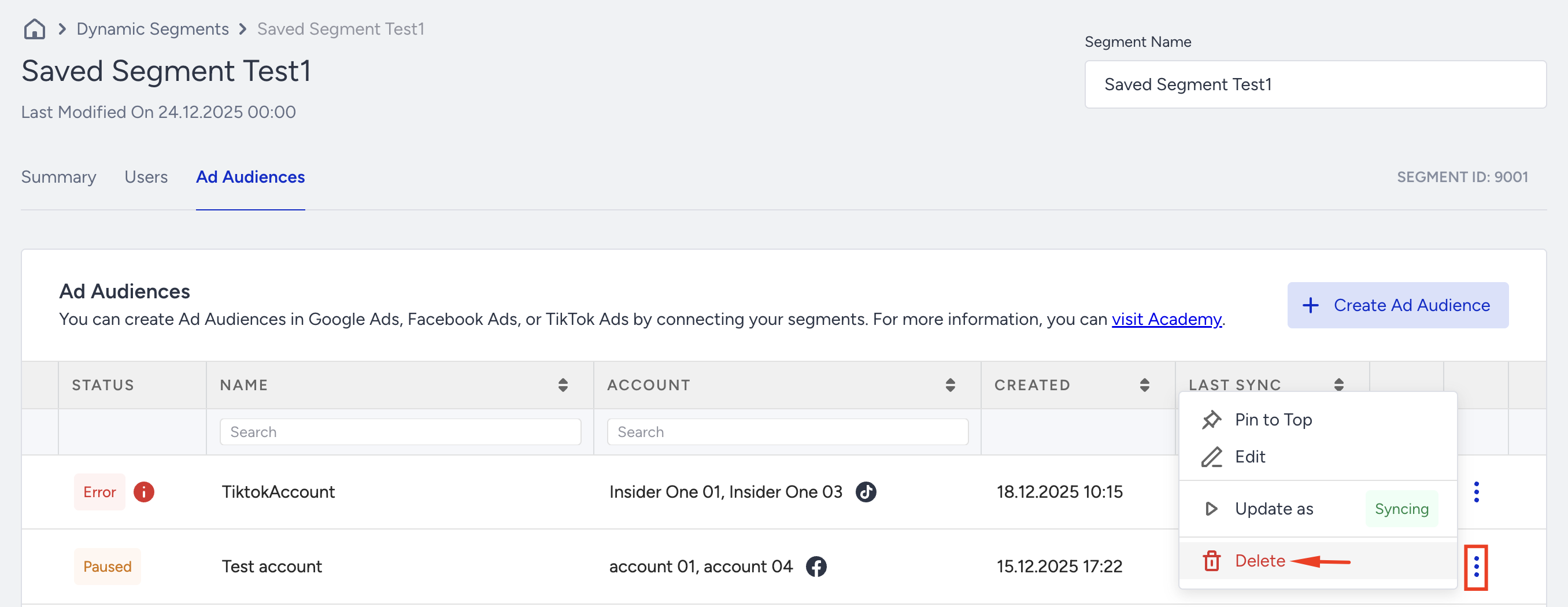
Confirm deletion.
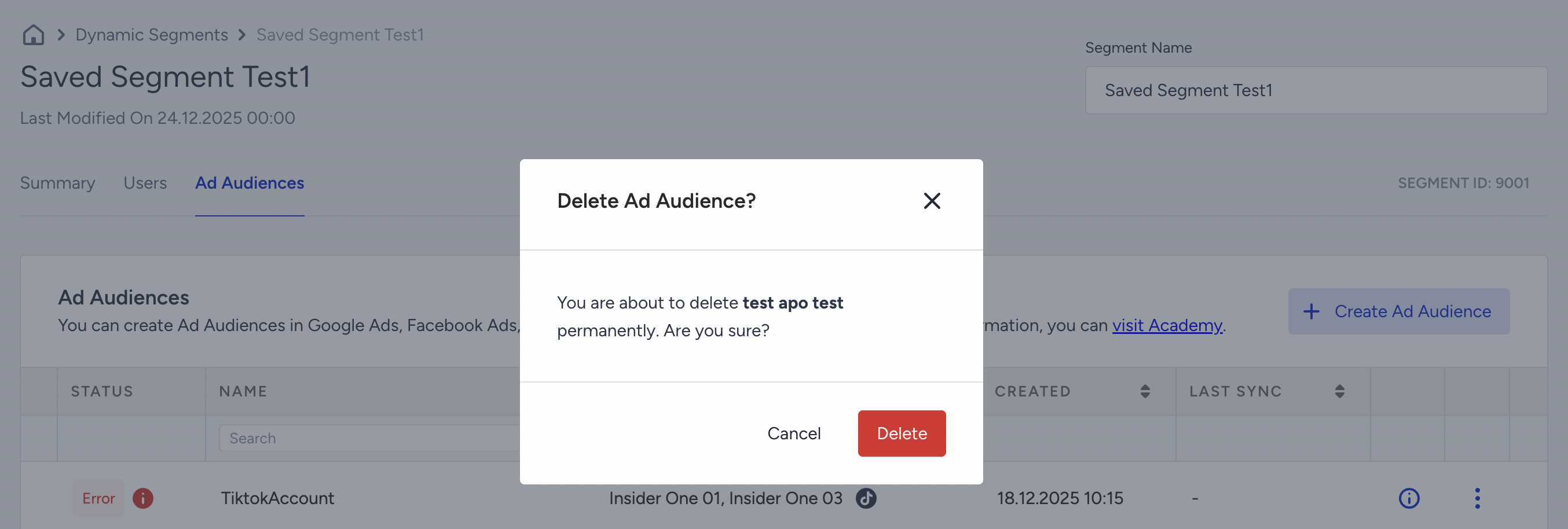
After you delete the Facebook Ads Audience,
Syncing stops immediately.
The Ad Audience is removed from the list.
The Dynamic Segment itself is not affected.