You can export user activities or user information related to a specific journey. For example, you can download the profile IDs or email addresses of users who entered a specific journey, or the profile IDs of users who received email or web push messages from that journey. You can use two different methods to export the data:
Export Raw User Data API
The Export Raw User Data API prepares the raw user data for all users for all attributes of those requested and for a list of events and the event parameters of these events, including the journey events, exports it into Insider One's AWS S3 Bucket, and returns a link to your webhook endpoint as a response.
You can use this API to export raw user data based on the journey events of the respective users.
Use User Profiles
You can filter users in User Profiles with the desired Journey-related events. Then, you can export those users with up to 20 attributes.
Journey enter and exit activities
1. Navigate to Audience > User Profiles.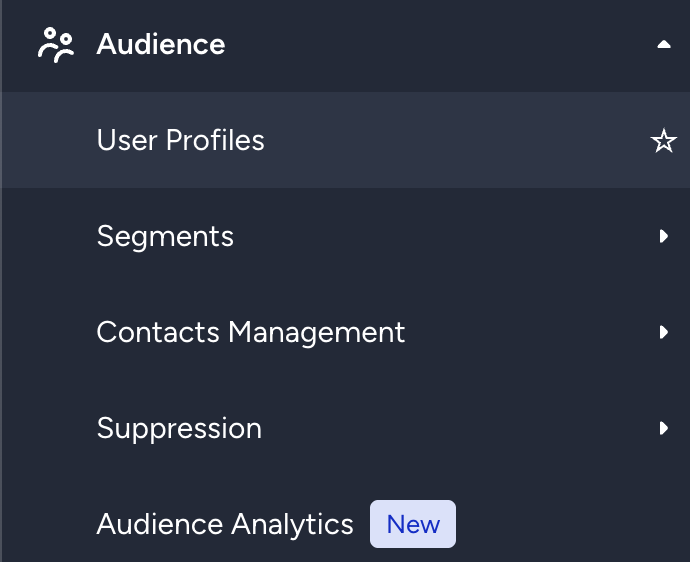
2. Click the Filters button on the listing page.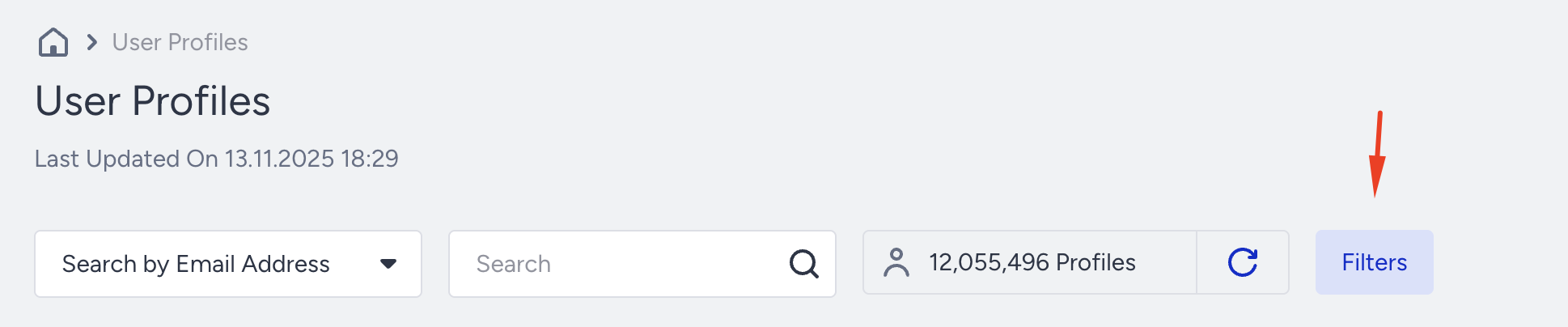 3. Select the Events box under the Standard segments.
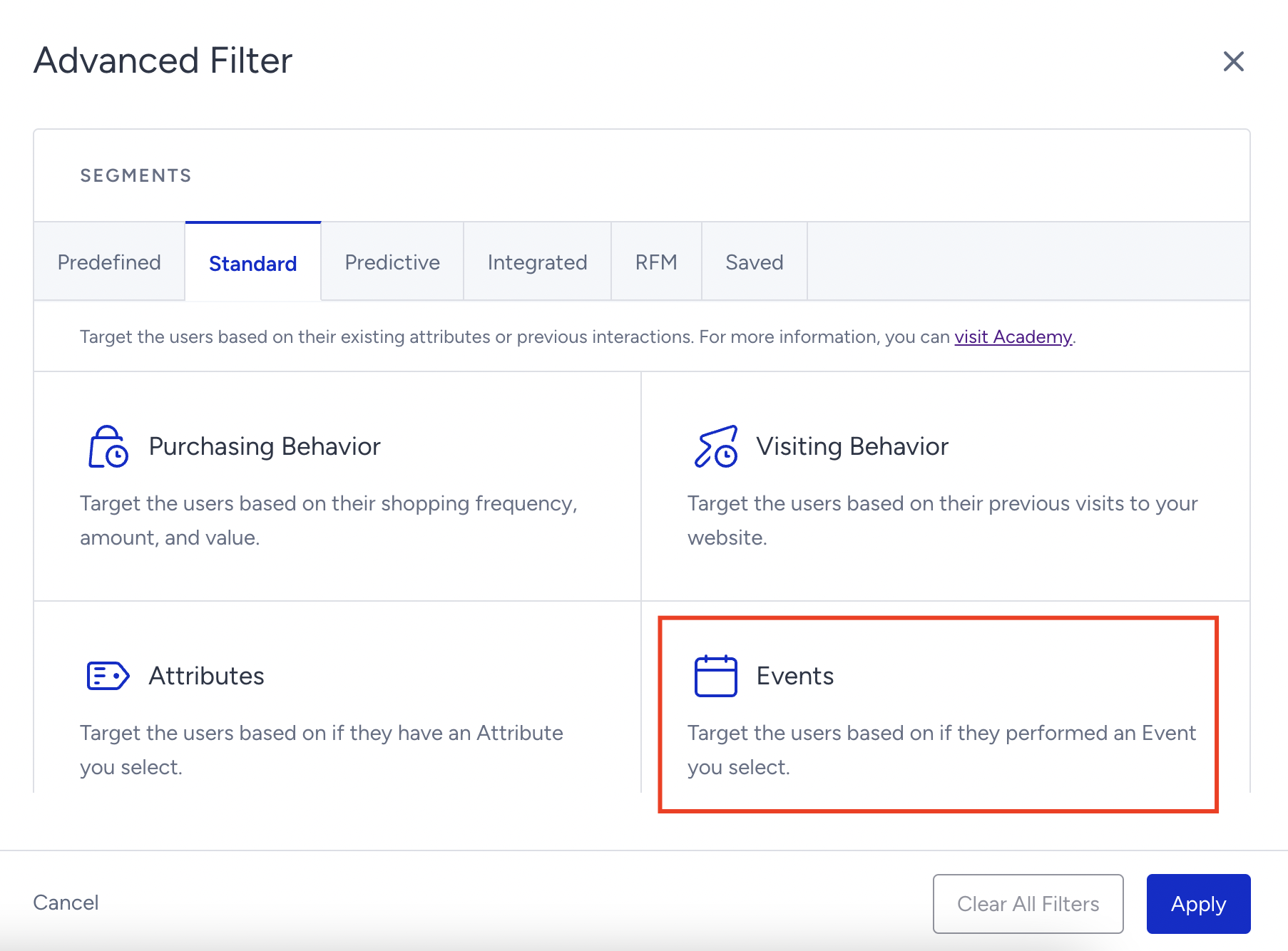 4. Select the "Journey Enter" or "Journey Exit" based on your needs.
The journey enter event is automatically generated when the user enters the journey. The journey exit event is automatically generated when the user exits/completes/drops from the journey.
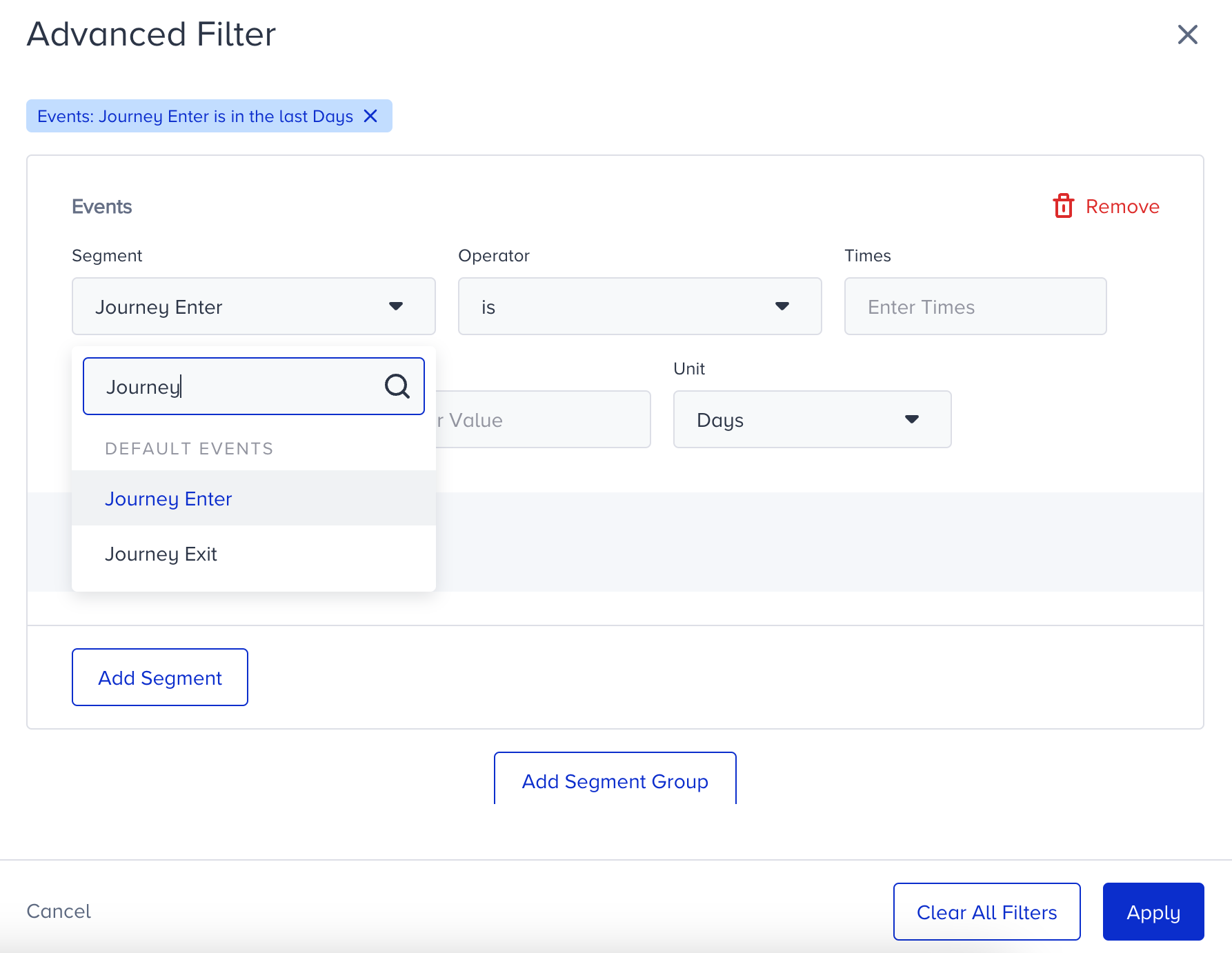 5. Define the Times, Time Range, and Unit values.
6. Specify the journey you want to export user data from.
You can see your journey ID by hovering over the journey name on the Architect listing page or in the journey URL.
You can also use other event parameters such as Journey Exit Reason, Journey Enter Reason, Journey Name, or Event Code of the element the user exited from.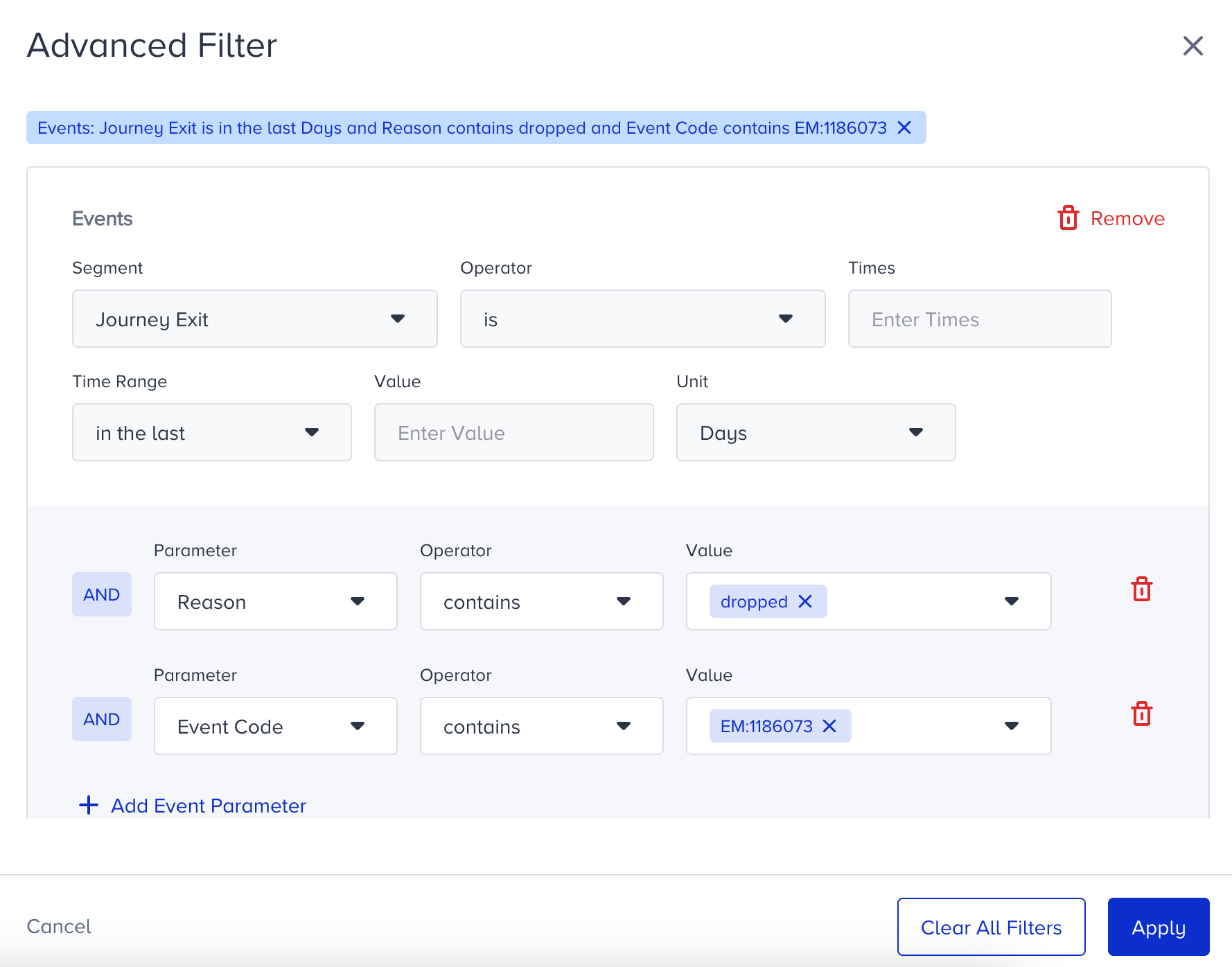
7. Click the Apply button to apply the filters.
8. You can see the number of users who fit in this segment next to the Filter button, together with the number of filters applied.
9. Click the Export button to download your user data.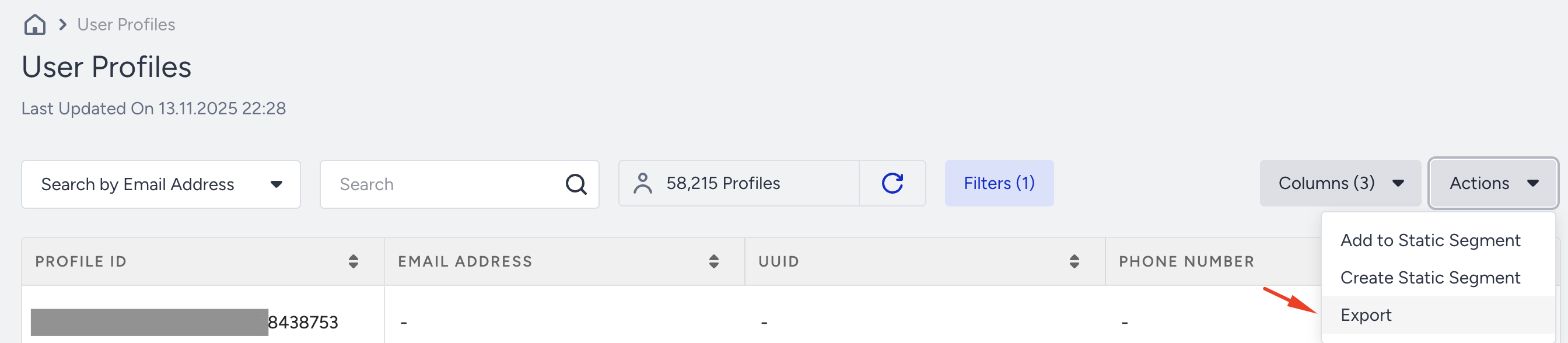
10. You can include the user attributes in your export file.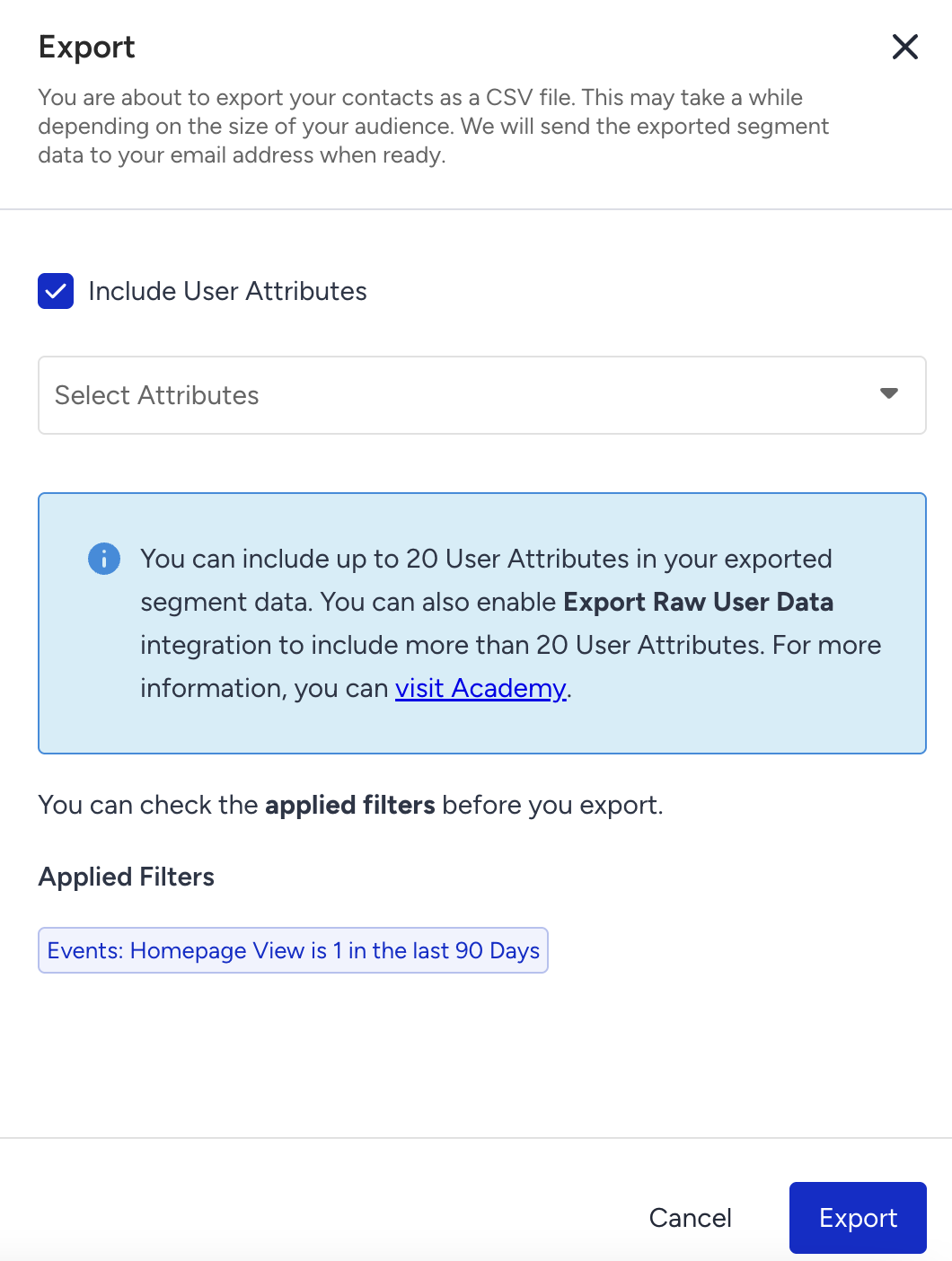
11. You will receive an email to download your CSV file in your inbox.
Users in control group
You may use an Architect-level control group or a journey-level (A/B Split) control group in your journeys. To find users assigned to these control groups, use the User Profiles page with Event filters.
1. Go to Audience > User Profiles and click the Filters button.
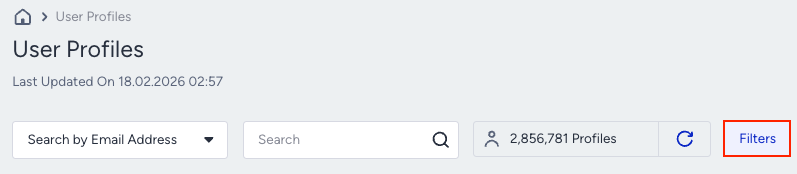
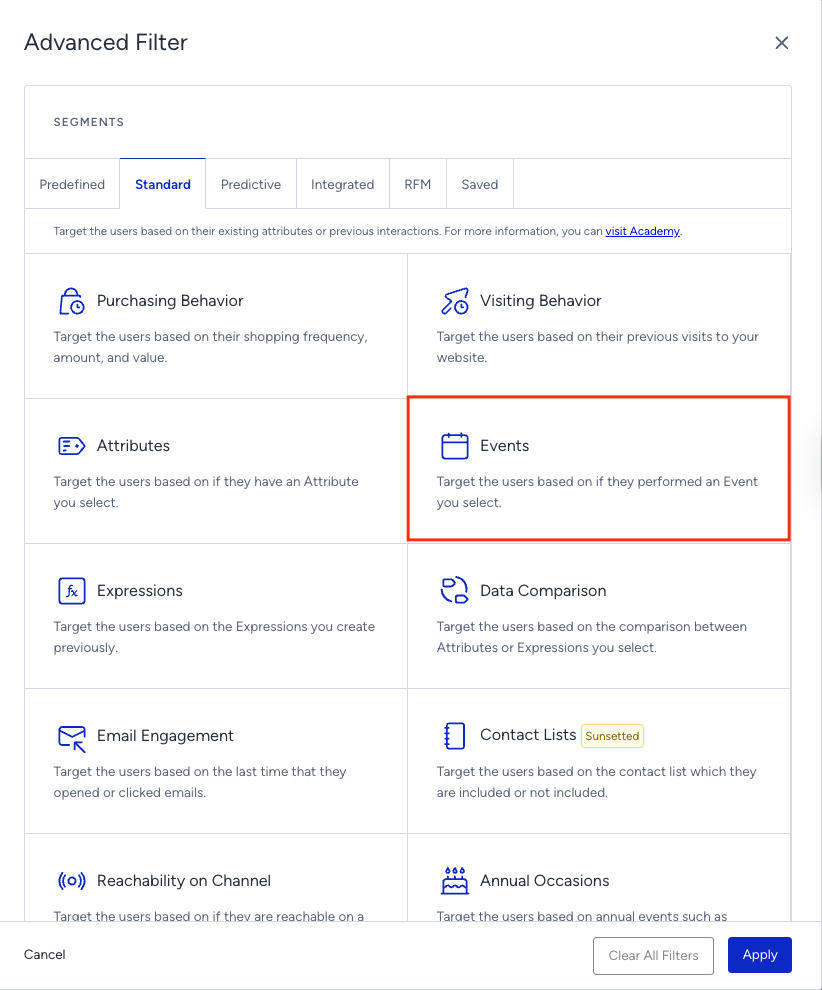
2. Select the Events filter.
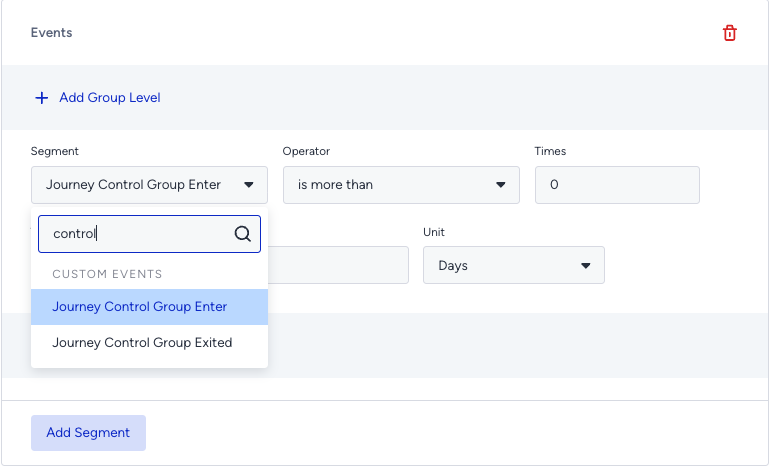
3. Select the "Journey Control Group Enter" or "Journey Control Group Exited" event, as per your use case.
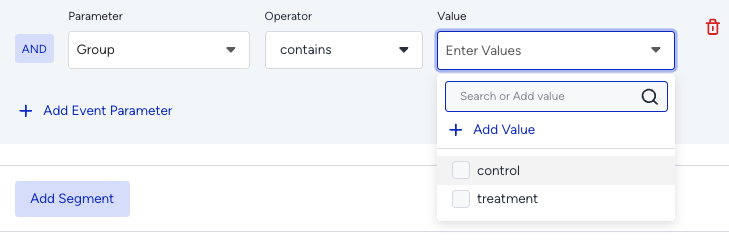
4. Use the "Group" parameter to see the users in the control or treatment group.
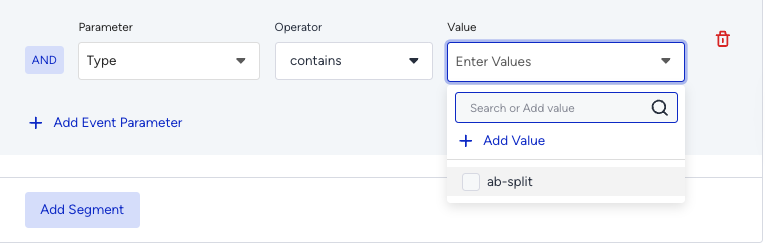
5. Use the "Type" parameter and select journey as the value to address the users in the Architect-level control group.
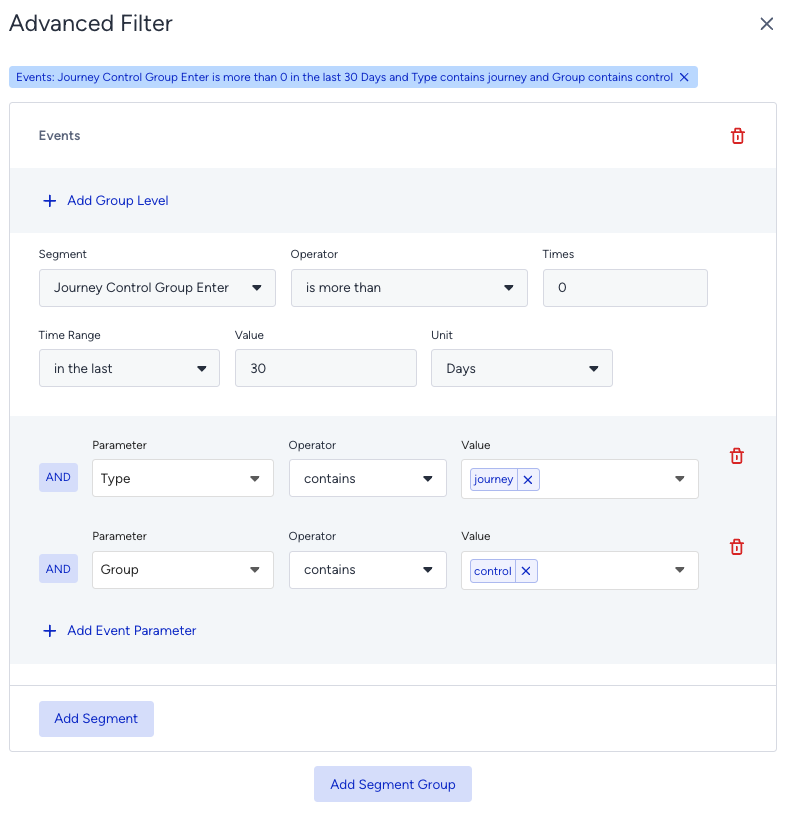
6. Use the "Type" parameter and select ab-split as the value to address the users in the A/B Split control group.
User's channel activities
A journey includes different messaging channels, and users can receive messages from them. You can export the user activities on specified channel(s).
You can use the Channel Interactions box under Predefined Segments in the filtering section. 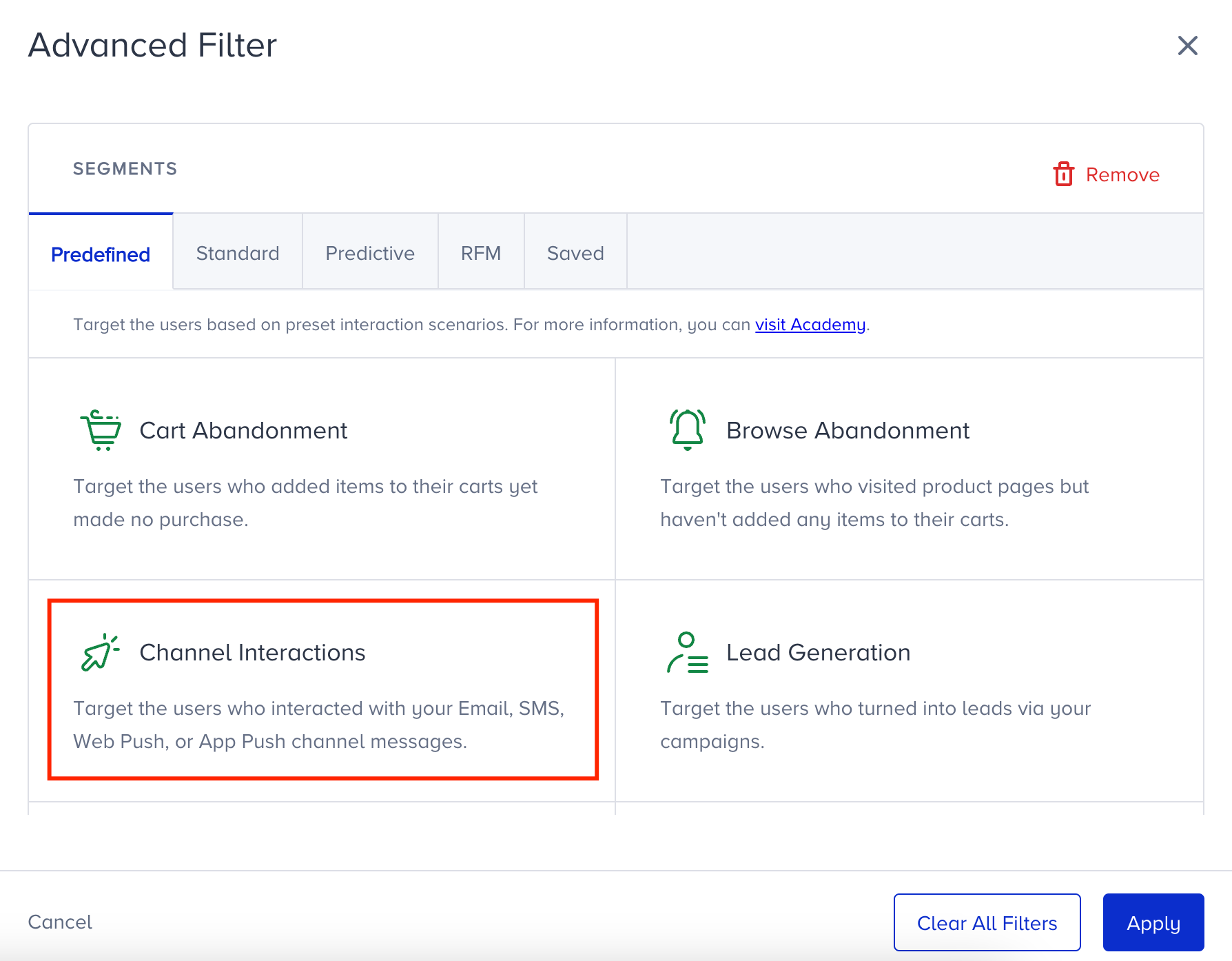
If you select Architect from the Product dropdown, you can also select Journey Name and Channel Name.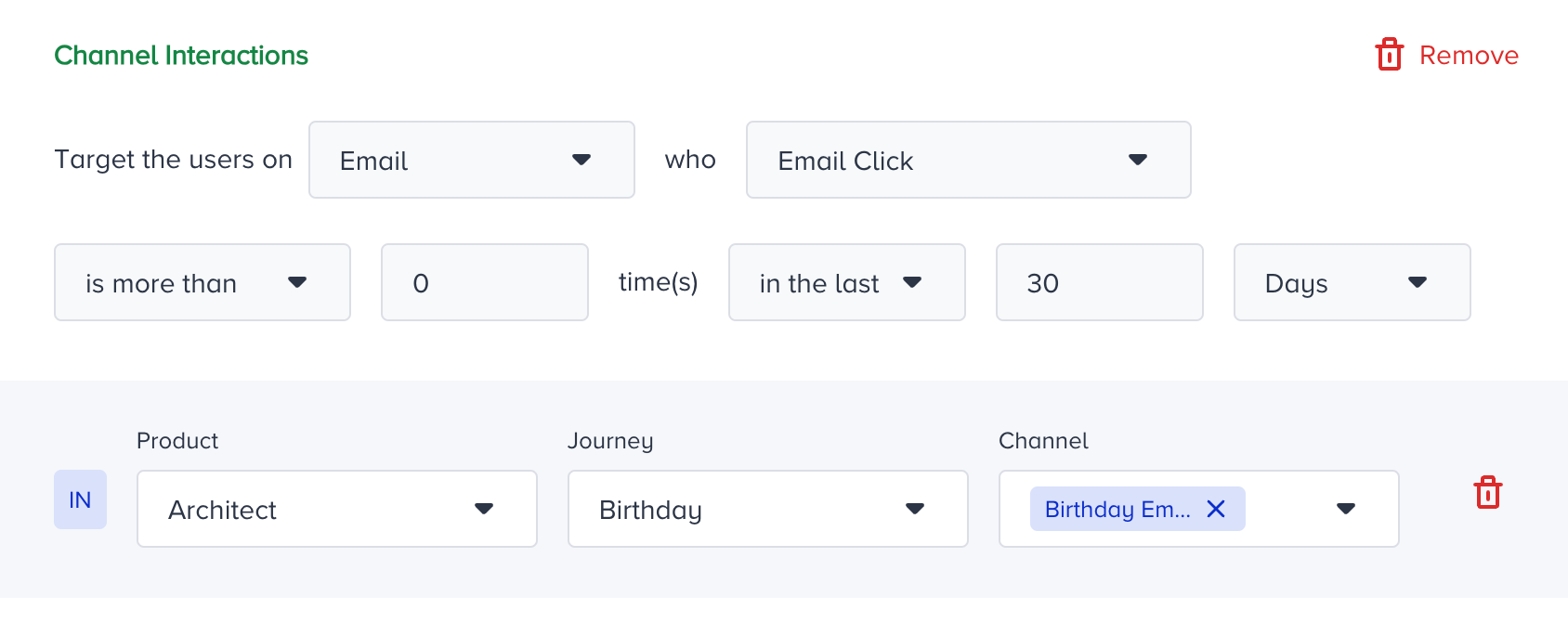
The Journey-specific channel activities under the users' events tab
Architect generates the Journey Product Action event for all the messaging channels Architect has. The action (user activity) and the channel are defined with event parameters.
Action Code event parameter describes the activity, such as click, view, or reply.
Sent means the system attempts to send a message or show the campaign. In other words, it does not necessarily mean that the user received a message or viewed the campaign.
Email Open is the same as Email View, which has the action code 4.
Name | Code | Description | Applicable Channels |
|---|---|---|---|
SEND | 1 | Message request sent to the related channel product by Architect. This does not necessarily mean the message was successfully delivered to the user. | Email, SMS, Web Push, App Push, In-App, WhatsApp, Facebook Ads, Google Customer Match, Web Channel |
CLICK | 2 | User clicked a tracked link in the message. | |
CLOSE | 3 | User closed or dismissed the notification. | |
VIEW | 4 | Message was viewed or delivered. For Email, this means open; for Push, this indicates delivery confirmation; and for In-App, it means the user saw the message. This also appears as the "Delivered" metric in the panel. | |
SALE | 5 | Represents the conversion in the Legacy Conversion system. | Email, SMS, Web Push, App Push, In-App, WhatsApp, Facebook Ads, Google Customer Match, Web Channel, Call an API |
ELIGIBLE_PROCEED | 13 | Sent when the user proceeds past a messaging element without actually receiving a message. Common causes include coupon exhaustion, skip depletion, or In-App engagement timeout. | Email, SMS, Web Push, App Push, In-App, WhatsApp, Web Channel |
ELIGIBLE_COUPON_PROCEED | 14 | Sent when a channel element includes a coupon and the user proceeds past that element. If the channel is configured as "Stop journey when coupons are expired", this action code is not sent when coupons are unavailable. | |
REPLY | 16 | User replied to the message (inbound SMS or WhatsApp). | |
CAPPED | 18 | User did not receive the message due to frequency capping. | |
CALL_API_SUCCESS | 19 | Sent when a Call an API element successfully sends a request to the configured endpoint. | |
CALL_API_FAILED | 20 | Sent when a Call an API request cannot be sent to the configured endpoint. | |
CALL_API_SENT | 21 | For Call an API Performance Monitoring, partners send a "send" event to Insider from their external endpoints. | |
CALL_API_OPEN | 22 | For Call an API Performance Monitoring, partners send an "open" event to Insider from their external endpoints. | |
CALL_API_THROTTLED | 23 | Sent when a request is throttled based on the Request Throttling settings under Architect > Settings > API Preferences. | |
CALL_API_PROCEED | 24 | Sent when a throttled request causes the user to proceed past the Call an API element without waiting for a response. | |
GCM_DROPPED | 25 | Sent when the Google Customer Match platform drops the user after a Google Customer Match upload. | |
CALL_API_SAVED_ACTION_CODE | 26 | Sent when the API response is successfully received and stored in Insider's database. | |
PRIORITY_EXIT | 27 | Sent when the user exits the journey because of Journey Prioritization. | All elements |
WHATSAPP_OPEN | 30 | Sent when WhatsApp Open Tracking is enabled and the user opens a WhatsApp message. | |
SMS_UNSUBSCRIBE | 32 | Sent when the user unsubscribes from SMS communications sent through Architect. | |
WHATS_APP_UNSUBSCRIBE | 33 | Sent when the user unsubscribes from WhatsApp communications sent through Architect. | |
SKIPPED | 34 | Sent when the user is skipped to the next element because the current element contains empty content. | All channel elements |
LIVE_ACTION_PROCEED | 35 | Sent when a user waits at an element requiring a live action but does not complete it within 30 days, causing the journey to proceed automatically. | All channel elements with live action |
CALL_API_EMPTY_RESPONSE_ACTION_CODE | 36 | Sent when the API request succeeds but returns an empty response ( | |
AGENT_SUCCESS | 38 | LLM call succeeded, and the parsed output passed schema validation. | |
AGENT_FAILED | 39 | Sent when the Agent call fails due to a non-retryable error or when all retries are exhausted. | |
AGENT_PROCEED | 40 | Sent when the user proceeds past the Agent element without an LLM result because the partner's daily budget kill switch is enabled or the spending limit has been reached. |
The campaign ID event parameter describes the channel.
Campaign ID has a unique value. This way, you can consider each channel separately. For example, you can have 10 web push channels in the same journey, but you can specifically export one of the web push activities.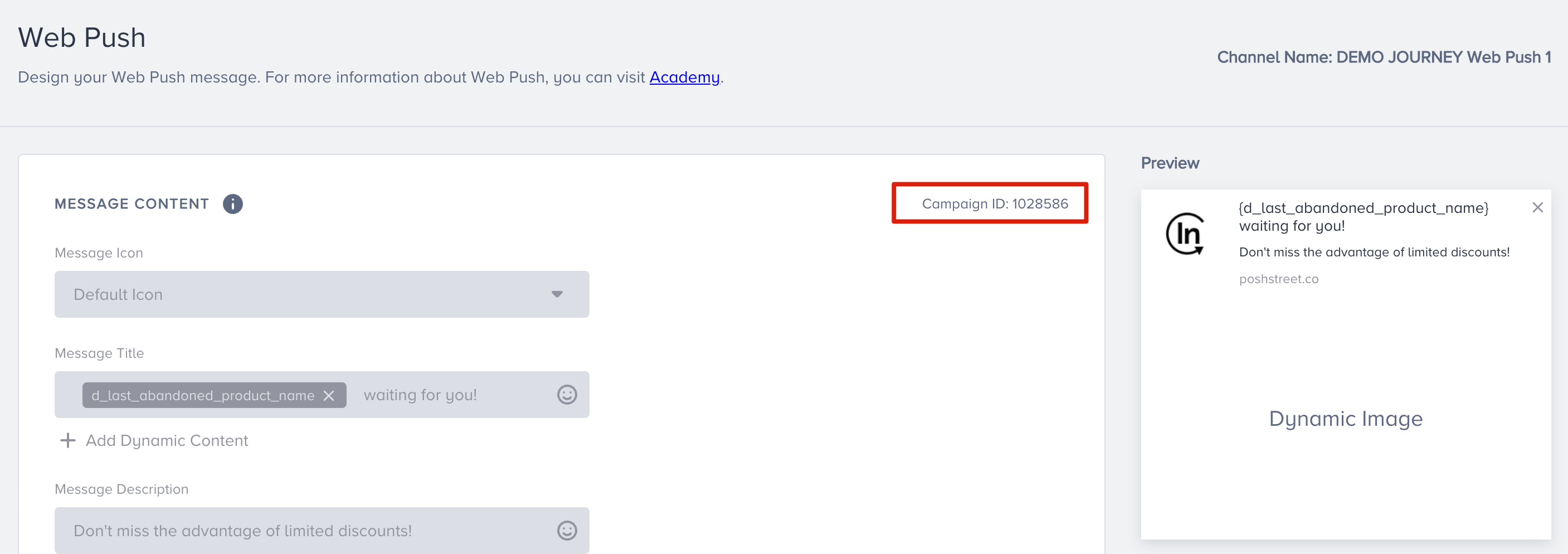
The journey ID event parameter describes the journey.
You can use the journey ID event parameter to select a specific journey. The journey_product_action event considers only the messages sent from a journey. For example, the user activities on a bulk web push message are not included in the journey_product_action event.
The Channel Code event parameter describes the channel type. You can use this to determine which channel this event is performed on.
Channel Code | Channel Name |
|---|---|
EM | |
WP | Web Push |
SMS | SMS |
WAB | |
APP | App Push |
IA | InApp |
WC | On-Site |
AC | Call an API |
GCM | Google Ads Customer Match |
FB | Facebook Custom Audiences |
CG | Control Group |