To get the most value from Insider One products, it is essential to begin by clearly defining the events, event parameters, and attributes you want to track. Building a structured and scalable data plan from the start simplifies analysis, prevents data gaps, and reduces potential implementation issues later.
A data plan establishes clear standards for how data is collected and structured, ensuring that the data you gather is clean, consistent, and aligned across teams. When implemented correctly, it saves time, reduces ambiguity, and enables more reliable analytics and decision-making.
A strong data plan clearly defines:
What data you are tracking
Where that data is being tracked
Why you are tracking it
This guide walks you through the key principles and considerations for designing an effective data plan.
1. Business Objectives
The first step in building a data tracking plan is defining your business objectives. A business objective is a specific, measurable goal that an organization aims to achieve, such as increasing revenue, reducing costs, or improving customer satisfaction.
Start by identifying the goals you want to accomplish and the metrics you need to track to measure progress. Make sure you prioritize the most important objectives for your Insider One implementation.
Consider the following questions:
What are you and your team working toward?
How do you plan to use your subscribed Insider One products?
What outcomes do you aim to achieve with those products?
Which metrics do you want to improve?
Some common goals to pursue include:
Acquiring new customers
Reducing churn
Recommending related or relevant products
Increasing average order value
Decreasing cart abandonment rates
Once you have identified your organization’s high-level goals, it becomes easier to break them down into individual metrics and build a data plan around them.
Example: Increasing Sales for a Retailer
If you are a retailer aiming to increase sales, you might focus on the following supporting metrics:
Increasing the number of users who make repeat purchases
Increasing website traffic
Increasing the number of users visiting your website
Increasing average order value
Each of these metrics can act as an input toward achieving your overall business objective. To track them effectively, you need to understand how users interact with your website or app and how they progress through the purchase journey.
Key questions to identify critical metrics
To better understand your most important goals and user behavior, consider asking:
What are the most frequently used checkout funnels?
What is the checkout conversion rate? Is it lower than expected?
What is the cart abandonment rate, and what factors might contribute to it?
What is the mobile app install rate?
What is the email opt-in and opt-out rate?
Which user activities are most closely associated with new user conversions?
What actions do new users typically take before converting?
What percentage of customers use coupons?
What percentage of customers are discount-affiliated?
What percentage of product views originate from user searches?
As you answer these questions, you gain clearer insight into how users engage with your website or app, how effectively it drives conversions, and how well it supports repeat purchases, customer loyalty, and overall satisfaction.
Once you have defined your business goals and formed hypotheses about how to achieve them, the next step is to translate those insights into specific use cases.
2. Use Cases
The core of data planning is selecting the events to track and identifying the associated event parameters and user attributes. To do this effectively, you must first define your use cases.
What is a use case?
A use case describes how Insider One products address a specific business requirement and support your growth objectives.
For example:
If you want to promote your mobile app to users who have not yet installed it, you can use the App Download use case.
If you want to re-engage travelers who selected a flight but abandoned the process before completing payment, you can use the Flight Abandonment use case to encourage them to finalize their booking.
Each use case represents a clear business scenario that informs which user actions and attributes must be tracked.
Selecting use cases
Based on your industry and selected business objectives, we will recommend relevant use cases. You can select one of the recommended use cases and proceed to the next step, or you can create a custom use case tailored to your specific needs.
When selecting use cases, consider the following:
Ensure each use case is directly linked to your product team’s decisions or hypotheses.
Confirm that every selected use case supports a clearly defined business objective.
Avoid selecting use cases that do not have a measurable impact on your goals.
Example: Increasing Average Order Value
Suppose your team’s objective is to increase average order value. To support this goal, you might select or create a use case focused on delivering smart product recommendations based on user preferences.
In this scenario, the use case could involve implementing automated App Push notifications that send personalized recommendations for complementary or upgraded products, based on users’ recent purchases. The purpose of this use case is to encourage higher-value transactions and directly increase the average order value.
Creating custom use cases
If you choose to create a custom use case, ensure that its name and description are clear, detailed, and well-defined. This makes it easier for other team members to review, understand, and validate the use case.
When naming use cases:
Follow a consistent naming convention.
Avoid minor variations such as “Use Case” versus “Use-Case,” as these are treated as separate use cases.
Use names that clearly describe the business scenario and intent.
Clear and consistent naming improves collaboration, reduces confusion, and ensures alignment across teams.
Good Use Case example | Bad Use Case example | |
|---|---|---|
Use Case name | Welcome Email | |
Use Case description | Welcome newly registered users and drive them to purchase by sending them messages via the Email product. | Subscription and account creation |
Investing sufficient effort in this aspect of data planning will make your onboarding process easier, as your Use Case selection will shape planning and integration.
3. Data Requirements
At this stage, you define the events, event parameters, and attributes required for each selected use case.
First step: Identify actions
Start by identifying user actions. An event represents an action that occurs within your product and is typically triggered by a user.
For example, when a user completes the checkout flow and successfully places an order, that action is captured as an event such as Purchase.
From this point, you can work backward through the checkout flow to identify the other key actions users must take to reach that outcome, such as:
Creating a new account (Signup Completed)
Browsing an item category (Product Detail Page View)
Adding an item to the cart (Item Added to Cart)
These user actions are the core events you will track in your data plan.
Second step: Identify event parameters
After defining events, the next step is to identify event parameters.
Event parameters are attributes that provide additional context about a specific instance of an event. They describe the details of what occurred when the event was triggered.
For example, for a Purchase event, relevant parameters might include:
Products purchased
Total order value
Currency
Payment method
Order ID
Defining clear, consistent event parameters ensures that each event includes enough contextual information to support analysis, reporting, and personalization use cases.
Below is an example of an event for an airline company, along with its associated event parameters and sample values:
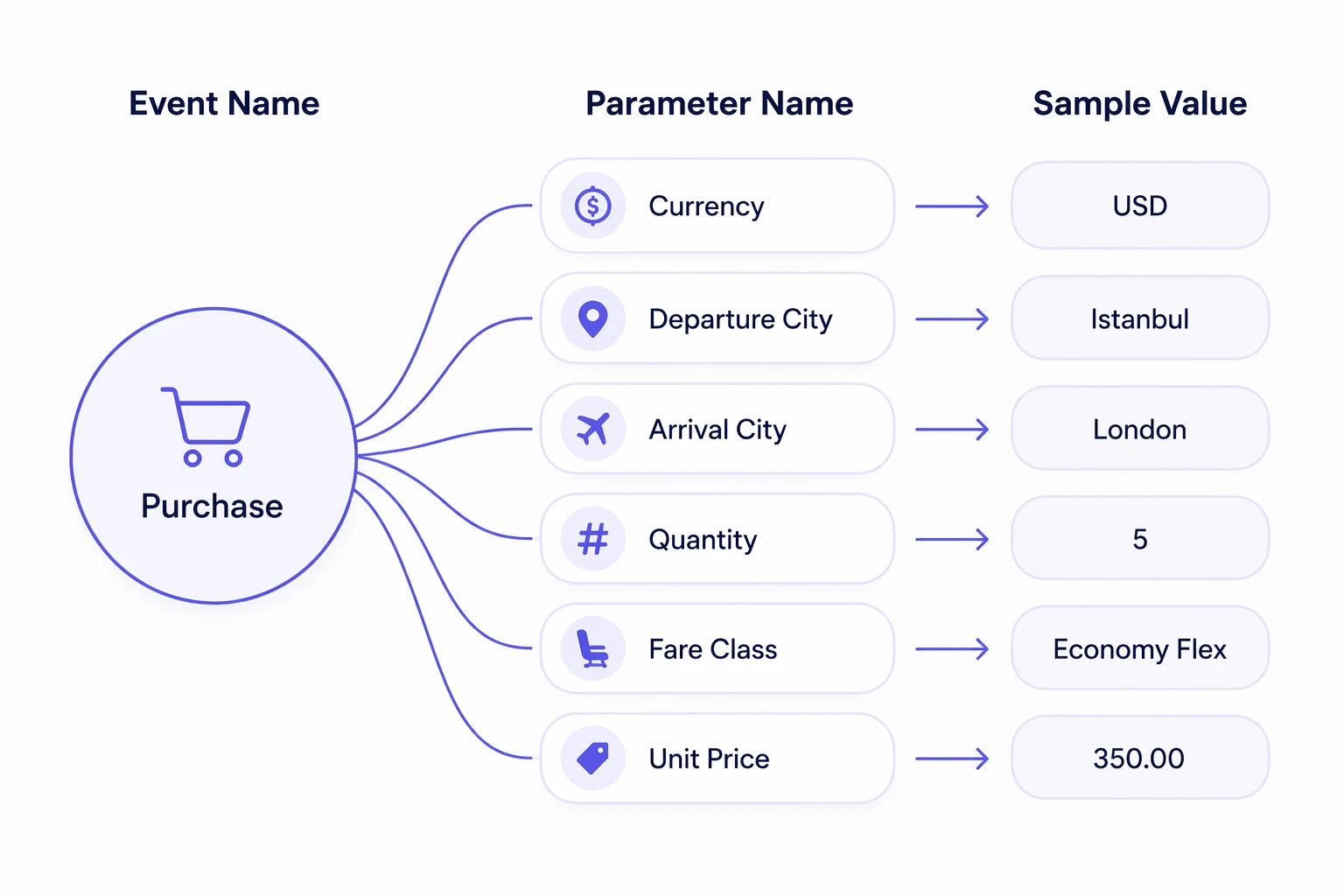
You can continue using default events or create custom events. If you choose to create a custom event, there are a few important guidelines to consider.
Events should always describe an action taken by the user.
For example: Item Added to Wishlist
Event names should follow a Verb + Noun format.
For example: Watched Video
Event names should also be appropriately scoped. Avoid making them too abstract or too specific.
Page View (too abstract)
Homepage Viewed on Mobile (too specific)
Homepage Viewed (good example)
You may create your own naming convention, as long as it is applied consistently across all events.
Event Parameter Naming Consistency
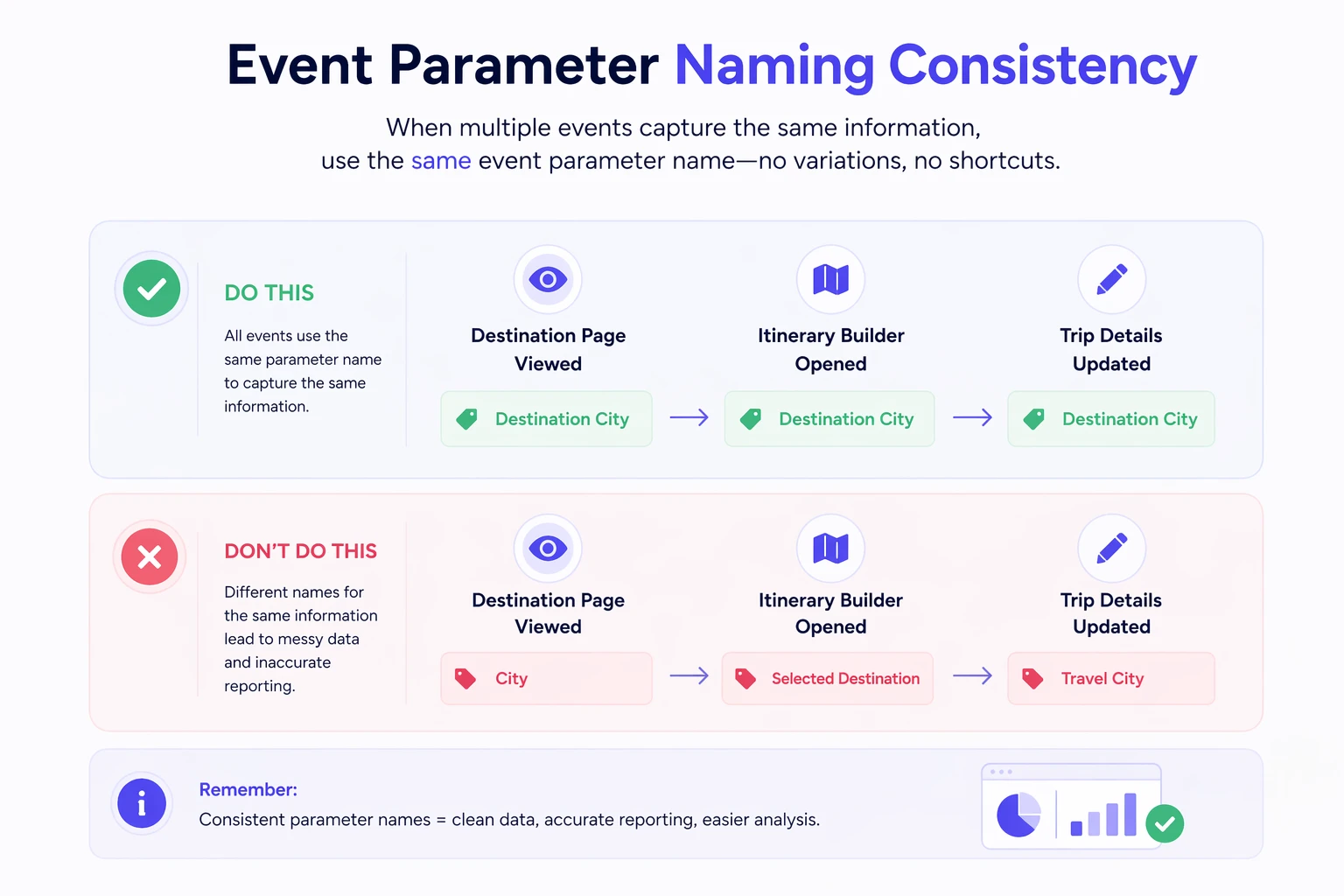
When defining event parameters, it’s essential to keep the names consistent across all events that track the same information. Using the same name ensures clean data, accurate reporting, and easier analysis.
If multiple events capture the same detail, they must use exactly the same event parameter name, no variations, no shortcuts.
Imagine you are tracking the following events:
"Destination Page Viewed"
"Itinerary Builder Opened"
"Trip Details Updated"
All of these events capture the selected destination city.
Each event should include the property:
Destination City
Do not use:
"City" in Destination Page Viewed
"Selected Destination" in Itinerary Builder Opened
"Travel City" in Trip Details Updated
Last step: Identify your user attributes
A user attribute includes details about a user and provides insights into their characteristics, preferences, or context.
For example, if a user located in London clicks on a product to view its details, the user attribute would be City = London.
If you need to add custom user attributes, ensure that they are clearly named and consistently structured.
Good example | Bad example |
|---|---|
Last Visited Product Name | Last Visited Product |
Last Visited Product Image | Last Product Image |
Last Visited Product URL | Product URL |
Last Visited Product ID | Product ID |
Although defining user attributes may require additional effort upfront, investing time in a well-planned tracking structure delivers long-term value. Thoughtful planning today results in cleaner, more consistent, and more reliable data in the future.