Suggested readings: Mobile App Integration Wizard, Mobile App: Test Lab
You can follow these steps to create your events and attributes in the test lab.
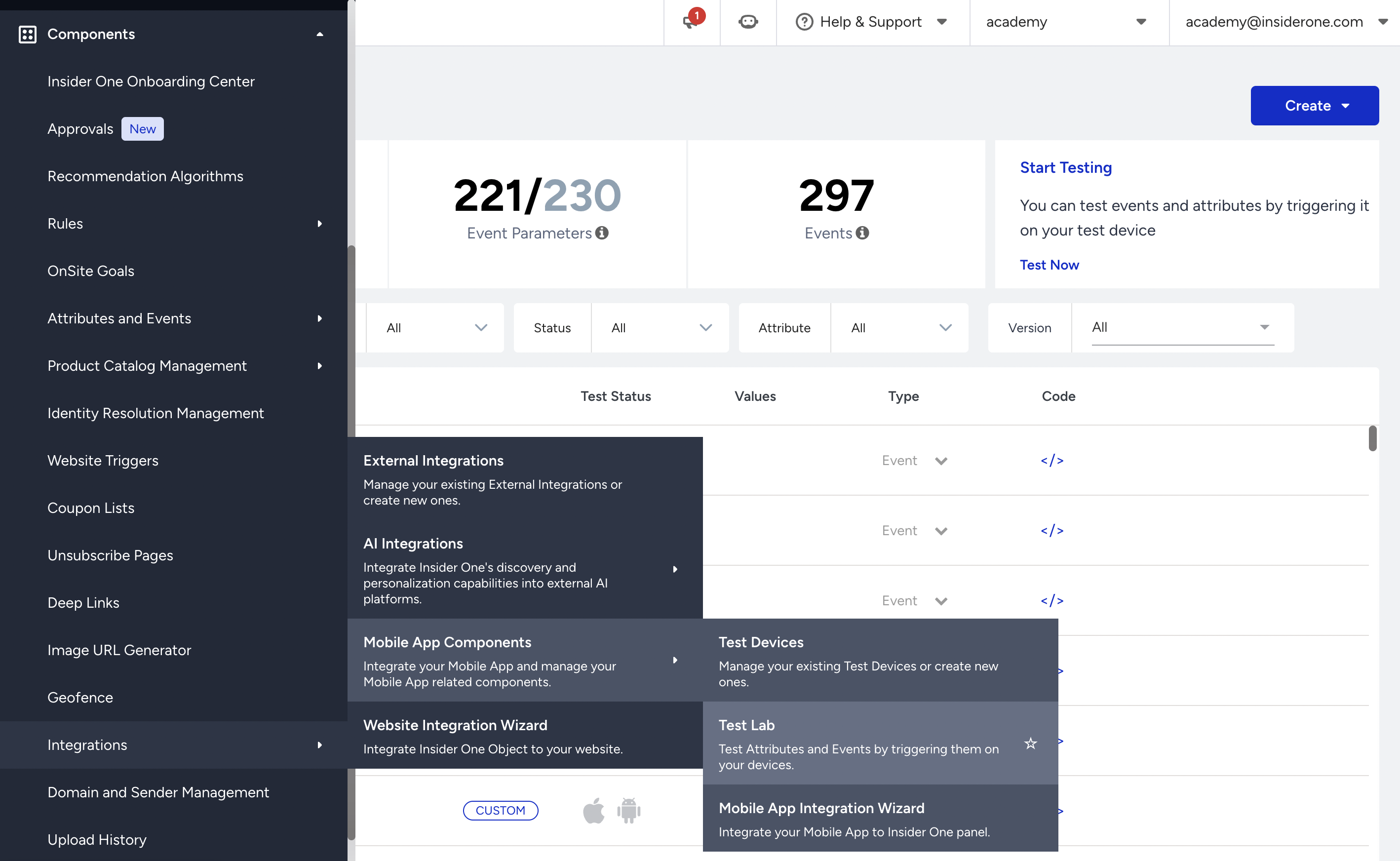
1. Navigate to Components > Integrations > Mobile App Components > Test Lab.
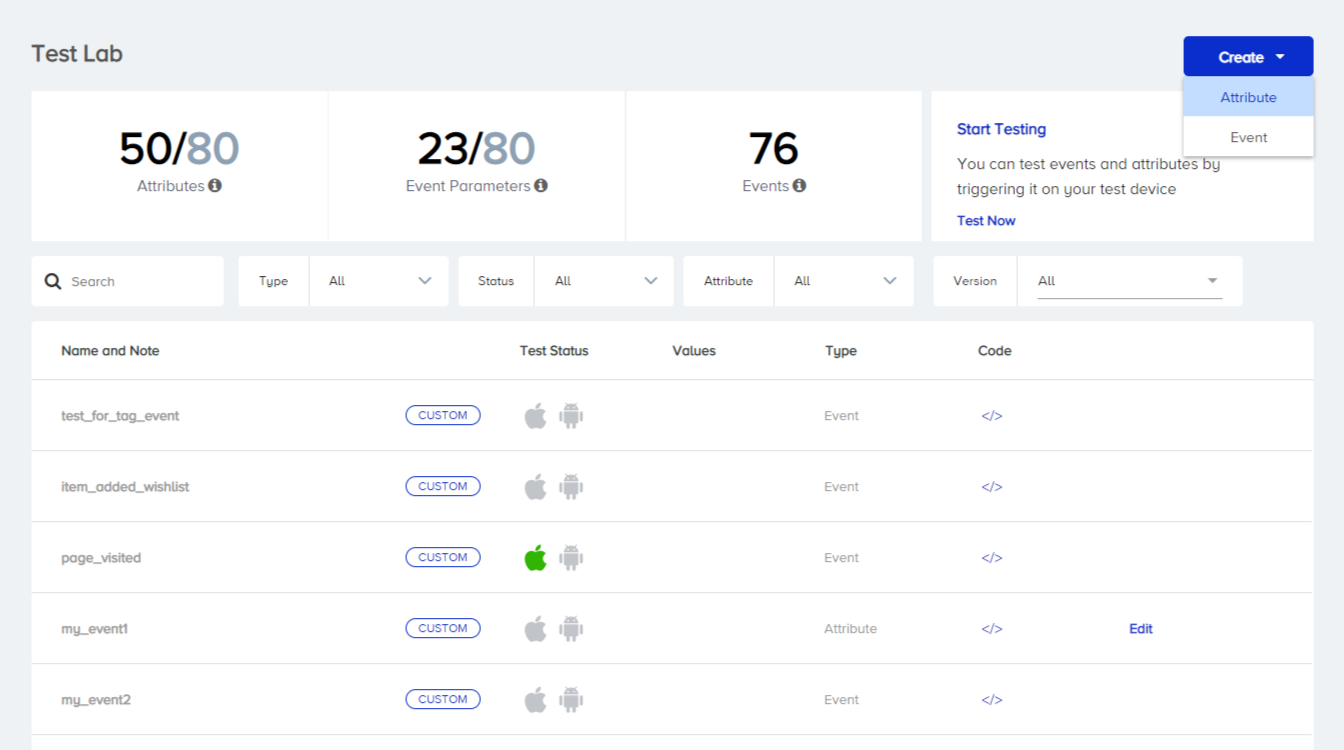
2. Click the Create button to create an attribute.
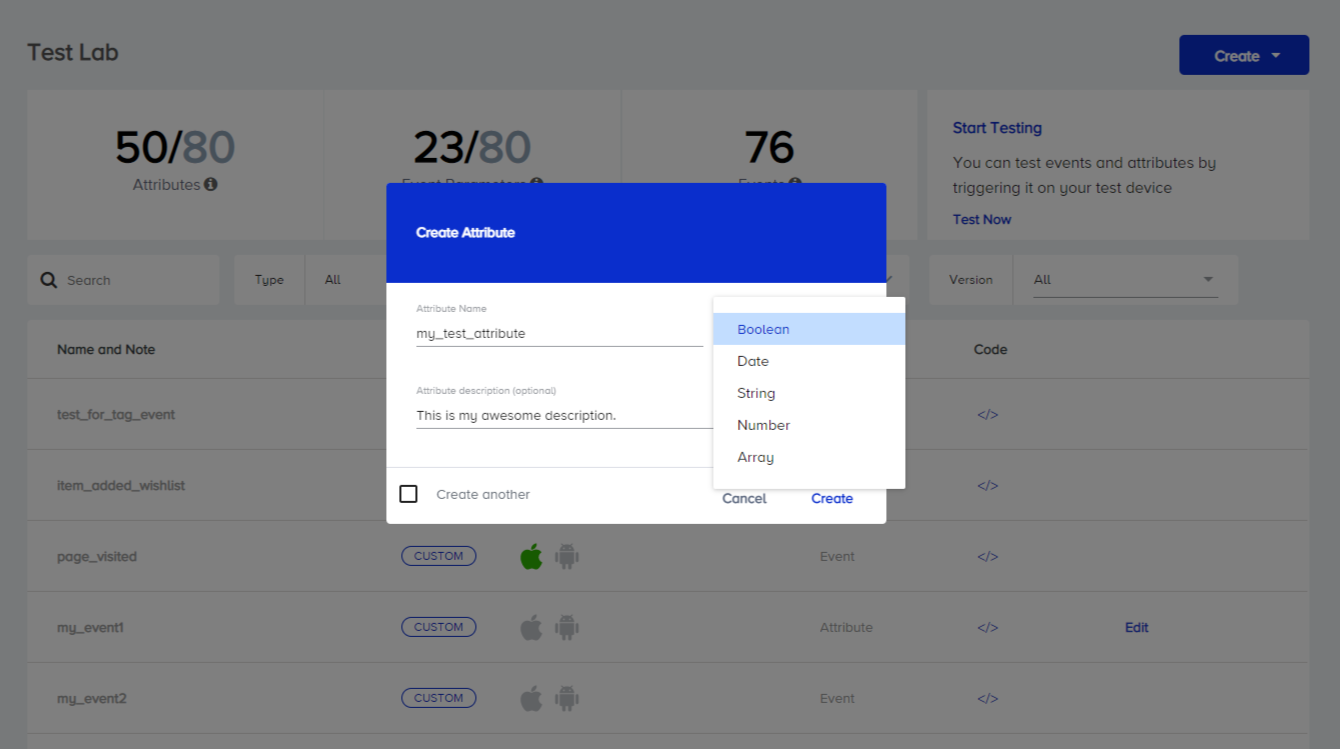
3. Name your attribute, select a data type, and add a description. If you want to create another one right after this one, check the Create another box. Click Create to complete this step.
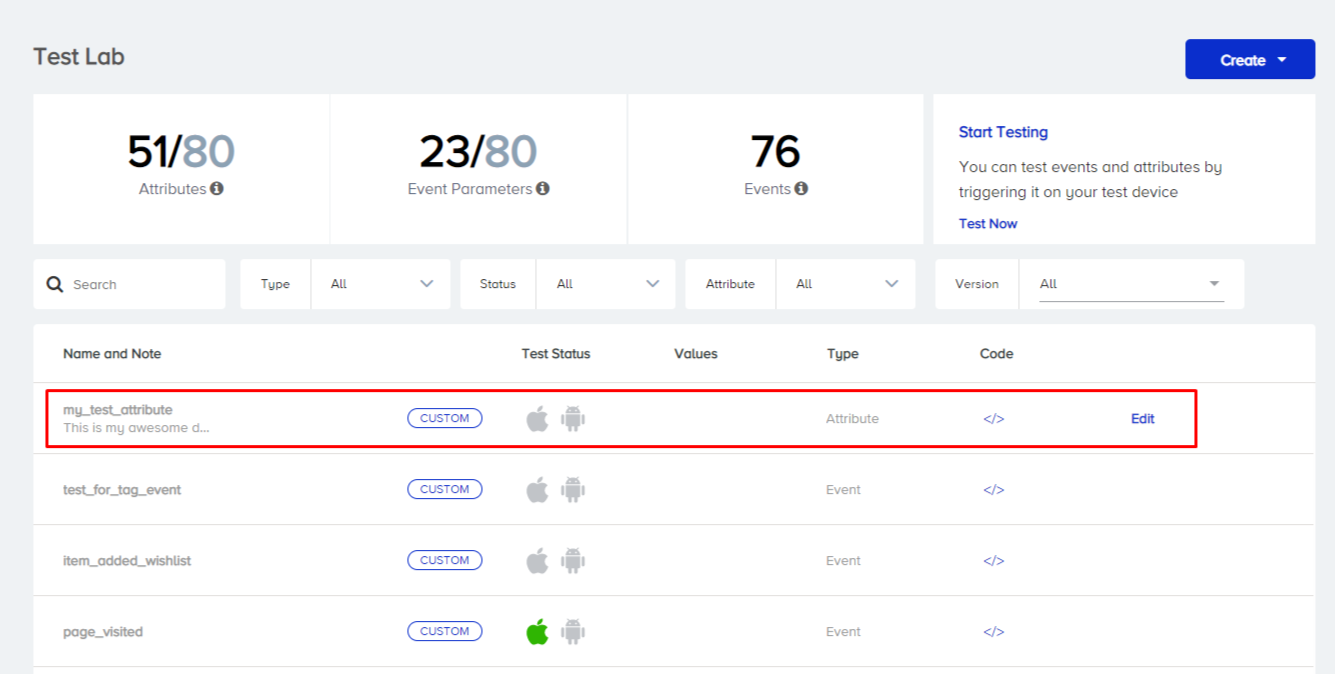
4. Once created, your attribute will be listed at the top of the list with its test status, type information, and a code option.
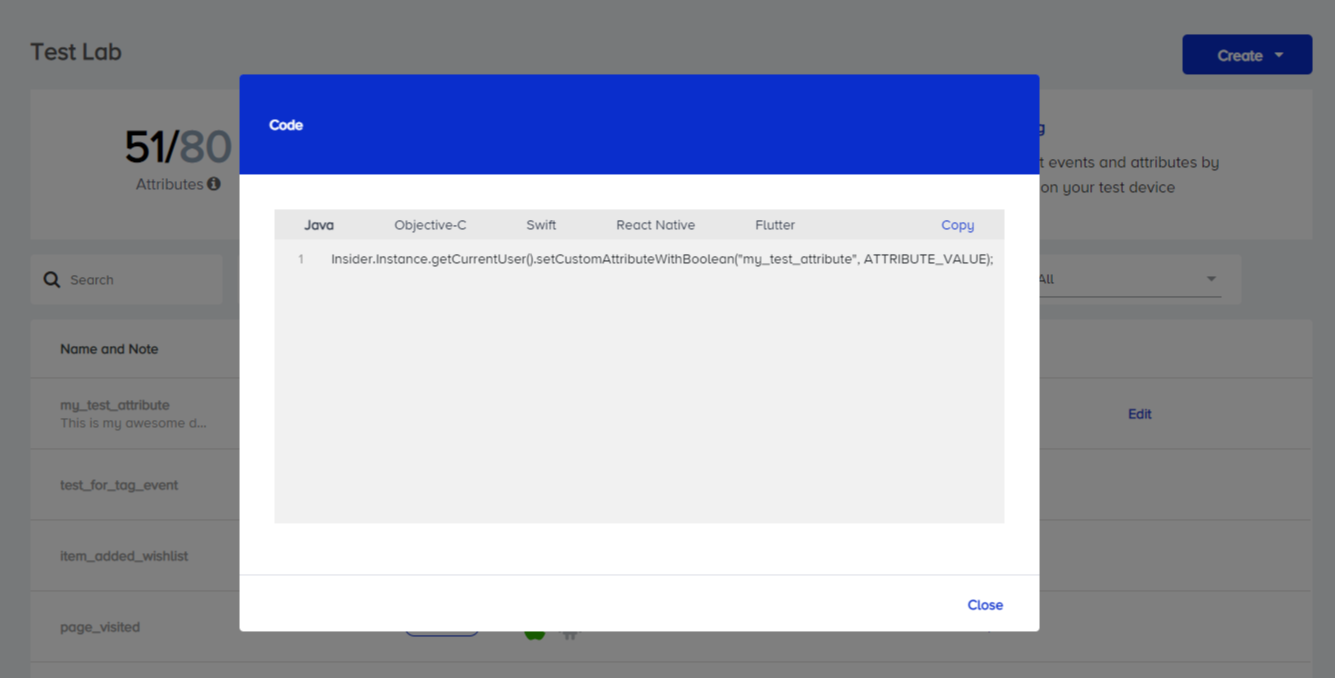
5. Clicking the code option lets you see how to implement this attribute in your code. You can copy this code and add it to your project by changing its value.
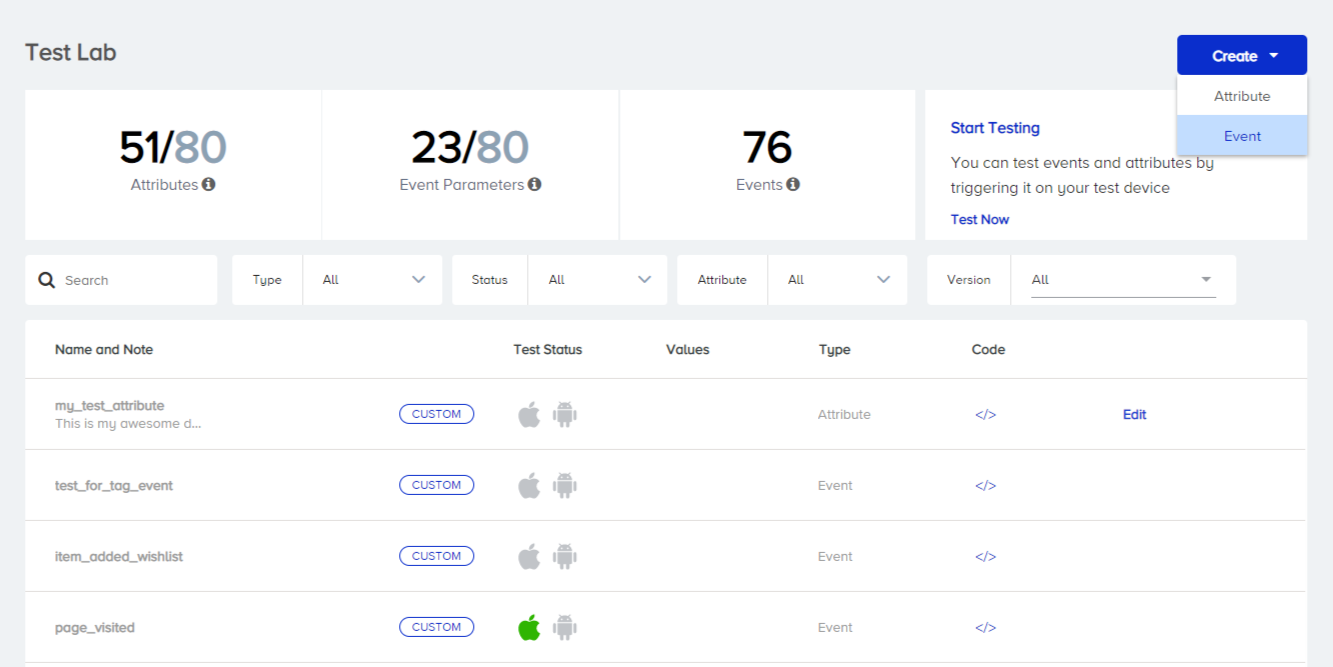
6. Click Create to create an event.
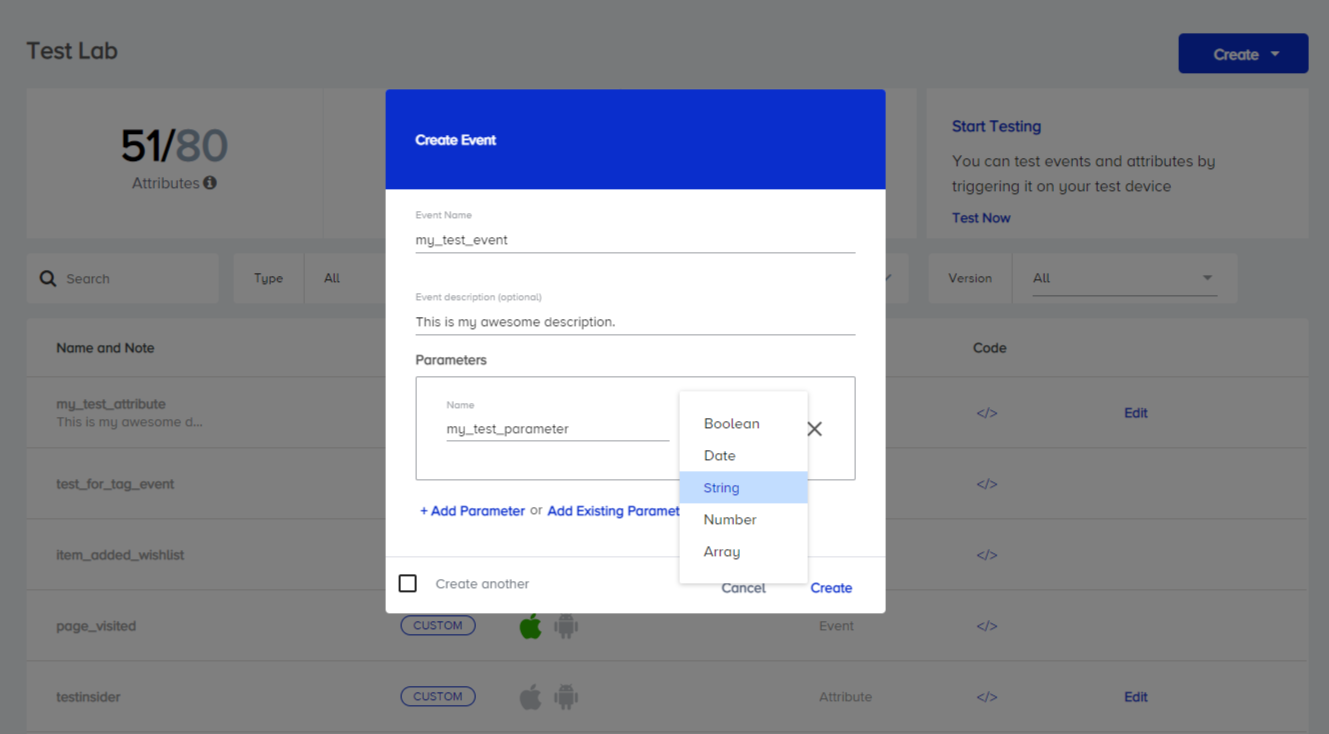
7. Name your event, add a description, and add a parameter. Select a data type for the parameter. If you want to create another one right after this one, check the Create another box. Click Create to complete this step.
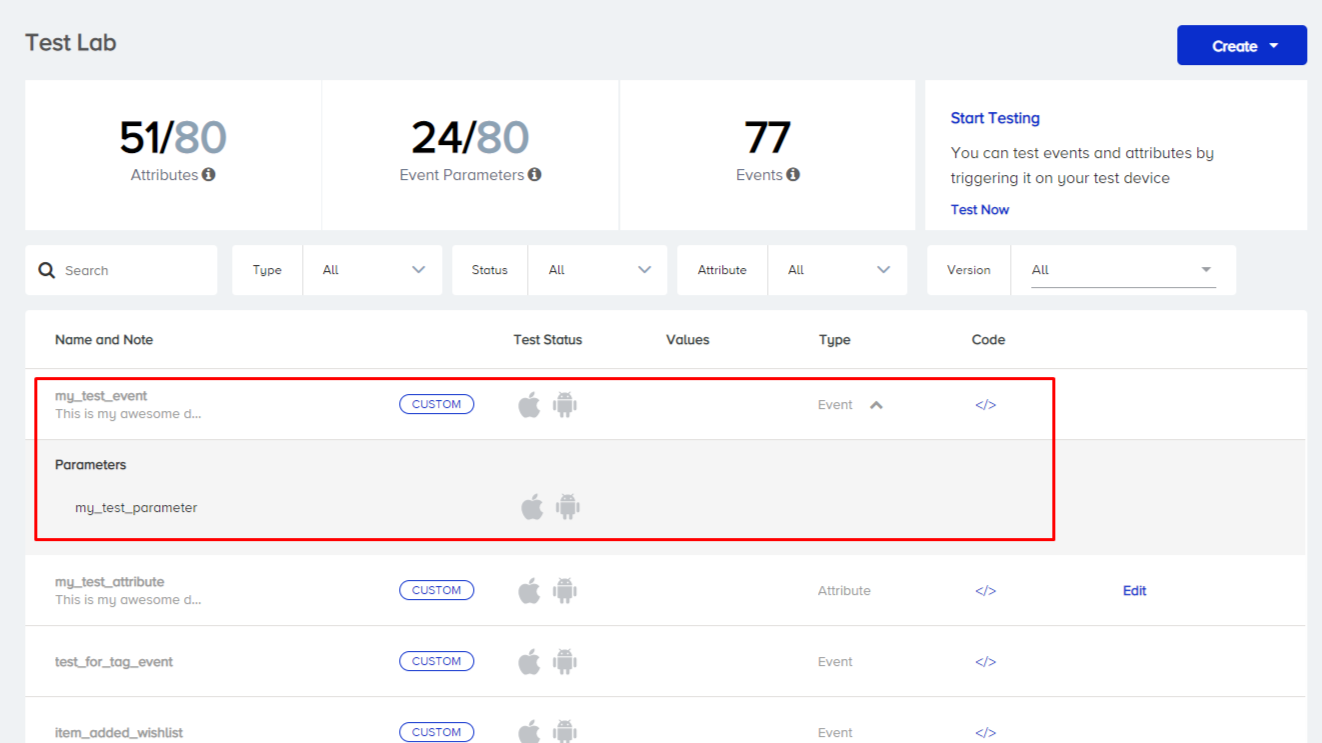
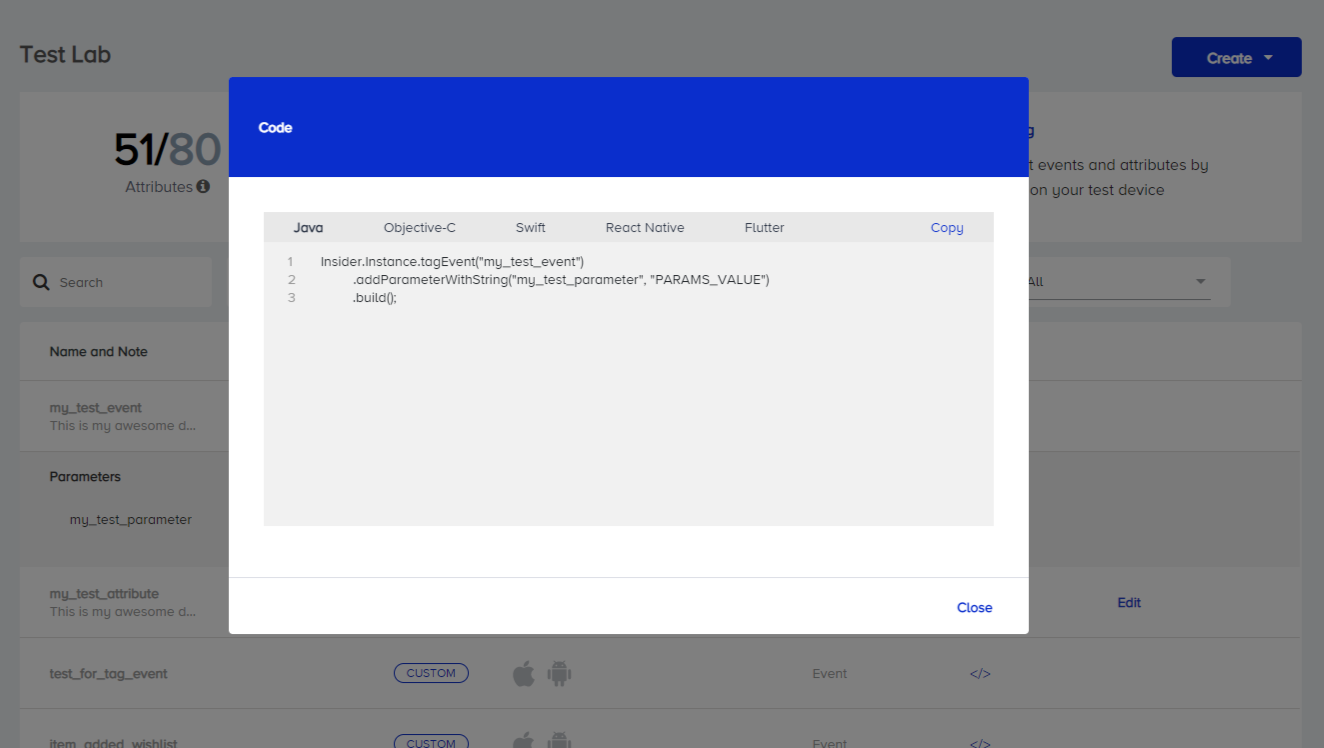
8. Once created, your event will be listed at the top of the list with its test status, type information, event parameter, and code option.
9. Clicking the code option lets you see how to implement this event in your code. You can copy this code and add it to your project by changing its value.
Now that you have created your events and attributes, you can see the Test events and attributes on Test Lab.