With the increasing trends in the tech industry towards enhancing user privacy and limiting online tracking, two important technologies have emerged to protect users from online tracking: Intelligent Tracking Prevention (ITP) and Storage Partitioning. Both are designed to ensure user privacy by restricting the ability of third parties to track and profile users across the web.
Intelligent Tracking Prevention (ITP)
Intelligent Tracking Prevention (ITP) is a privacy feature that Apple developed and integrated into their Safari browser. It aims to reduce cross-site tracking by limiting the ability of third parties to track user activity across different websites.
How does ITP work?
Third-party cookies are either blocked or purged after a short period (often 24 hours).
Limits the lifespan of first-party cookies used for tracking purposes to a maximum of 7 days.
Deletes all other script-writeable storage after 7 days of no user interaction with the website.
How does ITP affect Insider One?
Local Storage expiration durations are affected, as the maximum lifespan is 7 days.
ITP is applicable only for the Safari browser.
Storage Partitioning
Storage Partitioning is a technology that isolates storage mechanisms, such as cookies, local storage, IndexedDB, and caches, for each website. This ensures that each website has its own distinct storage environment, preventing third-party trackers from accessing and sharing data across multiple sites.
How does Storage Partitioning work?
Cookies: Cookies for each website are stored in separate partitions, ensuring that third-party cookies from one site cannot be accessed by another.
Local Storage: Similarly, local storage is partitioned by the top-level site, preventing cross-site data sharing.
IndexedDB and Cache: Other web storage mechanisms, such as IndexedDB and the cache, are also isolated, reinforcing data privacy.
How does Storage Partitioning work?
Local storage values can no longer be passed through Worker-new.html for multiple domains with different top-level domains.
For example, if a local storage value is set on xxx.com and the cart page is on yyy.com, the data between these two domains will no longer sync because their top-level domains differ. This means values set in one domain remain confined to that domain, preventing data transfer such as total-cart-amount, paid-products, and more. This might impact campaigns and sales logs.
However, this does not affect websites sharing the same top-level domain. For instance, aaa.com and cart.aaa.com will have no issues with storage data because the top-level domain is aaa.com.
Storage Partitioning is applicable for Safari and Chrome browsers.
Storage Partitioning has been enabled for all users on Chrome 115 and later automatically. However, users can disable it by setting the Chrome flag chrome://flags/#third-party-storage-partitioning to Disabled to verify that it fails the partitioning test.
Storage Partitioning is enabled by default for all users on Safari. However, users can disable it by navigating to Safari > Preferences > Privacy and unchecking Prevent cross-site tracking.
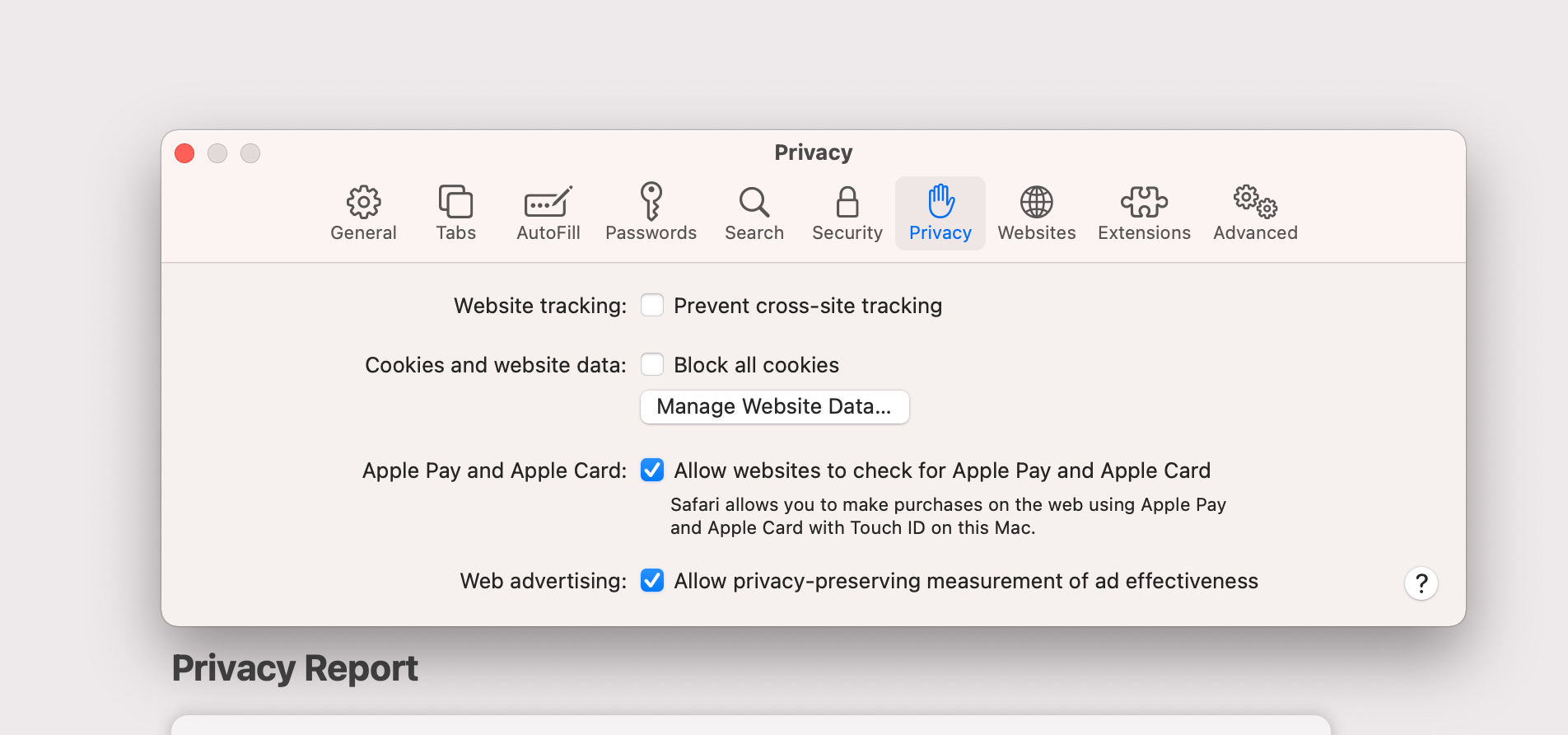
On iOS mobile devices, the Chrome browser uses WebKit, the same engine that powers Safari, instead of Google’s own engine. This means that regardless of the browser used on an iOS device, it always runs on Safari’s engine (except on iOS 17.4+ versions in the EU region). Therefore, even if an iOS user visits a website using Chrome, cross-site tracking is enabled by default due to Safari’s settings. To enable cross-site tracking, users need to disable this setting on their mobile devices.